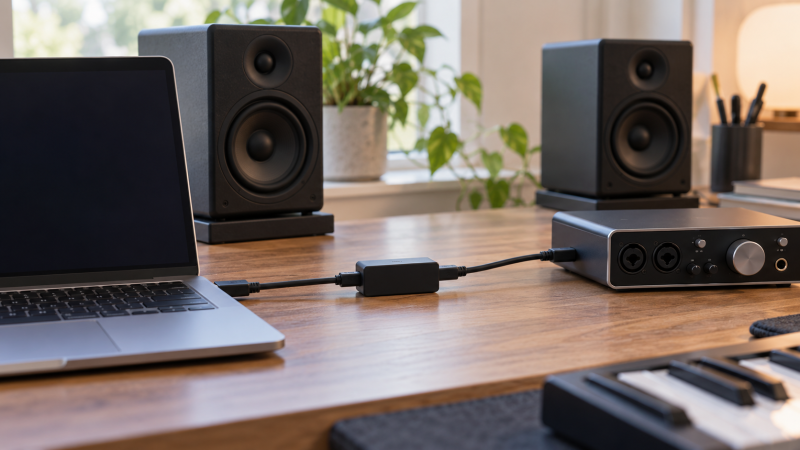
A buzz or hum from a laptop, USB audio device and powered speakers can take more than one path. A USB galvanic isolator sits between the computer and a USB DAC, mixer or interface. Consider it when the noise changes as USB connects. It cannot cure every speaker or analog cable problem.
These six are USB isolators, not analog adapters. Compare USB data speed, downstream power and connectors. A 12 Mbps link can restrict some interfaces; 480 Mbps suits USB 2.0 audio better. Neither guarantees stability.
First confirm where the noise enters. Disconnect the USB audio device, listen for the change, then reconnect the USB path with one isolator inserted. If the hum remains with USB disconnected, a USB isolator is unlikely to be the right fix.USB Isolators Compared
The table shows seller-listed specifications, not independent measurements.
| Image | Product | Details | Check Price |
|---|---|---|---|
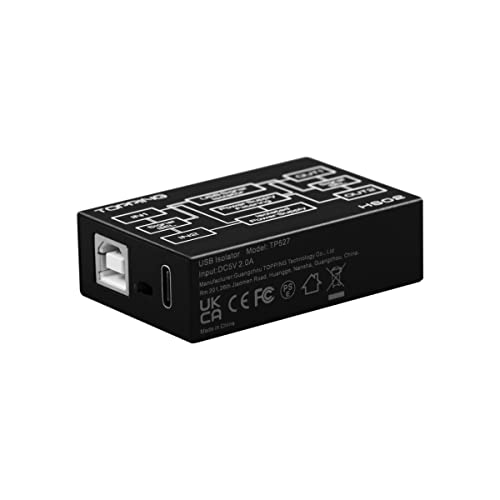 | TOPPING HS02 | USB path: USB 2.0 high speed Connections: USB-B/C in; USB-A/C out Power: Auxiliary option mentioned Best fit: Audio connector flexibility | Check Price on Amazon |
 | Hifime Hi-speed | USB path: Up to 480 Mbps Connections: Single inline link Power: 400 mA downstream listed Best fit: Simple bus-powered audio | Check Price on Amazon |
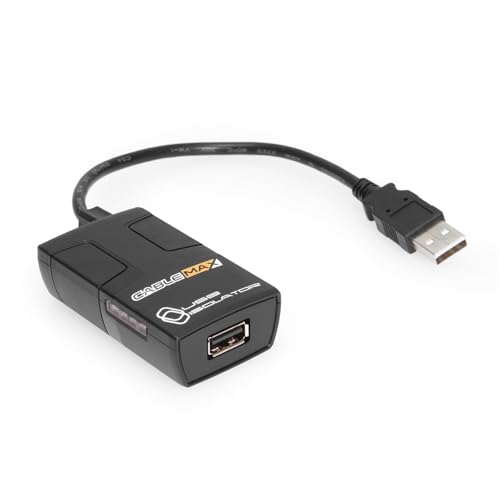 | Cablemax USB 2.0 | USB path: Up to 480 Mbps Connections: Single inline link Power: Optional 5 V DC input Best fit: Optional external power | Check Price on Amazon |
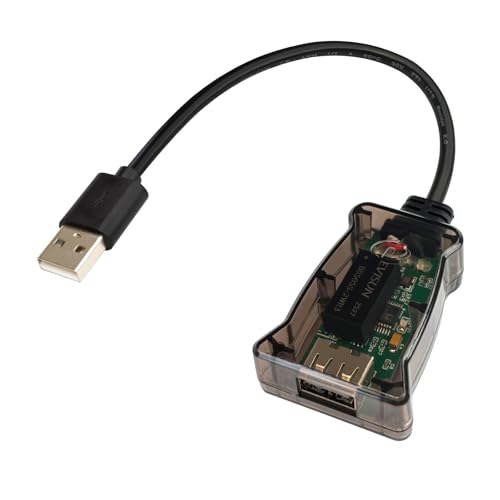 | DSD TECH SH-G01L | USB path: Up to 480 Mbps Connections: Single inline link Power: Budget not stated Best fit: Compact USB 2.0 device | Check Price on Amazon |
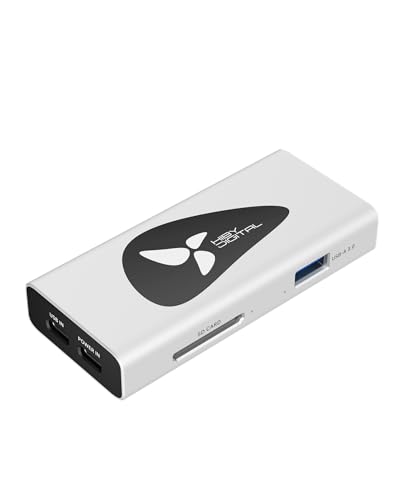 | HiBy AP10 | USB path: Isolated audio; separate 5 Gbps data ports Connections: USB-C audio in; USB-A audio out Power: Separate USB-C power in Best fit: Audio plus hub ports | Check Price on Amazon |
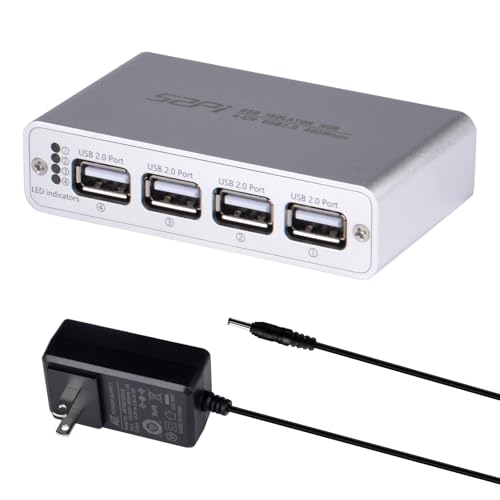 | GeeekPi Four-Port | USB path: Up to 480 Mbps Connections: USB-C upstream; 4 USB ports Power: 12 V/2 A adapter included Best fit: Several USB peripherals | Check Price on Amazon |
1. TOPPING HS02 — Best Audio-Focused Flexibility
TOPPING’s HS02 suits a desk that changes connector types. Its listing names USB-B and USB-C inputs on the computer side, plus USB-A and USB-C outputs for the audio device, with port selectors. The mix of connectors can reduce adapter clutter. Four sockets do not make it a four-device hub.
The seller says it automatically handles low-, full- and high-speed USB 2.0 connections and names PCM 32-bit/768 kHz and native DSD512 compatibility. The format figures are claimed ceilings, not evidence that every driver or audio interface works through it. TOPPING also claims reduced ground-loop noise, including a stated 50 dB reduction under its own conditions. The listing refers to an auxiliary power supply while describing the isolated design, but does not establish the power requirement of your particular downstream device. Verify that requirement before relying on bus power alone.
Our Take Buy the HS02 when an isolator built for audio, with selectable input and output connector types, solves a cable clutter problem. Judge success by your own noise test and interface stability, not the largest PCM number.
- USB-B/C inputs and USB-A/C outputs.
- High-speed USB 2.0 claimed.
- Audio-specific format support is listed.
- Four sockets are selectors, not a hub.
- Seller’s noise-reduction figure is not our measurement.
- Device power still needs checking.
2. Hifime Hi-speed — Best Simple Bus-Powered Option
Hifime describes a compact 480 Mbps USB isolator that detects low, full and high USB speeds automatically. Its listing specifically names audio devices, USB microphones, mixers and MIDI gear, so the intended connection is clearer than a generic industrial adapter’s. The device takes power from the computer and needs no separate driver or external power supply according to the seller. It can connect to a computer’s USB 3.x port, but the isolated link is advertised only at USB 2.0 high speed, not 5 Gbps.
The useful boundary is downstream current. Hifime states 400 mA to the connected device, with a conditional 500 mA figure in one listing sentence. Treat 400 mA as the planning number until the exact host setup is known. A bus-powered interface with a higher draw may disconnect, fail to enumerate or become unstable even if its data rate is fine. The seller also says a computer Thunderbolt port can host the USB connection, but an audio device that itself requires Thunderbolt is not supported by this USB isolator.
Our Take Buy Hifime for an audio desk when a USB 2.0 device fits within its listed current budget. Its explicit power boundary is more useful than an unqualified promise of noise removal.
- 480 Mbps high-speed mode listed.
- Downstream current limit is stated.
- No separate power supply listed.
- 400 mA may be too little for some interfaces.
- Not a Thunderbolt-device isolator.
- USB 3.x host port does not mean 5 Gbps isolation.
3. Cablemax USB 2.0 — Best Optional External Power
Cablemax lists USB 2.0 high-speed data up to 480 Mbps, which distinguishes it from older full-speed-only isolators. It is a general-purpose device that the seller also positions for audio interfaces, scanners and other USB hardware. The listing claims 5,000 V RMS galvanic isolation. That figure is the seller’s component or product claim, not a certification of a complete recording studio or a reason to use audio gear near unsafe voltages.
The more practical feature is optional external 5 V DC power for a higher-draw downstream device. Cablemax says bus power can serve low-power gear, while external power may be needed for applications such as scanners or drives. The power supply is sold separately. Check connector, polarity and the interface’s actual current needs against the device documentation before attaching a supply. The isolation adapter still does not fix noise that enters after the DAC through an unbalanced analog cable.
Our Take Buy Cablemax when a bus-powered isolator might not supply enough current and an optional power input fits the desk. Treat its voltage rating as a listed claim, not a safety guarantee.
- 480 Mbps data rate listed.
- Optional external-power route.
- General USB-device compatibility claimed.
- Power supply sold separately.
- 5,000 V claim is not a desk-safety test.
- No per-interface compatibility guarantee.
4. DSD TECH SH-G01L — Best Compact USB 2.0 Isolator
DSD TECH’s SH-G01L is a compact USB isolator built around an ADuM3165 according to its listing. The seller states automatic negotiation across 1.5, 12 and 480 Mbps USB 2.0 modes. For a laptop DAC or MIDI controller, the high-speed mode is more relevant than a generic “USB-compatible” claim that hides a 12 Mbps limit. The listing says it is plug-and-play on Windows, Linux and macOS. Plug-and-play does not mean the audio device’s own driver can be skipped.
The seller also states 3.75 kV RMS isolation and presents the unit for communication environments prone to interference. That number is not proof that a given buzzing speaker will become silent, nor a substitute for safe electrical wiring. Unlike Hifime and Cablemax, the returned listing bullets do not spell out a clear downstream current budget or external-power option. Verify the connected interface’s power requirement before putting a bus-powered audio box behind it.
Our Take Buy the SH-G01L when a small high-speed USB 2.0 link is the primary need. The unstated power budget is the question to resolve before ordering for a demanding bus-powered interface.
- 480 Mbps, 12 Mbps and 1.5 Mbps listed.
- Plug-and-play operation claimed.
- Compact one-device layout.
- Downstream current budget is not stated in the returned bullets.
- Listed isolation voltage does not predict hum reduction.
5. HiBy AP10 — Best Audio Hub Layout
HiBy’s AP10 suits a desk that wants ordinary hub ports as well as isolated audio. The listing describes an isolated USB audio path built around an ADuM4165, with a dedicated USB-C audio input and USB-A audio output. It also names separate USB-A and USB-C data ports, an SD card slot and an independent USB-C power input. The extra ports can consolidate a small DAC desk where the laptop has too few ports. It is a different layout from the single-purpose inline Hifime or DSD TECH adapters.
The important distinction is that HiBy separately claims USB 3.2 Gen 1 up to 5 Gbps on its data ports. Do not read the claim as a 5 Gbps isolated audio connection. The listing does not establish such a path. It names PCM 32-bit/384 kHz and DSD256 in the title and says its additional power input supports devices with a higher load. Confirm exactly which AP10 port is isolated before connecting a DAC, then test the chosen laptop and audio driver. A convenient hub can still have limitations that apply to particular ports.
Our Take Buy the AP10 if isolated USB audio plus ordinary hub connections would simplify one desk. Keep its USB 3.2 data-port claim separate from the isolated audio route.
- Dedicated isolated audio path.
- Separate USB data ports and SD slot.
- Independent USB-C power input.
- Not every hub port is described as isolated.
- 5 Gbps data-port claim is separate from audio isolation.
- Port layout needs careful connection.
6. GeeekPi Four-Port — Best Multiple Isolated Devices
GeeekPi presents a four-port USB 2.0 isolator with USB-C upstream connection and an included 12 V/2 A adapter. Its listing states up to 480 Mbps USB 2.0 and individual port LEDs. That layout makes sense when a desk has more than one USB peripheral that needs separation from a computer. It is larger than a one-device dongle, and its separate power brick adds a cable to the setup.
The listing names an ADuM3165 and a 3.75 kV RMS isolation claim. It does not independently establish that each port has the same power budget or that four simultaneous audio interfaces can all be driven at their maximum rates. A USB audio workflow with multiple interfaces depends on the operating system and recording software, not just a four-socket hub. Start with one device, confirm stable enumeration and playback, then add the others one at a time.
Our Take Buy GeeekPi for a desk with several USB devices to isolate, provided the supplied power adapter and extra box are welcome. Do not assume that four ports equal four proven simultaneous audio channels.
- Four downstream USB 2.0 ports.
- 12 V adapter included.
- Status LED for each port.
- Larger powered desk box.
- Per-port power is not detailed in returned bullets.
- Multi-interface audio behavior remains untested.
Buying Guide: Diagnose the Loop Before Buying the Box
Find whether the hum follows the USB path
Isolation only helps the path it interrupts. If the noise appears as soon as a USB DAC or interface is connected, try a direct laptop-to-device cable first, then the isolator. Keep the speaker level low while cables are moved. If the buzzing continues when the USB device is unplugged from the computer, trace the speaker power, analog input and other connections instead. For a different kind of signal-routing problem, our HDMI audio extractor guide covers HDMI-to-speaker audio, not USB ground isolation.
A quieter output is not proof that everything works. Record or play a familiar clip, check for dropouts, and confirm the device still appears after a laptop sleep/wake cycle. If the interface is bus-powered, test with the same headphones, phantom-power state and connected instruments used in normal work. A desk can sound quiet at idle but fail when its audio device draws more current or runs at a higher sample rate.
Match speed and downstream power to the device
USB 2.0 high-speed means up to 480 Mbps, not USB 3.x throughput. Port layouts differ. HiBy states its 5 Gbps claim applies to separate hub data ports. Hifime states a USB 3.x host port can be used while the isolated link is rated at 480 Mbps. Check the DAC or interface documentation for its USB mode rather than relying on connector color.
Downstream current is as important as bandwidth. Hifime rates the device for 400 mA of normal supplied current. Cablemax offers optional external 5 V power, GeeekPi includes a 12 V adapter, and HiBy has a dedicated USB-C power input. The supplies are not interchangeable. Confirm the interface’s draw and the isolator’s safe output. Never improvise supply voltage or polarity.
Keep digital isolation separate from speaker and safety claims
A USB isolator does not replace balanced audio wiring. After a DAC or interface, the analog cables to powered speakers can still pick up noise. If the speakers use balanced inputs, a properly wired balanced connection can deserve a separate check. Our budget desktop speaker guide is about selecting speakers. It does not turn a USB adapter into a cure for analog cabling.
The listed kV figures are not a substitute for electrical safety. DSD TECH, GeeekPi and Cablemax quote isolation voltage figures. The figures are seller specifications in product listings and do not certify your complete laptop, interface, mains wiring and studio. Do not defeat a protective earth connection to chase away hum. If a desk has shocks, overheating or a suspected mains fault, stop using the equipment and have the power setup checked by a qualified person.
Frequently Asked Questions
Will a USB isolator work with my bus-powered audio interface?
Possibly, but check current draw first. Hifime publishes a 400 mA planning limit, while Cablemax has an optional external-power route and HiBy and GeeekPi use different powered layouts. The returned DSD TECH listing bullets do not state a downstream current budget. A data-rate match alone does not mean enough power reaches the interface.
Test the same input and output configuration you normally use. Recording with phantom power, a headphone amp or extra peripherals may draw more than a quiet playback test. If the device disconnects, stop treating a clean audio signal as proof of a good electrical fit.
Is an audio ground-loop isolator the same as a 3.5 mm adapter?
No. These six products act in the USB path between a computer and a USB device. A 3.5 mm or RCA analog ground-loop adapter acts after the computer or DAC has already produced an analog audio signal. The connection points and possible tradeoffs differ, so buy for the path where the noise is entering.
If the buzz remains with USB disconnected but stops when an analog speaker cable is removed, a USB box may have no useful path to interrupt. Change one cable or device at a time and note when the noise appears.
Does a 480 Mbps rating guarantee low-latency recording?
No. 480 Mbps is a USB link rate ceiling, not a measured audio round-trip latency. TOPPING lists a very small latency figure for the device, but that does not account for the audio interface, driver buffers, software or operating system. A recording session also depends on stable power and enumeration after sleep or cable reconnection.
Before relying on the isolator for live monitoring, run a short recording at your usual buffer and sample-rate settings. Listen for clicks and verify that the interface remains visible. If the recording chain becomes unstable, remove the isolator and retest directly before changing unrelated settings.
Bottom Line
TOPPING HS02 has the most flexible audio connector layout. Hifime Hi-speed states a useful downstream current budget, and Cablemax USB 2.0 offers an optional external-power path. Choose HiBy AP10 or GeeekPi Four-Port only if their extra ports solve a desk problem. Confirm the noise follows USB before buying any of them.