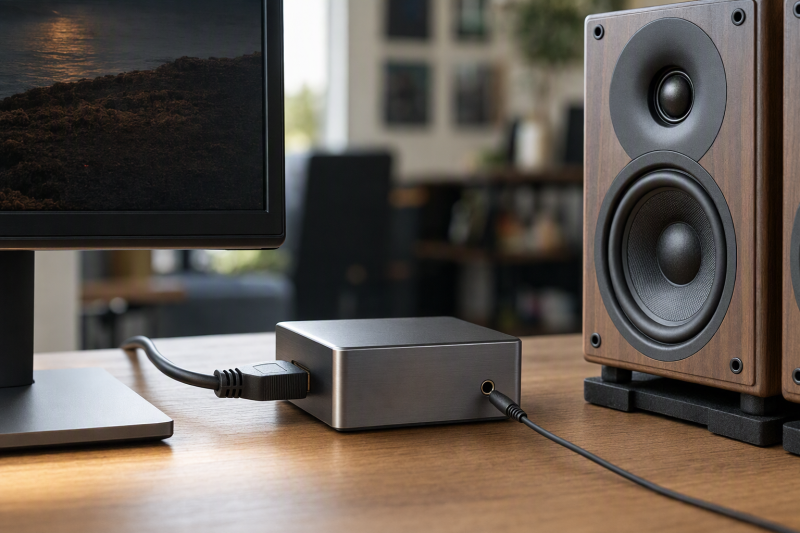
A monitor can show a laptop, console or streaming box over HDMI while offering no useful speaker output. An HDMI audio extractor goes between an HDMI source and a display. The picture passes on to the display and a separate audio signal goes to powered speakers. The key is not the largest list of surround formats. Ordinary analog desk speakers need a two-channel output they can actually accept.
These extractors differ in 4K passthrough, analog output type, optical output and ARC behavior. Confirm the source’s HDMI format, the display’s mode and the speaker’s input before wiring the desk.
For 3.5 mm or RCA powered speakers, set the HDMI source or extractor to PCM stereo/2CH where required. Optical surround passthrough is not the same as analog stereo decoding.HDMI Audio Extractors Compared
| Image | Product | Details | Check Price |
|---|---|---|---|
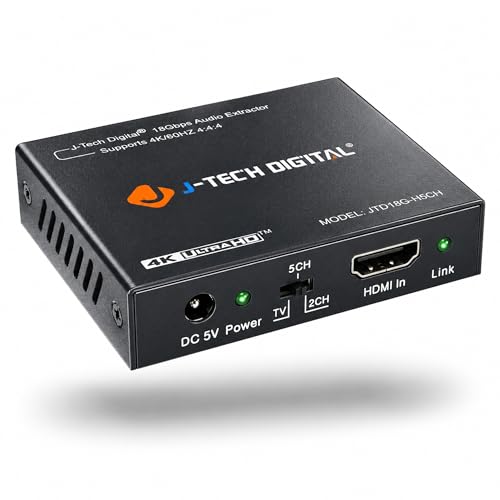 | J-Tech JTD18G-H5CH | Video: 4K60 stated Analog: 3.5 mm stereo Digital: Optical Best fit: Documented PCM desk | Check Price on Amazon |
 | OREI 4K60 Extractor | Video: 4K60 stated Analog: 3.5 mm stereo Digital: Optical Best fit: 4K60 alternative | Check Price on Amazon |
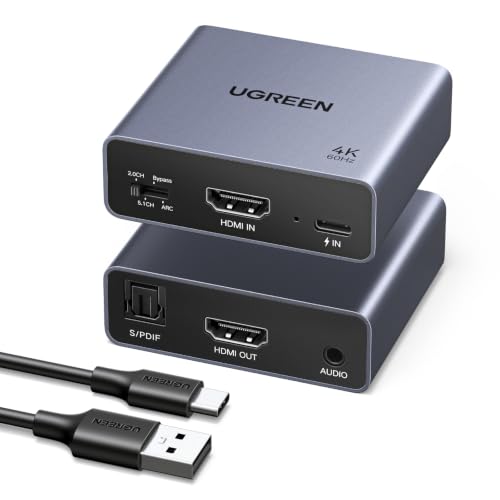 | UGREEN 4K60 ARC | Video: 4K60 stated Analog: 3.5 mm stereo Digital: Optical Best fit: Standard ARC option | Check Price on Amazon |
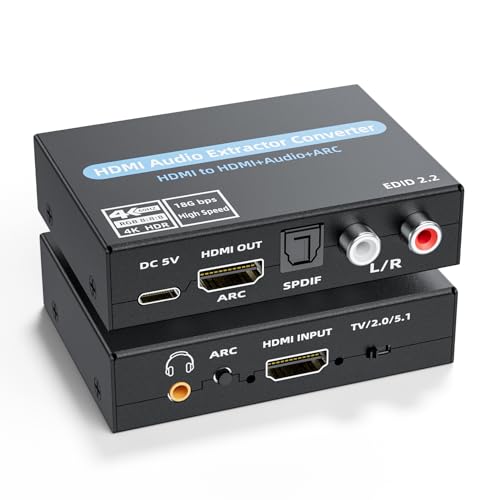 | RCA/3.5 mm Extractor | Video: 4K60 claimed Analog: RCA and 3.5 mm Digital: Optical Best fit: RCA powered speakers | Check Price on Amazon |
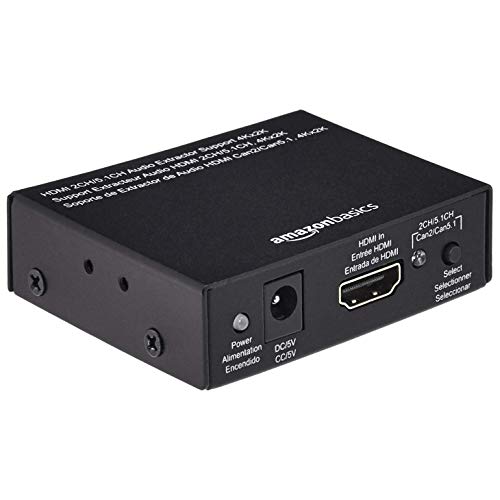 | Amazon Basics 4K30 Extractor | Video: 4K30 stated Analog: Stereo output Digital: Optical Best fit: Plain 4K30 desk | Check Price on Amazon |
 | VPFET 4K30 Extractor | Video: 4K30 stated Analog: 3.5 mm stereo Digital: Optical Best fit: Compact 2CH option | Check Price on Amazon |
1. J-Tech JTD18G-H5CH — Best Documented 4K60 Stereo
J-Tech’s JTD18G-H5CH has HDMI in/out, 3.5 mm analog stereo and optical S/PDIF with a stated 4K at 60 Hz video path. The maker’s own setup guide is direct. Use the 2CH EDID setting and PCM/stereo at the HDMI source for the analog L/R output. The PCM setting is the critical detail for powered desk speakers with a 3.5 mm input, because the extractor does not decode Dolby Digital or DTS into analog stereo for you.
The maker lists 18 Gbps, HDCP 2.2 and HDR passthrough, but a complete video setup still depends on what the source and display support. J-Tech warns of incompatibility with certain Apple TV and Comcast boxes and says Dolby Digital Plus or higher may not appear at the audio outputs.
Our Take Buy J-Tech if you want the easiest 4K60 stereo path to configure from maker instructions. Set PCM/2CH first, then troubleshoot the HDMI handshake.
- Maker documents 2CH/PCM analog setup.
- 4K60, 3.5 mm and optical stated.
- EDID switch is explicit.
- No Dolby/DTS-to-analog decode.
- Named source-box exclusions.
2. OREI 4K60 Extractor — Best 4K60 Alternative
OREI lists an HDMI 2.0b/18 Gbps video path up to 4K60 with optical and 3.5 mm audio outputs. Its HDA-912 product page describes extracting audio from an HDMI source while preserving video to the display. The extractor fits a desk monitor that has no speakers, provided the monitor’s own resolution and refresh demands fall within the unit’s supported modes. The Amazon listing expressly excludes 1440p at 120 Hz despite its other claims about high frame rates.
For 3.5 mm powered speakers, start with LPCM two-channel audio rather than assuming a surround bitstream becomes analog stereo. The listing names many passthrough formats for HDMI/optical, but the list is not a claim that every format comes out of the analog socket. This model says no ARC support. A TV’s ARC-only output is a different signal route from a normal HDMI source placed upstream of a monitor.
Our Take Buy OREI as a 4K60 source-to-monitor alternative, but check that its 1440p120 exclusion and lack of ARC suit your desk.
- 4K60, optical and 3.5 mm stated.
- 18 Gbps/HDCP 2.2 listed.
- No ARC.
- 1440p120 explicitly excluded.
- Surround format list is not analog decoding.
3. UGREEN 4K60 ARC — Best with TV ARC Option
UGREEN’s extractor has a claimed 4K60/18 Gbps HDMI video path with optical and 3.5 mm outputs. The listing has selectable Bypass, 2.0CH, 5.1CH and ARC modes. For normal powered desk speakers, the 2.0CH PCM output on the 3.5 mm jack is the relevant setting. Its ARC mode is a separate TV-audio use case, not something every monitor provides. UGREEN expressly says ARC, not eARC.
The product copy says it needs an external power adapter during use and includes a power cable but not the adapter. Plan that outlet or USB power source before a presentation or desk rebuild. UGREEN also recommends short, good HDMI cables for 4K60. The broad console/streamer compatibility statements and HDR10+ claim were not tested here. An HDMI 2.1 4K120 gaming path is not established by this 4K60 listing.
Our Take Buy UGREEN for a desk that may also need standard ARC later. For plain speakers, use its 2CH setting and budget separate power.
- 4K60 with 3.5 mm and optical listed.
- 2CH and ARC modes separated.
- No eARC.
- Power adapter not included.
- No 4K120 claim.
4. RCA/3.5 mm Extractor — Best for RCA Powered Speakers
This extractor lists RCA left/right analog, 3.5 mm stereo and optical outputs alongside HDMI video passthrough stated up to 4K60. RCA is the practical distinction. Many powered bookshelf speakers accept a red/white line input, so you may avoid a 3.5 mm-to-RCA adapter. Use the speaker’s line input, not a passive-speaker terminal that requires an amplifier.
The listing includes TV, 2.0CH and 5.0CH EDID positions and mentions ARC, but its list of surround formats is broad and not evidence that every codec is decoded to analog stereo. Select 2CH PCM at the source for the RCA or 3.5 mm output. The seller’s 5.0CH label is unusual. Do not use it as a reliable surround specification. No maker documentation here resolves those format details.
Our Take Buy the RCA model when a powered speaker has no 3.5 mm socket. Its vague format copy calls for a simple setup that starts with PCM.
- RCA and 3.5 mm analog outputs.
- 4K60 passthrough claimed.
- 2CH EDID position.
- Codec/downmix claims not established.
- Unusual 5.0CH setting lacks explanation.
5. Amazon Basics 4K30 Extractor — Best Plain 4K30 Desk
Amazon Basics lists an extractor in a metal box, with HDMI in/out, optical S/PDIF and stereo audio output. Its checked video ceiling is 4K at 30 Hz, or 1080p at 60 Hz for the stated mode. The video ceiling is adequate for a non-gaming desk display or streaming setup that does not need 4K60. A 4K60 monitor can still show a signal at a lower rate, but this box does not preserve a 4K60 source mode.
The seller says it accepts sources such as media players, computers and consoles, but a current device may demand newer HDCP or refresh modes. Confirm the source’s selected output first. For powered analog speakers, use the stereo output and a compatible line-level cable. The listing’s broad “uncompressed and compressed audio” wording does not prove decoding of surround audio to stereo on that port. Keep the source at PCM stereo when troubleshooting.
Our Take Buy Amazon Basics for a simple 4K30 or 1080p60 desk. Do not place it in a 4K60 or high-refresh gaming chain.
- Optical and stereo outputs listed.
- Simple metal enclosure.
- 4K limited to 30 Hz in listing.
- Surround downmix not demonstrated.
6. VPFET 4K30 Extractor — Best Compact PCM-First Option
VPFET’s small extractor lists 3.5 mm stereo and optical outputs, with 2.0CH, 5.1CH and PASS switch positions. Its copy specifically says to use 2.0CH for the 3.5 mm output, which makes it a straightforward match for powered desk speakers that take a stereo mini-jack. The stated HDMI 1.4/HDCP 1.4 video ceiling is 4K30, not 4K60. Some named streaming and game devices are described as 1080p only in this listing.
It is not an ARC or eARC device, and the seller says a TV cannot be treated as the HDMI input source for returning audio from the TV. A USB 5 V power connection is required. If you only need sound from a computer or console feeding a desk monitor, place it in that forward HDMI path, select PCM stereo, and use a reliable power source. We did not verify its format switch or handshake behavior.
Our Take Buy VPFET for a compact 2CH setup with a modest video path. Its ARC exclusion and 4K30 limit are firm limits.
- 2CH mode tied to 3.5 mm stereo.
- Optical output also listed.
- 4K30/HDCP 1.4 video ceiling.
- No ARC/eARC.
- USB 5 V power needed.
Buying Guide: Keep the Video Path and Stereo Signal Separate
Put the box in the correct HDMI path
A standard HDMI audio extractor goes after the source and before the display. Connect the laptop, console or player to HDMI IN and the monitor to HDMI OUT. Then connect powered speakers to the extractor’s analog stereo output. A TV’s ARC/eARC socket sends audio backward under a different arrangement. VPFET and OREI expressly lack ARC. UGREEN has an ARC mode but excludes eARC. Do not buy an ordinary extractor placed after the source solely for audio returned from a TV.
The weakest video link limits the entire chain. A 4K60 source and monitor fall back if a 4K30 extractor is between them. Amazon Basics and VPFET list 4K30. J-Tech, OREI, UGREEN and the RCA model list 4K60. Even a 4K60 label does not prove 4K120, 1440p120, a particular HDR mode or every HDCP handshake. Keep HDMI cables and source settings within the supported path.
Match the speaker’s input and audio format
Powered speakers contain an amplifier but still need the right input signal. A pair with a 3.5 mm stereo line input can use the analog output on the models that list one. Speakers with RCA inputs can use the RCA-equipped extractor or a suitable stereo adapter cable. Passive speakers without an amplifier are a different problem. If replacing the display too, our USB-C monitor guide covers that separate decision. An extractor still needs a compatible speaker line input.
PCM 2.0 is the safe starting point for analog stereo. J-Tech’s setup guide specifies PCM/stereo and 2CH for its L/R output. An extractor that passes Dolby or DTS over HDMI or optical does not necessarily decode it for the 3.5 mm jack. Set the source to stereo, check the EDID switch and raise the speaker volume gradually. Avoid connecting the output to a microphone input.
Plan power, latency and a fallback
The extractor itself may need power. UGREEN says its power cable is included but the adapter is not. VPFET expects USB 5 V. J-Tech and OREI use their specified supplies. Weak USB power or an unseated supply can look like an HDMI compatibility problem. Position the box where its HDMI and audio cables are not pulled tight. Our USB-C docking station guide covers a broader desk-port decision, not HDMI audio format negotiation.
Check lip sync and sleep/wake behavior with the exact source. We did not measure delay or handshakes. If the monitor already has a dependable analog or optical audio output, an extractor may be unnecessary. Test a short video and a full source power cycle before an editing session. Keep a direct HDMI path available so a failure can be isolated to the source, extractor or display.
Frequently Asked Questions
Why do the powered speakers stay silent while HDMI video works?
The first check is the source audio format. Many analog 3.5 mm outputs on these extractors expect PCM stereo. A Dolby Digital or DTS bitstream may pass to HDMI or optical without being converted to analog. Put the HDMI source in PCM/2CH mode and, where present, set the extractor’s EDID switch to 2CH.
Then verify the powered speakers are on, their input selector is correct and the analog cable reaches a line input. Confirm the extractor’s own power supply. If the extractor still stays silent, test another source at a supported video mode and consult its exact manual rather than assuming every advertised surround codec reaches the stereo jack.
Can I connect one of these to the HDMI ARC port on my TV?
Only if the exact model and mode support ARC, and only in the maker’s specified wiring. VPFET and OREI explicitly say no ARC. UGREEN advertises an ARC mode but not eARC, while the added RCA model makes a less detailed ARC claim that we did not verify. Extracting audio from a console over HDMI is not the same as returning TV-app audio over ARC.
If the goal is TV-app sound from a TV ARC/eARC port, favor a device with clear maker documentation for returning audio from the TV. For an ordinary desk monitor with an external HDMI source, use the forward HDMI IN-to-OUT path. Check whether the speaker needs analog stereo or optical input before buying.
Will a 4K30 extractor preserve a 4K60 monitor setting?
No. The extractor’s video path becomes a limit between source and monitor. Amazon Basics and VPFET list up to 4K30. A 4K60 source may need to negotiate down to a supported mode. J-Tech, OREI, UGREEN and the RCA alternative list 4K60, subject to their own format and cable constraints.
Do not infer 1440p at a high refresh rate or 4K120 from a generic 4K60 label. Check the exact timing in the source menu after inserting the box, and test HDCP-protected content if that is part of the desk. If full video performance is more important than analog speaker routing, consider a different audio path.
Bottom Line
J-Tech JTD18G-H5CH offers the clearest setup for sending PCM stereo to a 3.5 mm input. OREI 4K60 Extractor is another 4K60 option placed after the source. RCA/3.5 mm Extractor fits RCA line inputs directly. Choose by the source’s video mode and the speaker’s input, then set the source to PCM stereo before troubleshooting.