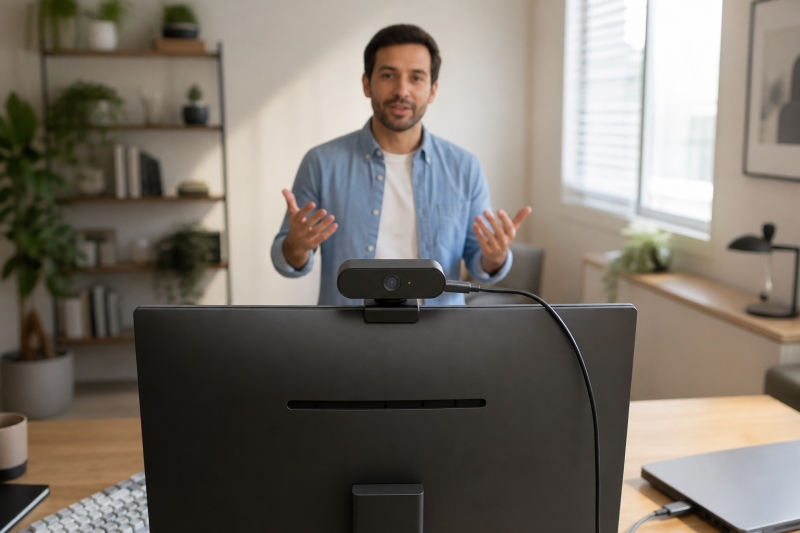
A 4K webcam with AI framing is a strong fit when you move during calls, teach from a desk, present to a group, or need the camera to keep the useful part of the scene visible. The deciding feature is not simply 4K resolution: it is explicit auto-framing or tracking behavior paired with a USB-C connection.
The five webcams below meet that narrower brief in their frozen packet. Choose a fixed camera for a stable desk, a motorized camera for movement, or a model with gesture, remote, privacy, and framing controls that fit how you present.
If you are deciding between a separate camera and an all-in-one display, compare these picks with our USB-C monitors with built-in webcams. If a monitor-integrated camera fails to appear in Windows, use the separate USB-C monitor webcam troubleshooting guide for that setup problem.
| Image | Product | Details | Check Price |
|---|---|---|---|
 | Insta360 Link 2C | Video: 4K stated Framing: Fixed-position Auto Framing Connection: USB-C cable plus USB-A adapter Notable: Privacy switch, DeskView and Whiteboard modes | Check Price on Amazon |
 | Insta360 Link 2 | Video: 4K stated Framing: 2-axis motorized AI Tracking Connection: USB-C cable plus USB-A adapter Notable: Gesture control and tilt-down privacy | Check Price on Amazon |
 | Logitech MX Brio | Video: 4K at 30fps or 1080p at 60fps stated Framing: RightSight auto-framing Connection: Detachable USB-C to USB-C cable Notable: Rotating privacy cover and Show Mode | Check Price on Amazon |
 | OBSBOT Tiny 2 Lite | Video: 4K PTZ stated Framing: AI tracking with automatic zoom Connection: USB-C Notable: Tracking areas and preset positions | Check Price on Amazon |
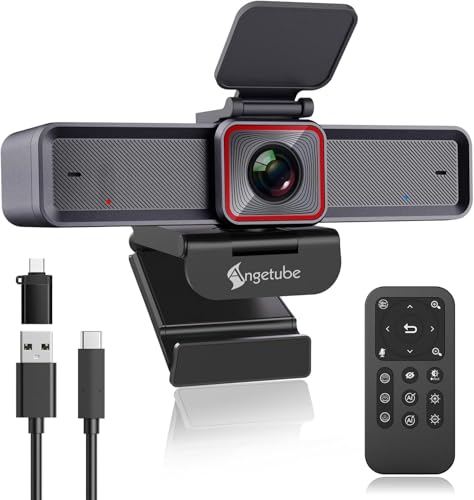 | Angetube 913 AI King | Video: 4K at 30fps or 1080p at 60fps stated Framing: AI auto-tracking and auto-framing Connection: USB 3.2 Gen 1 Type-C Notable: Privacy cover and 18-key RF remote | Check Price on Amazon |
Key Takeaway: Pick a 4K USB-C webcam for its framing behavior and controls, then make sure its connection and software requirements suit the computer you use for calls.
AI tracking can keep a speaker centered, but it does not replace choosing a camera position and lighting that fit your room.
Source limit: Product identity, listed features, USB-C connection evidence, and active New-offer status come from the Amazon listing snapshot used for this guide. The snapshot does not establish independent image testing, ongoing software support, or unlisted platform behavior.
1. Insta360 Link 2C — For Fixed-Position Auto Framing
The Insta360 Link 2C is for a desk-bound presenter who wants automatic framing without a motorized pan-and-tilt body. The packet identifies a 4K webcam with Auto Framing, a 1/2-inch sensor, HDR, and phase-detection autofocus. The included USB-C cable and USB-C to USB-A adapter support direct connections to USB-C and USB-A hosts.
Its auto-framing feature uses digital zoom to keep one person or a group in sight. The packet also lists gesture and smartphone control, DeskView and Whiteboard modes, a privacy switch, and Link Controller software for settings adjustment.
Our Take
- Auto Framing can keep a solo caller or group visible without manual reframing during a meeting.
- The supplied USB-C cable and USB-C to USB-A adapter give buyers two listed host-connection paths.
- DeskView and Whiteboard modes support presentations that include a desk surface or written material.
- Digital framing is a different approach from a motorized camera that physically follows movement.
- The packet says ARM-based Windows systems and Windows Hello Face Recognition are not supported.
2. Insta360 Link 2 — For Motorized Presenter Tracking
The Insta360 Link 2 is for a presenter who moves around the room and wants the camera to respond physically. The packet calls it a PTZ 4K webcam with AI Tracking, a 1/2-inch sensor, HDR, phase-detection autofocus, and a 2-axis motorized gimbal that pans and tilts to follow a person or group.
It uses USB-C with a supplied USB-C cable and USB-C to USB-A adapter in the packet evidence. Gesture and smartphone controls can start tracking or auto framing, adjust zoom, or activate Whiteboard Mode, while the camera can tilt down after inactivity for privacy.
Our Take
- The motorized gimbal is designed to pan and tilt as a presenter moves, helping a speaker stay framed.
- 4K, HDR, and phase-detection autofocus are listed for a more capable call or presentation camera.
- Gesture and smartphone controls can reduce desk-side adjustments during a session.
- A motorized tracking camera adds behavior that may be unnecessary for a fixed seated call setup.
- The packet says ARM-based Windows systems and Windows Hello Face Recognition are not supported.
3. Logitech MX Brio — For Meetings With A Privacy Cover
The Logitech MX Brio is for a meeting and streaming desk that values a USB-C webcam, RightSight auto-framing, and a built-in rotating privacy cover. The packet lists Ultra HD 4K at 30fps or 1080p at 60fps, AI-enhanced image features, dual beamforming noise-reducing microphones, and a detachable USB-C to USB-C cable.
RightSight is listed to detect and center on the user as they move during meetings. The camera also supports a tilt-down Show Mode for sharing notes or sketches, and Logitech software is listed for image controls such as lighting and white balance.
Our Take
- RightSight auto-framing is listed to keep a moving meeting participant centered.
- The built-in rotating cover gives a direct physical way to block the camera between calls.
- Show Mode can help a presenter share notes and sketches placed on the desk.
- This fixed-position webcam does not list motorized pan-and-tilt tracking.
- Advanced image adjustments depend on Logitech software according to the packet.
4. OBSBOT Tiny 2 Lite — For PTZ Framing Control
The OBSBOT Tiny 2 Lite is for teaching, meetings, and streaming where AI tracking with automatic zoom and framing is central to the camera choice. The packet identifies a 4K PTZ webcam with a 1/2-inch CMOS sensor, USB-C connection, multiple tracking modes, configurable tracking and non-tracking areas, and preset positions.
The listed gesture controls let you lock a portrait tracking target or control zoom. It also supports horizontal, portrait, and upside-down shooting modes, while the packet says an app is not required for basic use and separately lists SDK, OSC, Stream Deck, and Global Hotkey functions.
Our Take
- AI tracking with automatic zoom and framing suits a presenter who changes position during a session.
- Tracking and non-tracking areas give a buyer a listed way to shape where the camera should follow movement.
- Preset positions can help repeat a known desk, board, or presentation framing position.
- The packet says some streaming features were simplified to prioritize teaching and meeting scenarios.
- SDK, OSC, Stream Deck, and Global Hotkey functions are optional advanced paths rather than basic setup needs.
5. Angetube 913 AI King — For Remote-Controlled Wide Framing
The Angetube 913 AI King is for a wider meeting or presentation area where the camera needs to respond to people in the frame. The packet lists 4K at 30fps, 1080p at 60fps, AI auto-tracking and auto-framing, a USB 3.2 Gen 1 Type-C interface, HDR, and a 100-degree wide angle.
Its 18-key RF remote is listed for zoom, image control, microphone control, and field-of-view selections of 75, 85, or 100 degrees. The packet also lists a privacy cover and dual noise-canceling microphones for calls and meetings.
Our Take
- AI auto-framing can adjust the frame around the number of people in a meeting.
- The remote offers a listed way to change zoom and choose 75, 85, or 100 degree fields of view from the desk.
- A USB Type-C interface and 4K 30fps are directly established in the packet evidence.
- A 100-degree wide-angle view can show more of a room than a tightly framed solo-call setup needs.
- The packet does not establish motorized pan-and-tilt behavior for this model.
Buying Guide: Choosing a 4K AI Framing Webcam
Decide between fixed digital framing and motorized tracking
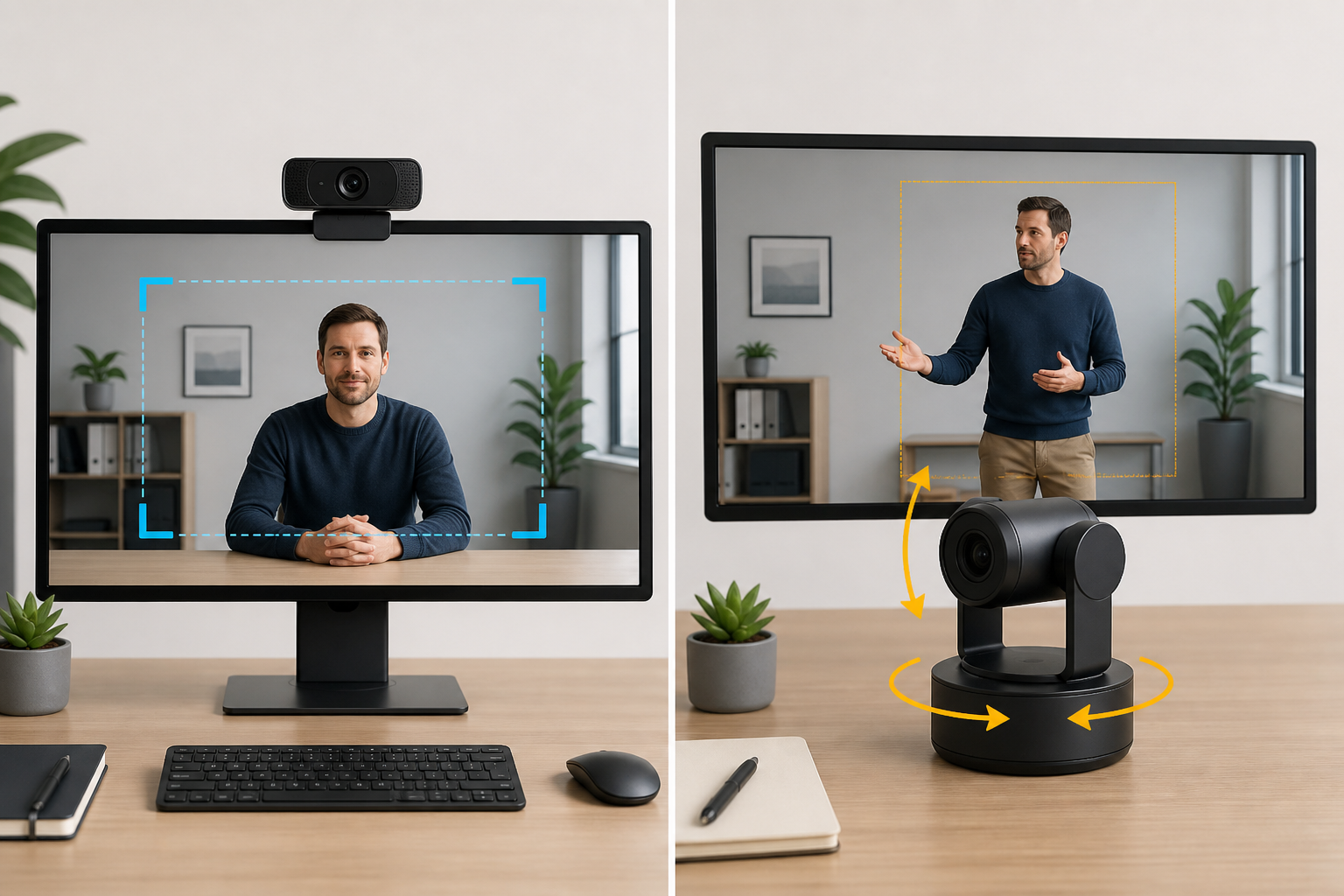
Auto-framing can be digital, while AI tracking can also drive a physical pan-and-tilt camera. Choose fixed-position digital framing for seated calls and a stable desk composition, or choose a PTZ model when a presenter regularly moves through a larger area.
The distinction changes the shot you can expect. A motorized camera can follow movement by changing its position, while a fixed webcam works from its installed viewpoint and may frame through zoom or crop behavior.
Treat USB-C as part of the installation plan
Every retained model has packet evidence for a USB-C connection, cable, or Type-C interface. Check the host port on your computer and the included or listed cable arrangement before you plan the desk layout.
Adapter support can be useful, but it is not a substitute for checking the full path. A USB-C to USB-A adapter can broaden host options, whereas a detachable USB-C to USB-C cable may better match a newer laptop connection.
Pick controls that match how you present
Hands-free tracking is useful during a lesson or presentation, but direct controls can be just as important. The packet includes gesture control, smartphone control, preset positions, and an RF remote across the retained models.
Choose the least complicated control path that solves your need. A remote can suit a wide meeting room, while gestures or presets can make more sense when you want to change framing without leaving the camera view.
Keep privacy and desk-sharing needs visible
A webcam remains pointed at your work area between calls, so the privacy design belongs in the buying decision. The packet includes a privacy switch, a tilt-down privacy action, and a rotating physical cover among the available approaches.
If you share notes, paper, or sketches in calls, look for a camera feature that helps with that task. Desk-oriented and whiteboard-oriented modes are more useful for visual explanation than a generic 4K label alone.
FAQ
What does AI auto-framing do on a webcam?
AI auto-framing is designed to adjust the camera frame so a person or group stays visible. The packet evidence for this group includes digital auto-framing, automatic zoom, and tracking behavior that responds to people in a scene.
The exact behavior varies by model. Some use a fixed camera with digital framing, while PTZ designs can pan and tilt, so match the method to whether you remain seated or move around the room.
Is 4K necessary for video calls?
4K is a listed capture capability across these webcams, but the call platform and your settings can determine what others receive. For a buyer in this category, the more distinctive pairing is 4K with auto-framing or AI tracking.
Use the extra resolution as one part of the decision. Framing, autofocus, room lighting, and your computer connection can influence the practical call setup as much as the headline resolution.
Do AI tracking webcams need software?
Some listed controls and settings depend on companion software, while basic operation can be simpler. The packet names Link Controller for the Insta360 Link 2C and Insta360 Link 2, and Logitech software for image adjustments, while the OBSBOT Tiny 2 Lite entry says no app is required for basic use.
Check the specific model’s requirements before a presentation. Software can unlock settings or tracking controls, but packet-level evidence does not prove a universal setup experience across every host and operating system.
Can a webcam follow more than one person?
Several retained products explicitly describe group-aware framing or tracking. The Insta360 Link 2C can frame one person or a group, the motorized Insta360 Link 2 is listed to follow a person or group, and the Angetube 913 AI King frames meetings based on attendee count.
Choose a model based on the amount of movement and room width you expect. A wide-angle or group-framing feature can help a meeting table, while a narrow solo shot may need a different field-of-view choice.
What privacy features should I look for?
A physical blocking feature gives an immediate visual privacy state. The packet lists a privacy switch on one model, a tilt-down privacy behavior on another, a rotating cover, and a privacy cover on another retained webcam.
Decide how you prefer to manage the camera between calls. A cover or switch can be simpler to verify at a glance, while a software or inactivity behavior can fit a workflow that keeps the webcam mounted in place.
Final Word
The best 4K USB-C webcam with AI framing is the one whose tracking method, controls, and privacy design fit how you appear on camera. Start with a fixed auto-framing model for a stable desk or a PTZ tracker for movement, then confirm the USB-C connection and any software controls before the first call.