The right USB-C studio microphone is not simply the one with the longest feature list. For streaming and podcasting, the practical choice is the microphone whose connection path, voice controls, monitoring, and recording style fit the way you actually work. This comparison focuses on seven current New-condition standalone microphones, not audio interfaces, cables, or generic accessories.
Some picks are condenser microphones, while others are dynamic. Some use a direct USB-C connection, others combine USB operation with XLR or a Type-C receiver, and several add DSP, gain control, monitoring, or wireless operation. Those are separate decisions. A microphone can be convenient to connect without being the best fit for an untreated room, and an XLR option can be useful without being necessary for a simple laptop setup.
Key Takeaway: Start with the microphone type and connection you will use today, then choose DSP, XLR, wireless, and monitoring features that solve a real workflow need.
Quick comparison
| Image | Product | Details | Check Price |
|---|---|---|---|
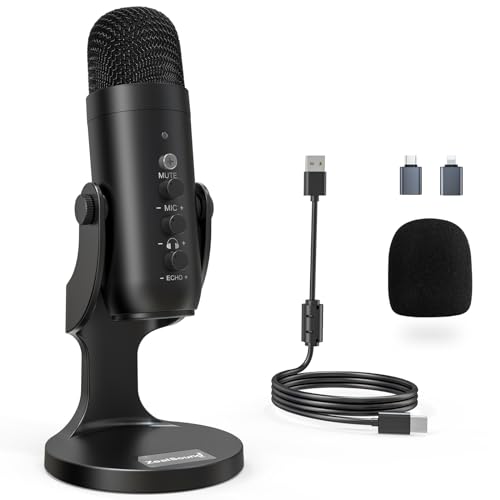 | ZealSound K66 Podcast Microphone | Connection: USB with included USB-C adapter Type: Condenser Controls: Gain, monitoring, echo, mute | Check Price on Amazon |
 | Shure MV7+ Podcast Microphone | Connection: USB-C and XLR Type: Dynamic Controls: DSP, denoising, Auto Level, reverb | Check Price on Amazon |
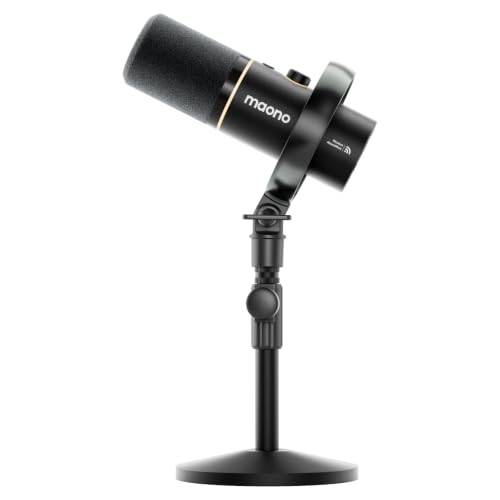 | MAONO PD200W Hybrid Microphone | Connection: USB, XLR, Type-C receiver Type: Dynamic Controls: Wireless, noise cancellation, EQ, reverb | Check Price on Amazon |
 | BEACN Dynamic USB Microphone | Connection: Direct USB-C Type: Dynamic Controls: Onboard DSP and device-saved settings | Check Price on Amazon |
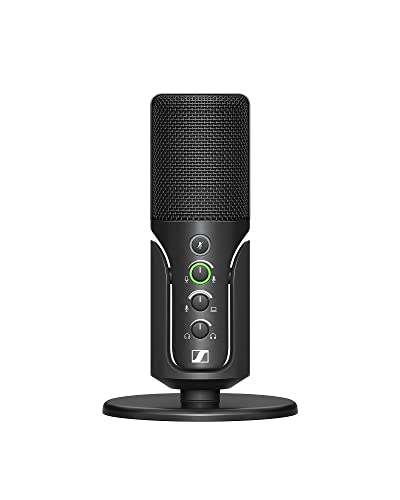 | SENNHEISER Profile | Connection: USB with 1.2 m USB-C cable Type: Cardioid condenser Controls: Gain, mix, volume, headphone jack | Check Price on Amazon |
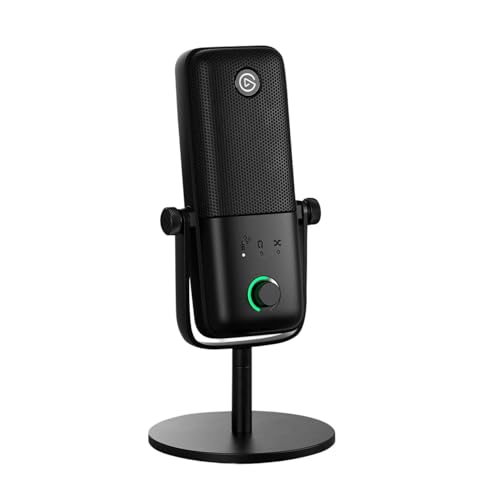 | Elgato Wave:3 MK.2 | Connection: Direct USB-C Type: Condenser Controls: Voice enhancer, compressor, EQ, DSP | Check Price on Amazon |
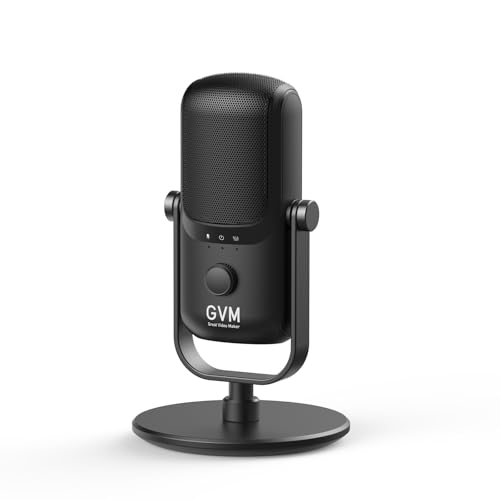 | GVM USB-C Condenser Microphone | Connection: Direct USB-C Type: Condenser Controls: Gain control, mute, metal stand | Check Price on Amazon |
1. ZealSound K66 Podcast Microphone — Best Value Controls With Included USB-C Adapter
The ZealSound K66 is the feature-dense choice for a creator who wants hands-on controls without immediately adding an interface. Its listing identifies a standalone podcast microphone with noise reduction, gain, monitoring, echo adjustment, and mute control. It also names an included USB-C adapter, which makes the USB connection more useful for a mixed desk and mobile-device setup than a USB-only cable assumption would be.
The listing calls this a condenser microphone, so it belongs in the group of options designed around detailed vocal capture rather than a dynamic-mic purchase decision. Its direct monitoring path and separate controls for microphone volume, monitoring volume, and echo make it a good fit when you want to hear and adjust the signal at the microphone. The listing does not turn the included adapter into proof of universal device support, so check the port and recording app you will actually use.
Review details: Condenser podcast microphone; USB connection with included USB-C adapter; listing-stated gain, monitoring, echo adjustment, mute, and noise reduction.
Pros
- Separate gain, monitoring, and echo controls give a beginner more direct adjustment than a bare plug-in microphone.
- The included USB-C adapter supports a more flexible connection path without adding an adapter as a separate purchase.
Cons
- USB-C is described through the included adapter, not as an explicitly stated direct USB-C microphone port.
- Condenser capture and noise reduction are different tools, so do not assume the processing removes every room or desk sound.
Our Take: Choose the ZealSound when you want a low-friction control set and can use its listed USB-plus-adapter connection. It is a practical control-first pick, not an automatic substitute for an XLR workflow.
2. Shure MV7+ Podcast Microphone — Best for Direct USB-C or XLR Workflows
The Shure MV7+ is the clearest dual-path microphone in this comparison. Its listing states both USB-C and XLR connectivity, so you can begin with a direct computer or mobile-device connection and retain an XLR option for a later interface or mixer setup. The listing also identifies the product as a dynamic microphone, which is a meaningful distinction from the condenser entries when you are choosing the microphone style rather than just the connector.
Its stated processing features are unusually specific: built-in DSP, real-time denoising, Auto Level, a digital pop filter, and app-controlled reverb. Those tools offer an adjustable workflow, not a claim that every voice or room will sound the same. The listing’s stand is part of the exact item here, so it is an included-accessory detail to preserve when comparing a ready-to-place microphone with one that may need a separate arm or stand.
Review details: Dynamic microphone with direct USB-C and XLR paths; listing-stated DSP, denoising, Auto Level, digital pop filter, reverb control, and included stand.
Pros
- USB-C and XLR connection options let one microphone serve a simple setup now and a more expanded audio chain later.
- Built-in DSP and real-time denoising give a streamer listed tools for managing level and background sound.
Cons
- XLR flexibility does not include an interface or mixer, so that path may require equipment beyond the microphone.
- DSP settings are still choices, and the listing does not establish a universal preset for every voice or room.
Our Take: Pick the Shure when direct USB-C is important but you do not want to give up an XLR route. It is the strongest listed choice for a creator planning an upgrade path without buying two microphones.
3. MAONO PD200W Hybrid Microphone — Best for Wireless and USB Flexibility
The MAONO PD200W is the outlier for a desk creator who wants more than one operating mode. Its listing describes a standalone dynamic microphone that can work wirelessly, through USB, or through XLR. It also identifies a Type-C receiver and cable, placing the USB-C element in the product system itself rather than treating it as a vague compatibility label.
The listing states three-stage noise cancellation plus app-controlled EQ and reverb. It also says the microphone can use a receiver for wireless operation. That does not make it a lavalier kit or a replacement for every wired setup. Instead, it is a hybrid microphone for someone whose podcast or stream moves between a fixed desk, a camera-oriented recording arrangement, and a more traditional XLR connection.
Review details: Dynamic hybrid microphone with USB, XLR, wireless operation, Type-C receiver and cable; listing-stated three-stage noise cancellation, app EQ, and reverb.
Pros
- Wireless, USB, and XLR modes give a creator several stated operating paths in one microphone system.
- Type-C receiver and cable are included in the listed system, making the wireless and USB-C-related path more concrete than a host compatibility mention.
Cons
- More connection modes mean more setup choices, so it may be less direct than a simple single-connection desk microphone.
- Wireless operation and XLR operation are distinct workflows, not features you should assume run together in one recording path.
Our Take: Choose the MAONO when flexibility is the actual job. If you will only ever record at one USB-C desk, its extra modes may matter less than a simpler direct-connect microphone.
4. BEACN Dark Dynamic Microphone — Best for Device-Saved DSP Settings
The BEACN Dark is aimed at a direct USB-C desk setup where processing control matters. Its listing identifies a direct USB-C connection, a dynamic microphone design, onboard DSP effects, and settings saved directly on the device. That last point is the distinctive workflow detail: it separates a saved microphone configuration from a feature that exists only as a loose recommendation for a compatible computer.
The listing also names a headphone jack for real-time monitoring, multi-band EQ, compression, bass enhancement, adaptive noise suppression, and RGB lighting. The audio controls are the decision-relevant part; RGB is simply part of the listed design. Keep its direct USB-C connection separate from any XLR expectation, because the listing does not claim an XLR path for this exact product.
Review details: Dynamic desk microphone with direct USB-C, onboard DSP, device-saved settings, real-time headphone monitoring, EQ, compression, and adaptive noise suppression.
Pros
- Device-saved DSP settings are useful when you want the microphone to retain a defined processing approach.
- Direct USB-C and headphone monitoring keep the connection and listen-back path in the microphone-focused workflow.
Cons
- No XLR path is stated for this exact model, so it is not the pick for a required analog-interface workflow.
- Processing choices such as EQ and compression require deliberate setup, not a one-size-fits-all recording result.
Our Take: Pick the BEACN when saved processing and direct USB-C matter more than analog expansion. It is a good fit for a consistent streaming desk, provided its listed processing approach is the one you actually want to manage.
5. SENNHEISER Profile Condenser Microphone — Best for Hands-On Condenser Controls
The SENNHEISER Profile is the condenser option here for users who prefer physical gain, mix, and volume controls. Its listing identifies a USB cardioid condenser microphone, a 1.2 m USB-C cable, mute button, built-in headphone jack, and table stand. That is a focused package: microphone, a stated USB-C cable, basic monitoring hardware, and a stable desk placement accessory.
The condenser label is the key comparison point here. It is not a claim that the Profile is inherently better than a dynamic microphone such as the Shure MV7+ or BEACN Dark. It means you should compare it as a different microphone type, then decide whether its hands-on mix and volume controls suit a solo voice workflow. The listing does not establish onboard DSP effects for this model.
Review details: USB cardioid condenser microphone with 1.2 m USB-C cable, table stand, mute, gain, mix, volume controls, and built-in headphone jack.
Pros
- Gain, mix, and volume controls give a solo creator a clear physical control surface at the microphone.
- The table stand and USB-C cable are listed accessories, helping define a ready-to-place condenser package.
Cons
- The listing does not establish onboard DSP effects, so do not choose it expecting the processing package described for other models here.
- A condenser microphone is a separate buying decision from a dynamic mic, not a universal upgrade based on the name alone.
Our Take: Choose the SENNHEISER if you want a condenser microphone with a stated USB-C cable, table stand, and physical monitoring controls. It is the better fit for a hands-on desk workflow than for someone who specifically needs DSP or XLR.
6. Elgato Wave-3 MK.2 Condenser Microphone — Best for Onboard Voice Effects
The Elgato Wave-3 MK.2 pairs a condenser capsule with a direct USB-C connection and a more explicit effects package. Its listing states an onboard voice enhancer, compressor, EQ, DSP effects, a multifunction dial, tap-to-mute control, LED feedback, and an integrated headphone jack. For a streamer, that creates a clear reason to consider it: the listed features are centered on voice shaping and immediate control rather than a physical XLR expansion path.
The listing also distinguishes onboard effects from its associated software controls. That distinction matters because the exact product claim is a microphone with USB-C and onboard processing, while software may still be part of the wider control workflow. If you prefer a dynamic microphone or need XLR, compare it against the Shure MV7+ rather than treating every listed effect as a substitute for that connection type.
Review details: Condenser microphone with direct USB-C, onboard voice enhancer, compressor, EQ, DSP effects, multifunction dial, mute, LED feedback, and headphone jack.
Pros
- Onboard voice enhancer, compressor, and EQ make this the most explicitly effects-oriented condenser choice in the comparison.
- USB-C, monitoring, and direct controls support a compact streaming setup without an interface in the stated product path.
Cons
- No XLR route is stated for this exact model, so it does not meet a required analog-interface plan.
- Software and onboard effects are not the same layer, so account for the workflow you prefer before buying for processing alone.
Our Take: Pick the Elgato when voice effects and physical microphone controls are central to your stream. It is a direct USB-C condenser solution, not an XLR-first microphone.
7. GVM USB-C Condenser Microphone — Best for Simple Direct USB-C Recording
The GVM USB-C condenser mic is the simplest direct USB-C option in the group. Its listing identifies a condenser microphone with plug-and-play USB-C connectivity, integrated gain control, mute function, a metal stand, and a stated 20Hz to 16kHz frequency response. That is a defined desk-microphone proposition without an XLR branch, a wireless receiver, or a larger DSP package.
This straightforwardness is useful if you want the connection path to stay clear. The listing says no extra driver or software is required for the USB-C connection, but that should not be stretched into a claim about every recording app or device. Its gain and mute controls cover basic adjustment; the listing does not establish direct headphone monitoring, onboard EQ, or included accessories beyond the metal stand.
Review details: Condenser microphone with plug-and-play USB-C, integrated gain and mute, metal stand, and a listing-stated 20Hz to 16kHz response.
Pros
- Direct USB-C plug-and-play operation is the cleanest listed connection path in this group.
- Integrated gain control, mute, and metal stand cover the core controls and placement accessory for a desk recording setup.
Cons
- No XLR, wireless, monitoring, or DSP path is stated for this exact model, so do not buy it for those features.
- The simple control set is intentionally narrower, which may not suit a creator who wants voice effects or more elaborate routing.
Our Take: Choose the GVM if direct USB-C recording and a basic desk stand are the full job. It is the right fit when simplicity is a feature, not when you need an expandable audio chain.
Buying Guide: Choose the microphone type before the feature list
Match condenser and dynamic microphones to your recording plan
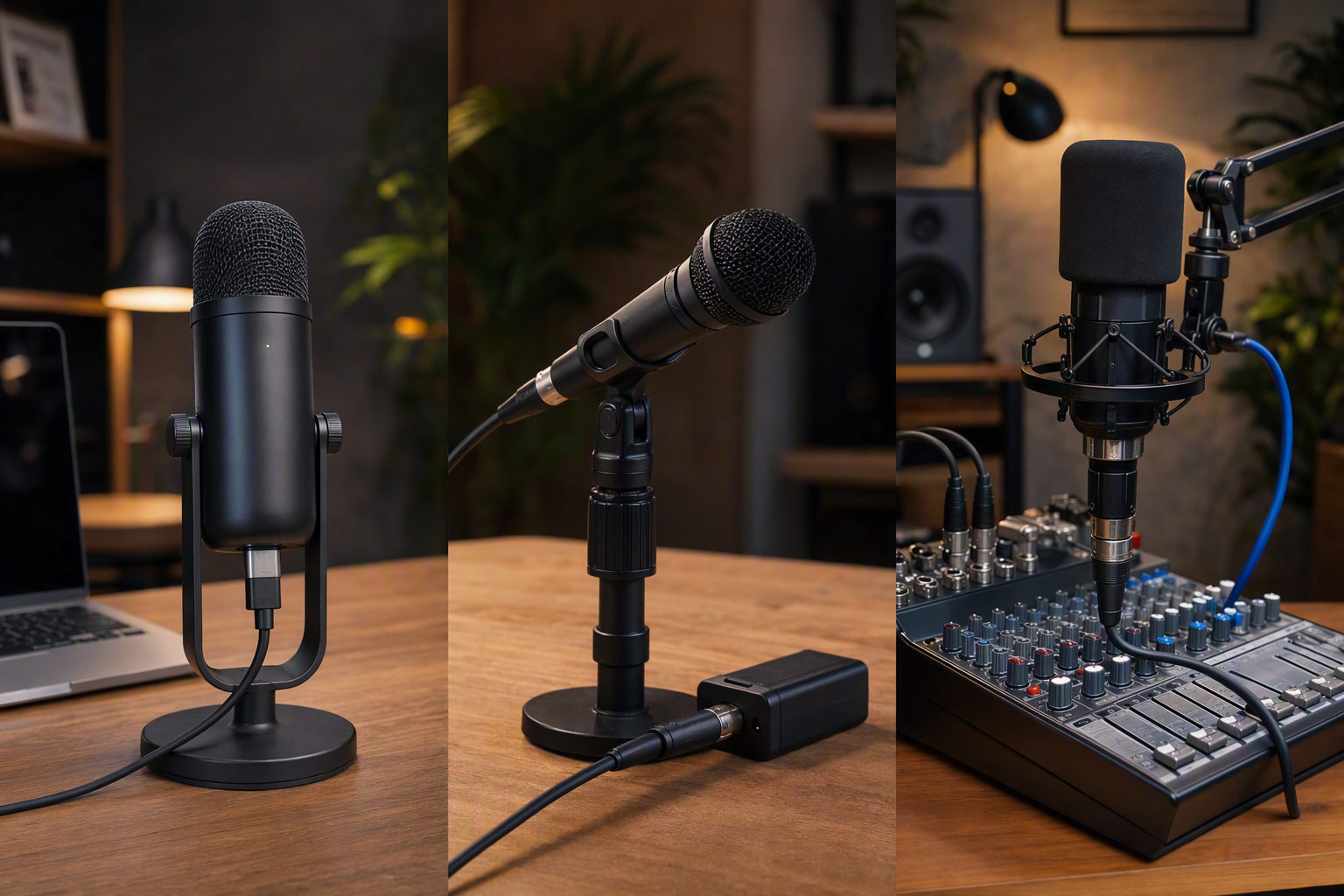
Condenser and dynamic are not interchangeable labels. The listings identify the SENNHEISER Profile, Elgato Wave-3 MK.2, and GVM USB-C condenser mic as condenser microphones, while the Shure MV7+, MAONO PD200W, and BEACN Dark are dynamic. Choose the type as part of the sound-capture plan, not as a scorecard of which listing has more features.
Use the supplied controls to narrow the choice. A condenser listing may emphasize a USB-C cable, stand, or onboard effects, while a dynamic listing may center USB-C, XLR, wireless operation, or saved DSP. Those are real workflow differences. If your decision is still unclear, prioritize the connection path you will use on day one over an option you might never connect.
Separate direct USB-C, USB with an adapter, XLR, and wireless use
Direct USB-C is the cleanest stated route for a laptop-centric setup. The BEACN Dark, Elgato Wave-3 MK.2, and GVM USB-C condenser mic explicitly state direct USB-C operation. The ZealSound K66 instead lists USB operation plus an included USB-C adapter. That is a usable distinction when you want to avoid guessing how the microphone reaches your device.
XLR and wireless should solve a present problem. The Shure MV7+ and MAONO PD200W add XLR, while MAONO also lists wireless operation and a Type-C receiver. Neither feature is automatically superior to direct USB-C. Buy for the workflow you have, whether that is a simple laptop connection, an interface-based audio chain, or a recording setup that benefits from a receiver.
Treat DSP and monitoring as separate purchase decisions
DSP can be useful without replacing microphone placement or setup. Shure lists real-time denoising and Auto Level, BEACN lists device-saved DSP, and Elgato lists voice enhancement, compression, EQ, and effects. Those are product-specific processing claims, and each should be read as a control tool rather than a promise of a perfect voice capture in every room.
Monitoring answers a different question from processing. ZealSound, SENNHEISER, BEACN, and Elgato all list a monitoring or headphone-listening path, but the exact controls differ. If you need to hear your recording in real time, verify the headphone jack or monitoring control before prioritizing a long effects list. Included stands, cables, and receivers are also purchase-relevant, because they define how close the listed package is to a working desk setup.
If the preferred microphone needs an analog path, compare the host-side connection gear in our USB-C audio-interface guide for podcasting. For a desk that also has cameras, storage, and displays attached, USB-C docks for music production help separate microphone selection from the laptop’s port layout. Related setup guides for USB-C audio interfaces for guitar recording, USB-C headphones, and USB-C docking stations cover other desk components; if the host-side route misbehaves after setup, use the focused checks for a USB-C dock audio jack with no sound, a USB-C monitor microphone that is not working, or a USB-C dock audio-crackling issue before assuming the microphone itself is at fault.
Frequently Asked Questions
Is a direct USB-C microphone always the best choice for podcasting?
No. A direct USB-C route can be the simplest way to connect a microphone to a laptop or compatible device, but it does not decide whether the microphone type, controls, or monitoring fit your recording plan. The GVM USB-C condenser mic is the most straightforward listed USB-C option, while the Shure MV7+ adds an XLR route for a different workflow.
Choose the connection you will actually use. If an interface or mixer is part of your plan, an XLR-capable microphone can be relevant. If it is not, direct USB-C or the ZealSound’s listed USB-plus-adapter path may be more practical. The listings do not establish universal support across every device and recording app.
Key Takeaway: Direct USB-C is a connection decision, not a universal quality ranking. Match the port path to the equipment you already intend to use.
Do DSP and noise reduction make room treatment unnecessary?
No. The listings identify product-specific processing such as Shure’s real-time denoising, BEACN’s DSP, Elgato’s effects, and MAONO’s noise cancellation. These are useful listed features for adjusting a recording workflow, but they are not evidence that all background sound, placement issues, or room behavior disappear.
Read the processing claim at the product level. DSP, Auto Level, EQ, compression, and reverb are not one shared feature set across the seven microphones. If processing is your main reason to buy, choose the product whose stated controls you expect to use, then leave room for sensible microphone placement and level adjustment.
Key Takeaway: DSP is a control layer, not a guarantee. Buy it for the adjustment tools it explicitly lists.
What accessories should I confirm before ordering?
Confirm the connection accessory first. The listings name an included USB-C adapter for ZealSound, a stand with the Shure MV7+, a Type-C receiver and cable with MAONO, a 1.2 m USB-C cable and table stand with SENNHEISER, and a metal stand with GVM. Those are materially different package details, so do not assume every microphone includes the same desk hardware or connection route.
Then check the monitoring hardware and expansion needs. A headphone jack or monitoring control can change how you record, while an XLR path may require equipment not included with the microphone. Keep the difference between included accessories and later-compatible equipment clear before deciding which package best reduces your setup work.
Key Takeaway: An accessory list is part of the buying decision. Confirm the cable, receiver, stand, monitoring path, and any external gear your preferred connection requires.
Check compatibility and current listing details
Connection methods, DSP, monitoring, accessories, and controls vary by exact model and bundle. Check the current listing, included cable or receiver, and your device’s input requirements before purchase, especially when your setup depends on XLR, direct USB-C monitoring, app control, or a specific stand.