Five laptops on Amazon state both a 4K or UHD OLED screen and Thunderbolt 4: the Lenovo ThinkPad P16s Gen 4, Lenovo Yoga 9i 2-in-1 Aura Edition, MSI Creator 15, Dell Premium 16, and ASUS ZenBook Flip S 13. Each showed a New offer when checked. Four of the listings state a screen size, from 13.3 to 16.3 inches.
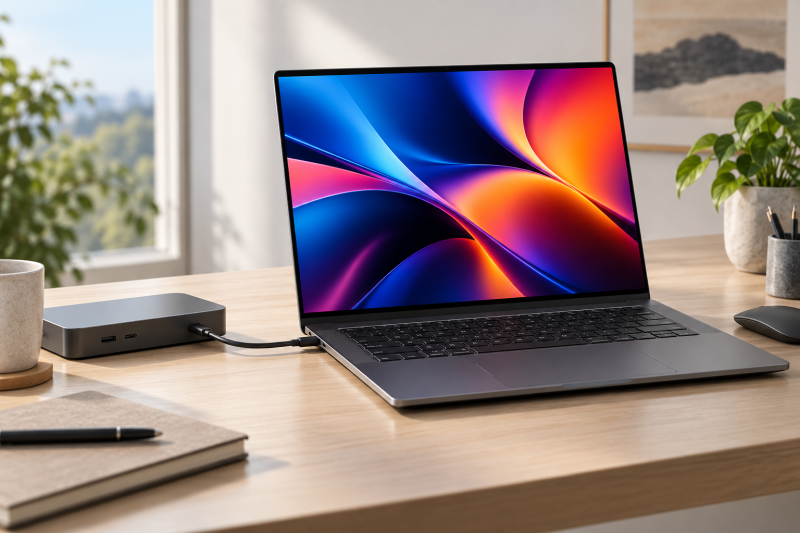
Thunderbolt 4 port counts differ. The Dell lists three, the two Lenovo laptops list two, and the MSI and ASUS name Thunderbolt 4 without a count. See the Thunderbolt laptops list to compare other configurations, or the guide to Thunderbolt 4 docking stations when a dock is part of the planned setup.
A 4K screen and a Thunderbolt 4 port are separate checks. Read the screen line and the port line of a listing before you order.OLED Laptops With Thunderbolt 4 Compared
The table compares screen, Thunderbolt 4 ports, memory and SSD, and processor for each laptop. Port counts and screen details come from Amazon’s listings, and two listings give no port count.
| Image | Product | Details | Check Price |
|---|---|---|---|
 | Lenovo ThinkPad P16s Gen 4 | Best fit: 4K OLED touch with Ethernet and HDMI Screen: OLED 4K touch, 100% DCI-P3 (Amazon) Thunderbolt 4 ports: 2 (Amazon) Memory and SSD: 32GB DDR5-5600, 1TB Processor and graphics: Ryzen AI 7 PRO 350 | Check Price on Amazon |
 | Lenovo Yoga 9i 2-in-1 Aura Edition | Best fit: 14-inch 2-in-1 with a pen Screen: 14-inch OLED 4K touch, up to 600 nits (Amazon) Thunderbolt 4 ports: 2 (Amazon) Memory and SSD: 32GB, 1TB Processor and graphics: Core Ultra 7 258V | Check Price on Amazon |
 | MSI Creator 15 A11UE-491 | Best fit: 15.6-inch OLED with RTX 3060 Screen: 15.6-inch UHD OLED 4K, 100% DCI-P3 (Amazon) Thunderbolt 4 ports: Named in title, no count (Amazon) Memory and SSD: 16GB, 512GB Processor and graphics: Core i7-11800H, RTX 3060 | Check Price on Amazon |
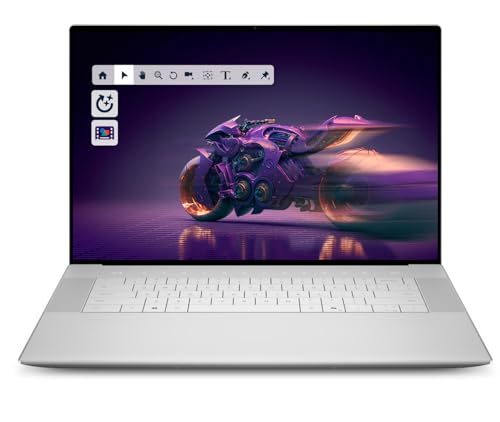 | Dell Premium 16 | Best fit: 16.3-inch OLED with RTX 5070 Screen: 16.3-inch 4K OLED touch, 48-120Hz, 400 nits (Amazon) Thunderbolt 4 ports: 3 (Amazon) Memory and SSD: 64GB LPDDR5X, 2TB Processor and graphics: Core Ultra 9 285H, RTX 5070 | Check Price on Amazon |
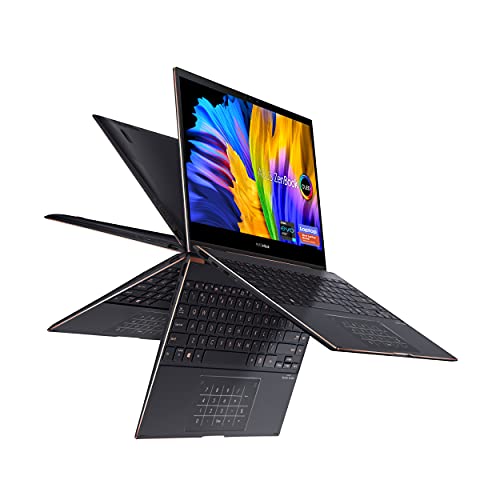 | ASUS ZenBook Flip S 13 UX371EA-XH77T | Best fit: 13.3-inch OLED convertible Screen: 13.3-inch 4K UHD OLED touch, 400 nits HDR (Amazon) Thunderbolt 4 ports: Named in title, no count (Amazon) Memory and SSD: 16GB LPDDR4X, 1TB Processor and graphics: Core i7-1165G7, Intel Iris Xe | Check Price on Amazon |
1. Lenovo ThinkPad P16s Gen 4 — Best 4K OLED Touchscreen With Ethernet and Two Thunderbolt 4 Ports
Amazon’s title for the P16s Gen 4 calls the screen an OLED 4K touchscreen with Dolby Vision and 100% DCI-P3. The listing gives a Ryzen AI 7 PRO 350 processor, 32GB of DDR5-5600 memory, a 1TB SSD, Wi-Fi 7, and Windows 11 Pro. Lenovo sells it unopened and as configured, with a one-year Lenovo warranty. The listing gives no screen size.
The port line names two USB-C ports at Thunderbolt 4 / USB4 40Gbps with PD 3.0 and DisplayPort 1.4, two USB-A ports, HDMI 2.1 up to 4K/60Hz, Ethernet, a headphone jack, and a security keyhole. Amazon also lists a 5MP RGB and IR camera, a fingerprint reader, a numeric keypad, and testing against 12 military-grade standards.
Our Take Choose the P16s Gen 4 for a 4K OLED touchscreen that also needs a wired network port and an HDMI output without a dock. Pick the Yoga 9i for a pen or the Dell Premium 16 for three Thunderbolt 4 ports and RTX 5070 graphics.
- Amazon lists two Thunderbolt 4 / USB4 40Gbps ports, HDMI 2.1, and Ethernet on the P16s Gen 4, a port set none of the other four listings matches.
- The P16s Gen 4 screen is listed as an OLED 4K touchscreen with Dolby Vision and 100% DCI-P3.
- Lenovo configured the P16s Gen 4 with 32GB of DDR5-5600 memory and a 1TB SSD, according to Amazon.
- Amazon’s listing names a fingerprint reader and a numeric keypad for the P16s Gen 4.
- The P16s Gen 4 Thunderbolt 4 ports are listed with DisplayPort 1.4, while the Yoga 9i and Dell Premium 16 list DisplayPort 2.1.
- Amazon gives no screen size for the P16s Gen 4, while the other four listings state theirs.
2. Lenovo Yoga 9i 2-in-1 Aura Edition — Best 14-Inch 4K OLED 2-in-1 With a Pen
Amazon’s listing for the Yoga 9i states a 14-inch OLED 4K touchscreen with an anti-fingerprint coating, 100% DCI-P3, and up to 600 nits. It lists a Core Ultra 7 258V, 32GB of memory, a 1TB NVMe SSD, Wi-Fi 7, and Windows 11 Pro. Lenovo sells it unopened and as configured, with a one-year Lenovo warranty. The Yoga Pen, with tilt and pressure detection and a magnetic hold on the lid, is listed with it.
Amazon’s port line names two USB-C ports at Thunderbolt 4 / USB4 40Gbps with PD 3.0 and DisplayPort 2.1, one USB-C port at 20Gbps USB4 Gen 2×2 with DisplayPort 1.4, a 10Gbps USB-A port, and a headphone jack.
Amazon lists the Yoga 9i at up to 600 nits, 200 nits above the 400 nits listed for the Dell Premium 16 and ASUS ZenBook Flip S 13.Our Take Choose the Yoga 9i for a 14-inch 4K OLED 2-in-1 that comes with a pen. Pick the Dell Premium 16 for a larger screen and a third Thunderbolt 4 port.
- The Yoga 9i screen is a 14-inch OLED 4K touchscreen with 100% DCI-P3, listed at up to 600 nits, the highest brightness figure among the five.
- Amazon lists the Yoga Pen, with tilt and pressure detection, together with the Yoga 9i 2-in-1.
- Two of the Yoga 9i USB-C ports are listed as Thunderbolt 4 / USB4 40Gbps with DisplayPort 2.1.
- Lenovo configured the Yoga 9i with 32GB of memory and a 1TB NVMe SSD, according to Amazon.
- The third USB-C port on the Yoga 9i is listed as 20Gbps USB4 Gen 2×2 with DisplayPort 1.4, not Thunderbolt 4, while the Dell Premium 16 lists three Thunderbolt 4 ports.
- The Yoga 9i port line names no HDMI or Ethernet port, while the ThinkPad P16s Gen 4 lists both.
3. MSI Creator 15 A11UE-491 — Best 15.6-Inch 4K OLED With RTX 3060 Graphics
Amazon’s title for the Creator 15 states a 15.6-inch UHD OLED 4K display with 100% DCI-P3 and names Thunderbolt 4. The listing gives an 11th Gen Core i7-11800H with eight cores boosting up to 4.6GHz, an NVIDIA GeForce RTX 3060, 16GB of memory, a 512GB NVMe SSD, and Windows 10. MSI’s Cooler Boost Trinity+ cooling is listed as well.
Amazon gives no Thunderbolt 4 port count. A one-year MSI limited warranty is listed.
Our Take Choose the Creator 15 for a 15.6-inch 4K OLED screen with RTX 3060 graphics and an eight-core processor. Pick the Dell Premium 16 for RTX 5070 graphics with more memory and storage.
- The Creator 15 screen is listed as a 15.6-inch UHD OLED 4K display with 100% DCI-P3.
- MSI’s Creator 15 listing names RTX 3060 graphics, one of two listings among the five that name a dedicated graphics card.
- The Creator 15 has an eight-core Core i7-11800H boosting up to 4.6GHz, according to Amazon.
- Amazon’s listing names MSI’s Cooler Boost Trinity+ cooling for the Creator 15.
- Amazon names Thunderbolt 4 in the Creator 15 title and gives no port count.
- The Creator 15 lists a 512GB SSD, the smallest of the five, and 16GB of memory.
- The Creator 15 lists Windows 10, while the P16s Gen 4, Yoga 9i, and Dell Premium 16 list Windows 11 Pro.
4. Dell Premium 16 — Best 4K OLED With RTX 5070 and Three Thunderbolt 4 Ports
Amazon’s listing for the Dell Premium 16, which the title also calls the XPS 16, states a 16.3-inch 4K OLED touch display at 48-120Hz and 400 nits. It lists a Core Ultra 9 285H with 16 cores up to 5.4GHz, an RTX 5070 with 8GB of GDDR7, 64GB of LPDDR5X memory, a 2TB SSD, and Windows 11 Pro. Amazon calls it a flagship laptop and gaming PC, says it is new from Dell, and lists a one-year Dell warranty.
The port line names three Thunderbolt 4 Gen 2 Type-C ports with DisplayPort 2.1 and Power Delivery, plus an audio jack. Amazon also lists a 99Wh six-cell battery, Wi-Fi 7 with Bluetooth 5.4, a 1080p camera with IR, and a fingerprint reader.
Our Take Choose the Dell Premium 16 for a 16.3-inch 4K OLED screen with RTX 5070 graphics, 64GB of memory, and three Thunderbolt 4 ports. Pick the P16s Gen 4 instead when the laptop needs HDMI and Ethernet built in.
- The Dell Premium 16 lists three Thunderbolt 4 Gen 2 Type-C ports with DisplayPort 2.1 and Power Delivery, the largest port count stated among the five.
- The largest memory and storage of the five appear on the Dell Premium 16 listing, at 64GB of LPDDR5X and a 2TB SSD.
- Amazon’s listing for the Dell Premium 16 gives an RTX 5070 with 8GB of GDDR7 and a 16-core Core Ultra 9 285H.
- Amazon lists a 99Wh battery for the Dell Premium 16, the only battery size any of the five listings gives.
- Amazon gives no DCI-P3 figure for the Dell Premium 16 screen, while the P16s Gen 4, Yoga 9i, and Creator 15 state 100%.
- Amazon lists 400 nits for the Dell Premium 16, below the up to 600 nits listed for the Yoga 9i.
5. ASUS ZenBook Flip S 13 UX371EA-XH77T — Best 13.3-Inch 4K OLED Convertible
Amazon’s title for the ZenBook Flip S 13 states a 13.3-inch 4K UHD OLED touch display, and the bullets add 400 nits, HDR, and four-sided NanoEdge bezels. The listing gives an 11th Gen Intel Core i7-1165G7 quad-core processor up to 4.70GHz with Intel Iris Xe graphics, 16GB of LPDDR4X memory, a 1TB PCIe NVMe SSD, and Windows 10 Pro.
A 360-degree ErgoLift hinge and a backlit keyboard are listed. The title names Thunderbolt 4 and TPM, and Amazon gives no Thunderbolt 4 port count.
Amazon names Thunderbolt 4 in the ZenBook Flip S 13 title and gives no port count, so confirm it before planning a dock.Our Take Choose the ZenBook Flip S 13 for the smallest stated 4K OLED screen of the five, on a 360-degree hinge. Pick the Yoga 9i for a pen and Wi-Fi 7, or the Dell Premium 16 for a newer processor and Windows 11 Pro.
- The ZenBook Flip S 13 screen is listed as a 13.3-inch 4K UHD OLED touch display, the smallest screen size any of the five listings states.
- Amazon’s listing names a 360-degree ErgoLift hinge and a backlit keyboard for the ZenBook Flip S 13.
- Amazon lists the ZenBook Flip S 13 at 400 nits with HDR, plus a 1TB PCIe NVMe SSD.
- The Core i7-1165G7 in the ZenBook Flip S 13 is listed as quad-core, while the Creator 15 lists eight cores and the Dell Premium 16 lists 16.
- Amazon lists Windows 10 Pro and 16GB of memory on the ZenBook Flip S 13, while the Dell Premium 16 lists Windows 11 Pro and 64GB.
- Amazon names Thunderbolt 4 in the ZenBook Flip S 13 title and gives no port count.
Buying Guide
Pick the screen first: size, touch, brightness, and color
Screen size runs from 13.3 to 16.3 inches. Amazon lists 13.3 inches on the ZenBook Flip S 13, 14 on the Yoga 9i, 15.6 on the Creator 15, and 16.3 on the Dell Premium 16. The P16s Gen 4 listing gives no size, so confirm it before ordering.
Four listings state touch. The P16s Gen 4, Yoga 9i, Dell Premium 16, and ZenBook Flip S 13 name a touchscreen, and the Creator 15 bullets do not mention one. Brightness is listed at up to 600 nits on the Yoga 9i and 400 nits on the Dell and ASUS, with no figure on the P16s Gen 4 or Creator 15. Compare the Thunderbolt monitors guide when an external display will do the detailed work.
Three listings state 100% DCI-P3. The P16s Gen 4, Yoga 9i, and Creator 15 do, and the Dell and ASUS listings give no gamut figure. For color-critical editing, check the gamut line before ordering either of those two.
Check the Thunderbolt 4 count and the display output
A 4K screen does not settle the ports. All five listings name Thunderbolt 4. The Dell Premium 16 lists three ports, the P16s Gen 4 and Yoga 9i list two, and the Creator 15 and ZenBook Flip S 13 give no port count.
DisplayPort 2.1 is listed on the Yoga 9i and Dell Premium 16 Thunderbolt 4 ports. The P16s Gen 4 lists DisplayPort 1.4 on its two ports and adds HDMI 2.1 up to 4K/60Hz. Check the dock, cable, and monitor separately, because a port label alone does not fix the display output.
Match memory, storage, and graphics to the job
Memory runs from 16GB to 64GB. The Creator 15 and ZenBook Flip S 13 list 16GB, the P16s Gen 4 and Yoga 9i list 32GB, and the Dell Premium 16 lists 64GB. Storage is 512GB on the Creator 15, 1TB on the P16s Gen 4, Yoga 9i, and ZenBook Flip S 13, and 2TB on the Dell. Amazon says Lenovo configured its two laptops and Dell sells its laptop new.
Two listings name a dedicated graphics card. The Dell Premium 16 lists an RTX 5070 with 8GB of GDDR7, and the Creator 15 lists an RTX 3060. The ZenBook Flip S 13 lists Intel Iris Xe graphics, and the other two listings name no graphics card.
Processor core counts differ widely. Amazon lists 16 cores on the Dell, eight on the Creator 15, and four on the ZenBook. The listings give no benchmark, so core counts are the only processor comparison they support.
Read the operating system, battery, and port line
Windows 11 Pro is listed on three laptops. The P16s Gen 4, Yoga 9i, and Dell Premium 16 list it, while the Creator 15 lists Windows 10 and the ZenBook Flip S 13 lists Windows 10 Pro. The Creator 15 and ZenBook also list 11th Gen Intel Core processors.
Only the P16s Gen 4 port line names HDMI and Ethernet. The Yoga 9i and Dell port lines name Type-C and USB-A or audio ports only, and the MSI and ASUS listings give no port line. The Dell lists a 99Wh battery, and no other listing gives a battery size.
FAQ
Do all five of these 4K laptops have a touchscreen?
No. Four listings state a touchscreen: the ThinkPad P16s Gen 4, Yoga 9i, Dell Premium 16, and ZenBook Flip S 13. The MSI Creator 15 bullets do not mention touch.
If the work needs touch, confirm it on the listing for the exact configuration before ordering.
Which of these laptops lists the most Thunderbolt 4 ports?
The Dell Premium 16 lists three Thunderbolt 4 ports, more than the two on the ThinkPad P16s Gen 4 and Yoga 9i. The MSI Creator 15 and ASUS ZenBook Flip S 13 name Thunderbolt 4 in the title without a count.
The Yoga 9i also lists a third USB-C port, but at 20Gbps USB4 Gen 2×2 rather than Thunderbolt 4.
Does a 4K OLED screen mean 100% DCI-P3?
No. Three listings state 100% DCI-P3: the P16s Gen 4, Yoga 9i, and Creator 15. The Dell Premium 16 and ZenBook Flip S 13 state 4K OLED screens without a gamut figure.
For color-critical work, read the screen line of the listing and look for a gamut figure before choosing the Dell or ASUS.
Which of these laptops has Ethernet or HDMI?
Only the ThinkPad P16s Gen 4 port line names both HDMI 2.1 and Ethernet. The Yoga 9i and Dell Premium 16 port lines name neither, and the MSI and ASUS listings give no port line.
A dock adds Ethernet and HDMI to the other four. See the guide to Thunderbolt 4 docking stations for choices.
Are the MSI and ASUS older than the other three?
Their listings point that way. Amazon lists 11th Gen Intel Core processors and Windows 10 on both the Creator 15 and ZenBook Flip S 13. The Dell Premium 16 lists a Core Ultra 9 285H and Windows 11 Pro.
Compare the processor and operating system lines of each listing to see the difference.
Bottom Line
Choose ThinkPad P16s Gen 4 for HDMI and Ethernet beside two Thunderbolt 4 ports, Yoga 9i for a 14-inch 4K OLED 2-in-1 with a pen, or Dell Premium 16 for three Thunderbolt 4 ports, 64GB of memory, and RTX 5070 graphics. Pick the MSI Creator 15 or ASUS ZenBook Flip S 13 only after confirming its Thunderbolt 4 port count.
The port line and the screen line decide this purchase more than the model name.