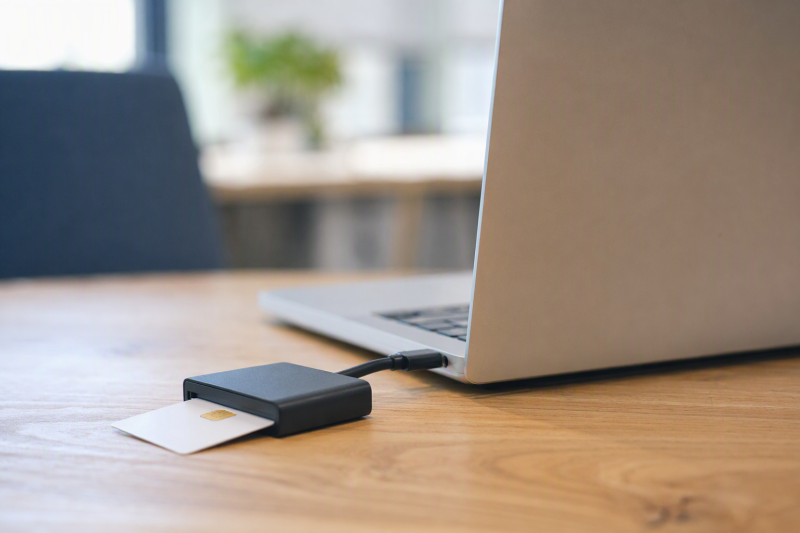
A USB-C smart card reader lets you sign in with a Common Access Card (CAC) or a Personal Identity Verification (PIV) card on a laptop that has no USB-A port. Pick a reader whose listing names your card type and your operating system, and pick a native USB-C plug unless you also use older machines with USB-A ports.
The eight readers below are contact smart card readers with a USB-C plug, and each listing names CAC, PIV, or the FIPS 201 standard. Keep three questions apart when you compare them: what plugs into the laptop, which card standards the listing names, and which operating systems it names. A reader can pass one of those tests and say nothing about the others.
Quick Picks
- Best overall: Identiv uTrust 2700 R USB-C
- Best for government purchasing: IOGEAR GSR205
- Best folding reader: Identiv SCR3500C SmartFold
- Best budget pick: ZOWEETEK PEKZ-01
- For USB-A and USB-C machines: Rocketek 2-in-1
| Image | Product | Details | Check Price |
|---|---|---|---|
 | Identiv uTrust 2700 R USB-C | Connector: USB-C Card standards: FIPS 201, ISO/IEC 7816, CCID Operating systems: Windows, MacOS, Linux, Android Form: No fold stated | Check Price on Amazon |
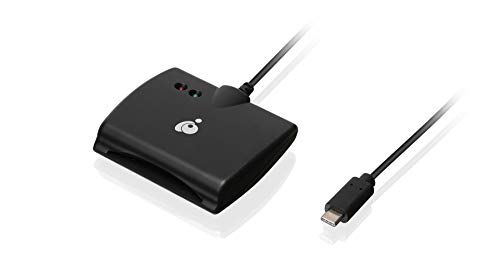 | IOGEAR GSR205 | Connector: USB-C Card standards: CAC, PIV, ISO 7816, TAA Operating systems: Mac OS, Windows, Linux (title) Form: No fold stated | Check Price on Amazon |
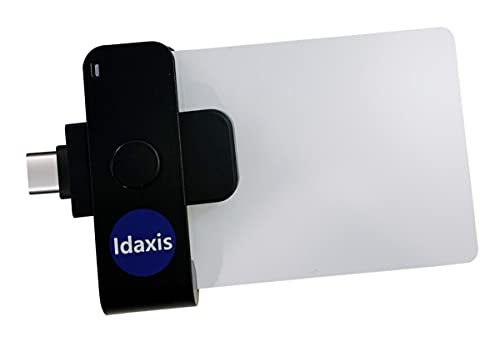 | Idaxis SecurePIV Mini TLP125C | Connector: USB-C Card standards: FIPS 201, CAC, PIV, TAA Operating systems: Not stated Form: No fold stated | Check Price on Amazon |
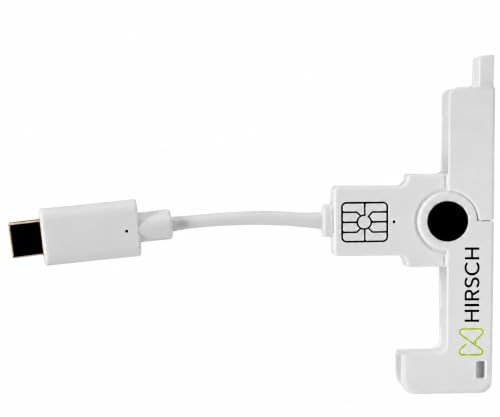 | Identiv SCR3500C SmartFold | Connector: USB-C Card standards: FIPS 201, EMV Level 1, ISO/IEC 7816 Operating systems: Not stated Form: Folding | Check Price on Amazon |
 | ACS ACR39U-NF PocketMate II | Connector: USB-C Card standards: CAC, SIPRNET, ISO 7816, CCID Operating systems: Android 3.1+ Form: No fold stated | Check Price on Amazon |
 | ZOWEETEK PEKZ-01 | Connector: USB-C Card standards: PIV, ISO-7816, WHQL Operating systems: Windows 10/11, Mac OS 10.15+, Linux Form: No fold stated | Check Price on Amazon |
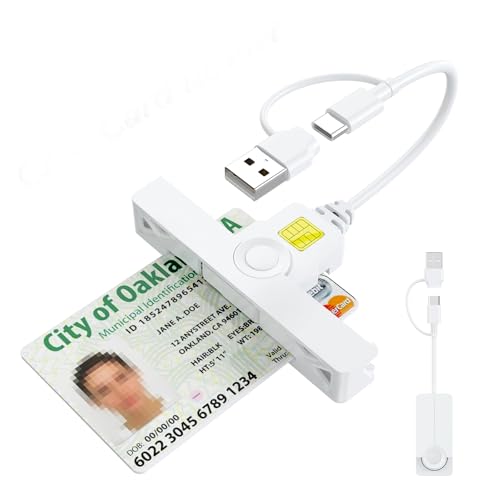 | Rocketek 2-in-1 | Connector: USB-A and USB-C Card standards: CAC, ISO 7816 Operating systems: Windows, Mac OS Form: Folding | Check Price on Amazon |
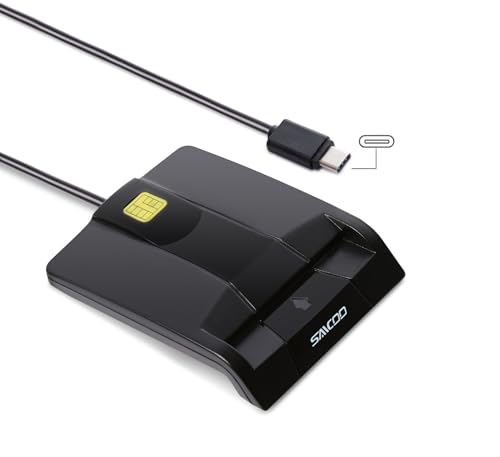 | SAICOO S0201B-CSM | Connector: USB-C Card standards: CAC, ISO 7816 Operating systems: Windows XP to 10, Mac OS X Form: No fold stated | Check Price on Amazon |
Key Takeaway: Choose a reader whose own listing names your card type (CAC, PIV, or FIPS 201) and your operating system, then plan for the login software your agency or employer requires, because several listings here say it is not included.
A USB-C plug only settles the connection. Card support and operating system support are separate claims, and each listing states them differently.
Source boundary: Product names, specifications, and features in this guide come from each brand’s own Amazon listing. Sizes and weights come from Amazon’s product details where noted. No reader here was tested by us, and none is presented as approved by any agency. Check your organization’s approved hardware list when CAC or PIV login is mandatory.
1. Identiv uTrust 2700 R USB-C — Best Overall
The Identiv uTrust 2700 R USB-C is the reader to buy if you want the longest list of standards and operating systems in this guide. Identiv’s listing names ISO/IEC 7816, USB CCID, PC/SC, and Microsoft WHQL, plus EMV 2011 Ver 4.3 Level 1 and GSA FIPS 201. FIPS 201 is the federal standard behind PIV cards, and Identiv says the reader is suited to high-security federal government applications.
Identiv lists support for Windows, MacOS, Linux and Android, the widest operating system list among the readers here. The listing credits Identiv’s own SmartOS firmware for support of all major contact smart card chips, and names uses such as Windows authentication, single sign-on, network login, and online banking. Amazon’s product details list the reader at 2.8 by 2.4 by 0.6 inches and 0.04 lb, and Identiv describes an ultra-compact design built for mobile use.
One gap is in the wording. Identiv’s listing never uses the word CAC. Its government claim rests on FIPS 201, so if your office asks for a reader by CAC name, compare the model against its approved list.
Our Take This Identiv reader is the most complete pick here for a mixed office that runs Windows, Mac, and Linux laptops. It is the only listing in this guide that names Android alongside all three desktop systems and FIPS 201. Because the listing does not say CAC, confirm the model with your IT office before a bulk order.
- Identiv lists GSA FIPS 201, ISO/IEC 7816, USB CCID, PC/SC, and Microsoft WHQL on one listing.
- Identiv names Windows, MacOS, Linux and Android support for the same reader.
- Amazon’s product details list a 2.8 by 2.4 by 0.6 inch body at 0.04 lb.
- Identiv’s listing does not use the word CAC anywhere.
- Identiv’s listing does not name iPad or iPhone support.
2. IOGEAR GSR205 USB-C CAC Reader — Best for Government Purchasing
The IOGEAR GSR205 suits a buyer who orders through government or company purchasing rules. IOGEAR’s listing states the reader is TAA compliant, names both CAC and PIV cards, and its title mentions support for versions 7.x and 8 of USAccess PIV. IOGEAR lists government, military, healthcare, and banking as intended uses.
IOGEAR lists ISO 7816 Class A, B and C cards at 5V, 3V and 1.8V, EMV2000 Level 1 approval, a read speed of 825kbps, and power and scan LED indicators. The title names Mac OS, Windows, and Linux, though no feature bullet repeats the operating system list. Amazon’s product details list the reader at 3.06 by 2.62 by 0.62 inches.
IOGEAR is plain about what is missing. The listing states that CAC middleware is not included and that a software driver may be needed to reach full speed, with actual speed depending on the system. Amazon’s product details give a release date in 2017, so this is an older model. IOGEAR backs it with a 3-year warranty and free lifetime technical support.
Our Take Choose the IOGEAR GSR205 when a purchase order needs TAA wording and a named warranty. It is one of two readers here whose listing names TAA and both CAC and PIV. Plan to install your organization’s CAC software yourself, because IOGEAR says it does not ship with the reader.
- IOGEAR states TAA compliance and names both CAC and PIV cards.
- IOGEAR lists a 3-year warranty with free lifetime technical support.
- IOGEAR’s title names Mac OS, Windows, and Linux, and its title names USAccess PIV versions 7.x and 8.
- IOGEAR states that CAC middleware is not included with the reader.
- IOGEAR says a software driver may be needed to reach its stated 825kbps speed.
3. Idaxis SecurePIV Mini TLP125C — Compact FIPS 201 Pick
The Idaxis SecurePIV Mini is a small reader for buyers who need both FIPS 201 and TAA wording on the listing. Idaxis states FIPS 201 compliance with support for CAC and PIV cards for secure authentication and access control, and says the reader meets Trade Agreements Act requirements for government and enterprise purchasing.
Idaxis lists support for full-sized ISO 7816 Class A, B, and C cards using the T=0 or T=1 protocol, plus memory cards, and states compliance with ISO 7816 Parts 1, 2, 3, and 4. The listing describes a USB-C interface and a mini form factor. Amazon’s product details list a weight of 0.046875 lb, which is 0.75 oz, and give no dimensions.
The gap is operating system support. The Idaxis title, feature bullets, and Amazon’s product details name no operating system at all. The missing list does not mean the reader fails on Windows or Mac, only that this listing does not say.
Our Take The Idaxis SecurePIV Mini fits a procurement list that asks for FIPS 201 and TAA in a small body. Along with the IOGEAR GSR205, it is one of two listings here that names TAA together with CAC and PIV. Because Idaxis names no operating system, ask your IT office whether it has been used on your laptops before you order several.
- Idaxis states FIPS 201 compliance with support for CAC and PIV cards.
- Idaxis states the reader meets Trade Agreements Act requirements for government purchasing.
- Amazon’s product details list a weight of 0.046875 lb for the Idaxis mini body.
- The TLP125C listing names no operating system in its title, bullets, or product details.
- Amazon’s product details give no dimensions for the TLP125C, only its weight.
4. Identiv SCR3500C SmartFold — Best Folding Reader
The Identiv SCR3500C SmartFold is the reader to carry in a pocket. Identiv describes smart-fold mechanics that make it ultra-compact and easy to handle with a full-size ID card. Amazon’s product details list it at 1.89 by 0.79 by 0.47 inches and 0.02 lb, the shortest body among the readers here that list dimensions.
Identiv lists the SCR3500C as EMV Level 1 and FIPS 201 certified, powered by its SmartOS firmware, and supporting 5V, 3V, and 1.8V smart cards under ISO/IEC 7816 Class A, B, and C. The listing names MacBook, phones and tablets with a reversible Type C port as the devices it plugs into.
Identiv’s device list is broad but not specific. Identiv names no operating system and does not name iPhone, iPad, or iPadOS, so a tablet that accepts the plug may still lack the software needed for CAC or PIV login. As with the uTrust 2700 R, the listing does not use the word CAC.
Our Take The SCR3500C is the pick for travel, since it folds and has the shortest listed body here. It pairs that shape with a FIPS 201 certification, which the other folding pick, the Rocketek 2-in-1, does not state. Read the phones and tablets line as a statement about the plug, not as a promise that CAC login works on your tablet.
- Identiv describes smart-fold mechanics for an ultra-compact reader.
- Identiv lists EMV Level 1 and FIPS 201 certification for the SCR3500C.
- Amazon’s product details list 1.89 by 0.79 by 0.47 inches and 0.02 lb.
- Identiv names device types for the SCR3500C but no operating system.
- Identiv’s SCR3500C listing does not use the word CAC.
5. ACS ACR39U-NF PocketMate II — For Android and SIPRNET Cards
The ACS ACR39U-NF PocketMate II is for a buyer who needs a reader that names Android or a SIPRNET card. ACS lists support for CAC, SIPRNET, and J-LIS cards, plus microprocessor cards using T=0 or T=1 and memory cards. It lists ISO 7816 Class A, B, and C cards at 5V, 3V, and 1.8V.
ACS describes a USB 2.0 Full Speed interface with plug and play CCID support, and lists Android 3.1 and later. The listing also names Protocol and Parameters Selection and short-circuit protection. Amazon’s product details list the reader at 2.25 by 0.75 by 0.5 inches.
ACS also adds a purchase caution. It says you may need to purchase software for CAC or PIV use. Android is the only operating system the listing names, so Windows and Mac support are not stated here. Amazon listed the New offer as in stock but limited when this guide was compiled.
Our Take The ACR39U-NF is the pick when a SIPRNET card or an Android device is part of the job. Budget for login software up front, since ACS says it may be needed. If you only use Windows or Mac laptops, the Identiv uTrust 2700 R names those systems directly.
- ACS lists support for CAC, SIPRNET, and J-LIS cards.
- ACS names Android 3.1 and later on the ACR39U-NF listing.
- Amazon’s product details list a 2.25 by 0.75 by 0.5 inch body.
- ACS says you may need to purchase software for CAC or PIV use.
- ACS names Android as the only operating system on this listing.
6. ZOWEETEK PEKZ-01 USB-C CAC Reader — Best Budget Pick
The ZOWEETEK PEKZ-01 is the budget pick, with a longer standards list than the SAICOO or Rocketek listings. ZOWEETEK lists PIV, EMS, ISO-7816, and EMV2 2000 Level 1, along with CE, FCC, VCCI, and Microsoft WHQL. The listing says it fits US Military and Government DOD ID cards.
ZOWEETEK names Windows 10 and 11, Mac OS 10.15 or above, and Linux, and calls the reader plug and play. The title names only Windows and Mac, and the Linux line appears in a feature bullet. ZOWEETEK lists CAC chip card use with portals and clients such as ActivClient, AKO, OWA, DKO, JKO, and Disa Enterprise Email, plus online banking and network login.
The listing gives two setup notes. ZOWEETEK says Java is necessary for Mac users and that DOD and USG users need a third-party CAC Enabler program. Follow your agency’s own Mac setup guide if it differs from the listing.
Our Take The PEKZ-01 is the pick when you want PIV and WHQL named on a budget reader. It also names Linux, which the SAICOO listing does not. Expect to install extra software on a Mac, as ZOWEETEK’s listing says.
- ZOWEETEK lists PIV, ISO-7816, EMV2 2000 Level 1, and Microsoft WHQL.
- ZOWEETEK names Windows 10 and 11, Mac OS 10.15 or above, and Linux.
- ZOWEETEK lists CAC chip card use with ActivClient, AKO, OWA, and Disa Enterprise Email.
- ZOWEETEK says Mac users must install Java first.
- ZOWEETEK says DOD and USG users need a third-party CAC Enabler program.
7. Rocketek 2-in-1 USB-A and USB-C CAC Reader — For Mixed Ports
The Rocketek 2-in-1 is the reader for someone who moves between a USB-C laptop and an older desk computer with USB-A ports. Rocketek lists a USB and Type C dual connector on one folding body, so the same reader can go into either port without an adapter.
Rocketek describes smart-foldable mechanics in a thumb-sized body that can hang from a key ring. It lists ISO 7816 Class A, B and C cards at 5V, 3V and 1.8V, and names CAC cards, government ID, and portals such as ActivClient, AKO, OWA, and Disa Enterprise Email. Its warranty line calls it a PIV CAC reader. Rocketek also lists movement detection with auto power-off, automatic card type detection, and short-circuit and thermal protection.
For setup, Rocketek says the reader installs its driver automatically on Windows, that Mac users need Java, and that DOD and USG users need a third-party CAC Enabler program. The title names Windows and Mac OS, and Linux is not named. Rocketek lists an 18-month warranty with free lifetime technical support.
Our Take Choose the Rocketek 2-in-1 when one reader has to serve both USB-A and USB-C machines. It is the only reader here with both plugs built in. It does not state FIPS 201, so pick the Identiv SCR3500C instead if a folding reader must carry that certification.
- Rocketek lists a USB and Type C dual connector on one folding reader.
- Rocketek lists movement detection with auto power-off plus short-circuit and thermal protection.
- Rocketek lists an 18-month warranty with free lifetime technical support.
- Rocketek’s listing does not state FIPS 201 or TAA compliance.
- Rocketek names Windows and Mac OS but not Linux.
8. SAICOO S0201B-CSM USB-C CAC Reader — For Older Windows Versions
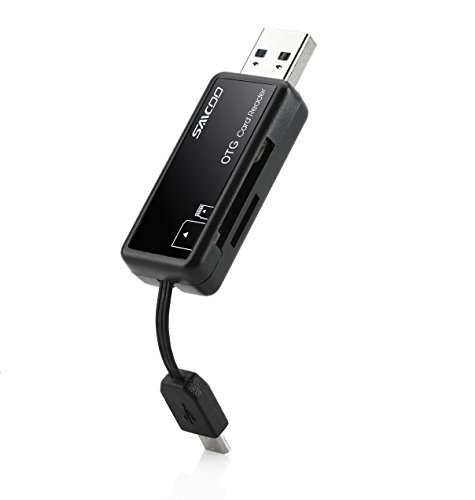
The SAICOO S0201B-CSM is a budget USB-C reader whose listing reaches back to older versions of Windows. SAICOO lists compatibility with 32-bit and 64-bit Windows XP, Vista, 7, 8, and 10, plus Mac OS X. No other reader here names Windows versions that old.
SAICOO describes a DOD military CAC reader for government ID, ActivClient, AKO, OWA, DKO, and other CAC portals, and says it is compatible with US Military and Government DOD ID cards for secure login. The listing names ISO 7816 Class A, B and C cards and calls the reader EMS ready. SAICOO describes a gloss black ergonomic body and includes an 18-month warranty with lifetime technical support.
SAICOO’s listing has two gaps. Its OS list stops at Windows 10, so Windows 11 is not named, and the listing does not use the word PIV.
Our Take The SAICOO is the pick for an older Windows machine that still needs CAC login over USB-C. For a newer Windows 11 laptop, the ZOWEETEK PEKZ-01 names Windows 11 on its listing. SAICOO’s warranty and stated CAC focus make it a simple spare reader to keep in a bag.
- SAICOO lists 32-bit and 64-bit Windows from XP through 10, plus Mac OS X.
- SAICOO names CAC portals and DOD ID cards for secure login.
- SAICOO includes an 18-month warranty and lifetime technical support.
- SAICOO’s operating system list stops at Windows 10.
- SAICOO’s listing does not use the word PIV.
Buying Guide: Choosing a USB-C CAC or PIV Reader
Check the plug before the card standard
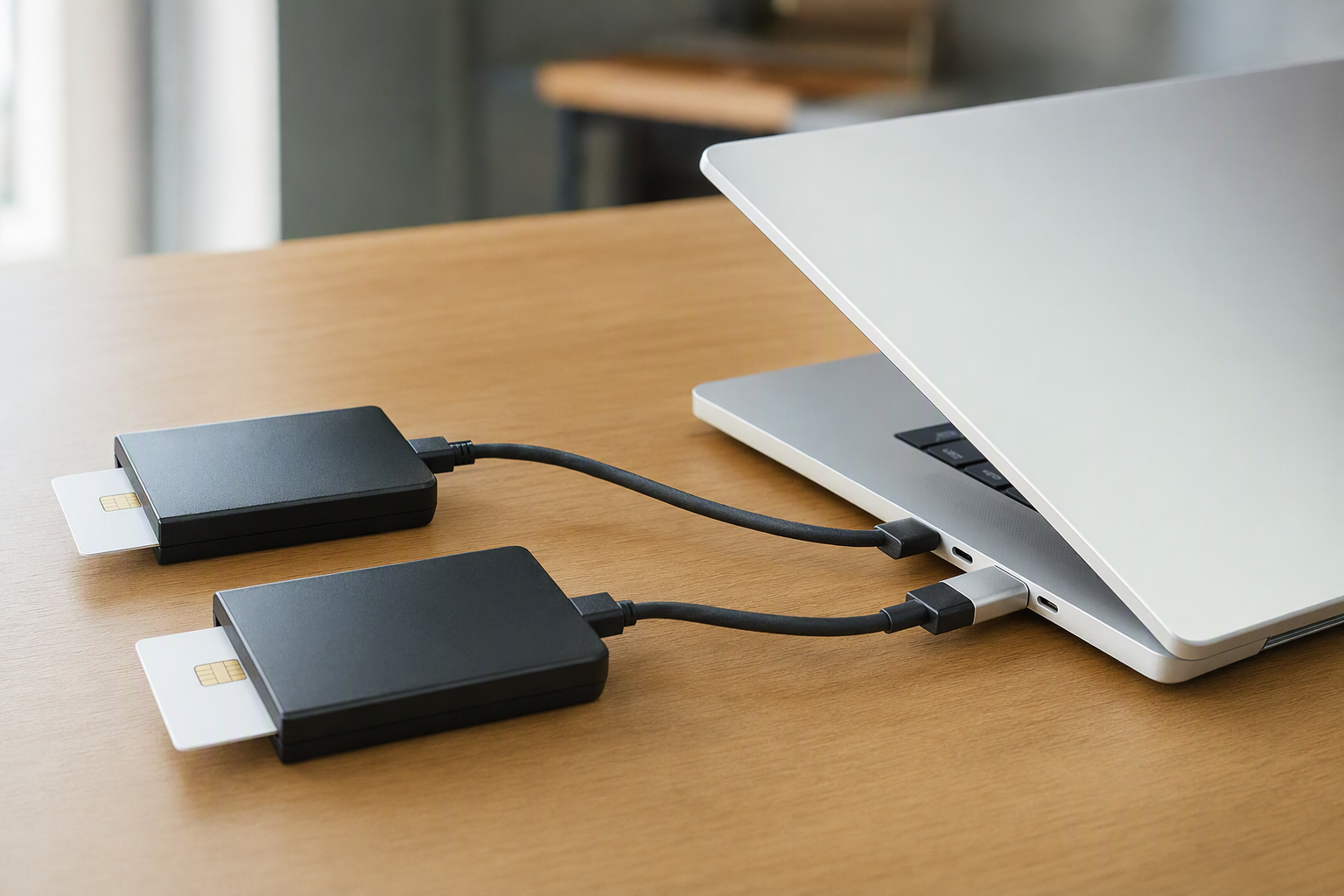
Start with the port on your laptop. Seven listings here describe only a native USB-C plug, and the Rocketek 2-in-1 lists both a USB-A and a USB-C connector. A native plug goes straight into the laptop with nothing in between.
A USB-A reader can still work on a USB-C laptop through an adapter or hub, but the adapter adds a part to lose and a second connection to check. None of the readers in this guide needs one. If you already own a USB-A reader, a USB-C to USB-A adapter is the smallest fix, and a USB-C hub with several USB-A ports suits a desk with other older accessories.
USB CCID on a listing names a communication protocol, not a plug shape. Look for USB-C or Type C in the product name or connector description itself.
Read which card standard each listing names
The listings here describe card support in three different ways. Some name CAC, some name PIV, and some name only FIPS 201, the federal standard behind PIV cards. The IOGEAR GSR205, Idaxis SecurePIV Mini, and ZOWEETEK PEKZ-01 listings name both CAC and PIV.
Identiv’s listings for the uTrust 2700 R and SCR3500C name FIPS 201 but not CAC, while the SAICOO listing names CAC but not PIV. If your office specifies a standard by name, match that exact word on the listing and then confirm the model with IT.
For purchases that must meet trade rules, look for TAA on the listing. IOGEAR and Idaxis are the two brands here that state it. If you are also choosing the laptop, our guide to Thunderbolt 5 business laptops covers business models.
Match the operating system the listing names
Operating system claims vary widely here. The Identiv uTrust 2700 R lists Windows, MacOS, Linux and Android, and the ZOWEETEK PEKZ-01 lists Windows 10 and 11, Mac OS 10.15 or above, and Linux. The IOGEAR GSR205 title names Mac OS, Windows, and Linux.
Other listings name less. The ACS ACR39U-NF names only Android 3.1 and later, the SAICOO list stops at Windows 10, and the Idaxis SecurePIV Mini and Identiv SCR3500C listings name no operating system at all. A missing name is not proof the reader fails, only that the listing does not promise it. Linux users can find docks with stated Linux support in our list of Thunderbolt docks that work with Linux.
Plan for software the reader does not include
A reader only passes the card to the computer. The login itself needs middleware or a CAC client on the laptop, and several listings here say so. IOGEAR states that CAC middleware is not included, and ACS says you may need to purchase software for CAC or PIV use.
ZOWEETEK, Rocketek, and SAICOO name portals and clients such as ActivClient and AKO. ZOWEETEK and Rocketek also say Mac users need Java and DOD and USG users need a third-party CAC Enabler program. On a managed work laptop, your IT office may install the client, so ask before you buy. If the reader will stay on a shared desk, our guide to DisplayLink docks for office hot desks covers the dock side of that setup.
Pick a fixed or folding shape
Two readers here fold. The Identiv SCR3500C lists 1.89 by 0.79 by 0.47 inches in Amazon’s product details, and the Rocketek 2-in-1 describes a thumb-sized body that hangs from a key ring. A folding reader suits a bag or pocket.
The other six listings describe no folding mechanism. A non-folding reader suits a desk where it can stay plugged in, often into a dock’s port. For a Dell or Lenovo fleet laptop, our guides to docking stations for Dell Latitude laptops and Thunderbolt 4 docks for Lenovo ThinkPads cover docks with spare ports for a reader.
FAQ
What is the difference between a CAC reader and a PIV reader?
The hardware is the same kind of contact smart card reader. CAC is the card issued to US military and DOD staff, and PIV is the federal card standard defined by FIPS 201. Several listings here name both card types for one reader.
The difference shows up in the words each listing uses. The IOGEAR GSR205 and Idaxis SecurePIV Mini listings name CAC and PIV, while the Identiv uTrust 2700 R listing names FIPS 201 only. Match the term your office uses.
Will these readers work with an iPad or iPhone?
None of the listings here names iPad, iPadOS, iPhone, or iOS. The Identiv SCR3500C listing says it fits phones and tablets with a Type C port, but that describes the plug, not login support.
CAC or PIV login on a tablet also needs an app that reads the card. If you need tablet login, ask your IT office which reader and app pair it supports before buying any reader here.
Why does my CAC reader need extra software?
The reader passes the card to the computer, and software handles the login. IOGEAR states that its CAC middleware is not included, and ACS says CAC or PIV software may need to be purchased.
ZOWEETEK and Rocketek add that Mac users need Java and that DOD and USG users need a third-party CAC Enabler program. On a managed laptop, your IT office may supply the client. On a personal laptop, follow your agency’s own setup guide.
Can I use a USB-A CAC reader with an adapter?
Often yes, but it adds a part. A USB-A reader plugged into a USB-C adapter or hub can work, as long as the adapter passes data and not only power. None of the readers ranked here needs one.
If you switch between machines, the Rocketek 2-in-1 lists both plugs on one reader. For a desk hub, our USB-C hubs guide covers models with USB-A ports.
Do any of these readers work on Linux?
Three listings here name Linux. The Identiv uTrust 2700 R and ZOWEETEK PEKZ-01 name it in their features, and the IOGEAR GSR205 names it in its title.
Linux login still depends on the smart card software your distribution uses. The other listings here do not name Linux, which is a gap in the listing rather than proof of failure.
Is a folding reader less secure than a fixed one?
No listing here ties security to the body shape. Folding and non-folding readers here all name ISO 7816 cards, and the security of the login comes from the card and its software.
Choose the shape by how you carry the reader. The Identiv SCR3500C and Rocketek 2-in-1 listings describe folding bodies for a pocket, while the others suit a desk. If you want a second login method on the same laptop, our guide to USB-C fingerprint readers for laptops covers that option.
Final Word
For most buyers, the Identiv uTrust 2700 R USB-C is the best mix of FIPS 201, a long standards list, and named support for Windows, MacOS, Linux and Android. Choose the IOGEAR GSR205 when a purchase needs TAA wording and a 3-year warranty on its listing, the Identiv SCR3500C for a folding reader, or the ZOWEETEK PEKZ-01 on a budget. Whichever you pick, match your card type and operating system to the listing and plan for the login software your office requires.