Five Dell laptops are compared here: the XPS 14 Premium, the Inspiron 14 7440 2-in-1, the Latitude 7450, the Precision 3490, and the Dell Pro 16 PC16250. Amazon lists Thunderbolt 4 on each one, and gives a port count for only two: three on the XPS and two on the Precision. The Inspiron text reads “Thunderbolt 4 / USB Type-C.”
Amazon says the seller resealed the Latitude, the Precision, and the Dell Pro 16 to upgrade memory or the SSD, so those sizes describe the seller’s configuration, not Dell’s. Every detail below comes from the Amazon listings.
Choose the screen and the ports first, then check the dock, cable, and monitors before you rely on any Thunderbolt 4 port.Use the Thunderbolt laptop guide when comparing Dell against other makers, and the Thunderbolt 4 dock guide when a desk connection is part of the purchase.
Dell Laptops With Thunderbolt 4 Compared
The table compares the best fit, screen, Thunderbolt 4 port count, Ethernet, and memory and SSD for each laptop. A Thunderbolt port starts a connection, and the dock, cable, and monitors need their own compatibility check.
| Image | Product | Details | Check Price |
|---|---|---|---|
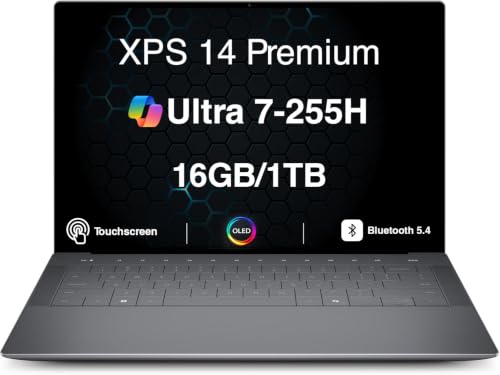 | Dell XPS 14 Premium | Best fit: Three Thunderbolt 4 ports and OLED Screen: 14.5-inch 3.2K OLED touch (Amazon) Thunderbolt 4 ports: 3 (Amazon) Ethernet: Not listed (Amazon) Memory and SSD: 16GB, 1TB (Amazon) | Check Price on Amazon |
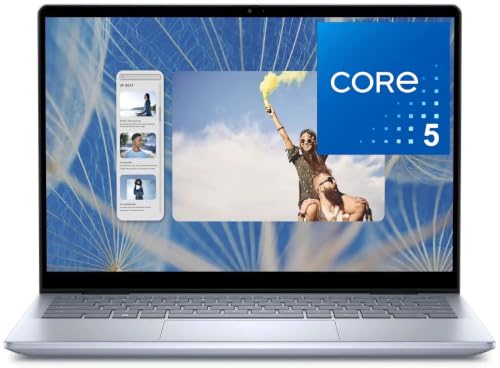 | Dell Inspiron 14 7440 2-in-1 | Best fit: 360-degree hinge and SD card reader Screen: 14-inch FHD+ touch (Amazon) Thunderbolt 4 ports: Count not stated; reads Thunderbolt 4 / USB Type-C (Amazon) Ethernet: Not listed (Amazon) Memory and SSD: 16GB, 512GB (Amazon) | Check Price on Amazon |
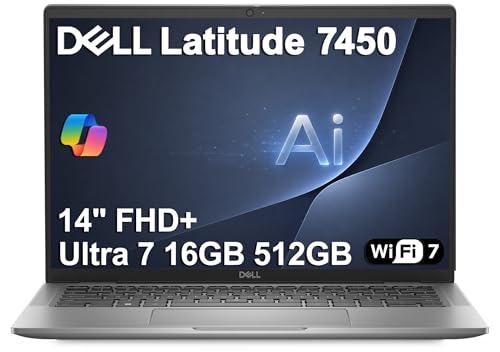 | Dell Latitude 7450 | Best fit: QHD infrared camera and Wi-Fi 7 Screen: 14-inch WUXGA anti-glare (Amazon) Thunderbolt 4 ports: Count not stated (Amazon) Ethernet: Not listed (Amazon) Memory and SSD: 16GB, 512GB (SSD seller-upgraded) | Check Price on Amazon |
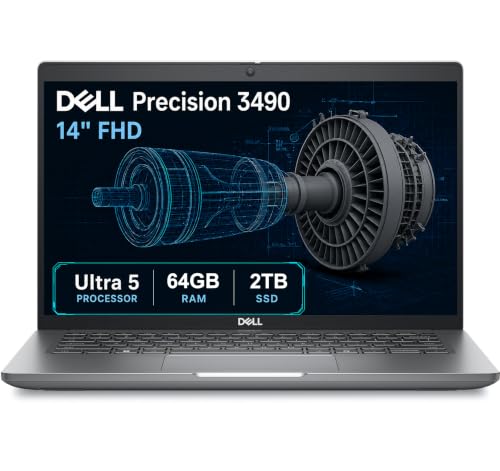 | Dell Precision 3490 | Best fit: Mobile workstation with Ethernet Screen: 14-inch FHD (Amazon) Thunderbolt 4 ports: 2 (Amazon) Ethernet: Yes (Amazon) Memory and SSD: 64GB, 2TB (seller-upgraded) | Check Price on Amazon |
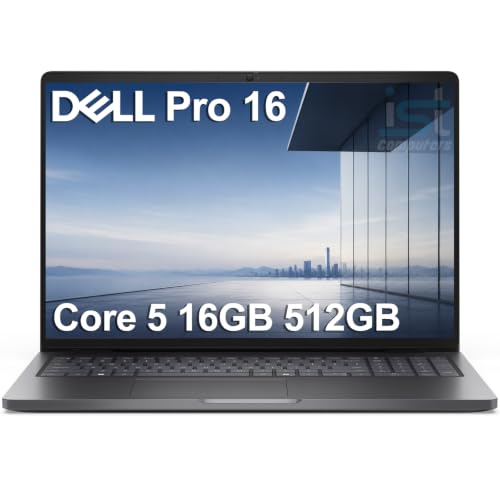 | Dell Pro 16 PC16250 | Best fit: 16-inch screen with Ethernet Screen: 16-inch WUXGA anti-glare (Amazon) Thunderbolt 4 ports: Count not stated (Amazon) Ethernet: Yes (Amazon) Memory and SSD: 16GB, 512GB (seller-upgraded) | Check Price on Amazon |
1. Dell XPS 14 Premium — Best Dell With Three Thunderbolt 4 Ports
Amazon lists a 14.5-inch 3.2K OLED touchscreen at 3200 x 2000, an Intel Core Ultra 7 255H, 16GB of LPDDR5X memory, a 1TB SSD, Wi-Fi 7, and three Thunderbolt 4 ports that it says cover connectivity, charging, and external display support. Amazon’s title gives the model as DA14250.
Amazon lists no HDMI port, USB-A port, or Ethernet port for the XPS 14, and it does not mention a seller upgrade. A buyer who wants several Thunderbolt connections, such as storage and a display, will find the most stated here. Amazon’s text does not choose a dock, a display cable, or a monitor mode for those ports.
Amazon lists three Thunderbolt 4 ports on the XPS 14 Premium and two on the Precision 3490. The other three listings give no count.Our Take Choose the XPS 14 when the OLED touchscreen and three Thunderbolt 4 ports are the reasons to buy. Look at the Precision 3490 or Dell Pro 16 when built-in Ethernet is a requirement.
- The XPS 14 Premium has the highest Thunderbolt 4 count stated among these five laptops, with three ports listed by Amazon.
- Amazon describes the XPS screen as a 14.5-inch 3.2K OLED touchscreen at 3200 x 2000.
- The XPS listing includes 16GB of LPDDR5X memory, a 1TB SSD, and Wi-Fi 7.
- Amazon’s XPS 14 Premium listing shows no HDMI, USB-A, or Ethernet port.
- Amazon lists 16GB of memory and a 1TB SSD, less than the 64GB and 2TB on the Precision 3490 listing.
2. Dell Inspiron 14 7440 2-in-1 — Best Dell 2-in-1 With a 360-Degree Hinge
Amazon lists a 14-inch FHD+ touchscreen at 1920 x 1200 with a 360-degree hinge for laptop, tent, stand, and tablet modes. Its port text reads “Thunderbolt 4 / USB Type-C, USB-A, HDMI, and an SD card reader,” and Amazon also lists an Intel Core 5 120U, 16GB of DDR5 memory, a 512GB SSD, Wi-Fi 6, and a 1080p webcam.
Amazon gives no Thunderbolt 4 port count for the Inspiron, and the slash wording does not say which port carries Thunderbolt 4. It lists Windows 11 Home, while the other four listings list Windows 11 Pro. The listing text does not mention a seller upgrade.
Amazon’s Inspiron port text pairs Thunderbolt 4 with USB Type-C and gives no count, so confirm which port carries Thunderbolt 4 before you plan a dock.Our Take Pick the Inspiron when a 360-degree hinge and a built-in SD card reader decide the purchase. The XPS 14 states a Thunderbolt 4 count, which the Inspiron listing does not.
- Amazon lists a 360-degree hinge on the Inspiron’s 14-inch FHD+ touchscreen, with laptop, tent, stand, and tablet modes.
- The Inspiron listing includes HDMI, USB-A, and an SD card reader beside the Thunderbolt 4 / USB Type-C port.
- Amazon lists 16GB of DDR5 memory, a 512GB SSD, and a 1080p webcam for the Inspiron.
- Amazon’s Inspiron port text gives no Thunderbolt 4 count, so confirm which port carries Thunderbolt before planning a dock.
- The Inspiron listing shows Windows 11 Home, where the XPS 14, Latitude 7450, Precision 3490, and Dell Pro 16 listings show Windows 11 Pro.
3. Dell Latitude 7450 — Best Dell With a QHD Infrared Camera
Amazon lists a 14-inch WUXGA anti-glare display at 1920 x 1200, an Intel Core Ultra 7 165H, Thunderbolt 4, HDMI 2.1, USB-A, Wi-Fi 7, and a QHD infrared camera for facial recognition login. It says the laptop passed MIL-STD 810H testing and supports three external monitors through HDMI and Thunderbolt 4, at up to 4K and 60Hz without a docking station.
Amazon gives no Thunderbolt 4 port count and lists no Ethernet port for the Latitude. Its title calls it the “Prev-Gen Dell Pro 14 Premium.” The seller’s disclosure says the laptop was resealed to upgrade the SSD to 512GB, with a three-year warranty from the seller on the SSD and a one-year Dell warranty on the remaining components. The listing does not say the 16GB of memory was changed.
Our Take Choose the Latitude 7450 when a 14-inch anti-glare screen, Wi-Fi 7, and the QHD infrared camera suit an office laptop. The Precision 3490 and Dell Pro 16 add Ethernet.
- Amazon lists Thunderbolt 4, HDMI 2.1, USB-A, and Wi-Fi 7 on the Latitude 7450.
- The Latitude listing includes a 14-inch WUXGA anti-glare display and a QHD infrared camera for facial recognition login.
- Amazon says the Latitude supports three external monitors through HDMI and Thunderbolt 4.
- Amazon’s Latitude 7450 listing gives no Thunderbolt 4 port count and lists no Ethernet port.
- The seller’s disclosure says the 512GB SSD is an upgrade, with a three-year seller warranty on the SSD and a one-year Dell warranty on the other components.
4. Dell Precision 3490 — Best Dell Mobile Workstation With Ethernet and Two Thunderbolt 4 Ports
Amazon calls the Precision 3490 a mobile workstation and lists a 14-inch FHD display at 1920 x 1080, an Intel Core Ultra 5 135H, two Thunderbolt 4 ports, two USB-A ports, HDMI, and Ethernet. It also says the laptop supports up to three external monitors through HDMI and Thunderbolt at 4K and 60Hz without a docking station, and that ISV certifications support compatibility with professional applications.
Amazon lists 64GB of DDR5 memory and a 2TB SSD. The seller’s disclosure says the laptop was resealed to upgrade the memory and SSD, with a three-year seller warranty on those parts and Dell support for the remaining components until March 2027.Our Take Pick the Precision 3490 when the mobile-workstation label, Ethernet, and two Thunderbolt 4 ports outweigh the XPS 14’s OLED touchscreen. Read the seller’s upgrade and warranty terms before the 64GB figure decides the purchase.
- Amazon calls the Precision 3490 a mobile workstation and lists two Thunderbolt 4 ports.
- The Precision 3490 listing includes Ethernet, HDMI, and two USB-A ports.
- Amazon lists ISV certifications, which it says support compatibility with professional applications.
- The seller’s disclosure says the Precision 3490’s 64GB of memory and 2TB SSD are upgrades.
- Amazon lists a 14-inch display at 1920 x 1080, fewer pixels than the 1920 x 1200 on the Latitude 7450 and Dell Pro 16.
5. Dell Pro 16 PC16250 — Best 16-Inch Dell With Ethernet
Amazon lists a 16-inch WUXGA anti-glare display at 1920 x 1200 and 300 nits, an Intel Core 5 120U, Thunderbolt 4, USB-C, USB-A, HDMI 2.1, Ethernet, Wi-Fi 6E, a 55Wh battery, and an infrared camera. It says the laptop supports three external monitors through HDMI, USB-C, and Thunderbolt 4, at up to 4K and 60Hz without a docking station.
Amazon gives no Thunderbolt 4 port count for the Dell Pro 16. The seller’s disclosure says the laptop was resealed to upgrade the memory and SSD to 16GB and 512GB, with a one-year seller warranty. Amazon’s title calls it the “Next Gen Latitude 5550,” while a feature bullet calls it the next generation of the Latitude 3550.Our Take Choose the Dell Pro 16 when a 16-inch anti-glare screen and built-in Ethernet are the requirements. The Precision 3490 states a Thunderbolt 4 count, which this listing does not.
- Amazon lists Thunderbolt 4, USB-C, HDMI 2.1, and Ethernet on the Dell Pro 16.
- Amazon lists a 16-inch WUXGA anti-glare display, the largest screen among these five laptops.
- Amazon says the Dell Pro 16 supports three external monitors through HDMI, USB-C, and Thunderbolt 4.
- Amazon’s Dell Pro 16 listing gives no Thunderbolt 4 port count.
- The seller’s disclosure says the laptop’s memory and SSD were upgraded, and the seller’s warranty lasts only one year.
Buying Guide
Pick the screen and size first
The XPS 14 has the sharpest screen listed here. Amazon lists 3200 x 2000 on its 14.5-inch OLED touchscreen, against 1920 x 1200 on the Inspiron, Latitude, and Dell Pro 16 and 1920 x 1080 on the Precision.
The Dell Pro 16 has the largest screen. Amazon lists a 16-inch anti-glare panel, while the Latitude and Precision list 14 inches. The Inspiron lists a touchscreen with a 360-degree hinge, and the XPS listing mentions no hinge.
Read the Thunderbolt 4 text for each laptop
Only two listings give a port count. Amazon lists three Thunderbolt 4 ports on the XPS 14 and two on the Precision 3490. The Latitude and Dell Pro 16 list Thunderbolt 4 with no count, and the Inspiron reads “Thunderbolt 4 / USB Type-C.”
A port label starts the connection check. Displays also depend on the dock, cable, monitor inputs, resolution, and refresh rate. Amazon lists up to three external monitors at 4K and 60Hz without a dock for the Latitude, Precision, and Dell Pro 16, so confirm the full connection path before counting on that figure.
Check Ethernet and the other built-in ports
Ethernet is listed on two laptops. Amazon lists it on the Precision 3490 and Dell Pro 16, and lists none for the XPS, Inspiron, or Latitude. If wired networking is a daily need, a built-in port can replace an adapter or a dock.
HDMI is listed on four. Amazon lists HDMI on the Inspiron, Latitude, Precision, and Dell Pro 16, and none on the XPS. The Inspiron also lists an SD card reader, which no other listing mentions.
Separate the seller’s upgrades from Dell’s configuration
Three listings say the seller resealed the laptop. The Latitude’s SSD, the Precision’s memory and SSD, and the Dell Pro 16’s memory and SSD are seller upgrades, so their sizes are not Dell’s. The XPS and Inspiron listings do not mention an upgrade.
The warranty differs by listing. The Latitude has a three-year seller warranty on the SSD and a one-year Dell warranty on the rest. The Precision has a three-year seller warranty on its upgraded parts and Dell support until March 2027, and the Dell Pro 16 has a one-year seller warranty. Check the return terms before ordering.
FAQ
Which Dell lists the most Thunderbolt 4 ports?
The XPS 14 Premium, with three. Amazon lists two on the Precision 3490, and the Inspiron, Latitude, and Dell Pro 16 listings give no count.
Three ports do not remove other compatibility checks. Confirm the devices, dock, cable types, and displays that will share those connections before treating the count as a full desk plan.
Is the Inspiron or the Latitude better for work?
Choose the Inspiron for a touchscreen with a 360-degree hinge and an SD card reader, or the Latitude for a 14-inch anti-glare screen, Wi-Fi 7, and a QHD infrared camera. Amazon lists Windows 11 Home on the Inspiron and Windows 11 Pro on the Latitude.
Neither listing includes Ethernet. The Latitude’s SSD is a seller upgrade, so compare the SSD size and warranty before you order.
Does the Precision 3490 work as a dock laptop?
Amazon lists two Thunderbolt 4 ports, Ethernet, and HDMI on the Precision 3490. The Ethernet and HDMI ports connect to a wired network and a monitor without an adapter.
Amazon’s multi-monitor statement is not a dock certification. Check the software you run, the dock, the monitors, and the cables before you build a desk around it.
Are seller-upgraded Dell laptops a problem?
Not necessarily, but the seller’s disclosure changes how the sizes should be read. Amazon says the Latitude, the Precision, and the Dell Pro 16 were resealed to upgrade the SSD or memory.
Read the warranty and return terms as closely as the port list. A larger SSD or memory total helps only if the seller’s coverage meets your needs.
Can these Dell laptops run several monitors?
Amazon lists up to three external monitors at 4K and 60Hz without a dock for the Latitude, Precision, and Dell Pro 16, through HDMI and Thunderbolt 4 or USB-C. It states no monitor count for the XPS or the Inspiron.
The usable setup depends on all the connected equipment. Check monitor resolution, refresh rate, cable, and dock support before you expect the listed figure.
Bottom Line
Choose XPS 14 Premium for three listed Thunderbolt 4 ports and an OLED touchscreen, Latitude 7450 for a 14-inch anti-glare business screen, or Precision 3490 for a mobile workstation with Ethernet. With a seller-upgraded laptop, confirm the memory, SSD, warranty, and return terms before buying.
The configuration you order, not the model name, is the buying decision.