A light laptop only works as a dock laptop when it names Thunderbolt 4 or USB4, and each of the five picks below names one of the two. The lightest weighs 2.7 pounds (the 13-inch MacBook Air) and the heaviest weighs 3.39 pounds (the 17-inch LG), so screen size and weight need to be chosen together.
Weights and port names come from the maker pages for Apple, ASUS, Microsoft and LG. Screen, memory and SSD details come from the Amazon listings, which say where a seller upgraded a laptop. For more models, see our Thunderbolt laptops list and USB4 laptops list.
Choose the screen size and weight first, then check that the dock names the same Thunderbolt 4 or USB4 connection.Lightweight Laptops With Thunderbolt 4 or USB4 Compared
| Image | Product | Details | Check Price |
|---|---|---|---|
 | LG gram Max 17 17Z90UB-H.AU76U3 | Best fit: Light 17-inch workspace Screen: 17-inch WQXGA IPS touch, 99% DCI-P3 Weight: 3.39 lb (LG) Thunderbolt 4 or USB4 ports: 2x Thunderbolt 4 Memory and SSD: 32GB, 4TB (Amazon listing) | Check Price on Amazon |
 | ASUS Vivobook S 14 | Best fit: Compact OLED Windows laptop Screen: 14-inch WUXGA OLED, 100% DCI-P3 Weight: 2.87 lb (ASUS) Thunderbolt 4 or USB4 ports: 2x Thunderbolt 4 Memory and SSD: 32GB, 2TB (seller SSD upgrade) | Check Price on Amazon |
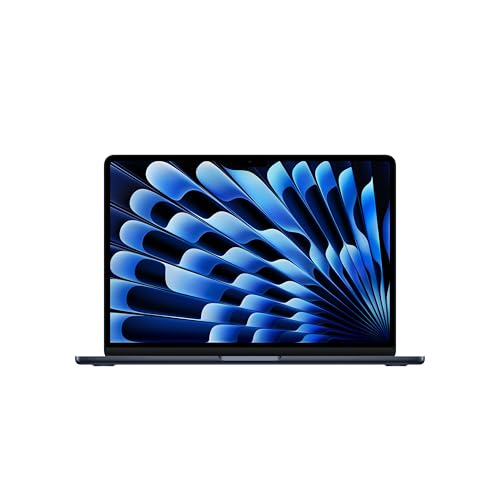 | Apple MacBook Air 13-inch with M5 | Best fit: Lightest Mac carry pick Screen: 13.6-inch Liquid Retina Weight: 2.7 lb (Apple) Thunderbolt 4 or USB4 ports: 2x Thunderbolt 4 Memory and SSD: 32GB, 1TB (Amazon listing) | Check Price on Amazon |
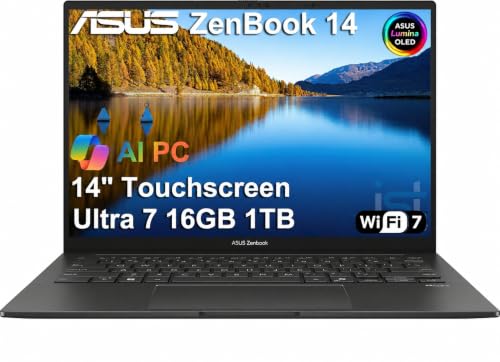 | ASUS Zenbook 14 UX3405 | Best fit: Lightweight OLED touchscreen Screen: 14-inch WUXGA OLED touch, 100% DCI-P3 Weight: 2.82 lb (ASUS) Thunderbolt 4 or USB4 ports: 2x Thunderbolt 4 Memory and SSD: 16GB, 1TB (seller upgrade) | Check Price on Amazon |
 | Microsoft Surface Laptop 7 13.8-inch | Best fit: Snapdragon Windows laptop with USB4 Screen: 13.8-inch touchscreen Weight: 2.96 lb (Microsoft) Thunderbolt 4 or USB4 ports: 2x USB4 Memory and SSD: 16GB, 512GB (Amazon listing) | Check Price on Amazon |
1. LG gram Max 17 17Z90UB-H.AU76U3 — Best Lightweight 17-Inch Workspace
LG lists the 17Z90UB at 3.39 pounds (1,539 grams) with a 77Wh battery, two Thunderbolt 4 ports, one HDMI port and a 17-inch 2560 x 1600 IPS touchscreen with 99% DCI-P3 coverage (typical). LG’s page calls the line gram Pro, while the Amazon title says gram Max 17. The large screen suits a buyer who wants room for two documents or a long timeline without carrying a separate display.
The Amazon listing adds HDMI 2.1 and a thickness of 0.57 inch, and names a Core Ultra 7 355 processor, 32GB of LPDDR5X memory and a 4TB SSD. LG’s page lists SSD sizes of 512GB, 1TB and 2TB, so the 4TB size comes from the Amazon listing alone. A 17-inch chassis is larger than the 13- and 14-inch picks, so the LG is the light large-screen laptop here, not the smallest bag option. Two Thunderbolt 4 ports leave one free when a dock, display or drive uses the other.
Confirm the 4TB SSD size before ordering, because LG’s page lists sizes up to 2TB.Our Take Choose the gram Max 17 when screen area comes first. LG lists it at 3.39 pounds with two Thunderbolt 4 ports and a 17-inch touchscreen.
- LG lists the laptop at 3.39 pounds with a 17-inch IPS touchscreen, a large screen for a buyer who wants room for two documents.
- LG lists two Thunderbolt 4 ports and one HDMI port, leaving one Thunderbolt port free when a dock, display or drive uses the other.
- LG lists 99% DCI-P3 coverage (typical) for the touchscreen, a color figure a buyer can weigh against the two ASUS panels.
- LG’s 17-inch chassis takes more bag space than the 13- and 14-inch picks, even at a low listed weight.
- The Amazon listing gives the LG a 4TB SSD, a size LG’s page does not list and a buyer should confirm before ordering.
- LG’s page calls the line gram Pro, while the Amazon title says gram Max 17.
2. ASUS Vivobook S 14 — Best Compact OLED Windows Pick
ASUS lists the Vivobook S 14 OLED (S5406) at 2.87 pounds with a 75Wh battery, two Thunderbolt 4 ports, two USB 3.2 Gen 1 Type-A ports, HDMI 2.1 and a microSD reader. The Amazon listing gives the model only as Vivobook S 14, without the S5406 code, so the match rests on the Core Ultra 7 258V processor, the 75Wh battery and the port list that ASUS and the listing share.
The Amazon listing describes a 14-inch WUXGA OLED display at 1920 x 1200 with 100% DCI-P3 coverage and 400 nits. It says the HDMI and Thunderbolt 4 ports support up to three external monitors at up to 4K and 60Hz without a docking station. The listing gives 32GB of DDR5 memory and a 2TB SSD, and says the seller resealed the laptop to upgrade the SSD, with a one-year ASUS warranty on the rest.
Our Take Pick the Vivobook S 14 when you want a 14-inch OLED Windows laptop at 2.87 pounds with two Thunderbolt 4 ports and two USB-A ports.
- ASUS lists the Vivobook S 14 at 2.87 pounds, lighter than the Surface Laptop 7 and the LG gram.
- ASUS lists two Thunderbolt 4 ports, two USB 3.2 Gen 1 Type-A ports, HDMI 2.1 and a microSD reader, with two USB-A ports against one on the Zenbook.
- The Amazon listing states a 14-inch WUXGA OLED display with 100% DCI-P3 coverage, for a buyer who wants a compact OLED Windows laptop.
- The Amazon listing says the seller resealed the laptop to upgrade the SSD, and the listing states 2TB.
- The Amazon listing names the model only as Vivobook S 14, so ASUS’s S5406 page matches by processor, battery and ports.
3. Apple MacBook Air 13-inch with M5 — Best Small Mac Carry Pick
Apple lists the 13-inch MacBook Air with M5 at 2.7 pounds and 0.44 inch thick, with two Thunderbolt 4 ports, a MagSafe 3 charging port and support for up to two external displays. Apple’s page lists up to 18 hours of video streaming. Charging through MagSafe leaves both Thunderbolt 4 ports free for a dock or a drive.
The Amazon listing (model Z1L6000RU) describes a 13.6-inch Liquid Retina display, 32GB of unified memory and a 1TB SSD. It is the lightest laptop here, which suits a buyer who notices every pound in a daily bag. Windows-only applications, drivers and work tools need a compatibility check on a Mac.
Windows-only software needs a compatibility check before you choose the Air.Our Take The 13-inch M5 MacBook Air suits a buyer who wants a 2.7-pound Mac with two Thunderbolt 4 ports and a separate MagSafe charging connection.
- Apple lists the 13-inch MacBook Air at 2.7 pounds, the lowest weight of the five.
- Apple lists two Thunderbolt 4 ports and a separate MagSafe 3 charging port, and charging through MagSafe leaves both Thunderbolt ports free for a dock or a drive.
- Apple lists up to 18 hours of video streaming, a maker figure for video use only.
- The Amazon listing gives the MacBook Air a 13.6-inch display, the smallest of the five.
- The MacBook Air runs macOS, and Windows-only applications, drivers and work tools need a compatibility check on a Mac.
4. ASUS Zenbook 14 UX3405 — Best Lightweight Touchscreen OLED
ASUS lists the Zenbook 14 UX3405 touchscreen models at 2.82 pounds with a 75Wh battery, a 14-inch WUXGA OLED touchscreen with 100% DCI-P3 coverage, two Thunderbolt 4 ports with display and power delivery support, one USB 3.2 Gen 1 Type-A port and HDMI 2.1. ASUS lists 2.82 pounds, close to the 2.7 pounds Apple lists for the MacBook Air, with Windows and a touchscreen.
The Amazon listing names a Core Ultra 7 255H processor, 16GB of DDR5 memory and a 1TB SSD, and says the seller resealed the laptop to upgrade the memory and SSD. The seller gives a three-year warranty on the upgraded parts, and the listing gives a one-year manufacturer warranty on the rest. The listing says the Thunderbolt 4 and HDMI ports support three external monitors at 4K and 60Hz without a docking station.
Our Take Choose the Zenbook 14 when you want a 2.82-pound Windows touchscreen with two Thunderbolt 4 ports and can accept a seller-upgraded configuration.
- ASUS lists the Zenbook 14 touchscreen models at 2.82 pounds, close to the MacBook Air’s weight, with Windows and a touchscreen.
- ASUS lists a 14-inch WUXGA OLED touchscreen with 100% DCI-P3 coverage, the touchscreen that sets it apart from the other ASUS pick.
- The Amazon listing says the Thunderbolt 4 and HDMI ports support three external monitors at 4K and 60Hz without a dock.
- The Amazon listing says the seller resealed the laptop to upgrade the memory and SSD, with a three-year seller warranty on those parts and a one-year manufacturer warranty on the rest.
- ASUS lists one USB 3.2 Gen 1 Type-A port, fewer than the two on the Vivobook S 14.
- The Amazon listing gives the Zenbook 16GB of memory, half the 32GB on the LG, Vivobook and MacBook Air listings.
5. Microsoft Surface Laptop 7 13.8-Inch — Best USB4 Windows Laptop on Snapdragon
Microsoft lists the 13.8-inch Surface Laptop at 2.96 pounds with two USB-C ports that it names USB4, one USB-A 3.1 Gen 2 port and a Surface Connect port. Its page lists support for the Surface Thunderbolt 4 Dock and other accessories on the USB4 ports, a 2304 x 1536 touchscreen with sRGB and Vivid color profiles, and up to 20 hours of local video playback.
The Amazon listing identifies this laptop as the 13.8-inch Surface Laptop with a Snapdragon X Elite 12-core processor, 16GB of RAM and a 512GB SSD. A buyer who needs maker-stated Thunderbolt 4 on the laptop itself should pick one of the other four. Specialized Windows applications, plug-ins, drivers and peripherals can need a compatibility check on Snapdragon processors before purchase.
Our Take Pick the Surface Laptop 7 when you want a 2.96-pound 13.8-inch Windows touchscreen with two USB4 ports and your software runs on Snapdragon.
- Microsoft lists the 13.8-inch Surface Laptop at 2.96 pounds, the second heaviest of the five.
- Microsoft lists two USB-C ports as USB4 and lists support for the Surface Thunderbolt 4 Dock on those ports.
- Microsoft lists up to 20 hours of local video playback, a maker figure for local video only.
- Microsoft names the ports USB4 and does not name them Thunderbolt 4, so a buyer who requires that name should pick one of the other four.
- The Amazon listing names a Snapdragon X Elite processor, and specialized Windows applications, drivers and peripherals can need a compatibility check on it.
Buying Guide: Match Weight, Screen, and the Fast-Port Plan
Start with the published carry weight
Apple lists the 13-inch MacBook Air at 2.7 pounds, ASUS lists the Zenbook 14 UX3405 touchscreen models at 2.82 pounds and the Vivobook S 14 at 2.87 pounds, Microsoft lists the 13.8-inch Surface Laptop at 2.96 pounds, and LG lists the 17Z90UB at 3.39 pounds. Four of the five weigh within 0.26 pound of each other, and the LG is 0.43 pound heavier than the next one.
Screen size is the other half of the carry decision. The MacBook Air has a 13.6-inch display, the Surface has a 13.8-inch display, the two ASUS models have 14-inch displays, and the LG has a 17-inch display. A 17-inch chassis takes more bag space even at a low listed weight.
Count the fast ports and decide how the laptop charges
All five laptops have two fast ports. The LG, both ASUS models and the MacBook Air name Thunderbolt 4, and Microsoft names USB4 for the Surface. Apple lists a separate MagSafe 3 charging port, so charging through MagSafe leaves both Thunderbolt 4 ports free for a dock and a drive.
Check that the laptop and the dock name the same connection before ordering. Microsoft lists support for the Surface Thunderbolt 4 Dock on the Surface’s USB4 ports, and a dock from another maker should be checked against that maker’s compatibility list. Our Thunderbolt 4 docking station guide and USB4 hubs and docks guide cover dock types, and how to identify the Thunderbolt port on a laptop shows which port is which.
Choose screen area before panel language
LG lists 99% DCI-P3 (typical) for the gram’s touchscreen, and the Amazon listings for both ASUS models name 100% DCI-P3 OLED panels, with a touchscreen on the Zenbook. A buyer doing color-critical photo work should also check the application’s color settings and any external monitor.
Apple lists wide color (P3) and support for 1 billion colors on the MacBook Air. Microsoft lists a 2304 x 1536 touchscreen for the Surface with sRGB and Vivid color profiles. The 17-inch LG gives the most screen area, and the 13.6-inch Air gives the least.
Treat seller memory and SSD changes as a warranty question
The Amazon listings for the two ASUS models say the seller resealed the laptop. The Vivobook listing says the SSD was upgraded, with a one-year ASUS warranty on the rest. The Zenbook listing says the memory and SSD were upgraded, with a three-year seller warranty on those parts and a one-year manufacturer warranty on the rest. Read the warranty terms and return conditions before ordering either one.
The LG listing gives a 4TB SSD and says nothing about a seller upgrade, but LG’s page lists SSD sizes up to 2TB. The MacBook Air listing gives 32GB with 1TB, and the Surface listing gives 16GB with 512GB. Confirm the memory and storage in the title against the files and applications you plan to keep on the laptop.
Check the operating system and accessory software together
The MacBook Air runs macOS, so a buyer with Windows-only software should check software support before choosing it for its weight and ports. The Surface has a Snapdragon X Elite processor, and specialized software, plug-ins and peripherals can need an application and driver check on that processor.
The LG and both ASUS models run Windows on Intel Core Ultra processors. For any of the five, check a dock, storage drive, camera or capture device against the operating system as well as the physical port. Whether a Thunderbolt 4 or USB4 port is useful depends on the laptop, the accessory and the software together.
FAQ
Is USB4 enough for a lightweight laptop dock?
It can be, when the laptop maker and the dock maker document the same connection. Microsoft lists two USB-C ports with USB4 for the Surface Laptop 7 and names the Surface Thunderbolt 4 Dock as a supported accessory. A dock that names only Thunderbolt should be checked against its own compatibility documentation.
The LG, both ASUS laptops and the MacBook Air name Thunderbolt 4. Start with the named port, then check displays, charging and operating-system support for the dock you want. Port shape alone does not answer those questions.
Which pick is lightest?
The 13-inch MacBook Air is lightest. Apple lists it at 2.7 pounds, ASUS lists the Zenbook 14 touchscreen models at 2.82 pounds and the Vivobook S 14 at 2.87 pounds, and Microsoft lists the Surface Laptop 7 at 2.96 pounds.
LG lists the 17-inch gram at 3.39 pounds, which is the heaviest of the five and also the one with the largest screen.
Do all of these have two fast ports?
Yes. The LG, both ASUS laptops and the MacBook Air each name two Thunderbolt 4 ports, and Microsoft names two USB-C ports with USB4 for the Surface Laptop 7.
The labels differ. If an accessory maker names Thunderbolt 4 as a requirement, use one of the four Thunderbolt 4 laptops. If the accessory supports USB4, the Surface is a documented USB4 alternative.
Are the memory and SSD sizes standard?
Not always. The Vivobook listing says the seller upgraded the SSD, and the Zenbook listing says the seller upgraded the memory and SSD. LG’s page lists SSD sizes up to 2TB, while the Amazon listing for the LG gives 4TB.
Confirm the configuration, warranty and return terms before ordering a seller-modified laptop. The MacBook Air listing gives 32GB and 1TB, and the Surface listing gives 16GB and 512GB.
Which lightweight pick has the largest display?
The LG gram has the largest display at 17 inches, followed by the 14-inch ASUS models, the 13.8-inch Surface and the 13.6-inch MacBook Air. LG lists it at 3.39 pounds, the heaviest of the five.
A buyer who works mostly away from a desk may accept the LG’s larger bag footprint, while a buyer who travels often may prefer the smaller Apple, ASUS or Microsoft models.
The Bottom Line
The MacBook Air 13-inch with M5 is the lightest at 2.7 pounds, and the ASUS Zenbook 14 UX3405 and ASUS Vivobook S 14 are the 14-inch OLED Windows choices at 2.82 and 2.87 pounds. Choose the LG gram Max 17 when a 17-inch screen is the priority at 3.39 pounds, and the Surface Laptop 7 only after checking Snapdragon software and driver support. In every case, choose the dock from the Thunderbolt 4 or USB4 name rather than the USB-C connector.