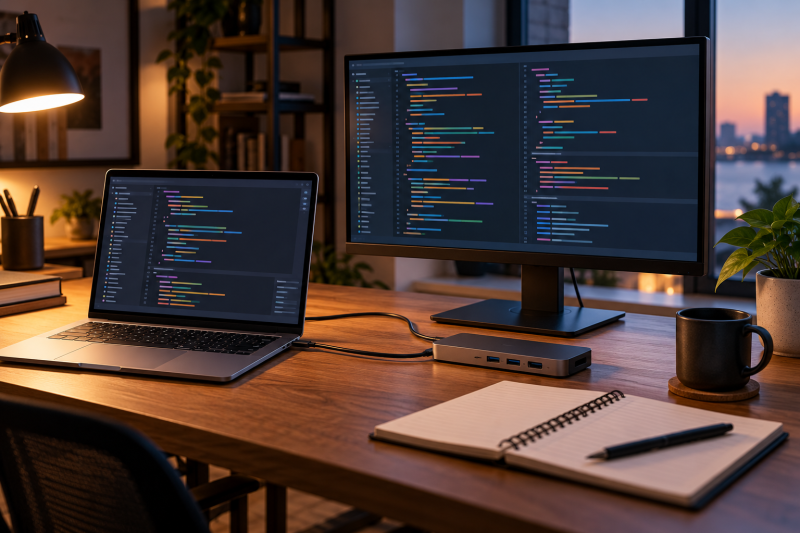
Programming work puts a laptop’s screen, keyboard, memory, storage, operating system, and desk connections in front of you every day. A Thunderbolt or USB4 port does not decide which development tools run, but it lets a dock, external display, or fast storage drive connect to the laptop. Every laptop below has Thunderbolt 4 or USB4 stated by its maker or in its Amazon listing.
Memory, SSD, and operating-system details come from the Amazon listing for each configuration. Check the language or toolchain you need before treating a recommendation as a compatibility promise.
Programmer Laptops Compared
The table compares the screen, Thunderbolt ports, memory and storage, and keyboard of each configuration. It is not a ranking of compilers or a claim about application performance.
| Image | Product | Details | Check Price |
|---|---|---|---|
 | Lenovo ThinkPad T14s Gen 5 | Best fit: 14-inch Windows 11 Pro with Lenovo-documented ports Screen: 14-inch WUXGA IPS touch (Amazon) Thunderbolt 4 ports: 2, USB4 40Gbps (Lenovo) Memory and SSD: 32GB, 1TB (Amazon listing) Keyboard: Spill-resistant, backlit (Lenovo) | Check Price on Amazon |
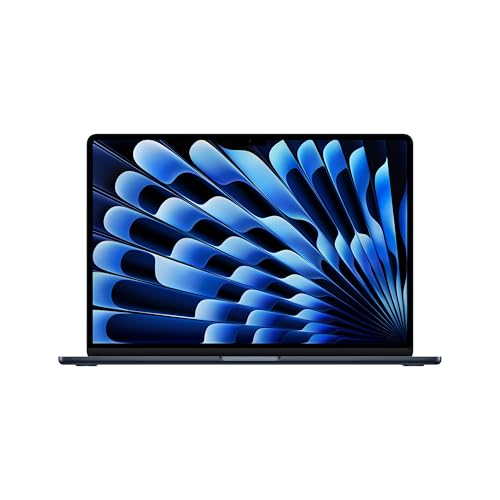 | Apple MacBook Air 15-inch with M5 | Best fit: 15-inch macOS development Screen: 15.3-inch Liquid Retina (Amazon) Thunderbolt 4 ports: 2, USB4 40Gb/s (Apple) Memory and SSD: 24GB, 1TB (Amazon listing) Keyboard: Backlit Magic Keyboard (Apple) | Check Price on Amazon |
 | LG gram 15 | Best fit: 15-inch Windows at 2.8 lb Screen: 15-inch touch (Amazon) Thunderbolt 4 ports: Count not stated (Amazon) Memory and SSD: 32GB, 1TB (Amazon listing) Keyboard: Not stated (Amazon) | Check Price on Amazon |
 | LG gram Max 17 | Best fit: 17-inch with two Thunderbolt 4 ports Screen: 17-inch WQXGA IPS touch (Amazon) Thunderbolt 4 ports: 2 (Amazon) Memory and SSD: 32GB, 1TB (Amazon listing) Keyboard: Backlit (Amazon) | Check Price on Amazon |
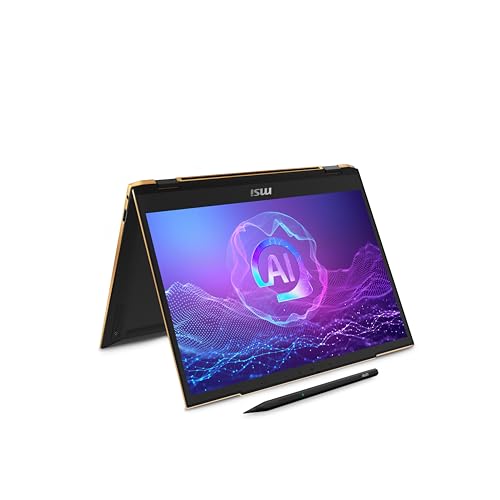 | MSI Summit 13 AI+ Evo | Best fit: 13-inch Windows 11 Pro with 2TB SSD Screen: 13.3-inch FHD+ (Amazon) Thunderbolt 4 ports: Count not stated (Amazon) Memory and SSD: 32GB, 2TB (Amazon listing) Keyboard: Not stated (Amazon) | Check Price on Amazon |
1. Lenovo ThinkPad T14s Gen 5 — Best 14-Inch Windows 11 Pro Laptop With Lenovo-Documented Ports
The Amazon listing for the ThinkPad T14s Gen 5 states a Core Ultra 7 165U, 32GB LPDDR5X memory, a 1TB PCIe NVMe SSD, a 14-inch WUXGA touchscreen, a backlit keyboard, and Windows 11 Pro. Lenovo’s specification sheet lists two USB-C ports rated Thunderbolt 4 / USB4 40Gbps with Power Delivery and DisplayPort, plus two USB-A ports, HDMI 2.1, and support for up to three external monitors.
For keyboard comparison, Lenovo describes a six-row, spill-resistant keyboard with an LED backlight and 1.5mm key travel (1.35mm on the function row and the G, H, and B keys). Lenovo says the memory is soldered and not upgradable, and lists starting weights of 2.73 lb with a black cover and 3.19 lb with a grey cover. The Amazon listing says Oemgenuine installed custom upgrades and backs the hard drive with a 3-year warranty, with the original Lenovo warranty on the other components.
Lenovo lists two USB-C ports rated Thunderbolt 4 / USB4 40Gbps, with Power Delivery and DisplayPort.Our Take Choose the T14s when a 14-inch Windows 11 Pro laptop with a spill-resistant backlit keyboard, 32GB of soldered memory, and two Lenovo-documented Thunderbolt 4 / USB4 ports fits the desk.
- Lenovo documents two Thunderbolt 4 / USB4 40Gbps ports on the T14s, plus two USB-A ports and HDMI 2.1.
- Lenovo describes the T14s keyboard as six-row and spill-resistant, with an LED backlight.
- The Amazon listing states 32GB LPDDR5X memory and a 1TB SSD for this T14s configuration.
- Lenovo says the T14s memory is soldered and not upgradable.
- The Amazon listing says Oemgenuine installed custom upgrades and backs the hard drive with a 3-year warranty, and the original Lenovo warranty covers the other components.
2. Apple MacBook Air 15-inch with M5 — Best 15-Inch macOS Development Laptop
Amazon states a 15.3-inch Liquid Retina display, M5 chip, 24GB unified memory, 1TB SSD, 12MP Center Stage camera, Touch ID, and Wi-Fi 7 for this MacBook Air. Apple’s specification page lists two Thunderbolt 4 ports that also support USB4 at up to 40Gb/s, a MagSafe 3 charging port, a headphone jack, and support for up to two external displays. The Amazon listing states the same ports and display support.
For keyboard comparison, Apple lists a backlit Magic Keyboard with Touch ID, and a 15-inch weight of 3.3 lb. Apple’s page lists no HDMI or USB-A port. Choose this configuration only if macOS is the environment you need, because Apple’s hardware details say nothing about Windows or Linux tool compatibility.
Apple lists two Thunderbolt 4 ports, a MagSafe 3 charging port, and support for up to two external displays.Our Take Pick the MacBook Air when macOS, a 15.3-inch display, 24GB of unified memory, and two Apple-documented Thunderbolt 4 ports match the work.
- Apple documents two Thunderbolt 4 ports on the MacBook Air that also support USB4 at up to 40Gb/s, and a MagSafe 3 charging port.
- Apple lists a backlit Magic Keyboard with Touch ID on the MacBook Air.
- The Amazon listing states 24GB unified memory and a 1TB SSD for this MacBook Air.
- Apple states that the MacBook Air supports up to two external displays.
- Apple’s page lists two Thunderbolt 4 ports, MagSafe 3, and a headphone jack on the MacBook Air, with no HDMI or USB-A port.
- The MacBook Air runs macOS, and Apple’s hardware details say nothing about Windows or Linux tool compatibility.
3. LG gram 15 — Best 15-Inch Windows Laptop at 2.8 lb
The Amazon listing for the LG gram 15 states a 15-inch touchscreen, Core Ultra 7 355, 32GB memory, a 1TB SSD, Thunderbolt 4, and Windows 11 Home. It gives a 2.8 lb weight, a 0.7-inch profile, a 72Wh battery, and up to 24 hours of video playback. The listing does not give a Thunderbolt 4 port count and says nothing about the keyboard.
At 2.8 lb it is listed lighter than the 3.3 lb that Apple lists for the 15-inch MacBook Air. The listing says nothing about virtual machine, container, or compile-time results.
Our Take Consider the LG gram 15 for portable Windows work with a 15-inch touchscreen and 32GB of memory. Confirm that your tools run on Windows 11 Home first.
- The Amazon listing states 32GB memory and a 1TB SSD for this LG gram.
- The Amazon listing gives this LG gram a 2.8 lb weight and a 72Wh battery.
- The Amazon listing states Thunderbolt 4 and Windows 11 Home for this LG gram.
- The Amazon listing does not state how many Thunderbolt 4 ports the gram 15 has.
- The Amazon listing states Windows 11 Home rather than Windows 11 Pro.
4. LG gram Max 17 — Best 17-Inch Laptop With Two Thunderbolt 4 Ports
The Amazon listing states a 17-inch WQXGA (2560 x 1600) IPS touchscreen with 99% DCI-P3, Core Ultra 7 355, 32GB LPDDR5X memory, a 1TB NVMe SSD, a backlit keyboard, Wi-Fi 7, HDMI 2.1, dual Thunderbolt 4 ports, and Windows 11 Pro. It gives a 3.39 lb weight and a 77Wh battery rated up to 26.5 hours.
With more screen room, you can keep an editor, terminal, documentation, and browser side by side when the laptop is not docked. At 3.39 lb it is listed close to the 3.3 lb that Apple lists for the 15-inch MacBook Air.
Our Take Choose the gram Max 17 when a 17-inch built-in screen and two listed Thunderbolt 4 ports take priority over a smaller laptop.
- The Amazon listing states a 17-inch WQXGA IPS touchscreen with 99% DCI-P3.
- The Amazon listing states dual Thunderbolt 4 ports, HDMI 2.1, and Wi-Fi 7 for this LG gram.
- The Amazon listing states a backlit keyboard, 32GB LPDDR5X memory, and a 1TB NVMe SSD.
- This LG gram weighs 3.39 lb in its Amazon listing, heavier than the 2.8 lb the gram 15 listing gives.
- The Amazon listing states a 77Wh battery rated up to 26.5 hours and gives no test condition for that rating.
5. MSI Summit 13 AI+ Evo — Best 13-Inch Windows 11 Pro Laptop With a 2TB SSD
The Amazon listing for the MSI Summit 13 AI+ Evo states a 13.3-inch FHD+ 60Hz display, Core Ultra 7 258V, 32GB LPDDR5X memory, a 2TB NVMe SSD, Thunderbolt 4, Wi-Fi 7, and Windows 11 Pro. It also says the laptop comes with an MSI Pen 2 with MPP 2.6 technology, and that the pen charges through USB-C.
The 13.3-inch screen is the smallest of the five, and the 2TB SSD is the largest storage listed. The listing does not give a Thunderbolt 4 port count and says nothing about the keyboard.
Our Take Pick the Summit 13 AI+ Evo when a 13.3-inch Windows 11 Pro laptop with 32GB, a 2TB SSD, and Thunderbolt 4 fits the work.
- The Amazon listing states 32GB LPDDR5X memory and a 2TB NVMe SSD for the Summit.
- The Amazon listing states Thunderbolt 4, Wi-Fi 7, and Windows 11 Pro for the Summit.
- The Amazon listing says the Summit comes with an MSI Pen 2.
- The Summit has the smallest display of the five laptops, at 13.3 inches.
- The Amazon listing does not state how many Thunderbolt 4 ports the Summit has.
Buying Guide
1. Choose the operating system before comparing ports
The MacBook Air runs macOS, and the other four laptops state Windows. Decide this before memory or port count, because the operating system determines which local tools, package managers, device simulators, and deployment targets work. A Thunderbolt 4 connection does not make a Windows-only program run on macOS, or the reverse.
When the language and toolchain run on either platform, compare the MacBook Air 15 with the Windows candidates on screen, memory, storage, and dock needs. Treat operating-system support as a requirement, not a feature to trade away.
The T14s, gram Max 17, and Summit listings state Windows 11 Pro, and the gram 15 listing states Windows 11 Home. Check the Windows edition against any sign-in, encryption, remote-access, or policy setup your workplace requires. The edition does not decide whether a programming language works, but it can decide whether the laptop fits the environment where the work happens.
2. Match the screen to how much stays visible at once
The Summit has a 13.3-inch FHD+ screen, the T14s is 14 inches, the MacBook Air is 15.3 inches, the gram 15 is 15 inches, and the gram Max 17 is 17 inches. A larger built-in display can hold more editor, terminal, browser, and documentation space when the laptop is not docked. It also changes how much laptop you carry.
The Thunderbolt laptop list covers more categories. A model name can cover more than one panel, so compare the display in the listing you buy.
A 13.3- or 14-inch laptop can be paired with a monitor most of the time and stay easier to carry between locations. A 15- or 17-inch panel gives more room when the laptop is used alone, but it changes the size of the bag and desk. Choose the screen from the undocked work you actually do, then check the dock and monitor arrangement separately.
3. Compare memory, storage, and keyboard details in each listing
Four listings state 32GB and 1TB or more, while the MacBook Air states 24GB and 1TB. The T14s, gram 15, gram Max 17, and Summit each state 32GB, and the Summit states 2TB. Lenovo says the T14s memory is soldered and not upgradable, and its listing says Oemgenuine installed custom upgrades. Memory and SSD depend on the configuration a seller offers, so compare them in each listing rather than carrying them over from a model name.
For keyboards, Lenovo describes a six-row, spill-resistant, backlit keyboard for the T14s, Apple lists a backlit Magic Keyboard, and the gram Max 17 listing states a backlit keyboard. The gram 15 and Summit listings say nothing about the keyboard, so confirm layout, key travel, and backlight before buying those two.
4. Plan a dock around the number of documented ports
Lenovo documents two Thunderbolt 4 / USB4 ports on the T14s, Apple documents two Thunderbolt 4 ports on the MacBook Air, the gram Max 17 listing states two, and the gram 15 and Summit listings state Thunderbolt 4 without a count. Two ports allow a dock on one and a second device or monitor on the other, although the dock determines display, charging, and data modes. Lenovo says the T14s supports up to three external monitors, and Apple says the MacBook Air supports up to two external displays.
Start with the Thunderbolt 4 docking-station guide or USB4 hubs and docks guide. Read the dock manual for the specific host and monitors, rather than choosing from the number of outputs alone.
5. Keep portability claims separate from battery and tool claims
Lenovo lists the T14s at a starting weight of 2.73 lb with a black cover, the gram 15 listing states 2.8 lb, Apple lists the MacBook Air at 3.3 lb, and the gram Max 17 listing states 3.39 lb. None of these weights establishes battery duration for code builds, containers, virtual machines, or a particular IDE. LG’s 24 hours for the gram 15 is for video playback, and the gram Max 17 listing gives 26.5 hours without a test condition.
For a portable programming setup, consider the charger, dock, external display, and device adapters as part of the bag. A lighter laptop can become a heavy setup when every desk connection travels with it.
Before deciding, list the tools that need to be open at once: editor, browser, local service, database, virtual machine or container, device emulator, and communication client. Then compare that list with the 24GB or 32GB memory in the listing, its SSD capacity, its operating system, and the number of Thunderbolt connections. The T14s, gram 15, gram Max 17, and Summit each list 32GB, while the MacBook Air lists 24GB, which is a configuration difference and not a result guarantee. The best option is the one whose platform and listed capacity fit the development environment.
FAQ
Is Thunderbolt 4 important for programming?
It is important when a programming desk depends on a compatible dock, fast external storage, or external monitors. It is not a measure of language support, compile speed, code quality, or application compatibility.
Lenovo documents two Thunderbolt 4 / USB4 ports on the T14s, and Apple documents two Thunderbolt 4 ports on the MacBook Air. The gram Max 17 listing states two, and the gram 15 and Summit listings give no count. Check the dock manual before relying on a particular connection.
Is 32GB of memory enough for programming?
It depends on the editor, browser tabs, local databases, virtual machines, containers, and device emulators used together. No listing here turns its memory figure into a requirement for any of them.
The MacBook Air listing states 24GB unified memory, and the other four choices state 32GB. Choose from the memory need of the tools you run at the same time.
Should I choose macOS or Windows for software development?
Choose the operating system required by your toolchain and target environment. The MacBook Air is the macOS entry in this list. The ThinkPad, LG, and MSI listings state Windows.
If both platforms support the work, then compare hardware. The display, memory and storage, keyboard, and desk connections are practical ways to narrow the remaining choices.
Can these laptops drive external displays through a dock?
They can connect through their stated Thunderbolt 4 or USB4 ports, but a finished display setup depends on the host, dock, cable, monitor resolution, refresh rate, and operating system. Lenovo says the T14s supports up to three external monitors, and Apple says the MacBook Air supports up to two external displays.
Use the laptop’s port description and the dock manual together. Neither document alone describes every monitor combination.
Which option is easiest to carry?
Lenovo lists the T14s at a starting weight of 2.73 lb with a black cover. The gram 15 listing gives 2.8 lb, Apple lists 3.3 lb for the 15-inch MacBook Air, and the gram Max 17 listing gives 3.39 lb. The Summit listing’s description gives no weight, and its 13.3-inch screen is the smallest of the five.
Start with the screen you need when undocked, then consider the full bag. A small laptop with a dock, display adapters, and power supply can be harder to move than its chassis alone suggests.
Bottom Line
Choose ThinkPad T14s Gen 5 for Lenovo-documented ports and keyboard on Windows 11 Pro, MacBook Air 15 for macOS with two Apple-documented Thunderbolt 4 ports, or LG gram Max 17 for the largest screen with two listed Thunderbolt 4 ports. Confirm the operating system, memory and SSD, and planned dock before buying.
The toolchain, screen size, and desk peripherals decide more than a broad “programming laptop” label.
Keep the listing screenshot or order record with those configuration details for later support.