The best Thunderbolt laptop is not simply the model with the fastest processor. Port generation and count, display configuration, weight, battery capacity, and the exact Amazon model all shape whether a laptop will work well at a desk and on the road. A laptop can share a family name with another configuration while using a different display, battery, processor, or even a different connection standard.
This guide narrows the field to ten exact products, each tied to an Amazon ASIN and traceable manufacturer specifications. Every pick has certified Thunderbolt connectivity. The list covers compact travel systems, business laptops, convertibles, gaming hardware, creative workstations, and large desktop replacements.
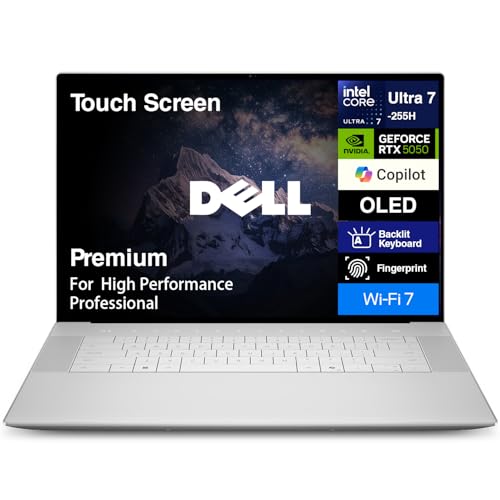
The Dell 16 Premium / XPS 16 (DA16250) is the best overall pick. According to Dell’s official DA16250 specifications, the family has three Thunderbolt 4 ports with DisplayPort 2.1 and Power Delivery. Dell specifies a 16.3-inch 4K OLED touchscreen option and rates the battery capacity at 99.5Wh. That layout gives a dock or display far more placement flexibility than a one-port laptop.
Revision summary: Replaced discontinued, unavailable, used-only, and category-invalid picks. Corrected Dell model names, matched all retained recommendations to their exact Amazon configurations, and refreshed manufacturer weight and battery details.
Recent Updates
2026
- July: Replaced discontinued, unavailable, used-only, or mismatched products. Corrected Dell names with DA16250 and DA14250 model codes, fixed the retained Lenovo configurations, and updated every quick-pick weight from manufacturer specifications.
- May: Refreshed the Dell, Apple, and MSI positions, added the MacBook Pro with M5 Max as the creative pick, and expanded Thunderbolt 5 coverage.
Quick Picks
- Best overall: Dell 16 Premium / XPS 16 (DA16250). According to Dell, the family has three Thunderbolt 4 ports and a 16.3-inch 4K OLED touch option. Weight: According to Dell, the OLED minimum is 4.65 lb without discrete graphics, and an RTX configuration may weigh more.
- Best for creative pros: Apple 16-inch MacBook Pro with M5 Max (MGEE4LL/A). According to Apple, it has three Thunderbolt 5 ports and a 16.2-inch Liquid Retina XDR display. Weight: According to Apple, the M5 Max model weighs 4.7 lb.
- Best ultrabook: Lenovo ThinkPad X1 Carbon Gen 12 (21KC000MUS). According to Lenovo, it has two Thunderbolt 4 ports and the exact model has a WUXGA touchscreen. Weight: According to Lenovo, family starting weights are 2.37 lb or 2.40 lb by touchpad type.
- Best for gaming: Razer Blade 16 (RZ09-05819EN9-R3U1). According to Razer, it has one Thunderbolt 5 port, one Thunderbolt 4 port, and a QHD+ 240Hz OLED display. Weight: According to Razer, the laptop weighs 4.6 lb.
- Best premium 14-inch Windows laptop: Dell 14 Premium / XPS 14 (DA14250). According to Dell, it has three Thunderbolt 4 ports and a 14.5-inch 3.2K OLED display. Weight: According to Dell, the OLED minimum is 3.79 lb.
- Best budget: Lenovo ThinkBook 16 Gen 6 IRL (21KH). According to Lenovo, it has one Thunderbolt 4 port and a 16-inch WUXGA touch option. Weight: According to Lenovo, the family starts at 3.75 lb.
- Best 2-in-1: HP OmniBook Ultra Flip 14 (14t-fh). According to HP, it has two Thunderbolt 4 ports and a 14-inch 3K OLED touch display. Weight: According to HP, the family starts at 2.97 lb.
- Best for business: Lenovo ThinkPad T14s Gen 6 Intel (21QX00LBUS). According to Lenovo, it has two Thunderbolt 4 ports and the exact model uses a WUXGA touchscreen. Weight: According to Lenovo, the Lunar Lake family starts at 2.82 lb.
- Best compact: Dell XPS 13 9350 with Intel. According to Dell, it has two Thunderbolt 4 ports and a 13.4-inch FHD+ display. Weight: According to Dell, FHD+ and QHD+ models weigh 2.62 lb.
- Best desktop replacement: MSI Titan 18 HX (A2WJ-1258US). According to MSI, it has two Thunderbolt 5 ports and an 18-inch UHD+ MiniLED display. Weight: According to MSI, it weighs 7.94 lb.
| Image | Product | Details | Check Price |
|---|---|---|---|
 | Dell 16 Premium / XPS 16 (DA16250) | Thunderbolt: Dell specifies 3x Thunderbolt 4 with DisplayPort 2.1 and Power Delivery Display: Dell lists a 16.3-inch 4K OLED touchscreen for the selected configuration Weight: Dell lists a 4.65 lb OLED minimum; the selected RTX configuration may weigh more Battery: Dell specifies 99.5Wh and gives no exact hour claim for this OLED and RTX configuration | Check Price on Amazon |
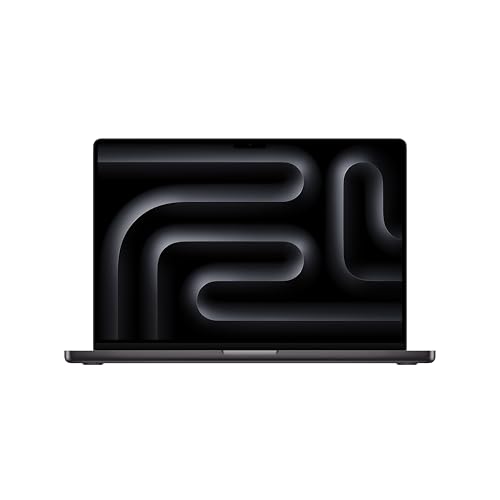 | Apple 16-inch MacBook Pro with M5 Max (MGEE4LL/A) | Thunderbolt: Apple specifies 3x Thunderbolt 5 Display: Apple lists a 16.2-inch 3456x2234 Liquid Retina XDR display Weight: Apple lists 4.7 lb for the M5 Max model Battery: Apple specifies 100Wh and up to 22 hours video or 16 hours wireless web in its tests | Check Price on Amazon |
 | Lenovo ThinkPad X1 Carbon Gen 12 (21KC000MUS) | Thunderbolt: Lenovo specifies 2x Thunderbolt 4 Display: Lenovo identifies the exact model with a 14-inch WUXGA 100% sRGB touchscreen Weight: Lenovo lists family starting weights of 2.37 lb or 2.40 lb by touchpad type Battery: Lenovo specifies 57Wh; its longest published tests use a different non-touch configuration | Check Price on Amazon |
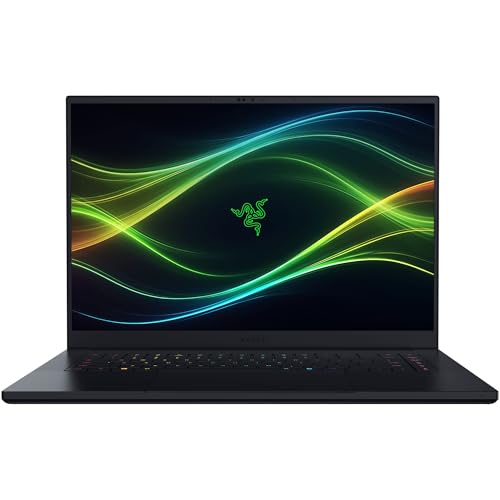 | Razer Blade 16 (RZ09-05819EN9-R3U1) | Thunderbolt: Razer specifies 1x Thunderbolt 5 and 1x Thunderbolt 4 Display: Razer lists a 16-inch QHD+ 240Hz OLED display Weight: Razer lists 4.6 lb Battery: Razer claims up to 13 hours office use or 15 hours video, not gaming runtime | Check Price on Amazon |
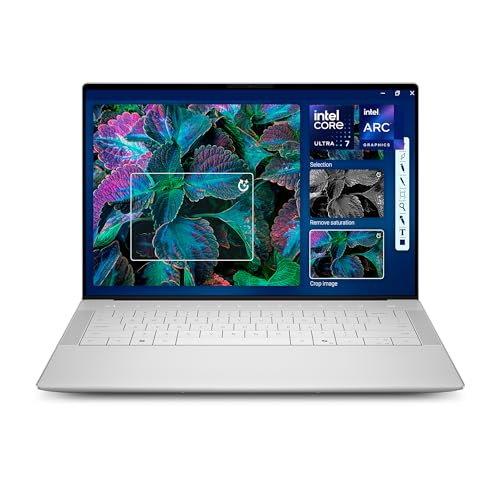 | Dell 14 Premium / XPS 14 (DA14250) | Thunderbolt: Dell specifies 3x Thunderbolt 4 Display: Dell lists a 14.5-inch 3.2K OLED touchscreen with a 48Hz to 120Hz range Weight: Dell lists a 3.79 lb minimum for the OLED configuration Battery: Dell specifies 69.5Wh; its 20-hour claim applies to a different 2K configuration | Check Price on Amazon |
 | Lenovo ThinkBook 16 Gen 6 IRL (21KH) | Thunderbolt: Lenovo specifies 1x Thunderbolt 4 Display: Lenovo lists a 16-inch WUXGA touch option at 300 nits and 45% NTSC Weight: Lenovo lists a 3.75 lb starting weight Battery: Lenovo offers 45Wh or 71Wh; the seller-customized listing does not identify which battery is installed | Check Price on Amazon |
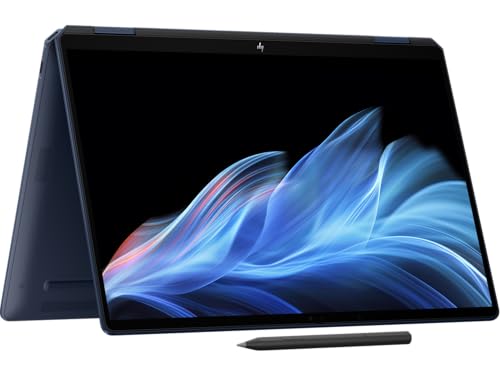 | HP OmniBook Ultra Flip 14 (14t-fh) | Thunderbolt: HP specifies 2x Thunderbolt 4 Display: HP lists a 14-inch 3K OLED touchscreen with a 48Hz to 120Hz range Weight: HP lists a 2.97 lb starting weight Battery: HP specifies 64Wh; its hour claims apply to HP's tested family configuration | Check Price on Amazon |
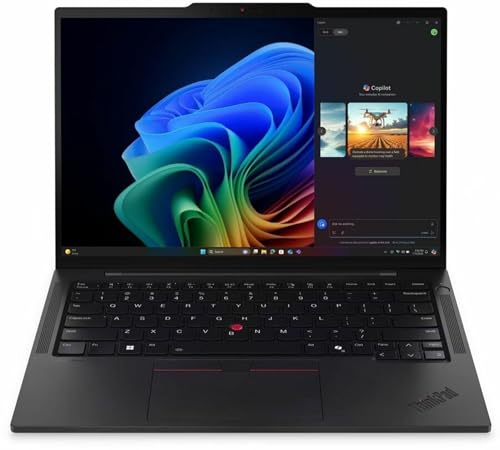 | Lenovo ThinkPad T14s Gen 6 Intel (21QX00LBUS) | Thunderbolt: Lenovo specifies 2x Thunderbolt 4 Display: Lenovo lists a 14-inch WUXGA 60Hz touchscreen for the exact model Weight: Lenovo lists a 2.82 lb starting weight for the Lunar Lake family Battery: Lenovo specifies 58Wh; its longest published tests use a different non-touch configuration | Check Price on Amazon |
 | Dell XPS 13 9350 with Intel | Thunderbolt: Dell specifies 2x Thunderbolt 4 with Power Delivery Display: Dell lists a 13.4-inch FHD+ 1920x1200 display at up to 120Hz Weight: Dell lists 2.62 lb for FHD+ and QHD+ models Battery: Dell specifies 55Wh and gives no fixed runtime for the exact configuration | Check Price on Amazon |
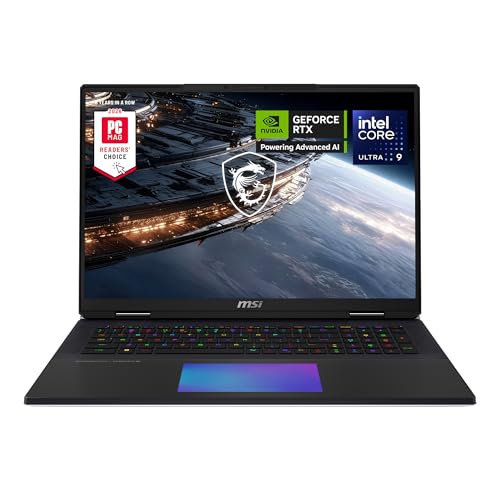 | MSI Titan 18 HX (A2WJ-1258US) | Thunderbolt: MSI specifies 2x Thunderbolt 5 Display: MSI lists an 18-inch UHD+ 3840x2400 MiniLED display at 240Hz Weight: MSI lists 3.6 kg / 7.94 lb Battery: MSI specifies 99.9Wh and gives no exact runtime-hour result | Check Price on Amazon |
Which One Should You Buy?
| If you need… | Choose this | Why |
|---|---|---|
| The strongest balance of docking, display quality, and performance | Dell 16 Premium / XPS 16 (DA16250) | Three dock-ready ports and a large OLED option suit mixed home, office, and creative work |
| A macOS creative workstation | Apple 16-inch MacBook Pro with M5 Max | Thunderbolt 5, a large XDR display, and clearly documented battery testing |
| The lightest business-focused option | ThinkPad X1 Carbon Gen 12 | Low starting weight, a touchscreen, and ports beyond Thunderbolt |
| Gaming with certified Thunderbolt | Razer Blade 16 | Dedicated Thunderbolt 5 and Thunderbolt 4 connections alongside high-end graphics |
| A premium 14-inch Windows system | Dell 14 Premium / XPS 14 (DA14250) | Three Thunderbolt 4 ports and a high-resolution OLED panel in a smaller chassis |
| A lower-cost route to a docked desk | ThinkBook 16 Gen 6 IRL | One Thunderbolt 4 port is enough for a full dock, and the large display favors office work |
| A convertible for touch and pen workflows | HP OmniBook Ultra Flip 14 | A lighter flip design with OLED touch and two dock-ready ports |
| An Intel vPro business deployment | ThinkPad T14s Gen 6 Intel | Exact Intel configuration, touch display, and business management support |
| The smallest footprint | Dell XPS 13 9350 with Intel | A compact chassis with genuine Thunderbolt rather than USB4-only connectivity |
| A transportable Windows workstation | MSI Titan 18 HX | Thunderbolt 5, a large MiniLED display, and a configuration aimed at desk-bound work |
1. Dell 16 Premium / XPS 16 (DA16250) — Best Overall
The Dell 16 Premium / XPS 16 (DA16250) has a connection layout suited to a dock-centered setup without forcing the cable to one side. In Dell’s DA16250 specifications, the company lists three Thunderbolt 4 ports with DisplayPort 2.1 and Power Delivery. According to Dell, each of those ports supports power, display output, and data.
According to Dell, the DA16250 family offers a 16.3-inch 4K 3840×2400 OLED touchscreen. According to the Amazon listing, its title names an Intel Core Ultra 7 255H and GeForce RTX 5050, while its feature bullets name an Intel Core Ultra 9 285H and GeForce RTX 5060. Dell’s chassis specifications and the stable DA16250 code avoid assigning either inconsistent seller variation to the whole family.
According to Dell’s official specifications, the minimum weight is 4.65 lb for an OLED system with integrated graphics. A configuration with discrete RTX graphics may weigh more than that published minimum. Dell’s official specifications rate the battery capacity at 99.5Wh but provide no exact battery-hour claim for a 4K OLED and RTX combination.
According to Dell’s port specifications, the connection strategy is built around Thunderbolt. Buyers who still use USB-A, HDMI, Ethernet, or card media should reserve desk space for a dock. The three-port layout supports that arrangement, and the best Thunderbolt docking stations guide covers suitable pairings.
Editorial Take This is the strongest all-around choice for someone who moves between a high-resolution internal display and a docked desk. Dell’s three Thunderbolt 4 ports offer extensive cable and peripheral flexibility, while the model code prevents confusion with retired or unrelated XPS products.
- Dell’s official DA16250 page states that it has three Thunderbolt 4 ports with DisplayPort 2.1 and Power Delivery
- According to Dell, the family offers a 16.3-inch 4K OLED touchscreen
- Dell’s official specifications rate the battery capacity at 99.5Wh
- The stable DA16250 code makes configuration checking easier
- Dell’s published minimum weight may not cover an RTX configuration
- Dell provides no exact battery-hour claim for an OLED and RTX combination
- A seller-customized offer requires careful variation checking
2. Apple 16-inch MacBook Pro with M5 Max — Best for Creative Pros
Apple’s 16-inch MacBook Pro with M5 Max is the creative pick for workflows already built around macOS. According to Apple’s specifications for MGEE4LL/A, the model has 48GB of unified memory and 2TB of storage. That model match matters because Apple does not make memory or storage upgradeable after purchase.
According to Apple’s MacBook Pro specifications, the M5 Max model has three Thunderbolt 5 ports, a 16.2-inch 3456×2234 Liquid Retina XDR display, and a weight of 4.7 lb as rated by Apple. The three ports support several direct storage, capture, dock, and display connections.
Apple lists the battery capacity as 100Wh. Apple claims up to 22 hours of streamed video or up to 16 hours of wireless web use for the M5 Max configuration under its controlled tests. Those figures represent two light-use scenarios, not a promise for rendering, compiling, or sustained GPU work.
Thunderbolt 5 is useful here because creative work often combines high-resolution displays with large external media libraries. It is not a reason to replace every Thunderbolt 4 accessory. Thunderbolt remains backward compatible, and the practical gain depends on whether the connected device can use the added bandwidth. The Thunderbolt 5 specifications guide explains where that difference matters.
Editorial Take Choose this model when macOS is required and several high-bandwidth devices must share one workstation. The exact MGEE4LL/A identifier, Apple’s stated three Thunderbolt 5 ports, and Apple’s published battery tests make the configuration easier to evaluate than a generic family listing.
- According to Apple, the model has three Thunderbolt 5 ports
- According to Apple, the display is a 16.2-inch 3456×2234 Liquid Retina XDR panel
- According to Apple, the M5 Max version weighs 4.7 lb
- Apple publishes separate video and wireless-web battery claims for this processor tier
- Memory and storage cannot be upgraded after purchase
- macOS may not fit Windows-only applications or deployment policies
- Apple’s battery maxima do not represent sustained creative workloads
3. Lenovo ThinkPad X1 Carbon Gen 12 (21KC000MUS) — Best Ultrabook
The ThinkPad X1 Carbon Gen 12 remains the ultrabook pick, but the exact 21KC000MUS configuration is important. It is not the 2.8K OLED version found in family-level reviews. According to Lenovo’s model data and the Amazon listing, the exact item has a 14-inch WUXGA 1920×1200 touchscreen with 100 percent sRGB coverage.
According to the official Lenovo PSREF documentation, the model has two Thunderbolt 4 ports. Lenovo publishes different starting weights by touchpad type, so the quick-pick field identifies those numbers as family starting figures rather than an exact unit weight.
Lenovo rates the family battery capacity at 57Wh. According to the linked Lenovo PSREF’s internal battery tests, a WUXGA non-touch configuration is rated for up to 16 hours in MobileMark 25 or 23.4 hours of local video. According to the Amazon listing, the selected 21KC000MUS has a touchscreen, so those figures are family-level estimates rather than a claim for this exact ASIN.
The WUXGA touch panel is a better fit for office work than the old draft suggested. It uses fewer pixels than an OLED panel, avoids an unsupported display claim, and keeps touch input. Buyers who want the deepest blacks or a high refresh rate should look elsewhere; buyers who want a light business laptop with two certified dock ports get a more coherent package.
Editorial Take The appeal is low travel weight, Lenovo’s two Thunderbolt 4 ports, and a clearly identified business configuration. The honest trade-off is the standard-resolution touch display. That is preferable to recommending the right laptop family with the wrong panel.
- According to Lenovo, the model has two Thunderbolt 4 ports
- According to Lenovo, the exact model has a WUXGA 100 percent sRGB touchscreen
- Lenovo publishes separate family starting weights by touchpad type
- The Amazon product data ties 21KC000MUS to the WUXGA touch display
- The selected model is not the higher-resolution OLED configuration
- Lenovo’s best battery results use a different non-touch configuration
- Lenovo’s published weights are family starting figures
4. Razer Blade 16 (RZ09-05819EN9-R3U1) — Best for Gaming
According to Razer’s Blade 16 specifications, RZ09-05819EN9-R3U1 has Thunderbolt 5. That certified connection provides a direct path to a compatible dock, external SSD, or display.
Razer equips this model with an Intel Core Ultra 9 386H, GeForce RTX 5090 graphics, 64GB of memory, and 2TB of storage. Razer also specifies a 16-inch QHD+ OLED display with a 240Hz refresh rate. The company positions that combination for gaming and GPU-heavy work.
Razer rates the battery for up to 13 hours in a Modern Office workload or 15 hours of video playback under its test conditions. Razer presents these as office and video results, not gaming-runtime claims.
Razer’s Thunderbolt 5 connection is backward compatible with Thunderbolt 4 gear, so a buyer does not need to replace a working Thunderbolt 4 dock.
Editorial Take This model is the gaming pick because Razer combines high-end graphics with certified Thunderbolt 5 connectivity.
- Thunderbolt 5 connectivity, per Razer’s specifications
- 16-inch QHD+ 240Hz OLED display, per Razer’s specifications
- GeForce RTX 5090 graphics, per Razer’s specifications
- Separate office and video battery claims published by Razer
- Razer’s manufacturer battery maxima do not cover gaming
- The high-power components favor plugged-in use
- The large display and gaming hardware reduce travel appeal
5. Dell 14 Premium / XPS 14 (DA14250) — Best Premium 14-inch Windows Laptop
The Dell 14 Premium / XPS 14 (DA14250) replaces an XPS 14 9440 listing that did not match the former copy. The slot is also renamed because this DA14250 is a Thunderbolt 4 laptop, not a Thunderbolt 5 laptop. In Dell’s DA14250 specifications, the company lists three Thunderbolt 4 ports.
The exact LDA14250-7667SLV-PUS listing uses Dell’s 14.5-inch 3.2K OLED touchscreen. Dell specifies a variable 48Hz to 120Hz refresh range for the OLED option. Three ports are the practical advantage: the dock cable can approach from either side, and a second peripheral does not consume the only charging connection.
According to Dell’s specifications, the OLED configuration has a minimum weight of 3.79 lb, and Dell rates the battery capacity at 69.5Wh. Dell’s headline claim of “up to 20 hours” belongs to a lower-resolution 2K configuration, not this OLED ASIN. No fixed hour claim should be attached to the selected product until Dell publishes a matching test.
This model is premium because of its chassis, display, and three-port layout, not because it carries the newest Thunderbolt number. Buyers who need true Thunderbolt 5 on Windows should choose the Razer Blade 16 or MSI Titan 18 HX. Buyers who need a smaller Windows laptop for a Thunderbolt 4 dock may find this balance more useful.
Editorial Take The corrected category is the point. DA14250 is a strong premium 14-inch Windows choice with three Thunderbolt 4 ports, but calling it a Thunderbolt 5 product would mislead buyers.
- According to Dell, the model has three Thunderbolt 4 ports
- According to Dell, the exact model has a 14.5-inch 3.2K OLED touchscreen
- Dell states that the display range is 48Hz to 120Hz
- According to Dell’s specifications, the OLED minimum is 3.79 lb
- It does not have Thunderbolt 5
- Dell’s longest battery claim applies to a different display
- The connection layout expects adapters or a dock for older peripherals
6. Lenovo ThinkBook 16 Gen 6 IRL (21KH) — Best Budget
The Lenovo ThinkBook 16 Gen 6 IRL serves as the budget pick, with configuration-specific language. The Amazon offer is an IST Computer customized 21KH system, not a single sealed Lenovo factory configuration. The listing identifies a 16-inch WUXGA touchscreen, while Lenovo’s ThinkBook 16 Gen 6 specifications list the touch option at 1920×1200, 300 nits, and 45 percent NTSC.
According to Lenovo’s technical specifications, the family includes one Thunderbolt 4 port. One port is enough for a dock that handles charging, displays, network access, and desk peripherals. It offers less cable-placement freedom than the three-port Dell laptops, but it still delivers the main benefit of a Thunderbolt laptop: one cable at the desk.
Lenovo’s official documentation states that the family starting weight is 3.75 lb. Battery language needs special care because Lenovo offers both 45Wh and 71Wh packs in the family, and the customized Amazon listing does not identify which one is installed. According to Lenovo’s published MobileMark 25 ratings, the 45Wh configuration reaches up to 8 hours, while the 71Wh configuration is rated for up to 11.82 hours. Neither result can be assigned to this ASIN until the seller confirms its battery.
The display is aimed at documents, spreadsheets, and general office work rather than color-sensitive production. Lenovo’s 45 percent NTSC specification is the clearest limitation. The large touch surface and Thunderbolt 4 port still make sense for a lower-cost office setup, especially when the laptop spends much of its time connected to an external monitor.
Editorial Take This pick prioritizes access to a certified Thunderbolt 4 dock connection over display color or a thin premium chassis. Its main caveat is configuration control: verify the customized memory, storage, and battery details before ordering.
- According to Lenovo, the family has one Thunderbolt 4 port
- According to Lenovo, a 16-inch WUXGA touchscreen is available
- According to Lenovo, the family starts at 3.75 lb
- One Thunderbolt port supports the intended single-dock workflow
- The seller-customized listing does not identify its battery capacity
- Lenovo rates the touch panel at only 45 percent NTSC
- A single Thunderbolt port gives less connection flexibility
7. HP OmniBook Ultra Flip 14 (14t-fh) — Best 2-in-1
The HP OmniBook Ultra Flip 14 replaces an older Spectre listing that no longer had a new offer and did not match the draft’s OLED claims. The selected 14t-fh listing uses an Intel Core Ultra 7 258V, 32GB of memory, and 1TB of storage. It is a third-party configured offer, so those variation details should be confirmed on the Amazon page.
According to HP’s OmniBook Ultra Flip family specifications, the laptop has two Thunderbolt 4 ports. HP specifies a 14-inch 3K 2880×1800 OLED touchscreen with a 48Hz to 120Hz refresh range. The flip hinge supports laptop, tent, stand, and tablet positions without giving up certified dock connectivity.
According to HP’s specifications, the family starts at 2.97 lb and has a 64Wh battery. HP claims up to 16 hours and 15 minutes for general use or 20 hours and 30 minutes for video playback in its tested family configuration. Those results are not guarantees for every processor, display setting, or seller-customized variation.
The smaller 14-inch design is easier to carry than the former 16-inch convertible pick. It also fits the use case better: touch and pen work benefits from a machine light enough to hold or rotate, while two Thunderbolt 4 ports preserve a full workstation connection at a desk.
Editorial Take The OmniBook Ultra Flip 14 is the most coherent convertible choice in this slate. HP documents the OLED touch panel, two Thunderbolt ports, starting weight, and family battery tests, while the Amazon configuration provides a traceable replacement for the mismatched Spectre listing.
- According to HP, the family has two Thunderbolt 4 ports
- According to HP, the display is a 14-inch 3K OLED touchscreen with a 48Hz to 120Hz range
- According to HP, the family starts at 2.97 lb
- HP rates the battery capacity at 64Wh
- HP’s battery maxima cover a tested family configuration, not every variation
- The selected Amazon offer is third-party configured
- OLED settings can materially affect battery life
8. Lenovo ThinkPad T14s Gen 6 Intel (21QX00LBUS) — Best for Business
Lenovo identifies ThinkPad T14s Gen 6 model 21QX00LBUS with an Intel Core Ultra 7 268V processor with vPro, 32GB of memory, 512GB of storage, and a WUXGA touchscreen. The exact identifier distinguishes this Intel business configuration from AMD variants in the same family.
In Lenovo’s T14s Gen 6 Intel specifications, the company lists two Thunderbolt 4 ports and a 14-inch WUXGA touch panel at 60Hz for the selected configuration. That display favors office readability and touch input over the richer contrast of OLED.
According to Lenovo’s specifications, the T14s Gen 6 Lunar Lake family has a starting weight of 2.82 lb and a 58Wh battery. Lenovo reports up to 23.46 hours in MobileMark 25 and 34.96 hours of local video for a non-touch Core Ultra 5 228V configuration. Those results may not represent this Core Ultra 7 268V touchscreen model.
For business deployment, the exact Intel vPro configuration matters more than a family name shared with AMD variants. The two certified Thunderbolt 4 ports suit standardized desk docks, while the low starting weight supports commuting and travel. The full Thunderbolt laptops list includes more business systems for fleet comparisons.
Editorial Take The exact Intel vPro configuration, two Thunderbolt 4 ports, and touch display make this the business pick. The 21QX00LBUS code gives buyers a specific model to validate.
- According to Lenovo, the model has two Thunderbolt 4 ports
- According to Lenovo, the exact model has Intel vPro
- According to Lenovo, the configuration has a WUXGA 60Hz touchscreen
- According to Lenovo, the family starts at 2.82 lb
- Lenovo’s longest reported battery results are based on a different non-touch processor configuration
- The WUXGA panel prioritizes efficiency over OLED contrast
- Lenovo does not publish a matching runtime result for the specific touchscreen configuration
9. Dell XPS 13 9350 with Intel — Best Compact
The Intel-based Dell XPS 13 9350 fixes the most serious category error in the old list. The former ASIN pointed to a Snapdragon XPS 13 9345, which has USB4 rather than certified Thunderbolt. The 9350 uses an Intel platform, and Dell’s XPS 13 9350 documentation specifies two Thunderbolt 4 ports with Power Delivery.
The selected Amazon listing specifies an Intel Core Ultra 7 256V, 16GB of memory, and 1TB of storage. Dell rates the 13.4-inch FHD+ 1920×1200 display at up to 120Hz. The listing identifies a seller-upgraded configuration.
Two Thunderbolt ports are especially useful on a compact machine with few legacy connectors. One can serve a dock or charger while the second remains open for storage or a display. Buyers planning that desk setup can compare compatible hardware in the Thunderbolt docking station guide.
Editorial Take This is the compact pick because it is both small and category-valid. Naming the Intel 9350 explicitly prevents shoppers from confusing it with the Snapdragon 9345, whose similar XPS branding hides a meaningful connection difference.
- Dell confirms that the model has two Thunderbolt 4 ports with Power Delivery
- Dell rates the 13.4-inch FHD+ display at up to 120Hz
- The Intel 9350 name prevents confusion with the USB4-only Snapdragon model
- The compact design fits a dock-centered setup
- The seller-upgraded configuration requires careful variation checking
- Legacy peripherals require a dock or adapter
- Port selection is minimal without a dock
10. MSI Titan 18 HX (A2WJ-1258US) — Best Desktop Replacement
The MSI Titan 18 HX A2WJ-1258US replaces a related Titan ASIN that had no new offer. MSI identifies this configuration with an Intel Core Ultra 9 290HX, GeForce RTX 5090 graphics, 64GB of memory, and 4TB of storage. It is built to move between desks rather than serve as a daily carry laptop.
According to MSI’s Titan 18 HX specifications, the laptop has two Thunderbolt 5 ports. MSI also lists an 18-inch UHD+ 3840×2400 MiniLED display with a 240Hz refresh rate. That combination gives large-screen creative and engineering workflows a direct route to fast storage, displays, capture devices, and docks.
This is the Windows choice for buyers who need two certified Thunderbolt 5 ports and a very large built-in display. It is a poor fit for frequent travel. The Razer Blade 16 is substantially lighter according to Razer’s published weight, while the MacBook Pro offers another Thunderbolt 5 path for macOS.
Editorial Take Choose the Titan when Thunderbolt 5, a large MiniLED panel, and workstation-class components matter more than portability. The A2WJ-1258US code keeps the recommendation tied to the exact Amazon configuration.
- MSI specifies two Thunderbolt 5 ports
- MSI lists an 18-inch UHD+ MiniLED display at 240Hz
- MSI identifies the selected model with GeForce RTX 5090 graphics
- MSI identifies the exact A2WJ-1258US configuration
- The large chassis favors desk use over commuting
- The high-power components favor outlet-centered work
- The desktop-replacement format is a poor fit for frequent travel
Buying Guide
What Is Thunderbolt and Why Does It Matter in a Laptop?
Thunderbolt combines data, display output, and power delivery through the USB-C connector. A certified port can connect a laptop to a dock that handles monitors, network access, storage, audio, and other USB devices. The practical benefit is a one-cable transition between a mobile laptop and a desk.
The connector shape alone does not prove capability. A USB-C port can support different USB data rates, charging limits, and display modes. Intel’s published Thunderbolt requirements set minimum capabilities for certified hardware, which makes accessory planning easier than relying on an unmarked USB-C port.
Certification still does not make every laptop identical. Manufacturers decide how many ports to include, where to place them, what display outputs the system supports, and how much charging power the laptop accepts. That is why each product section above uses the manufacturer’s exact model data rather than assuming every member of a laptop family has the same ports.
Thunderbolt 5 vs Thunderbolt 4 vs Thunderbolt 3: Which Do You Need?
Intel specifies up to 40 Gbps for Thunderbolt 3, but older implementations can differ in PCIe bandwidth, display support, and cable behavior. A used Thunderbolt 3 laptop can still work well with a dock, but its manual should be checked before planning a multi-monitor setup.
Intel’s Thunderbolt 4 requirements keep the 40 Gbps headline while raising minimum PCIe and display capabilities. For common desk setups with a dock, one or two external displays, Ethernet, USB peripherals, and an external SSD, Thunderbolt 4 remains the practical target.
Intel specifies an 80 Gbps bidirectional link for Thunderbolt 5 and a 120 Gbps Bandwidth Boost mode for display-heavy traffic. Intel also doubles the minimum PCIe data requirement compared with Thunderbolt 4. Those gains matter most for very fast external storage, several high-resolution displays, and new docking hardware that can actually use the bandwidth.
Thunderbolt 5 remains backward compatible with Thunderbolt 4 devices. A laptop should not be selected on the generation label alone. Port count, weight, battery caveats, display, operating system, and exact configuration often have a larger effect on daily use. See the Thunderbolt 3 vs Thunderbolt 4 vs Thunderbolt 5 comparison for a deeper standards breakdown.
How Many Thunderbolt Ports Should a Laptop Have?
One Thunderbolt port is enough for a fixed desk if every peripheral connects through a dock. The ThinkBook 16 Gen 6 represents that approach. The downside is that charging, docking, and direct high-speed accessories compete for the same port when the dock is disconnected.
Two ports are a useful middle ground. One can handle power or a dock while the second takes direct storage, a display, or another accessory. The MacBook Pro, Razer Blade, X1 Carbon, OmniBook Ultra Flip, T14s, XPS 13, and Titan all provide at least two certified Thunderbolt connections according to their manufacturers.
Three ports offer the easiest cable placement and the most room for direct devices. Dell specifies three Thunderbolt 4 ports on both DA16250 and DA14250, while Apple specifies three Thunderbolt 5 ports on the selected MacBook Pro. A third port matters most when several devices need full bandwidth rather than sharing a dock’s upstream connection.
What Can a Thunderbolt Port Do?
Docking: A Thunderbolt dock can consolidate power, displays, Ethernet, audio, and USB devices behind one laptop cable. The dock’s own specifications determine how many displays and how much charging power it can provide.
External displays: Thunderbolt carries DisplayPort video, but the laptop GPU, port generation, dock, cables, and operating system all affect the final monitor arrangement. Manufacturer display-support tables should be checked for any demanding multi-monitor plan.
External storage: Thunderbolt can tunnel PCIe traffic to an NVMe enclosure. Actual transfer rates depend on the laptop controller, drive, enclosure, cable, and workload, so a port’s headline bandwidth should not be treated as an SSD benchmark.
Capture and audio hardware: Thunderbolt is common on professional video and audio interfaces because it carries high-bandwidth data with low latency. Compatibility should still be checked against the accessory maker’s operating-system and controller requirements.
External graphics: Some Windows Thunderbolt systems support external GPU enclosures. Laptop firmware, operating system, graphics drivers, enclosure power, and bandwidth can all affect compatibility and performance.
Do AMD Laptops Support Thunderbolt?
Some AMD laptops have certified Thunderbolt, but many expose USB4 instead. The former Razer pick illustrates why the distinction matters: its AMD USB4 ports could connect many similar accessories, yet the laptop was not a certified Thunderbolt product and did not belong in this roundup.
USB4 and Thunderbolt can overlap in data, display, and PCIe tunneling support, but USB4 features vary by implementation. A USB4 logo is not proof that every Thunderbolt dock feature will work. The laptop manual and dock compatibility list are the right sources for a specific pairing.
Buyers who specifically need the Thunderbolt certification for company hardware standards should verify the lightning logo and the manufacturer’s port description. The AMD laptops with Thunderbolt guide explains the certified exceptions and the USB4 alternatives.
Should You Buy Thunderbolt 5 Now?
Thunderbolt 5 makes sense when the intended devices need more bandwidth than Thunderbolt 4 supplies. The Apple MacBook Pro, Razer Blade 16, and MSI Titan 18 HX in this list all expose at least one Thunderbolt 5 port according to their manufacturers. Each serves a very different buyer, which shows why the port label should be one part of the decision rather than the whole decision.
Thunderbolt 4 is still the better fit when the target setup consists of a standard dock, ordinary office displays, Ethernet, and USB peripherals. It has a larger accessory base and already supports the one-cable desk arrangement most people want.
Before choosing Thunderbolt 5, list the exact dock, display, storage, or capture hardware that will connect to it. If those devices are Thunderbolt 4, the faster laptop port will run them at their supported generation. Buy the laptop that fits the complete workload, then treat Thunderbolt 5 as useful headroom.
Frequently Asked Questions
Which laptops have Thunderbolt ports?
Many premium Intel laptops, business ThinkPads, and MacBook Pro models include Thunderbolt, but a family name is not enough. Processor variants can change the port standard, as the Intel XPS 13 9350 and Snapdragon XPS 13 9345 demonstrate. Check the exact model code and manufacturer manual. The complete Thunderbolt laptops list is a useful starting point.
What is a Thunderbolt laptop?
A Thunderbolt laptop has at least one port certified to Intel’s Thunderbolt requirements. The port uses the USB-C connector on the models in this guide, but the certification describes capabilities rather than connector shape. Thunderbolt can carry data, display output, and power through the same cable when both the laptop and connected device support those functions.
Is Thunderbolt 4 the same as USB-C?
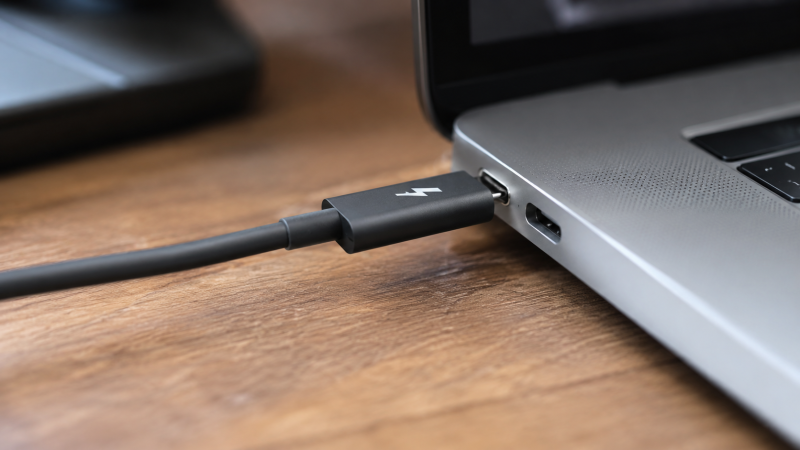
No. USB-C describes the reversible connector. Thunderbolt 4 describes a certified connection standard that uses that connector. Two ports can look identical while supporting different data speeds, display modes, charging behavior, and PCIe tunneling. Look for the lightning symbol and confirm the port in the manufacturer’s specifications.
Is Thunderbolt 4 enough, or is Thunderbolt 5 necessary?
Thunderbolt 4 is enough for most docks, office displays, network adapters, and external SSDs. Thunderbolt 5 is useful when a workflow includes devices designed for its added display or data bandwidth. Buying Thunderbolt 5 for ordinary USB peripherals will not make those devices faster.
Can a Thunderbolt dock work with a USB-C-only laptop?
Sometimes, with reduced functions. Many docks fall back to USB or USB4 modes, but display count, charging, transfer speed, and PCIe devices can change. Check both manufacturers’ compatibility lists. A basic USB-C port should not be assumed to provide the same behavior as Thunderbolt 4.
How We Research and Select
Each recommendation starts with an exact Amazon ASIN rather than a broad laptop family. Amazon Product Advertising API data is used to check the product title, model, condition, and whether a new offer is present. An ASIN with only a used offer is not treated as a stable new-product recommendation.
Manufacturer pages are the source for Thunderbolt generation and port count, display resolution and refresh rate, weight, battery capacity, and battery-test claims. When a manufacturer publishes a family minimum or tests a different configuration, that limitation is stated instead of assigning the result to the selected ASIN.
Model-code matching is a separate check. Dell’s consumer-facing names have changed, so DA16250 and DA14250 remain in the product names. Lenovo machine types distinguish touch from non-touch displays and Intel from AMD processors. Apple, Razer, HP, and MSI identifiers serve the same purpose.
Battery figures receive the strictest treatment. A capacity in watt-hours is not a runtime promise. Video playback and office benchmarks are not heavy-work results. If the selected configuration lacks a matching manufacturer test, the article gives the capacity and explains why no exact hour claim applies.
Amazon availability can change after publication. A final PAAPI GetItems check is run across all ten ASINs before the draft moves to owner review, and product boxes should be checked again before any later live update.
Honorable Mentions
These alternatives remain worth considering when one requirement outweighs the slot definitions above.
Dell XPS 14 9440: This is a real earlier model, unlike the former phantom generation name. It was not retained because the available ASIN described an FHD+ configuration while the draft described a newer OLED system.
AMD ThinkPad T14s Gen 6: Lenovo documents certified Thunderbolt on some AMD configurations. The Intel 21QX00LBUS received the business slot because it matches the article’s vPro requirement and exact display claim.
MacBook Air: Apple’s lighter notebook line can suit macOS users who need fewer high-bandwidth devices. The MacBook Pro holds the main Apple slot because its three Thunderbolt 5 connections better match creative workstations.
Framework Laptop: A repair-focused modular laptop may appeal to buyers who value replaceable parts and configurable ports. Check the exact expansion-card and connection specification before treating a configuration as Thunderbolt-certified.
For another desk-setup view, see the best Thunderbolt docking stations guide. For broader buying factors beyond port selection, use the laptop buying guide.