We evaluated over 30 OLED monitors, comparing manufacturer specifications, aggregated expert benchmarks, and thousands of user reviews to find the nine best you can buy right now.
OLED monitors crossed into mainstream territory in 2025, with QD-OLED panels now available at affordable price points and 4K QD-OLED reaching mid-range territory. The technology delivers what LCD cannot: each pixel produces its own light and turns completely off for black, giving you effectively infinite contrast ratio with 0.03ms response times. Whether you want stunning picture quality for gaming, a color-accurate display for creative work, or a productivity hub that charges your laptop, there is an OLED monitor for that use case. This guide covers gaming OLED, ultrawide OLED, portable OLED, and productivity OLED in a single roundup so you can make one decision and move on.
Recent Updates
- May 2026: Full lineup refresh. Added the ASUS ROG Swift OLED PG27UCDM as best overall following QD-OLED Gen 4 release. Added the ASUS ROG Swift OLED PG27AQWP-W at 540Hz after tandem WOLED availability confirmed. Burn-in guidance updated with new long-term testing data.
- January 2026: Added LG UltraGear 45GX950A as best ultrawide pick. Gigabyte AORUS FO27Q3 added as best budget entry.
- November 2025: Initial publication. Nine products, full buying guide, and FAQ.
Quick Picks
- Best overall: ASUS ROG Swift OLED PG27UCDM — 27″ 4K 240Hz QD-OLED with DisplayPort 2.1a and 90W USB-C
- Best value: AOC Q27GAZD — 27″ 1440p 240Hz QD-OLED with G-Sync Compatible support
- Best ultrawide OLED: LG UltraGear 45GX950A — 45″ 5K2K 165Hz WOLED with DisplayPort 2.1
- Best 32-inch: ASUS ROG Swift OLED PG32UCDM — 32″ 4K 240Hz QD-OLED with 90W USB-C
- Best for productivity: Dell UltraSharp U3225QE — 32″ 4K Thunderbolt 4 hub with 140W power delivery
- Best 1440p gaming: ASUS ROG Swift OLED PG27AQWP-W — 27″ 1440p 540Hz tandem WOLED
- Best 49-inch super ultrawide: Samsung Odyssey OLED G9 G93SC — 49″ DQHD 240Hz QD-OLED
- Best portable OLED: ViewSonic VX1655-4K-OLED — 15.6″ 4K OLED with USB-C video and conditional 60W power
- Best 360Hz QHD: Gigabyte MO27Q3 — 27″ 1440p 360Hz QD-OLED with USB-C KVM
| Image | Product | Details | Check Price |
|---|---|---|---|
 | ASUS ROG Swift OLED PG27UCDM | Size: 27" Resolution: 3840x2160 4K Refresh Rate: 240Hz Panel: QD-OLED Best For: Best Overall | Check Price on Amazon |
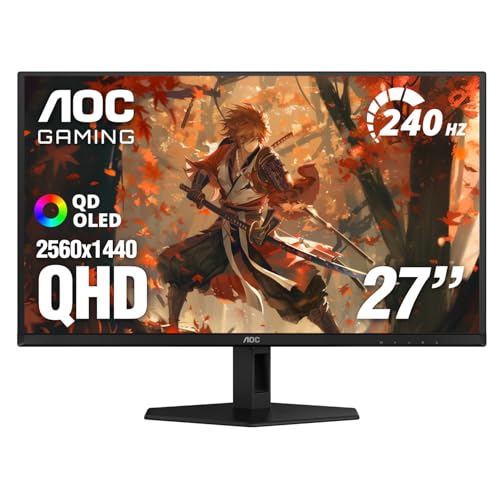 | AOC Q27GAZD | Size: 27" Resolution: 2560x1440 QHD Refresh Rate: 240Hz Panel: QD-OLED Best For: Best Value | Check Price on Amazon |
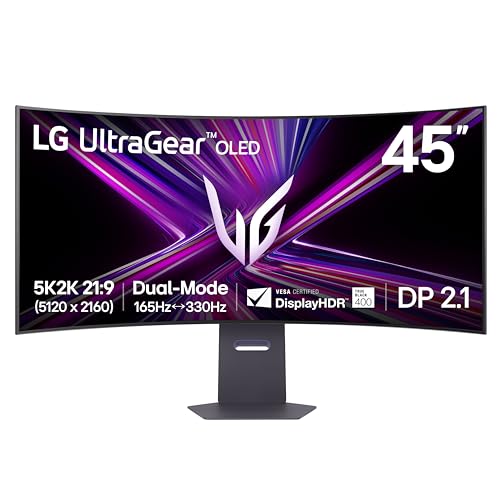 | LG UltraGear 45GX950A | Size: 45" Resolution: 5120x2160 5K2K Refresh Rate: 165Hz Panel: WOLED Best For: Best Ultrawide | Check Price on Amazon |
 | ASUS ROG Swift OLED PG32UCDM | Size: 32" Resolution: 3840x2160 4K Refresh Rate: 240Hz Panel: QD-OLED Best For: Best 32-Inch | Check Price on Amazon |
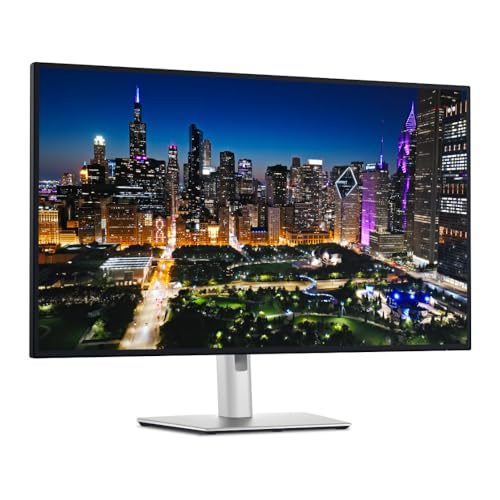 | Dell UltraSharp U3225QE | Size: 32" Resolution: 3840x2160 4K Refresh Rate: 120Hz Panel: IPS Black Best For: Best for Productivity | Check Price on Amazon |
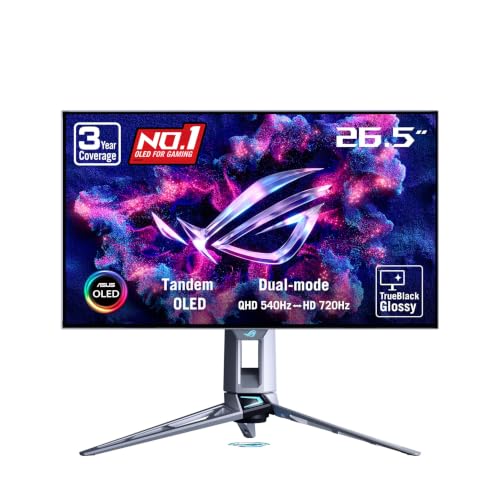 | ASUS ROG Swift OLED PG27AQWP-W | Size: 27" Resolution: 2560x1440 QHD Refresh Rate: 540Hz Panel: Tandem WOLED Best For: Best 1440p Gaming | Check Price on Amazon |
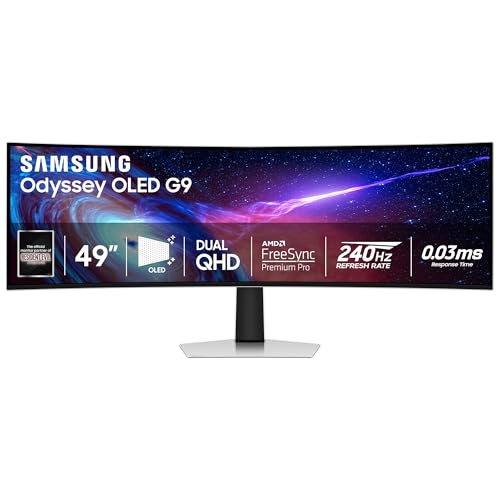 | Samsung Odyssey OLED G9 G93SC | Size: 49" Resolution: 5120x1440 DQHD Refresh Rate: 240Hz Panel: QD-OLED Best For: Best Super Ultrawide | Check Price on Amazon |
 | ViewSonic VX1655-4K-OLED | Size: 15.6" Resolution: 3840x2160 4K Refresh Rate: 60Hz Panel: OLED Best For: Best Portable | Check Price on Amazon |
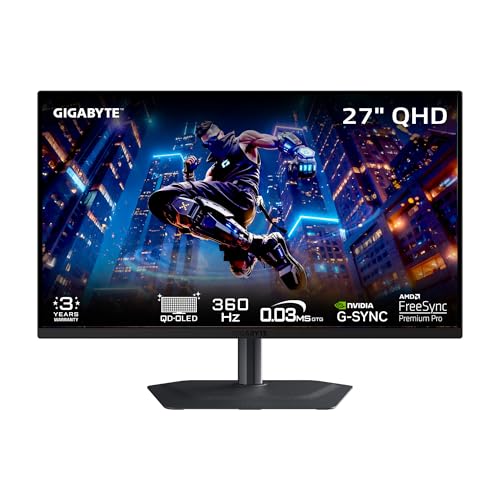 | Gigabyte MO27Q3 | Size: 27" Resolution: 2560x1440 QHD Refresh Rate: 360Hz Panel: QD-OLED Best For: Best 360Hz QHD | Check Price on Amazon |
Which One Should You Buy?
| Choose this… | If you want… |
|---|---|
| ASUS ROG Swift OLED PG27UCDM | The best 27-inch monitor in any category. 4K, 240Hz, QD-OLED Gen 4, DisplayPort 2.1a. Nothing comes close. |
| AOC Q27GAZD | QD-OLED picture quality without the 4K premium. AOC lists 240Hz and 99% DCI-P3 coverage. |
| LG UltraGear 45GX950A | Maximum immersion. 45″ 5K2K WOLED replaces a dual-monitor setup with razor-sharp pixel density. |
| ASUS ROG Swift OLED PG32UCDM | A bigger canvas for 4K OLED gaming and creative work. 32 inches with the same QD-OLED quality. |
| Dell UltraSharp U3225QE | Productivity first. Thunderbolt 4 hub, 140W PD, KVM switch, one cable to rule everything. |
| ASUS ROG Swift OLED PG27AQWP-W | The fastest OLED ever made. 540Hz tandem WOLED, glossy panel, 0.02ms. Competitive gaming’s best tool. |
| Samsung Odyssey OLED G9 G93SC | A 49-inch QD-OLED super ultrawide with no bezel break in the middle. |
| ViewSonic VX1655-4K-OLED | A portable 4K OLED you can carry in a bag, with USB-C video and a maker-rated wide gamut. |
| Gigabyte MO27Q3 | A 360Hz QD-OLED gaming monitor with USB-C video and KVM switching. |
1. ASUS ROG Swift OLED PG27UCDM — Best Overall
The ASUS ROG Swift OLED PG27UCDM is our top pick for the best OLED monitor overall, and it is not a close call. It is the world’s first 27-inch 4K QD-OLED monitor, running Samsung’s fourth-generation QD-OLED panel at 3840×2160 and 240Hz. ASUS rates the response time at 0.03ms, which means zero visible ghosting at any frame rate. Color coverage is rated at 99% DCI-P3 with true 10-bit color — what you see matches what was captured or rendered.
The connectivity is what separates it from earlier 4K OLEDs. ASUS includes DisplayPort 2.1a with UHBR20, delivering the full 80Gbps bandwidth needed for uncompressed 4K at 240Hz — no Display Stream Compression, no signal quality tradeoffs. USB-C with 90W power delivery handles laptop charging via a single cable, and HDMI 2.1 covers console gaming. For more display connectivity options, see our roundup of the best Thunderbolt monitors.
ASUS adds a custom heatsink and a Neo Proximity Sensor that blanks the screen when you walk away, extending panel lifespan and cutting down on unnecessary burn-in exposure. DisplayHDR True Black 400 certification confirms genuine HDR performance at the pixel level.
Our Take The PG27UCDM earns best overall because it refuses to compromise. It delivers the resolution of a creative workstation display, the refresh rate of a competitive gaming monitor, DisplayPort 2.1a for future-proofing, and USB-C convenience — all in a 27-inch form factor. ASUS rates the panel at DisplayHDR True Black 400 with 99% DCI-P3, meaning it is equally at home editing Lightroom catalogs or running a demanding title at 4K 240Hz. If you have a GPU capable of pushing this display, there is no better 27-inch monitor to buy.
- 4K 240Hz QD-OLED Gen 4 with 99% DCI-P3 and true 10-bit color
- DisplayPort 2.1a UHBR20 delivers uncompressed 80Gbps — no DSC needed
- USB-C with 90W power delivery for one-cable laptop setups
- Custom heatsink and proximity sensor extend OLED panel lifespan
- 0.03ms response time rated by ASUS — no ghosting at any frame rate
- Requires a high-end GPU to run 4K at 240Hz consistently
- Semi-glossy coating shows reflections in very bright rooms
- Premium price for a 27-inch display
2. AOC Q27GAZD — Best Value
The AOC Q27GAZD is the lower-cost QD-OLED option here for buyers who do not need 4K. AOC lists a 27-inch 2560×1440 panel at 240Hz, a 0.03ms rated response and G-Sync Compatible support. Its active New listing makes it a usable replacement for the unavailable Q27G4ZD, but check the live offer before buying rather than relying on a fixed price.
AOC’s US specification lists 99% DCI-P3 coverage, a matte antiglare finish, one HDMI input and one DisplayPort 1.4 input. The Amazon listing separately gives a 110.2% DCI-P3 gamut-area figure, which is not the same measurement as coverage. AOC’s published full-white SDR brightness is 200 nits typical. Neither gamut figure measures the particular unit delivered to you; color-critical work still requires checking its profile and accuracy.
The tradeoff is a simpler connection set: this model does not provide a USB-C laptop dock or power delivery. A laptop user who needs one-cable charging should budget for a separate dock or choose a different display. The matte finish can also be a preference call against glossy OLED alternatives.
Our Take The Q27GAZD earns the value slot through QHD QD-OLED at 240Hz with an active New offer. It is for gaming first; AOC’s wide-gamut rating alone does not establish calibrated creative accuracy, and the lack of USB-C charging matters for laptop desks.
- 27-inch QHD QD-OLED with maker-rated 240Hz response
- AOC lists 99% DCI-P3 coverage and G-Sync Compatible support
- Matte antiglare finish can suit a bright gaming desk
- No USB-C power delivery for one-cable laptop charging
- One HDMI and one DisplayPort input limit connection flexibility
- Published gamut coverage does not prove individual-unit accuracy
3. LG UltraGear 45GX950A — Best Ultrawide OLED
The LG UltraGear 45GX950A is the most impressive ultrawide monitor available right now. It uses a 45-inch curved WOLED panel at 5K2K (5120×2160) resolution with a 165Hz refresh rate and an 800R curve. At 5120×2160, the pixel density reaches approximately 125 PPI — the same sharpness as a 27-inch 4K monitor, spread across a 21:9 canvas.
LG rates the peak brightness at 1,300 nits and the color gamut at 98.5% DCI-P3. The dual-mode feature switches between 5K2K at 165Hz for gaming or WFHD at 330Hz for competitive play, letting you get the most out of the panel depending on your workload. Connectivity includes DisplayPort 2.1, USB-C with LG-rated 90W power delivery, HDMI 2.1, and 10W stereo speakers. A code editor, browser, and terminal all fit side by side on this canvas without anything feeling cramped — it is legitimately the productivity equivalent of having two monitors without the bezel interruption. For alternatives to this approach, see our guide to the best USB-C monitors that offer wide-format options.
Our Take The 45GX950A is the ultrawide OLED we recommend without hesitation for anyone with the desk space and GPU to support it. LG’s WOLED at 5K2K delivers a pixel density that most ultrawide monitors cannot match — you are not trading sharpness for screen size. The dual-mode flexibility, DisplayPort 2.1 bandwidth, and 90W USB-C make this a complete workstation display. It is a significant investment, but it genuinely replaces two monitors while delivering better picture quality than either.
- 5K2K WOLED at ~125 PPI — razor-sharp text across the full 45-inch canvas
- 1,300 nits peak brightness and 98.5% DCI-P3 rated by LG
- Dual-mode: 165Hz at 5K2K or 330Hz at WFHD for competitive gaming
- DisplayPort 2.1 and USB-C with 90W power delivery
- Replaces two monitors with a single seamless display
- Requires a substantial desk — the panel is over 40 inches wide
- 5K2K gaming demands a very powerful GPU
- Premium price point is a significant investment even for an ultrawide OLED
4. ASUS ROG Swift OLED PG32UCDM — Best 32-Inch
The ASUS ROG Swift OLED PG32UCDM is our pick when you want 4K OLED and 27 inches is not enough. The 31.5-inch QD-OLED panel runs at 3840×2160 and 240Hz. ASUS rates the response time at 0.03ms, the color gamut at 99% DCI-P3 with Delta E under 2, and HDR certification at DisplayHDR True Black 400. Picture quality is equivalent to the PG27UCDM — the tradeoff is pixel density, which drops from 166 PPI at 27 inches to 140 PPI at 32 inches. Still sharp at native 4K, though some users will notice the difference in small text.
ASUS adds a custom heatsink and graphene film for cooler panel operation and longer lifespan. The stand provides full ergonomic adjustment. USB-C with ASUS-rated 90W power delivery handles laptop charging. The key difference from the 27-inch model: this ships with DisplayPort 1.4 with DSC rather than DisplayPort 2.1a. The compressed signal works fine for gaming, but pixel-perfect creative work benefits from the uncompressed bandwidth of the PG27UCDM.
Our Take The PG32UCDM is the right pick for users who sit farther from their monitor, want to use it for console gaming from the couch, or simply prefer a larger canvas for creative work. ASUS rates it identically to the 27-inch on color accuracy and response time — you are getting the same QD-OLED quality at a more comfortable size for a competitive price. The DP 1.4 limitation is real but manageable, and the 90W USB-C makes it a viable one-cable dock replacement for laptop users.
- 32-inch 4K QD-OLED at 240Hz with 99% DCI-P3 and Delta E under 2
- USB-C with 90W power delivery for single-cable laptop connectivity
- Custom heatsink and graphene film rated by ASUS for extended lifespan
- HDMI 2.1 for PS5 and Xbox Series X at 4K 120Hz
- Full ergonomic stand with height, tilt, swivel, and pivot
- DisplayPort 1.4 with DSC only — no DP 2.1 for uncompressed 4K 240Hz
- Lower pixel density than the 27-inch model at 140 vs 166 PPI
- Larger footprint requires more desk space than a 27-inch model
5. Dell UltraSharp U3225QE — Best for Productivity
The Dell UltraSharp U3225QE earns the productivity pick not because it has the best display specs in this roundup, but because it solves the most problems at once for office users. It uses LG’s IPS Black panel rather than OLED — a distinction worth being upfront about — running at 3840×2160 and 120Hz with a 3,000:1 contrast ratio. That contrast is three times what standard IPS delivers, and 120Hz makes scrolling noticeably smoother than the 60Hz panels Dell shipped in previous generations.
The real reason to choose this monitor is its Thunderbolt 4 hub. Dell rates the power delivery at 140W — enough to charge a 16-inch MacBook Pro through a single cable. You also get a Thunderbolt 4 downstream port for daisy-chaining displays, USB-A 10Gbps ports, RJ45 Ethernet, and a KVM switch. One cable connects your laptop, charges it, links your peripherals, and ties into your network. For a deeper look at monitors that replace a dock, see our roundup of the best Thunderbolt monitors.
Dell rates the factory calibration at 99% DCI-P3 with Delta E under 2 — legitimate color accuracy for photographers and designers. The IPS Black panel delivers the VESA DisplayHDR 600 specification. Where it falls short is on true OLED contrast: 3,000:1 is excellent for IPS but cannot match infinite contrast. Dark games and HDR content will look perceptibly flatter than on a true OLED.
Our Take We include the U3225QE because no OLED monitor currently matches its combination of 140W Thunderbolt 4, KVM switch, and factory-calibrated color accuracy at this price point. If you spend 8+ hours daily writing, coding, or in video calls, the single-cable convenience and accurate IPS Black panel are worth more than the contrast gap between OLED and IPS. If you game or consume dark HDR content regularly, spend more on a true OLED like the PG32UCDM.
- Thunderbolt 4 hub with 140W power delivery — charges any laptop via one cable
- Built-in KVM switch and RJ45 Ethernet for complete desk integration
- Dell-rated 99% DCI-P3 and Delta E under 2 from the factory
- 120Hz refresh for smoother scrolling and cursor movement than 60Hz panels
- 3,000:1 IPS Black contrast is the best available outside of OLED
- IPS Black panel — not actually OLED, contrast cannot match infinite OLED blacks
- No built-in speakers
- Premium price for a non-OLED panel, even with the hub included
6. ASUS ROG Swift OLED PG27AQWP-W — Best 1440p Gaming
The ASUS ROG Swift OLED PG27AQWP-W is the fastest OLED monitor ever made. ASUS rates it at 540Hz at 2560×1440 and 720Hz at 1920×1080, using LG’s tandem WOLED technology — a glossy TrueBlack panel construction that stacks two OLED emitting layers.
The tandem structure matters because it delivers 15% higher peak brightness and ASUS rates the lifespan improvement at 60% over previous WOLED generations. The glossy finish is polarizing: it eliminates matte haze entirely, and an anti-reflective layer ASUS rates at 38% reflection reduction keeps it usable in normal lighting. ASUS rates the response time at 0.02ms — faster than the 0.03ms on QD-OLED panels. DisplayPort 2.1a with UHBR20 provides the full 80Gbps bandwidth this monitor needs to sustain 540Hz without compression.
At 540Hz, motion clarity reaches a different level than 240Hz. Individual projectiles in CS2 are trackable mid-flight, nametag text is readable during flick shots, and fast-moving elements that blur on 240Hz panels become distinct. This is a specialized tool for competitive gaming, not a general-purpose display.
Our Take If you play CS2, Valorant, Overwatch 2, or any fast-paced title where reaction time and motion clarity translate directly into performance, the PG27AQWP-W is the right monitor. ASUS built this specifically for competitive gaming, and the 540Hz tandem WOLED delivers on that brief. The glossy panel looks exceptional in any reasonable lighting condition. If you do not play competitive games, get the PG27UCDM for 4K instead — the 540Hz advantage is wasted on single-player or casual play.
- 540Hz tandem WOLED is the fastest OLED display you can buy
- 0.02ms response time rated by ASUS — faster than standard QD-OLED panels
- Tandem WOLED rated by ASUS at 60% longer lifespan than previous WOLED
- Glossy TrueBlack panel with anti-reflective coating looks exceptional
- DisplayPort 2.1a UHBR20 delivers full 80Gbps bandwidth for 540Hz
- 1440p resolution — no 4K option exists at 540Hz
- Glossy panel shows reflections in very bright rooms despite AR coating
- The 540Hz advantage is meaningless outside competitive gaming use cases
7. Samsung Odyssey OLED G9 G93SC — Best 49-Inch Super Ultrawide
The Samsung Odyssey OLED G9 G93SC preserves the former pick’s core panoramic job with a live New offer. Samsung lists a 49-inch curved QD-OLED panel at 5120×1440 and 240Hz, with a rated 0.03ms response. The 32:9 canvas roughly matches two 27-inch 1440p workspaces without a center bezel.
Samsung specifies an 1800R curve, DisplayHDR True Black 400, HDMI 2.1 and DisplayPort. The wide field of view suits racing and flight simulators, while adaptive sync helps when frame rates vary. It is a G93SC, not the unavailable G95SC; buyers should check model-specific extras rather than assuming the two versions share every smart feature.
The practical caveat remains software support: not every game handles 32:9 natively, so black side bars or awkward UI scaling can appear. For office use, a window-management tool can divide the wide desktop into workable zones.
Our Take The G93SC is the available pick for someone who wants 49-inch 32:9 QD-OLED at 240Hz. It is strongest for panoramic games and side-by-side windows; a conventional 27-inch screen remains simpler for competitive play or games without ultrawide support.
- 49-inch QD-OLED with an 1800R curve
- 5120×1440 DQHD gives a bezel-free 32:9 canvas
- Samsung rates it at 240Hz and 0.03ms
- DisplayHDR True Black 400 and adaptive-sync support
- Not all games support 32:9 natively
- Large curved panel needs generous desk depth and width
- G93SC extras should not be confused with the former G95SC
8. ViewSonic VX1655-4K-OLED — Best Portable OLED
The ViewSonic VX1655-4K-OLED is a portable 15.6-inch 4K OLED option with a listed 1.5-pound weight. It fills the portable slot for someone who wants a sharper second screen than the former 1080p pick without carrying a desktop monitor.
ViewSonic rates it at 3840×2160, 60Hz and typical 100% DCI-P3 coverage. Those are maker specifications, not a measurement of the unit a buyer receives. Two USB-C inputs support DisplayPort Alt Mode video; ViewSonic describes up to 60W two-way power when the source arrangement supports it. Mini-HDMI is available for other video sources. The integrated stand supports portrait or landscape placement, and a separate cover protects the screen in transit. Check the panel and working profile before treating this display as a color reference.
Our Take The VX1655-4K-OLED combines a high-resolution portable OLED screen with USB-C video and conditional 60W pass-through power. Its maker-rated wide gamut is useful for travel work, but this article does not establish factory calibration or individual-unit accuracy.
- 4K OLED panel with maker-rated 100% DCI-P3 coverage
- Listed 1.5-pound weight, integrated stand and protective cover
- Dual USB-C video inputs with conditional 60W two-way power
- Mini-HDMI offers another video connection
- 60Hz ceiling is not a high-refresh gaming fit
- Wide-gamut rating does not verify the delivered panel’s accuracy
- Power pass-through depends on the connected source and adapter
9. Gigabyte MO27Q3 — Best 360Hz QHD
The Gigabyte MO27Q3 is the available 360Hz QHD option for someone who values fast competitive play over 4K detail. Gigabyte specifies a 27-inch 2560×1440 QD-OLED panel, 360Hz maximum refresh, 0.03ms rated response and DisplayHDR True Black 400 support. Those are maker specifications, not independent measurements of the delivered unit.
Gigabyte lists 99% DCI-P3 coverage, two HDMI 2.1 inputs, DisplayPort 1.4 and USB-C video with up to 18W power delivery. The USB-C connection and built-in KVM can help switch between a gaming PC and a second computer, but 18W is not a laptop-charging substitute. Gigabyte’s OLED Care controls address static-content risk; buyers should check the exact seller warranty terms. For more USB-C monitor options, see our guide to the best USB-C monitors.
The tradeoff is practical: a 360Hz refresh is most useful when the game and PC can produce matching frame rates, while the QHD panel has less fine detail than a 4K OLED. Its antireflection surface is another preference call for buyers used to glossy panels.
Our Take The MO27Q3 keeps the 360Hz QD-OLED option in this roundup without suggesting it is the cheapest entry. Choose it for fast QHD gaming and KVM convenience; the AOC Q27GAZD is the lower-cost QD-OLED option if 240Hz is enough.
- Gigabyte rates the QHD QD-OLED panel at 360Hz and 0.03ms
- USB-C video and KVM support a two-computer desk
- Maker-rated 99% DCI-P3 and DisplayHDR True Black 400
- OLED Care controls address static-content exposure
- USB-C power delivery stops at 18W, too little for most laptops
- QHD has less detail than 4K at this screen size
- 360Hz gains depend on the source PC and game frame rate
Buying Guide: Everything You Need to Know About OLED Monitors
What Makes OLED Monitors Better Than LCD?
LCD monitors use a backlight behind a liquid crystal layer. That backlight stays on continuously, so black pixels are really dark gray — visible in a dark room as a glow behind the image. OLED has no backlight. Each pixel produces its own light and turns completely off for black, giving the display an effectively infinite contrast ratio.
Beyond contrast, OLED delivers faster pixel response — manufacturers rate QD-OLED at 0.03ms versus 1-5ms for fast IPS panels. Viewing angles are consistent without color shift, and motion clarity is cleaner because there is no backlight bleed to mask the pixel transitions. The historical tradeoff was brightness: LCD with Mini-LED can sustain 1,000+ nits across the full screen, while OLED hits peak brightness only in small highlights. The latest QD-OLED Gen 4 and tandem WOLED panels now reach 1,000-1,500 nits peak brightness, narrowing this gap significantly.
For a direct comparison with the nearest LCD alternative, see our breakdown of Neo QLED vs OLED — which technology actually wins depends on your use case more than most tech comparisons do.
QD-OLED vs WOLED vs Tandem OLED: What Are the Differences?
QD-OLED (Quantum Dot OLED) is manufactured by Samsung Display. It uses blue OLED emitters with quantum dot color converters for red and green. The result is exceptional color saturation: QD-OLED monitors routinely cover 99-100% of DCI-P3. The fourth-generation panel in the PG27UCDM improves brightness and color fringing compared to earlier QD-OLED generations.
WOLED (White OLED) is manufactured by LG Display. It uses white OLED emitters with color filters to create RGB subpixels. Standard WOLED delivers slightly higher sustained brightness than QD-OLED but slightly less color saturation. The LG UltraGear 45GX950A uses WOLED at 5K2K where the additional subpixel structure sharpens fine text.
Tandem OLED stacks multiple emitting layers to increase brightness and extend lifespan. LG’s tandem WOLED in the PG27AQWP-W is rated by ASUS at 15% higher peak brightness and 60% longer lifespan than previous WOLED. Samsung’s Penta Tandem technology, used in newer QD-OLED panels, stacks five layers.
In practice, both QD-OLED and WOLED deliver extraordinary picture quality that dwarfs the gap between them. The technology distinction matters most when you are choosing between specific monitors, not between OLED and LCD broadly.
Do OLED Monitors Suffer from Burn-In?
Yes — OLED burn-in is real. No, it should not stop you from buying one.
Burn-in happens when static elements — taskbar, game HUD, browser bookmark bar — are displayed at high brightness in the same position for thousands of hours. Those pixels degrade faster than surrounding ones, eventually leaving a faint permanent ghost image. Long-term independent testing shows that after 5,000+ hours of mixed use, QD-OLED panels show approximately 2% brightness degradation. At 8 hours of daily use, that is roughly two and a half years of heavy operation before any visible change.
Every major manufacturer now includes burn-in mitigation: pixel shift, automatic brightness limiters that reduce output when detecting static content, screen savers, and pixel refresh cycles. ASUS adds a proximity sensor that blanks the screen when you leave your desk. Virtually every OLED monitor in this roundup comes with a three-year warranty that explicitly covers burn-in — Gigabyte and ASUS both include this.
The practical guidance: enable pixel shift, auto-hide your taskbar, set a screen timeout, and avoid displaying static images at maximum brightness for extended periods. With those basic habits, modern OLED panels last for years without visible degradation.
What Should You Look for in an OLED Monitor?
Resolution and size: 27-inch 1440p is the sweet spot for gaming at typical desk distances. 27-inch or 32-inch 4K suits creative work and high-end gaming. For everything related to choosing the right size and resolution, our guide to how to choose a computer monitor walks through the decision framework in detail.
Refresh rate: Matters more on OLED than on LCD because OLED can actually sustain the 0.03ms pixel response needed to benefit from high refresh rates. For competitive gaming, 360Hz or higher is meaningfully better than 240Hz. For creative work, single-player gaming, or productivity, 120-240Hz is more than sufficient.
Connectivity: Look for USB-C with 90W or more power delivery if you connect a laptop. DisplayPort 2.1 matters for 4K at 240Hz without compression — DP 1.4 with DSC works but compresses the signal. HDMI 2.1 is essential for PS5 and Xbox Series X at 4K 120Hz. Monitors with Thunderbolt 4 can replace a separate docking station entirely, which our best Thunderbolt monitors guide covers in depth.
Panel coating: Matte coatings reduce reflections but soften the vibrancy that makes QD-OLED distinctive. Glossy coatings look extraordinary but reflect overhead lighting and windows. Semi-glossy is the common compromise. If you can control your room lighting, a glossy or semi-glossy panel shows OLED at its best.
Warranty: Any OLED monitor worth buying should include a three-year warranty that explicitly covers burn-in. If a manufacturer does not offer this, treat it as a disqualifying gap.
Are OLED Monitors Good for Productivity and Office Work?
Yes — with some caveats worth knowing upfront.
If you use dark mode in your IDE, email client, or browser, OLED significantly reduces eye strain during long sessions because dark areas emit zero light. The display is also not fighting your eyes the way a backlit panel does in low-light conditions. For code editing and document work, OLED is genuinely easier to use for extended periods than even excellent IPS panels.
For color-critical work — photo editing, video grading, graphic design — OLED with factory calibration is among the most accurate you can buy. The Dell U3225QE and ASUS PG32UCDM are both excellent choices for this use case. If maximum resolution is the priority, our guide to the best 5K monitors covers options that push resolution further.
The main considerations for office use: burn-in mitigation from static interface elements, and sustained brightness. OLED monitors typically deliver 250-400 nits in sustained full-screen brightness — adequate for dim or controlled-light offices, but potentially insufficient under harsh overhead fluorescent lighting. If you work in a very bright room, an IPS monitor with high sustained brightness is the more practical choice.
Is an OLED Monitor Worth the Price Premium?
For gaming: Yes, without qualification. The combination of infinite contrast, 0.03ms response, and vibrant color gamut makes OLED dramatically better than LCD for gaming. If you have invested in a high-end GPU, putting an OLED in front of it is the upgrade that makes the GPU investment visible.
For creative work: Yes, if contrast and color management matter to your work. Photographers, video editors, and designers can use the VX1655-4K-OLED as a portable wide-gamut screen, but must check its actual panel and profile before making color-critical decisions. A maker-rated gamut is not the same as measured accuracy.
For productivity: It depends on how you weigh the hub convenience factor. The U3225QE includes Thunderbolt 4 with 140W power delivery and a KVM switch — features that would cost significantly more in a separate dock. For users who value the single-cable workflow, the premium over a comparable standalone IPS panel effectively pays for the dock. See our best USB-C monitors guide for more options across this category.
The bottom line: the AOC Q27GAZD offers a lower-cost QHD QD-OLED route than the 4K picks here. Compare the current offer with a fast LCD before deciding whether OLED contrast and response are worth the premium for your own games.
Frequently Asked Questions
What is the best OLED monitor to get?
The ASUS ROG Swift OLED PG27UCDM is the best OLED monitor overall. It combines a 27-inch 4K QD-OLED Gen 4 panel with 240Hz, DisplayPort 2.1a for uncompressed bandwidth, and 90W USB-C — the most complete package at 27 inches. If you need a bigger screen, the 32-inch PG32UCDM delivers the same picture quality in a larger format. If budget is the priority, the AOC Q27GAZD provides a QHD QD-OLED alternative with a current New offer. If competitive gaming is your only use case, the 540Hz PG27AQWP-W is a specialized pick worth considering.
Do OLED monitors get burn-in?
They can, but modern burn-in mitigation makes it much less likely during normal use. Built-in pixel shift, automatic brightness limiters for static content, and scheduled pixel refresh cycles actively work to equalize wear across the panel. Independent long-term testing shows approximately 2% brightness degradation after 5,000+ hours of mixed use. Virtually every OLED monitor sold today includes a three-year warranty covering burn-in. With basic habits — auto-hiding your taskbar, enabling pixel shift, setting a screen timeout — modern OLED panels last for years without visible degradation.
Is OLED worth it over IPS for a monitor?
For gaming, yes — OLED delivers true blacks, manufacturer-rated 0.03ms response versus 1-5ms on IPS, and more vibrant colors across the full screen. For office work, the gap is meaningful in dark mode but smaller for general productivity content. IPS still wins on sustained full-screen brightness and burn-in resistance. If you work in a very bright room displaying static content all day, a high-quality IPS like the Dell U3225QE is the practical choice. If you game or work in controlled lighting, OLED is the better display technology for the price.
What is the best OLED monitor for PS5?
The ASUS ROG Swift OLED PG32UCDM is the best OLED monitor for PS5. It includes HDMI 2.1 for 4K at 120Hz — the maximum output the PS5 supports — in a 32-inch form factor that works at desk and light couch distances. The QD-OLED panel makes PS5 exclusives look exceptional. If you want a larger screen closer to a TV-like experience, the Samsung Odyssey OLED G9 G93SC has HDMI 2.1, though 16:9 content will show side bars on its 32:9 panel rather than fill it. The 27-inch PG27UCDM also works for PS5 if you sit close to the screen.
How long do OLED monitors last?
Manufacturers rate modern OLED monitors at 20,000 to 100,000 hours. At 8 hours of daily use, that translates to 7-34 years before reaching rated brightness degradation. Realistically, expect 5-7 years of excellent performance before any noticeable change in brightness. Tandem WOLED technology, used in the PG27AQWP-W, extends rated lifespan by 60% over previous WOLED generations according to ASUS specifications. The more relevant concern for most buyers is uneven pixel wear — burn-in from static content — which burn-in prevention features and three-year warranties address directly.
How We Research and Select OLED Monitors
Every monitor in this roundup is evaluated through a combination of manufacturer specification analysis, aggregated expert benchmarks, and cross-referenced user reviews.
Color and gamut: DCI-P3, sRGB, and Adobe RGB coverage claims are compared against colorimeter measurements published by expert review outlets. Factory calibration claims are verified against reported Delta E values across multiple independent reviews.
Response time and refresh rate: Manufacturer-rated response times and refresh rates are cross-referenced against verification testing data from expert reviewers using tools like UFO Test and high-speed camera analysis. Frame skipping data is evaluated where available.
HDR performance: Peak brightness specifications are verified against independent full-field and 10% window brightness measurements. Auto-brightness limiter behavior and tone mapping accuracy are assessed through aggregated expert HDR testing with games and streaming content.
Burn-in and longevity: Manufacturer burn-in prevention specifications — pixel shift range, brightness limiter triggers, refresh cycle schedules — are compared against documented long-term testing from independent reviewers running extended display tests. Warranty terms are verified directly from manufacturer documentation.
Connectivity: Every port specification is verified through manufacturer documentation and confirmed against expert reviews. USB-C power delivery wattage is cross-referenced across multiple laptop brands. DisplayPort bandwidth ratings are verified for compression requirements at the rated resolution and refresh rate.
Real-world usability: Expert and user assessments of daily productivity work — coding, writing, video calls, photo editing — are aggregated. Text clarity at native resolution, UI scaling behavior, OSD quality, and stand ergonomics are evaluated across multiple sources.
We update picks when meaningfully better options become available at the same price tier, not simply when new products launch.
Honorable Mentions
These monitors did not make the top nine but are worth considering for specific needs.
Alienware AW3225QF — 32-inch 4K QD-OLED at 240Hz with a gentle curve. Loses to the PG32UCDM on stand quality and OSD software, but a compelling purchase on sale.
LG UltraGear 27GX790A — LG’s tandem WOLED answer to the PG27UCDM: 27-inch 4K with slightly higher peak brightness ratings. Worth considering if you prefer LG’s ecosystem and software tools.
MSI MPG 271QRX — another 27-inch 1440p QD-OLED at 360Hz. Compare its current offer and connectivity with the MO27Q3 rather than assuming either is cheaper or more accurately calibrated.
ASUS ROG Swift OLED PG27AQDP — The predecessor to the PG27AQWP-W at 480Hz with standard WOLED. An excellent deal if you find it on clearance.
Samsung Odyssey OLED G8 G80SD — 32-inch 4K OLED at 240Hz with Tizen smart TV built in. Useful as a dual-purpose display that works without a PC.
This article contains affiliate links. When you purchase through links on this site, we may earn an affiliate commission at no additional cost to you. All opinions and recommendations are our own, based on manufacturer specifications, aggregated expert benchmarks, and user review analysis.