Thunderbolt technology emerged as a significant revolutionary factor in the tech industry by changing how data is transferred and improving overall user experience.
This project is a collaboration between Intel and Apple, and it combines very fast data transfer with the flexibility to enable the connection of many devices such as monitors, external storage drives and others through just one port.
The technology’s hallmark is its exceptional speed, with the latest release, Thunderbolt 5, boasting transfer rates of up to 120 Gbps, enabling the seamless transfer of large files and data-intensive tasks. Check out our comprehensive post on Thunderbolt 5.
You might have noticed that most PCs equipped with Thunderbolt technology are Intel-based. There are not many AMD laptops in the market today that support Thunderbolt technology.
Even the few available are high-end laptops, which may require you to spend a bit more. This post aims to save you the hassle of extensive online research by providing a list of AMD laptops that come with Thunderbolt.
However, before that, let’s first understand why most laptops with AMD CPUs don’t come with Thunderbolt technology.
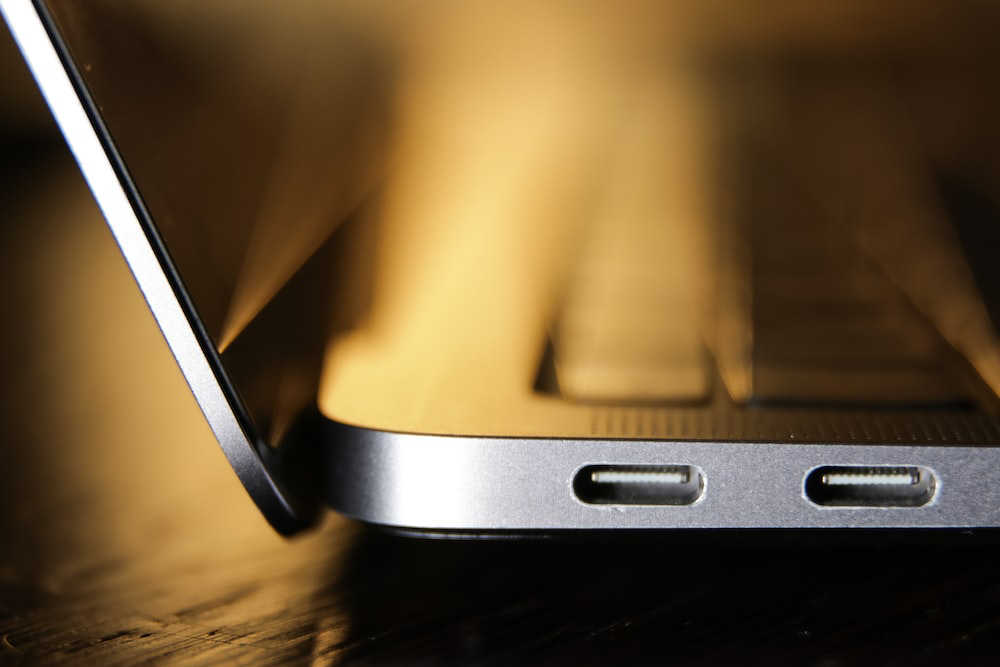
Why laptops with AMD CPUs don’t come with Thunderbolt technology?
In most cases, you will find that laptops with AMD CPUs do not have Thunderbolt technology. Thunderbolt is more prevalent in Intel-based laptops as well as Apple’s Mac due to its proprietary nature which comes with certification costs.
This absence of Thunderbolt in AMD laptops primarily occurs in the fact that AMD Ryzen CPUs do not possess Thunderbolt certification and consequently, they cannot support this specific feature.
However, there are a few exceptions to this rule, and some AMD laptops do come equipped with Thunderbolt technology. These models have overcome the certification hurdles and can provide AMD users looking for Thunderbolt connectivity with an alternative option.
You can learn more about Thunderbolt on AMD in our comprehensive post – Thunderbolt 4 on AMD: How Far Away Is It?
AMD Laptops with Thunderbolt
Our Recommendations: At a Glance
1. Corsair Voyager a1600 Gaming Laptop
No products found.
The CORSAIR VOYAGER a1600 is an impressive game machine, powered by the updated AMD Ryzen™ processor and AMD Radeon™ graphics for thrilling gameplay. With DDR5 memory and storage, it guarantees quick response times and non-stop gaming.
Pros
- AMD advantage: This laptop neatly blends the innovative 8-core/16-thread AMD Ryzen 6000-Series processor and AMD Radeon RX 6000-Series graphics. This potent combination generates an exceptionally powerful laptop that fully utilizes AMD’s capabilities.
- High-Performance Connectivity: The PC supports robust and varied connectivity using USB4, matching Thunderbolt™ 3 technology. This allows users to link all sorts of peripherals, external screens, and other Thunderbolt-compatible gadgets to the laptop. It assures a fast and effective connectivity experience.
- Gaming Display Marvel: Top-quality 16-inch IPS QHD+ Screen, 240Hz Refresh Speed, AMD FreeSync Compatible
- Crystal clear visuals: Corsair Voyager a1600 boosts your visual communication with its 1080p 30fps Webcam. Clear, sharp video makes virtual meetings, streams, and content creation fun.
- Immersive audio capture: Corsair Voyager a1600 comes with a complex 4-microphone Array. Superior sound recording for engaging, absorbing experiences.
- Portability: With an impressive battery life of up to 8 hours on video playback, this laptop ensures lasting performance without compromising mobility.
Cons
- Lack of Thunderbolt 4 Support: Although this laptop supports Thunderbolt 3 via USB4, the absence of Thunderbolt 4 support might mean that it won’t work with those newer peripherals and devices strictly designed for Thunderbolt 4. Those who wish to enjoy the advantages and services offered by Thunderbolt 4 will do well to keep this in mind.
- High Price Point: This could be because of the high-end features that come with the laptop, like the AMD Ryzen 6000-Series processor, Radeon RX 6000-Series graphics, and advanced connectivity options. In case consumers are on a budget, they may want a cheaper gaming or streaming laptop with similar specifications.
Ports
| Ports/Specs | Details |
|---|---|
| USB-C / TBT3 port | 2x USB-C 3.1 Gen 2 port with Thunderbolt 4 compatibility 1x USB-C |
| Audio | 1x 3.5mm headphone Combo Jack (RIGHT) |
| USB-A Port | 1x USB 3.2 Gen 2 (10 Gbps) |
| Networking | Wi-Fi 6E, Bluetooth 5.2 |
| Storage | 1TB PCIe 4.0 M.2 NVMe SSD |
| CPU | AMD Ryzen 7 6800HS |
| GPU | Radeon 6800M GPU |
| DRAM | 16GB (2x8GB) DDR5-4800 |
The Corsair Voyager is an impressive laptop balancing the newest AMD Ryzen 6000-Series processor with AMD Radeon RX 6000-Series graphics.
The AMD Ryzen processor comes with an 8-core/16-thread setup. That means it’s brilliant at multitasking and good at crunching numbers for loads of different tasks. The AMD Radeon RX 6000-Series graphics, on the other hand, boosts the laptop’s graphics, making it perfect for hardcore apps, high-resolution gaming, and creating digital content.
If you are buying this laptop just for gaming, that’s great. The spectacular 16-inch IPS QHD+ screen has a rapid refresh rate of 240Hz and is compatible with AMD FreeSync. You get impressive visuals and smooth images, whether gaming or creating content.
You can also expect super-fast speeds thanks to the latest DDR5 memory and a PCIe-4.0 M.2 NVMe SSD. Both offer impressive processing and storage.
Corsair Voyager’s stream deck software allows you to personalize your laptop’s buttons so they match particular actions or instructions you use during your stream. For instance, you can allocate one button to swivel around various game scenes instantly, another to activate special effects, and the other to govern your microphone.
2. Alienware m17 R5
The Alienware m17 R5 is a robust gaming laptop. It combines excellent hardware and features focused on gamers. It uses an AMD Ryzen 9 6900HX processor and a specialized AMD Radeon RX6850M XT graphics card. This laptop is perfect for gamers.
Pros
- Unmatched Processing Power: The laptop’s power comes from the potent AMD Ryzen 9 6900HX processor. It gives a top-end performance that’s hard to match.
- Ample RAM for Multitasking: With a massive 64GB DDR5 memory, this laptop offers smooth multitasking. It has more than enough room to run many apps at the same time.
- Turbocharged Performance: This laptop is no slouch, with a turbo boost reaching up to 4.9GHz for whenever you need that extra dash of speed. It totally maximizes its performance.
- High-Speed Storage: Holding a gigantic 2TB PCIe NVMe SSD, this laptop offers storage that’s faster than lightning. It’s perfect for quickly accessing data and applications for gamers and multitaskers alike.
- Thunderbolt 4: You’ll find a Thunderbolt 4 port on this laptop, which also supports Power Delivery. It boasts super-fast data transfer and a wide array of connectivity options for all manner of gadgets and devices.
- High-Refresh Rate Marvel: The Alienware m17 R5 sports a 17.3″ Full HD IPS-Level display. But that’s not all; it showcases a stunning 360Hz refresh rate and a lightning-fast 1ms response time, making for a silky smooth gaming session.
- Versatile External Monitor Support: This display works with external monitors. It handles 8K @60Hz through HDMI. Great for gamers and those who create content. It provides top-notch visuals.
- Immersive Gaming Graphics: Playing games at max settings is immersive on the Alienware m17 R5. It has AMD Radeon RX6850M XT 12GB GDDR6 graphics. Ideal for popular games like The Witcher 3 and Call of Duty. It also offers VR support for deeper enjoyment.
Cons
- Limited Upgradeability: The Alienware m17 R5 is packed with cool features. But, things like RAM and storage are stuck to the motherboard. If you are thinking of new parts in the future, this could bug you.
- Awkward Touchpad Placement: Some people say the touchpad on the m17 R5 is too near to the keys. Accidental touches or discomfort might happen while typing for a long time. If you use the touchpad a lot, this could bother you.
- Price Point: The Alienware m17 R5 has great stuff but costs a lot.
Ports
| Ports/Specs | Details |
|---|---|
| 3 x USB Type-A | 3xUSB-A 3.2 Gen 1 ports, 1 port has PowerShare capabilities |
| 1x USB-C | USB 3.2 Gen 2, Display Port 1.4 and Power Delivery (5V/3A) capabilities |
| Thunderbolt 4 | 1xThunderbolt 4 port with power delivery capabilities |
| HDMI 2.1 | Output port |
| DRAM | 64GB DDR5 |
| CPU | AMD Ryzen 9 6900HX |
| GPU | AMD Radeon RX6850M XT |
Prepare for your gaming to soar with the Alienware m17 R5. This gaming laptop is perfect for players who won’t take less than topnotch performance. It is fuelled by the AMD Ryzen 9 6900HX processor, which can reach speeds of up to 4.9GHz.
In addition, it’s accompanied by a dedicated AMD Radeon RX6850M XT 12GB GDDR6 graphics card. This feature makes sure you max out your favorite gargantuan games without hitches.
The 17.3″ Full HD IPS-Level display, with an ultra-smooth 360Hz refresh rate, immerses you in a world of stunning visuals and responsive gameplay. Additionally, the laptop is VR-ready, ensuring you’re ready to step into the immersive world of virtual reality.
The Alienware m17 R5 goes beyond gaming prowess with thoughtful features like a customizable RGB backlit keyboard, providing not only precise control but also a touch of personalization to your setup. The innovative Alienware Cyro-Tech Cooling Technology ensures optimal performance during intense gaming sessions. The 6-cell 97Whr Lithium-Ion battery delivers the portability you need for gaming on the go.
Connectivity is a breeze with a range of ports, including Thunderbolt 4, HDMI 2.1, and USB Type-C with DisplayPort and Power Delivery. The laptop also features MediaTek Wi-Fi 6 and Bluetooth 5 for seamless wireless connections.
Capture your gaming adventures effortlessly with the Alienware HD IR camera. This brand-new computer is sealed and upgraded for enhanced performance, featuring 64GB DDR5 memory and a speedy 1TB PCIe NVMe SSD.
Running on Windows 11 Home 64-bit, the Alienware m17 R5 is not just a gaming laptop; it’s your gateway to unparalleled gaming adventures and cutting-edge technology.
3. Acer Nitro 17 2023 Gaming Laptop
The Acer Nitro 17 2023 is a high-performing game laptop, boasting an AMD Ryzen 7 7840HS processor for high performance. Its 17.3″ WQXGA display and NVIDIA GeForce RTX 4060 graphics deliver amazing visuals. Styled in cool Obsidian Black, equipped with a full-size RGB backlit keyboard, and offering up-to-date connectivity, the Nitro 17 offers an awesome game experience.
Pros
- Thunderbolt 4 Superiority: The 2023 Acer Nitro 17 shines due to its cutting-edge Thunderbolt 4 connectivity. This enables rapid data transfers and flexible device connections.
- AMD Ryzen Prowess: The 2023 Acer Nitro 17 is powered by AMD Ryzen 7 7840HS processor. It’s an 8-core processor running at 2.9GHz, but can go as high as an impressive 5.0GHz.
- Multithreaded Efficiency: With 16 threads and a 16MB L3 Cache, this robust system provides prompt and responsive computing. Its design allows easy handling of heavy-duty apps and multitasking.
- High-Resolution Delight: The 2023 Acer Nitro 17 is set to captivate with its remarkable 17.3″ WQXGA display. This offers a wide, clear view of your games and apps with a resolution of 2560 x 1600.
- Vivid IPS Display: This excellent screen provides 350 units of brightness. The anti-glare replaces dazzling reflections with clear visuals. The thin frame boosts your focus on the content, bringing you an immersive viewing experience.
- Seamless Visual Rendering: The NVIDIA G-SYNC technology combined with a 165Hz refresh rate makes the visuals flow smoothly. This makes the graphics attractive during games and multimedia activities.
- Graphics Powerhouse: The power of the NVIDIA GeForce RTX 4060 8GB GDDR6 graphics enhances the display. It guarantees exceptional gaming and multimedia performance.
- Enhanced Video Capabilities: Moreover, the 720p HD camera inside the laptop lifts the video conference and content creation capabilities. This provides clear and sharp visuals suitable for multiple applications.
Cons
- Limited Upgradeability: Similar to other gaming laptops, the Nitro 17’s RAM and storage come pre-installed and soldered onto the motherboard, limiting future upgradeability. This could concern users who anticipate needing more RAM or storage down the line.
- Lack of dedicated GPU switch: While the Nitro 17 features NVIDIA G-SYNC technology, it might not have a dedicated MUX switch for switching between the integrated and dedicated graphics. This could limit performance gains in some scenarios.
Ports
| Ports/Specs | Details |
|---|---|
| USB-A | 3x USB-A 3.2 gen2 |
| USB-C | 1x USB-C with Thunderbolt 4 1x USB-C 3.2 |
| GPU | NVIDIA GeForce RTX 4060 |
| CPU | AMD Ryzen 7 7840HS 8-Core |
| DRAM | 32GB DDR5 |
| HDMI 2.1 | Output port |
| Audio | Headphone/Microphone Combo Jack |
The Acer Nitro 17 2023 is a highly capable machine, thanks to the AMD Ryzen 7 7840HS 8-Core processor. It runs from 2.9GHz to a high 5.0GHz. Add to this a massive 32GB DDR5 SDRAM, running at 4800 MHz, and a compact 1TB NVMe M.2 Solid State Drive.
Visuals on the Acer Nitro 17 2023 are amazing with a 17.3″ WQXGA screen. It has a clear 2560 x 1600 resolution, a brightness of 350 nits, anti-glare features, and NVIDIA G-SYNC for uninterrupted visuals. For gamers or artists, the NVIDIA GeForce RTX 4060 8GB GDDR6 graphics card makes sure graphics are superb.
The laptop features an array of ports, including Thunderbolt 4, USB 3.2 Gen 2, HDMI v2.1, and more, catering to diverse device connections. The USB Type-C supports Power Delivery and Power-off Charging, enhancing convenience.
Versatile, powerful, and precision-engineered, the Acer Nitro 17 2023 adapts seamlessly to your gaming, working, or content creation needs. Welcome to a new era of computing that marries power with precision.
Conclusion
These highlighted AMD laptops showcase the growing compatibility of Thunderbolt technology with AMD processors, providing users with enhanced connectivity options.
If you’re interested in exploring Thunderbolt support further, be sure to check out our post on Thunderbolt on AMD Compatible Desktop Motherboards, featuring select motherboards that support AMD processors.
As technology advances, we anticipate more AMD laptops incorporating Thunderbolt, offering users even more options for seamless and high-speed connectivity in the future.