HP sells thin convertibles, office notebooks, a large-screen laptop, and a mobile workstation under the same Thunderbolt 4 label. All five Amazon listings below state Thunderbolt 4, and all five were New and in stock when checked. Amazon says the seller upgraded or resealed every one, so the memory and SSD sizes describe the seller’s order, not HP’s.
A USB-C connector does not prove Thunderbolt 4. Check that the listing names Thunderbolt 4 or USB4 before planning a dock, a display, or a fast external drive around it.For a wider cross-brand shortlist, see our Thunderbolt laptop guide. If the HP will sit at a desk, pair its port list with the Thunderbolt 4 dock guide.
HP Laptops With Thunderbolt 4 Compared
The table compares screen, Thunderbolt 4 ports, Ethernet, and memory and SSD for each laptop. A Thunderbolt port is only the start of a connection, and the dock, cable, and monitors each need their own compatibility check.
| Image | Product | Details | Check Price |
|---|---|---|---|
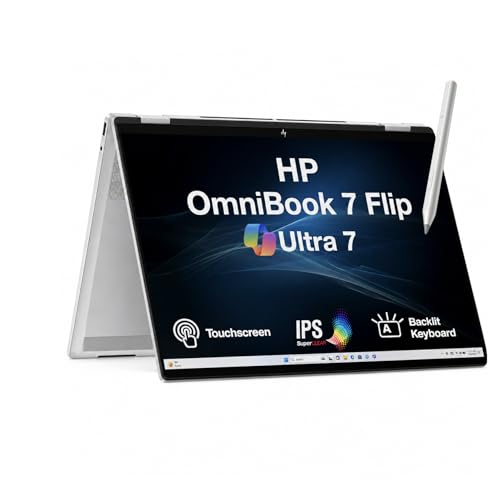 | HP OmniBook 7 Flip 16 | Best fit: 16-inch convertible with a pen Screen: 16-inch 1920x1200 touch (Amazon) Thunderbolt 4 ports: Listed, no count (Amazon) Ethernet: Not listed (Amazon) Memory and SSD: 32GB, 1TB (seller-upgraded) | Check Price on Amazon |
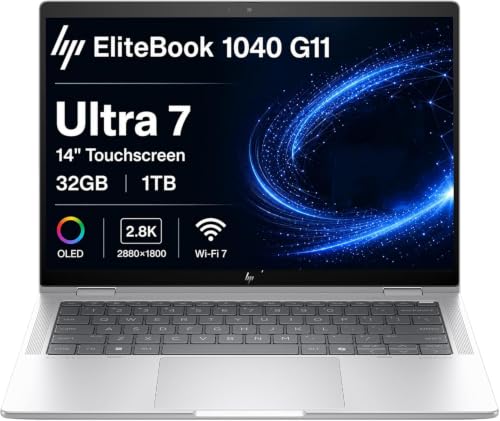 | HP Elite x360 1040 G11 | Best fit: 14-inch OLED convertible Screen: 14-inch 2880x1800 OLED touch (Amazon) Thunderbolt 4 ports: 2 (Amazon) Ethernet: Not listed (Amazon) Memory and SSD: 32GB, 1TB (SSD seller-upgraded) | Check Price on Amazon |
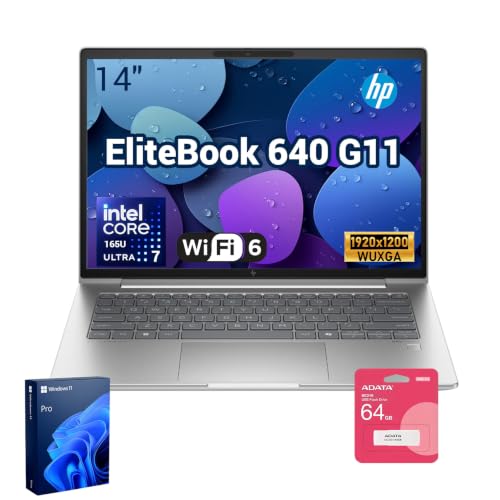 | HP EliteBook 640 G11 | Best fit: 14-inch laptop with Ethernet Screen: 14-inch 1920x1200 anti-glare (Amazon) Thunderbolt 4 ports: 2 (Amazon) Ethernet: RJ-45 (Amazon) Memory and SSD: 32GB, 1TB (seller-upgraded) | Check Price on Amazon |
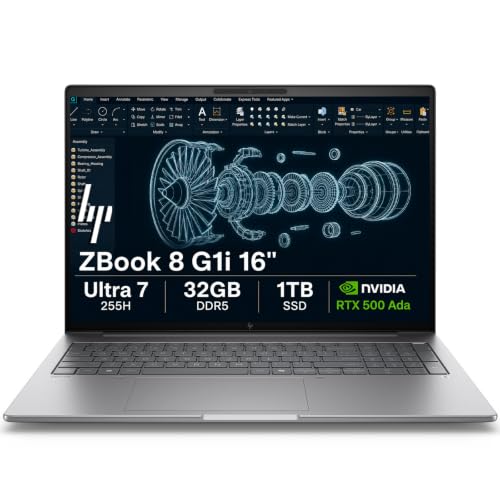 | HP ZBook 8 G1i | Best fit: RTX 500 Ada workstation Screen: 16-inch 1920x1200 anti-glare (Amazon) Thunderbolt 4 ports: 2 (Amazon) Ethernet: RJ-45 (Amazon) Memory and SSD: 32GB, 1TB (Amazon) | Check Price on Amazon |
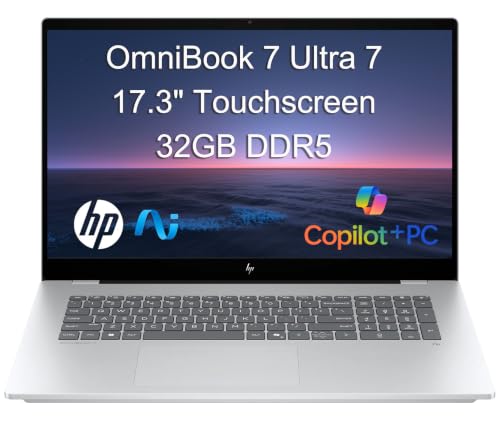 | HP OmniBook 7 17 | Best fit: 17.3-inch touchscreen Screen: 17.3-inch FHD touch (Amazon) Thunderbolt 4 ports: Listed, no count (Amazon) Ethernet: Not listed (Amazon) Memory and SSD: 32GB, SSD size varies (Amazon) | Check Price on Amazon |
1. HP OmniBook 7 Flip 16 — Best 16-Inch HP Convertible With an Active Pen
Amazon’s listing for the OmniBook 7 Flip 16 states Thunderbolt 4, USB-C, and HDMI ports and a 16-inch 1920×1200 IPS touchscreen at 400 nits. It lists Laptop, Tent, Stand, and Tablet modes and includes the HP USB-C Rechargeable MPP 2.0 Tilt Pen. It also lists a Core Ultra 7 258V, Wi-Fi 7, and Windows 11 Pro.
The seller, MichaelElectronics2, says it opened the original seal to upgrade the RAM and SSD, now 32GB and 1TB, and gives a three-year warranty on those parts. Amazon says the other hardware has a one-year warranty through the seller. The listing gives no Thunderbolt 4 port count.
Our Take Pick the OmniBook 7 Flip 16 for writing and marking up documents on a large screen that folds into tablet mode. Confirm the Thunderbolt 4 port count with the seller before planning a dock plus a fast drive.
- Amazon lists Thunderbolt 4, USB-C, and HDMI ports on the OmniBook 7 Flip 16, including an HDMI port for a monitor cable.
- The Flip lists a 16-inch 1920×1200 touchscreen at 400 nits and an included HP rechargeable pen, a pairing for writing and marking up documents.
- Amazon lists Laptop, Tent, Stand, and Tablet modes for the Flip, including the folded tablet mode.
- Amazon gives no Thunderbolt 4 port count for the OmniBook 7 Flip 16, and the count needs confirming with the seller before you plan a dock plus a fast drive.
- The seller says it upgraded the RAM and SSD on the Flip to 32GB and 1TB and gives a three-year warranty on those parts, with one year on the other hardware.
2. HP Elite x360 1040 G11 — Best 14-Inch HP Convertible With an OLED Screen
Amazon lists two Thunderbolt 4 ports on the Elite x360 1040 G11, plus USB-C, USB-A, and HDMI 2.1. It lists a 14-inch 2880×1800 OLED touchscreen at 400 nits, a 360-degree hinge, a 5MP IR webcam with a privacy shutter, a fingerprint reader, Core Ultra 7 155H, Wi-Fi 7, and Windows 11 Pro. The title adds a stylus.
Amazon says the laptop supports up to three external monitors through HDMI and Thunderbolt 4 at 4K at 60Hz. The seller says it resealed the New computer to upgrade the SSD, now 1TB, with a three-year seller warranty on the SSD and a one-year HP warranty on the other components. The 32GB of memory is not described as upgraded.
Amazon lists two Thunderbolt 4 ports and a 14-inch OLED touchscreen on the Elite x360 1040 G11.Our Take Choose the Elite x360 1040 G11 for a 14-inch OLED convertible with two Thunderbolt 4 ports. Choose the OmniBook 7 Flip 16 for a 16-inch screen.
- The Elite x360 1040 G11 lists two Thunderbolt 4 ports plus USB-C, USB-A, and HDMI 2.1 on Amazon, with the port count stated.
- Amazon pairs a 14-inch 2880×1800 OLED touchscreen with a 360-degree hinge on the Elite.
- Amazon lists a 5MP IR webcam with a privacy shutter and a fingerprint reader on the Elite.
- Amazon says the Elite supports up to three external monitors through HDMI and Thunderbolt 4 at 4K at 60Hz.
- Amazon lists no RJ-45 Ethernet port on the Elite x360 1040 G11, while the EliteBook 640 G11 and ZBook 8 G1i list one.
- The seller says it resealed the Elite to upgrade the SSD to 1TB and gives a three-year seller warranty on the SSD, with one year from HP on the other components.
3. HP EliteBook 640 G11 — Best 14-Inch HP With RJ-45 Ethernet
Amazon’s port line for the EliteBook 640 G11 reads two Thunderbolt 4 ports with USB Type-C at 40Gbps, two USB-A ports, one HDMI port, and one RJ-45 Ethernet port. It lists a 14-inch 1920×1200 anti-glare IPS display at 300 nits, Core Ultra 7 165U, Wi-Fi 6E, a 5MP IR camera, a backlit keyboard, and Windows 11 Pro. The listing includes an A-DATA 64GB USB flash drive and does not mention a touchscreen.
The seller says the original seal was opened solely to upgrade the RAM and SSD, now 32GB and 1TB. Amazon credits HP US with a one-year warranty on those parts and says the other components keep the one-year manufacturer warranty.
Our Take Choose the EliteBook 640 G11 for a 14-inch laptop with a wired network port and two Thunderbolt 4 ports. Look at the OmniBook 7 Flip 16 or Elite x360 1040 G11 for a touchscreen.
- The EliteBook 640 G11 lists two Thunderbolt 4 ports, HDMI, and RJ-45 Ethernet on Amazon, a port set for a laptop on a wired network.
- Amazon lists a 14-inch 1920×1200 anti-glare display at 300 nits on the EliteBook.
- Amazon lists Wi-Fi 6E and a 5MP IR camera on the EliteBook 640 G11.
- Amazon does not mention a touchscreen on the EliteBook 640 G11, while the OmniBook 7 Flip 16, Elite x360 1040 G11, and OmniBook 7 17 list one.
- The seller says it opened the seal on the EliteBook to upgrade the RAM and SSD to 32GB and 1TB, with a one-year warranty on those parts.
4. HP ZBook 8 G1i — Best HP Laptop With NVIDIA RTX 500 Ada Graphics
Amazon’s listing for the ZBook 8 G1i states two Thunderbolt 4 ports, USB-C 3.2 Gen 2×2, USB-A, HDMI 2.1, and RJ-45 Ethernet, along with an NVIDIA RTX 500 Ada GPU with 4GB of memory. It lists a 16-inch 1920×1200 IPS anti-glare screen at 300 nits, Core Ultra 7 255H, 32GB of DDR5 memory, a 1TB SSD, a numeric keypad, Wi-Fi 7, and Windows 11 Pro. Amazon calls it an AI mobile workstation with ISV certifications.
Amazon describes multi-display support of up to 8K at 60Hz through Thunderbolt 4 and 4K at 60Hz through USB-C and HDMI 2.1. The seller says it resealed the New computer to upgrade the system without naming the parts, and Amazon says HP provides a three-year warranty.
Amazon lists NVIDIA RTX 500 Ada graphics, two Thunderbolt 4 ports, and Ethernet on the ZBook 8 G1i.Our Take Pick the ZBook 8 G1i when the listed RTX 500 Ada graphics and a numeric keypad outweigh the touchscreens on the other laptops. Check the applications you run against the ISV certifications Amazon lists.
- The ZBook 8 G1i lists an NVIDIA RTX 500 Ada GPU with 4GB of memory on Amazon, the graphics the Our Take weighs against touchscreens.
- Amazon lists two Thunderbolt 4 ports, USB-C 3.2 Gen 2×2, HDMI 2.1, and RJ-45 Ethernet on the ZBook.
- Amazon lists a numeric keypad and up to 8K at 60Hz through Thunderbolt 4 on the ZBook.
- The seller says it resealed the ZBook 8 G1i to upgrade the system without naming which parts, and Amazon says HP provides a three-year warranty.
- Amazon lists a 300-nit screen on the ZBook, while the OmniBook 7 Flip 16, Elite x360 1040 G11, and OmniBook 7 17 list 400 nits.
5. HP OmniBook 7 17 — Best HP With a 17.3-Inch Touchscreen
Amazon lists Thunderbolt 4, USB-C, USB-A, and HDMI 2.1 on the OmniBook 7 17, with a 17.3-inch FHD IPS touchscreen at 400 nits. It lists a Core Ultra 7 258V, 32GB of memory, Wi-Fi 6E, a 5MP IR camera, a backlit keyboard, and Windows 11 Pro. Amazon says up to three external monitors can run through HDMI 2.1 and Thunderbolt 4 without a docking station, and that the laptop is built to MIL-STD standards.
The seller says it resealed the New computer to upgrade the SSD and gives a one-year seller warranty. Amazon’s title names 256GB, 512GB, 1TB, and 2TB SSDs and the bullet names 512GB, 1TB, and 2TB, so confirm the SSD size before ordering. The listing gives no Thunderbolt 4 port count.
Our Take Choose the OmniBook 7 17 for the largest built-in touchscreen of the five. Confirm the SSD size and Thunderbolt 4 port count first.
- Amazon lists a 17.3-inch FHD IPS touchscreen at 400 nits on the OmniBook 7 17, the largest built-in touchscreen of the five.
- Amazon lists Thunderbolt 4 and HDMI 2.1 ports on the OmniBook 7 17.
- Amazon lists up to three external monitors through HDMI 2.1 and Thunderbolt 4 on the laptop, without a docking station.
- Amazon gives no Thunderbolt 4 port count for the OmniBook 7 17, and the count needs confirming first.
- The seller says it resealed the laptop to upgrade the SSD and gives a one-year seller warranty, while the title and bullet name different SSD sizes.
Buying Guide
Match the laptop to the job before comparing memory sizes
Each laptop is listed for a different job. Amazon lists a pen and touchscreen on the OmniBook 7 Flip 16, an OLED touchscreen on the Elite x360 1040 G11, RJ-45 Ethernet on the EliteBook 640 G11, RTX 500 Ada graphics on the ZBook 8 G1i, and a 17.3-inch touchscreen on the OmniBook 7 17. Pick the job first, then compare the rest.
Memory and SSD sizes belong to the seller’s order. Amazon says the seller upgraded or resealed all five laptops, so the sizes do not describe every laptop with the same HP model name.
Confirm Thunderbolt 4 in the port line
A USB-C connector does not prove Thunderbolt 4. All five Amazon listings name Thunderbolt 4. The Elite x360 1040 G11, EliteBook 640 G11, and ZBook 8 G1i list two ports, while the OmniBook 7 Flip 16 and OmniBook 7 17 give no count. Confirm the port count before planning a dock plus a fast external drive.
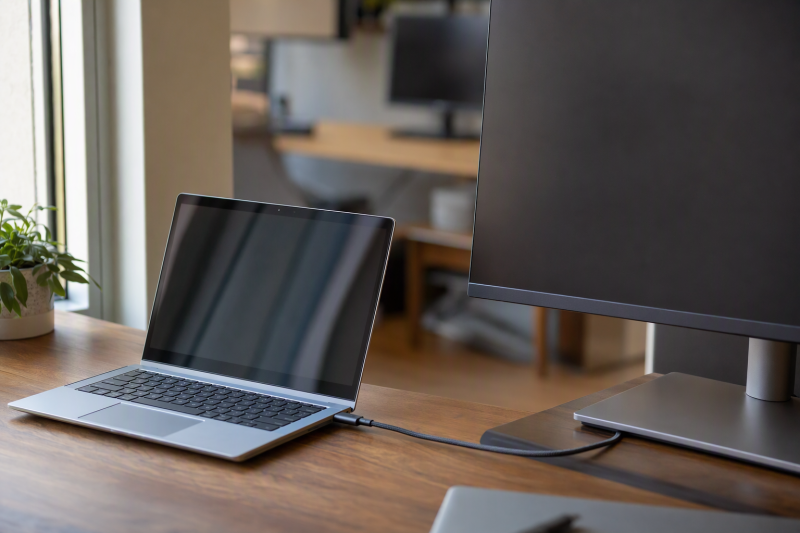
A listed port does not settle a multi-display plan. Amazon lists up to three external monitors on the Elite x360 1040 G11 and OmniBook 7 17, and up to 8K at 60Hz through Thunderbolt 4 on the ZBook 8 G1i. Check the dock, cable, and monitors separately.
Match screen size and touch to where you work
Screen size runs from 14 to 17.3 inches. The Elite x360 1040 G11 and EliteBook 640 G11 are 14-inch, the OmniBook 7 Flip 16 and ZBook 8 G1i are 16-inch, and the OmniBook 7 17 is 17.3-inch. Amazon lists 400 nits on the OmniBook 7 Flip 16, Elite x360 1040 G11, and OmniBook 7 17, and 300 nits on the other two.
Three listings state a touchscreen. The OmniBook 7 Flip 16, Elite x360 1040 G11, and OmniBook 7 17 list touch, and the Flip lists an included pen. The EliteBook 640 G11 and ZBook 8 G1i listings give anti-glare displays and do not mention touch.
Check Ethernet and the flash drive
Two listings name RJ-45 Ethernet. Amazon lists it on the EliteBook 640 G11 and ZBook 8 G1i. The other three port lines give HDMI and USB ports but no RJ-45, so check the port line before assuming a wired connection.
The EliteBook 640 G11 listing includes an A-DATA 64GB USB flash drive. Amazon names no flash drive on the other four.
Read the seller’s upgrade and warranty text
Upgraded parts and warranty terms differ by listing. The seller upgraded the RAM and SSD on the OmniBook 7 Flip 16 and EliteBook 640 G11, only the SSD on the Elite x360 1040 G11 and OmniBook 7 17, and unnamed parts on the ZBook 8 G1i. Warranty terms range from one year to three years on the upgraded parts.
Windows 11 Pro is listed on all five. Compare each seller’s warranty text, port line, and display line before ordering, since the model name alone does not fix the configuration.
FAQ
Do all HP laptops with USB-C support Thunderbolt 4?
No. USB-C describes the connector, while Thunderbolt 4 names a specific connection. All five listings above state Thunderbolt 4, so none relies on a USB-C-shaped socket alone.
Read the full port line for the laptop you plan to order. If a seller’s listing leaves Thunderbolt 4 out, do not assume that configuration has it.
Which of these HP laptops list two Thunderbolt 4 ports?
Amazon lists two Thunderbolt 4 ports on the Elite x360 1040 G11, EliteBook 640 G11, and ZBook 8 G1i. The OmniBook 7 Flip 16 and OmniBook 7 17 name Thunderbolt 4 without a count.
A port count or a model name does not tell you which dock to buy. Compare the dock’s supported display modes, the cable, and the monitors’ inputs.
Are the listed memory and storage sizes standard HP specifications?
No. Amazon says the seller upgraded or resealed all five laptops. The sizes describe the laptop in the listing, not every unit sold under the same model name.
Read the warranty text next to the size. The seller’s warranty on upgraded parts runs from one year to three years across the five listings.
Is a 16-inch HP always better than a 14-inch HP?
No. A larger screen adds built-in workspace. The OmniBook 7 Flip 16 and ZBook 8 G1i list 16-inch screens, and the Elite x360 1040 G11 and EliteBook 640 G11 list 14-inch screens.
Touch and ports differ too. The Flip lists a touchscreen and pen, while the ZBook lists Ethernet and RTX 500 Ada graphics and does not mention touch.
Can these HP laptops run several monitors?
Some listings say so. Amazon lists up to three external monitors on the Elite x360 1040 G11 and OmniBook 7 17, and up to 8K at 60Hz through Thunderbolt 4 on the ZBook 8 G1i.
Before buying displays, check the dock, cable, resolution, and refresh rate. A laptop’s port label is only the first compatibility check.
Bottom Line
Choose OmniBook 7 Flip 16 for a 16-inch touchscreen with a pen, EliteBook 640 G11 for Ethernet and two Thunderbolt 4 ports in a 14-inch laptop, or ZBook 8 G1i for RTX 500 Ada graphics. Confirm the memory, SSD, and warranty terms before buying a seller-upgraded laptop.
The configuration you order, not the model name, is the buying decision.