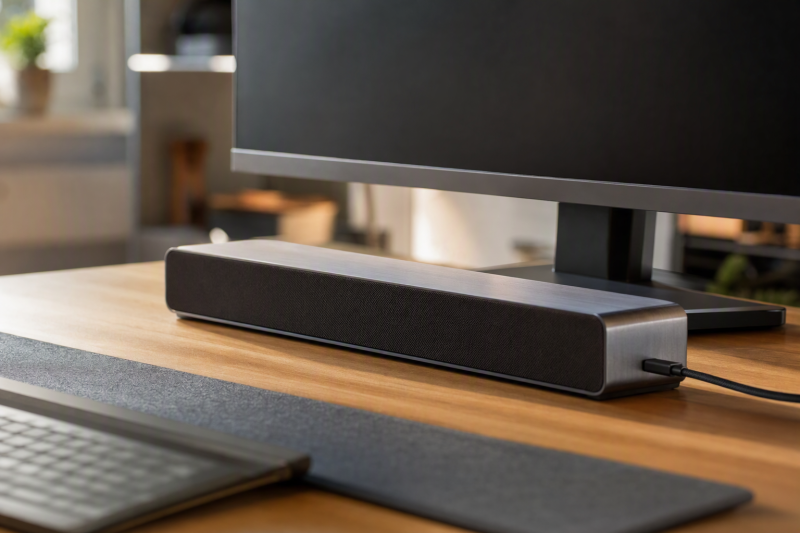
A USB-C powered PC soundbar should establish that its own audio-and-power path uses USB-C, not merely include an adapter for a USB-A cable. This guide compares five active-New listings that identify a native USB-C plug, a USB-C audio-and-power cable, or an integrated Type-C connection.
This comparison uses Amazon listing titles and feature text only. It supports the stated connection path, listed controls, lighting, and named compatibility wording, but it does not establish measured loudness, sound quality, latency, microphone behavior, or fit with every computer and monitor. Confirm the live listing and your computer’s available port before buying.
Key Takeaway: Choose the Razer Leviathan V2 X when a single USB-C cable for stated power and audio is the deciding requirement. Choose the XKX soundbar when its listed native USB-C plug and Windows, Mac, and iPad wording best match the intended device.
Quick Picks
- Best stated single-cable USB-C path: Razer Leviathan V2 X for its listed USB Type-C power and audio delivery.
- Best native USB-C plug wording: XKX soundbar for its explicit native USB-C plug claim.
- Best hybrid-cable option: Tylubio soundbar for its stated Type-C and USB hybrid cable.
Quick Comparison
| Image | Product | Details | Check Price |
|---|---|---|---|
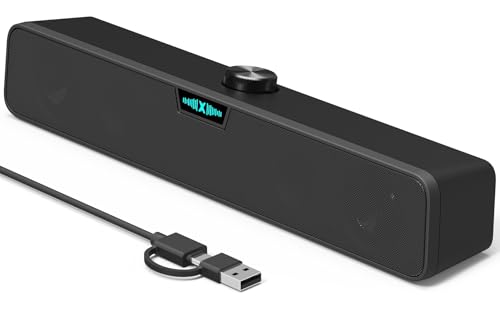 | XKX Desktop USB-C Soundbar | USB-C evidence: Native USB-C plug Audio and power: USB connection; check listing USB-A path: Bundled adapter for backward compatibility Listed controls: Loud sound wording | Check Price on Amazon |
 | Razer Leviathan V2 X | USB-C evidence: USB Type-C power and audio delivery Audio and power: Single USB-C cable USB-A path: Not stated Listed controls: Full-range drivers; up to 90Db claim | Check Price on Amazon |
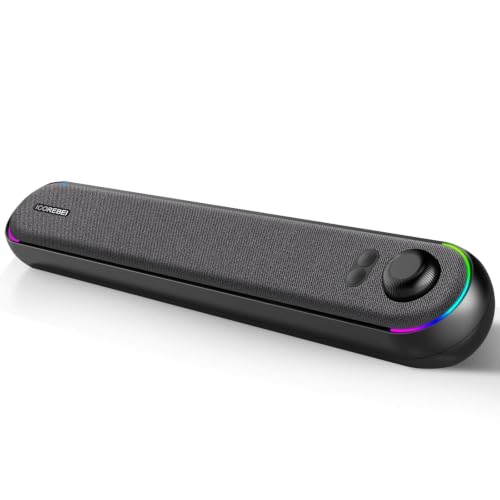 | ICOREBEI USB-C Stereo Soundbar | USB-C evidence: One-cable USB-C audio and power Audio and power: USB-C port supports USB audio USB-A path: Included adapter Listed controls: Bluetooth 5.3 and RGB lighting | Check Price on Amazon |
 | Tylubio Type-C Hybrid-Cable Soundbar | USB-C evidence: Type-C and USB hybrid cable Audio and power: Plug-and-play cable arrangement USB-A path: Integrated hybrid cable Listed controls: Volume-control knob and RGB lighting | Check Price on Amazon |
| OFFSIR Dual USB and Type-C Soundbar | USB-C evidence: USB and Type-C plug-and-play cables Audio and power: Check listing USB-A path: Dual cable arrangement Listed controls: Clip-on speaker, volume wheel, mute | Check Price on Amazon |
This table keeps the same five-product order used throughout the guide. It separates native USB-C connection evidence from a bundled adapter, and it does not turn a listing’s sound or lighting language into a measured performance comparison.
1. XKX Desktop USB-C Soundbar — Best for a Listed Native USB-C Plug
The XKX listing describes a desktop USB soundbar and explicitly states that its computer speakers use a native USB-C plug. The feature text names Windows PCs, Mac mini, iMac, MacBook, and iPad as the devices covered by that compatibility wording.
Our Take
XKX is the clearest choice when the requirement is a product whose own plug is identified as USB-C. Its separate bundled USB-to-USB-C adapter is described for USB-A backward compatibility, so the listing distinguishes the native plug from the optional legacy path.
- The feature text explicitly identifies a native USB-C plug.
- The listing names Windows PCs, Mac mini, iMac, MacBook, and iPad in its compatibility wording.
- The listing does not provide a measured loudness, sound-quality, or latency result.
2. Razer Leviathan V2 X — Best for Stated USB-C Power and Audio Delivery
The Razer Leviathan V2 X title identifies a PC soundbar with full-range drivers. Its feature evidence states USB Type-C Power and Audio Delivery through a single USB Type-C cable, alongside a listing volume-output claim of up to 90Db.
Our Take
Pick the Leviathan V2 X when a stated one-cable USB-C power-and-audio route is more important than a broad compatibility list. No listing evidence compares its stated volume output with the other four products, so the 90Db wording is a listing detail rather than a cross-product ranking.
- The feature text states USB Type-C Power and Audio Delivery through one cable.
- The title identifies full-range drivers, and the listing states volume output of up to 90Db.
- The listing does not provide a measured sound-quality or desktop-volume comparison.
3. ICOREBEI USB-C Stereo Soundbar — Best for a Listed One-Cable USB-C Path
The ICOREBEI title identifies a desktop stereo soundbar with Bluetooth 5.3, USB/USB-C power and audio transmission, plug-and-play wording, and RGB lighting. Its feature text specifies one-cable USB-C audio and power through a USB-C port that supports USB audio for digital sound and power.
Our Take
This model fits a buyer who wants the listing’s explicit USB-C audio-and-power language while retaining a listed USB-A adapter path for supported USB-A devices. The adapter is described as an extension of compatibility, not as the product’s primary USB-C evidence.
- Features state one-cable USB-C audio and power for digital sound and power.
- The title lists Bluetooth 5.3, RGB lighting, and plug-and-play wording.
- The listing does not establish how Bluetooth operation compares with the stated USB-C path.
4. Tylubio Type-C Hybrid-Cable Soundbar — Best for a Listed Type-C and USB Hybrid Cable
The Tylubio title identifies a wired desktop PC soundbar with dynamic RGB lighting, a volume-control knob, and USB and Type-C plug-and-play wording. The feature text describes a 2-in-1 hybrid cable with Type-C and USB connections, and says no extra adapter is required.
Our Take
Choose Tylubio when the listed hybrid cable is useful for a desk that may use either connection. Its listing confirms the cable arrangement and names the volume-control knob, but it does not establish a sound-quality result or host-specific behavior.
- The feature text identifies a Type-C and USB hybrid cable without a separate adapter.
- The title lists a volume-control knob and dynamic RGB lighting.
- The listing does not provide measured audio-performance information.
5. OFFSIR Dual USB and Type-C Soundbar — Best for Listed Dual Plug-and-Play Cables
The OFFSIR title identifies a clip-on wired desktop soundbar with a volume wheel and one-touch mute. Its feature text says the speakers use both USB and Type-C plug-and-play cables, while the separate USB-C adapter mentioned for phones and tablets is not the speaker’s sole PC power path.
Our Take
OFFSIR is a direct fit when a listed Type-C plug-and-play cable and its clip-on format are the desired combination. The listing does not verify how the clip fits every monitor or how the volume wheel behaves with each operating system, so confirm both on the live listing.
- Features state USB and Type-C plug-and-play cables.
- The title lists a clip-on speaker, volume wheel, and one-touch mute.
- The listing does not establish monitor fit or host-specific control behavior.
Buying Guide: How to Choose a USB-C Powered PC Soundbar
Confirm that USB-C is the soundbar’s own connection path
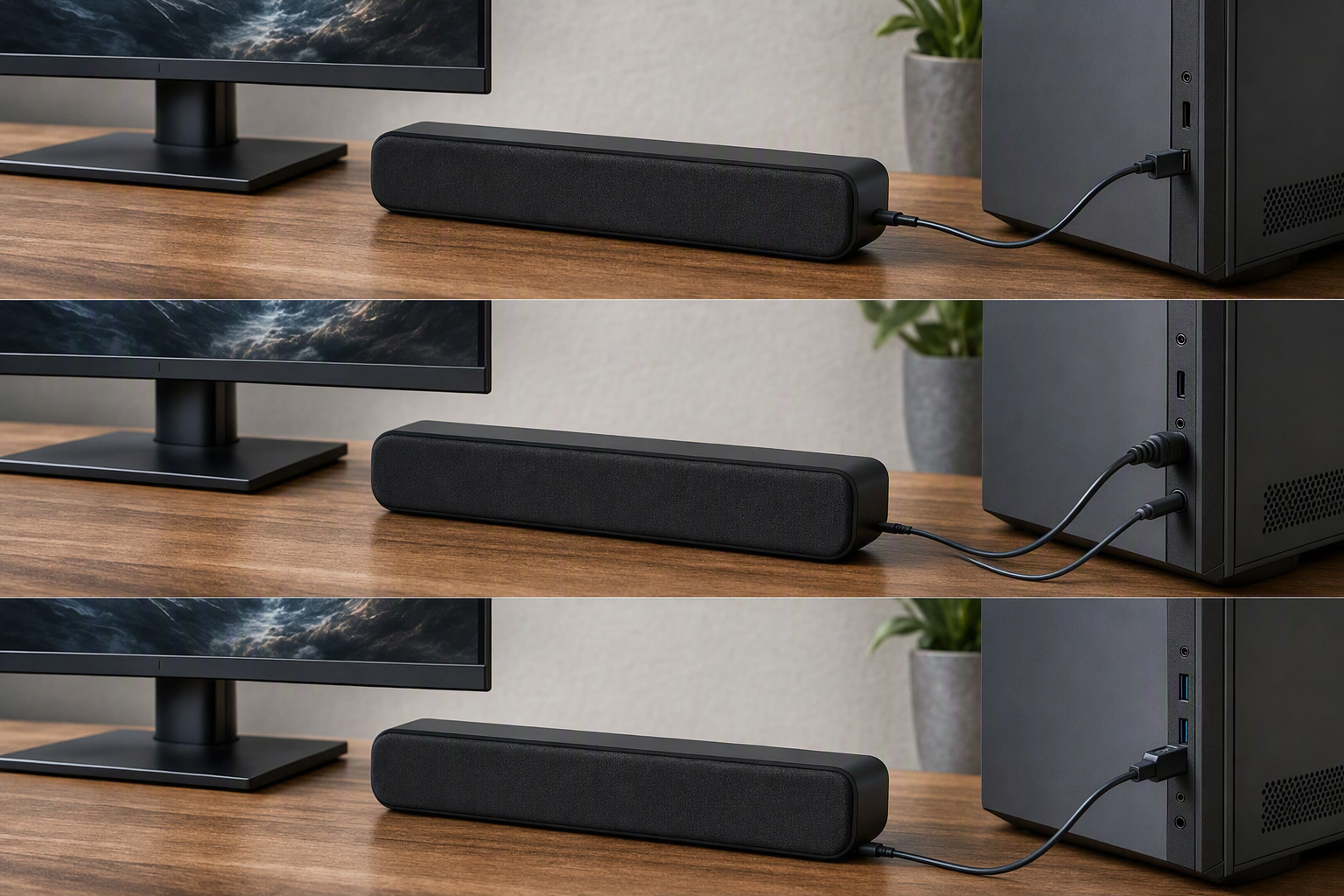
The critical distinction is whether the soundbar itself has a stated USB-C audio-and-power route. XKX soundbar explicitly identifies a native USB-C plug, Razer Leviathan V2 X states one USB Type-C cable for power and audio, and ICOREBEI soundbar states one-cable USB-C audio and power.
That evidence is stronger than a generic claim that a USB-A soundbar can reach a USB-C computer through an included adapter. A bundled adapter is not the same as a native USB-C path, which is why this comparison excludes products whose underlying cable is USB-A only.
Tylubio soundbar and OFFSIR soundbar use a different documented pattern: a Type-C and USB hybrid or dual-cable arrangement. Read the connection wording literally and choose the product whose listed plug arrangement matches the available computer port.
Separate connection evidence from audio-performance expectations
These listings support connection-path facts, not a common listening test. Razer Leviathan V2 X carries a listing claim of up to 90Db, while the other products use different title or feature descriptions, so no listing evidence establishes a loudness ranking across this set.
The titles also name features such as full-range drivers, Bluetooth 5.3, RGB lighting, a volume-control knob, and one-touch mute. Those can help narrow the hardware type, but they do not establish measured sound quality, bass response, dialogue clarity, or latency for a particular desk.
Use the listed connection path as the first filter, then check the live product page for details this comparison does not cover. That is especially important when a soundbar will be used for calls, games, music, or a monitor setup with limited port access.
Match the cable arrangement and controls to the desk
The Tylubio soundbar lists a hybrid Type-C and USB cable, while OFFSIR soundbar lists both USB and Type-C plug-and-play cables. These cable listings describe the connection type, not the cable length or clearance, so inspect the current listing when the computer sits far from the monitor or has crowded ports.
Controls also differ in the listing text. Tylubio soundbar lists a volume-control knob, and OFFSIR soundbar lists a volume wheel and one-touch mute. The listing does not test how those controls behave with every operating system, but the listed hardware can still guide a preference for direct physical controls.
XKX soundbar and ICOREBEI soundbar describe USB-A adapters for backward compatibility after establishing their USB-C path. Confirm the exact port and cable arrangement on the live listing instead of assuming an adapter changes which connector the soundbar uses natively. For a portable wireless alternative, compare USB-C Bluetooth speakers. If the soundbar connects through a display and playback fails, use the separate USB-C monitor speaker troubleshooting guide to isolate the host path before replacing the soundbar.
Frequently Asked Questions
What makes a PC soundbar USB-C powered?
For this guide, the listing must establish that the soundbar’s own audio-and-power connection includes USB-C. A native USB-C plug or a stated one-cable Type-C audio-and-power path satisfies that requirement here.
An included USB-C adapter for a USB-A cable does not meet the same standard. This guide separates adapter-only products from XKX soundbar, Razer Leviathan V2 X, ICOREBEI soundbar, Tylubio soundbar, and OFFSIR soundbar, which have their own documented Type-C connection path.
Does one USB-C cable carry both power and audio?
The listing states that Razer Leviathan V2 X is powered by a single USB Type-C cable for audio delivery. ICOREBEI soundbar similarly states one-cable USB-C audio and power through a USB-C port that supports USB audio.
The other three listings describe native USB-C, hybrid, or dual USB and Type-C connections, but no listing defines a common wiring behavior for every computer. Check the live listing and the computer’s port capability before treating any listed connector as universal support.
Which pick is best for a desk that also has USB-A ports?
Tylubio soundbar lists a Type-C and USB hybrid cable, and OFFSIR soundbar lists USB and Type-C plug-and-play cables. Those two listings make their dual-connection approach explicit, while XKX soundbar and ICOREBEI soundbar describe USB-A adapter support alongside their documented USB-C path.
The best choice depends on the port you plan to use, not on an assumed sound-quality difference. Verify the live cable arrangement and your computer’s available ports before buying, because this comparison does not include lengths, clearance measurements, or a compatibility test for each desk.
Are these soundbars compared through hands-on testing?
No. This article uses Amazon listing evidence: product titles, stated USB-C connection wording, named cable or adapter arrangements, and listed controls or lighting. It does not claim personal testing, sound measurements, latency testing, or universal device compatibility.
Use the five products to compare their stated connection identities, then recheck the live listing for current availability, physical dimensions, cable details, warranty, and fit with the exact computer or monitor in use.