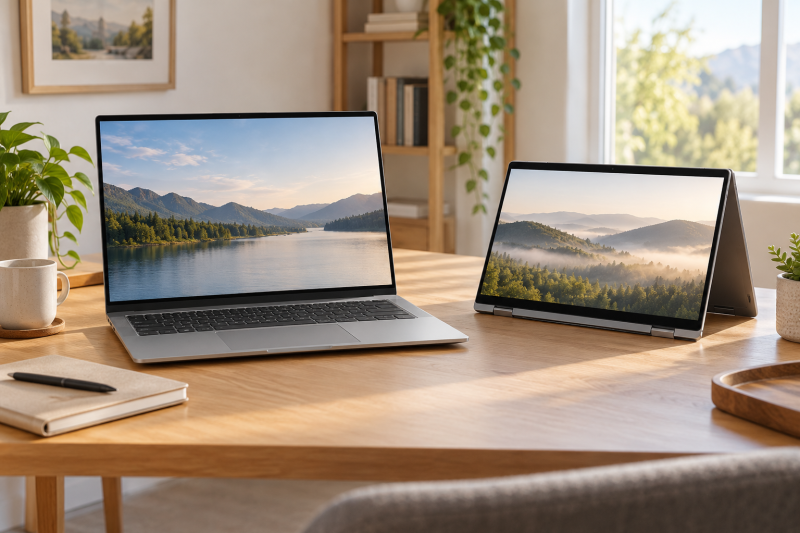
Five Amazon listings here cover a 14-inch OLED, a 16-inch touch screen and 17.3-inch FHD screens in HP’s OmniBook line. Four are OmniBook 3 laptops and one is the folding OmniBook 7 Flip 16, so a shared name does not mean a shared screen, processor or hinge.
Our 2-in-1 laptop guide sorts laptops by high-speed ports and convertible designs, and the Thunderbolt laptop list is a wider port-first reference. Use them when ports decide the purchase. The comparison below sorts OmniBook models by screen size and hinge.
HP OmniBook Laptops Compared
| Image | Product | Details | Check Price |
|---|---|---|---|
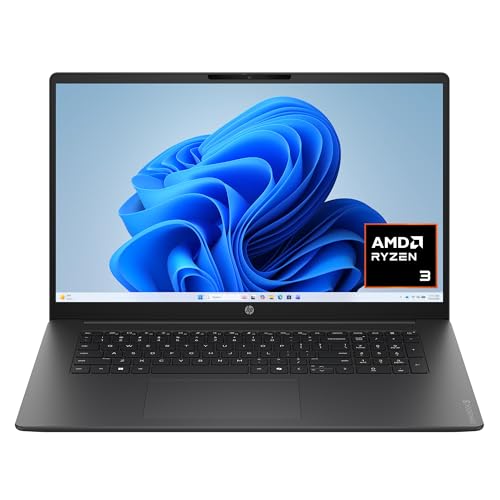 | HP OmniBook 3 17.3-inch AMD | Best fit: 17.3-inch FHD screen with Ryzen 3 Screen: 17.3-inch FHD IPS Processor: AMD Ryzen 3 30 Form factor: Not described as 2-in-1 Listing note: 8GB LPDDR5, 512GB SSD stated in bullets | Check Price on Amazon |
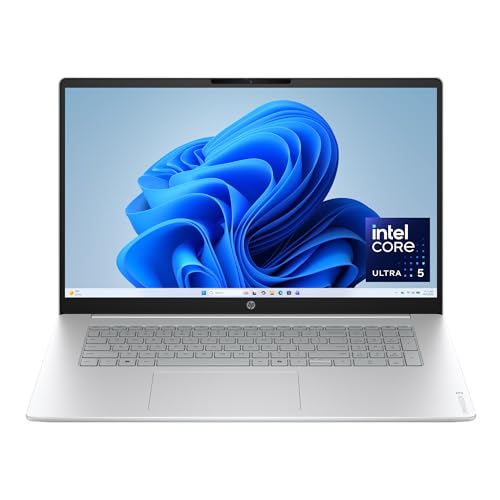 | HP OmniBook 3 17.3-inch Intel | Best fit: 17.3-inch FHD screen with Core Ultra 5 Screen: 17.3-inch FHD IPS Processor: Intel Core Ultra 5 225U Form factor: Not described as 2-in-1 Listing note: 8GB DDR5, 512GB SSD stated in bullets | Check Price on Amazon |
 | HP OmniBook 3 16-inch | Best fit: 16-inch 2K touchscreen at a smaller size Screen: 16-inch 1920 x 1200 IPS touch Processor: AMD Ryzen 3 30 Form factor: Not described as 2-in-1 Listing note: 8GB LPDDR5, 256GB SSD stated in bullets | Check Price on Amazon |
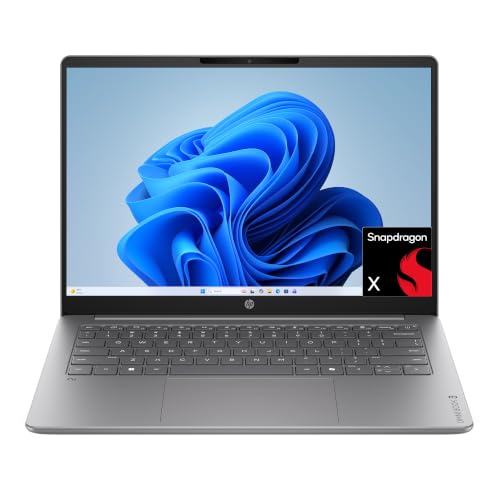 | HP OmniBook 3 14-inch | Best fit: 14-inch OLED with Snapdragon X Screen: 14-inch 1920 x 1200 OLED Processor: Snapdragon X X1-26-100 Form factor: Not described as 2-in-1 Listing note: 8GB LPDDR5x, 256GB SSD stated in bullets | Check Price on Amazon |
 | HP OmniBook 7 Flip 16 | Best fit: 16-inch 2-in-1 touchscreen with Core Ultra 5 Screen: 16-inch 1920 x 1200 IPS touch Processor: Intel Core Ultra 5 226V Form factor: 2-in-1 Listing note: 16GB LPDDR5x, 512GB SSD stated in bullets | Check Price on Amazon |
1. HP OmniBook 3 17.3-inch AMD — Best for a 17.3-Inch FHD Screen With Ryzen 3
Amazon’s listing identifies the OmniBook 3 as a 17.3-inch FHD IPS laptop with an AMD Ryzen 3 30 processor. The bullets state 8GB of LPDDR5 memory, a 512GB PCIe NVMe M.2 SSD, a FHD camera with HDR auto-switch, and Wi-Fi 6 with Bluetooth 5.4. Amazon lists the item weight at 4.43 pounds.
The 17.3-inch FHD panel is the largest screen among these five, and the processor is the Ryzen 3 30 rather than the Core Ultra 5 or Snapdragon X listed on the other models. Choose it when the large FHD screen is the goal, since the bullets name no folding hinge.Our Take Choose the OmniBook 3 when you want the largest screen paired with an AMD Ryzen 3 30 processor.
- The OmniBook 3 17.3-inch AMD listing states a FHD IPS display, and at 17.3 inches it is the largest screen size on this page for a buyer who puts screen area first.
- Amazon’s bullets state an AMD Ryzen 3 30 processor with 8GB LPDDR5 memory and a 512GB SSD.
- Amazon’s bullets for the AMD OmniBook name a FHD camera, Wi-Fi 6 and Bluetooth 5.4.
- At 4.43 pounds on Amazon’s listing, the OmniBook 3 17.3-inch AMD weighs more than the 14-inch OmniBook 3 at 3.13 pounds.
2. HP OmniBook 3 17.3-inch Intel — Best for a 17.3-Inch FHD Screen With Core Ultra 5
The second 17.3-inch OmniBook 3 also has a FHD IPS display, but Amazon’s listing names an Intel Core Ultra 5 225U processor instead of AMD Ryzen 3. The bullet on memory and storage states 8GB DDR5 and a 512GB PCIe Gen4 NVMe M.2 SSD, and other bullets name a FHD camera, Wi-Fi 6 and Bluetooth 5.4. The listed weight is 4.43 pounds, the same as the AMD model.
The two 17.3-inch models share a screen size but differ in processor and memory type, with LPDDR5 on the AMD model and DDR5 on the Intel model. It suits a buyer who starts from the larger FHD display and a Core Ultra 5, not a touch screen.Our Take Pick the Intel OmniBook 3 for a 17.3-inch FHD screen with a Core Ultra 5 225U.
- The OmniBook 3 17.3-inch Intel listing states a FHD IPS panel at the same 17.3-inch size as the AMD model, for a buyer who wants the larger FHD display with an Intel processor.
- Amazon lists a Core Ultra 5 225U for the Intel model, where the other 17.3-inch OmniBook 3 lists a Ryzen 3 30.
- Amazon’s bullets for the Intel model state 8GB DDR5 memory and a 512GB PCIe Gen4 NVMe M.2 SSD.
- The OmniBook 3 17.3-inch Intel listing names no touch screen, which the 16-inch OmniBook 3 and the Flip both list.
3. HP OmniBook 3 16-inch — Best for a 16-Inch 2K Touchscreen
Amazon identifies the OmniBook 3 as a 16-inch 1920 x 1200 IPS touch screen laptop with an AMD Ryzen 3 30 processor. The bullets state 8GB LPDDR5 memory and a 256GB PCIe NVMe M.2 SSD, plus a FHD camera with HDR auto-switch and Wi-Fi 6 with Bluetooth 5.4. Amazon lists the item weight at 3.61 pounds.
Touch is the difference here. The bullets name a 2K IPS touchscreen at 1920 x 1200, where the bullets of both 17.3-inch OmniBook 3 listings name FHD IPS displays. Its 256GB SSD is half the 512GB stated for the two 17.3-inch models.Our Take Consider the 16-inch model for a touch screen instead of the 17.3-inch screen.
- The OmniBook 3 16-inch listing states a 1920 x 1200 IPS touchscreen, which the bullets of both 17.3-inch listings do not name.
- At 3.61 pounds on Amazon’s listing, the OmniBook 3 16-inch weighs less than the 4.43 pounds listed for each 17.3-inch OmniBook 3.
- Amazon’s bullets state a Ryzen 3 30 processor with 8GB LPDDR5 memory and a 256GB SSD.
- Amazon’s bullets state a 256GB SSD for the OmniBook 3 16-inch, half the 512GB stated for both 17.3-inch OmniBook 3 listings.
4. HP OmniBook 3 14-inch — Best for a 14-Inch OLED With Snapdragon X
The 14-inch OmniBook 3 listing states a 1920 x 1200 OLED display with up to 300 nits of brightness, a Snapdragon X X1-26-100 processor and Qualcomm Adreno graphics. The bullets state 8GB LPDDR5x memory, a 256GB PCIe Gen4 NVMe M.2 SSD, Wi-Fi 6E and a FHD camera with HDR auto-switch. Amazon lists the item weight at 3.13 pounds.
Our Take Choose the 14-inch model for the OLED screen and Snapdragon X processor.
- The OmniBook 3 14-inch listing states a 1920 x 1200 OLED screen, the smallest panel and the only OLED on this page.
- Amazon’s bullets name a Snapdragon X X1-26-100 processor and Qualcomm Adreno graphics rather than an Intel or AMD processor.
- Amazon lists the OmniBook 3 14-inch at 3.13 pounds, the lowest weight on this page.
- The OmniBook 3 14-inch has a smaller screen than the 16-inch and 17.3-inch models on this page.
5. HP OmniBook 7 Flip 16 — Best for a 16-Inch 2-in-1 Touchscreen
Amazon’s listing calls the model an OmniBook 7 Flip 16-inch 2-in-1 with a 1920 x 1200 IPS touchscreen. It names an Intel Core Ultra 5 226V processor, Intel Arc 130V graphics, and 40 TOPS from the Intel AI Boost NPU. The bullet on memory and storage states 16GB LPDDR5x memory and a 512GB PCIe Gen4 NVMe M.2 SSD, and Amazon lists the item weight at 3.95 pounds.
Our Take Choose the Flip for a 16-inch 2-in-1 with a touch screen.
- The OmniBook 7 Flip 16 listing states a 2-in-1 design with a 1920 x 1200 IPS touchscreen.
- Amazon’s listing names a Core Ultra 5 226V processor, Intel Arc 130V graphics and a 40 TOPS Intel AI Boost NPU.
- Amazon’s bullets state 16GB LPDDR5x memory and a 512GB PCIe Gen4 NVMe M.2 SSD.
- Amazon’s listing for the OmniBook 7 Flip 16 does not state that a pen is included.
Buying Guide
1. Choose the screen size before the processor
The listed panel sizes are 14, 16 and 17.3 inches. The 14-inch OmniBook 3 is the compact OLED model, the 16-inch OmniBook 3 and the Flip use 1920 x 1200 touch screens, and the two 17.3-inch models use FHD IPS panels. Decide first whether screen area or touch input is more useful.
A 17.3-inch listing is not a larger version of every smaller model. The two large OmniBook 3 models differ by processor, and the Flip changes the hinge design as well as the screen. Keep the product name, model code and listed panel together instead of choosing from the OmniBook name alone.
2. Keep the processor label attached to its model
The two 17.3-inch models split between Ryzen 3 30 and Core Ultra 5 225U. The 16-inch OmniBook 3 has the Ryzen 3 30, the 14-inch OLED has the Snapdragon X X1-26-100, and the Flip lists the Core Ultra 5 226V. The processor varies within the OmniBook name, so it does not describe the whole range.
The Snapdragon model lists Qualcomm Adreno graphics. The Flip lists Intel Arc 130V graphics, the AMD OmniBook 3 listings name AMD Radeon 610M graphics and the Intel listing names Intel Graphics. Compare the software and accessories you need with the processor in the model you are buying.
3. Treat touch and folding as separate decisions
The 16-inch OmniBook 3 and the OmniBook 7 Flip both state touch screens. Only the Flip is described as a 2-in-1, which helps when the folding design itself is required. A touch display alone does not tell you the hinge folds.
None of the five listings states an included pen. The 2-in-1 laptop guide compares convertibles by port, and a buyer who wants a pen should check compatibility and contents on the product page.
4. Read memory and storage in the feature bullets
Four OmniBook 3 listings state 8GB of memory. The two 17.3-inch models state 512GB SSDs, while the 16-inch touch and 14-inch OLED models state 256GB SSDs. The Flip’s bullets state 16GB LPDDR5x and a 512GB SSD.
Check the amounts in the bullets of the model you are buying before ordering. Each figure above describes one listing, not the OmniBook name as a whole.
5. Use ports as a separate check
The five Amazon listings do not state a Thunderbolt or USB4 port. This page sorts OmniBook models by screen size and hinge type, not by port standard, and a physical USB-C connector does not by itself identify Thunderbolt or USB4.
Check the product page and the accessory documentation together. The Thunderbolt laptop list is a port-first resource, while this comparison covers the features these five listings state.
FAQ
Which OmniBook here has an OLED screen?
The OmniBook 3 14-inch listing states a 1920 x 1200 OLED display. The other four listings name IPS screens, with touch input stated for the 16-inch OmniBook 3 and the Flip.
The 14-inch model also names Snapdragon X X1-26-100 and Qualcomm Adreno graphics. Compare the processor as well as the panel type before assuming it matches an Intel or AMD model.
Which OmniBook here has a 2-in-1 hinge?
The OmniBook 7 Flip 16 is the one listing that Amazon describes as a 2-in-1. It names a 1920 x 1200 IPS touchscreen and a Core Ultra 5 226V processor.
A touch screen does not mean a folding chassis. The 16-inch OmniBook 3 also has touch input, but its listing does not call it a 2-in-1.
Are the two 17.3-inch OmniBook 3 models the same?
No. One listing names AMD Ryzen 3 30 with 8GB LPDDR5 memory, and the other names Core Ultra 5 225U with 8GB DDR5. Both state a 17.3-inch FHD IPS display and a 512GB SSD.
Keep the processor with the screen size. The processor and memory type are what tell the two 17.3-inch models apart.
Does the Flip 16 include a stylus?
The Flip 16 listing states a touchscreen and 2-in-1 design, but it does not state that a pen is included. Touch support does not prove a bundled stylus.
A pen purchase needs its own compatibility check. The product page and the pen maker’s supported-model list are the documents that settle it.
Which listing states 16GB of memory?
The OmniBook 7 Flip 16’s bullets state 16GB LPDDR5x memory and a 512GB PCIe Gen4 NVMe M.2 SSD. The four OmniBook 3 listings state 8GB.
Memory and storage belong to each listing. Check the model code and product page before treating a similar OmniBook name as the same configuration.
Bottom Line
The HP OmniBook 3 14-inch is the OLED and Snapdragon X choice, the HP OmniBook 3 16-inch is the 16-inch touch screen laptop, and the HP OmniBook 7 Flip 16 is the 2-in-1. The two 17.3-inch OmniBook 3 models give the largest screen, with Ryzen 3 30 on one and Core Ultra 5 225U on the other.