Choose a MacBook Pro by its chip first, then by screen size and configuration. The six MacBook Pros below cover the M5, M5 Pro, M5 Max, M4 Pro and M4 Max. Between them, the core counts, the Thunderbolt generation and the number of supported external displays differ.
Amazon lists Thunderbolt 4 ports on the M5 and Thunderbolt 5 ports on the other five. Memory and SSD size depend on the configuration, so each section gives the Amazon figure for that model.
The listings state support for up to two external displays on the M5 and the M4 Pro, three on the M5 Pro, and four on the M5 Max and the M4 Max.MacBook Pro Chips Compared
| Image | Product | Details | Check Price |
|---|---|---|---|
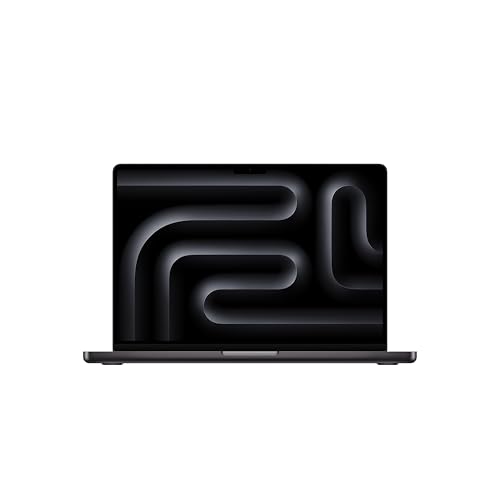 | Apple MacBook Pro 14-inch with M5 | Best fit: Base chip, 14-inch Chip: M5, 10-core CPU, 10-core GPU (Amazon) Screen: 14.2-inch Liquid Retina XDR (Amazon) Ports and displays: 3 Thunderbolt 4, up to 2 displays (Amazon) Memory and SSD: 24GB, 1TB (Amazon) | Check Price on Amazon |
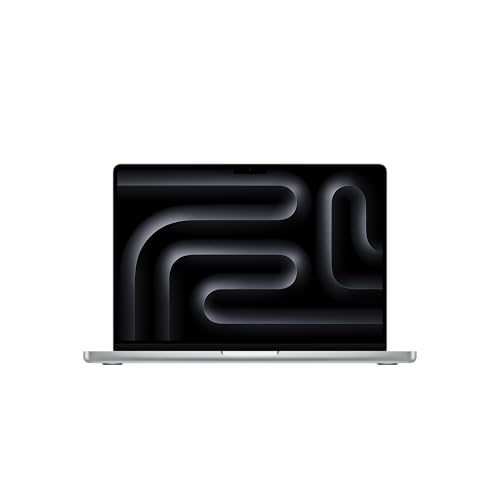 | Apple MacBook Pro 14-inch with M5 Pro | Best fit: Three displays, 14-inch Chip: M5 Pro, 15-core CPU, 16-core GPU (Amazon) Screen: 14.2-inch Liquid Retina XDR (Amazon) Ports and displays: 3 Thunderbolt 5, up to 3 displays (Amazon) Memory and SSD: 24GB, 1TB (Amazon) | Check Price on Amazon |
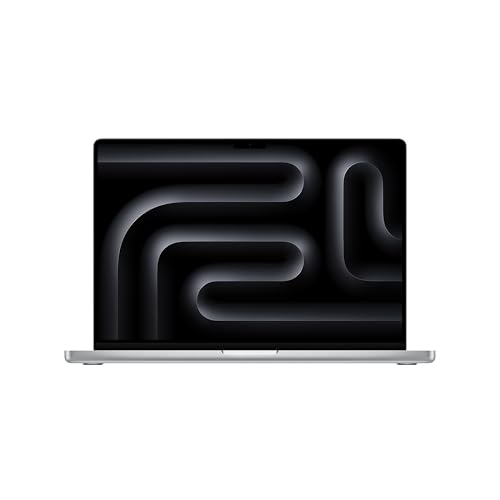 | Apple MacBook Pro 16-inch with M5 Pro | Best fit: M5 Pro with 48GB Chip: M5 Pro, 18-core CPU, 20-core GPU (Amazon) Screen: 16.2-inch Liquid Retina XDR (Amazon) Ports and displays: 3 Thunderbolt 5, up to 3 displays (Amazon) Memory and SSD: 48GB, 1TB (Amazon) | Check Price on Amazon |
| Apple MacBook Pro 16-inch with M5 Max | Best fit: Largest GPU, 2TB Chip: M5 Max, 18-core CPU, 40-core GPU (Amazon) Screen: 16.2-inch Liquid Retina XDR (Amazon) Ports and displays: 3 Thunderbolt 5, up to 4 displays (Amazon) Memory and SSD: 48GB, 2TB (Amazon) | Check Price on Amazon |
 | Apple MacBook Pro 16-inch with M4 Pro | Best fit: M4 Pro, 16-inch Chip: M4 Pro, 14-core CPU, 20-core GPU (Amazon) Screen: 16.2-inch Liquid Retina XDR (Amazon) Ports and displays: 3 Thunderbolt 5, up to 2 displays (Amazon) Memory and SSD: 24GB, 512GB (Amazon) | Check Price on Amazon |
 | Apple MacBook Pro 16-inch with M4 Max | Best fit: M4 Max, four displays Chip: M4 Max, 14-core CPU, 32-core GPU (Amazon) Screen: 16.2-inch Liquid Retina XDR (Amazon) Ports and displays: 3 Thunderbolt 5, up to 4 displays (Amazon) Memory and SSD: 36GB, 1TB (Amazon) | Check Price on Amazon |
1. Apple MacBook Pro 14-inch with M5 — Best Entry Chip for a 14-Inch Screen
The 14-inch MacBook Pro with M5 is the only base chip on this page. Amazon lists a 10-core CPU and 10-core GPU, a 14.2-inch Liquid Retina XDR display, 24GB of unified memory, and a 1TB SSD. The listing says the display reaches 1600 nits peak brightness.
The Amazon listing says this model has three Thunderbolt 4 ports, MagSafe 3, an SDXC card slot, an HDMI port, and a headphone jack, and that it supports up to two external displays. The other five MacBook Pros here list Thunderbolt 5, so choose one of those when you plan around Thunderbolt 5 ports.
Our Take Choose this model when a 14-inch screen and up to two external displays are enough and Thunderbolt 5 is not part of the plan. Move to an M5 Pro when you want a third display or Thunderbolt 5 ports.
- Amazon lists a 10-core CPU and 10-core GPU with 24GB of unified memory and a 1TB SSD for the MacBook Pro with M5.
- The Amazon listing says the MacBook Pro with M5 has an HDMI port, an SDXC card slot, and MagSafe 3.
- Amazon lists a 14.2-inch Liquid Retina XDR display with up to 1600 nits peak brightness for the M5 model.
- The Amazon listing says the MacBook Pro with M5 has three Thunderbolt 4 ports, where the other five MacBook Pros here list Thunderbolt 5.
- Amazon says the M5 model supports up to two external displays, fewer than the three for the M5 Pro and the four for the M5 Max.
2. Apple MacBook Pro 14-inch with M5 Pro — Best 14-Inch for Three External Displays
The 14-inch MacBook Pro with M5 Pro adds Thunderbolt 5 and a third external display to the 14-inch body. Amazon lists a 15-core CPU and 16-core GPU, 24GB of unified memory, a 1TB SSD, and a 14.2-inch Liquid Retina XDR display.
The Amazon listing says it has three Thunderbolt 5 ports, MagSafe 3, an SDXC card slot, HDMI, and a headphone jack. Apple lists Thunderbolt 5 at up to 120Gb/s and says the M5 Pro supports up to three external displays over the Thunderbolt and HDMI ports, at up to 6K and 60Hz or 4K and 144Hz for three displays. Apple’s display statement covers the MacBook only, and a dock, cable, and monitor each add their own limits.
Apple lists 3.5 pounds and a 72.4Wh battery rated for up to 22 hours of video streaming and up to 14 hours of wireless web, from Apple’s own test conditions.
Apple lists three Thunderbolt 5 ports and support for up to three external displays on the M5 Pro, one more display than the M5 and the M4 Pro support.Our Take Choose this model when the 14-inch size suits your bag and a three-display desk is the plan. Choose the 16-inch M5 Pro when you want 48GB of memory or a larger screen.
- Amazon lists a 15-core CPU, 16-core GPU, 24GB of unified memory, and a 1TB SSD for the 14-inch M5 Pro.
- Apple says the M5 Pro supports up to three external displays, and lists three Thunderbolt 5 ports at up to 120Gb/s.
- Apple lists a 72.4Wh battery for the 14-inch M5 Pro, rated for up to 22 hours of video streaming and up to 14 hours of wireless web.
- Apple’s three-display statement for the M5 Pro covers the MacBook, not any particular dock or monitor.
- Amazon lists 24GB of unified memory for the 14-inch M5 Pro, against 48GB for the 16-inch M5 Pro.
3. Apple MacBook Pro 16-inch with M5 Pro — Best M5 Pro With 48GB of Memory
The 16-inch MacBook Pro with M5 Pro has more cores than the 14-inch M5 Pro and double its memory. Amazon lists an 18-core CPU and 20-core GPU, 48GB of unified memory, a 1TB SSD, and a 16.2-inch Liquid Retina XDR display. Apple lists a 3456-by-2234 resolution at 254 pixels per inch for that display.
Apple lists three Thunderbolt 5 ports, HDMI, an SDXC card slot, MagSafe 3, and a headphone jack, and says the M5 Pro supports up to three external displays, the same as the 14-inch model. It lists a 100Wh battery rated for up to 24 hours of video streaming and up to 17 hours of wireless web, and a weight of 4.7 pounds, 1.2 pounds more than the 14-inch M5 Pro.
Our Take Choose this model when the work calls for more memory than the 24GB configurations list, or when you want the larger screen with M5 Pro display support. Choose the 14-inch M5 Pro when a lighter bag is the priority.
- Amazon lists an 18-core CPU, 20-core GPU, 48GB of unified memory, and a 1TB SSD for the 16-inch M5 Pro.
- Apple lists a 100Wh battery for the 16-inch M5 Pro, rated for up to 24 hours of video streaming and up to 17 hours of wireless web.
- Apple says the M5 Pro supports up to three external displays over the Thunderbolt and HDMI ports.
- Apple lists 4.7 pounds for the 16-inch M5 Pro, 1.2 pounds more than the 14-inch M5 Pro.
- Apple’s three-display statement for the M5 Pro covers the MacBook, not any particular dock or monitor.
4. Apple MacBook Pro 16-inch with M5 Max — Best for the Largest GPU and 2TB of Storage
The 16-inch MacBook Pro with M5 Max has the largest GPU and the most storage of the six. Amazon lists an 18-core CPU and 40-core GPU, 48GB of unified memory, a 2TB SSD, and a 16.2-inch Liquid Retina XDR display. The 48GB of memory matches the 16-inch M5 Pro.
Apple says the M5 Max supports up to four external displays over the Thunderbolt and HDMI ports, with four displays at up to 6K and 60Hz or 4K and 144Hz. Apple lists three Thunderbolt 5 ports at up to 120Gb/s and a weight of 4.7 pounds. It lists a 100Wh battery rated for up to 22 hours of video streaming and up to 16 hours of wireless web, against 24 hours of video streaming for the 16-inch M5 Pro. Apple’s display statement covers the MacBook only, and a dock, cable, and monitor each add their own limits.
Amazon lists a 40-core GPU and a 2TB SSD for this M5 Max, the largest of each among the six MacBook Pros.Our Take Choose this model when the work puts heavy load on the GPU or needs four external displays, and the extra storage is part of the plan. The 16-inch M5 Pro covers three displays with a 20-core GPU and a 1TB SSD.
- Amazon lists an 18-core CPU, 40-core GPU, 48GB of unified memory, and a 2TB SSD for the 16-inch M5 Max.
- Apple says the M5 Max supports up to four external displays, and lists three Thunderbolt 5 ports at up to 120Gb/s.
- Amazon lists a 40-core GPU for the M5 Max, against a 20-core GPU for the 16-inch M5 Pro.
- Amazon lists 48GB of unified memory for the M5 Max, the same amount as the 16-inch M5 Pro.
- Apple rates the 16-inch M5 Max battery for up to 22 hours of video streaming, against 24 hours for the 16-inch M5 Pro.
5. Apple MacBook Pro 16-inch with M4 Pro — Best M4 Pro in a 16-Inch Body
The 16-inch MacBook Pro with M4 Pro is the only model here with a 512GB SSD. Amazon lists a 14-core CPU and 20-core GPU, 24GB of unified memory, a 512GB SSD, and a 16.2-inch Liquid Retina XDR display with up to 1600 nits peak brightness.
The Amazon listing says it has three Thunderbolt 5 ports, MagSafe 3, an SDXC card slot, an HDMI port, and a headphone jack, and that it supports up to two external displays with M4 Pro. The M5 Pro supports three.
Our Take Choose this model when you want a 16-inch screen and Thunderbolt 5 on an M4 Pro, and two external displays are enough. Compare it with the 16-inch M5 Pro when three displays or 48GB of memory are on your list.
- Amazon lists a 14-core CPU, 20-core GPU, 24GB of unified memory, and a 512GB SSD for the 16-inch M4 Pro.
- The Amazon listing says the 16-inch M4 Pro has three Thunderbolt 5 ports, HDMI, and an SDXC card slot.
- Amazon lists a 16.2-inch Liquid Retina XDR display with up to 1600 nits peak brightness for the M4 Pro model.
- Amazon says the M4 Pro supports up to two external displays, one fewer than the three for the M5 Pro.
- Amazon shows Adorama as the seller of the New offer for the 16-inch M4 Pro, not Amazon.com.
6. Apple MacBook Pro 16-inch with M4 Max — Best M4 Max With 36GB of Memory
The 16-inch MacBook Pro with M4 Max pairs a 32-core GPU with 36GB of memory, between the 24GB and 48GB configurations on this page. Amazon lists a 14-core CPU and 32-core GPU, 36GB of unified memory, a 1TB SSD, and a 16.2-inch Liquid Retina XDR display.
The Amazon listing says it has three Thunderbolt 5 ports, MagSafe 3, an SDXC card slot, an HDMI port, and a headphone jack, and that it supports up to four external displays with M4 Max. Its 14-core CPU has fewer cores than the 18-core CPU on the 16-inch M5 Pro and the M5 Max.
Amazon lists support for up to four external displays on the M4 Max, the same count as the M5 Max and one more than the M5 Pro.Our Take Choose this model when you need four external displays and a 16-inch screen on an M4 chip. Compare it with the 16-inch M5 Max when a 40-core GPU, 48GB of memory, or 2TB of storage is on your list.
- Amazon lists a 14-core CPU, 32-core GPU, 36GB of unified memory, and a 1TB SSD for the 16-inch M4 Max.
- Amazon says the M4 Max supports up to four external displays, and the listing has three Thunderbolt 5 ports.
- The Amazon listing says the 16-inch M4 Max has HDMI and an SDXC card slot.
- Amazon lists a 14-core CPU for the M4 Max, where the 16-inch M5 Pro and the M5 Max list 18 cores.
- Amazon lists a 32-core GPU for the M4 Max, where the M5 Max lists 40 cores.
Buying Guide
1. Pick the chip by displays and ports
The chip sets how many external displays each MacBook Pro here supports. Amazon lists up to two external displays for the M5 and the M4 Pro, Apple says the M5 Pro supports up to three, Apple says the M5 Max supports up to four, and the Amazon listing for the M4 Max says four as well.
The M5 lists three Thunderbolt 4 ports, and the other five MacBook Pros list three Thunderbolt 5 ports. Apple’s display statements cover the MacBook only, so check the dock’s manual for the monitor modes it supports. The MacBook Pro dock guide and the dual-monitor dock guide cover the accessory choices.
2. Compare CPU and GPU cores, not only the chip name
Amazon lists 10 CPU and 10 GPU cores for the M5, 15 and 16 for the 14-inch M5 Pro, 18 and 20 for the 16-inch M5 Pro, 18 and 40 for the M5 Max, 14 and 20 for the M4 Pro, and 14 and 32 for the M4 Max. One chip name can carry different core counts, as the two M5 Pro models show.
A core count does not say how fast a particular application runs. Check the application maker’s published requirements before paying for more cores, and use the Thunderbolt 4 dock guide when the M5 is your pick.
3. Read memory and storage as part of the Amazon model
Amazon lists 24GB of unified memory for the M5, the 14-inch M5 Pro and the M4 Pro, 36GB for the M4 Max, and 48GB for the 16-inch M5 Pro and the M5 Max. Storage is 1TB on four of the six, 2TB on the M5 Max, and 512GB on the M4 Pro.
The memory and SSD figures belong to the six Amazon models, not to every configuration Apple sells under the same chip name. Apple’s page lists other memory and SSD options for the M5 Pro and M5 Max, so compare the model number, memory, and SSD on the Amazon page with the configuration you intend to buy.
4. Treat battery figures as Apple’s test results
Apple rates the 14-inch M5 Pro for up to 22 hours of video streaming, the 16-inch M5 Pro for up to 24 hours, and the 16-inch M5 Max for up to 22 hours. Each rating comes from Apple’s own test conditions, not from measurements of your workload.
The Amazon listings for the M5, M4 Pro and M4 Max say all-day battery life without an hours figure, so this page has no rating to compare for them. Apple lists 72.4Wh for the 14-inch M5 Pro and 100Wh for both 16-inch M5 models.
FAQ
Does the chip decide how many external displays I can use?
Yes. Amazon lists up to two external displays for the M5 and the M4 Pro, Apple says up to three for the M5 Pro, and Apple says up to four for the M5 Max. The Amazon listing for the M4 Max says four.
Each statement covers the MacBook only. A dock, cable, and monitor each add their own limits, so check them against the resolution and refresh rate you plan to run.
Should I choose the M4 Pro or the M5 Pro?
The 16-inch M5 Pro lists 48GB of memory, a 1TB SSD, an 18-core CPU and 20-core GPU, and support for up to three external displays. The 16-inch M4 Pro lists 24GB of memory, a 512GB SSD, a 14-core CPU and 20-core GPU, and up to two external displays.
Both list three Thunderbolt 5 ports and a 16.2-inch display. Choose the M5 Pro for a third display or 48GB of memory, and the M4 Pro when two displays and 24GB cover your work.
Do all six MacBook Pros have Thunderbolt 5?
No. The Amazon listing for the M5 says three Thunderbolt 4 ports, and the other five list three Thunderbolt 5 ports. Apple lists Thunderbolt 5 at up to 120Gb/s for the M5 Pro and M5 Max.
Pick an M5 Pro or higher when you plan around Thunderbolt 5 accessories. The M5 suits a buyer who needs a 14-inch MacBook Pro with a base chip.
Do the memory and SSD figures apply to every MacBook Pro with that chip?
No. The figures belong to the six Amazon models on this page. Apple’s page lists other options, such as 64GB of memory for the M5 Pro with a 20-core GPU and 4TB of storage.
Read the memory and SSD in the Amazon listing before you order. A different configuration of the same chip has a different model number.
Why does this guide not include an M6?
Apple’s MacBook Pro technical specifications page also lists a 14-inch model with an M6 chip and three Thunderbolt 4 ports. The guide covers the five chips in its title, so it has no M6 configuration.
Check Apple’s page if you want to compare that chip with the M5. The six models here are the ones Amazon lists for the M5, M5 Pro, M5 Max, M4 Pro and M4 Max.
Bottom Line
Start with the 14-inch M5 when two external displays are enough. Choose the 14-inch M5 Pro for three displays, the 16-inch M5 Pro for 48GB of memory, and the 16-inch M5 Max for four displays and the largest GPU. The 16-inch M4 Pro and 16-inch M4 Max suit a buyer who wants a 16-inch screen on an M4 chip.
The model number on the Amazon page, with its memory and SSD, sets what you buy.