Acer sells Nitro, Predator and Vero monitors for different jobs, and the badge says less than the panel size, resolution, refresh rate, ports and stand. The six monitors below run from a 24.5-inch Predator to a 31.5-inch curved Nitro. Several refresh rates apply to one connection only.
Pick the screen shape and resolution first, then check that the computer can use the stated refresh rate through the chosen port.Acer Nitro, Predator and Vero Monitors Compared
| Image | Product | Details | Check Price |
|---|---|---|---|
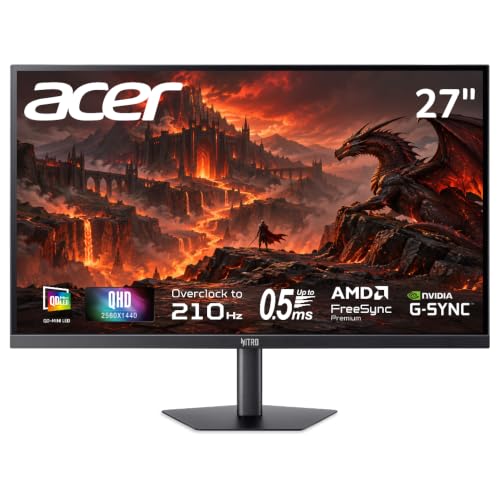 | Acer Nitro MG275U X2biippx | Best fit: QHD MiniLED HDR and color Panel: 27-inch 2560x1440 QD-MiniLED Refresh: 210Hz DP; 144Hz HDMI Ports: 2x HDMI 2.1 and DisplayPort 1.4 (Acer lists 2 DP) Stand: Tilt and 100x100mm VESA | Check Price on Amazon |
 | Acer Nitro VG270K V4 | Best fit: 4K or Full HD dual mode Panel: 27-inch 4K IPS Refresh: 4K 160Hz; FHD 320Hz Ports: DisplayPort 1.4 and 2x HDMI 2.1 Stand: Tilt and 100x100mm VESA | Check Price on Amazon |
 | Acer Nitro ED300C X1 | Best fit: 21:9 curved gaming and work Panel: 29.5-inch 2560x1080 VA, 1800R Refresh: 200Hz DP; 180Hz HDMI, 1ms Ports: 2x HDMI and 2x DisplayPort Stand: Tilt and 75x75mm VESA | Check Price on Amazon |
 | Acer Nitro EDA323QU S3 | Best fit: Large curved QHD gaming Panel: 31.5-inch 2560x1440 VA, 1500R Refresh: 180Hz DP; 144Hz HDMI Ports: DisplayPort 1.4, 2x HDMI 2.0 and audio out Stand: Tilt and 100x100mm VESA | Check Price on Amazon |
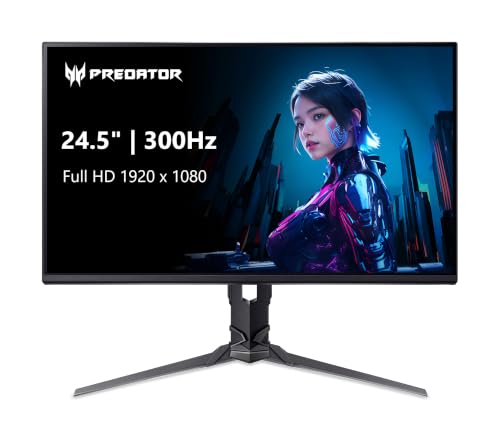 | Acer Predator XB253Q Fbmiiprx | Best fit: Adjustable 300Hz esports screen Panel: 24.5-inch 1920x1080 IPS Refresh: 300Hz DP; 240Hz HDMI Ports: DisplayPort 1.4, 2x HDMI 2.0 and audio out Stand: Height, tilt, swivel and pivot | Check Price on Amazon |
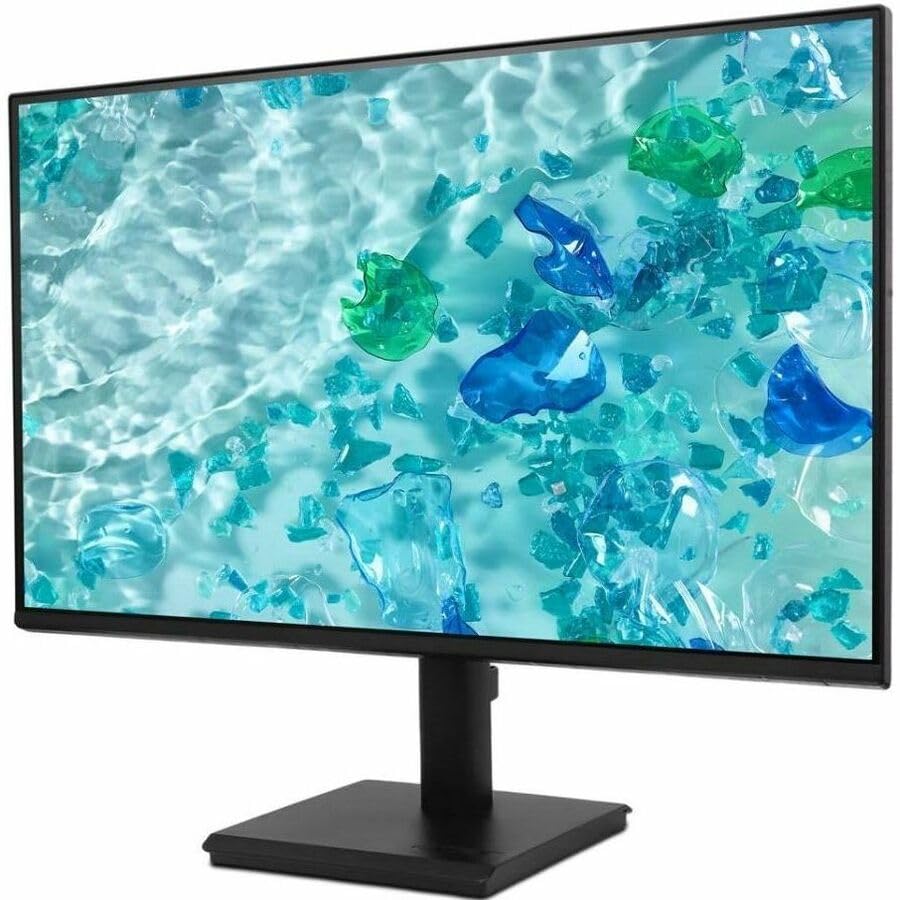 | Acer Vero V277 G | Best fit: Simple Full HD work display Panel: 27-inch 1920x1080 Refresh: 120Hz HDMI or DisplayPort Ports: HDMI 1.4, DisplayPort 1.2, VGA and USB-C (Acer) Stand: Tilt; no height adjustment | Check Price on Amazon |
1. Acer Nitro MG275U X2biippx — Best QHD MiniLED for HDR and Color
The Amazon listing gives the Nitro MG275U X2biippx a 27-inch 2560 by 1440 IPS QD-MiniLED panel with up to 1,152 local-dimming zones. It lists 210Hz over DisplayPort, 144Hz over HDMI, a 0.5ms GTG response time, DCI-P3 99% and Adobe RGB 95%. Acer and the listing both give 500 nits of brightness and a 1,000-nit peak, and the listing ties that peak to its HDR1000 mode.
Acer’s page lists two HDMI 2.1 ports and two DisplayPort 1.4 ports, plus headphone and line-out jacks. The Amazon title and bullets list one DisplayPort 1.4 and two HDMI 2.1 ports, with a DisplayPort cable and an HDMI cable included, so the two sources disagree on the DisplayPort count. The listing gives a -5 to 25 degree tilt and a 100 by 100mm VESA pattern, and Acer agrees on the VESA pattern while listing no height adjustment.
Our Take Choose this Nitro for the MiniLED, HDR1000 and wide-gamut figures, and accept a tilt-only stand. The VG270K V4 suits a 4K mode, the ED300C X1 a 21:9 shape and the XB253Q a height-adjustable stand.
- The Amazon listing gives the MG275U a 27-inch QHD QD-MiniLED panel with up to 1,152 local-dimming zones.
- The MG275U listing specifies 210Hz over DisplayPort and 144Hz over HDMI.
- Acer lists a 1,000-nit peak for the MG275U, and the Amazon listing adds HDR1000, DCI-P3 99% and Adobe RGB 95%.
- Acer lists two HDMI 2.1 ports for the MG275U, and the Amazon listing includes both a DisplayPort cable and an HDMI cable.
- Acer lists no height adjustment for the MG275U, and the Amazon listing gives a tilt-only stand.
- Acer lists two DisplayPort 1.4 ports for the MG275U while the Amazon listing lists one.
2. Acer Nitro VG270K V4 — Best 4K or Full HD Dual-Mode Nitro
The Amazon listing identifies the Nitro VG270K V4, Acer model VG270K V4bmiipx, as a 27-inch 3840 by 2160 IPS display at 160Hz with a DFR mode that gives 1920 by 1080 at 320Hz. Acer’s page lists 4K at 160Hz over both DisplayPort and HDMI, HDR10 and DCI-P3 90%, and the listing adds a 0.5ms GTG response time and FreeSync Premium. Acer’s page does not list the 320Hz mode, so that figure comes from Amazon alone.
Both sources list one DisplayPort 1.4 and two HDMI 2.1 ports. Acer lists 4W of speaker output and a -5 to 25 degree tilt with no height adjustment or pivot, and the listing includes an HDMI cable and gives a 100 by 100mm VESA pattern. Neither source names a USB-C input or laptop power, so the monitor needs an HDMI or DisplayPort connection from the computer.
Per Amazon, the VG270K V4 runs 4K at 160Hz and, in DFR mode, Full HD at 320Hz.Our Take Choose the VG270K V4 for a 4K desktop mode and a Full HD high-refresh mode on one screen. The MG275U suits a buyer who wants the MiniLED, HDR1000 and Adobe RGB 95% the Amazon listing names more than a second resolution setting.
- Acer lists the VG270K V4 at 4K and 160Hz over both DisplayPort and HDMI.
- The Amazon listing adds a Full HD mode at 320Hz through DFR.
- Acer lists HDR10 and DCI-P3 90% for the VG270K V4, and the Amazon listing names FreeSync Premium.
- Acer lists two HDMI 2.1 ports and one DisplayPort 1.4 on the VG270K V4.
- The Amazon listing ties the VG270K V4’s 320Hz figure to the 1920 by 1080 mode.
- Neither Acer nor the Amazon listing names a USB-C input or laptop power for the VG270K V4.
- Acer lists tilt only for the VG270K V4, with no height adjustment or pivot.
3. Acer Nitro ED300C X1 — Best 21:9 Curved Nitro
The Nitro ED300C X1, Acer model ED300C X1bmiippx, is a 29.5-inch 2560 by 1080 21:9 curved display with a 1800R curve. Acer lists 200Hz over DisplayPort, 180Hz over HDMI, a 1ms VRB response time, FreeSync Premium, HDR10 and 100% sRGB, and its page names a VA panel. The Amazon listing gives the same 1800R, 200Hz, 1ms and 100% sRGB figures. The panel is wider than 16:9 Full HD while keeping the same 1,080 rows of pixels.
Acer lists two HDMI 2.0 ports, two DisplayPort 1.4 ports, 5W of speaker output and a -5 to 15 degree tilt with no height adjustment or pivot. Acer gives its VESA pattern as 75 by 75mm, while it lists 100 by 100mm for the other five monitors here. No source names a USB-C port.
Acer lists the ED300C X1 as a 29.5-inch 21:9 1800R screen with 2560 by 1080 at 200Hz over DisplayPort, plus two HDMI and two DisplayPort inputs.Our Take Pick the ED300C X1 when the 21:9 shape is the reason to buy. A QHD or 4K model gives more vertical pixels.
- Acer lists the ED300C X1 as a 29.5-inch 2560 by 1080 21:9 panel with an 1800R curve.
- Acer lists 200Hz over DisplayPort for the ED300C X1, and the Amazon listing gives a 1ms response time.
- Acer lists two HDMI and two DisplayPort inputs and 5W of speaker output.
- Acer and the Amazon listing both give the ED300C X1 100% sRGB.
- The ED300C X1’s 2560 by 1080 panel has fewer rows of pixels than the QHD and 4K models here.
- Acer lists the ED300C X1’s HDMI at 180Hz, below its 200Hz DisplayPort figure.
- Acer lists a 75 by 75mm VESA pattern for the ED300C X1, where the other five monitors use 100 by 100mm.
4. Acer Nitro EDA323QU S3 — Best Large Curved QHD Nitro
The Nitro EDA323QU S3, Acer model EDA323QU S3bmiiphx, is a 31.5-inch 2560 by 1440 1500R curved display, the largest screen on this page. Acer and the Amazon listing both give 180Hz over DisplayPort, 144Hz over HDMI and a 1ms VRB response time. Acer’s page names a VA panel, HDR10 and 72% NTSC, and the listing names AMD FreeSync.
The Amazon listing gives one DisplayPort 1.4, two HDMI 2.0 ports, audio out and two 2W speakers, and Acer lists 4W of speaker output. Both sources give a 100 by 100mm VESA pattern and a -5 to 20 degree tilt. Acer lists no height adjustment or pivot, and no source names USB-C or a 4K mode.
Our Take Choose this model for the largest screen here, a curved QHD panel. The ED300C X1 is the shape-first ultrawide, and the MG275U adds HDR1000 and MiniLED in a 27-inch QHD panel.
- Acer and the Amazon listing both give the EDA323QU S3 a 31.5-inch 2560 by 1440 panel.
- Both sources give the EDA323QU S3 180Hz over DisplayPort and 144Hz over HDMI.
- The Amazon listing gives the EDA323QU S3 one DisplayPort 1.4, two HDMI 2.0 ports and audio out.
- Acer lists 4W of speaker output and a 100 by 100mm VESA pattern for the EDA323QU S3.
- The EDA323QU S3’s 180Hz figure belongs to DisplayPort, with HDMI at 144Hz.
- Acer lists a -5 to 20 degree tilt for the EDA323QU S3 and no height adjustment or pivot.
- Acer lists 72% NTSC as the EDA323QU S3’s color gamut figure, and the Amazon listing gives none.
5. Acer Predator XB253Q Fbmiiprx — Best Adjustable 300Hz Esports Screen
Acer lists the Predator XB253Q Fbmiiprx as a 24.5-inch Full HD IPS panel with up to 300Hz over DisplayPort. Acer lists 300Hz over DisplayPort and 240Hz over HDMI, and Acer and the Amazon listing both give a 1ms VRB response time, 99% sRGB, HDR10 and FreeSync Premium. Two Amazon bullets misprint the resolution, while the title and Acer give 1920 by 1080.
Acer lists the stand with height adjustment up to 5.91 inches, swivel of -20 to 20 degrees, tilt from -5 to 25 degrees and pivot, and the listing names the same ErgoStand adjustments. Acer lists one DisplayPort 1.4, two HDMI 2.0 ports, headphone and line-out jacks and 4W of speaker output, and the listing says a DisplayPort cable and an HDMI cable are included and the monitor is VESA mounting compliant at 100 by 100mm. No other monitor here lists height adjustment or pivot.
Our Take Pick the XB253Q for a compact 1080p screen with a height-adjustable stand and a 300Hz DisplayPort mode. The VG270K V4 suits a buyer who also needs a 4K desktop mode.
- Acer specifies up to 300Hz over DisplayPort on the XB253Q’s 24.5-inch Full HD panel.
- Acer lists height adjustment up to 5.91 inches, swivel and pivot on the XB253Q’s stand.
- Acer lists two HDMI 2.0 ports, one DisplayPort 1.4 and 4W of speaker output.
- Acer lists the XB253Q’s HDMI at 240Hz, below its 300Hz DisplayPort figure.
- At 24.5 inches, the XB253Q is smaller than every Nitro and Vero screen here.
- The XB253Q’s Full HD panel has fewer pixels than the QHD and 4K models here.
6. Acer Vero V277 G — Best Simple Full HD Work Display
Acer lists the Vero V277 G, model V277 Gbip with part UM.HV7AA.G04, as a 27-inch 1920 by 1080 IPS panel with a 4ms GTG response time, 99% sRGB, 250 nits and 120Hz over both HDMI and DisplayPort. It lists HDMI 1.4, DisplayPort 1.2 and VGA, with VGA limited to 75Hz. The Amazon listing gives the 27-inch size, HDMI and the 4ms figure.
Acer’s page also lists a USB Type-C port with 90W Power Delivery, 4W of speaker output and VESA Adaptive Sync over DisplayPort. The Amazon listing does not mention USB-C, and Acer’s box contents list an HDMI cable and a power cord with no USB-C cable, so confirm the port on the monitor before planning a one-cable laptop setup. Acer lists a -5 to 25 degree tilt and no height adjustment or pivot.
Acer lists the Vero V277 G as 27-inch Full HD with 120Hz over HDMI or DisplayPort, plus a VGA input.Our Take Choose the Vero for a 27-inch Full HD screen with HDMI, DisplayPort and VGA. Acer lists no QHD, 4K or HDR mode for it.
- Acer lists HDMI 1.4, DisplayPort 1.2 and VGA on the Vero V277 G’s 27-inch screen.
- Acer lists the Vero V277 G at 120Hz over both HDMI and DisplayPort.
- Acer’s page lists a USB Type-C port with 90W Power Delivery on the Vero V277 G.
- Acer lists 99% sRGB, 250 nits and VESA Adaptive Sync over DisplayPort for the Vero V277 G.
- The Amazon listing does not mention the USB-C port that Acer lists, so confirm the port before planning a one-cable laptop setup.
- Acer lists tilt only for the Vero V277 G, with no height adjustment or pivot.
- The Vero V277 G’s Full HD panel has fewer pixels than the QHD and 4K models here, and Acer lists no HDR mode.
Buying Guide: Choosing an Acer Nitro, Predator, or Vero Monitor
Choose resolution and shape before refresh rate
The VG270K V4 is the only model here with a switch between 4K at 160Hz and Full HD at 320Hz, which the Amazon listing calls DFR. The MG275U and EDA323QU S3 are QHD at 27 and 31.5 inches, according to Acer and Amazon, while the Vero V277 G and XB253Q are Full HD.
The ED300C X1 differs in shape more than in size. Acer lists its 29.5-inch 2560 by 1080 21:9 screen with 1,080 rows of pixels, the same as 16:9 Full HD and fewer than QHD. A wide timeline or side-by-side windows suit that shape, while dense text and 4K media point to other panels.
Treat refresh figures as port-specific limits
Several refresh figures belong to one connection. The Amazon listing gives the MG275U 210Hz over DisplayPort and 144Hz over HDMI, and Acer and Amazon give the EDA323QU S3 180Hz over DisplayPort and 144Hz over HDMI. Acer lists the ED300C X1 at 200Hz over DisplayPort and 180Hz over HDMI. A cable does not create the higher mode when the source or the chosen port does not support it.
Acer lists the XB253Q at 300Hz over DisplayPort and 240Hz over HDMI. The Amazon listing ties the VG270K V4’s 320Hz to its Full HD DFR mode, while Acer lists its 4K 160Hz over both DisplayPort and HDMI. For a general overview of display connections, see our guide to USB-C monitors after confirming the monitor names USB-C.
Understand MiniLED, HDR, and color claims
The MG275U is the only screen here with QD-MiniLED, 1,152 local-dimming zones and HDR1000 on its Amazon listing, which also gives DCI-P3 99% and Adobe RGB 95%. Acer lists a 1,000-nit peak brightness for it. Its MiniLED, HDR1000 and gamut figures set it apart from the screens that list HDR10 or no HDR mode.
Acer lists HDR10 for the VG270K V4, ED300C X1, EDA323QU S3 and XB253Q, with DCI-P3 90% on the VG270K V4, 100% sRGB on the ED300C X1, 72% NTSC on the EDA323QU S3 and 99% sRGB on the XB253Q. Acer lists 99% sRGB and no HDR mode for the Vero, and VA panels for the ED300C X1 and EDA323QU S3. Compare each stated format and gamut figure instead of assuming a gaming badge means the same panel.
Plan the physical placement and stand adjustment
Acer lists the 31.5-inch 1500R EDA323QU S3 at 698 by 393mm of active display area and the 24.5-inch XB253Q at 544 by 303mm, and the ED300C X1’s 1800R 21:9 panel changes the horizontal reach again. Acer lists a 100 by 100mm VESA pattern for five of the monitors and 75 by 75mm for the ED300C X1.
The XB253Q’s height, tilt, swivel and pivot adjustments are the only ones of that kind here, and Acer lists up to 5.91 inches of height. The MG275U, VG270K V4, EDA323QU S3 and ED300C X1 list tilt only, and Acer lists no height adjustment or pivot for the Vero. A monitor arm changes placement but adds no input.
Check the USB-C port before planning one-cable laptop use
Acer’s pages for the MG275U, VG270K V4, ED300C X1, EDA323QU S3 and XB253Q list HDMI and DisplayPort inputs and no USB-C port or laptop power figure. Each needs an HDMI or DisplayPort connection, with adapters or docks judged separately.
The Vero V277 G is the exception on Acer’s page, which lists a USB Type-C port with 90W Power Delivery. The Amazon listing for the same product names HDMI only, and Acer’s box contents list no USB-C cable, so confirm the port before relying on it for a laptop. For a way to add laptop ports to any of these screens, compare the host connection against our USB-C hub guide.
Frequently Asked Questions
Which Acer monitor here is best for 4K work and gaming?
The Nitro VG270K V4 is the only 4K model here. Acer lists 3840 by 2160 at 160Hz over both DisplayPort and HDMI, and the Amazon listing adds a 1920 by 1080 mode at 320Hz through DFR.
The 320Hz setting applies at 1920 by 1080, so it is not a 4K 320Hz specification. Check the port and mode the computer supports.
Which screen has the most complete stand adjustment?
The Predator XB253Q Fbmiiprx is the only model here that lists height, tilt, swivel and pivot. Acer lists up to 5.91 inches of height, -20 to 20 degrees of swivel and -5 to 25 degrees of tilt.
The MG275U, VG270K V4, EDA323QU S3 and ED300C X1 list tilt only. A VESA arm can change their placement, with 100 by 100mm mounting on the first three and 75 by 75mm on the ED300C X1.
Do any of these Acer monitors have USB-C charging?
None of the six is a confirmed USB-C charging monitor. Acer’s page for the Vero V277 G mentions a USB Type-C port with 90W Power Delivery, but the Amazon listing names HDMI only and the box contents on Acer’s page list no USB-C cable, so confirm the port before charging a laptop from it.
Acer’s pages for the other five list HDMI and DisplayPort connections and no USB-C port. A laptop setup with one of them needs a separate dock, adapter or power connection.
Is the curved 21:9 Nitro better than a curved QHD Nitro?
The ED300C X1 is a 29.5-inch 2560 by 1080 21:9 1800R display and the EDA323QU S3 is a 31.5-inch 2560 by 1440 16:9 1500R display, both per Acer.
Acer lists the ED300C X1 with two HDMI and two DisplayPort inputs and 200Hz over DisplayPort. The EDA323QU S3 has more vertical pixels and a larger panel, with 180Hz over DisplayPort and, per the Amazon listing, one DisplayPort and two HDMI inputs.
What is the simplest Acer display for a Full HD office desk?
The Vero V277 G is the plainest option. Acer lists a 27-inch 1920 by 1080 IPS panel with HDMI 1.4, DisplayPort 1.2 and VGA, and 120Hz over HDMI or DisplayPort.
The 24.5-inch XB253Q is also Full HD, and Acer lists 300Hz over DisplayPort for it. The Nitro models list resolutions above 1920 by 1080, and Acer lists no HDR mode or QHD resolution for the Vero.
Bottom Line
The Nitro MG275U X2biippx is the QHD MiniLED choice, with HDR1000 and Adobe RGB 95% on its Amazon listing. The Nitro VG270K V4 gives one 27-inch screen Acer’s 4K mode at 160Hz and, per Amazon, a Full HD mode at 320Hz. The Nitro ED300C X1 suits a 21:9 shape and the Nitro EDA323QU S3 a 31.5-inch curved QHD screen. Choose the Predator XB253Q Fbmiiprx for Acer’s 300Hz DisplayPort figure and height-adjustable stand, or the Vero V277 G for 27-inch Full HD with VGA and, on Acer’s page, USB-C.