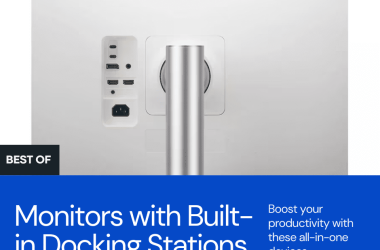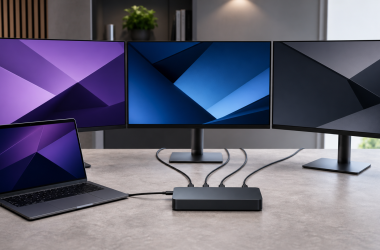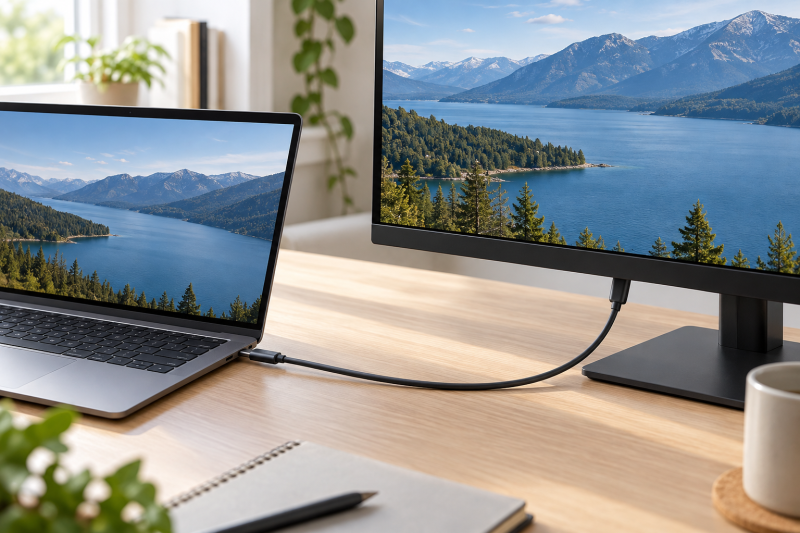
A USB-C plug is not enough to connect a laptop to a monitor. The cable must state a video capability, the laptop port must output video, and the monitor’s USB-C input must accept it. Each of the six cables below states a video mode in its Amazon listing. Five are USB-C display cables, and none of the five lists a Thunderbolt or USB4 host as a requirement for video.
Choose the cable around the monitor input, the target resolution and refresh rate, how far the laptop sits from the display, and whether charging shares the link. The listing’s maximum mode is a ceiling for a compatible setup, not a promise that any USB-C computer and monitor can use it.
Pick the cable for the monitor input and refresh rate you have, then confirm the laptop port, the monitor, and the distance between them.USB-C Monitor Cables Compared
The table gives the figures each Amazon listing states for its cable. It does not turn an 8K or 4K label into a result for a specific laptop, dock, or display. Confirm those components separately before treating a target mode as available.
| Image | Product | Details | Check Price |
|---|---|---|---|
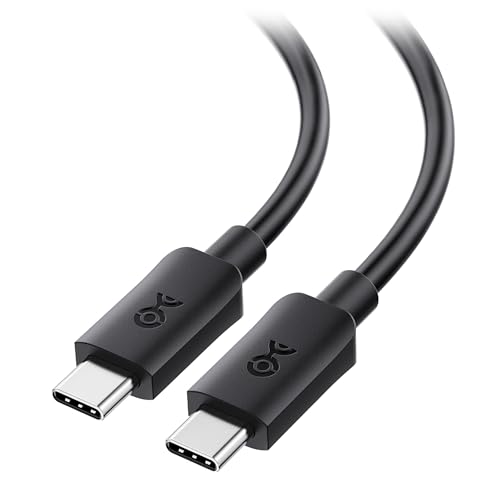 | Cable Matters 20Gbps USB-C Monitor Cable | Best fit: 6-foot cable with Dell and HP USB-C monitors listed Length: 6 ft / 1.8 m Stated video: 8K 30Hz or 4K 120Hz Data and power: 20Gbps, up to 240W Buyer check: Laptop and monitor both need USB-C video | Check Price on Amazon |
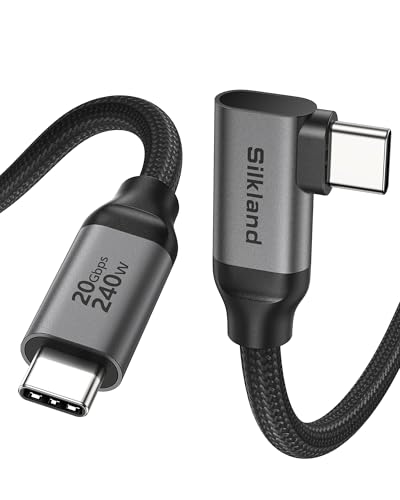 | Silkland Right-Angle USB-C Monitor Cable | Best fit: Right-angle plug for tight spaces Length: 5 ft Stated video: 8K 30Hz, 5K 60Hz; 4K 60Hz in title, 144Hz in a bullet Data and power: 20Gbps, up to 240W Buyer check: Laptop port needs DP Alt Mode | Check Price on Amazon |
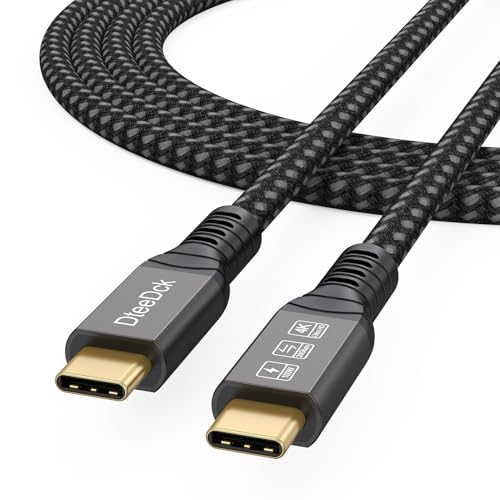 | DteeDck USB-C Monitor Cable | Best fit: 6-foot cable with 4K 144Hz stated Length: 6 ft Stated video: 8K 60Hz, 4K 144Hz Data and power: 20Gbps, 100W Buyer check: DP Alt Mode needed on both devices | Check Price on Amazon |
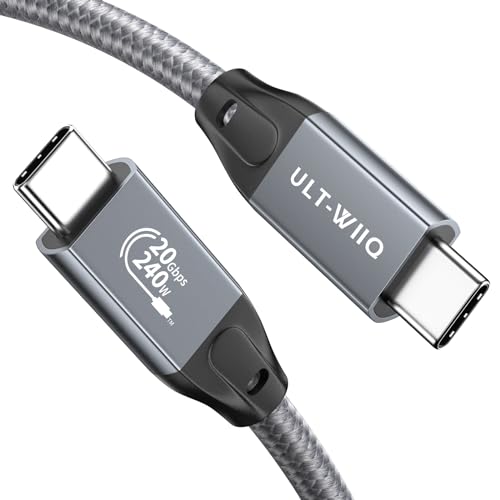 | ULT-WIIQ USB-C 3.2 Gen 2x2 Cable | Best fit: Longer run of 6.6 feet Length: 6.6 ft Stated video: 8K 60Hz; 4K 144Hz, 120Hz or 60Hz Data and power: 20Gbps, up to 240W Buyer check: Longer run needs measured routing | Check Price on Amazon |
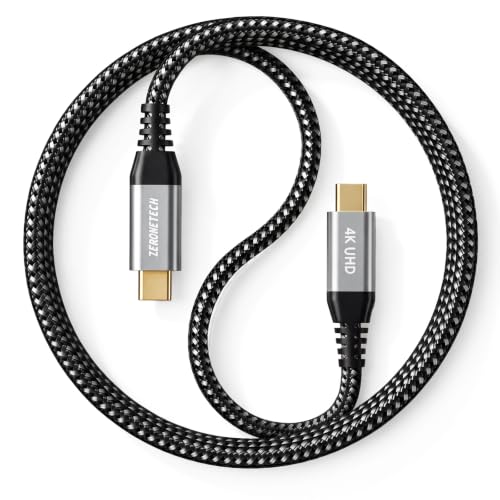 | ZeroneTeck USB-C 20Gbps Cable | Best fit: Short cable at three feet Length: 3 ft Stated video: 4K 60Hz Data and power: 20Gbps, 100W Buyer check: Laptop and monitor both need DP Alt Mode | Check Price on Amazon |
 | Silkland USB4 40Gbps Cable | Best fit: USB4 or Thunderbolt 4 desk Length: 4 ft Stated video: 8K 60Hz, 5K 60Hz, 4K 144Hz or dual 4K 60Hz Data and power: USB4 40Gbps, up to 240W Buyer check: Full speed depends on USB4 or Thunderbolt support | Check Price on Amazon |
1. Cable Matters 20Gbps USB-C Monitor Cable — Best Six-Foot Cable for Dell and HP USB-C Monitors
Cable Matters’ Amazon listing describes a 6-foot (1.8m) USB-C monitor cable with 8K at 30Hz or 4K at 120Hz video, 20Gbps data transfer, and up to 240W charging. It names Dell and HP USB-C monitors and docks it works with, including the Dell U2520D and HP E273d, and lists compatibility with Thunderbolt 4 and USB-C computers. Six feet gives more placement freedom than the three-, four-, and five-foot cables on this page.
The laptop port must output video and the monitor input must accept it, because a cable cannot add video output to a charging-only or data-only USB-C port. The listing gives no HDR, refresh, or power result for a complete desk. Six feet also leaves slack to tuck away when the laptop sits right beside the monitor. Pick it when a six-foot connection and a 4K 120Hz cable mode fit the monitor, then confirm the laptop and display documentation.
Our Take Choose Cable Matters for a monitor cable that needs six feet of reach and a stated list of Dell and HP USB-C monitors.
- Cable Matters gives a stated video ceiling of 8K at 30Hz or 4K at 120Hz to compare with the monitor’s own modes.
- Cable Matters lists a 6-foot (1.8m) length, 20Gbps data, and up to 240W charging, and the six feet give more placement freedom than the three-, four-, and five-foot cables on this page.
- Cable Matters names the Dell and HP USB-C monitors and docks it works with, including the Dell U2520D and HP E273d. A Dell or HP owner can match the model against that list.
- Cable Matters’ listing gives six feet, and the extra slack needs tucking away when the laptop sits right beside the monitor.
- A laptop port without video output gets no picture from Cable Matters’ cable, because the cable cannot add video output to a charging-only or data-only USB-C port.
2. Silkland Right-Angle USB-C Monitor Cable — Best Right-Angle Plug for Tight Spaces
Silkland’s Amazon listing describes a five-foot cable with a 90-degree USB-C connector, 20Gbps data, and up to 240W charging. The title gives 8K at 30Hz and 5K or 4K at 60Hz, while the first feature bullet gives 8K at 30Hz, 5K at 60Hz, and 4K at 144Hz. Silkland calls the angled plug suited to tight spaces such as corner outlets and says it reduces port stress.
The listing does not say which way the plug points at the monitor. A right-angle plug that exits toward the panel or a neighboring port can make a clean route worse, so check that direction against the monitor’s input before ordering. Silkland also states that video works only on USB-C ports that support DP Alt Mode.
Our Take Choose Silkland’s right-angle cable for a tight space where a straight plug would stick out, and check its 4K refresh rate before relying on the 144Hz figure.
- Silkland’s listing describes a five-foot cable with a 90-degree USB-C connector, a shape for tight spaces where a straight plug would stick out.
- Silkland’s title and first bullet agree on 8K at 30Hz and 5K at 60Hz video.
- Silkland lists 20Gbps data transfer and up to 240W charging on this five-foot cable.
- Silkland calls the angled plug suited to tight spaces such as corner outlets and says it reduces port stress.
- Silkland’s title gives 4K at 60Hz while its first bullet gives 4K at 144Hz for the same cable.
- Silkland’s listing does not say which way the plug points, and an angled plug that exits toward a neighboring port can make a clean route worse.
- Silkland states that video works only on USB-C ports that support DP Alt Mode.
3. DteeDck USB-C Monitor Cable — Best Six-Foot Cable With 4K 144Hz Stated
DteeDck’s Amazon listing describes a six-foot USB-C monitor cable with 4K at 144Hz video, 20Gbps data, and 100W charging. The first bullet adds 8K at 60Hz, and the second adds 2K and 1080p at 240Hz. Of the two six-foot cables here, DteeDck is the one that states 144Hz, a fit for a monitor that calls for a 4K high-refresh mode.
DteeDck states that the video modes require DP Alt Mode on both devices and that 20Gbps requires USB 3.2 support on both ends. A high-refresh mode also depends on the laptop graphics, the monitor input, and the display settings. Use it when the laptop and monitor documentation each support the mode you want.
DteeDck states 4K at 144Hz video, 20Gbps data, and 100W charging for this six-foot cable, with DP Alt Mode required on both devices.Our Take Choose DteeDck for a six-foot cable to a 4K monitor that runs at a high refresh rate on a laptop with DP Alt Mode.
- DteeDck states 4K at 144Hz video and 8K at 60Hz, and of the two six-foot cables here it is the one that gives the high-refresh mode.
- DteeDck lists a six-foot length and 20Gbps data transfer alongside its stated video modes.
- DteeDck states a 100W charging rating alongside its video and data figures.
- DteeDck states that its video modes need DP Alt Mode on both devices, and the laptop and monitor documentation each need to confirm it.
- DteeDck’s listing says 20Gbps requires USB 3.2 support on both ends.
4. ULT-WIIQ USB-C 3.2 Gen 2×2 Cable — Best for a Longer Run of 6.6 Feet
ULT-WIIQ’s Amazon listing describes a 6.6-foot USB-C 3.2 Gen 2×2 cable. It states single-monitor 8K at 60Hz, 4K at 144Hz, 120Hz, or 60Hz, and dual-monitor 4K at 60Hz, plus 20Gbps data, up to 240W charging, USB-IF certification, and more than 20,000 bending and plugging tests. At 6.6 feet it is the longest cable on this page.
A longer cable needs more careful measurement, especially when a monitor arm moves or the cable has to clear a stand. Choose it when 6.6 feet solves a physical routing problem, and confirm that the laptop and monitor support the video mode you want. Do not buy extra length merely because the title lists 8K.
Our Take Choose ULT-WIIQ when the cable has to follow a longer path than six feet allows, such as around a monitor arm or stand.
- ULT-WIIQ lists a 6.6-foot length, the longest on this page, for a desk where six feet falls short.
- ULT-WIIQ states single-monitor 8K and several 4K refresh modes up to 144Hz in its listing.
- ULT-WIIQ states dual-monitor 4K at 60Hz video in addition to its single-monitor modes.
- ULT-WIIQ lists 20Gbps data, up to 240W charging, and USB-IF certification in its Amazon listing.
- ULT-WIIQ’s 6.6-foot cable adds slack that a laptop beside the monitor does not need.
- ULT-WIIQ’s stated video modes call for a laptop and a monitor that both support the mode you want.
- ULT-WIIQ’s longer cable needs careful measurement, especially when a monitor arm moves or the cable has to clear a stand.
5. ZeroneTeck USB-C 20Gbps Cable — Best Short Cable at Three Feet
ZeroneTeck’s Amazon listing describes a three-foot cable with 4K at 60Hz video, 20Gbps data, 100W charging, and an E-Marker chip. It names KYY and ARZOPA portable monitors among the displays it works with and says no drivers are needed. At three feet it is the shortest cable on this page.
ZeroneTeck says both the laptop and the monitor must support USB-C DP Alt Mode. Its listing also says maximum speeds need Thunderbolt 3 or 4 interfaces on both ends. Three feet can be too short once a laptop moves to the far side of a desk or onto a stand. Measure the actual port-to-port distance, including a relaxed bend at both ends, and choose this cable for a short 4K 60Hz connection.
ZeroneTeck states 4K at 60Hz video and says both the laptop and the monitor must support USB-C DP Alt Mode.Our Take Choose ZeroneTeck for a laptop that sits within three feet of its monitor, including a portable monitor.
- ZeroneTeck lists a three-foot length, the shortest on this page, and 4K at 60Hz video.
- ZeroneTeck states 20Gbps data transfer and 100W charging, and says no drivers are needed.
- ZeroneTeck names KYY and ARZOPA portable monitors among the displays it works with, and it lists an E-Marker chip.
- ZeroneTeck’s three feet may not reach a laptop on a stand or at the far edge of a desk.
- ZeroneTeck’s listing gives 4K at 60Hz and does not state a higher refresh rate.
6. Silkland USB4 40Gbps Cable — Best USB4 or Thunderbolt 4 Option
Silkland’s Amazon listing describes a four-foot USB4 cable at 40Gbps, the only 40Gbps cable on this page. It states a single 8K at 60Hz, 5K at 60Hz, or 4K at 144Hz display, or dual 4K at 60Hz, plus 240W PD 3.1, USB-IF certification, and Thunderbolt 4 support. It suits a desk that already has a USB4 or Thunderbolt 4 laptop, dock, or monitor connection.
Silkland says final performance depends on whether the device supports USB4 or Thunderbolt 4 or 3, and it recommends cables under five feet when connecting to a dock. A standard USB-C cable with a stated video mode can be the right monitor cable when the laptop and display need only that. The listing does not say which laptop or dock can drive two displays, and four feet may not reach around a large desk or monitor arm.
Our Take Choose Silkland for a USB4 or Thunderbolt 4 desk where four feet is enough and its 8K or dual 4K modes match the equipment.
- Silkland states USB4 at 40Gbps with Thunderbolt 4 support, the only cable on this page with that data rate.
- Silkland states a single 8K display or dual 4K displays, plus 240W PD 3.1.
- Silkland lists USB-IF certification and a four-foot length, under the five feet it recommends for a dock connection.
- Silkland says final performance depends on whether the device supports USB4 or Thunderbolt.
- Silkland’s four feet may not reach around a large desk or monitor arm.
- Silkland states dual 4K at 60Hz without saying which laptop or dock can drive two displays.
Buying Guide
1. Start with a stated video mode
Every cable on this page states a video mode in its Amazon title. Cable Matters states 8K at 30Hz or 4K at 120Hz, DteeDck states 4K at 144Hz, ZeroneTeck states 4K at 60Hz, and the other three give 8K or 4K modes as well. A stated mode is the minimum a monitor cable needs here.
Charging wattage and the USB-C plug shape are separate facts. A 240W cable is not automatically a video cable, and a cable with a video mode cannot turn a data-only laptop port into a display output. Look for the stated mode before comparing data rate, power, or braiding.
2. Verify the complete laptop-to-monitor video path
The laptop port must output video and the monitor input must accept USB-C video. A USB-C connector can carry power, USB data, and video in different combinations. The cable sits between those two endpoints and cannot supply a missing display function. DteeDck, ZeroneTeck, and the right-angle Silkland each say in their listings that video needs DP Alt Mode.
Read the laptop manual or port label, then the monitor manual. The DisplayPort Alt Mode check helps establish the host-side condition. If a dock or adapter sits in the path, its manual is another requirement, and it may set a lower resolution or refresh limit than the cable title.
3. Select the video mode for the monitor you own
Cable Matters states 4K at 120Hz, DteeDck states 4K at 144Hz, ULT-WIIQ states several 4K refresh modes, and ZeroneTeck states 4K at 60Hz. Both Silkland cables also give 4K at 144Hz in a feature bullet, though the right-angle title says 60Hz. A higher figure is useful only when the laptop and monitor documentation support the same resolution, refresh rate, color settings, and display transport.
Start with the monitor’s native resolution and desired refresh rate. A 4K 60Hz monitor does not become a 4K 144Hz monitor because the cable advertises that ceiling. Conversely, a high-refresh monitor may fall back if the host, dock, operating system, or display setting does not provide the needed bandwidth.
4. Measure the desk route before choosing cable length
ZeroneTeck is three feet, Silkland USB4 is four feet, the right-angle Silkland is five feet, Cable Matters and DteeDck are six feet, and ULT-WIIQ is 6.6 feet. Measure from the actual video-capable laptop port to the monitor input, including the rise to a laptop stand and any monitor-arm movement.
Leave a gentle bend at both connectors. The short ZeroneTeck cable keeps a compact desk clean, while ULT-WIIQ serves a longer route. Do not buy an extra-long cable solely for a higher video number, and do not stretch a short cable tightly enough to pull on a monitor input.
5. Treat power delivery as a second compatibility question
The listings range from 100W on DteeDck and ZeroneTeck to 240W on Cable Matters, both Silkland cables, and ULT-WIIQ. The figures describe cable power capability. They do not state what the laptop sends, what the monitor accepts, or whether a dock shares power and video in the desired arrangement.
If the monitor has a separate power input, its manual explains whether it can use separate power and USB-C video together. The USB-C monitor guide covers monitor-side buying decisions. Confirm the charger, monitor power need, and host power direction independently of the cable’s wattage label.
FAQ
Do I need Thunderbolt or USB4 for a USB-C monitor cable?
No. DteeDck, ZeroneTeck, and the right-angle Silkland each say video needs DP Alt Mode on the laptop port, and none of the five USB-C display cables lists a Thunderbolt or USB4 host as a requirement for video.
The four-foot Silkland USB4 cable is an option when a desk already uses USB4 or Thunderbolt 4. Match the cable to the port and monitor you have, rather than buying a higher connection class when a stated USB-C video mode is enough.
Why can a USB-C cable charge the monitor but show no picture?
Power and video are independent capabilities. The laptop port may provide power but no display output, the monitor’s USB-C socket may be power-only, or the cable may lack the video wiring needed for that connection.
Check the laptop port, monitor input, and cable title in that order. A charging icon does not prove a DisplayPort Alt Mode or other USB-C video path is active. If the monitor supports it, try its included cable and separate power before concluding that the monitor or cable failed.
Which cable should I choose for a 4K 60Hz monitor?
ZeroneTeck states 4K at 60Hz and, at three feet, is the shortest cable here. The right-angle Silkland’s title also gives 4K at 60Hz, with a five-foot length and a 90-degree plug, though its first bullet gives 4K at 144Hz.
Cable Matters, DteeDck, and ULT-WIIQ list 120Hz or 144Hz modes, which a 4K 60Hz monitor does not need. Choose the length and connector first, after confirming the laptop and monitor both support the intended 4K 60Hz USB-C connection.
Can a USB-C cable guarantee 4K at 144Hz?
No. DteeDck, ULT-WIIQ, and both Silkland cables state 4K at 144Hz somewhere in their listings, but the host graphics, output port, monitor input, dock or adapter, operating system, and display mode also need to support it. The cable is only one link in that chain.
Read the laptop and monitor manuals for the exact resolution and refresh pairing. A cable’s 4K 144Hz statement is a cable-side ceiling, not proof that the connected computer and display negotiate that mode.
Is a 240W USB-C cable better for monitor video than a 100W cable?
No. The 240W figure describes charging capability, while video depends on the cable’s stated video mode and the complete host-to-monitor path. Cable Matters, both Silkland cables, and ULT-WIIQ list 240W, while DteeDck and ZeroneTeck list 100W, and each states a video mode.
Choose power capacity for the devices that will actually exchange power. For a monitor connection, put the stated video mode, cable length, and port compatibility ahead of a power figure that the monitor may never use.
Bottom Line
Choose Cable Matters for six feet with Dell and HP monitors listed, the right-angle Silkland for tight spaces, DteeDck for a stated 4K 144Hz mode, ULT-WIIQ for a 6.6-foot run, ZeroneTeck for three feet, and the USB4 Silkland for a USB4 or Thunderbolt 4 desk.