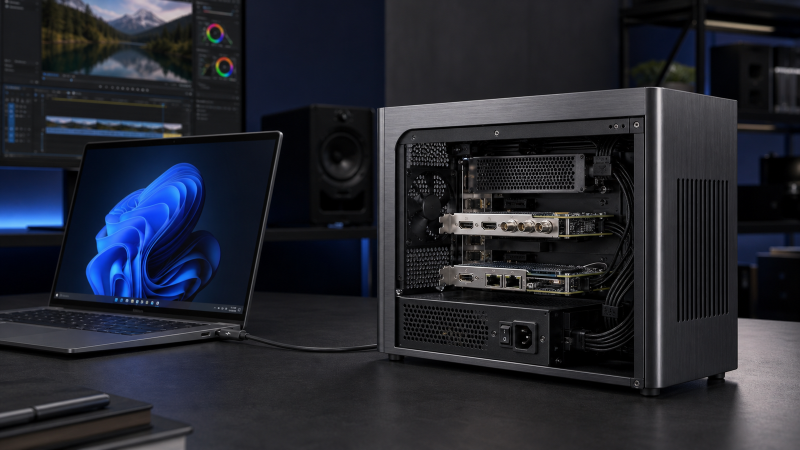
The OWC Mercury Helios 5S is the best Thunderbolt PCIe expansion chassis for most buyers who need one supported professional card. It combines a current Thunderbolt 5 controller, a PCIe 4.0 x4 electrical path, room for a half-length full-height double-width card, and three downstream Thunderbolt 5 ports. Choose the smaller Sonnet Echo SE I T5 when one single-width card and a daughter-card space are enough. Move to the Sonnet Echo Express SE IIIe or Echo III Desktop when you need several cards, while the StarTech dual-slot model fits two short, lower-power cards on older Thunderbolt 3 or 4 systems.
The most important warning is physical versus electrical fit. An x16-shaped slot can be wired for x8 or x4, and every multi-slot chassis here shares one upstream Thunderbolt PCIe tunnel. A card can fit yet still fail because it needs more lanes, power, cooling, a different driver, or an OS the card maker does not support. None of these five is a general-purpose eGPU recommendation.
Recent Updates
July 2026: We rebuilt this guide around five exact chassis with current manufacturer evidence and active Amazon US offers as of July 21, 2026. The update adds Thunderbolt 5 options, current Sonnet USB4 qualifications, explicit GPU exclusions, electrical-lane details, power boundaries, and source conflicts that buyers need to see.
Quick Picks
- Best overall: OWC Mercury Helios 5S for one current-generation professional card and extra downstream Thunderbolt ports.
- Best compact Thunderbolt 5 choice: Sonnet Echo SE I T5 for one half-length-plus card with room for a daughter card.
- Best for two short, low-power cards: StarTech 2TBT3-PCIE-ENCLOSURE, with two x16 mechanical slots sharing a Thunderbolt 3 path.
- Best compact three-slot chassis: Sonnet Echo Express SE IIIe for three half-length cards or one double-width plus one single-width card.
- Best for full-length multi-card configurations: Sonnet Echo III Desktop, with three full-length slots and an internal supply.
| Image | Product | Details | Check Price |
|---|---|---|---|
 | OWC Mercury Helios 5S | Host interface: Thunderbolt 5, Thunderbolt 4, USB4, or Thunderbolt 3 on Mac only Slots and mechanical fit: One x16 mechanical slot; half-length, full-height, single- or double-width cards, with daughter-board space Electrical PCIe path: PCIe 4.0 x4; cards requiring x8 or more electrical lanes are unsupported Card power: Up to 75W for the card; 90W system supply; no host charging Cooling / form: Aluminum chassis with manual Low or High fan setting Included host cable: 0.7m Thunderbolt 5 cable OS / host boundary: macOS 14+ with model-specific macOS 15 or 15.3 floors; Windows 11; latest Ubuntu GPU boundary: GPUs are not supported Best for: One current-generation professional card plus downstream Thunderbolt 5 expansion | Check Price on Amazon |
 | Sonnet Echo SE I T5 | Host interface: Thunderbolt 5, Thunderbolt 4, Thunderbolt 3, or qualified USB4 Slots and mechanical fit: One x8 mechanical slot; full-height, single-width card up to 7.75 inches, plus daughter-card space Electrical PCIe path: PCIe 4.0 x4 Card power: 60W system supply and 6-pin auxiliary connector; no current per-card maximum published Cooling / form: Compact aluminum chassis with temperature-controlled variable-speed fan Included host cable: 0.8m Thunderbolt 5 cable with ThunderLok-A OS / host boundary: macOS 14+ with a macOS 15+ Intel Thunderbolt 3 floor; Windows 11; Linux kernel 6.12, 6.18, or newer GPU boundary: Current overview limits the supported class to non-GPU cards Best for: One half-length-plus professional card in a compact Thunderbolt 5 chassis | Check Price on Amazon |
 | StarTech Dual-Slot Thunderbolt 3 PCIe Expansion Chassis | Host interface: Thunderbolt 3 chassis for a Thunderbolt-certified Thunderbolt 3 or 4 host Slots and mechanical fit: Two x16 mechanical slots; single-width cards up to 8 inches or 20.3 cm Electrical PCIe path: PCIe 3.0 x4 mode; up to 32Gbps shared, with a per-slot ceiling up to 21.6Gbps Card power: 25W slot power plus one 15W SATA feed per card; up to 40W per card; 120W system adapter Cooling / form: Aluminum chassis with 60mm fan; horizontal or vertical placement Included host cable: 1m certified Thunderbolt 3 cable OS / host boundary: Windows 7+ or macOS 10.12+; no official Linux or generic USB4 claim GPU boundary: Graphics cards are not supported Best for: Two short, low-power, single-width cards on a qualified Thunderbolt 3 or 4 system | Check Price on Amazon |
 | Sonnet Echo Express SE IIIe | Host interface: Thunderbolt 3 chassis; current support includes Thunderbolt 5, 4, 3, and qualified USB4 hosts Slots and mechanical fit: Three x8 mechanical slots for cards up to 7.75 inches; three single-width or one double-width plus one single-width Electrical PCIe path: PCIe 3.0: one x4 and two x8 local slots sharing one four-lane Thunderbolt tunnel Card power: 120W system supply; official sources conflict on the 75W auxiliary and total multi-card budget, so confirm the exact mix Cooling / form: Compact desktop chassis with temperature-controlled Noctua fan Included host cable: 0.8m Thunderbolt cable with ThunderLok-A OS / host boundary: macOS 14+ with a macOS 15+ Intel Thunderbolt 3 floor; Windows 11; Linux kernel 6.6, 6.12, 6.18, or newer; Windows USB4 needs Microsoft USB4 Host Router GPU boundary: Use only exact compatible non-GPU professional cards; GPU support is not inferred Best for: Three half-length cards or one double-width plus one single-width card | Check Price on Amazon |
 | Sonnet Echo III Desktop | Host interface: Thunderbolt 3 chassis; current support includes Thunderbolt 5, 4, 3, and qualified USB4 hosts Slots and mechanical fit: Two x8 and one x16 mechanical slots; full-height cards up to 12.28 inches; three single-width or one double-width plus one single-width Electrical PCIe path: PCIe 3.1 local slots wired x8, x8, and x4, sharing one four-lane Thunderbolt tunnel Card power: 400W system supply with auxiliary power up to 75W; the supply rating is not a one-card budget Cooling / form: Large desktop chassis with two temperature-controlled Noctua fans Included host cable: 0.8m Thunderbolt cable with ThunderLok-A OS / host boundary: macOS 14+ with a macOS 15+ Intel Thunderbolt 3 floor; Windows 11; Linux kernel 6.6, 6.12, 6.18, or newer; Windows USB4 needs Microsoft USB4 Host Router GPU boundary: Current product page limits the supported class to non-GPU cards Best for: Full-length multi-card professional configurations, including documented HDX workflows | Check Price on Amazon |
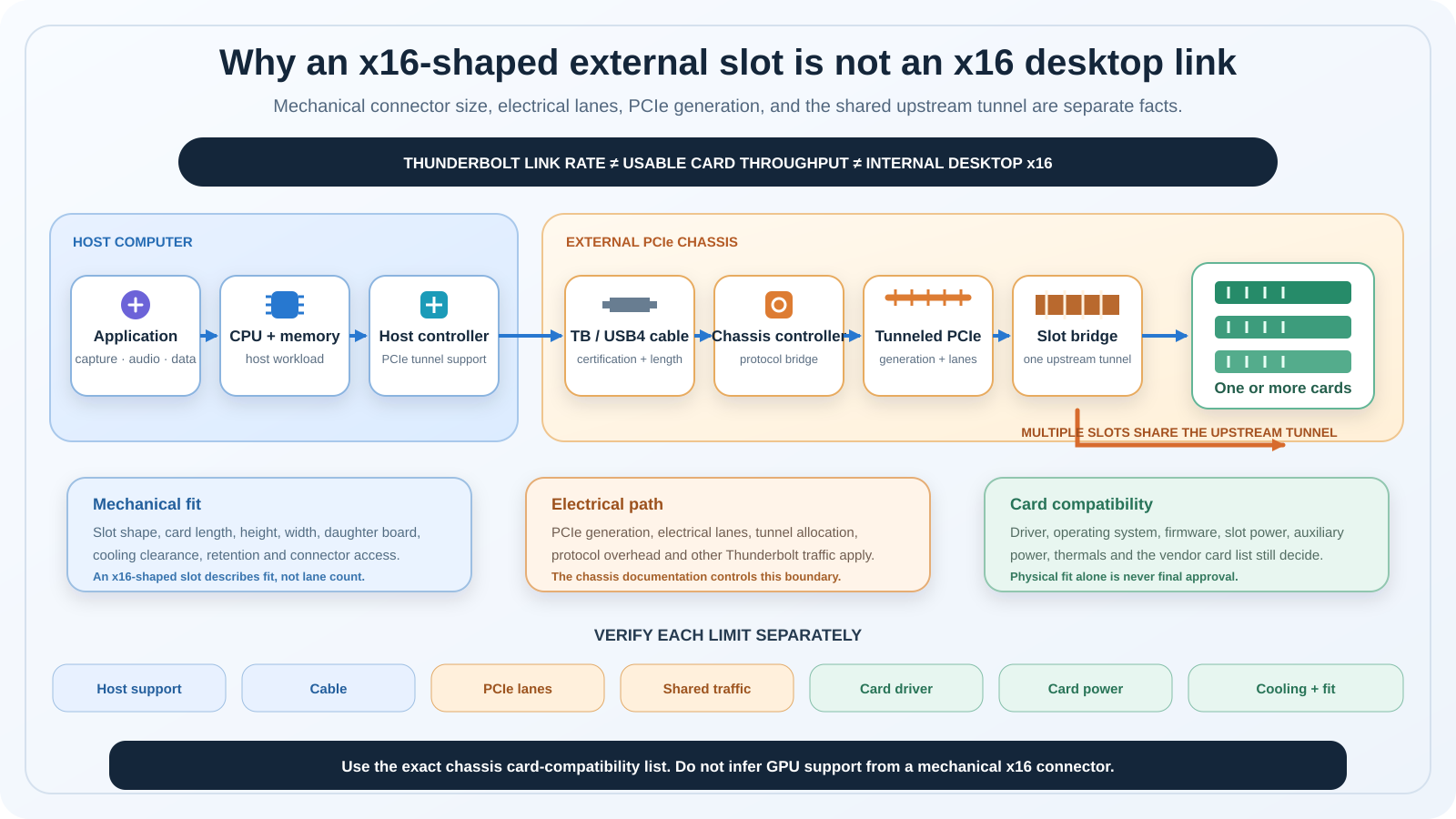
The diagram separates every limit in the path. Your application, host controller, cable, chassis controller, tunneled lanes, slot wiring, card driver, power, and cooling can each set the result. Compare the host-side differences before comparing chassis.
1. OWC Mercury Helios 5S — Best Overall
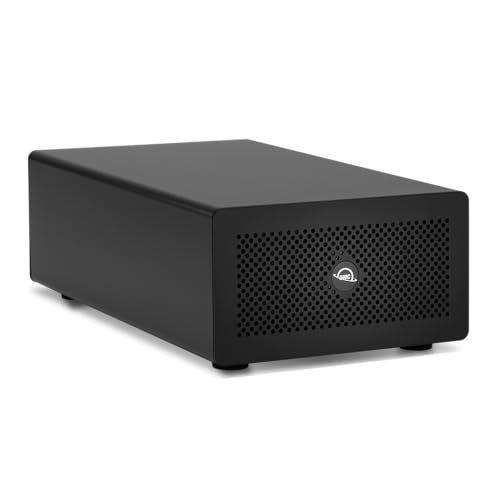
The Mercury Helios 5S is our first choice when one card is enough and the host is modern. OWC documents one PCIe 4.0 x4 electrical slot behind an x16 mechanical connector. The chassis accepts a half-length, full-height, single- or double-width card, including a card with a daughter board after removing the extra mesh-panel cover. This is a useful fit for supported capture, audio, storage, RAID, and network cards, but it remains an x4 path rather than a desktop x16 link.
Host coverage is unusually broad, but it is not universal. OWC lists Thunderbolt 5, Thunderbolt 4, USB4, and Thunderbolt 3 on Mac only. Its current specifications require Windows 11 on PCs; macOS 14 or later on Macs, with macOS 15.3 or later for a Thunderbolt 5 Mac; macOS 15 or later for Intel Macs and Thunderbolt 3; and the latest Ubuntu for Linux. A generic USB4 logo is not enough by itself. The host must expose the PCIe tunneling that OWC’s supported path expects.
OWC places firm card boundaries in both the manual and specifications. Cards needing at least x8 electrical lanes, more than 75W, or a driver that is not Thunderbolt-aware are out. GPUs are explicitly unsupported. The included external supply is rated at 90W, but that is a system input, not 90W reserved for the card.
Three downstream Thunderbolt 5 ports distinguish the Helios 5S from a basic one-slot box. OWC rates each for up to an 80Gb/s link and 15W device power. Those port labels do not mean three independent 80Gb/s paths, and the manual says the chassis does not charge the host. The box includes a 0.7m Thunderbolt 5 cable and carries a three-year limited warranty.
Cooling is adjustable rather than automatic. The internal fan has Low and High settings, with Low as the default. OWC recommends High for cards such as multi-NVMe storage, dual-10GbE, or enterprise RAID controllers that create more heat. OWC also records that a faint high-frequency tone can occur on Low with a low-power card. Installation is tool-free with captive thumbscrews, but the manual still requires you to disconnect power and Thunderbolt before opening the chassis.
Our Take
Choose the Mercury Helios 5S for a current host and one card whose lane, power, driver, and fit requirements OWC supports. Its PCIe 4.0 x4 path and extra ports make it the most complete one-slot option here. Skip it for GPUs, cards that require x8 or more lanes, full-length cards, or more than 75W.
- PCIe 4.0 x4 electrical path
- Fits double-width half-length cards and daughter boards
- Three downstream Thunderbolt 5 ports
- Tool-free card access and three-year warranty
- No GPU or x8-lane card support
- Half-length card limit
- Manual fan switch rather than automatic control
2. Sonnet Echo SE I T5 — Best Compact Thunderbolt 5 Chassis
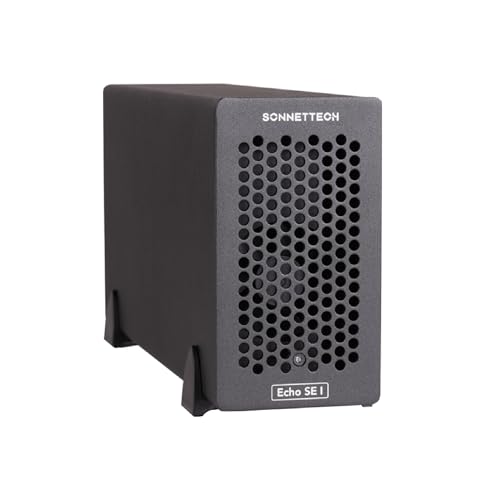
The Echo SE I T5 is the compact alternative for one professional card. Sonnet’s detailed specification resolves the slot as x8 mechanical but x4 electrical at PCIe 4.0. It fits one full-height, single-width card up to 7.75 inches long and reserves adjacent space for a daughter card. The overview also describes double-width arrangements, but the exact bracket and daughter-card geometry still need a card-by-card fit check.
Sonnet lists macOS 14 or later across supported Mac Thunderbolt 5, 4, Thunderbolt/USB4, and Thunderbolt 3 connections. Intel Macs using Thunderbolt 3 require macOS 15 or later. Windows support is Windows 11 with Thunderbolt 5, Thunderbolt 4, or USB4. Linux support is narrower than a simple Linux label: Sonnet names kernel 6.12, 6.18, or newer on those host modes.
The chassis includes a universal 60W adapter, a 6-pin Mini-Fit auxiliary connector and cable, a 0.8m Thunderbolt 5 cable, and ThunderLok-A retention. Sonnet does not state a current maximum card wattage on the tech-spec page, so the 60W supply must not be read as a one-card power budget. Get confirmation for any card that needs the auxiliary connector.
Sonnet names capture/playback, audio, SAS/SATA or Fibre Channel, multiport 10/25GbE, and RAID-controller uses. Its overview calls the supported class non-GPU, so neither the slot shape nor auxiliary connector proves graphics-card support. The temperature-controlled variable-speed fan and aluminum shell are better suited to noise-sensitive work than a fixed high-speed fan, although acoustic behavior still depends on the installed card and airflow.
There is one evidence problem buyers should know. The current page links Sonnet’s PCIe-card compatibility PDF, but that PDF is dated October 2024 and contains no Echo SE I T5 column. The overview names selected card examples, yet a checkmark for an older Echo chassis cannot be transferred to this model. Sonnet’s page also conflicts between 6800MB/s and 6000MB/s vendor ceilings, so we do not use either number as a buying claim.
Our Take
The Echo SE I T5 is the better compact pick when the exact card fits its 7.75-inch envelope and Sonnet or the card maker confirms the T5 combination. Its x4 electrical path is clear; its exact card-power ceiling and T5-specific compatibility list are not.
- Compact PCIe 4.0 x4 chassis
- Adjacent daughter-card space
- Temperature-controlled variable-speed fan
- Thunderbolt 5 cable and retention lock included
- Linked compatibility PDF lacks a T5 column
- No current per-card watt limit published
- Conflicting manufacturer throughput figures
3. StarTech Dual-Slot Thunderbolt 3 PCIe Expansion Chassis — Best for Two Short, Low-Power Cards

StarTech’s 2TBT3-PCIE-ENCLOSURE fills a narrow role: two short, single-width cards on a Thunderbolt 3 or 4 host. Each slot is x16 mechanically but operates in x4 mode at PCIe 3.0. Both slots share up to 32Gbps of dynamically allocated card bandwidth. StarTech lists up to 21.6Gbps or 2700MB/s per slot, but that is a per-slot ceiling inside a shared tunnel, not a simultaneous two-slot promise.
Card fit is stricter than the connector suggests. StarTech supports single-width cards up to 8 inches or 20.3 cm. It lists video capture, fiber or Ethernet networking, NVMe, FireWire, and sound-card families, but publishes no exact named-card list in its current public documentation. You must take the exact card’s height, cooler, connector clearance, lane demand, driver, and OS support back to StarTech or the card maker.
Power is also split into specific limits. StarTech states 25W from each slot plus a 12V 15W internal SATA-power connection per slot, described as up to 40W for each card. The included adapter is rated at 120W for the whole chassis. It does not give one card 120W. Graphics cards are expressly unsupported.
The formal compatibility note requires a Thunderbolt-certified Thunderbolt 3 or 4 computer and lists Windows 7 or later and macOS 10.12 or later. StarTech does not state Linux or generic USB4 support, so we do not add it. The chassis itself needs no extra software, but StarTech says an installed card may require its own driver.
You also get two Thunderbolt 3 ports, DisplayPort 1.4, an included 1m certified cable, a 60mm fan, and horizontal or vertical placement. Display traffic and downstream devices still share the host connection with the cards. StarTech backs the model with a two-year warranty.
Our Take
This is the clearest two-card choice for short, low-power, single-width cards when its older Thunderbolt 3 path is enough. It is not the right chassis for double-width cards, high card power, Linux, an unqualified USB4 host, or any GPU.
- Two x16 mechanical slots
- Clear shared-bandwidth documentation
- Per-slot auxiliary SATA power
- Toolless horizontal or vertical chassis
- Both slots operate in x4 mode
- Short single-width cards only
- No GPU, Linux, or generic USB4 claim
4. Sonnet Echo Express SE IIIe — Best Compact Three-Slot Chassis
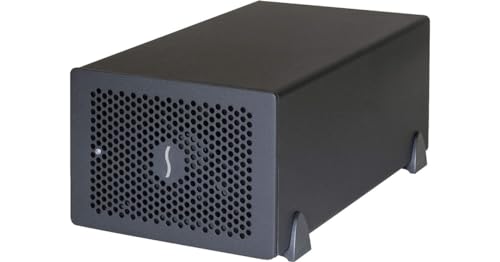
The Echo Express SE IIIe puts three half-length slots into a desktop chassis smaller than the Echo III. Sonnet lists one x8 mechanical slot wired x4 and two x8 mechanical slots wired x8, all at PCIe 3.0. Those electrical widths describe the internal slots. The chassis uses one Thunderbolt 3 controller and four upstream PCIe lanes, so three cards still share one tunnel.
The enclosure takes three full-height, single-width cards up to 7.75 inches, or one double-width card plus one single-width card. Sonnet’s compatibility list includes an SE III/IIIe column and card-level footnotes for capture, audio, networking, storage, and other professional cards. The document is dated 2024 and tells buyers that Sonnet did not test every third-party card, so current card-maker driver support still controls. Sonnet frames this chassis around compatible non-GPU professional cards, so neither the slot shape nor the auxiliary connector implies graphics-card support.
Current host support is broader than the Thunderbolt 3 controller name suggests. Sonnet lists macOS 14+ on Mac through Thunderbolt 5, 4, Thunderbolt/USB4, or Thunderbolt 3, with macOS 15+ for Intel Thunderbolt 3 Macs. It lists Windows 11 and Linux kernel 6.6, 6.12, 6.18, or newer with Thunderbolt 5, 4, or USB4. For Windows USB4, Sonnet requires USB4 Host Router (Microsoft) in Device Manager. A faster host does not upgrade the chassis beyond its Thunderbolt 3 PCIe path.
Power needs a written check for demanding combinations. The current tech page says the 6-pin auxiliary connector provides up to 75W. A Sonnet support FAQ instead budgets 75W total across three card slots at 25W each, while the 2024 compatibility PDF cites an 80W combined auxiliary and slot budget for certain cards. We do not merge those figures. The chassis includes a 120W adapter, auxiliary cable, 0.8m Thunderbolt cable, and ThunderLok-A.
Sonnet rates the temperature-controlled Noctua fan at 17dBA. The older physical manual remains useful for safe installation and hot-plug boundaries, but its 2019 OS section is stale. Cards are not hot-pluggable. Power down and disconnect power and Thunderbolt before changing one.
Our Take
Choose the SE IIIe for several half-length cards after Sonnet confirms the exact mix, especially if an auxiliary-powered card is involved. It gives more internal flexibility than its compact size suggests, but its slots do not create separate upstream tunnels.
- Three full-height half-length-plus slots
- Supports one double-width plus one single-width card
- Current qualified USB4 host path
- Temperature-controlled Noctua fan
- All cards share one Thunderbolt 3 tunnel
- Conflicting official card-power descriptions
- Physical manual has stale OS guidance
5. Sonnet Echo III Desktop — Best for Full-Length Multi-Card Configurations
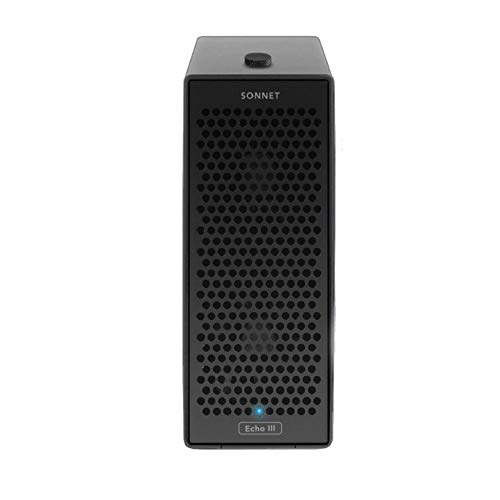
The Echo III Desktop is the largest and most specialized choice in this group. It supports three full-length cards up to 12.28 inches, all full height and single width, or one double-width card plus one single-width card. Built-in guides secure full-length cards, while an internal universal 400W supply removes the external power brick used by the smaller chassis.
The three slots are not equal. Facing the rear from left to right, Sonnet lists an x8 mechanical and x8 electrical PCIe 3.1 slot, an x16 mechanical and x8 electrical PCIe 3.1 slot, and an x8 mechanical and x4 electrical PCIe 3.1 slot. All three feed a Thunderbolt 3 controller with four upstream PCIe lanes. Sonnet’s current manual calls approximate chassis PCIe bandwidth 2880MB/s. That is a manufacturer statement for the shared chassis path, not a measured promise for every card mix.
Sonnet rates the 6-pin auxiliary connector at up to 75W. The 400W supply rating is not the limit available to one card. The point is system capacity for supported professional configurations, including a documented HDX mode and exact auxiliary-cable requirements. In HDX mode the current tech page says the slots fall to PCIe 2.0 and chassis bandwidth is limited to 1750MB/s. Sonnet separately distinguishes the cable for one HDX card from the Avid cable required for two or three.
Current OS and host coverage matches the SE IIIe page: macOS 14+ with a macOS 15+ requirement for Intel Thunderbolt 3 Macs; Windows 11; and Linux kernel 6.6, 6.12, 6.18, or newer. Windows USB4 requires the Microsoft USB4 Host Router. Older host support does not change the chassis into Thunderbolt 5, and a generic USB4 port remains insufficient without the required routing support.
The current overview repeatedly limits the supported class to non-GPU cards. Do not read the x16-shaped slot, 400W supply, or auxiliary connector as eGPU approval. Sonnet names video, audio DSP, SAS/SATA, 10/25GbE, and SSD uses, with a shared card list for exact rows and footnotes.
Two temperature-controlled Noctua fans carry a Sonnet rating of 17dBA. The chassis includes a 0.8m Thunderbolt cable and ThunderLok-A and has a two-year warranty. Sonnet’s support FAQ also records a specific M1/M2 boot issue: a downstream monitor or USB device can prevent one card from enumerating, with connection after boot as Sonnet’s workaround.
Our Take
The Echo III Desktop earns its place when full-length fit and a documented multi-card professional workflow matter more than size. It has the physical room and internal supply the smaller boxes lack, but every card still shares one upstream tunnel and needs exact driver, power, and compatibility confirmation.
- Three full-length full-height slots
- Integrated 400W system power supply
- Dedicated Avid HDX compatibility mode
- Two temperature-controlled Noctua fans
- Large and heavy desktop chassis
- Shared four-lane upstream PCIe tunnel
- Not a GPU enclosure
How to Choose a Thunderbolt PCIe Expansion Chassis
Start with the product category
An external PCIe chassis exposes one or more slots for supported professional cards. It is different from a dock, which integrates a fixed set of ports, and different from a purpose-built adapter that performs one job. If you only need Ethernet, a Thunderbolt-to-Ethernet adapter is simpler. If you only need storage, a purpose-built RAID unit or enclosure may be easier to qualify than a PCIe RAID card in a chassis; our Thunderbolt RAID storage guide covers that route.
Motherboard add-in cards point in the opposite direction. They add Thunderbolt ports to a supported desktop motherboard and are covered by our Thunderbolt 3 PCIe card guide and Thunderbolt 4 PCIe card guide. They do not give a laptop an external arbitrary-card slot.
An eGPU enclosure is also a different product. It needs GPU-specific power, cooling, retention, firmware, host, driver, and display support. OWC and StarTech expressly prohibit GPUs in their picks here, and Sonnet describes these models around non-GPU cards. GPU enclosure support is a separate host and driver problem.
Match the host protocol and operating system
Thunderbolt 5, Thunderbolt 4, Thunderbolt 3, and USB4 labels are not interchangeable promises. The OWC and Sonnet T5 models have current-generation controllers, while the SE IIIe, Echo III Desktop, and StarTech use Thunderbolt 3 chassis paths even when their makers support connection to newer hosts.
Fallback preserves compatibility only inside the manufacturer’s documented boundary. It does not retain Thunderbolt 5 bandwidth. StarTech lists Thunderbolt 3 and 4, not generic USB4. Sonnet qualifies USB4 by OS and, on Windows for the two older three-slot products, requires USB4 Host Router (Microsoft). OWC lists USB4 but still publishes exact OS floors. Our USB4 explainer and USB4 versus Thunderbolt 4 comparison explain why the same connector does not guarantee the same tunneling features.
Separate link rate from tunneled PCIe bandwidth
Thunderbolt’s headline rate includes more than the card’s PCIe traffic. The host controller, cable, chassis controller, protocol overhead, displays, downstream devices, and other shared traffic sit on the path. A vendor’s up to number is a ceiling for a stated configuration, not a benchmark that this guide reproduced.
This is why an 80Gb/s Thunderbolt 5 label cannot be translated directly into card throughput, and why a Thunderbolt 3 chassis does not become an 80Gb/s PCIe chassis on a Thunderbolt 5 host. It is also why we use OWC’s PCIe 4.0 x4 and Sonnet’s detailed electrical topology as buyer checks instead of promising desktop-equivalent performance.
Read mechanical size and electrical lanes separately
Mechanical size tells you which edge connector can fit. Electrical width tells you how many lanes are wired. OWC uses an x16 mechanical slot wired x4. Sonnet SE I T5 uses x8 mechanical wired x4. StarTech uses two x16 mechanical slots in x4 mode. The Sonnet multi-slot chassis mix x8 or x16 mechanical connectors with x4 or x8 local electrical wiring.
Those local lane counts still do not mean the card receives a private upstream x8 path. Multi-slot models share the same Thunderbolt tunnel. A card that refuses to operate below x8 is not made compatible by an x16-shaped connector. A card that can negotiate fewer lanes may work but not reach its internal-desktop ceiling.
Check length, height, width, and daughter-card clearance
Half-length and full-length are not casual labels. OWC accepts half-length full-height cards. The Sonnet compact models stop at 7.75 inches. StarTech stops at 8 inches and single width. Echo III Desktop reaches 12.28 inches and adds full-length guides.
A double-width card consumes adjacent space even when it uses one PCIe connector. A daughter board may need its own rear opening, cable bend radius, or bracket. Check heatsink height, side-facing connectors, airflow, and the space needed to attach external cables. A card outline drawing is more useful than a family name.
Treat power as several limits
Supply wattage, slot power, and auxiliary power are separate numbers. StarTech is the clearest example: a 120W chassis adapter supports two 25W slots plus specific 15W SATA-power feeds, not one 120W card. OWC caps the card at 75W even though the chassis also powers its controller, fan, and downstream ports.
Sonnet SE I T5 publishes a 60W supply and auxiliary connector but no current per-card maximum. SE IIIe sources conflict about the exact auxiliary and multi-card budget, so auxiliary-heavy builds need written confirmation. Echo III Desktop has a 400W internal supply and a 75W auxiliary connector, but the supply rating is still not a one-card allocation.
Verify the exact card, driver, firmware, and application
A chassis compatibility list is a starting point, not a permanent guarantee. Sonnet’s shared PDF is detailed but dated October 2024. It contains columns for SE IIIe and Echo III families, yet no Echo SE I T5 column. It also marks OS drivers and card-specific limitations. Confirm the same exact card revision and current OS driver with the card manufacturer.
Capture cards are particularly sensitive to channels, formats, application versions, and driver support. See our PCIe capture-card guide for the card side of that decision. Audio DSP and interface cards need similarly exact driver and application checks; our Thunderbolt audio-interface guide covers purpose-built alternatives. An NVMe adapter may fit yet require more lanes, cooling, or boot support than the chassis provides, so compare it with a purpose-built NVMe PCIe adapter only after checking the full path.
Plan for cooling and shared traffic
High-bandwidth cards can also be high-heat cards. Do not block vents or run a chassis open. OWC gives you a manual Low/High fan choice. Sonnet uses temperature-controlled fans. StarTech uses one 60mm fan. The card maker’s airflow assumption may have been a desktop case, so confirm that the external chassis meets it.
Downstream storage, displays, and USB devices can share the same controller and cable. A Thunderbolt dock is better when the real need is several fixed ports rather than a specialty PCIe card. If you do daisy-chain, keep bandwidth-sensitive devices close to the host and follow the chassis maker’s topology guidance.
Know the hot-plug boundary
Never insert, remove, or reseat a PCIe card while the chassis is connected to power or the computer. Shut down, unplug the host cable and power, use anti-static precautions, handle the card by its edges, and follow the exact manual. Storage, cameras, and network connections may need their own safe-disconnect procedure before the chassis cable is removed.
Pre-Purchase Compatibility Checklist
Confirm every item before ordering:
- Host port: Exact Thunderbolt or qualified USB4 mode supported by the chassis maker.
- Operating system: Current version or kernel listed for that host path.
- PCIe card: Exact model and revision on the current chassis or card-maker list.
- Mechanical fit: Card length, height, width, bracket, daughter board, connectors, and cable clearance.
- Electrical path: PCIe generation and electrical lane width, separate from connector size.
- Shared bandwidth: Other cards, displays, storage, and downstream devices on the same tunnel.
- Power: Slot draw, auxiliary connector, exact cable, total card mix, and chassis budget.
- Driver and firmware: Current OS, CPU architecture, application, and Thunderbolt-aware driver support.
- Host cable: Certified type, speed, length, and any required retention hardware.
- Cooling: Card heat output, chassis fan mode, vent clearance, and allowed ambient temperature.
- Written confirmation: Save the current compatibility-list row or manufacturer response for the exact combination.
Safe Setup Sequence
There is no single installation ritual for every chassis, but the current manuals share a safe order.
- Confirm card compatibility, driver, fit, lanes, and power before opening the chassis.
- Shut the computer down. Disconnect chassis power and the host cable.
- Use the product’s anti-static guidance and open it with its documented screws, thumbscrews, or inner-module release.
- Select the correct slot. On multi-slot Sonnet models, slot wiring differs, and Echo III HDX mode has its own switch and cable requirements.
- Align the card and press it straight into the slot without rocking or forcing it. Secure its bracket and any daughter card.
- Attach auxiliary power only with the exact supported cable and budget. Replace unused slot covers and close the chassis so airflow works.
- Connect the included or equivalent certified Thunderbolt cable, then power, then start the host. Follow any Windows Thunderbolt authorization prompt.
- Install the current card driver and chassis firmware only through the maker’s exact instructions. Confirm both chassis and card enumerate before attaching the rest of the workflow.
OWC’s Helios manual uses captive thumbscrews and documents a Low or High fan setting, with High recommended for hotter cards. Sonnet’s multi-slot manuals require a screwdriver and say cards are not hot-pluggable. StarTech calls its design tool-free, but its card and OS checks still apply.
Frequently Asked Questions
What is a Thunderbolt PCIe expansion chassis?
It is a powered external enclosure that tunnels PCIe traffic through a supported Thunderbolt or explicitly qualified USB4 connection. It gives a laptop, mini PC, or all-in-one access to a supported capture, networking, audio, storage, or other professional card. It does not turn every PCIe card into a compatible external device.
Is a Thunderbolt PCIe chassis as fast as an internal PCIe slot?
Not as a universal rule. The external path passes through a host controller, cable, chassis controller, and a limited tunneled PCIe allocation. Protocol overhead and shared traffic also matter. Some cards may reach their own needed rate, while a card designed for a wider desktop path may not.
Does an x16 slot in the chassis run at x16 speed?
Usually not in this group. OWC and StarTech use x16 mechanical connectors with x4 electrical paths. Echo III Desktop has one x16 mechanical slot wired x8, but the whole chassis still shares a four-lane Thunderbolt upstream path. Read both mechanical and electrical specifications.
Will a Thunderbolt 5 chassis work on Thunderbolt 4 or USB4?
Only inside the manufacturer’s supported matrix. OWC and Sonnet list specific fallback paths and OS floors. Fallback does not preserve Thunderbolt 5 bandwidth. USB4 works only when the host provides the required PCIe tunneling and, where Sonnet states it, the Microsoft USB4 Host Router.
Can I install a graphics card in one of these chassis?
Do not assume so. OWC and StarTech expressly prohibit GPUs. Sonnet describes the three models here around compatible non-GPU professional cards and does not grant GPU support merely because a slot or auxiliary cable could physically accept one. Use a documented eGPU enclosure for graphics.
Can I use two or three PCIe cards at full speed at once?
Do not add per-slot ceilings. Multi-slot chassis share one upstream PCIe tunnel. Card traffic, displays, and downstream devices can compete for the same link. The result depends on each card’s workload, slot, driver, host, and whether traffic occurs simultaneously.
Which cards work in a Thunderbolt PCIe chassis?
Only exact cards whose fit, power, lane, firmware, driver, OS, and Thunderbolt behavior are supported. Sonnet publishes a detailed but 2024-dated list for its older chassis. OWC publishes requirements and example families. StarTech lists card families but no exact current card table. Confirm with both chassis and card makers.
Do PCIe-card drivers still need to support the laptop’s operating system?
Yes. A driverless chassis does not make the card driverless. The card’s driver must support the host OS, CPU architecture, Thunderbolt tunneling, and often the application using it. An OS update can break a previously working card driver.
Can I hot-plug the chassis or PCIe card?
Treat them separately. A manufacturer may allow connecting a populated chassis with a compatible card and driver after attached devices are safely disconnected. The PCIe card itself is not hot-pluggable in these manuals. Power down and disconnect power and Thunderbolt before opening the chassis.
Is a multi-slot chassis better than separate external adapters?
It is better when you need several supported specialty cards in one managed enclosure. Separate purpose-built devices can be easier when you need only Ethernet, storage, capture, or audio because each has its own qualified controller, power, cooling, and driver path. Multi-slot flexibility also brings shared bandwidth and more compatibility work.
How We Research and Select
We started with five exact products whose Amazon US listings and current offer presence were confirmed on July 21, 2026. Amazon established listing identity and offer presence only. It did not supply the technical rankings.
For specifications, we read current OWC and Sonnet product pages, detailed tech-spec pages, manuals, support categories, relevant support notes, and the linked Sonnet card list. StarTech’s direct regional product pages denied automated access, so we relied on its current official datasheet. We kept conflicting figures visible in the source ledger and omitted claims where the sources could not support one clean answer.
No product was physically tested for this guide. Manufacturer up to claims remain attributed, and we do not synthesize them into a benchmark ranking. The order reflects current host generation, slot count, card fit, electrical topology, power clarity, documentation, and distinct use case.
Exclusions and Market Limitations
This is a concentrated market. We found five differentiated current products from OWC, Sonnet, and StarTech with enough evidence and an active Amazon US offer. We excluded redundant legacy one-slot boxes, bare controller boards, motherboard add-in cards, OCuLink docks, fixed-function adapters, and eGPU enclosures.
The remaining limitation is exact-card evidence. Sonnet’s compatibility PDF is detailed but dated 2024 and lacks an Echo SE I T5 column. OWC publishes requirements and examples rather than a complete current model table. StarTech publishes card families but no exact model list. Treat this guide as a chassis shortlist, then get exact written approval for the card and host combination that will do the work.