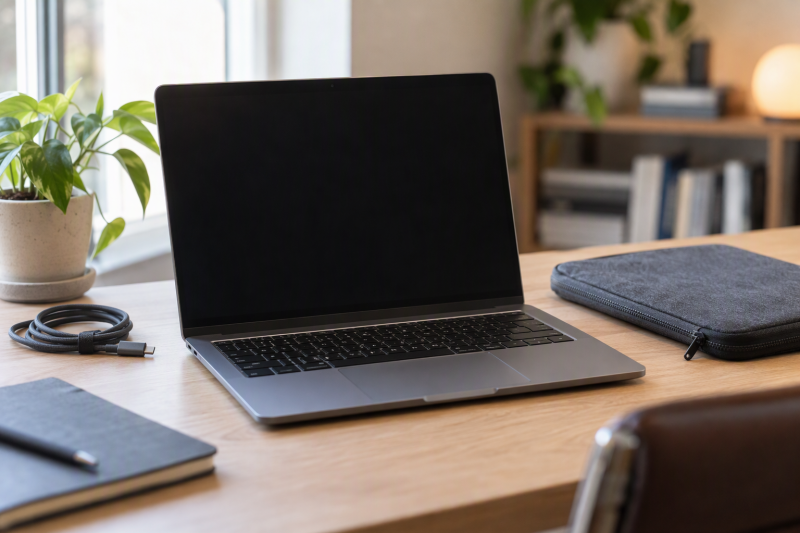
The five models here have screens from 13 to 13.8 inches: the 13-inch Surface Laptop, the 13.3-inch ThinkPad X13, the 13.4-inch ROG Flow Z13, the 13.6-inch MacBook Air and the 13.8-inch Surface Laptop. The ThinkPad X13 is the conventional business laptop, and the Flow Z13 is a gaming tablet with a detachable keyboard.
The screen, the processor family, the ports and whether you want touch decide the pick. Check the memory and storage in the cart too, because for several of these models Amazon’s title is the only place that names them.
The 14-inch laptop guide covers the next screen-size step, while the lightweight laptop guide compares a different carry-first decision.
13-Inch Laptops Compared
| Image | Product | Details | Check Price |
|---|---|---|---|
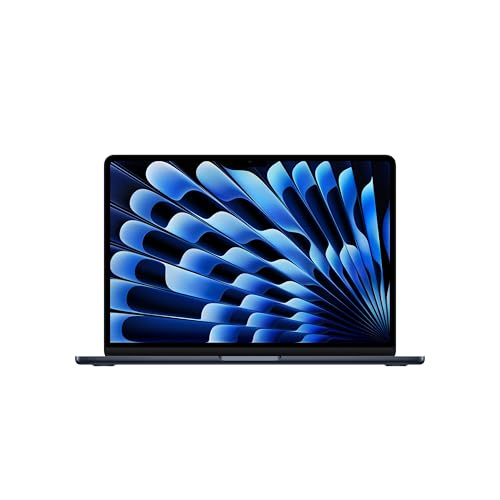 | Apple MacBook Air 13-inch M5 | Best fit: macOS and Thunderbolt 4 Display: 13.6-inch 2560 x 1664 Chip: Apple M5 Memory: 16GB unified Ports: 2x Thunderbolt 4, MagSafe, audio | Check Price on Amazon |
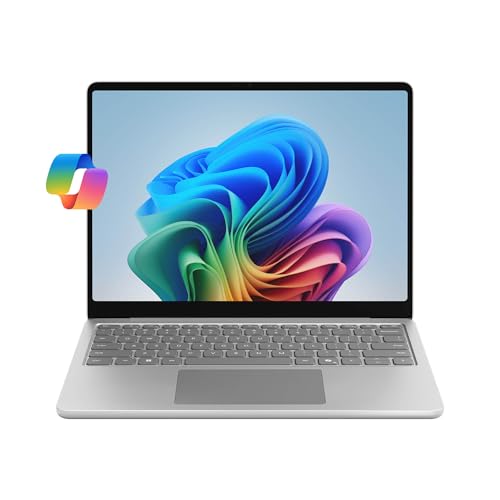 | Microsoft Surface Laptop 13-inch | Best fit: Smallest touchscreen Surface Display: 13-inch 1920 x 1280 touch Chip: Snapdragon X Plus Memory: 16GB listed Ports: 2x USB-C, USB-A, audio | Check Price on Amazon |
 | Microsoft Surface Laptop 13.8-inch | Best fit: Larger Surface display Display: 13.8-inch 2304 x 1536 touch, 120Hz Chip: Snapdragon X2 Elite Memory: 16GB listed Ports: 2x USB-C USB4 | Check Price on Amazon |
 | ASUS ROG Flow Z13 | Best fit: 180Hz gaming 2-in-1 Display: 13.4-inch 2560 x 1600 touch, 180Hz Chip: Ryzen AI Max+ 395 Memory: 32GB LPDDR5X Ports: 2x USB4, USB-A, HDMI, microSD | Check Price on Amazon |
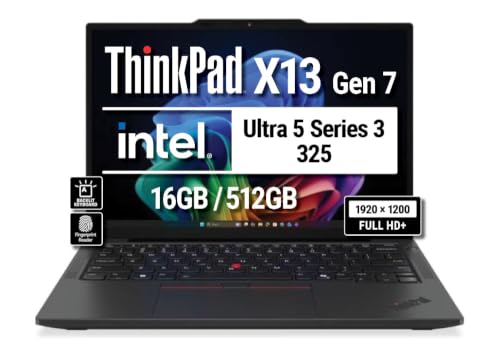 | Lenovo ThinkPad X13 Gen 7 | Best fit: Business port layout Display: 13.3-inch 1920 x 1200 IPS Chip: Core Ultra 5 325 Memory: 16GB listed Ports: 2x Thunderbolt 4, USB-A, HDMI | Check Price on Amazon |
1. Apple MacBook Air 13-inch M5 — Best for macOS and Two Thunderbolt 4 Ports
Apple lists the MacBook Air with an M5 chip and a 13.6-inch 2560 x 1664 Liquid Retina display at 500 nits. Its base configuration has 16GB of unified memory and a 512GB SSD, and Amazon’s title gives the same 16GB and 512GB. Apple gives its weight as 2.7 pounds and its thickness as 0.44 inch.
Apple lists two Thunderbolt 4 USB-C ports for charging, DisplayPort, Thunderbolt 4 and USB4 at up to 40Gb/s, plus MagSafe 3 charging and a 3.5mm headphone jack. Apple says the MacBook Air supports two external displays up to 6K at 60Hz, or one up to 8K at 60Hz. Amazon’s bullets add a 12MP Center Stage camera and up to 18 hours of battery life.
Our Take Choose the MacBook Air when you want macOS and two Thunderbolt 4 ports. Apple’s page lists no touchscreen, so pick a Surface Laptop or the Flow Z13 if you want touch.
- Apple lists the MacBook Air with a 13.6-inch 2560 x 1664 Liquid Retina display at 500 nits.
- Apple lists the MacBook Air’s base configuration with 16GB of unified memory and a 512GB SSD, and Amazon’s title gives the same figures.
- Apple lists two Thunderbolt 4 ports, MagSafe 3 charging and a headphone jack on the MacBook Air, and says it supports two external displays.
- Apple’s page lists no touchscreen on the MacBook Air, so a buyer who wants touch needs a Surface Laptop or the Flow Z13.
- Apple’s port list for the MacBook Air has no USB-A port, HDMI port or card slot.
2. Microsoft Surface Laptop 13-inch — Best Compact Touchscreen Surface
Amazon’s bullets describe a 13-inch PixelSense touchscreen and a Snapdragon X Plus processor with up to 23 hours of battery life. The title adds eight cores, 16GB RAM and 512GB SSD storage, and no bullet repeats the memory or storage, so a seller may set them. Amazon’s size field reads 16GB RAM and 512GB UFS where the title says SSD. Microsoft’s store page lists this model’s storage as up to 512GB (UFS), with 8GB or 16GB of LPDDR5x memory.
Microsoft’s tech specs for the business edition of this 13-inch Surface list a 1920 x 1280 touchscreen at up to 60Hz and two USB-C ports at USB 3.2 speeds, with charging, data transfer and DisplayPort 1.4a. They also list USB-A, a 3.5mm headphone jack and a weight of 2.7 pounds. Microsoft lists no Thunderbolt port for this model.
The 13-inch Surface has the smallest screen here, at 13 inches with a 1920 x 1280 touchscreen by Microsoft’s figures.Our Take Choose this Surface for a 13-inch touchscreen and a Snapdragon X Plus processor, and confirm the memory and storage in the cart. Microsoft lists USB-C ports where Apple lists Thunderbolt 4 on the MacBook Air.
- Microsoft lists the 13-inch Surface with a 1920 x 1280 touchscreen at up to 60Hz, and Amazon’s bullets call it a PixelSense touchscreen.
- Amazon’s bullets state a Snapdragon X Plus processor and up to 23 hours of battery life for this Surface.
- Microsoft lists two USB-C ports, USB-A and a 3.5mm headphone jack on the business edition of this Surface.
- The Surface’s 13-inch screen is the smallest in this comparison.
- Microsoft lists USB 3.2 USB-C ports for this Surface, not Thunderbolt 4 or USB4.
- Microsoft lists this Surface at up to 60Hz, against 120Hz on the 13.8-inch Surface and 180Hz on the Flow Z13.
- Amazon’s title and size field are the only places that name 16GB and 512GB, and they disagree on SSD versus UFS, so confirm the configuration in the cart.
3. Microsoft Surface Laptop 13.8-inch — Best Larger Surface Screen
Amazon’s bullets describe a 13.8-inch PixelSense touchscreen and a Snapdragon X2 Elite (12 core) processor with 20 hours of battery life. The title gives 16GB RAM and 1TB SSD storage, and no bullet repeats them. Microsoft lists this size with a 2304 x 1536 HDR touchscreen at 120Hz and a weight of 2.96 pounds, and offers it with up to 64GB RAM.
Amazon’s bullet lists two USB-C / USB4 ports. Microsoft’s page adds USB-A 3.2, a 3.5mm audio jack and Surface Connect for this size, and says its USB4 ports are faster than the 13-inch model’s.
Our Take Pick the 13.8-inch Surface for the 120Hz HDR touchscreen and USB4 ports. Pick the 13-inch Surface for the smaller screen.
- Microsoft lists the 13.8-inch Surface with a 2304 x 1536 HDR touchscreen at 120Hz.
- Amazon’s bullets state a Snapdragon X2 Elite (12 core) processor and 20 hours of battery life for this Surface.
- Amazon’s bullet lists two USB-C / USB4 ports, and Microsoft adds USB-A 3.2.
- The 13.8-inch Surface has the largest screen in this comparison, 0.8 inch above the 13-inch Surface.
- Only Amazon’s title names 16GB and 1TB, and Microsoft lists other memory options for this size, so confirm them in the cart.
4. ASUS ROG Flow Z13 — Best 180Hz Gaming 2-in-1
ASUS lists the ROG Flow Z13 (GZ302) with a 13.4-inch 2560 x 1600 touchscreen, 180Hz refresh and 100% DCI-P3 coverage, and Amazon’s bullets state the same 180Hz touchscreen. The Flow Z13 is a tablet with a detachable keyboard: ASUS’s page images are captioned “detachable keyboard”, and Amazon’s title calls it a convertible 2-in-1 with a 170-degree kickstand.
Amazon’s bullets state the Ryzen AI MAX+ 395 with 16 cores and 32GB of LPDDR5X-8000 memory. Only the title names the 1TB SSD, and ASUS lists a 32GB model with a 1TB PCIe 4.0 SSD, a 70Wh battery and a weight of 2.65 pounds. ASUS lists two USB4 Type-C ports with DisplayPort and power delivery at up to 40Gbps, plus USB-A, HDMI 2.1, a microSD reader and a 3.5mm combo jack.
ASUS lists the Flow Z13’s 13.4-inch touchscreen at 180Hz, the highest refresh rate listed in this comparison.Our Take Pick the Flow Z13 for a gaming tablet with a 180Hz touchscreen, a detachable keyboard and USB4 ports. Pick a Surface Laptop, the MacBook Air or the ThinkPad X13 for a clamshell.
- ASUS lists the Flow Z13 with a 13.4-inch 2560 x 1600 touchscreen, a 180Hz refresh rate and 100% DCI-P3 coverage.
- Amazon’s bullets state a Ryzen AI MAX+ 395 with 16 cores and 32GB of LPDDR5X-8000 memory.
- ASUS lists the Flow Z13 with two USB4 ports, USB-A, HDMI 2.1, microSD and a 3.5mm combo jack.
- Amazon’s bullet lists a 170-degree kickstand on the Flow Z13.
- The Flow Z13 is a tablet with a detachable keyboard, a different form from the MacBook Air, Surface Laptop and ThinkPad X13 clamshells.
- Only Amazon’s title names the 1TB SSD, so confirm the storage in the cart.
5. Lenovo ThinkPad X13 Gen 7 — Best Business Port Layout
Amazon’s bullets identify ThinkPad X13 Gen 7 model 21YH0016US with a 13.3-inch 1920 x 1200 anti-glare IPS screen (non-touch, 60Hz, 400 nits, 100% sRGB), an Intel Core Ultra 5 325, 16GB memory and a 512GB PCIe Gen4 SSD. The bullets also list a 54.7Wh battery, a 5MP camera with a privacy shutter and a backlit keyboard with a fingerprint reader.
Lenovo’s datasheet for the X13 Gen 7 Intel model 21YH004KMX, which has the same Core Ultra 5 325, 16GB and 512GB, lists two Thunderbolt 4 ports with DisplayPort 2.1, one USB-A, one HDMI 2.1 and a combo audio jack, and a weight from 2.13 pounds, while Amazon’s weight field for this listing says 4.05 pounds. The datasheet also lists a touchscreen and a Nano-SIM slot on its configuration, while the 21YH0016US listing states a non-touch screen and mentions no SIM slot. The listing says the package is unopened and sold as configured by Lenovo.
Our Take The X13 suits a buyer who wants two Thunderbolt 4 ports, HDMI and an anti-glare non-touch screen in a business laptop. Compare the model number against Lenovo’s datasheet before assuming a SIM slot.
- Amazon’s bullets state a 13.3-inch 1920 x 1200 anti-glare IPS screen with 400 nits and 100% sRGB coverage.
- Amazon’s bullets state a Core Ultra 5 325, 16GB memory and a 512GB PCIe Gen4 SSD.
- Lenovo’s datasheet for 21YH004KMX lists two Thunderbolt 4 ports, USB-A, HDMI 2.1 and a combo audio jack.
- Amazon’s bullets state a non-touch screen at 60Hz for the ThinkPad X13, while Lenovo’s datasheet model lists a touchscreen.
- The 21YH0016US listing does not mention the Nano-SIM slot that Lenovo’s datasheet lists on 21YH004KMX.
Buying Guide
1. Decide how close to 13 inches you need to stay
The 13-inch Surface Laptop has the smallest screen at 13 inches, followed by the ThinkPad X13 at 13.3 inches, the Flow Z13 at 13.4 inches, the MacBook Air at 13.6 inches and the other Surface at 13.8 inches. Each figure is the screen diagonal, not the width of the laptop, and Microsoft notes that its Surface diagonals include the rounded corners, so the visible area is slightly smaller.
Choose the 13-inch Surface or the ThinkPad X13 for the screen closest to 13 inches, or the 13.8-inch Surface for a 120Hz HDR panel. Weight differs too: Apple lists the MacBook Air at 2.7 pounds, Microsoft lists 2.7 pounds for the 13-inch Surface and 2.96 pounds for the 13.8-inch one, ASUS lists the Flow Z13 at 2.65 pounds, and Lenovo’s datasheet lists the X13 from 2.13 pounds.
2. Separate touch from high refresh
Microsoft lists touchscreens on all Surface Laptop sizes, and ASUS lists one on the Flow Z13. The ThinkPad X13 listing states a non-touch screen, and Apple’s MacBook Air page lists no touchscreen.
ASUS lists the Flow Z13 at 180Hz, Microsoft lists the 13.8-inch Surface at 120Hz and the 13-inch Surface at up to 60Hz, and the ThinkPad X13 listing states 60Hz. Apple’s page gives no refresh rate for the MacBook Air. Refresh rate is one part of the decision, and panel size and laptop form count too.
3. Match ports to the equipment you own
Apple lists two Thunderbolt 4 ports on the MacBook Air, and Lenovo’s datasheet lists two on the X13. ASUS lists two USB4 ports on the Flow Z13, and Microsoft lists two USB4 ports on the 13.8-inch Surface Laptop and USB 3.2 USB-C ports on the 13-inch one.
Lenovo’s datasheet lists HDMI and USB-A for the X13, ASUS lists HDMI, USB-A and microSD for the Flow Z13, and Microsoft lists USB-A on both Surface Laptops. Check the ports against your accessories, because Apple lists no USB-A or HDMI port on the MacBook Air.
4. Compare the stated memory and storage configuration
Apple lists 16GB unified memory and a 512GB SSD as the MacBook Air’s base configuration, and ASUS lists a 32GB Flow Z13 with a 1TB SSD. Amazon’s bullets state memory and storage only for the ThinkPad X13 (16GB and 512GB) and the Flow Z13’s 32GB. For the two Surface Laptops and the Flow Z13’s SSD, the title or size field is the only source.
Confirm the memory and storage in the cart for those three, because a seller may set a configuration the title names. The 13-inch Surface’s size field says UFS where its title says SSD, and Microsoft lists that model’s storage as UFS.
5. Choose the form factor before choosing the processor
The MacBook Air runs macOS on an M5. The two Surface Laptops use Snapdragon processors (X Plus and X2 Elite), the X13 uses an Intel Core Ultra 5 325 and the Flow Z13 uses a Ryzen AI MAX+ 395. Windows laptops and a Mac run different software, so decide on the operating system before the processor.
The Flow Z13 is the one pick with a detachable keyboard and a 170-degree kickstand, and Microsoft states that the Surface Laptop screen cannot detach. Buyers who want a keyboard-first business machine can compare the ThinkPad X13 with the MacBook Air and the Surface clamshells.
FAQ
Is a 13.8-inch laptop a 13-inch laptop?
It is close but not the same size. Microsoft lists 13 inches for one Surface Laptop and 13.8 inches for the larger one, and Apple lists 13.6 inches for the MacBook Air.
Compare the screen diagonal and resolution, not the family name. The 13.8-inch Surface has 2304 x 1536 pixels, against 1920 x 1280 on the 13-inch Surface.
Which pick has Thunderbolt 4?
Apple lists two Thunderbolt 4 ports on the MacBook Air, and Lenovo’s datasheet lists two on the ThinkPad X13 Gen 7. ASUS lists two USB4 ports on the Flow Z13, and Microsoft lists USB4 on the 13.8-inch Surface and USB 3.2 on the 13-inch one.
Port names differ by model. Check the exact port name against the accessory you plan to use, such as a Thunderbolt dock.
Which option has the fastest stated display?
ASUS lists the Flow Z13 at 180Hz. Microsoft lists the 13.8-inch Surface at 120Hz and the 13-inch Surface at up to 60Hz, and the ThinkPad X13 listing states 60Hz. Apple’s page gives no refresh rate for the MacBook Air.
A 180Hz screen does not help if you need macOS or a fixed keyboard.
Which models have touchscreens?
Microsoft lists touchscreens on all Surface Laptop sizes, and ASUS lists one on the Flow Z13. The ThinkPad X13 listing states a non-touch screen, and Apple’s MacBook Air page lists no touchscreen.
Lenovo’s datasheet for another X13 model, 21YH004KMX, lists a touchscreen, so check the model number if you want touch on a ThinkPad.
Which laptop has the broadest port mix?
The Flow Z13 has the most port types: ASUS lists two USB4 ports, USB-A, HDMI 2.1, microSD and a 3.5mm jack. Lenovo’s datasheet lists two Thunderbolt 4 ports, USB-A, HDMI 2.1 and audio for the X13.
Apple lists two Thunderbolt 4 ports, MagSafe 3 and a headphone jack on the MacBook Air. Plan the cables and dock around the exact laptop, because the USB-C ports differ by model.
Bottom Line
The Apple MacBook Air 13-inch M5 suits macOS users who want two Thunderbolt 4 ports. Choose the Surface Laptop 13-inch for a compact touchscreen, the Surface Laptop 13.8-inch for a larger 120Hz HDR display, the ROG Flow Z13 for a gaming tablet with a 180Hz touchscreen and USB4 ports, or the ThinkPad X13 Gen 7 for a 13.3-inch business laptop with two Thunderbolt 4 ports in Lenovo’s datasheet.