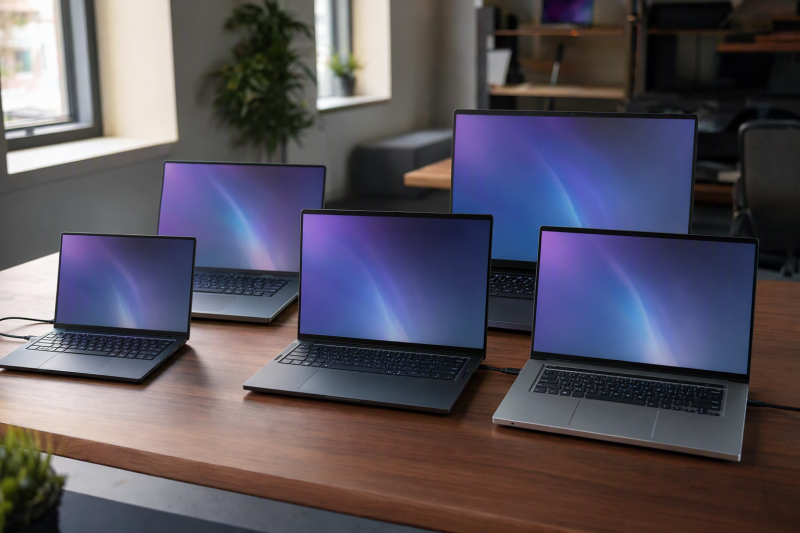
An RTX 4060 narrows the graphics choice, but it does not make five laptops interchangeable. All five Amazon listings state RTX 4060 graphics, and none states a different GPU. NVIDIA’s laptop GPU comparison page lists the RTX 40 Series (Ada Lovelace) as the generation just before the RTX 50 Series (Blackwell), so each of these laptops uses a previous-generation GPU. Their screens run from a 14.5-inch 120Hz OLED to 144Hz and 165Hz gaming panels, with Intel and AMD processors.
Only two of these five listings name Thunderbolt 4, so check the port list for the exact model before ordering.The listings state the GPU, not frame rates, game settings, or cooling results. For a newer GPU generation, see the RTX 5060 laptop comparison. Buyers who need a high-speed desk connection can also compare the gaming laptop guide and the Thunderbolt 4 docking station guide.
RTX 4060 Laptops Compared: Acer, ASUS and HP
The table compares screen, processor, listed connections, and memory and storage. A row that says no ports named means the Amazon listing gives no port list.
| Image | Product | Details | Check Price |
|---|---|---|---|
 | Acer Swift X 14 SFX14-72G-77NJ | Best fit: OLED screen with Thunderbolt 4 Screen: 14.5-inch OLED, 2880 x 1800, 120Hz Processor: Core Ultra 7 155H Listed connections: 2 USB-C with USB4 and Thunderbolt 4, HDMI 2.1 Memory and storage: 16GB onboard LPDDR5X, 1TB PCIe Gen 4 SSD | Check Price on Amazon |
 | Acer Nitro V 15 ANV15-51-99DR | Best fit: 15.6-inch screen with Thunderbolt 4 Screen: 15.6-inch FHD IPS, 144Hz Processor: Core i9-13900H Listed connections: Thunderbolt 4 port, Wi-Fi 6, Gigabit Ethernet Memory and storage: 16GB DDR5, 512GB Gen 4 SSD | Check Price on Amazon |
 | Acer Nitro 16 AN16-41-R4CY | Best fit: AMD processor and 165Hz screen Screen: 16-inch WUXGA IPS, 165Hz Processor: Ryzen 7 7840HS Listed connections: USB4 up to 40Gbps, HDMI 2.1, Ethernet Memory and storage: 16GB DDR5, 1TB PCIe Gen 4 SSD | Check Price on Amazon |
 | ASUS ROG Strix G16 G614JV-AS74 | Best fit: 140W maximum TGP Screen: FHD, 165Hz, no size listed Processor: Core i7-13650HX Listed connections: No ports named in listing Memory and storage: 16GB DDR5, 1TB PCIe Gen4 SSD | Check Price on Amazon |
 | HP OMEN 16 16-ae0009nr | Best fit: 14th Gen Core i7 Screen: 16-inch FHD anti-glare, 144Hz Processor: Core i7-14700HX Listed connections: No ports named in listing Memory and storage: 16GB DDR5, 512GB PCIe Gen4 NVMe SSD | Check Price on Amazon |
1. Acer Swift X 14 SFX14-72G-77NJ — Best OLED RTX 4060 Pick
Amazon lists the Acer Swift X 14, model SFX14-72G-77NJ, with RTX 4060 graphics, a Core Ultra 7 155H, 16GB of onboard LPDDR5X memory, and a 1TB PCIe Gen 4 SSD. The 14.5-inch OLED display is 2880 x 1800 at 120Hz, and the title adds Calman Verified color. It is the only listing here that states an OLED panel. The Nitro V 15 and Nitro 16 state IPS, the OMEN 16 states anti-glare, and the ROG Strix G16 states no panel type.
The ports line names two USB-C ports with USB4 up to 40Gbps and Thunderbolt 4, USB charging and Power Delivery up to 100W, one USB 3.2 Gen 2 port, one USB 3.2 Gen 1 port, HDMI 2.1, and a headphone jack. A microSD reader and Wi-Fi 6E are also listed. One bullet words the graphics as “up to” an RTX 4060 Laptop GPU while the title states RTX 4060, so confirm the GPU on the order page.
Our Take Choose the Swift X 14 for the OLED screen and the two Thunderbolt 4 USB-C ports Amazon lists. Confirm the “up to” GPU wording before ordering.
- For OLED, Amazon lists the Swift X 14 with a 14.5-inch display at 2880 x 1800 and 120Hz, the only listing here that states an OLED panel.
- The Swift X 14 is the laptop here with two USB-C ports that Amazon lists with USB4 up to 40Gbps and Thunderbolt 4, and Amazon also lists HDMI 2.1.
- Buyers comparing processor, memory, and storage can use Amazon’s Swift X 14 listing: a Core Ultra 7 155H, 16GB of onboard LPDDR5X memory, and a 1TB PCIe Gen 4 SSD.
- A buyer who wants a larger screen will find the Swift X 14 at 14.5 inches, smaller than the 15.6-inch Nitro V 15 and the 16-inch Nitro 16 and OMEN 16.
- Amazon’s title for the Swift X 14 states RTX 4060, but one bullet words the graphics as “up to” an RTX 4060 Laptop GPU, so confirm the GPU on the order page.
2. Acer Nitro V 15 ANV15-51 — Best 15.6-Inch Screen With Thunderbolt 4
Amazon lists the Acer Nitro V 15, model ANV15-51-99DR, with an RTX 4060 Laptop GPU, an Intel Core i9-13900H, 16GB of DDR5 memory, and a 512GB Gen 4 SSD. The display is a 15.6-inch FHD IPS panel at 144Hz in a 16:9 shape. It is the only 15.6-inch laptop here, while the Swift X 14 is 14.5 inches and the Nitro 16 and OMEN 16 are 16 inches.
Amazon’s Thunderbolt 4 line says the port covers charging, data transfer, and video display, and the listing also names Wi-Fi 6 and Gigabit Ethernet. Pick the Nitro V 15 for a 15.6-inch 144Hz screen with a named Thunderbolt 4 port, and compare its 512GB of storage with the 1TB drives on the Swift X 14, Nitro 16, and ROG Strix G16.
The Nitro V 15 is the only 15.6-inch laptop here, and Amazon names a Thunderbolt 4 port, Wi-Fi 6, and Gigabit Ethernet for it.Our Take Pick the Nitro V 15 for a 15.6-inch 144Hz IPS display with an RTX 4060 and a Thunderbolt 4 port.
- The Nitro V 15 comes with an RTX 4060 Laptop GPU, a Core i9-13900H, and 16GB of DDR5 memory, according to Amazon.
- For buyers who want a 15.6-inch laptop, Amazon lists the Nitro V 15 with an FHD IPS display at 144Hz, the only 15.6-inch screen here.
- Amazon’s wording for the Nitro V 15 says its Thunderbolt 4 port covers charging, data transfer, and video display.
- Buyers who want a wired connection as well as Wi-Fi 6 will find Gigabit Ethernet named for the Nitro V 15.
- A buyer who wants more storage will see only a 512GB Gen 4 SSD on the Nitro V 15, while Amazon lists 1TB for the Swift X 14, Nitro 16, and ROG Strix G16.
- The Nitro V 15 is listed at 144Hz, a lower refresh rate than the 165Hz of the Nitro 16 and ROG Strix G16.
3. Acer Nitro 16 AN16-41 — Best 165Hz AMD Pick
Amazon lists the Acer Nitro 16, model AN16-41-R4CY, with a Ryzen 7 7840HS, an RTX 4060 Laptop GPU, 16GB of DDR5 memory, and a 1TB PCIe Gen 4 SSD. It is the only AMD processor in this group. The 16-inch WUXGA (1920 x 1200) IPS display runs at 165Hz, above the 144Hz of the Nitro V 15 and OMEN 16 and the 120Hz of the Swift X 14.
The ports line names one USB-C port with USB4 up to 40Gbps, a second USB-C port at up to 10Gbps with DisplayPort and charging, two USB 3.2 Gen 2 ports, one USB 2.0 port, HDMI 2.1, an RJ-45 Ethernet port, and a headphone jack. Wi-Fi 6E and a microSD card reader are also listed. The listing also describes dual fans, dual intakes, a quad-exhaust design, and liquid-metal thermal grease. The listing names USB4 but not Thunderbolt. Choose the Nitro 16 for an AMD processor with a 165Hz screen.
Amazon pairs the Ryzen 7 7840HS, an RTX 4060 Laptop GPU, a 16-inch 165Hz display, and USB4 in the Nitro 16 listing.Our Take Choose the Nitro 16 for the only AMD processor here, a 16-inch 165Hz screen, USB4, HDMI 2.1, and Ethernet.
- For an AMD processor, Amazon lists the Nitro 16 with a Ryzen 7 7840HS, an RTX 4060 Laptop GPU, 16GB of DDR5, and a 1TB PCIe Gen 4 SSD.
- The Nitro 16 has a 16-inch WUXGA IPS display at 165Hz in Amazon’s listing, above the 120Hz and 144Hz screens here.
- Buyers connecting an external display can check the Nitro 16’s named video outputs: DisplayPort on a second USB-C port and HDMI 2.1, plus USB4 up to 40Gbps.
- Buyers who want wired networking and a card reader will find an RJ-45 Ethernet port, Wi-Fi 6E, and a microSD card reader named for the Nitro 16.
- Amazon’s Nitro 16 description covers cooling hardware: dual fans, dual intakes, a quad-exhaust design, and liquid-metal thermal grease.
- The Nitro 16 listing names USB4 but not Thunderbolt 4, unlike the Swift X 14 and Nitro V 15 listings, which name Thunderbolt 4.
- Amazon lists USB4 on only one of the Nitro 16’s USB-C ports, and lists the second at up to 10Gbps.
4. ASUS ROG Strix G16 G614JV-AS74 — Best RTX 4060 With a 140W Maximum TGP
Amazon’s ROG Strix G16 G614JV-AS74 listing states an RTX 4060 Laptop GPU at 140W Max TGP, a 13th Gen Intel Core i7-13650HX, 16GB of DDR5-4800MHz memory, and a 1TB PCIe Gen4 SSD. TGP is the power setting for the graphics chip, and the listing does not say what 140W means for frame rates. No other listing here states a TGP, and the 140W figure belongs to this model number, not to every ROG Strix G16.
The panel is listed as FHD at 165Hz with 100% sRGB and Pantone Validation. The listing gives no screen size in inches and no panel type, and ASUS’s G16 (2023) series page lists 16-inch displays for its G614 models without listing the AS74. The listing also names Thermal Grizzly’s Conductonaut Extreme liquid metal on the CPU and a third intake fan. It names no ports, so Thunderbolt, USB4, HDMI, and Ethernet are not stated for this model. Pick the ROG Strix G16 for the 140W maximum TGP and confirm the ports with the seller if a dock is part of the purchase.
Amazon states a 140W Max TGP for this ROG Strix G16 configuration, and no other listing here states a TGP.Our Take Pick the ROG Strix G16 for the stated 140W maximum TGP, a 165Hz screen, and a 1TB PCIe Gen4 SSD. Confirm the ports and screen size with the seller first.
- A buyer comparing graphics power can use the 140W Max TGP that Amazon states for the RTX 4060 Laptop GPU in the ROG Strix G16 G614JV-AS74, a figure no other listing here gives.
- The ROG Strix G16 listing gives buyers 1TB of PCIe Gen4 SSD storage with a Core i7-13650HX and 16GB of DDR5-4800MHz memory.
- For buyers who care about color, Amazon lists 100% sRGB and Pantone Validation on the ROG Strix G16’s FHD 165Hz panel, the only color-gamut figure here.
- A buyer who needs a dock connection will find no port list in the ROG Strix G16 listing, so Thunderbolt, USB4, HDMI, and Ethernet are not stated.
- The ROG Strix G16 G614JV-AS74 listing states 140W Max TGP, and that figure does not describe every ROG Strix G16.
5. HP OMEN 16 16-ae0009nr — Best 14th-Generation Intel Pick
Amazon lists the HP OMEN 16, model 16-ae0009nr, with a 14th Gen Intel Core i7-14700HX, an RTX 4060 with 8GB of dedicated GDDR6 memory, 16GB of DDR5 memory, and a 512GB PCIe Gen4 NVMe SSD. The display is a 16-inch FHD anti-glare panel at 144Hz. It is the only listing here that names a 14th-generation processor. Amazon names 13th Gen for the ROG Strix G16, gives the Nitro V 15 a Core i9-13900H with no generation, and lists a Core Ultra 7 for the Swift X 14.
Amazon gives no port list, panel color gamut, or resolution beyond FHD for the OMEN 16. Its 512GB SSD matches the Nitro V 15. Consider it when the 14th Gen Core i7 is the deciding factor and a 144Hz FHD screen is enough.
Our Take Consider the OMEN 16 for the 14th Gen Core i7-14700HX with RTX 4060 graphics and a 16-inch 144Hz FHD screen.
- Buyers who want a 14th Gen Intel processor can look at the OMEN 16, which Amazon lists with a Core i7-14700HX, an RTX 4060, and 8GB of dedicated GDDR6 memory.
- The OMEN 16 listing on Amazon names 16GB of DDR5 memory and a 512GB PCIe Gen4 NVMe SSD.
- The OMEN 16 has a 16-inch FHD anti-glare display at 144Hz, according to Amazon.
- The OMEN 16 listing gives a buyer no port list, so USB4, Thunderbolt, and Ethernet are not stated.
- Storage on the OMEN 16 is a 512GB SSD in Amazon’s listing, while the Swift X 14, Nitro 16, and ROG Strix G16 list 1TB.
Buying Guide
1. Choose screen size before comparing the shared GPU
The Swift X 14 lists a 14.5-inch panel and the Nitro V 15 lists a 15.6-inch panel. The Nitro 16 and OMEN 16 list 16-inch screens. The ROG Strix G16 listing gives no size, and ASUS’s G16 series page lists 16-inch displays for its G614 models, so confirm the size for this model before ordering. All five state RTX 4060 graphics, so the screen is the first place the laptops differ.
The Swift X 14 lists 2880 x 1800 OLED at 120Hz, the Nitro 16 lists 1920 x 1200 WUXGA IPS at 165Hz, and the Nitro V 15 and OMEN 16 list FHD at 144Hz. The ROG Strix G16 lists FHD at 165Hz. Choose the size and panel description first, then compare refresh rate.
2. Keep refresh rate separate from resolution and panel type
The Nitro 16 and ROG Strix G16 list 165Hz panels, the highest refresh rate in this five-laptop set. The Nitro V 15 and OMEN 16 list 144Hz, and the Swift X 14 lists 120Hz. A refresh rate is one panel figure and says nothing about the frame rate you will see in a particular game.
Only the ROG Strix G16 listing gives a color-gamut figure, 100% sRGB, along with Pantone Validation. Read the full screen description for the exact model when OLED, resolution, or color is the deciding factor.
3. Read connection claims only where the listing names them
The Swift X 14 names two USB-C ports with USB4 and Thunderbolt 4, plus HDMI 2.1. The Nitro V 15 names a Thunderbolt 4 port for charging, data transfer, and video, and the Nitro 16 names USB4 up to 40Gbps, a second USB-C port with DisplayPort, HDMI 2.1, and Ethernet. You can compare the named ports before choosing a dock or monitor.
The ROG Strix G16 and OMEN 16 listings name no ports. A listing that names no ports does not show that a connection is missing, and it does not show that one is present. When a high-speed dock, an Ethernet run, or an external display is essential, confirm the port list for the exact model number with the seller before ordering.
4. Check memory and storage against the model number
All five listings name 16GB of memory, but the type differs. The Swift X 14 lists 16GB of onboard LPDDR5X, while the Nitro V 15, Nitro 16, ROG Strix G16, and OMEN 16 list 16GB of DDR5.
The Swift X 14, Nitro 16, and ROG Strix G16 list 1TB SSDs, and the Nitro V 15 and OMEN 16 list 512GB SSDs. The Swift X 14, Nitro 16, ROG Strix G16, and OMEN 16 state PCIe Gen 4, and the Nitro V 15 states a Gen 4 SSD. Match the model number and storage size on the order page to the listing.
5. Use each processor and GPU line as a model check
The GPU line must say RTX 4060 for the exact laptop you are considering. In these listings it appears with a Core Ultra 7 155H on the Swift X 14, a Core i9-13900H on the Nitro V 15, a Ryzen 7 7840HS on the Nitro 16, a Core i7-13650HX on the ROG Strix G16, and a Core i7-14700HX on the OMEN 16.
The model numbers are SFX14-72G-77NJ, ANV15-51-99DR, AN16-41-R4CY, G614JV-AS74, and 16-ae0009nr. Keep each listing’s GPU, processor, screen, memory, and storage facts attached to its model number, because the same laptop line can come in other configurations.
FAQ
Which RTX 4060 laptop here has an OLED screen?
The Acer Swift X 14 is the OLED choice. Amazon lists a 14.5-inch OLED panel at 2880 x 1800 and 120Hz, with a Core Ultra 7 155H, RTX 4060 graphics, 16GB of LPDDR5X memory, and a 1TB SSD.
The Nitro V 15 and Nitro 16 state IPS panels, the OMEN 16 states an anti-glare FHD panel, and the ROG Strix G16 states FHD without a panel type.
Which RTX 4060 laptops here have the highest refresh rate?
The Acer Nitro 16 and ASUS ROG Strix G16 each list 165Hz screens. Amazon calls the Nitro 16 panel a 16-inch WUXGA IPS display, while the ROG Strix G16 listing says FHD with 100% sRGB and Pantone Validation.
The Nitro V 15 and HP OMEN 16 list 144Hz, and the Swift X 14 lists 120Hz.
Which laptop here has a stated Thunderbolt 4 connection?
The Acer Swift X 14 lists two USB-C ports with USB4 and Thunderbolt 4, and the Acer Nitro V 15 names a Thunderbolt 4 port for charging, data transfer, and video display. Only these two listings use the Thunderbolt 4 name.
The Acer Nitro 16 names USB4 up to 40Gbps but does not name Thunderbolt 4. The ROG Strix G16 and OMEN 16 listings name no ports, so they cannot settle a high-speed connection decision.
Which models list 1TB of storage?
The Acer Swift X 14, Acer Nitro 16, and ASUS ROG Strix G16 each list 1TB SSD storage. Amazon states PCIe Gen 4 for all three.
The Acer Nitro V 15 and HP OMEN 16 list 512GB SSDs. Match the model number and storage size on the order page to the listing.
Is the RTX 4060 the only specification to compare here?
No. The five listings share an RTX 4060 GPU, but they differ in screen size, resolution, refresh rate, processor, storage, and named ports.
NVIDIA’s laptop GPU comparison page lists the RTX 40 Series as the generation just before the RTX 50 Series, so these are previous-generation GPUs. Match the GPU wording, model number, panel, and port details before ordering.
Bottom Line
Choose the Acer Swift X 14 for the OLED screen, the Nitro V 15 for a 15.6-inch 144Hz screen with a named Thunderbolt 4 port, and the Nitro 16 for a Ryzen 7 7840HS with a 16-inch 165Hz screen and USB4. The ROG Strix G16 is the listing with a 140W Max TGP, and the OMEN 16 is the 14th Gen Core i7 option. All five use the previous-generation RTX 4060, so buy by model number, screen, and ports rather than by the GPU name alone.