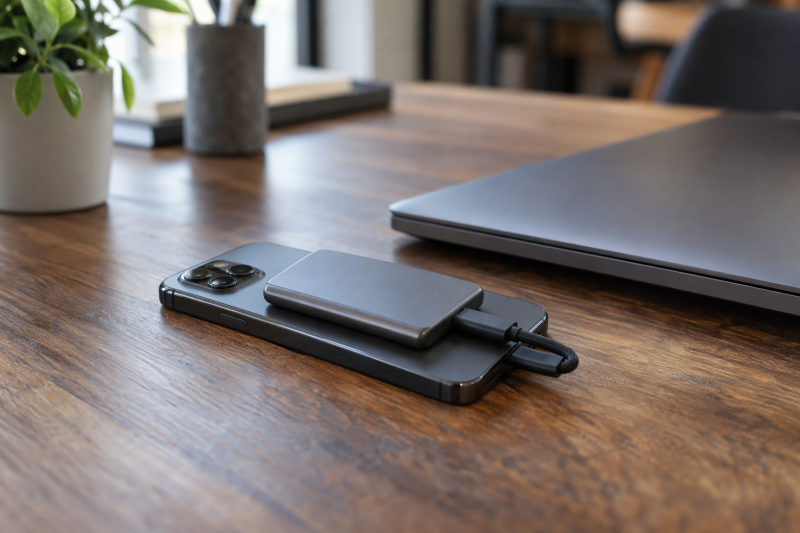
A magnetic SSD attaches to a compatible phone, or to a metal ring, while a USB-C cable carries the data. Lexar describes its ES5 as a MagSafe-compatible drive with a metal ring that gives any device a magnetic surface. The Amazon listings give transfer speeds from 460 MB/s for the ORICO K5Mini to 2,000 MB/s for the Lexar ES5 and ORICO K20Mini. Before you choose a drive for video work, check your phone and computer as well.
| Image | Product | Best fit | Capacity | Connection and speed | Attachment and extras | Watch-outs | Check Price |
|---|---|---|---|---|---|---|---|
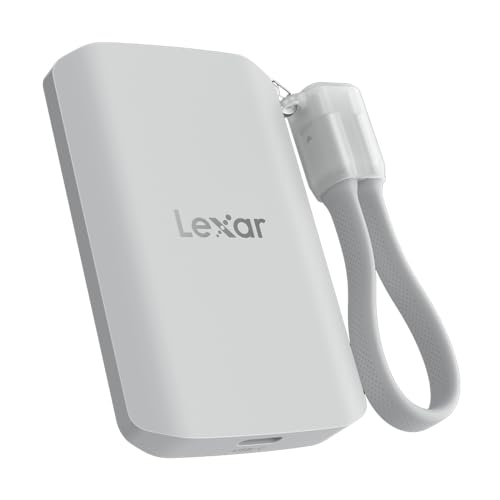 | Lexar ES5 2TB | 2TB with an IP65 rating | 2TB | USB-C; up to 2,000/2,000 MB/s | MagSafe-compatible; extra ring | Speeds may be lower without Gen 2x2 | Check Price on Amazon |
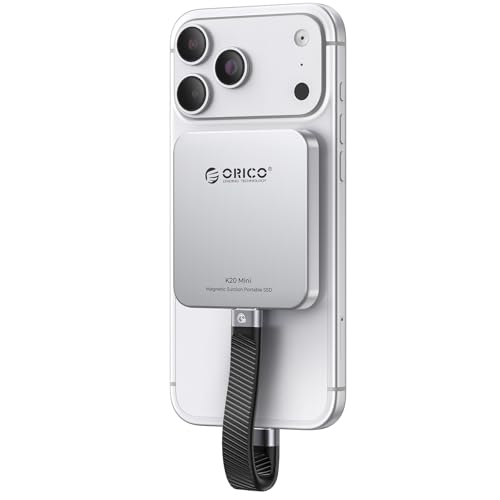 | ORICO K20Mini 1TB | Compact 20Gbps magnetic drive | 1TB | USB-C; up to 2,000 MB/s | Magnetic attachment and ring | Peak figure is not sustained-write proof | Check Price on Amazon |
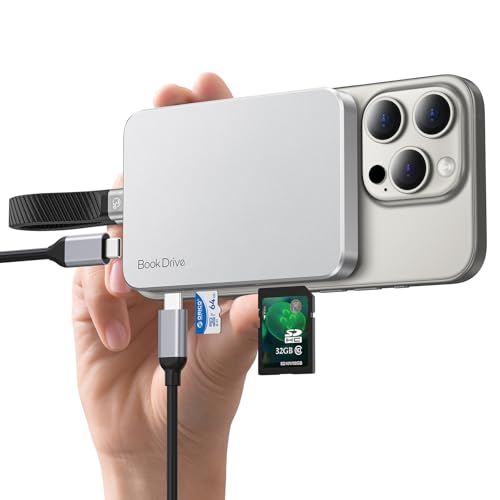 | ORICO P10PRO 512GB | Card reader and audio | 512GB | USB-C; up to 1,000 MB/s | SD/TF slots, audio, up to 100W PD | PD wattage not listed on ORICO page | Check Price on Amazon |
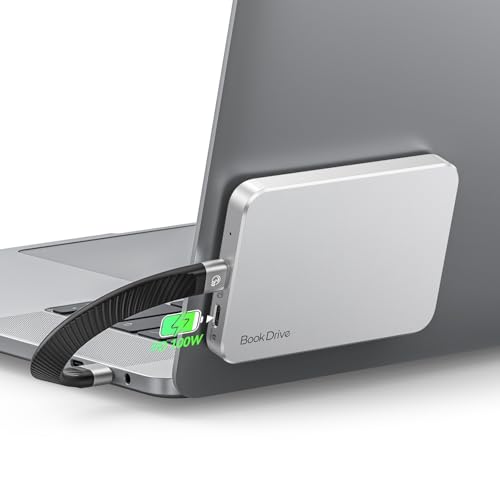 | ORICO P10Plus 512GB | Charging pass-through | 512GB | USB-C; up to 1,000 MB/s | Up to 100W PD, 5-inch cable | 5-inch cable; 100W is an up-to figure | Check Price on Amazon |
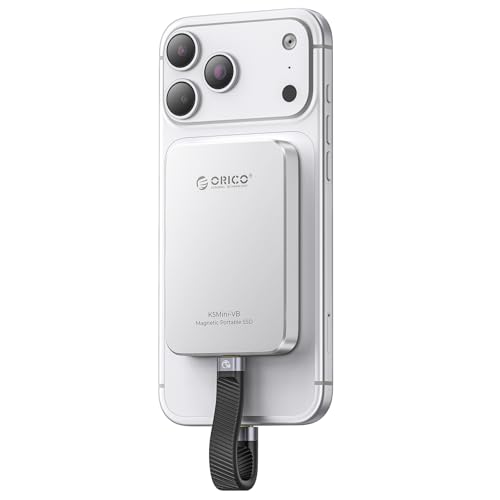 | ORICO K5Mini 512GB | 5Gbps magnetic drive | 512GB | USB-C; up to 460 MB/s | Magnetic ring; compact body | No write speed listed | Check Price on Amazon |
1. Lexar ES5 2TB — Best for 2TB Capacity and an IP65 Rating
Lexar’s product page lists part number LES5XXX002T-RNWNU as the 2TB ES5 and gives up to 2,000 MB/s read and 2,000 MB/s write over USB 3.2 Gen 2×2. A Lexar footnote says those speeds come from internal testing on a device that supports Gen 2×2 and may be lower on Mac and other systems without it. The Amazon listing repeats both figures and the Mac caution.
Lexar rates the drive IP65 for dust and water and drop resistant up to 3 meters, based on internal testing under controlled conditions, and its footnote adds that liquid, dust and drop damage is not covered under warranty. The page also lists a 5-year limited warranty, dimensions of 3.34 x 2.12 x 0.43 inches and a weight of 0.176 lb. Lexar says the ES5 supports MagSafe for attaching to a compatible iPhone and includes a metal ring that gives any device a magnetic surface. The Amazon listing describes a liquid silicone build and a cable organizer that doubles as a lanyard.
For video, Lexar’s page names ProRes recording at 4K 60 fps with the iPhone 15 Series and 4K 120 fps with the iPhone 16 Series. Its footnote says only iPhone 15 Pro, Pro Max and newer models support external ProRes recording. Lexar and the Amazon listing also give Samsung Pro Video at 8K 30 fps.
Limit: Lexar’s 2,000 MB/s figures come from internal testing on a Gen 2×2 device, and Lexar says a Mac or another host without that mode may see lower speeds.Our Take Pick the ES5 when you want 2TB with an IP65 rating and have a compatible iPhone Pro or a Gen 2×2 computer.
- Lexar’s page lists part number LES5XXX002T-RNWNU as the 2TB ES5 with up to 2,000 MB/s read and write from its internal testing.
- Lexar rates the ES5 IP65 for dust and water and drop resistant up to 3 meters under its internal testing.
- Lexar’s page lists a 5-year limited warranty on the ES5.
- Lexar says the ES5 supports MagSafe and includes a metal ring that gives another device a magnetic surface for the drive.
- Lexar says the ES5’s performance on a Mac or another system without USB 3.2 Gen 2×2 may be lower.
- Lexar says liquid, dust and drop damage to the ES5 is not covered under warranty, even though it rates the drive IP65 and drop resistant.
- Lexar’s footnote says only iPhone 15 Pro, Pro Max and newer models support external ProRes recording on the ES5.
2. ORICO K20Mini 1TB — Best for a Compact Magnetic 20Gbps Drive
ORICO’s product page for the K20Mini lists a 20Gbps transfer speed, a Type-C output, capacities of 512GB, 1TB and 2TB, and a 0.13 m cable. The Amazon listing for the K20Mini-1TB gives the speed as up to 2,000 MB/s. ORICO’s page gives the size as 68 x 60 x 7.5 mm in alloy and plastic, while the listing gives 2.36 x 2.68 x 0.29 inches, 0.09 lb and an aluminum-alloy body.
The listing says the package includes a magnetic attraction ring. It also says the drive supports 4K 120 fps ProRes HDR recording with iPhone 16 Pro and Pro Max, and ORICO’s page lists iPhone 15 and iPhone 16 among its supported systems. For iPhone 14 and earlier, the listing names the ORICO LC10 Lightning adapter and says adapters from other brands are not supported.
At 7.5 mm, the K20Mini is thinner than the 10.7 mm ORICO gives for the K5Mini, the 11.5 mm it gives for the P10 models and the 11 mm Lexar gives for the ES5.
Limit: The listing’s 2,000 MB/s is an up-to figure, and the 4K 120 fps ProRes claim names iPhone 16 Pro and Pro Max.Our Take Pick the K20Mini for 1TB in the thinnest body on this page, when a 2,000 MB/s up-to speed fits your host.
- ORICO’s page lists the K20Mini at 20Gbps, and the Amazon listing gives up to 2,000 MB/s for the 1TB model.
- ORICO’s page gives the K20Mini a thickness of 7.5 mm, thinner than the other four drives’ pages give.
- The Amazon listing says the K20Mini supports 4K 120 fps ProRes HDR recording with iPhone 16 Pro and Pro Max.
- For iPhone 14 and earlier, the Amazon listing names the ORICO LC10 Lightning adapter and says adapters from other brands are not supported.
- The Amazon listing says the K20Mini is aluminum alloy, while ORICO’s page says alloy and plastic, and the two descriptions of the body material differ.
3. ORICO BookDrive P10PRO 512GB — Best for Card Reader and Audio Ports
ORICO’s page for the P10PRO lists a Type-C data port, a Type-C PD power port, a Type-C PD audio port and an SD/TF card slot, with a 10Gbps rate and a body of 100 x 69 x 11.5 mm. The Amazon listing for the P10PRO-512GB gives up to 1,000 MB/s over USB 3.2 Gen 2, a 100W PD charging function, and a microphone function alongside the Type-C audio interface.
ORICO’s package list has a 0.13 m C-to-C cable and two magnetic adapter rings, and the listing says the rings suit MagSafe-compatible iPhones 15 and 16, MacBooks or cases. The listing gives a weight of 0.31 lb. It also notes that a phone that fails to read the drive may have an operational issue, with ORICO customer service available to explain the steps.
Limit: The 100W figure comes from the Amazon listing, because ORICO’s page does not list a wattage for the PD power port.Our Take Pick the P10PRO for a 512GB drive that adds an SD/TF slot and a USB-C audio port to its PD power input and two magnetic rings.
- ORICO’s page lists an SD/TF card slot, a Type-C PD audio port and a Type-C PD power port on the P10PRO.
- ORICO’s page lists two magnetic adapter rings and a 0.13 m C-to-C cable in the P10PRO package.
- The Amazon listing gives the P10PRO up to 1,000 MB/s over USB 3.2 Gen 2.
- ORICO’s page does not list a wattage for the P10PRO’s PD power port, and the 100W figure comes from the Amazon listing.
- The Amazon listing gives the P10PRO up to 1,000 MB/s, below the 2,000 MB/s the Lexar page and the K20Mini listing give.
- The Amazon listing says a phone that fails to read the P10PRO may have an operational issue and points to ORICO customer service.
4. ORICO BookDrive P10Plus 512GB — Best for Charging Pass-Through
ORICO’s page for the P10Plus lists a 10Gbps rate, PD100W on its interface line, a body of 100 x 69 x 11.5 mm, and a package with one 0.13 m C-to-C cable, two magnetic rings and a manual. The Amazon listing for the P10Plus 512GB (model P10PLUS-512G-SV-1) gives up to 1,000 MB/s over USB 3.2 Gen 2 and says a laptop, phone or tablet can charge at up to 100W through the drive’s USB-C port while you access files.
The listing puts the supplied cable at 5 inches and says the drive works with Windows PCs, Macs, Android phones, iPads and other USB-C devices. It does not list an SD/TF slot or an audio port, and ORICO’s page lists both for the P10PRO. ORICO’s pages give both BookDrives the same body size, so the ports are the difference between them.
Limit: The listing gives the supplied cable as 5 inches, and its 100W is an up-to charging figure.Our Take Pick the P10Plus when you want PD charging through the drive and do not need the P10PRO’s card slot or audio port.
- ORICO’s page lists PD100W for the P10Plus, and the Amazon listing says up to 100W through its USB-C port.
- The Amazon listing gives the P10Plus up to 1,000 MB/s over USB 3.2 Gen 2.
- ORICO’s page lists two magnetic rings and a 0.13 m cable in the P10Plus package.
- The Amazon listing gives the P10Plus’s supplied cable as 5 inches.
- The Amazon listing does not list an SD/TF slot or an audio port for the P10Plus.
5. ORICO K5Mini 512GB — Best for a 5Gbps Magnetic Drive
ORICO’s Chinese-language page for the K5Mini-VB lists a 5Gbps rate, a Type-C output, capacities of 256GB, 512GB and 1TB, a body of 90.2 x 61.2 x 10.7 mm in metal and plastic, and a 0.13 m C-to-C cable. The Amazon listing for the K5Mini-VB-512GB gives up to 460 MB/s, an aluminum-alloy body of 2.4 x 3.55 x 0.42 inches and 0.13 lb, and an included magnetic ring.
The 460 MB/s the listing gives is the lowest figure on this page, against 1,000 MB/s on the P10 listings and 2,000 MB/s on the Lexar page and the K20Mini listing. Apple asks for writes of at least 440 MB/s for 4K 120 fps ProRes, and the K5Mini listing gives one transfer figure and no write speed. ORICO’s page lists iPhone 15 and newer as supported. For iPhone 14 and earlier, the listing names the ORICO LC10 Lightning adapter and says adapters from other brands are not supported.
Limit: The Amazon listing gives one 460 MB/s transfer figure and does not give a write speed for ProRes recording.Our Take Pick the K5Mini when a 512GB magnetic drive at the listing’s 460 MB/s meets the files you plan to move.
- ORICO’s page lists the K5Mini-VB at 5Gbps with 256GB, 512GB and 1TB capacities.
- The Amazon listing gives the K5Mini dimensions of 2.4 x 3.55 x 0.42 inches and a weight of 0.13 lb.
- The Amazon listing says the K5Mini package includes a magnetic ring.
- The Amazon listing gives the K5Mini 460 MB/s, below the figures on the other four drives’ pages and listings.
- The Amazon listing does not give the K5Mini a write speed for ProRes recording.
- For iPhone 14 and earlier, the Amazon listing names the ORICO LC10 Lightning adapter and says adapters from other brands are not supported.
Buying Guide: Choosing a Magnetic Portable SSD
Separate the magnet from the data connection
Lexar describes the Lexar ES5 as MagSafe-compatible and includes a metal ring so another device can hold it. ORICO’s Amazon listings describe a magnetic ring in the package for the K20Mini and K5Mini, and two rings for each of the P10PRO and P10Plus.
A magnet attaches the drive and does not carry files. Lexar’s page lists a USB 3.2 Gen 2×2 interface and ORICO’s pages list a Type-C output, so each drive moves data over a USB-C cable. ORICO’s P10Plus listing gives its supplied cable as 5 inches, so check the cable length for your mounting position.
Match the USB speed to the host
Lexar’s page gives up to 2,000 MB/s read and write for the ES5 on a USB 3.2 Gen 2×2 device and says Mac and other systems without that mode may be slower. The K20Mini listing also gives up to 2,000 MB/s, and ORICO’s page lists 20Gbps. The P10 listings give up to 1,000 MB/s at 10Gbps, and the K5Mini listing gives 460 MB/s with 5Gbps on ORICO’s page.
Lexar’s footnote says its speeds come from internal testing and may be lower depending on the host device, interface and usage conditions. Treat an up-to figure from any of these sellers as a maximum, and read Apple’s separate write-speed rules in the next section before you buy for recording.
Check recording requirements separately
Apple’s ProRes page says iPhone 15 Pro, 16 Pro, 17 Pro and 18 Pro models can record ProRes to external storage over USB-C, and it limits 4K 120 fps to iPhone 16 Pro models and newer. Apple requires exFAT, says password-encrypted drives are not supported, and asks for a USB 3 cable rated at least 10 Gbits per second.
Apple asks for writes of at least 220 MB/s for 4K60 and 440 MB/s for 4K120, and a maximum drive power draw of 4.5 W. Lexar gives an up-to write figure and the ORICO listings give one transfer figure, and none of them gives a sustained ProRes write rate. Check Apple’s page and your exact phone before a shoot.
Decide whether you need extra ports
ORICO’s page for the P10PRO lists an SD/TF card slot, a Type-C PD audio port and a Type-C PD power port, and its listing adds a microphone function. The P10Plus page lists PD100W on one interface line. ORICO’s pages give both the same 100 x 69 x 11.5 mm body, so the ports are what separates them.
The 100W figure is a charging claim from the Amazon listings. The P10PRO listing says 100W PD charging, and the P10Plus listing says up to 100W through the drive’s USB-C port. ORICO’s P10PRO page does not list a wattage for its PD power port. None of the listings says what a particular phone or laptop will receive, so check the charger, the cable and the device’s own charging limit.
Plan capacity, format, and backup
The page covers the Lexar ES5 at 2TB, the K20Mini at 1TB, and the P10PRO, P10Plus and K5Mini at 512GB. Lexar’s footnote says actual usable storage may be less than stated because of system formatting and other functions, so plan for a little less than the label.
Apple says to format an external ProRes drive as exFAT in the Files app and to reformat before each 4K120 session. Formatting erases the drive, so copy needed files off first. Lexar’s page says Lexar is not liable for any loss of data or images, so keep a separate copy of important footage.
Frequently Asked Questions
Does a MagSafe SSD transfer files wirelessly?
No. Lexar describes the ES5 as attaching to a compatible iPhone through a MagSafe-compatible design, and ORICO’s listings describe magnetic rings for attaching its drives. Files move over the USB-C connection. Lexar lists USB 3.2 Gen 2×2, and ORICO’s pages list a Type-C output.
Apple asks for a USB 3 cable rated at least 10 Gbits per second for ProRes recording. Check the cable and the phone or computer, because the magnet only attaches the drive.
Will 2,000 MB/s be available on my iPhone or Mac?
Not necessarily. Lexar says the ES5‘s 2,000 MB/s read and write figures come from internal testing on a USB 3.2 Gen 2×2 device and may be lower on Mac and other systems without that mode. The K20Mini listing gives the same 2,000 MB/s, and ORICO’s page lists 20Gbps.
Lexar adds that results can depend on the host device, interface and usage conditions. A peak transfer figure is not a sustained write rate for recording video.
Can every iPhone record ProRes to one of these drives?
No. Apple says external ProRes recording over USB-C is available on iPhone 15 Pro, 16 Pro, 17 Pro and 18 Pro models, and 4K 120 fps is limited to iPhone 16 Pro models and newer. ORICO’s K20Mini listing names iPhone 16 Pro and Pro Max for its 4K 120 fps claim.
Apple requires exFAT, a USB 3 cable rated at least 10 Gbits per second, writes of at least 220 MB/s for 4K60 or 440 MB/s for 4K120, and a maximum drive power draw of 4.5 W. Check the exact phone against Apple’s page before you rely on any drive for a shoot.
What does the P10PRO add to the P10Plus?
ORICO’s page lists an SD/TF card slot and a Type-C PD audio port for the P10PRO, along with a Type-C PD power port. The P10Plus page lists one PD100W interface, and its Amazon listing does not list a card slot or an audio port.
Both Amazon listings give up to 1,000 MB/s over USB 3.2 Gen 2 and a 100W PD charging figure. Neither listing says what a particular charger, cable or device will deliver, so check each before you count on 100W.
Is 460 MB/s enough for ProRes 4K120?
The K5Mini listing gives a transfer figure of 460 MB/s, and Apple asks for writes of at least 440 MB/s for 4K120 ProRes. The listing gives no write speed, so it does not show that the drive meets Apple’s number, and it does not name ProRes recording.
Apple also lists exFAT, a USB 3 cable rated at least 10 Gbits per second and a 4.5 W power limit, and says to reformat before each 4K120 session. Keep a second copy of any important recording. For related storage, see our portable SSD guide and USB-C flash drive guide.
Bottom Line
Choose the capacity and the host connection first. Lexar ties its 2,000 MB/s to a USB 3.2 Gen 2×2 device, and ORICO’s pages list 20Gbps for the K20Mini, 10Gbps for the P10 models and 5Gbps for the K5Mini. Then decide whether a magnetic ring, an SD/TF slot or a PD charging input fits the way you work.