A school laptop has to fit the classwork, the backpack and the budget. A Chromebook suits assignments done in a browser and in Google Classroom, and a Windows laptop is the safer choice when a class requires Windows software. Amazon’s listings for the six laptops below do not state a school grade, apart from one Lenovo that names K-12 and college students. The middle school and high school guidance on this page is our judgment, based on screen size, weight and software.
Pick the operating system first, then the screen size and the weight.School Laptops Compared
| Image | Product | Details | Check Price |
|---|---|---|---|
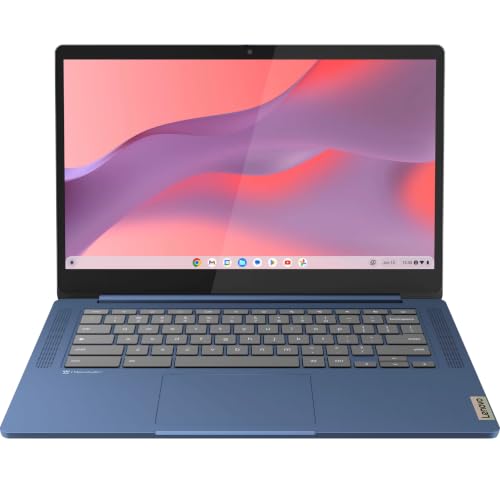 | Lenovo Flagship Chromebook | Best fit: 14-inch touchscreen Chromebook Screen: 14-inch Full HD touchscreen Operating system: ChromeOS Memory and storage: 4GB RAM, 64GB eMMC Ports named: USB-C, USB-A, microSD, headphone jack | Check Price on Amazon |
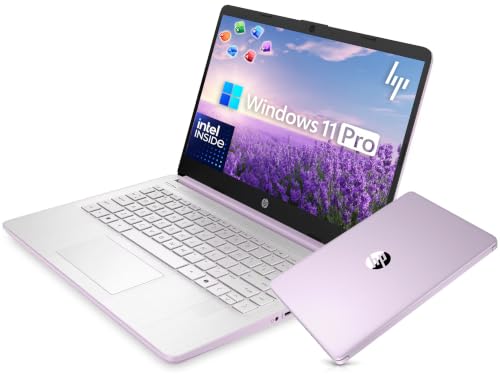 | HP 14-inch Ultra Light Laptop | Best fit: 14-inch Windows 11 Pro Screen: 14-inch HD Operating system: Windows 11 Pro Memory and storage: 4GB, 128GB UFS, plus a 500GB external drive in the bundle Ports named: Laptop ports not named; bundled hub has USB 3.0, 4K HDMI, USB-C, SD/TF | Check Price on Amazon |
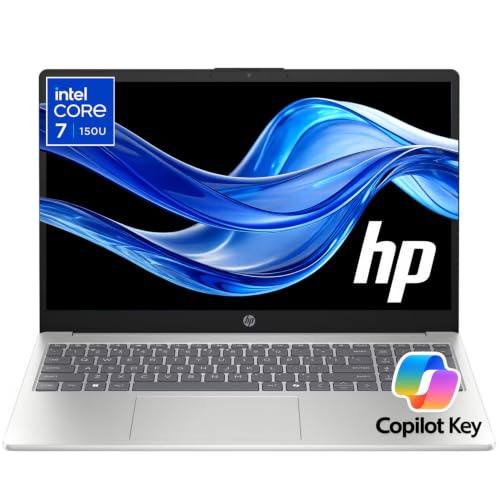 | HP 15.6-inch Laptop | Best fit: Larger Windows screen Screen: 15.6-inch Full HD anti-glare Operating system: Windows 11 Pro in bullets, Windows 11 in title Memory and storage: 16GB, 256GB SSD (title and size field only) Ports named: USB-C, USB-A, HDMI | Check Price on Amazon |
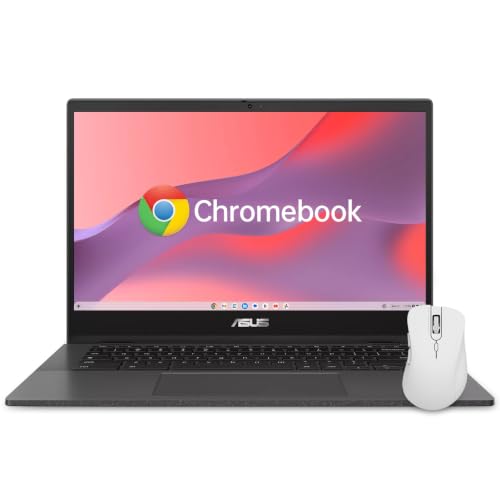 | ASUS Chromebook CM1402CM2 | Best fit: Shared family Chromebook Screen: 14-inch Full HD anti-glare Operating system: ChromeOS Memory and storage: 4GB RAM, 64GB Ports named: Two USB-C, USB-A, microSD, audio jack | Check Price on Amazon |
 | Lenovo IdeaPad Flex 3i Chromebook | Best fit: Compact convertible touchscreen Screen: 12.2-inch WUXGA touchscreen Operating system: ChromeOS Memory and storage: 4GB, 128GB with a 64GB SD card the seller says it added Ports named: USB-C, two USB-A, HDMI 1.4, microSD | Check Price on Amazon |
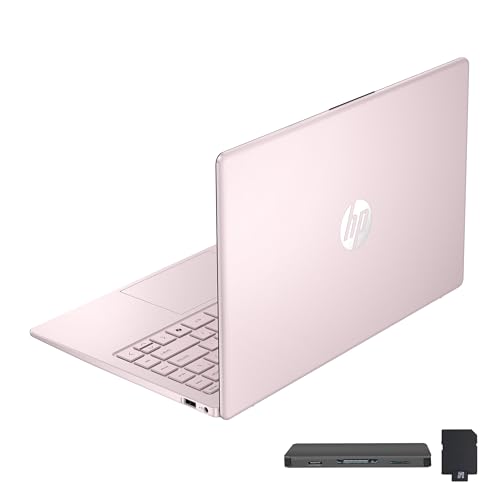 | HP Stream 14-inch Laptop | Best fit: Pink Windows laptop Screen: 14-inch HD anti-glare Operating system: Windows 11 Memory and storage: 16GB, 128GB (title says UFS, bullet says eMMC) Ports named: USB-C, two USB-A, HDMI 1.4b, media card reader | Check Price on Amazon |
1. Lenovo Flagship Chromebook — Best 14-inch Touchscreen Chromebook
Amazon’s listing for the Lenovo Flagship Chromebook describes a 14-inch Full HD (1920 x 1080) IPS touchscreen, a 720p webcam with a privacy shutter and dual-array microphone, and Wi-Fi 6. The display bullet ends with “Online Class, Google Classroom, Remote Learning, Zoom Ready.” The listing also names a MediaTek Kompanio 520 processor, 4GB of RAM and 64GB of eMMC storage.
The listing gives the weight as 2.86 pounds and names one USB-A port, one USB-C port, a microSD reader and a headphone jack. It does not name a grade level. The school’s software list decides whether ChromeOS is enough.
The listing pairs a 14-inch Full HD touchscreen with a privacy-shutter webcam and Zoom and Google Classroom wording.Our Take Choose the Lenovo Flagship Chromebook for a student whose assignments live in a browser and who wants touch on a 14-inch screen. Move to the HP 14-inch laptop if a class names a Windows-only program.
- Amazon’s listing for the Lenovo Flagship Chromebook states a 14-inch Full HD IPS touchscreen for a student who wants touch input.
- Lenovo’s listing states a 720p webcam with a privacy shutter and a dual-array microphone, alongside Zoom and Google Classroom wording.
- Amazon’s listing names one USB-C port, one USB-A port, a microSD reader and Wi-Fi 6 for the Lenovo Flagship Chromebook.
- The Lenovo listing states 4GB of RAM and 64GB of eMMC storage, a tight amount for a student who saves many files on the laptop itself.
- A class that requires a Windows-only program needs one of the Windows laptops on this page instead of the Lenovo Flagship Chromebook.
2. HP 14-inch Ultra Light Laptop — Best 14-inch Windows 11 Pro Pick
Amazon’s listing for the HP 14-inch Ultra Light Laptop is the only 14-inch listing here that states Windows 11 Pro. It names a 14-inch HD display, a 720p HP True Vision camera with dual-array microphones and an Intel N150 quad-core processor, and it says the laptop is ready for online classes, Google Classroom, remote learning and Zoom.
The listing is a bundle. Besides the laptop it adds a 6-in-1 USB-C hub (USB 3.0, 4K HDMI, USB-C and SD/TF card readers), a wireless mouse, a mouse pad, cables and a 500GB portable drive. The laptop itself is listed with 4GB of memory and 128GB of internal UFS storage, and the 628GB in the title counts the external drive. The listing, not HP, is the source for the bundle.
The listing pairs Windows 11 Pro with a 14-inch HD display and adds a hub, a mouse and a 500GB drive to the offer.Our Take Pick the HP 14-inch when a class requires Windows and a 14-inch screen suits the daily carry. The HP 15.6-inch laptop has a Full HD anti-glare panel for a student who wants more screen.
- Amazon’s listing for the HP Ultra Light Laptop states Windows 11 Pro, the only 14-inch listing here to say so.
- The HP 14-inch listing names a 14-inch HD display and a 720p camera, and says the laptop is ready for online classes and Google Classroom.
- Amazon’s listing for the HP bundle says it includes a 6-in-1 USB-C hub, a wireless mouse and a 500GB portable drive.
- Amazon’s listing names an Intel N150 quad-core processor for the HP laptop.
- The HP 14-inch listing states 4GB of memory and 128GB of internal UFS storage, a small amount for a student who plans to run several desktop programs at once.
- The 500GB drive, hub and mouse are bundle items in the Amazon listing, not part of HP’s base laptop.
- The HP 14-inch has an HD display, a lower resolution than the Full HD displays on the Lenovo Flagship, HP 15.6-inch and ASUS laptops.
3. HP 15.6-inch Laptop — Best Windows School Screen
Amazon’s listing for the HP 15.6-inch Laptop states a 15.6-inch Full HD anti-glare display, an Intel Core 7 150U processor, DDR4 memory, PCIe SSD storage and Windows 11 Pro in its bullets, while the title says Windows 11. The bullets name Wi-Fi 6, Bluetooth 5.4, USB-C, USB-A and HDMI, and describe the laptop for online classes, web browsing, homework, browser tabs, Office applications and video calls.
The 16GB of RAM and 256GB of SSD storage appear in the title and in Amazon’s size field, while the feature bullets name only the memory and storage types. We treat those capacities as possibly a seller configuration. The listing gives no HP model or part number, and Amazon lists the weight as 3.65 pounds, the highest in this group.
Our Take Choose the HP 15.6-inch Laptop when a larger Full HD screen and Windows software outweigh a light bag. Confirm the 16GB and 256GB figures with the seller before buying.
- Amazon’s listing for the HP laptop states a 15.6-inch Full HD anti-glare display for a student who wants a larger Full HD screen.
- The HP 15.6-inch listing names Wi-Fi 6, USB-C, USB-A and HDMI.
- HP’s listing describes the laptop for online classes, homework, browser tabs and Office applications.
- The HP 15.6-inch title and size field give the 16GB and 256GB capacities, and the feature bullets do not state them.
- Amazon’s listing gives the HP 15.6-inch 3.65 pounds, so check that weight against the backpack.
4. ASUS Chromebook CM1402CM2 — Best for Shared Family Use
Amazon’s listing for the ASUS Chromebook CM1402CM2 states a 14-inch Full HD anti-glare screen, an HD webcam with a physical shutter, Wi-Fi 6, two USB 3.2 Type-C ports with display and power delivery support, one USB-A port and a microSD reader. It also states a spill-resistant keyboard capable of handling accidental spills up to 13 oz (300 ml) and says the laptop is engineered to meet US MIL-STD 810H durability standards.
The spill and durability wording is the seller’s own text, and the 13 oz figure is a limit for accidental spills. The listing names 4GB of RAM and 64GB of storage, and it says the laptop suits online classes, school projects and daily family use. The title adds a wireless mouse.
Our Take Inspect the ASUS Chromebook first for a laptop that moves between classes, siblings and kitchen-table homework. Its 4GB of RAM and 64GB of storage are modest, and its keyboard and durability wording are the stronger reasons to pick it.
- Amazon’s listing for the ASUS Chromebook states a spill-resistant keyboard capable of handling accidental spills up to 13 oz.
- The ASUS listing states a 14-inch Full HD anti-glare screen.
- ASUS’s listing names two USB 3.2 Type-C ports with display and power delivery support.
- The ASUS Chromebook listing names an HD webcam with a physical shutter and Wi-Fi 6.
- The ASUS listing states 4GB of RAM and 64GB of storage, modest for a student who saves many files locally.
- A sleeve and the school’s handling rules add protection beyond the MIL-STD 810H wording in the ASUS listing.
- A class that requires a Windows-only program needs a Windows laptop instead of this Chromebook.
5. Lenovo IdeaPad Flex 3i Chromebook — Best Compact Touch Option
Amazon’s listing for the Lenovo IdeaPad Flex 3i Chromebook describes a 12.2-inch WUXGA (1920 x 1200) IPS touchscreen on a 360-degree hinge, with laptop, yoga, flip and tablet modes. It names an Intel N100 processor, a 720p webcam with a privacy shutter, Wi-Fi 6 and these ports: USB-C, two USB-A, HDMI 1.4 and a microSD reader. The listing names homework and online classes and calls the laptop ideal for online course, online school, K-12 and college students.
The title and bullets state 4GB of LPDDR5 memory and 128GB of storage made of 64GB eMMC plus a 64GB SD card. The seller, Issaquah Highlands Tech, says in the listing that the laptop was expanded to the advertised storage capacity. Amazon’s size field for the same listing reads 14-inch, 8GB RAM, 512GB and Core i5-1334U, which differs from the title, so confirm the configuration before ordering.
Our Take Pick the Flex 3i when touch and a convertible shape help more than a larger screen. Use the Lenovo Flagship Chromebook for a 14-inch Chromebook screen.
- Amazon’s listing for the Lenovo IdeaPad Chromebook names laptop, yoga, flip and tablet modes on a 360-degree hinge.
- The Lenovo listing states a 12.2-inch WUXGA IPS touchscreen with 300 nits of brightness.
- Lenovo’s listing names homework, online classes, K-12 and college students, Wi-Fi 6 and a webcam privacy shutter.
- Issaquah Highlands Tech says in the listing that the laptop was expanded to its advertised storage with a 64GB SD card.
- Amazon’s size field for the Flex 3i listing reads 14-inch, 8GB RAM, 512GB and Core i5-1334U, and the title and bullets give different figures.
- The Lenovo IdeaPad’s 12.2-inch screen has less working area than the 14-inch and 15.6-inch laptops on this page.
6. HP Stream 14-inch Laptop — Best Pink Windows Pick
Amazon’s listing for the HP Stream 14-inch Laptop states a pink finish, a 14-inch HD micro-edge anti-glare display, an Intel N150 processor, 16GB of DDR4 RAM, Windows 11 and a webcam. It names one USB-C port, two USB-A ports, HDMI 1.4b, a headphone jack and a media card reader. The listing does not mention school, classes or homework, so the laptop belongs here as a Windows option in pink, not as a laptop sold for school.
The first bullet says the seal was opened for an upgrade only, with a 1-year warranty on the upgraded RAM and SSD from the seller, SnowBell, and the original 1-year manufacturer warranty on the remaining components. The title says 128GB UFS storage and the bullet says 128GB eMMC. The bundle adds a 7-in-1 docking station with 256GB of storage and a 32GB microSD card, so confirm the storage type and the included accessories before ordering.
The listing states a pink 14-inch Windows 11 laptop, and the seller says the seal was opened to upgrade the RAM and SSD.Our Take Consider the HP Stream when a pink Windows laptop is the preference that decides the short list. The other five listings give clearer school wording.
- Amazon’s listing for the HP Stream names a pink Windows 11 laptop with a 14-inch screen and an Intel N150 processor.
- The HP Stream listing names one USB-C port, two USB-A ports and HDMI 1.4b.
- Amazon’s listing for the HP Stream states 16GB of DDR4 RAM.
- The HP Stream listing does not mention school, classes or homework.
- SnowBell, the seller of the HP Stream, says in the listing that the seal was opened to upgrade the RAM and SSD.
Buying Guide
1. Choose the operating system from the class requirements
Choose ChromeOS when the school’s work happens in a browser or its software list names Chromebooks. The Lenovo Flagship Chromebook, ASUS CM1402CM2 and Flex 3i listings mention Google Classroom, ChromeOS, online classes or K-12 use. The listings do not say which programs a school requires.
Choose Windows when a class names a Windows program. The HP 14-inch, HP 15.6-inch and HP Stream listings name Windows 11. Ask the school for its application list before buying, especially for a subject that uses a desktop program instead of a browser service.
2. Match the size and weight to the grade and the homework
For middle school, we would start with the smaller, lighter laptops. Amazon lists 2.76 pounds for the Flex 3i, the lowest weight in this group, and 2.86 pounds for the Lenovo Flagship Chromebook. The Flex 3i listing is the only one that names a grade range, K-12 and college students, and no listing names middle school. The grade split on this page is our judgment, not a statement from a listing or a school.
For high school, we would look at 14-inch and 15.6-inch screens first. Longer documents and several open windows need room, and the HP 15.6-inch Full HD anti-glare display is the largest screen here, at 3.65 pounds on Amazon’s listing. The 14-inch Lenovo, ASUS and HP laptops sit between that size and the Flex 3i.
The Flex 3i trades screen area for a 12.2-inch touchscreen and convertible modes. A smaller display leaves less room for a document beside a browser window, so check the desk and the bag before choosing it.
3. Read capacities as offer details
A seller can add storage, an SD card, an external drive or accessories to a laptop listing. The HP 14-inch listing adds a 500GB external drive, the Flex 3i seller says it expanded the laptop to the advertised storage, and the HP Stream seller says it opened the seal to upgrade the RAM and SSD. Treat those capacities as belonging to this offer, not to every laptop with the same name.
Check the Chromebook storage against how many files the student keeps. The Lenovo Flagship Chromebook and ASUS CM1402CM2 listings state 4GB of RAM and 64GB of storage, and the Flex 3i listing states 4GB and 128GB. The HP 15.6-inch capacities of 16GB and 256GB appear in its title and size field but not in its feature bullets, so confirm them with the seller.
4. Treat video calls and ports as a daily requirement
A webcam shutter is stated in the Lenovo Flagship Chromebook, ASUS CM1402CM2 and Flex 3i listings. The HP 14-inch listing names a 720p camera and the HP 15.6-inch listing names video calls, and neither names a shutter. Camera framing, microphone quality and the school’s video platform are outside what the listings say.
Ports differ by laptop. The HP 15.6-inch listing names USB-C, USB-A and HDMI, the ASUS listing names two USB-C ports with display and power delivery support plus USB-A, and the Flex 3i listing names USB-C, two USB-A and HDMI 1.4. For accessories, use the Chromebook dock guide and the USB-C cable guide, and check each accessory’s own requirements.
5. Separate daily handling from durability assumptions
The ASUS CM1402CM2 is the only laptop here whose listing states both a spill-resistant keyboard and MIL-STD 810H wording. The listing says the keyboard handles accidental spills up to 13 oz (300 ml). The spill and durability wording is the seller’s own text, and a sleeve and the school’s handling rules add protection beyond it.
Choose by software first, then by screen and weight, and use physical features as a tie-breaker. ChromeOS, Windows, a large screen and a convertible each fit a different student.
FAQ
Is a Chromebook enough for school?
It can be when the school uses browser-based tools and Google Classroom. The Lenovo Flagship Chromebook, ASUS CM1402CM2 and Flex 3i listings connect ChromeOS with classes, homework, online school or Google apps.
A course that names a Windows-only program needs a Windows laptop. Check the school’s software list first.
Which laptop suits middle school and which suits high school?
The grade split is our judgment, not a listing or school claim. For middle school, start with the Flex 3i at 2.76 pounds on Amazon or the Lenovo Flagship Chromebook at 2.86 pounds. Only the Flex 3i listing names a grade range, K-12 and college students.
For high school, start with the HP 15.6-inch for a larger Full HD screen and Windows, or with the HP 14-inch or the ASUS Chromebook for a 14-inch size. Ask the school which software and devices a class requires.
Are the RAM and storage figures dependable?
They describe the listing, not every laptop with the same name. The HP 14-inch listing adds a 500GB external drive, the Flex 3i seller says it expanded the storage with an SD card, and the HP Stream seller says it opened the seal to upgrade the RAM and SSD.
The HP 15.6-inch capacities appear in the title and size field only, so they are possibly a seller configuration. Confirm the model, internal capacity, included accessories and return terms before ordering.
Which laptop has the clearest spill-resistance statement?
The ASUS Chromebook CM1402CM2 listing states a spill-resistant keyboard capable of handling accidental spills up to 13 oz (300 ml), and it adds MIL-STD 810H wording. No other listing here states spill resistance.
A spill statement does not replace care. Use a sleeve and follow the school’s handling rules, and match ChromeOS to the school’s required software.
What ports should a school laptop have?
The need depends on the charger, storage devices, projector and home monitor. The HP 15.6-inch listing names USB-C, USB-A and HDMI, the ASUS listing names two USB-C ports plus USB-A, and the Flex 3i listing names USB-C, two USB-A and HDMI 1.4.
Do not choose a laptop by counting connectors. Check each laptop’s port list and each accessory’s own requirements for charging, displays and external storage.
Bottom Line
The Lenovo Flagship Chromebook is the first laptop to compare for browser-based schoolwork on a 14-inch touchscreen. Choose the ASUS Chromebook CM1402CM2 for its stated spill-resistant keyboard, or the HP 15.6-inch Laptop for a larger Windows screen. For middle school we would start with the Flex 3i or the Lenovo Flagship, and for high school with the HP 15.6-inch or a 14-inch laptop. The grade split is our judgment, not a school requirement.