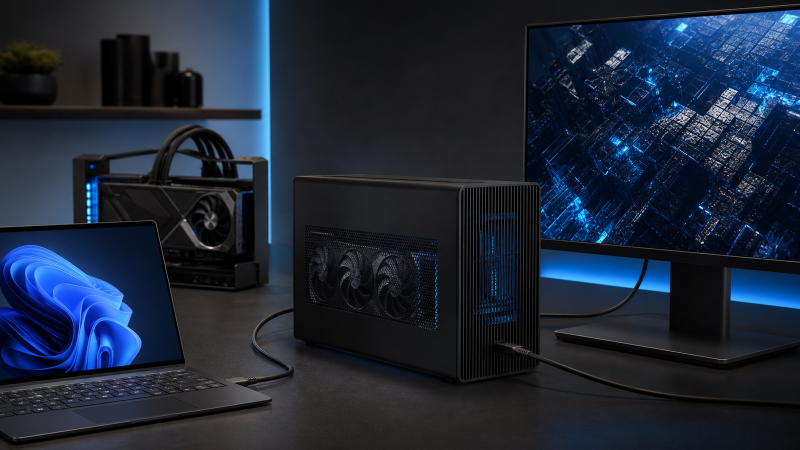
The Sonnet Breakaway Box 850 T5 is our best current Thunderbolt 5 eGPU enclosure for a conventional Windows setup. It includes its power supply, publishes exact card-fit and Windows requirements, and adds useful desktop ports without pretending that a Thunderbolt link is an internal PCIe x16 slot. Choose the Razer Core X V2 if you want an enclosed chassis but prefer to supply the ATX power supply. Plugable’s TBT5-AI is the expansion-heavy alternative with a supplied PSU. MINISFORUM DEG2 and PELADN Link S-3 are finished open-frame docks, not protective enclosures.
Some buyers should wait. An Apple Silicon Mac does not support the conventional external-GPU graphics path covered here. A USB4 label alone also does not prove eGPU support, and an unconfirmed host, GPU, power supply, or operating system can turn an attractive dock into an expensive compatibility problem. Start with our Thunderbolt 3, 4, and 5 comparison if the generations are unclear, then check the exact host against the manufacturer’s external-graphics requirements. Our guide to using USB4 with an external GPU explains why PCIe tunneling is the decisive feature.
What changed in this July 21, 2026 guide?
Five exact products had active US New offers on July 21, 2026. Maker pages, support material, manuals, and compatibility lists describe their fit and support boundaries. Later firmware, GPU lists, OS releases, and retail configurations can change, so repeat the exact-model checks before purchase.
Quick picks
- Best complete conventional enclosure: Sonnet Breakaway Box 850 T5. It is enclosed, includes an 850W PSU, and has the clearest combined Windows, host, fit, power, charging, and port documentation in this guide.
- Best bring-your-own-PSU enclosure: Razer Core X V2. It protects the GPU inside a case and lets you choose a standard ATX PSU, but Windows 11 and explicit external-graphics host support are required.
- Best enclosure and dock for expansion-heavy builds: Plugable TBT5-AI. It includes an 850W ATX 3.1 PSU, 96W host charging, Ethernet, and four USB ports, with a strict Windows 11 and CPU-generation boundary.
- Best dual Thunderbolt 5 and OCuLink open-frame dock: MINISFORUM DEG2. Its two host paths and M.2 slot are flexible, but the manual requires a hardware mode switch, a careful power sequence, and no OCuLink hot-plug.
- Best compact open-frame Thunderbolt 5 dock: PELADN Link S-3. It is small and port-rich, but PELADN does not publish an exact OS floor or qualified generic USB4 eGPU matrix, so this is the most conditional recommendation.
| Image | Product | Details | Check Price |
|---|---|---|---|
 | Sonnet Breakaway Box 850 T5 | Form: Enclosed conventional eGPU chassis Host modes: Thunderbolt 5; Thunderbolt 4; USB4 only when the host explicitly supports external GPU PCIe tunneling Internal PCIe path: PCIe 4.0 path on Thunderbolt 5; PCIe 3.0 path on Thunderbolt 4 or compatible USB4, not desktop x16 equivalence GPU fit: Up to 345 x 155 x 70 mm, triple-wide; named NVIDIA RTX 50/40/30 and AMD RX 9000/7000/6000 series still require exact card checks PSU included/required: 850W PSU included; three 8-pin leads or one 16-pin 12VHPWR; GPU not included Host charging: Up to 100W through the host port Extra ports: Downstream Thunderbolt up to 15W, three 10Gbps USB-A ports, and 5GbE OS/host boundary: Windows 11 2024H2 or newer; Sonnet's Thunderbolt laptop path names Intel Core 11th generation or newer or Core Ultra; GPU-capable USB4 must expose the documented Microsoft USB4 host router Best for: A complete conventional enclosure with documented Windows and fit boundaries | Check Price on Amazon |
 | Razer Core X V2 | Form: Enclosed eGPU chassis; model RC21-0227 Host modes: Thunderbolt 5, Thunderbolt 4, or USB4 only when the host maker confirms external graphics support Internal PCIe path: PCIe 4.0 x4, separate from the Thunderbolt link's headline rate GPU fit: Use the manual's tightest 360 x 82 x 170 mm limit; Razer source pages conflict on 3.5 versus 4 slots PSU included/required: Standard ATX PSU sold separately, up to 150 x 160 x 86 mm; size for GPU needs plus Razer's 230W overhead and required connectors Host charging: Up to 140W, which may not replace a performance laptop's own charger Extra ports: No downstream dock ports; one upstream Thunderbolt 5 host connection OS/host boundary: Windows 11; current BIOS, firmware, and graphics drivers; not Mac-compatible Best for: An enclosed build where the buyer wants to choose the ATX PSU | Check Price on Amazon |
 | Plugable Thunderbolt 5 AI eGPU Enclosure | Form: Enclosed eGPU and expansion dock; model TBT5-AI Host modes: Thunderbolt 5, Thunderbolt 4, or USB4 with explicit eGPU support; no Thunderbolt 3 or plain USB-C Internal PCIe path: Mechanical x16 slot with four PCIe 4.0 lanes; GPU add-in cards only GPU fit: Up to 346 x 170 x 77 mm, 3.5 slots, and 600W; partial named GPU list still requires exact-card verification PSU included/required: 850W ATX 3.1 PSU included with 600W for the GPU, three 6+2-pin leads, and one 12VHPWR lead; GPU not included Host charging: Up to 96W Extra ports: Downstream Thunderbolt 5, one 10Gbps USB-C, three 10Gbps USB-A, and 2.5GbE OS/host boundary: Windows 11 only; Intel 11th generation or newer or AMD Zen 4 or newer; no macOS, Linux, or ChromeOS Best for: A supplied-PSU enclosure that also needs charging, Ethernet, and USB expansion | Check Price on Amazon |
 | MINISFORUM DEG2 | Form: Finished open-frame dock Host modes: Thunderbolt 5 and a separate OCuLink PCIe 4.0 x4 path selected by a hardware switch Internal PCIe path: Mechanical PCIe x16 GPU slot; OCuLink is explicitly PCIe 4.0 x4; Thunderbolt electrical lane width is not separately published GPU fit: Open frame with supplied holder; MINISFORUM publishes no exact GPU length, thickness, or mass ceiling PSU included/required: ATX or SFX PSU, AC lead, 24-pin lead, and 8-pin lead required separately; wattage and connectors must match the exact GPU Host charging: Up to 140W on the upstream Thunderbolt path Extra ports: Downstream Thunderbolt 5 at 30W with DP Alt Mode, 10Gbps and 5Gbps USB-A, 2.5GbE, and M.2 2280 OS/host boundary: No exact OS floor published; OCuLink is not hot-pluggable, GPU hot-swap is prohibited, and automatic power-on with the host is not assured on non-MINISFORUM computers Best for: A buyer with both Thunderbolt 5 and OCuLink hosts who accepts a manual power sequence | Check Price on Amazon |
 | PELADN Link S-3 | Form: Finished compact open-frame dock Host modes: Thunderbolt 5 is documented; broad USB-C/USB4 marketing lacks a qualified eGPU host matrix Internal PCIe path: Mechanical full-size x16 slot operating electrically at PCIe 4.0 x4 GPU fit: Open air; named NVIDIA RTX 30/40/50 and AMD RX 6000/7000/9000 families, but no exact card length, mass, or retention ceiling is published PSU included/required: ATX or SFX PSU sold separately; maximum ATX length 180 mm; 24-pin and 8-pin dock connections; verify GPU leads and power behavior Host charging: Up to 140W, not proof of full-load laptop power Extra ports: Downstream USB-C advertised with 30W and DisplayPort 2.1, 10Gbps USB-A, 2.5GbE, PCIe 3.0 M.2 2280, and SD 4.0 OS/host boundary: No exact Windows version, CPU floor, driver matrix, or generic USB4 eGPU qualification is published Best for: A compact open-frame Thunderbolt 5 build after written host and GPU confirmation | Check Price on Amazon |
Which one should you choose?
| Choose this | If you need this |
|---|---|
| Sonnet Breakaway Box 850 T5 | A documented enclosed Windows eGPU kit with the PSU included |
| Razer Core X V2 | An enclosed chassis and freedom to choose a standard ATX PSU |
| Plugable TBT5-AI | A supplied PSU plus charging, Ethernet, USB, and downstream Thunderbolt |
| MINISFORUM DEG2 | Separate Thunderbolt 5 and OCuLink paths in one finished open-frame dock |
| PELADN Link S-3 | A compact open-frame build after written host and GPU confirmation |
1. Sonnet Breakaway Box 850 T5: Best complete conventional enclosure
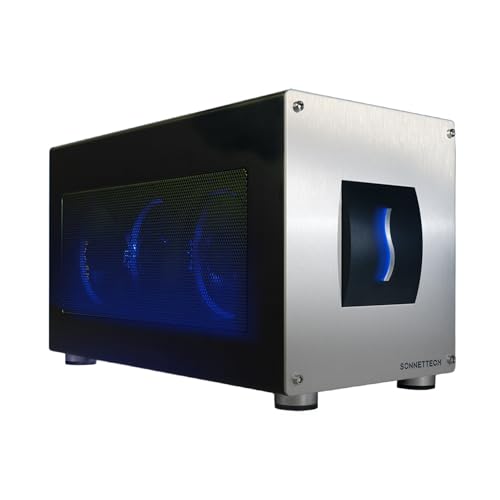
Sonnet’s GPU-850T5 is the easiest recommendation in this group because the enclosure, power supply, host cable, card limits, Windows floor, and ports are documented together. Sonnet supplies an 850W PSU and a 0.8m Thunderbolt 5 cable. The case accepts a card up to 345 x 155 x 70 mm and triple-wide, with three 8-pin power leads or one 16-pin 12VHPWR lead. Sonnet names current NVIDIA RTX 50, 40, and 30 families and AMD Radeon RX 9000, 7000, and 6000 families, but you still need to check the exact board partner card against those physical and power limits.
The documented host path is unusually specific. Sonnet requires Windows 11 2024H2 or newer. For its Thunderbolt laptop path, Sonnet names an 11th-generation or newer Intel Core processor or Intel Core Ultra, with current OS, BIOS, firmware, and GPU drivers. Thunderbolt 5 uses the enclosure’s PCIe 4.0 path, while Thunderbolt 4 and GPU-capable USB4 use a PCIe 3.0 path. Those labels describe the tunneled connection inside the enclosure. They do not make this a full desktop x16 link. Sonnet’s Windows guide also says a USB4 machine must expose USB4(TM) Host Router (Microsoft) in Device Manager for the documented GPU/PCIe route. If it does not, Sonnet says that USB4 connection cannot pass GPU data.
This is also a capable desk dock. The host port provides up to 100W, while the downstream Thunderbolt port provides up to 15W and passes capabilities supported by the host. Three 10Gbps USB-A ports and 5GbE reduce the number of separate adapters around the laptop. The enclosed chassis uses a temperature-controlled internal fan, so it is actively ventilated rather than a silent open frame.
Our Take
Choose Sonnet when you want the most complete, clearly bounded conventional Windows enclosure in this list. Skip it if your Windows build is older, your USB4 host cannot prove external-GPU tunneling, or your card exceeds the published dimensions or available power leads.
- Supplied PSU and Thunderbolt 5 cable simplify the parts list
- Exact Windows, USB4, GPU-fit, and connector limits
- 100W host charging plus USB-A, downstream Thunderbolt, and 5GbE
- Enclosed design protects the installed card and power hardware
- Requires Windows 11 2024H2 or newer
- Thunderbolt 4 and compatible USB4 use the lower PCIe path
- Large cards still need exact dimension and connector checks
Key specifications: Enclosed; 850W PSU included; maximum GPU 345 x 155 x 70 mm; up to 100W host charging; downstream Thunderbolt, three USB-A ports, and 5GbE.
2. Razer Core X V2: Best bring-your-own-PSU enclosure

Razer Core X V2, model RC21-0227, is the enclosed choice for someone who wants to select the power supply. Razer does not include the GPU, PSU, or a PSU-specific regional power cord. It does include a 0.7m Thunderbolt 5 cable and the hardware used to mount a standard ATX PSU. The PSU can measure up to 150 x 160 x 86 mm. Razer says to size it for the graphics card’s requirement plus 230W of overhead, but that rule is only one check. The exact GPU connectors, transient behavior, PSU dimensions, and cable routing still matter.
The Core X V2 uses PCIe 4.0 x4 internally and can supply up to 140W to the host. It has one upstream Thunderbolt 5 connection and no downstream dock ports, making it a focused eGPU enclosure rather than a general port expander. Windows 11 is the current support requirement. The host can use Thunderbolt 5, Thunderbolt 4, or USB4 only when the computer maker confirms external graphics support, and Razer calls for current BIOS, firmware, and graphics drivers. Razer explicitly says this model is not Mac-compatible.
Card fit requires care because Razer’s current sources conflict. The product page advertises up to four slots, the May 2026 support page says 3.5 slots and gives an 82 mm height limit, and the current user manual gives the tightest maximum of 360 x 82 x 170 mm. We use the manual limit. Razer also publishes a named GPU list; an unlisted card may still be physically similar, but Razer warns it can cause issues.
Our Take
Choose Core X V2 when you want an enclosed card and a PSU you can select or replace. The tradeoff is more parts validation than Sonnet, plus a source conflict that makes the manual’s tighter fit limit the prudent one.
- Enclosed chassis with a replaceable standard ATX power supply
- PCIe 4.0 x4 path and up to 140W host power
- Current Razer GPU compatibility list covers several generations
- Included 0.7m Thunderbolt 5 cable
- GPU, PSU, and PSU power cord are separate purchases
- Official sources conflict on maximum slot width
- No downstream dock ports and no Mac compatibility
Key specifications: Enclosed; Windows 11; PCIe 4.0 x4; maximum manual GPU size 360 x 82 x 170 mm; ATX PSU up to 150 x 160 x 86 mm; up to 140W host power.
3. Plugable Thunderbolt 5 AI eGPU Enclosure: Best for expansion-heavy builds
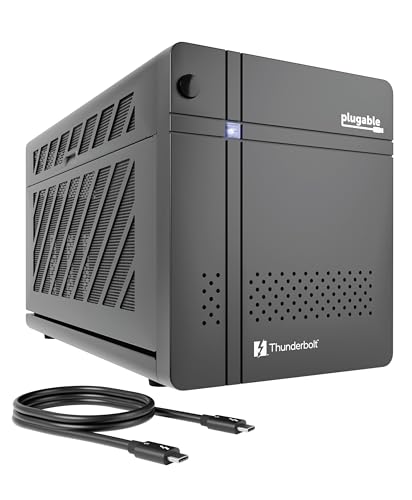
Plugable TBT5-AI combines an enclosed GPU bay with the strongest peripheral selection here. The included 850W ATX 3.1 PSU allocates up to 600W to the GPU and provides three 6+2-pin leads plus one 12VHPWR lead. The enclosure accepts a card up to 346 x 170 x 77 mm, 3.5 slots, and 600W. Its slot is mechanically x16 but carries four PCIe 4.0 lanes. Plugable supports graphics cards for this slot, not arbitrary PCIe add-in cards, and the GPU is not included.
On the dock side, Plugable provides up to 96W to the host, a downstream Thunderbolt 5 port at up to 15W, one 10Gbps USB-C port at 15W, three 10Gbps USB-A ports at 7.5W, and 2.5GbE. A power cord and 0.8m Thunderbolt 5 cable are included. The enclosure has one internal fan, while the installed GPU must bring its own cooling solution.
Compatibility is strict. Plugable supports Windows 11 only, with an 11th-generation or newer Intel processor or AMD Zen 4 or newer. The host needs Thunderbolt 5, Thunderbolt 4, or USB4 with explicit eGPU support. Thunderbolt 3, plain USB-C, macOS, Linux, and ChromeOS are excluded. Plugable recommends connecting the enclosure directly to the computer with its included cable and installing the exact GPU vendor’s Windows driver. Its local-compute branding does not establish a performance result, so we select it for the hardware and ports rather than an unsourced AI speed claim.
Our Take
Choose Plugable when you need a supplied PSU and a real dock around the GPU. Skip it if your CPU or OS falls outside the published boundary, if your USB4 port lacks eGPU support, or if the card exceeds the 600W allocation or physical limits.
- Supplied ATX 3.1 PSU allocates up to 600W to GPU
- Exact card dimensions, slot width, and power leads published
- Useful Thunderbolt, USB, Ethernet, and charging expansion
- Included power cord and 0.8m Thunderbolt 5 cable
- Windows 11 and newer CPU generations are mandatory
- No macOS, Linux, ChromeOS, or Thunderbolt 3 support
- 96W charging may not cover a performance laptop’s full load
Key specifications: Enclosed; 850W PSU with 600W GPU allocation; PCIe 4.0 x4; maximum GPU 346 x 170 x 77 mm; up to 96W host power; downstream Thunderbolt, four USB ports, and 2.5GbE.
4. MINISFORUM DEG2: Best dual Thunderbolt 5 and OCuLink open-frame dock
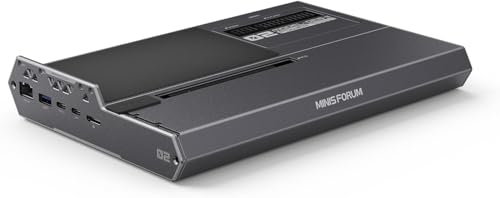
DEG2 is a finished open-frame dock, not an enclosure. The GPU and PSU remain exposed, but the product includes a base, GPU holder, mode switch, ports, and mounting hardware rather than arriving as a loose controller PCB. Its key feature is the choice between Thunderbolt 5 and a separate OCuLink PCIe 4.0 x4 host path. MINISFORUM uses Intel’s JHL9480 for the Thunderbolt side and a hardware switch to select the active mode.
The two paths are not interchangeable. OCuLink is direct PCIe and does not carry the same charging, peripheral, or connection expectations as Thunderbolt. MINISFORUM’s manual says OCuLink cannot be hot-plugged, the graphics card must not be hot-swapped through either connection, and the dock must be off before changing the mode switch. In OCuLink mode, a separate Type-C cable from the host’s USB4 port to the dock’s upstream port is needed if you want the expansion ports to work.
Those ports are substantial: up to 140W on the Thunderbolt upstream connection, a downstream Thunderbolt connection at 30W with DisplayPort Alt Mode, one 10Gbps and one 5Gbps USB-A port, 2.5GbE, and an M.2 2280 slot. The technical table lists 258.9 x 174.17 x 42.75 mm, although a separate variant block on the same page lists 270 x 175 x 41 mm. We use the technical table and flag the conflict. An ATX or SFX PSU, GPU, AC cable, 24-pin lead, and 8-pin lead are separate. MINISFORUM publishes no exact GPU size or mass ceiling and no OS floor.
Our Take
Choose DEG2 only when the separate Thunderbolt 5 and OCuLink paths solve a real host-switching need. Its flexibility comes with a manual power order, exposed components, and important unanswered OS and GPU-fit questions that should be confirmed before purchase.
- Separate Thunderbolt 5 and OCuLink host paths
- Finished open frame includes GPU retention and mounting hardware
- M.2, Ethernet, USB-A, and downstream Thunderbolt expansion
- Supports mounting an ATX or SFX power supply
- No PSU, GPU, or required PSU leads included
- No exact OS or GPU-size ceiling published
- OCuLink and GPU hot-swap are explicitly prohibited
Key specifications: Finished open frame; Thunderbolt 5 plus separate OCuLink PCIe 4.0 x4; ATX/SFX PSU required; up to 140W host power; downstream Thunderbolt, two USB-A ports, 2.5GbE, and M.2 2280.
5. PELADN Link S-3: Best compact open-frame Thunderbolt 5 dock
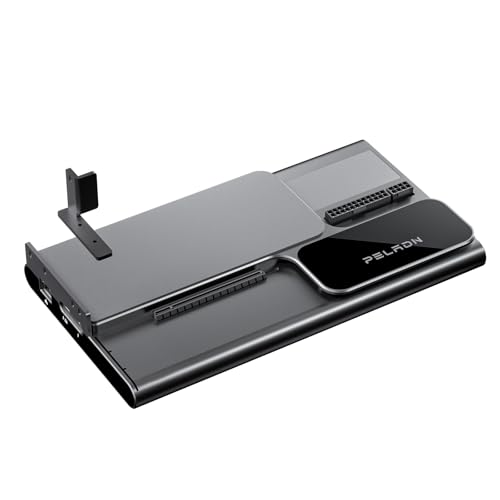
PELADN Link S-3 is the compact open-frame option at 291 x 165 x 41 mm and 1100 g before a GPU or PSU is installed. There is no surrounding case or built-in fan. Cooling comes from the graphics card, and the power supply remains exposed. PELADN supplies the dock, a Thunderbolt 5 cable, screwdriver, and manual, but not the GPU or PSU.
The JHL9480-based dock has a mechanical full-size PCIe x16 slot operating electrically at PCIe 4.0 x4. PELADN names NVIDIA RTX 30, 40, and 50 families and AMD Radeon RX 6000, 7000, and 9000 families. Its open-air marketing suggests broad cooler clearance, but the page gives no exact GPU length, mass, or retention ceiling. Treat the named families as a starting list, then get confirmation for the exact card.
The buyer supplies an ATX or SFX PSU. PELADN documents a 180 mm maximum ATX length plus 24-pin ATX and 8-pin CPU connections for the dock. It also advertises up to 140W host power, a downstream USB-C port with 30W output and DisplayPort 2.1 support, one 10Gbps USB-A port, 2.5GbE, an M.2 2280 PCIe 3.0 slot, and SD 4.0. PELADN does not publish a complete host-and-display qualification matrix for that DisplayPort claim.
The weak point is host qualification. PELADN publishes no exact Windows version, CPU floor, driver matrix, or qualified generic USB4 eGPU list. Its broad USB-C/USB4 marketing does not prove that a particular USB4 port exposes external PCIe graphics. This recommendation therefore remains conditional on written confirmation for the host, OS, GPU, PSU, and display route.
Our Take
Choose Link S-3 when compact open-frame hardware and its storage or dock ports matter more than enclosure protection. Do not choose it on the assumption that every USB-C or USB4 host works, or that the x16-shaped slot is electrically x16.
- Compact finished open-frame design with supplied host cable
- PCIe 4.0 x4 electrical path is stated clearly
- Ethernet, USB, SD, M.2, and display expansion
- Accepts user-selected ATX or SFX power supply
- No exact OS or qualified generic USB4 host matrix
- No published GPU length, mass, or retention ceiling
- Exposed GPU and PSU receive no enclosure protection
Key specifications: Finished open frame; PCIe 4.0 x4 electrical path; ATX/SFX PSU required; maximum ATX PSU length 180 mm; up to 140W host power; USB, 2.5GbE, SD 4.0, M.2 2280, and display expansion.
How to choose a Thunderbolt 5 eGPU enclosure or dock
Start with the host’s external PCIe support
The connector is only the first thing to check. USB4 can expose different optional features across computers, so the port name does not prove eGPU PCIe tunneling. Sonnet provides a concrete Windows Device Manager check for its supported USB4 path. Razer says the host maker must confirm external graphics. Plugable says USB4 must support eGPU operation. MINISFORUM and PELADN do not provide an equally complete generic USB4 host matrix.
Thunderbolt 4 fallback is also product-specific. Sonnet documents a PCIe 3.0 enclosure path on Thunderbolt 4, while Razer and Plugable support Thunderbolt 4 hosts within their other requirements. That is not Thunderbolt 5 bandwidth. Read the USB4 versus Thunderbolt 4 differences and the broader Thunderbolt 5, Thunderbolt 4, and USB4 comparison, then let the eGPU maker’s exact support page control the purchase.
Separate link rate, PCIe lanes, and slot shape
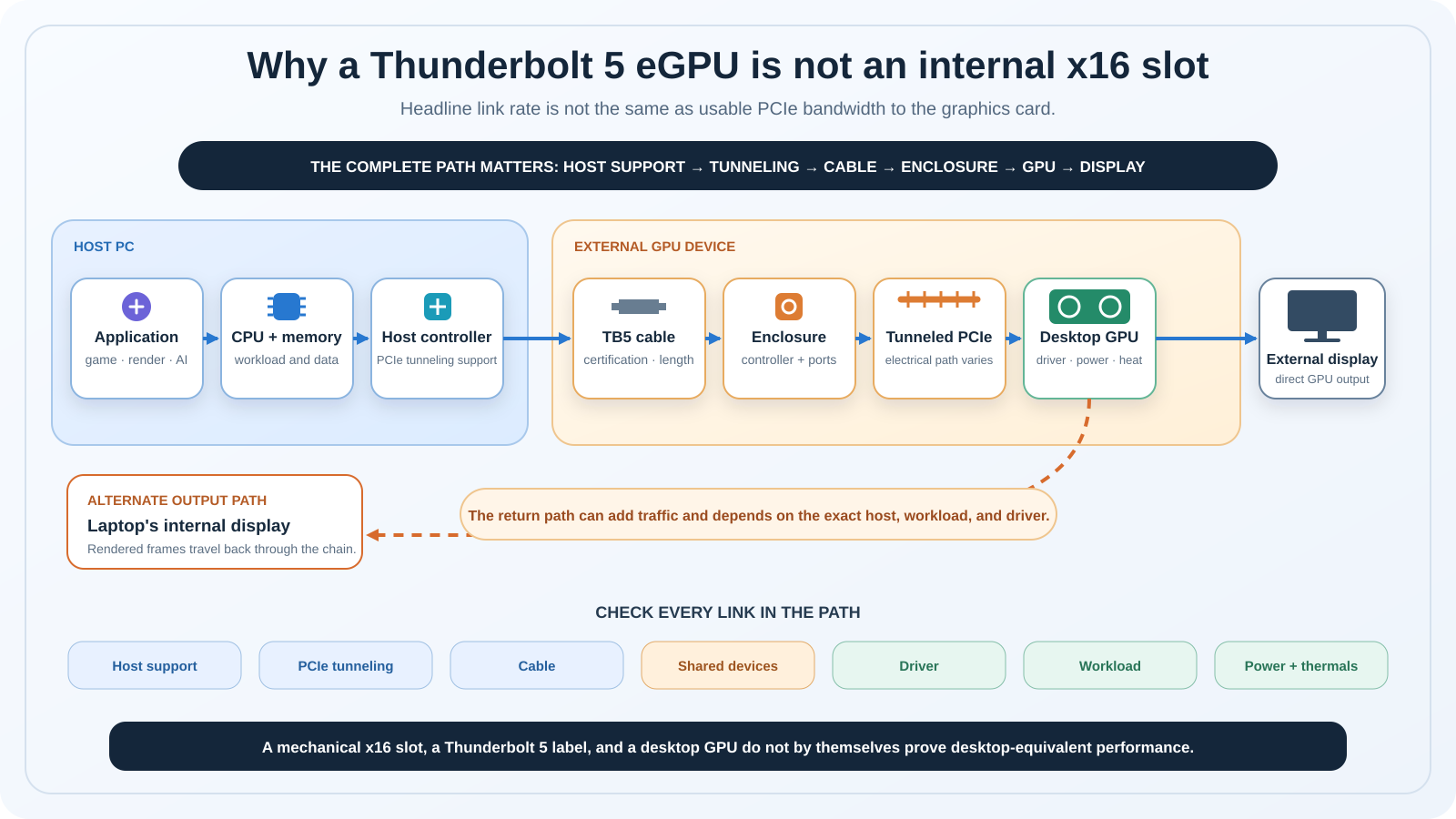
Thunderbolt 5’s headline link rate covers the connection as a whole. The GPU sees tunneled PCIe, and the useful path depends on the host controller, allocated lanes, enclosure controller, cable, CPU, driver, and other traffic. A mechanical x16 slot only describes the connector that receives the card. Razer and Plugable explicitly document PCIe 4.0 x4, while Link S-3 is mechanically x16 and electrically PCIe 4.0 x4. Sonnet describes different PCIe generation paths by host mode. None of that establishes desktop x16 equivalence.
Performance can also vary with workload, thermals, GPU, driver, CPU, and display route. We do not synthesize a ranking from unrelated vendor claims. If board partner dimensions and connector names are unfamiliar, our graphics card specifications explainer will help you decode them without turning a family name into a fit guarantee.
Decide between an enclosure and an open frame
Sonnet, Razer, and Plugable place the card and power hardware inside a case. That protects connectors and helps control the airflow path, but it creates hard length, height, width, and slot limits. Razer’s conflicting slot-count statements show why the tightest current manual measurement should win.
DEG2 and Link S-3 are complete open-frame docks. They provide a base, controller, slot, retention, and ports, but the GPU and PSU are exposed. Open air avoids a surrounding case wall, yet it does not mean unlimited fit. Card mass, bracket retention, PSU placement, power leads, fan clearance, and desk safety still matter. Neither vendor publishes a complete GPU-dimension ceiling.
Treat the PSU as a system, not a wattage label
Sonnet and Plugable include a PSU, but their boundaries differ. Sonnet publishes its available GPU connectors and card-fit list. Plugable includes an 850W unit but allocates up to 600W to the GPU. Razer, DEG2, and Link S-3 need a user-selected PSU. Razer gives a physical PSU envelope and overhead rule, DEG2 supports ATX and SFX mounting, and PELADN limits ATX length to 180 mm.
For every product, compare the exact card’s recommended supply, transient behavior, number and type of connectors, cable-bend clearance, and power allocation. Never use an adapter or split cable unless the GPU and PSU makers approve it. A large total rating cannot fix a missing connector or a card that does not fit.
Check Windows, firmware, drivers, and the cable
Sonnet requires Windows 11 2024H2 or newer. Razer requires Windows 11. Plugable requires Windows 11 plus an 11th-generation Intel or AMD Zen 4 or newer processor. DEG2 and Link S-3 do not publish an exact OS floor in the retrieved material, so obtain written support for the planned system.
Update through the computer and product makers’ supported routes. Confirm BIOS, Thunderbolt or USB4 firmware, Windows build, and the NVIDIA or AMD driver before adding other devices. Use the included host cable where provided. If you need a replacement, verify certification, generation, length, and power behavior in our Thunderbolt 5 cable guide. The USB-C plug shape is not enough.
Plan display routing and shared dock traffic
Razer’s manual explicitly documents an optional monitor connection directly to the installed graphics card. That is the clearest documented route in this guide. An internal laptop display may require a return path through the host and driver, but the manufacturers do not publish one cross-product behavior or result, so do not promise the same internal-display support or performance across these five.
Dock traffic matters too. Sonnet, Plugable, DEG2, and Link S-3 add some mix of storage, Ethernet, USB, charging, display, or downstream Thunderbolt. Those features share controllers and host resources. They are useful, but their presence is not free proof that the GPU path stays unchanged under every workload. If GPU expansion is not essential, a conventional Thunderbolt docking station or one of the current USB4 hubs and docks may be simpler.
Understand DEG2’s OCuLink option
OCuLink is a separate direct-PCIe cable path. On DEG2 it is explicitly PCIe 4.0 x4 and selected with a hardware switch. It does not become Thunderbolt because both paths reach the same GPU slot. MINISFORUM warns that OCuLink cannot be hot-plugged, and the separate USB4 Type-C cable is needed for dock ports while the GPU uses OCuLink. Charging, peripheral expansion, cable handling, and startup behavior therefore differ from Thunderbolt mode.
Know when an eGPU is the wrong upgrade
An eGPU is a poor fit when the host cannot prove external PCIe support, the required app rejects an external adapter, the laptop needs more power than the dock provides, portability matters more than desk performance, or the total parts and compatibility work exceed the value of a different computer. A desktop remains the clearer path when full internal slot access, several add-in cards, or predictable serviceability is the priority.
Owners of older compatible systems may instead compare earlier Thunderbolt 3 eGPU options, but that is a different generation and should not be mixed into this Thunderbolt 5 shortlist. If the host itself is the weak link, begin with the laptop requirements for eGPU use before choosing the enclosure.
Pre-purchase compatibility checklist
- Identify the exact host. Record the laptop or handheld model, CPU, Windows version and build, BIOS, Thunderbolt or USB4 controller, and firmware.
- Prove external PCIe graphics support. Do not accept USB-C or USB4 naming alone. Use the computer maker’s documentation and the eGPU maker’s exact host requirement.
- Match the product form. Decide whether you need an enclosed Sonnet, Razer, or Plugable chassis or can safely use an exposed DEG2 or Link S-3 dock.
- Measure the exact GPU. Check length, height, thickness, slot count, bracket, cooler overhang, power-plug location, cable bend, and mass. Use the board partner’s card, not only the GPU-family name.
- Audit the PSU. Confirm included versus separate supply, GPU allocation, transient requirement, connectors, cable type, physical PSU fit, AC lead, and dock power leads.
- Check charging separately. Compare the laptop’s required input with the enclosure’s advertised delivery. A 140W claim does not prove full-load operation without the laptop charger.
- Specify the cable. Use the included cable first. A replacement must meet the product maker’s generation, certification, length, and power requirements. Our USB-C cable guide explains why appearance is insufficient.
- Choose the display route. Ask whether the intended monitor connects directly to the GPU and whether the manufacturer supports the laptop’s internal display path.
- Plan driver and firmware installation. Save the correct GPU driver and current support notes. Follow the host and enclosure maker’s approved update order.
- Get gaps in writing. For DEG2 and Link S-3 especially, send the vendor the exact host, OS, GPU, PSU, cable, and display plan before the return window begins.
Manufacturer-specific setup sequence
There is no safe universal eGPU hot-plug recipe. Work on the GPU and PSU only with external power disconnected, use antistatic precautions, and follow the exact current manual supplied with the product.
Sonnet GPU-850T5
Install and secure the GPU in the unpowered enclosure, connect the required Sonnet PSU lead, close the case, connect AC power, and use the supplied cable in the host-marked Thunderbolt port. On the supported Windows host, install the exact AMD or NVIDIA driver and verify the device in Device Manager. For USB4, apply Sonnet’s Microsoft USB4 host-router check rather than assuming the port supports PCIe tunneling.
Razer Core X V2
With power disconnected, mount the standard ATX PSU and connect its 24-pin and 8-pin dock leads. Install and secure the GPU, then connect the exact GPU power leads. Close the enclosure, connect the power cord appropriate to the selected PSU and region, and use Razer’s included Thunderbolt 5 cable with a confirmed eGPU-capable Windows 11 host. The manual allows a monitor to connect directly to the GPU. Switch on the PSU and install the graphics driver; add Synapse only for the documented enclosure controls.
Plugable TBT5-AI
Keep every external cable disconnected while installing the GPU. Open the access panels, remove only the needed slot covers, seat and secure a card within the published size and power limits, attach the required PSU leads, and close the enclosure. Connect the included power cord, switch the unit on, and place the included 0.8m cable in the computer-marked host port. Connect it directly to a compatible Windows 11 computer and install the GPU maker’s Windows driver. Plugable notes that the enclosure itself powers on only after it establishes a compatible host connection.
MINISFORUM DEG2
Install the ATX or SFX PSU, GPU, retention holder, dock power leads, GPU power leads, and optional M.2 SSD while the dock is off. For Thunderbolt 5 mode, move the switch right while powered off, connect the included Type-C cable to the upstream port, turn on the ATX PSU, start the host, and then power the dock as the manual directs. For OCuLink, move the switch left while off and connect the OCuLink cable only while powered down. Add the separate Type-C connection if the dock ports are needed. Do not hot-plug OCuLink or the GPU. MINISFORUM warns that the dock may not power on automatically with the host when a non-MINISFORUM computer is used, so expect to power it on manually.
PELADN Link S-3
PELADN’s public page does not provide a complete online startup sequence, and its included manual is not offered there as a separate download. Do not borrow another dock’s order. Install the user-selected PSU and GPU only while unpowered, confirm the 24-pin, 8-pin, and GPU-specific leads, then follow the included Link S-3 manual and obtain PELADN support confirmation for the exact Windows host before connecting it.
Frequently asked questions
Is Thunderbolt 5 better than Thunderbolt 4 for an eGPU?
It can provide a newer and broader connection, but the result is not defined by the generation name alone. Sonnet documents PCIe 4.0 through its Thunderbolt 5 path and PCIe 3.0 through Thunderbolt 4. Razer and Plugable document PCIe 4.0 x4 inside their products, subject to the host and controller. GPU, CPU, drivers, cable, display route, peripherals, and workload still matter. Treat vendor link rates as interface specifications, not measured application performance.
Will a Thunderbolt 5 eGPU work on Thunderbolt 4?
Only when the exact product supports that fallback. Sonnet, Razer, and Plugable document Thunderbolt 4 host paths within their other restrictions. The connection does not become Thunderbolt 5 bandwidth, and older hosts can have different PCIe behavior. DEG2 and Link S-3 need exact vendor confirmation for the planned host and OS because their retrieved public material does not provide an equally complete fallback matrix.
Does every USB4 PC support an eGPU?
No. External GPU operation requires the host to expose the necessary PCIe tunneling and platform support. Sonnet provides a Device Manager test for its documented USB4 route. Razer requires the host maker to confirm external graphics, and Plugable says the USB4 port must support eGPUs. A USB4 logo, USB-C connector, or high USB data rate cannot prove that optional capability.
Can Thunderbolt 5 match an internal PCIe x16 slot?
Do not assume it. A full-length mechanical x16 connector can operate over four electrical lanes, as Razer, Plugable, and PELADN document. Thunderbolt also tunnels PCIe through host and enclosure controllers and a cable. Host allocation, controller design, driver, workload, GPU, display route, thermals, and shared traffic can affect the result. None of the official evidence in this guide establishes full desktop x16 equivalence.
Can I use an NVIDIA or AMD GPU?
The manufacturers name current NVIDIA and AMD families, but exact-card approval varies. Check the enclosure’s list and the board partner card’s dimensions, slot width, cooler, mass, connectors, recommended PSU, and firmware or driver requirements. Plugable also caps the GPU allocation at 600W. A family such as RTX 50 or RX 9000 contains physically different cards, so the family label is not a fit guarantee.
Does the enclosure include the GPU or power supply?
None of these products includes the GPU. Sonnet and Plugable include a PSU. Razer Core X V2, MINISFORUM DEG2, and PELADN Link S-3 require a separate PSU. DEG2 and Link S-3 are open-frame docks, not enclosures. Check the regional box list too: required AC cables or PSU leads can vary when the PSU is user-supplied.
Should the monitor connect to the laptop or graphics card?
Follow the exact product and application guidance. Razer’s manual explicitly allows an optional display connected directly to the installed GPU. The internal laptop display may use a different return path through the host and driver. The reviewed manufacturers do not publish one behavior that applies across all five products, so verify internal-display support and the intended output connector before purchase.
Does an eGPU work on Apple Silicon Macs?
Not as the conventional graphics eGPU described here. Razer and Plugable explicitly exclude Mac support, and Apple Silicon does not provide the normal external-GPU graphics path this roundup targets. Sonnet publishes a separate experimental macOS 15 compute note involving a third-party signed driver, but it excludes display, graphics, video, creative-app, and gaming acceleration and is not a conventional eGPU recommendation.
Is OCuLink faster or simpler than Thunderbolt 5?
Neither label guarantees a better result. DEG2’s OCuLink port is a separate PCIe 4.0 x4 path, while Thunderbolt adds controller, cable, charging, and dock behavior. OCuLink does not provide the same hot-plug expectation, and MINISFORUM explicitly prohibits hot-plugging it. DEG2 also needs a separate Type-C link for its expansion ports in OCuLink mode. Choose from host support and workflow, not a single interface-rate comparison.
How we research and select
Every exact ASIN had at least one active US New listing on July 21, 2026. Amazon listings establish retail identity and availability; manufacturer materials establish technical claims.
Maker product pages, support pages, manuals, setup guides, and compatibility lists describe host modes, operating systems, PCIe paths, GPU fit, power supply, included items, charging, ports, setup, and warnings. The page shows the conflicts in Razer’s fit language and MINISFORUM’s dimensions, and PELADN’s host matrix is missing. No personal testing, unrelated benchmarks, or prices are presented here.
Exclusions and market limitations
TREBLEET B0GLVGJ6XS was excluded because exact variant parity failed. The Amazon identity omitted a model and described flexible DC, SFX, and ATX power support, while the closest official page described a built-in 600W SFX configuration. That mismatch is too important to bridge with an assumption.
We also excluded fixed-GPU external graphics products, legacy Thunderbolt 3/4 boxes, loose JHL9480 boards, unfinished controller kits, standard USB-C docks without external PCIe, and OCuLink-only docks. Fixed-GPU boxes have a different upgrade path, while loose boards are not complete consumer docks.