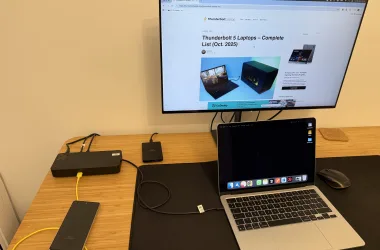
An eGPU enclosure is a desktop graphics-card bay that connects to a laptop over Thunderbolt or a qualified USB4 path. You buy the graphics card separately unless a maker explicitly says that its box includes one. The lower-cost end of this category falls into three types: docks that need a separate ATX or SFX power supply, enclosed chassis that also need a separate power supply, and enclosed systems with a PSU already fitted.
The MINISFORUM DEG2 is the lower-cost entry for a buyer who accepts a separate power supply and graphics card. Buyers who want an enclosed case should begin with the Razer Core X V2, one of the two Sonnet Breakaway Box models, or the Plugable TBT5-AI. The purchase is never only about the enclosure. The laptop must support external-GPU PCIe tunneling, the exact card must fit, and the supply must have the necessary connectors and capacity.
The cost of an enclosure or dock is only part of a graphics setup, because the graphics card is a separate purchase. Lower-priced enclosures also sell on Amazon, but their listings do not state a card-size limit, and the picks below are the lower-cost models whose makers publish a spec page. Before choosing a port label over a documented host path, read our USB4 eGPU guide and confirm the exact laptop with its maker.
Table of Contents
Quick picks
- MINISFORUM DEG2 is the lower-cost route for a Thunderbolt 5 or OCuLink build that already has a compatible power supply.
- PELADN Link S-3 is an open-air Thunderbolt 5 dock when the host and graphics card have written confirmation.
- Razer Core X V2 is an enclosed chassis for buyers who want to choose their own PSU.
- Sonnet Breakaway Box 750ex is a Thunderbolt 3 choice with the PSU, USB-A, and Ethernet included.
| Image | Product | Details | Check Price |
|---|---|---|---|
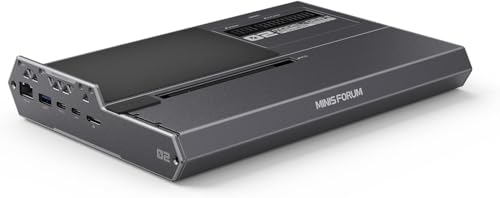 | MINISFORUM DEG2 | Best fit: Lowest-cost dual-path dock Connection: Thunderbolt 5 or separate OCuLink mode Power supply: ATX or SFX supplied by buyer Laptop charging: Up to 140W on upstream Thunderbolt Buyer check: No published exact GPU-fit or OS ceiling | Check Price on Amazon |
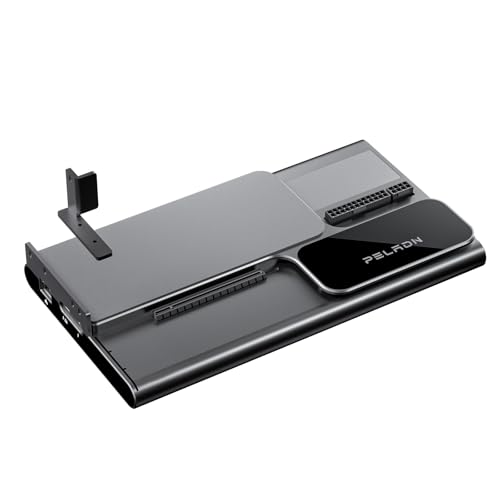 | PELADN Link S-3 | Best fit: Slim open-air Thunderbolt 5 build Connection: Thunderbolt 5; PCIe 4.0 x4 GPU slot Power supply: ATX or SFX supplied by buyer Laptop charging: Up to 140W Buyer check: Confirm host, OS, GPU, and PSU in writing | Check Price on Amazon |
 | Razer Core X V2 | Best fit: Enclosed build with buyer-selected ATX PSU Connection: Thunderbolt 5, 4, or qualified USB4 Power supply: ATX PSU supplied by buyer Laptop charging: Up to 140W Buyer check: GPU up to 4 slots wide | Check Price on Amazon |
 | Sonnet Breakaway Box 750ex | Best fit: Thunderbolt 3 enclosure with USB and Ethernet Connection: Thunderbolt 3 Power supply: 750W included Laptop charging: Up to 85W Buyer check: GPU up to 312 x 160 x 55 mm | Check Price on Amazon |
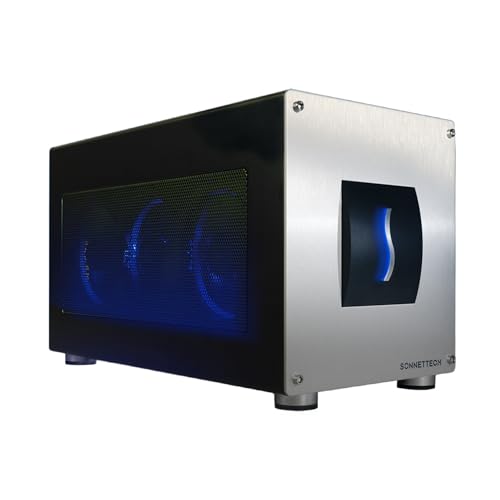 | Sonnet Breakaway Box 850 T5 | Best fit: Enclosed Thunderbolt 5 kit Connection: Thunderbolt 5, 4, or qualified USB4 Power supply: 850W included Laptop charging: Up to 100W Buyer check: GPU up to 345 x 155 x 70 mm | Check Price on Amazon |
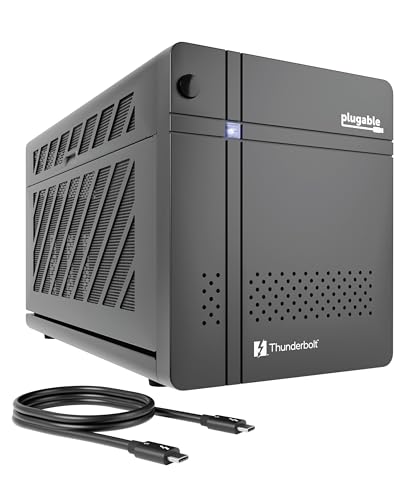 | Plugable TBT5-AI | Best fit: Supplied-PSU enclosure with dock expansion Connection: Thunderbolt 5, 4, or qualified USB4 Power supply: 850W included; 600W GPU allocation Laptop charging: Up to 96W Buyer check: Windows 11 and listed CPU floors required | Check Price on Amazon |
What a lower-cost eGPU enclosure leaves out
The enclosure connects the laptop to a desktop card. A mechanical PCIe x16 slot describes the card connector shape, not a full desktop x16 electrical path. Thunderbolt eGPU designs run the card over a Thunderbolt connection, and Razer and Sonnet condition use on a host that supports external graphics, while Plugable sets that condition for USB4 hosts.
Lower enclosure cost often moves parts of the build to the buyer. The DEG2 and Link S-3 each need a GPU and an ATX or SFX PSU. The Razer Core X V2 needs a GPU and a standard ATX power supply. An included supply removes that shopping step, but it does not waive the card-size, power-lead, cooling, or host checks. Laptop charging is a separate figure from graphics power.
1. MINISFORUM DEG2 — Lowest-cost dual-path dock
MINISFORUM describes the DEG2 as an eGPU dock with Thunderbolt 5 and a separate OCuLink PCIe 4.0 x4 path selected with a physical toggle. The dock lists a PCIe x16 port, M.2 2280 storage, 2.5G LAN, USB ports, and upstream Thunderbolt power up to 140W. It takes a buyer-supplied ATX or SFX PSU through 24-pin and 8-pin connections, and the graphics card is separate.
The low enclosure cost has a practical boundary. MINISFORUM does not publish an exact GPU length, thickness, mass, or operating-system ceiling for this model. The OCuLink route is not a substitute name for Thunderbolt. MINISFORUM says the physical toggle switches between the two paths with no cable changes and no software tweaks. Pick the DEG2 when you can document the host path and are comfortable selecting the GPU and power system as one build.
Our Take
Choose the DEG2 for a Thunderbolt 5 build when a separate PSU and an unpublished exact card-fit ceiling are acceptable.
- MINISFORUM specifies Thunderbolt 5 and OCuLink modes in one dock, and a physical toggle selects between them without cable changes.
- MINISFORUM lists 140W upstream Thunderbolt power, M.2 2280 storage, USB, and 2.5G LAN, so the dock adds storage and wired networking beside the graphics slot.
- MINISFORUM lists ATX and SFX power supply support, so the DEG2 takes the supply the buyer chooses for the graphics card.
- The MINISFORUM page does not state a graphics-card dimension or operating-system limit for the DEG2.
- MINISFORUM does not include a graphics card or power supply with the DEG2, so both are separate purchases.
2. PELADN Link S-3 — Slim open-air Thunderbolt 5 dock
PELADN’s Link S-3 is another dock for a card you supply, and PELADN documents a Thunderbolt 5 host connection, while the Amazon listing also claims Thunderbolt 4 and USB4 compatibility. Its full-size mechanical slot runs at PCIe 4.0 x4, while the dock adds 2.5GbE, a USB-A port, M.2 storage, and an SD slot. PELADN describes an open-air chassis with no built-in fans, so cooling relies on the graphics card’s own fans. The upstream Thunderbolt connection can provide up to 140W to the laptop.
The Link S-3 does not include a GPU or power supply. PELADN specifies ATX or SFX support, 24-pin and 8-pin dock power connections, and a maximum ATX PSU length of 180 mm. It does not publish an exact Windows version, CPU floor, or generic USB4 eGPU matrix, gives cooler thickness only as “virtually any,” and publishes no exact card-size ceiling. The missing host details make the Link S-3 a conditional pick for a buyer who can obtain host and card confirmation before ordering parts.
Our Take
Choose the Link S-3 when a slim open-air dock and buyer-selected power are preferable to an enclosed, supplied-PSU case.
- PELADN specifies a Thunderbolt 5 connection and PCIe 4.0 x4 electrical GPU path, which PELADN pairs with its Thunderbolt 5 host connection.
- PELADN lists 140W host power, 2.5GbE, USB-A, M.2 storage, and an SD slot, so the dock adds networking and storage connections beside laptop charging.
- PELADN specifies ATX or SFX support, so the buyer picks the power supply that matches the graphics card.
- PELADN publishes a 180 mm maximum ATX PSU length, so a buyer can check a supply’s size before ordering it.
- PELADN includes neither the graphics card nor the ATX or SFX power supply, so both are separate purchases.
- PELADN does not publish an exact OS floor or a qualified generic USB4 eGPU list.
- PELADN builds the Link S-3 as an open-air chassis with no built-in fans, so cooling depends on the graphics card’s own fans.
3. Razer Core X V2 — Enclosed build with your own ATX PSU
The Core X V2 is an enclosed Thunderbolt 5 chassis for a buyer who wants to select the PSU instead of receiving one in the box. Razer describes a vented steel chassis that supports a standard ATX power supply and recommends allowing an extra 230W on top of what the graphics card requires for best performance. Razer says the enclosure can supply up to 140W of power over Thunderbolt 5 and lists PCIe graphics cards up to four slots wide, and both the card and PSU are sold separately.
Razer says Windows 10 RS5 or Windows 11 or later is required, and that laptops and other devices need a Thunderbolt 5, Thunderbolt 4, or USB4 port with external graphics support. Razer also warns that a graphics card missing from its compatibility list may cause compatibility issues. The Core X V2 suits buyers who want an enclosed chassis and have already chosen a compatible ATX supply.
Our Take
Choose the Core X V2 for an enclosed build when picking your own ATX power supply is part of the plan.
- Razer lists PCIe graphics cards up to four slots wide, so buyers have a stated slot width to compare against a card.
- Razer supports a standard ATX power supply, so the buyer chooses the wattage the graphics card needs.
- Razer builds the Core X V2 as a vented steel chassis.
- Razer states that the graphics card and power supply are not included with the enclosure.
- Razer warns that a graphics card missing from its compatibility list may cause compatibility issues, so the exact card needs checking against that list.
- Razer says Windows 10 RS5 or Windows 11 or later is required, along with a host that has external graphics support, so the laptop needs checking before purchase.
4. Sonnet Breakaway Box 750ex — Supplied-PSU case with USB and Ethernet
Sonnet lists a 750W PSU for the Breakaway Box 750ex, along with a Thunderbolt 3 connection, two 8-pin leads, a 312 x 160 x 55 mm card envelope, and up to 85W host charge. Sonnet also lists four USB-A ports and one RJ45 Ethernet connection for the desk.
The four USB-A ports and Ethernet connection do not change the GPU or host rules. Sonnet limits the series to a full-length, full-height, double-width card within its stated dimensions and supports cards requiring up to 375W continuous power plus 100W peak. Choose it only when the ports are useful and the intended card fits every mechanical and power condition.
Our Take
Pick the 750ex when a supplied PSU, four USB-A ports, and Ethernet suit the desk and the card fits its dimensions and power limits.
- Sonnet includes a 750W PSU with the 750ex enclosure.
- Sonnet lists four USB-A ports and RJ45 Ethernet on the 750ex, so the enclosure adds wired desk connections beyond the graphics slot.
- Sonnet specifies up to 85W laptop charging through its Thunderbolt 3 connection.
- Sonnet supports cards requiring up to 375W continuous power plus 100W peak, so the buyer has a stated power limit to check a card against.
- Sonnet limits GPU size to 312 x 160 x 55 mm, so a taller or thicker board-partner card does not fit.
- Sonnet limits the listed GPU power to 375W continuous plus 100W peak, so a card that needs more power is outside the supported range.
- The 750ex uses a Thunderbolt 3 connection rather than the newer Thunderbolt 5 connection.
5. Sonnet Breakaway Box 850 T5 — Enclosed Thunderbolt 5 box with 5GbE
Sonnet’s Breakaway Box 850 T5 is an enclosed Thunderbolt 5 box with a supplied power supply. Sonnet supplies an 850W PSU, a Thunderbolt 5 cable, and a GPU bay up to 345 x 155 x 70 mm. It supports three 8-pin leads or one 16-pin 12VHPWR lead, gives the host up to 100W, and adds three USB-A ports, 5GbE, and a downstream Thunderbolt port.
Sonnet documents Windows 11 25H2 or newer and Thunderbolt 5, Thunderbolt 4, or USB4 after the computer maker confirms eGPU support. Choose this box when an included higher-capacity PSU and a Thunderbolt 5 host path suit the build better than the Thunderbolt 3 750ex.
Our Take
The 850 T5 is an enclosed option with a supplied PSU for a qualified Windows host, provided the exact GPU fits its dimensions and connector options.
- Sonnet includes an 850W PSU and a 0.8-meter Thunderbolt 5 cable.
- Sonnet lists a 345 x 155 x 70 mm GPU envelope and 12VHPWR support, so the buyer has stated limits to check a card against.
- Sonnet adds 100W host power, USB-A, 5GbE, and downstream Thunderbolt for the desk.
- Sonnet lists Windows 11 25H2 or newer under compatibility for the 850 T5, so the host operating system needs checking.
- Sonnet tells USB4 buyers to check with the computer maker whether the computer supports an eGPU.
- The supplied PSU does not replace the separate graphics-card purchase.
6. Plugable TBT5-AI — Supplied PSU and wider dock expansion
Plugable packages the TBT5-AI as a Windows 11 Thunderbolt 5 enclosure with an 850W ATX 3.1 PSU, but its documented GPU allocation is 600W. It accepts a GPU up to 346 x 170 x 77 mm and 3.5 slots, with three 6+2-pin leads and one 12VHPWR lead. The GPU allocation, not the supply label, is the figure to use when choosing a card.
Plugable lists Thunderbolt 5, Thunderbolt 4 and USB4 hosts, with USB4 hosts required to support eGPU use, plus an Intel 11th-generation-or-newer or AMD Zen-4-or-newer CPU. Plugable excludes Thunderbolt 3, plain USB-C, macOS, Linux, and ChromeOS. Plugable also lists up to 96W host charging, downstream Thunderbolt, USB-C, three USB-A ports, and 2.5GbE, which suits a desk that needs more connections.
Our Take
Choose the TBT5-AI when its Windows and CPU requirements fit and the included PSU plus dock ports are more useful than a bare enclosure.
- Plugable includes an 850W ATX 3.1 PSU with three 6+2-pin and one 12VHPWR lead.
- Plugable specifies a 600W GPU allocation and a 346 x 170 x 77 mm fit ceiling.
- Plugable lists 96W host charging, USB-C, three USB-A ports, downstream Thunderbolt, and 2.5GbE.
- Plugable documents its Windows, CPU, and qualified USB4 requirements explicitly.
- Plugable excludes Thunderbolt 3, plain USB-C, macOS, Linux, and ChromeOS hosts.
- The 850W PSU label does not raise Plugable’s 600W GPU allocation.
Buying Guide
Start with the laptop path
Thunderbolt 3, Thunderbolt 4, Thunderbolt 5, and USB4 are not interchangeable compatibility promises. The Sonnet 750ex uses Thunderbolt 3, while the DEG2, Link S-3, Core X V2, 850 T5, and TBT5-AI have documented newer host paths. Plugable excludes Thunderbolt 3, and Sonnet asks USB4 buyers to confirm eGPU support with the computer maker.
A qualified host is the first purchase condition. The exact laptop documentation should establish external GPU or PCIe-tunneling support, not merely display output or charging through USB-C. Our laptops for eGPU use can narrow the computer side, but the maker’s exact configuration record decides whether the path exists.
Choose the chassis before the PSU
A dock and an enclosed case impose different work. The DEG2 and Link S-3 require the buyer to add a PSU, and PELADN describes the Link S-3 as an open-air chassis. The Core X V2 is enclosed but also requires a separate ATX supply. The Sonnet and Plugable enclosures include their listed supplies, which simplifies the initial parts list.
Supply fit is more than a wattage label. Razer says the Core X V2 supports a standard-size ATX power supply, while PELADN lists a 180 mm maximum ATX length. The GPU maker’s connector requirements, the enclosure’s supplied leads, and the stated GPU allocation must all agree before a card enters the cart.
Measure the exact graphics card
Board-partner dimensions decide fit, not the GPU chip name. Sonnet lists 312 x 160 x 55 mm for the 750ex and 345 x 155 x 70 mm for the 850 T5. Razer lists support for cards up to four slots wide, while Plugable lists 346 x 170 x 77 mm and 3.5 slots. Compare every dimension and the slot count with the intended board.
The two docks publish fewer card-fit limits than the enclosed cases. The MINISFORUM page states no exact GPU-size ceiling for the DEG2, and PELADN gives cooler thickness only as “virtually any” with no exact card-size ceiling, so an open slot should not be read as proof that every heavy or oversized card will be stable or supported. Ask the maker about the exact card, PSU, and host combination before treating a dock as universal.
Separate laptop charging from GPU power
Host charging is a separate figure from graphics power. DEG2 and Link S-3 list up to 140W upstream, Razer lists up to 140W, Sonnet 850 T5 lists up to 100W, Plugable lists up to 96W, and the 750ex lists up to 85W. The wattage figures describe what can travel toward the laptop through the host cable.
GPU power comes from the enclosure supply and its leads. Plugable’s 850W PSU has a 600W GPU allocation, and Sonnet’s 750ex lists 375W continuous GPU power plus 100W peak. For the Core X V2, Razer recommends allowing 230W of overhead on top of the exact GPU requirement for best performance.
Buy ports for the desk you have
The case can be either a GPU bay or part of a dock. The Sonnet 750ex adds four USB-A ports and Ethernet, while the Sonnet 850 T5 adds USB-A, 5GbE, and downstream Thunderbolt, and Plugable lists 2.5GbE, USB, and downstream Thunderbolt for the TBT5-AI.
Extra ports do not change the host, card, or power conditions. The DEG2 and Link S-3 have desk expansion too, but their host, card, and PSU conditions stay separate. If a one-cable desk is the main goal, compare these choices with our Thunderbolt 5 eGPU enclosure guide before choosing based on port count alone.
FAQ
Does an eGPU enclosure include a graphics card?
No product in this list includes the desktop GPU as part of the listed configuration. The DEG2, Link S-3, Core X V2, Sonnet 750ex, Sonnet 850 T5, and Plugable TBT5-AI all need a separately chosen graphics card.
The GPU must also fit the enclosure or dock’s dimensions and power limits where the maker publishes them. A listing for an eGPU enclosure is not a listing for a complete gaming computer.
Is a USB4 laptop enough for an eGPU?
A USB4 laptop is not enough on its own. USB4 can describe several capabilities, and external-GPU PCIe tunneling is a separate host requirement. Sonnet, Razer, and Plugable each condition USB4 use on eGPU support from the host.
Read the laptop maker’s documentation for the exact model, operating system, and port. If that evidence is absent, use a Thunderbolt path the computer maker expressly supports rather than assuming from the connector shape.
Which lower-cost choice includes its power supply?
The Sonnet Breakaway Box 750ex and 850 T5 include the listed PSU. Plugable includes an 850W ATX 3.1 PSU, though Plugable specifies 600W as the GPU allocation.
The DEG2, Link S-3, and Core X V2 need a separate power supply. Include its physical size, connector set, cable routing, and GPU requirement in the total build plan.
Can I use an eGPU on an Apple Silicon Mac?
Razer says eGPUs are not supported on M1 and later Macs. Sonnet says only Intel Macs are compatible with eGPU cards for the 750ex, and lists experimental GPU support for AI developers on Apple Silicon for the 850 T5, and Plugable states that the TBT5-AI does not support macOS.
If an Intel Mac is involved, check the enclosure maker’s compatibility notes for the exact macOS version and GPU. Do not carry a compatibility statement from one model or operating system to another.
Why does the cheaper dock need more planning?
Docks such as the DEG2 and Link S-3 reduce the enclosure side of the bill by leaving the GPU and supply choices to you. Both list ATX or SFX power supply support, and neither includes a graphics card or supply.
Choosing your own parts is useful only when the host path, exact board, supply, and cables are known. An enclosed system with a supplied PSU may be the simpler path when the buyer needs fewer compatibility decisions.
Final recommendation
Start with the MINISFORUM DEG2 if a Thunderbolt 5 dock build and a separate PSU fit the desk. Choose the Razer Core X V2 for an enclosed buyer-supplied PSU build, or the Sonnet Breakaway Box 750ex when an included Thunderbolt 3 power system and desk I/O are the simpler answer. The Sonnet 850 T5 and Plugable TBT5-AI are for qualified Windows systems that need an included supply and built-in desk ports.