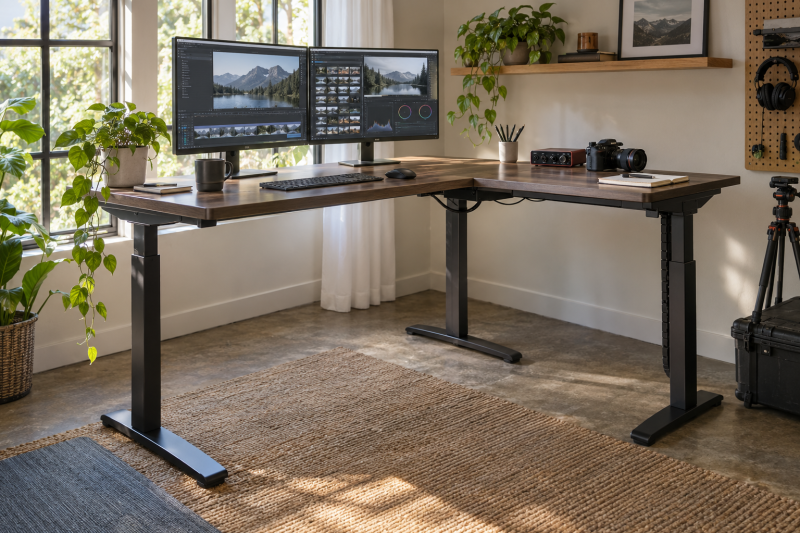
An L-shaped standing desk can separate display work from controls. Put monitors and keyboard on one wing, then an audio interface or editing controller on the return. Both wings rise together, so the purchase hinges on room geometry, cable slack and equipment weight, not just the advertised length.
These six electric desks have active New Amazon US offers. Their listings offer drawers, outlets, reversible returns, lower seated heights and higher stated loads. We have not assembled or load-tested them, so check seller claims against your room and equipment.
Measure both wall runs and the space your chair needs at the inside corner. An L-shaped desk can have enough tabletop but still leave a cramped working position.L-Shaped Standing Desks Compared
| Image | Product | Details | Check Price |
|---|---|---|---|
 | OffiGo 63-inch | Best fit: Built-in drawers Height: 29.9–46.1 in Load: Confirm listing Return: Reversible Power: 3 AC; USB; Type-C | Check Price on Amazon |
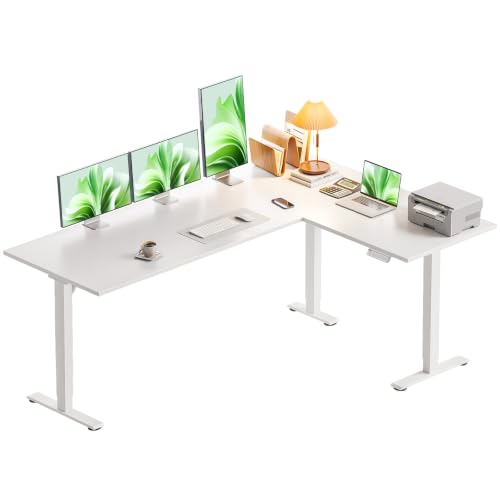 | Casaottima 63-inch | Best fit: Lower seated start Height: 28.4–45.7 in Load: Confirm listing Return: Reversible Power: Not established | Check Price on Amazon |
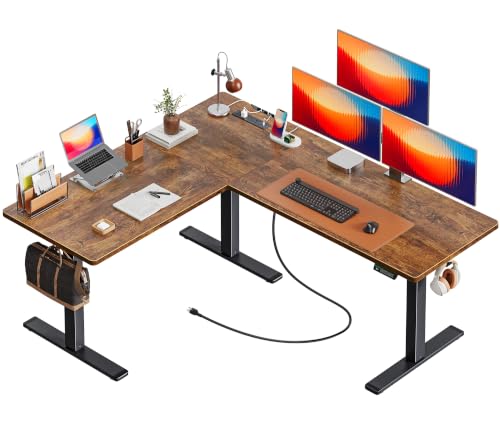 | Huuger Electric L Desk | Best fit: Built-in power Height: 28.3–46.5 in Load: Confirm listing Return: Reversible Power: 4 AC; USB-A; USB-C | Check Price on Amazon |
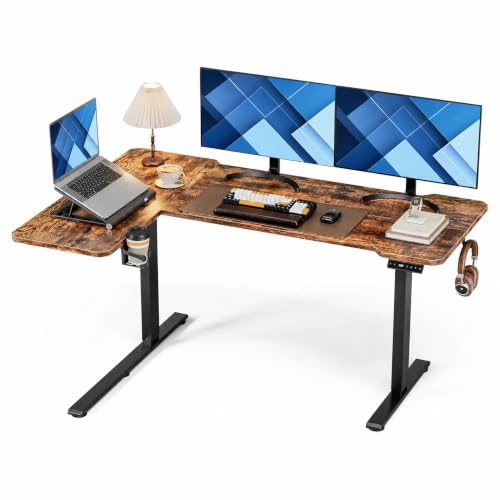 | Acrolix 59-by-40-inch | Best fit: Shorter return Height: 28.3–46.4 in Load: 176 lb stated Return: Reversible Power: Not established | Check Price on Amazon |
 | FEZIBO 63-by-55-inch | Best fit: Wide return Height: Confirm listing Load: 176 lb stated Return: Reversible Power: Not established | Check Price on Amazon |
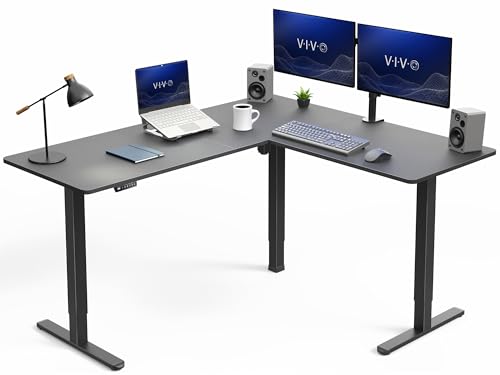 | VIVO 63-by-55-inch | Best fit: Load headroom Height: 28.5–46.8 in Load: 225 lb stated Return: Full-size L Power: Not established | Check Price on Amazon |
1. OffiGo 63-inch — Best Built-In Drawer Storage
Loose drives and adapters can take over a desk wing. OffiGo adds four fabric drawers beneath its L-shaped top for small items. The listing also describes a rear cable tray and reversible return. Check drawer clearance against your chair and knees.
OffiGo states 29.9-to-46.1-inch electric adjustment with three presets. Its starting height is the highest listed minimum among the desks here, so a shorter seated user should measure carefully. Its built-in strip has three AC outlets, one USB port and one Type-C port, but the listing does not establish laptop Power Delivery wattage. Compared with the plainer Casaottima, OffiGo offers storage and outlets, but its accessories and higher seated starting point may be unnecessary if you already have separate cable management.
Check whether a drawer or cable tray will block the chair, monitor-arm clamp or under-desk power strip you already use.Our Take Choose OffiGo if small creator accessories need nearby storage and its seated height fits you. Choose a lower-starting model if you need the desktop closer to your lap.
- Four fabric drawers for small gear.
- Reversible return and cable tray described.
- Three AC outlets on the desk.
- 29.9-inch listed minimum can be too high when seated.
- Drawers occupy under-desk space.
2. Casaottima 63-inch — Best Lower Seated Start
The key number for a seated editor may be the desk’s 28.4-inch stated minimum height. Casaottima lists adjustment to 45.7 inches with a memory keypad. Check that range against your elbow height. The reversible return helps when a window, door or shelf limits one wall.
Casaottima describes a reversible L-shaped top for multiple screens and laptops, without drawers or a charging strip. The power and storage plan is left to you. We do not have a trustworthy capacity figure from the feature bullets, so weigh a heavy workstation and confirm the current listing’s rated load before ordering. Compared with Huuger and OffiGo, Casaottima is the simpler layout for someone who already owns a dock and cable tray.
A lower minimum is useful only if the chair, desk edge and keyboard position work together. Mark the height before buying.Our Take Pick Casaottima if seated desktop height is a bigger concern than built-in storage or outlets. Skip it if you need a published load figure to approve a heavy multi-display setup.
- 28.4-inch stated minimum is lower than OffiGo’s.
- Memory keypad and reversible return.
- Uncluttered top for a custom creator layout.
- 45.7-inch listed maximum may not suit every standing user.
- Load rating needs confirmation before a heavy build.
3. Huuger Electric L Desk — Best Built-In Power
A creator workstation often has more plugs than one wall outlet can conveniently serve. Huuger’s exact offer includes four AC sockets, one USB-A port and one USB-C port on the desk. It also lists a cable tray and two side hooks. The ports, tray and hooks may simplify charging for small devices, but the USB-C connector is not proof of laptop-charging wattage. Use the laptop’s rated charger unless the current product documentation confirms the required output.
The seller describes a reversible return, three memory presets and a 28.3-to-46.5-inch height range. It markets a broad L-shaped surface for multiple devices, but the dimensions in the Amazon title and in the product details are not consistent enough to use as a precise floor-plan measurement. Ask for a dimensioned drawing of the exact assembled model before ordering. Compared with OffiGo, Huuger emphasizes reachable power and hooks rather than drawers. Compared with VIVO, its capacity needs separate confirmation for heavier equipment.
Our Take Choose Huuger if accessible outlets and a reversible L are the priority. Confirm the exact footprint and electrical ratings before fitting it into a tight corner.
- Four AC outlets with USB-A and USB-C ports.
- Cable tray and side hooks listed.
- Reversible return and three height presets.
- Exact assembled dimensions need confirmation.
- USB-C laptop-charging wattage is not established.
4. Acrolix 59-by-40-inch — Best Shorter Return
Not every room has two long walls available. Acrolix advertises a 59-by-40-inch reversible L. Its return is shorter than on the 63-by-55-inch FEZIBO and VIVO options. The shorter wing can hold a notebook, camera or compact controller while the main side carries screens. Measure the desk’s assembled outer edges, especially the direction of the return, rather than relying on the nominal numbers to predict chair space.
Acrolix states a 176-pound capacity and adjustment from 28.3 to 46.4 inches with three memory presets. Its listing also includes a rotating cup holder, headphone hook and cable clips. The cup holder, hook and clips are useful only if they do not interfere with the chair or moving cables. Compared with VIVO’s higher stated load, Acrolix leaves less capacity headroom for large displays and a desktop tower, but it may fit a room that cannot take a long return.
Our Take Choose Acrolix for a sit-stand desk with two wings when the second wall run is short. If the gear load is heavy and the room is large, compare VIVO’s higher stated limit.
- 40-inch advertised return saves wall length.
- 176-pound stated load capacity.
- Reversible layout and memory presets.
- Less return space for bulky creator gear.
- Accessories may constrain cable placement.
5. FEZIBO 63-by-55-inch — Best Wide Reversible Layout
FEZIBO’s listed 63-by-55-inch outside layout gives a full-size return for an audio controller, drawing tablet or paperwork while the long wing handles displays. The return can be installed left or right, so you can set the desk to the room instead of working toward a wall. Check where the top pieces join and whether your monitor-arm clamp would land on a supported section. The listing image alone is not an installation guide.
The seller claims 176 pounds of supported load and three height presets. Its feature bullets describe a steel frame and splice-board top but do not give an exact adjustment range. Confirm both the low seated position and high standing position before choosing it over Casaottima or VIVO. Compared with Acrolix, FEZIBO needs more wall length but gives the return wing more purpose as a separate task zone.
A full-size return helps only when you can reach the controls on it without twisting from the keyboard position.Our Take Pick FEZIBO if a full return surface and reversible assembly outweigh built-in power. Verify the listed height range and the placement of any monitor-arm clamp.
- Large 63-by-55-inch advertised layout.
- Return installs on either side.
- 176-pound stated load rating.
- Needs two long wall runs.
- Exact lift range should be confirmed.
6. VIVO 63-by-55-inch — Best Stated Load Headroom
For a desk carrying multiple monitors, a desktop computer and recording gear, VIVO’s 225-pound stated support limit is the highest in this group. The listing describes a three-part L-shaped top with an outside footprint of 63 by 55.2 inches. A larger rating does not guarantee zero movement at full height, but it gives you more load headroom to compare against the combined weight of your equipment.
VIVO states 28.5-to-46.8-inch electric adjustment with memory presets and a single motor. Its return gives audio or video controls a separate zone, but that zone is not independently height-adjustable. Compared with FEZIBO and Acrolix, VIVO offers a higher stated capacity, while OffiGo and Huuger offer more built-in storage or power features. Plan outlets and cable slack separately if the desk’s job is to carry heavy gear rather than supply it.
Our Take Choose VIVO when load headroom and a full-size L are the main buying criteria. Choose a smaller desk if the room cannot accommodate both wings and the chair clearance.
- 225-pound stated support limit.
- 63-by-55.2-inch advertised outside layout.
- 28.5-to-46.8-inch listed adjustment.
- Large footprint can dominate a small room.
- No built-in outlet strip described in the listing.
Buying Guide
1. Measure the two wall runs and the inside corner
Use a floor plan with the desk’s outer edges, not only its longest advertised dimension. The return may go left or right, but doors, radiators and windows can still rule out one orientation. Acrolix advertises a 59-by-40-inch layout. FEZIBO and VIVO list dimensions closer to 63 by 55. The home-office monitor guide helps choose screens, but the desk must also fit their stands and viewing distance.
Measure the chair path and leg clearance at the inside corner. A large L can leave a deep work surface but trap the chair between the wings. Tape the footprint on the floor and test the working position with the chair you own. If the computer itself stays below the desk, reserve space for it and the legs. A monitor-arm and laptop-stand guide can help reduce tabletop clutter, but an arm still needs a compatible clamp edge.
2. Separate display work from controls
Put the main monitor and keyboard on the wing that faces your seated and standing posture. The return can hold a drawing tablet, audio interface or editing controller within reach. Two wings do not move independently, so a microphone arm or camera rig on the return also rises when you change height. A USB-C dock for video editors may centralize display and storage cables, but leave enough slack for the desk’s full travel.
Keep frequently touched controls close to the inside corner. If you must twist for every audio adjustment, the extra return surface is not improving the workflow. A shortcut keypad can bring common editing commands beside the keyboard without using the far edge of the return. Reserve the outer wing for items touched less often, such as drives or notes.
3. Compare height and load against real equipment
Mark the minimum seated height against your chair and elbow position. Compare the seller-stated ranges in the table above. The lowest number is not automatically best, but an unusably high minimum is hard to fix after assembly. Check the upper end too if the desk will be used standing. Presets do not expand the physical adjustment range.
Add the full load of the setup: monitors with stands, computer, audio gear and everything stored on the return. Compare that total with each seller-stated limit in the table. A desktop editing-workstation UPS is usually better kept on the floor rather than adding its weight to the moving top. A seller capacity is a selection limit, not evidence that the surface never flexes.
4. Route power for a moving L
Leave slack for the longest lift travel in monitor, USB, audio and AC leads. A cable that reaches while seated may tug at standing height, especially when it crosses from the long wing to the return. OffiGo and Huuger include outlet strips, but their main supply cords still need a safe path to the wall. A USB-C desktop charging station can keep smaller device charging off the main cable bundle, but it does not power a laptop unless rated for it.
Keep cable management reachable after assembly. A rear tray is useful only if plugs can be serviced without dismantling the workstation. The USB-C hub guide covers port expansion when you do not need a large dock, while a monitor light bar adds another lead that must move with the display. Run the desk through its full height range with the intended cables before leaving expensive gear on it unattended.
FAQ
Does an L-shaped standing desk need three motors?
No. Motor count varies by design and cannot be inferred from the L shape alone. VIVO’s exact listing describes a single motor, but the desk is a full corner workstation. The relevant purchase questions are supported load, movement, seated and standing range, and whether the frame fits the intended room.
Do not treat a seller’s “quiet” or “stable” wording as a measured comparison between these six desks. If motor noise is a concern during recording, look for a reliable measured review of the exact model or test it within the return window.
Can one wing hold monitors while the other holds audio equipment?
Yes. A layout with two work zones is useful if both groups of gear stay within the desk’s total capacity. Place the monitors where you face forward most of the day, then keep the interface or controller within easy reach on the return. Remember that both wings rise together.
Measure cable runs between the wings, especially for short USB and audio leads. A cable that works in the seated position still needs slack at full height and should not catch on the moving frame.
Are the built-in USB-C outlets enough to charge a laptop?
Not necessarily. USB-C does not specify Power Delivery output. OffiGo and Huuger list Type-C or USB-C ports, but the feature text does not establish a laptop-charging wattage. Their AC sockets can hold a properly rated laptop charger when used within the outlet strip’s limits.
Check the exact desk’s electrical rating and cord placement before buying for power convenience. Keep high-draw studio equipment within the desk or power-strip maker’s stated limits rather than treating built-in outlets as unlimited distribution.
Bottom Line
Choose an L-shaped standing desk for the working layout, then validate seated height, load and cabling. OffiGo stores small gear. Casaottima starts lower. Huuger adds accessible power. Acrolix uses a shorter return, FEZIBO gives that return more room, and VIVO has the highest stated load headroom here. The right desk is the one whose wings and chair clearance fit your room, not the one with the largest top.