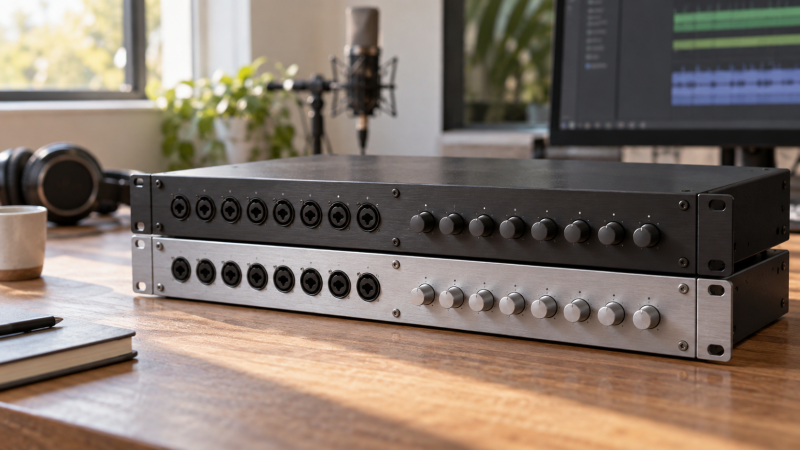
An eight-input expander does not guarantee eight new recording tracks in every session. The number you can use depends on your interface’s ADAT input ports, the session sample rate, and whether the expander sends mic, line, or instrument signals through those channels. Check those three things before comparing preamps.
Start with the interface you already own, because the ceiling is the map of optical inputs at your working sample rate.Count the inputs the host can receive
Find your audio interface’s specification or routing manual, not just its overall input count. Look for an optical input specifically documented as ADAT. An optical socket may instead be configured for S/PDIF, and a socket labeled optical output cannot receive extra mic channels. If the port can switch formats, note the selected mode.
Write down the number of host ADAT input ports and the channel count for each at the sample rate you use. For example, the Focusrite Clarett+ 8Pre manual describes eight added channels at 44.1/48 kHz through one ADAT input, but four at 88.2/96 kHz. That figure is a statement about that interface, not a promise that every host has the same port map.
Count simultaneous tracks, not sockets. An expander may present eight front-panel inputs while the host can receive only four of them at your chosen rate. Conversely, two optical sockets on an expander do not automatically mean 16 independent inputs. The second socket may carry the other half of the same eight-channel bank at a higher rate. If you need eight new tracks at 96 kHz, check that the host has two receiving ADAT optical ports and that the expander has two corresponding ADAT outputs.
| Session rate | Typical ADAT/SMUX capacity per optical link | Optical links for eight channels | What to verify in both manuals |
|---|---|---|---|
| 44.1 or 48 kHz | Eight channels | One | The host input and expander output both operate in ADAT mode |
| 88.2 or 96 kHz | Four channels | Two | Both devices expose two compatible ports and the correct SMUX channel map |
| 176.4 or 192 kHz | Model-dependent, often two channels per link | Model-dependent | Whether each device supports that rate and how many channels remain |
The table is a planning pattern, not a universal device specification. Audient’s ASP880 output guide calls for two optical cables to retain eight channels at 96 kHz. The Focusrite Clarett+ OctoPre technical specification publishes its own channel map through 192 kHz. Read both halves of the proposed connection before buying cables.
Match the expander to the signal you need
Decide what the added channels must accept. Microphone inputs need preamps, and line inputs are for signals already at line level. An eight-channel line converter may be excellent for synths or outboard gear and still be the wrong purchase for eight extra microphones. Phantom power, instrument inputs, inserts, and analog outputs are separate capabilities, not features implied by the word “ADAT.”
In our ADAT expander roundup, those roles are kept separate. The roundup’s SSL ALPHA 8 entry is a line-level converter, and the Focusrite Clarett+ OctoPre, Audient ASP880 and other entries with preamps are for different source setups. Use the guide to shortlist a role, then return to the chosen manufacturer’s current port map for the exact connection.
Make a channel list before you shop. For a small band, that might mean four vocal or instrument microphones plus a stereo keyboard and a stereo playback return. If the keyboard already supplies line level, there is little value in counting it as another required microphone preamp. Leave a spare channel only if you expect to use it. A made-up headroom target can push you toward a needlessly large unit.
An eight-channel box with the wrong analog input type does not solve an eight-microphone problem.Draw the optical path in one direction
For recording new analog inputs, the path is microphone or line source → expander analog input → expander ADAT output → host ADAT input → DAW track. Connect output to input. If your use case also needs DAW playback on the expander’s analog outputs, you need a separate host ADAT output to expander ADAT input path, provided both devices offer it.
Direction is important when counting cables. A single optical cable from an expander output to a host input may be enough for eight incoming channels at 48 kHz, but it says nothing about return audio. At 96 kHz, a second cable may be needed just to preserve all eight incoming channels. Do not count an optical return cable as a second incoming bank.
Check whether the optical ports are assigned as channel pairs, such as 1 to 4 and 5 to 8 at 96 kHz. The SSL ALPHA 8 user guide explicitly describes using its second optical port for channels 5 to 8 at 88.2/96 kHz. That assignment belongs to the ALPHA 8, and a different expander or host can present its ports differently. Label the planned cable at each end in your notes so the physical setup follows the manuals rather than a generic diagram.
Choose one clock master before connecting everything
The two digital devices need a shared timing reference. The practical choice is usually to make one device the master and the other a follower, then set both to the same sample rate. Which device leads depends on the available ADAT and word-clock ports and the supported settings in both manuals. There is no one-size-fits-all instruction to make the interface or expander master.
For one documented setup, Focusrite’s Clarett+ OctoPre instructions say to connect the OctoPre’s optical output to a receiving interface and to set the receiver to clock from ADAT, with matching rates. Audient’s clocking explanation shows why a host without a word-clock output can require a different arrangement or manual sample-rate changes on the expander. These examples explain the decision, but they do not substitute for the manuals of your exact two units.
Once connected, check the host’s sync/lock indicator and recorded channel map before blaming the preamps. A connected optical cable can carry no useful audio if the host is listening in S/PDIF mode, if the rates disagree, or if both units are set to follow a nonexistent clock source. Change one setting at a time and keep notes on which device is master.
Do a short pre-purchase and setup check
Before paying for an expander, write down the exact host model, its ADAT port count, its ADAT mode at your working rate, and the number and type of added analog channels you need. Then check the candidate expander’s output map at that same rate, its input types, and how it can sync to your host. If any one of those entries is missing from the documentation, ask the manufacturer or choose a setup whose connection is documented.
After wiring the system, create one DAW track per intended input and tap or feed a known source to each expander channel in turn. Verify that channel 1 appears on the intended track, repeat through the last channel you bought the expander to add, and listen for clicks or dropouts while checking sync. The steps above are a commissioning check to perform on your own setup, not a claim that we tested any of these products.
Frequently asked questions
Does a second optical socket always add eight more inputs?
No. At higher sample rates, a second socket can carry the remaining channels of the same eight-input bank through SMUX. Count channels using the actual port and sample-rate table for the host and expander, not connector count alone.
Also distinguish input from output. An additional optical output on your host sends audio away from the computer and does not receive eight new microphone tracks.
Can a line-level ADAT converter take a microphone directly?
Not unless that unit has a microphone preamp on the input you intend to use. A line converter and a microphone expander can both have ADAT outputs while solving different problems on the analog side. Verify the input type, gain controls, and phantom-power support where microphones require them.
If you already have external microphone preamps with suitable line outputs, a line-level converter may fit. Draw the entire analog path before deciding which box belongs in it.
What should I check if the DAW sees no new channels?
First check that the expander’s ADAT output reaches the host’s ADAT input, then confirm the host optical port is set to ADAT rather than S/PDIF. Match the session and device sample rates and inspect the host’s sync/lock state. Finally, enable the relevant input channels in your interface software and DAW.
If channels 1 to 4 appear but 5 to 8 do not at 96 kHz, compare the SMUX port mapping in both manuals and check whether the second optical link is required. Do not treat that symptom as proof that the last four preamps have failed.
Bottom line
The right purchase is the expander that adds the right analog inputs through the ADAT links your existing interface can receive, at the sample rate you use. Count that path first, decide the clock master second, and compare products only after both sides of the connection are documented.