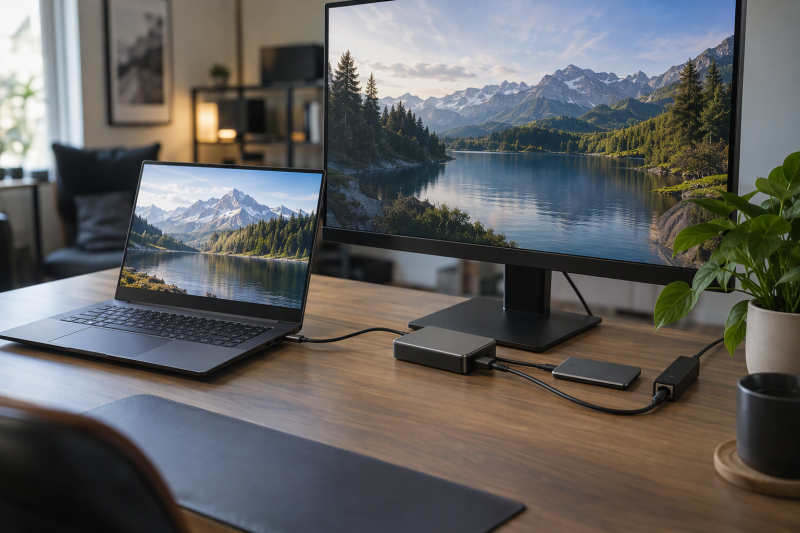
A gaming laptop’s own ports, charger and screen cover the basics, and the accessories on this page fill four gaps. A dock gives the laptop more ports and display outputs, an external SSD gives it game storage, a USB-C adapter gives it a faster wired network link, and a USB-C monitor gives it a bigger screen that can charge it through the same cable.
Six products cover those jobs, and each one depends on the laptop’s own ports. The picks suit a buyer shopping for a gaming laptop owner, whether as a gift or for a new desk.
Check the laptop’s Thunderbolt, USB4 and USB-C video support first, because every product on this page depends on it.Gaming Laptop Accessories Compared
| Image | Product | Details | Check Price |
|---|---|---|---|
 | Razer Thunderbolt 5 Dock Chroma | Best fit: A gaming desk with up to three screens Main spec: Three 4K screens at 144Hz or one 8K screen at 60Hz, per Razer Connection: Thunderbolt 5, with Thunderbolt 4, Thunderbolt 3 and USB4 hosts supported Also listed: Up to 140W laptop charging and an open M.2 slot for up to 8TB Check first: Razer lists 1Gb Ethernet, and the host sets the display limit | Check Price on Amazon |
 | Plugable TBT-UDM | Best fit: A Thunderbolt 4 or USB4 desk with two HDMI screens Main spec: Two HDMI outputs at up to 4K 60Hz, with two displays at a time Connection: Thunderbolt 4 or USB4 laptop Also listed: 100W charging, UHS-II card readers and Gigabit Ethernet Check first: Base M1 and M2 Macs support one display, and DisplayLink is not supported | Check Price on Amazon |
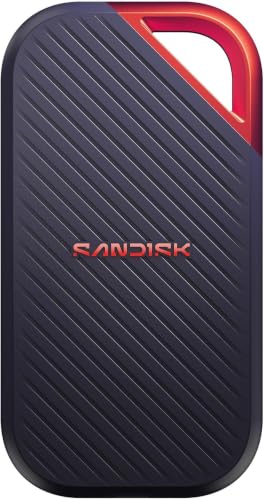 | SanDisk Extreme PRO Portable SSD V3 4TB | Best fit: A game library that needs 4TB Main spec: Up to 4000MB/s read, per SanDisk Connection: USB-C, named as USB4 on Amazon's listing Also listed: IP65, up to 3m of drop protection and a 5-year warranty Check first: SanDisk says speed may be lower depending on the host and interface | Check Price on Amazon |
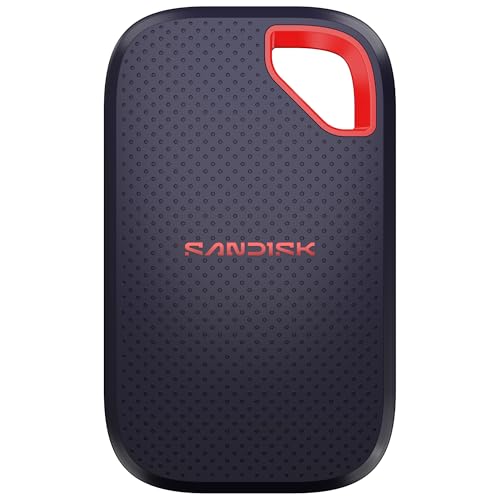 | SanDisk Extreme Portable SSD 2TB | Best fit: A smaller drive for carrying games Main spec: Up to 2000MB/s read, per SanDisk Connection: USB-C, named as USB 3.2 Gen 2 on Amazon's title Also listed: IP65, up to 3m of drop protection and a 5-year warranty Check first: SanDisk's page names no USB standard, so confirm the laptop's port | Check Price on Amazon |
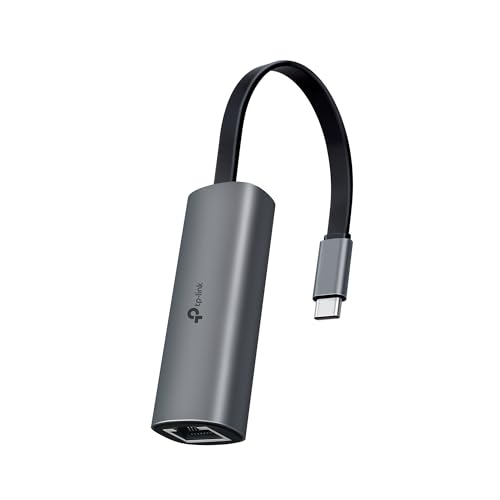 | TP-Link UE302C | Best fit: A USB-C laptop that needs a 2.5GbE port Main spec: Up to 2.5Gbps, per TP-Link Connection: USB Type-C, with Thunderbolt 3 and 4 laptops listed by Amazon Also listed: Plug and play with no manual driver, 27 grams Check first: It needs a Cat5e or higher cable and a 2.5G router or switch | Check Price on Amazon |
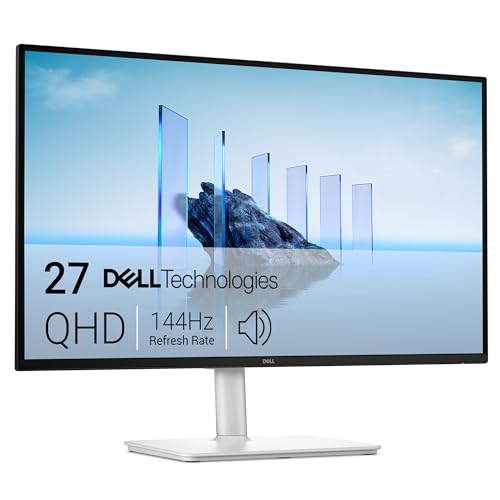 | Dell S2725DC | Best fit: A one-cable desk for a laptop with a 65W or lower charger Main spec: 27-inch QHD at 144Hz, per Dell Connection: USB-C with DisplayPort 1.4 Alt Mode, plus HDMI and DisplayPort Also listed: Up to 65W power delivery and a 1.8m USB-C cable in the box Check first: Dell caps power delivery at 65W and lists no Ethernet port | Check Price on Amazon |
1. Razer Thunderbolt 5 Dock Chroma — Best for a Thunderbolt 5 gaming desk
Razer describes the Thunderbolt 5 Dock Chroma as an 11-port dock with an open M.2 2280 slot that takes an SSD of up to 8TB. Razer’s page gives the data rate as up to 80Gb/s each way, with up to 120Gb/s of Bandwidth Boost for display-heavy work. The ports Razer lists are Thunderbolt 5 upstream and downstream, two USB-A and one USB-C at 10Gb/s, a UHS-II SD card slot, a 3.5mm combo jack, 1Gb Ethernet and a 250W power port. Razer says the dock passes up to 140W to the laptop, with a built-in fan for heat.
Razer says one USB-C connection can drive three 4K screens at 144Hz or one 8K screen at 60Hz. Razer also says the dock works with Thunderbolt 4, Thunderbolt 3 and USB4 hosts, with bandwidth and display capability capped by the host. The display figures depend on the laptop’s own display support, and Razer asks for cables that support DisplayPort Alt Mode when several screens are connected.
Razer lists 140W of laptop charging and an open M.2 slot for up to 8TB, with 1Gb Ethernet as the dock’s network port.Our Take Pick this dock for a gaming laptop owner who wants one cable for power and up to three screens, plus an open SSD slot in the dock. A desk that wants 2.5GbE on the dock itself needs a different plan, because Razer lists 1Gb Ethernet.
- Razer states up to 140W of power delivery to the laptop, with a built-in fan for heat.
- Razer lists an open M.2 2280 slot in the dock for an SSD of up to 8TB.
- Razer states three 4K screens at 144Hz or one 8K screen at 60Hz over one USB-C connection.
- Razer lists 1Gb Ethernet, not 2.5GbE, as the dock’s network port, so a faster link needs another plan.
- Razer says a Thunderbolt 4, Thunderbolt 3 or USB4 laptop sets the limit on bandwidth and display support.
- Razer lists the M.2 slot as open, and the buyer adds the SSD.
2. Plugable TBT-UDM — Best for a Thunderbolt 4 dock with two HDMI outputs
Plugable lists the TBT-UDM as a 13-port Thunderbolt 4 dock. The ports are two HDMI outputs, one downstream Thunderbolt 4 port at 40Gbps and 15W, four USB-A ports (two at 10Gbps and two at 5Gbps), one 10Gbps USB-C port, UHS-II SD and microSD slots at 312MB/s, a combo audio jack and Gigabit Ethernet. Plugable states 100W of power delivery to the host, with 96W certified, and includes a 1.0m 40Gbps Thunderbolt 4 cable. Amazon’s listing gives a 2-year limited parts and labor warranty.
The display rules decide the fit. Plugable says each HDMI port supports up to 4K at 60Hz and that no more than two displays run at once. Plugable also says a Windows 10 or later laptop with a Thunderbolt 4 or USB4 port supports two displays. A single 6K display, or 8K on Windows, can use the downstream Thunderbolt port instead. Plugable lists one display on base M1 and M2 Macs. Plugable says the dock is not compatible with DisplayLink. Plugable lists Ethernet at 1Gbps, with the actual speed set by the operating system and host.
Plugable says the TBT-UDM runs two displays at a time, and base M1 and M2 Macs support one.Our Take Pick this dock for a Thunderbolt 4 or USB4 laptop on a desk that needs two HDMI screens and a card reader. A gaming laptop owner who wants three screens should read the Razer section instead.
- Plugable states two HDMI outputs at up to 4K 60Hz on a Windows 10 or later laptop with Thunderbolt 4 or USB4.
- Plugable lists UHS-II SD and microSD slots at 312MB/s.
- Plugable states 100W of power delivery and includes a 1.0m 40Gbps Thunderbolt 4 cable.
- Amazon’s listing gives the TBT-UDM a 2-year limited parts and labor warranty.
- Plugable lists Gigabit Ethernet, with the actual speed set by the operating system and host.
- Plugable says no more than two displays run at once, across HDMI and the downstream Thunderbolt port, so a three-screen desk points to the Razer dock.
- Plugable says the dock is not compatible with DisplayLink, and lists its downstream Thunderbolt 4 port at 15W.
3. SanDisk Extreme PRO Portable SSD V3 4TB — Best for a 4TB USB4 game library
Amazon’s listing for the 4TB Extreme PRO names USB-C and USB4 connectivity, up to 4000MB/s read, 3100MB/s average sustained write for the 2TB to 4TB models, IP65 dust and water resistance and up to 3m of drop protection. SanDisk’s page for this part number, SDSSDE83-4T00-G25, lists up to 4000MB/s read, up to 3800MB/s write and a 5-year limited warranty. SanDisk’s page names no USB standard, so the USB4 label rests on Amazon’s listing. Amazon gives the size as 4.33 by 2.28 by 0.39 inches.
SanDisk lists 256-bit AES encryption with password protection, and its footnote says the password feature needs a software download on Windows 10 or later or macOS 13 or later. The 4000MB/s figure is a ceiling for the best case, because SanDisk says performance may be lower depending on the host device, interface and usage conditions.
Our Take Pick this drive for a gaming laptop with a USB4 or Thunderbolt port and a game library larger than the internal SSD can hold. A laptop with an ordinary USB-C port should check its rating first, since SanDisk says speed varies with the host and the interface.
- SanDisk lists up to 4000MB/s read and up to 3800MB/s write for the 4TB part number.
- Amazon’s listing gives 3100MB/s average sustained write for the 2TB to 4TB models.
- SanDisk states IP65 and up to 3m of drop protection.
- SanDisk gives the drive a 5-year limited warranty.
- SanDisk says performance may be lower depending on the host device, interface and usage conditions.
- SanDisk says its AES password protection needs a software download.
- SanDisk’s page names no USB standard, and the USB4 label comes from Amazon’s listing.
4. SanDisk Extreme Portable SSD 2TB — Best for compact USB-C storage
Amazon’s title for the 2TB Extreme Portable SSD reads USB-C 3.2 Gen 2 with up to 2000MB/s transfer speeds. SanDisk’s page for model SDSSDE70-2T00-G25 lists up to 2000MB/s read and up to 1700MB/s write for the 1TB to 4TB models, IP65, up to 3m of drop protection and a 5-year limited warranty. SanDisk calls the drive pocket-sized and lists 256-bit AES encryption with password protection.
Amazon gives the size as 3.35 by 2.0 by 0.39 inches, smaller than the 4.33 by 2.28 inch body Amazon lists for the 4TB drive above. Check the laptop’s port rating before counting on 2000MB/s. Amazon’s title pairs a USB 3.2 Gen 2 label with that figure, and SanDisk’s page names no USB standard, so confirm the host port. The 2TB drive holds half the 4TB drive’s capacity.
Our Take Pick this drive for a gaming laptop owner who wants a smaller drive than the 4TB model for carrying games between a laptop and a desk. A larger library points to the 4TB drive above.
- SanDisk lists up to 2000MB/s read and up to 1700MB/s write for the 1TB to 4TB models.
- Amazon gives the size as 3.35 by 2.0 by 0.39 inches, and SanDisk calls the drive pocket-sized.
- SanDisk lists IP65, up to 3m of drop protection and a 5-year limited warranty.
- SanDisk lists 256-bit AES encryption with password protection.
- Amazon’s title names USB 3.2 Gen 2 beside the 2000MB/s figure, and SanDisk’s page names no USB standard, so the buyer has to confirm the host port.
- The 2TB drive holds half the capacity of the 4TB drive on this page.
5. TP-Link UE302C — Best for a simple 2.5GbE connection
TP-Link’s page describes the UE302C as a USB Type-C to 2.5 Gigabit Ethernet adapter. It has a USB 3.0 Type-C input and a 2.5 Gigabit RJ45 port, and TP-Link gives network speeds up to 2.5Gbps. TP-Link says peak performance needs a Cat5e or higher Ethernet cable. TP-Link also says its throughput rates are physical rates and actual throughput is not guaranteed. Amazon’s listing says the adapter works with USB-C and Thunderbolt 3 and 4 laptops and gives a 2-year manufacturer warranty.
TP-Link lists plug and play with no manual driver installation on Windows, macOS 10.15 or later, Chrome OS, Linux, iOS and iPadOS. A footnote says an update to the operating system may call for a driver update from TP-Link. TP-Link gives the weight as 27 grams and lists an aluminum shell. A 2.5Gbps link needs a 2.5G router or switch as well, and Amazon’s listing says to pair the adapter with 2.5Gb-capable routers and switches to move up from standard Gigabit Ethernet.
Our Take Pick this adapter for a gaming laptop that has a USB-C port and no 2.5GbE port, on a home network whose router or switch already has 2.5GbE. A buyer on a Gigabit-only network would need a 2.5G router or switch first.
- TP-Link states a 2.5 Gigabit RJ45 port and network speeds up to 2.5Gbps.
- TP-Link lists plug and play with no manual driver installation on the systems it names.
- TP-Link gives the weight as 27 grams and lists an aluminum shell.
- Amazon’s listing names Thunderbolt 3 and 4 compatibility and a 2-year manufacturer warranty.
- TP-Link says peak performance needs a Cat5e or higher Ethernet cable.
- TP-Link says actual throughput is not guaranteed and a driver update may follow an operating system update.
- Amazon’s listing says the adapter needs a 2.5Gb-capable router or switch to move beyond Gigabit.
6. Dell S2725DC — Best for a 144Hz QHD screen with one-cable charging
Dell’s page for the S2725DC lists a 27-inch QHD panel at 2560 x 1440 and 144Hz, with 1ms MPRT, 1500:1 contrast, 350 nits, 99% sRGB and AMD FreeSync. Dell’s inputs are one USB-C upstream port (5Gbps, DisplayPort 1.4 Alt Mode, up to 65W of power delivery), one HDMI and one DisplayPort 1.4. Dell lists the HDMI input at up to 2560 x 1440 at 144Hz with variable refresh rate. Dell’s port list shows no Ethernet port.
Dell lists two downstream USB-A ports and one downstream USB-C port at 5Gbps with up to 15W. Dell also lists dual 3W speakers and a 1.8m USB-C to USB-C cable in the box. The 65W figure is a maximum for charging the laptop through the monitor, so compare it with the wattage printed on the laptop’s own charger.
Dell lists up to 65W of USB-C power delivery and DisplayPort 1.4 Alt Mode in the same cable.Our Take Pick this monitor for a one-cable desk with a gaming laptop that sends video over USB-C and has a charger rated at 65W or less. A laptop with a higher-rated charger should keep that charger nearby before relying on one cable.
- Dell lists 2560 x 1440 at 144Hz on a 27-inch panel with AMD FreeSync.
- Dell lists USB-C with DisplayPort 1.4 Alt Mode and up to 65W of power delivery, and includes a 1.8m USB-C cable in the box.
- Dell lists HDMI at up to 2560 x 1440 at 144Hz with variable refresh rate, and a DisplayPort 1.4 input.
- Dell lists two downstream USB-A ports and a downstream USB-C port with up to 15W.
- Dell caps USB-C power delivery at 65W, so a higher-rated laptop charger should stay nearby.
- Dell rates the upstream USB-C data link at 5Gbps.
- Dell’s port list shows no Ethernet port.
Buying Guide
Check the laptop’s ports before choosing anything
Razer lists Thunderbolt 5, 4, 3 and USB4 hosts as compatible with its dock, and Plugable asks for a Thunderbolt 4 or USB4 port. The gaming laptops with Thunderbolt guide lists laptops that have them.
Read the laptop’s specification sheet for port labels, not only the connector shape. A USB-C connector alone says nothing about video output, and Razer’s page says standard USB-C charging cables do not always carry a video signal. The Thunderbolt 5 gaming laptops guide covers that tier.
Match the dock to the screens and the power
Razer lists three 4K screens at 144Hz or one 8K screen at 60Hz, and Plugable lists two displays at a time with 4K 60Hz on each HDMI port. Of the two docks on this page, only the Razer lists three screens. The docking stations for gaming laptops guide compares more models.
Razer lists up to 140W of power delivery and Plugable lists 100W, so compare the figure with the wattage printed on the laptop’s own charger. Razer lists an open M.2 slot, and the docks with M.2 SSD slots guide covers other docks that have one.
Pick the SSD by the port it will use
SanDisk lists up to 4000MB/s read for the 4TB Extreme PRO and up to 2000MB/s for the 2TB Extreme. Both are ceilings that depend on the laptop’s port, and SanDisk says speed may be lower depending on the host device and interface. Amazon’s title names USB4 for the 4TB drive and USB 3.2 Gen 2 for the 2TB drive.
By Amazon’s sizes, the 4TB drive is 4.33 by 2.28 inches and the 2TB drive is 3.35 by 2.0 inches, so the larger drive gives more capacity and the smaller one is easier to carry. The USB4 external SSDs for PC gaming guide covers drives built for faster ports.
Plan the 2.5GbE chain from router to laptop
TP-Link rates the UE302C at up to 2.5Gbps and says peak performance needs a Cat5e or higher cable. Plan each link in the chain: the laptop’s USB-C port, the adapter, the cable, and a router or switch with a 2.5G port, as Amazon’s listing says.
Razer and Plugable both list Gigabit Ethernet, and Dell’s port list shows no Ethernet port, so the adapter fills the gap at the laptop’s own USB-C port. The USB-C to 2.5GbE adapters guide compares other adapters, and the Thunderbolt 4 docks with 2.5GbE guide covers docks that include it.
Check the monitor’s 65W against the laptop’s charger
Dell lists up to 65W of power delivery on the S2725DC’s USB-C port. Read the wattage on the laptop’s charger, because a laptop that uses more than 65W under load may need its own charger beside the monitor. Dell lists DisplayPort 1.4 Alt Mode on that port, so the laptop’s port must also carry video.
Dell also lists HDMI and DisplayPort inputs. A laptop with no USB-C video port can use either input and keep its own charger plugged in. The USB-C monitors with 65W charging guide lists similar screens, and the 240Hz gaming monitors with USB-C guide covers faster panels.
FAQ
Does the Razer dock need a Thunderbolt 5 laptop?
No. Razer says the dock is backward compatible with Thunderbolt 4, Thunderbolt 3 and USB4 hosts. The laptop sets the limit, because Razer says the host caps the bandwidth and display capability.
Amazon’s title for the dock states three 4K screens at 144Hz on Thunderbolt 5 or 4 laptops, so check the laptop’s display outputs before planning three screens.
Can the Plugable TBT-UDM run three screens?
No. Plugable says two displays run at once in total, across the two HDMI ports and the downstream Thunderbolt port.
Plugable’s Mac limits are tighter, with one display on base M1 and M2 Macs. For three screens, the Razer dock is the listed option on this page.
Does the 4TB SanDisk drive always reach 4000MB/s?
No. SanDisk lists up to 4000MB/s read for the 4TB Extreme PRO and says performance may be lower depending on the host device, interface and usage conditions.
Amazon’s listing adds 3100MB/s average sustained write, and SanDisk’s page lists up to 3800MB/s write. Check the laptop’s port rating to see which figure applies.
Does the TP-Link adapter give a 2.5GbE link on any network?
No. TP-Link rates the UE302C at up to 2.5Gbps, and the router or switch needs a 2.5G port too, as Amazon’s listing says.
TP-Link also says actual throughput is not guaranteed, so check each device in the chain before buying.
Can the Dell S2725DC charge a gaming laptop?
Up to Dell’s figure. Dell lists up to 65W of power delivery on the USB-C port, and the number to compare it with is the wattage on the laptop’s own charger.
The laptop’s USB-C port must also carry video, since Dell lists DisplayPort 1.4 Alt Mode on it. Otherwise the HDMI or DisplayPort input carries the picture.
Bottom Line
The Razer Thunderbolt 5 Dock Chroma suits a desk with up to three screens, up to 140W of laptop charging and an open M.2 slot, as Razer lists them. The Plugable TBT-UDM suits a two-screen Thunderbolt 4 or USB4 desk with a card reader. The SanDisk Extreme PRO 4TB serves a large game library, and the SanDisk Extreme 2TB is the smaller drive for carrying. The TP-Link UE302C adds 2.5GbE on a network that supports it, and the Dell S2725DC gives a 144Hz QHD screen with up to 65W of charging, per Dell.