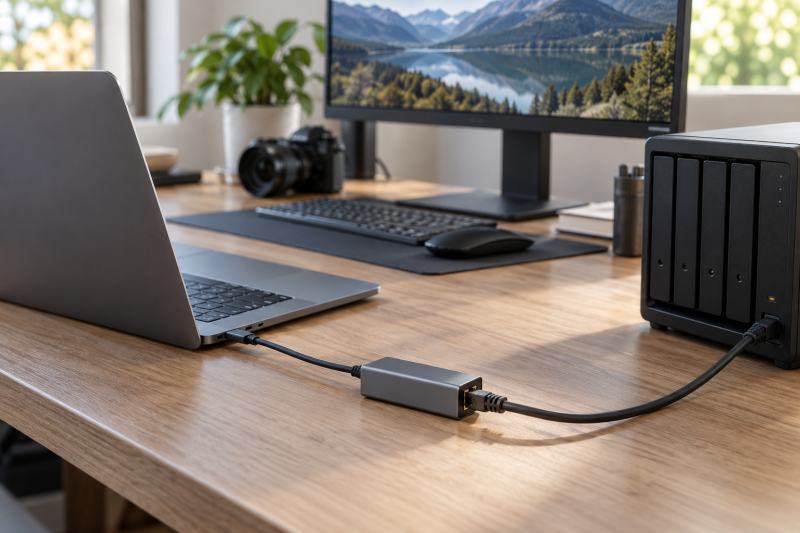
A 2.5GbE USB-C adapter can make a laptop work more comfortably with a network-attached storage box on an editing desk. The adapter does not raise network speed by itself. The laptop port, Ethernet switch, NAS port, cables, storage array, and file workflow all need to support the faster link.
These six adapters are for a desk where a laptop needs a wired 2.5GbE connection without an internal network card. The best choice is usually the one that matches the laptop connector and the existing network hardware with the least extra conversion.
A 2.5GbE adapter helps only when the rest of the network can meet it at the same speed.USB-C to 2.5GbE Adapters Compared
| Image | Product | Details | Check Price |
|---|---|---|---|
 | UGREEN 2.5G adapter | Best fit: Simple aluminum USB-C adapter Host: USB-C Network: 2.5G Ethernet Ports: RJ45 | Check Price on Amazon |
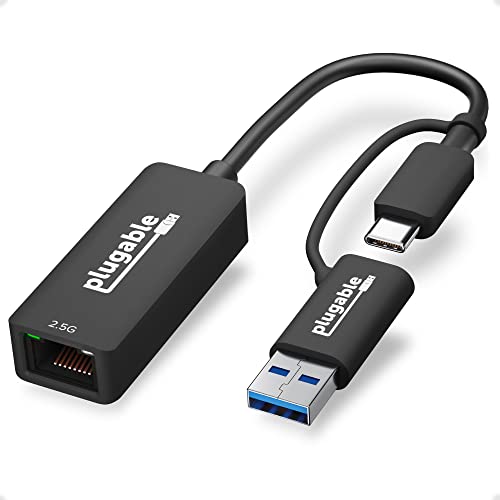 | Plugable 2.5G adapter | Best fit: USB-C and USB-A laptops Host: USB-C and USB Network: 2.5Gbps Ethernet Ports: RJ45 | Check Price on Amazon |
 | uni 2.5Gbps adapter | Best fit: Compact 2.5Gbps laptop adapter Host: USB-C Network: 2.5Gbps Ethernet Ports: RJ45 | Check Price on Amazon |
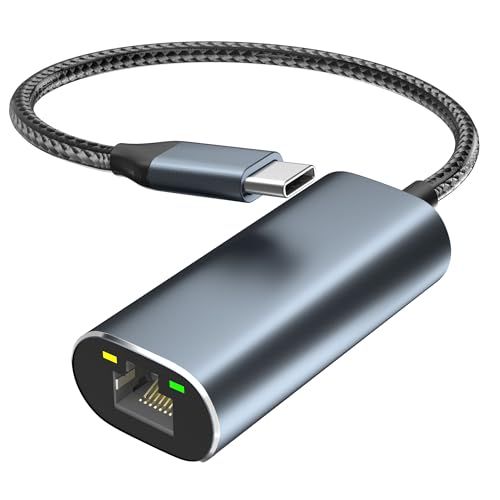 | Aibilangose 2.5GbE adapter | Best fit: Budget-style 2.5G option Host: USB-C Network: 2.5 Gigabit Ethernet Ports: RJ45 | Check Price on Amazon |
 | StarTech NBASE-T adapter | Best fit: NBASE-T-focused pick Host: USB-C Network: 2.5GbE NBASE-T Ports: RJ45 | Check Price on Amazon |
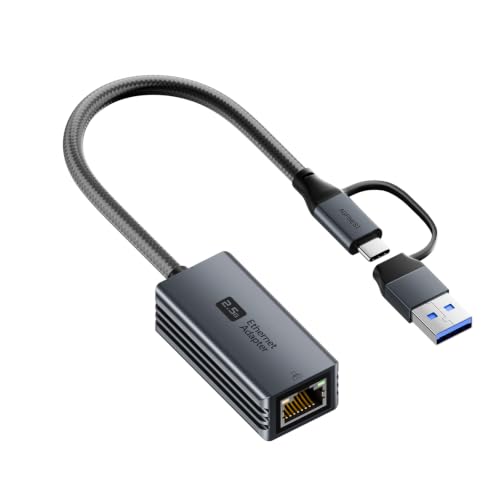 | 2.5G USB-C and USB-A adapter | Best fit: Two-in-one host connector Host: USB-C and USB-A Network: 2.5G Ethernet Ports: RJ45 | Check Price on Amazon |
1. UGREEN USB-C to Ethernet Adapter 2.5G — Best Simple Aluminum USB-C Adapter
UGREEN lists an aluminum USB-C to 2.5G Ethernet adapter for a laptop. It suits a USB-C laptop that needs a wired RJ45 link to a 2.5GbE switch or NAS without adding a larger dock.
The adapter does not change a 1GbE network into a 2.5GbE one. Confirm the switch port, NAS port, and cable path before expecting a transfer improvement, and keep the adapter directly connected when you are diagnosing a network issue.
Our Take Buy the UGREEN if the laptop already has the rest of its ports handled and only needs a faster wired network connection. It is a basic USB-C-only adapter for a clean editing desk.
- Lists a USB-C 2.5G Ethernet connection.
- Aluminum enclosure suits a compact desk.
- USB-C only, not a host-flexibility pick.
- Network hardware still determines link speed.
2. Plugable 2.5G USB-C and USB Ethernet Adapter — Best for USB-C and USB-A Laptops
Plugable lists a 2.5Gbps USB-C to RJ45 adapter that works with USB-C and USB host connections. Because it moves between connector types, it suits a desk shared by newer USB-C laptops and older USB-A equipment.
Host compatibility is useful, but it is not a reason to ignore drivers and operating-system support. Check the laptop platform and the product documentation before using any USB network adapter in a machine that must connect reliably for a live edit or backup session.
Our Take Buy the Plugable if the adapter must work across more than one generation of laptop. It suits an editing desk with a mix of USB-C and USB-A hosts.
- Lists USB-C and USB host compatibility.
- 2.5Gbps RJ45 link is stated.
- Check drivers for the exact laptop OS.
- Extra connector flexibility may be unnecessary.
3. uni USB-C to Ethernet Adapter 2.5Gbps — Best Compact 2.5Gbps Laptop Adapter
uni lists a USB-C to 2.5Gbps RJ45 Ethernet adapter for laptops and PCs. It is a compact option for a USB-C notebook that needs a wired desk connection without the complexity of a multiport hub.
For NAS editing, the limiting factor can be the shared storage or switch rather than the adapter. A 2.5GbE link is useful for a faster network path, but it does not establish a particular file copy or timeline performance result.
Our Take Buy the uni adapter if the network is already planned and you do not need USB-A compatibility. It suits a laptop that visits a 2.5GbE desk and then travels light.
- Direct USB-C to 2.5Gbps RJ45 layout.
- Compact fit for a laptop bag or desk.
- Does not add other expansion ports.
- NAS storage can remain the speed limit.
4. Aibilangose USB-C to Ethernet Adapter 2.5 Gigabit — Best Budget-Style 2.5G Option
Aibilangose lists a USB-C to 2.5 Gigabit network connector for Dell, HP, Mac laptops and other USB-C hosts. It fits an editor who only needs an RJ45 path from one compatible laptop to the desk network.
Because the product is generically positioned, verify operating-system support, return policy, and the exact cable arrangement before relying on it. An Ethernet adapter is a small part of a production desk, but a flaky network interface can stop the whole storage workflow.
Our Take Buy the Aibilangose if you want a simple budget-style option and your setup is well understood. It suits a single compatible USB-C host and a straightforward 2.5GbE network.
- Lists USB-C to 2.5GbE Ethernet.
- Targets common laptop brands in the listing.
- Verify exact driver support before relying on it.
- No stated host-connector flexibility.
5. StarTech 2.5GbE USB-C to Ethernet Adapter — Best NBASE-T-Focused Pick
StarTech lists a 2.5GbE USB-C to Ethernet adapter with an NBASE-T NIC for laptops and MacBooks. NBASE-T is relevant because it describes the multi-gig Ethernet family that includes links between traditional 1GbE and 10GbE speeds.
That terminology does not solve a speed mismatch on its own. Check what the NAS and switch negotiate, then make sure the workstation reports the intended link rate before troubleshooting an application, a storage share, or an editing program.
Our Take Buy the StarTech if your desk is already built around multi-gig networking. It suits someone who wants the listing to explicitly identify the NBASE-T network class.
- Listing explicitly identifies an NBASE-T NIC.
- USB-C to RJ45 layout is direct.
- Existing switch and NAS must support multi-gig.
- Does not add a full dock’s expansion.
6. 2.5G USB to Ethernet Adapter with USB-C and USB-A — Best Two-in-One Host Connector
This listing describes a 2.5G USB to Ethernet adapter with USB-C and USB-A host connections. It covers the same mixed-host role as the Plugable model, with a connector path for either kind of laptop and no separate dongle.
Two-in-one hardware is convenient for a mobile freelancer who changes machines often. For a fixed high-value editing desk, confirm the exact operating system and network stability on the main laptop instead of optimizing around a hypothetical second host.
Our Take Buy the two-in-one adapter if you want one adapter to travel between USB-C and USB-A machines. It suits a backup role or a mixed fleet, while a USB-C-only adapter keeps a fixed desk simpler.
- Lists both USB-C and USB-A host connection.
- 2.5G Ethernet target suits a multi-gig desk.
- Confirm the main host before relying on travel flexibility.
- Not a substitute for a multiport dock.
Buying Guide
Confirm every link in the network path
A 2.5GbE adapter only negotiates as fast as the port on the other end. The laptop adapter, Ethernet cable, switch port, NAS port, and network configuration need compatible multi-gig support. A 1GbE switch can still work, but it becomes the link-speed ceiling.
Check the negotiated link rate before measuring a transfer. Operating systems and network tools can show the adapter’s connection speed. Once you know the rate, you won’t mistake a slow NAS disk, a Wi-Fi fallback, or a 1GbE port for an adapter problem.
Separate network speed from storage speed
A faster Ethernet link does not guarantee a faster edit. The NAS storage array, file protocol, project codec, and other clients on the network all affect the practical result. A multi-gig adapter improves the connection path. It does not measure the NAS or validate a particular editing workload.
Build for the files you actually move. A laptop that backs up small documents has different needs from one that opens large media files directly from shared storage. For a desk built around storage, see our four-bay NAS guide before treating the adapter as the main decision.
Choose the host connector deliberately
USB-C-only adapters keep a single modern laptop desk simple. They are the natural fit when every host has a video-capable or data-capable USB-C port and the network adapter is the only peripheral you need to add.
A mixed laptop fleet needs USB-A and USB-C flexibility. The Plugable 2.5G adapter is the better fit when an older machine still visits the desk. For broader expansion, our Thunderbolt dock guide covers a different class of device.
Frequently Asked Questions
Will a 2.5GbE USB-C adapter make my NAS editing faster?
It can help only when the rest of the path supports it. The switch, NAS Ethernet port, cable, and storage performance all affect the result, and any one of them can set the practical speed limit.
First confirm the adapter negotiated a multi-gig link. Then test the transfer or editing workflow you care about, rather than relying on the adapter’s headline rate as a measurement of the whole system.
Do I need Cat6 cable for 2.5GbE?
Cable condition, length, and the existing network equipment all affect the result. The reliable answer is to consult the network hardware specifications and test the negotiated link. A cable that works at 1GbE does not by itself prove a higher-speed link will negotiate cleanly.
If a 2.5GbE connection does not come up as expected, start by checking the switch port, cable, and adapter connection before changing software settings. Keep the troubleshooting one variable at a time.
Can I use a 2.5GbE adapter through a USB-C dock?
Sometimes, but it adds another component between the laptop and network. The dock’s USB data path and power behavior can affect the setup, so direct connection is the simplest test when you are diagnosing a link or performance problem.
Once a direct connection works, add the dock back and confirm the negotiated rate again. A dock can be the right desk solution when it also handles display and charging, but it should not hide an unverified network path.
Bottom Line
The UGREEN 2.5G adapter is the clean pick for one USB-C laptop, while the Plugable 2.5G adapter fits a mixed USB-C and USB-A fleet. Choose the StarTech 2.5GbE adapter when you want explicit NBASE-T positioning. Before choosing any adapter, verify the NAS, switch, cable, and laptop port can all negotiate the network speed you want.