The Mac or Windows choice starts with the programs, devices and monitors you already use. The five laptops below are not equivalents. Three run macOS and two run Windows, and they differ in screen size, memory and ports. Decide which operating system your required software needs, then compare the models inside that group.
| Image | Product | Details | Check Price |
|---|---|---|---|
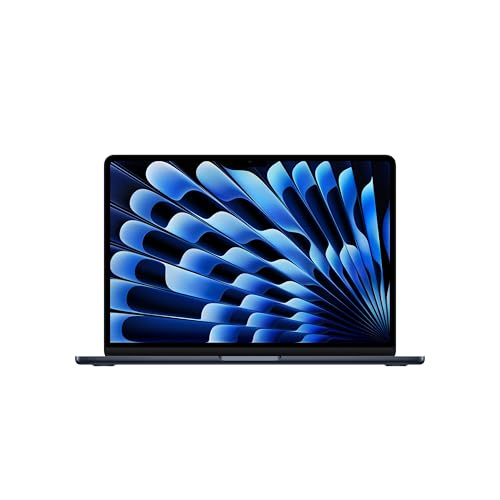 | Apple MacBook Air 13-inch M5 | Best fit: Mac for general work and up to two external displays Operating system: macOS Processor: Apple M5 Memory and storage: 16GB unified memory, 512GB SSD Display: 13.6-inch Liquid Retina | Check Price on Amazon |
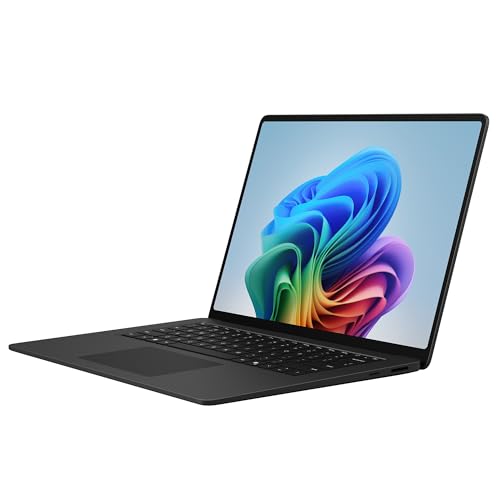 | Microsoft Surface Laptop 15-inch Snapdragon X2 Elite | Best fit: Windows work with a larger touchscreen Operating system: Windows Processor: Snapdragon X2 Elite Memory and storage: 16GB RAM, 1TB SSD Display: 15-inch touchscreen, 120Hz per Amazon | Check Price on Amazon |
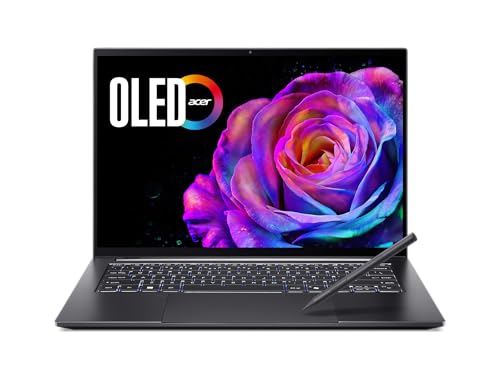 | Acer Swift X 14 SFX14-73G-71XL | Best fit: Windows creator tools and discrete graphics Operating system: Windows Processor: Intel Core Ultra 7 255H, GeForce RTX 5050 Memory and storage: 16GB LPDDR5X, 1TB SSD Display: 14.5-inch 3K 120Hz OLED touchscreen | Check Price on Amazon |
 | Apple MacBook Neo 13-inch A18 Pro | Best fit: Light everyday Mac work on one external display Operating system: macOS Processor: Apple A18 Pro Memory and storage: 8GB unified memory, 256GB SSD Display: 13-inch Liquid Retina | Check Price on Amazon |
 | Apple MacBook Pro 14-inch M5 Pro | Best fit: Mac with three Thunderbolt 5 ports and three displays Operating system: macOS Processor: Apple M5 Pro Memory and storage: 24GB unified memory, 1TB SSD Display: 14.2-inch Liquid Retina XDR | Check Price on Amazon |
Amazon.com is the seller of the New offer for all five. Apple’s pages cover the three Macs, Microsoft’s page covers the Surface Laptop and Acer’s page covers the Swift X 14. Amazon’s bullets supply each model’s configuration.
1. Apple MacBook Air 13-inch M5 — Best Mac for general work and two external displays
Apple’s MacBook Air page lists the M5 chip with 16GB of unified memory and 512GB of storage as the 13-inch starting configuration, and Amazon’s title gives the same two figures. Apple lists a 13.6-inch Liquid Retina display, two Thunderbolt 4 ports at up to 40Gb/s, MagSafe 3 charging, a headphone jack and support for up to two external displays. Amazon’s bullets add a 12MP Center Stage camera, Wi-Fi 7 and up to 18 hours of battery life, and its product data gives a weight of 2.71 pounds.
The Air suits a buyer whose programs all have macOS versions and who runs up to two monitors. Check that every program you need has a macOS version before choosing a Mac. Apple’s page gives the 16GB and 512GB figures for its starting configuration, so a different Air listing can carry other memory and storage.
Our Take Choose the Air for a Mac user who writes, codes, calls and connects a desk with up to two monitors. Step up to the MacBook Pro below when the desk needs a third display or more ports.
- Apple lists two Thunderbolt 4 ports and support for up to two external displays on the MacBook Air.
- Amazon’s title and Apple’s starting configuration both give 16GB of unified memory and 512GB of storage.
- Apple lists MagSafe 3 charging and a headphone jack beside the two Thunderbolt 4 ports.
- Apple lists two Thunderbolt 4 ports on the Air, fewer than the three Thunderbolt 5 ports Apple lists for the M5 Pro MacBook Pro.
- Apple’s Air page lists support for up to two external displays, so a desk with three monitors needs a different laptop.
2. Microsoft Surface Laptop 15-inch Snapdragon X2 Elite — Best Windows laptop for a larger touchscreen
Microsoft’s Surface Laptop page lists a 15-inch LCD touchscreen, two USB-C ports with USB4, a USB-A 3.2 port, a microSDXC card reader, a 3.5 mm audio jack, a Surface Connect port, Wi-Fi 7 and a weight of 3.67 pounds. Microsoft offers a Snapdragon X2 Elite in a 16GB RAM and 1TB SSD configuration, which matches Amazon’s title. Amazon’s bullets add a 120Hz PixelSense display and a connection to up to three 4K monitors, and neither figure appears on Microsoft’s page.
Microsoft lists a Snapdragon processor for the Surface Laptop, a different type of chip from the Intel processor Amazon’s bullets name in the Acer. Ask the maker of each program, driver and accessory you depend on whether it supports Windows on this processor. A program that runs on Windows is not automatically a program that runs on a Snapdragon laptop, so ask each maker before you switch.
Microsoft lists two USB4 ports, a USB-A port and a microSDXC reader on the Surface Laptop.Our Take Pick the Surface Laptop for a Windows user who wants a large touchscreen and a card reader built in. Pick the Acer instead when a required program has not been confirmed for the Snapdragon processor.
- Microsoft lists two USB-C ports with USB4, a USB-A 3.2 port and a microSDXC card reader on the Surface Laptop.
- Amazon’s bullets state a 120Hz PixelSense touchscreen on this 15-inch model.
- Microsoft lists up to 19 hours of local video playback.
- Microsoft’s Surface Laptop page lists no monitor count, so the three-4K-monitor figure rests on Amazon’s bullet alone.
- Microsoft lists a Snapdragon X2 Elite processor, so each program and driver you need requires a support check with its maker.
- Microsoft lists a 15-inch screen and a 3.67-pound weight, larger and heavier than the MacBook Air and MacBook Neo.
3. Acer Swift X 14 SFX14-73G-71XL — Best Windows laptop for creator tools and discrete graphics
Acer’s Swift X 14 page lists a 3K OLED touch display, a haptic touchpad with stylus support, two Thunderbolt 4 ports, a microSD slot, HDMI 2.1 and Wi-Fi 6E, and Acer adds that processor, graphics, memory and storage vary by model and region. Amazon’s bullets supply this model’s configuration: an Intel Core Ultra 7 255H, a GeForce RTX 5050 laptop GPU, 16GB of LPDDR5X and a 1TB SSD, a 14.5-inch 120Hz display, a 1080p IR webcam and an included Acer Active Stylus. Amazon’s bullets also list two USB 3.2 Gen 2 ports and USB-C charging at up to 100W.
The Swift X 14 fits a Windows buyer whose software uses a discrete GPU or a stylus, such as drawing, photo or video tools. Confirm that your software uses the RTX 5050 before paying for a graphics-focused laptop. Amazon’s product data lists a one-year International Travelers Limited Warranty for this model.
Our Take Choose the Swift X 14 for Windows creator work that can use the RTX 5050, the OLED screen or the stylus. When the work does not use those features, compare the Surface Laptop.
- Amazon’s bullets state a 14.5-inch 3K 120Hz OLED touchscreen and an included Acer Active Stylus.
- Amazon’s bullets state an RTX 5050 laptop GPU, 16GB of LPDDR5X and a 1TB SSD for this model.
- Acer’s page lists dual Thunderbolt 4 ports, HDMI 2.1 and a microSD slot, and Amazon’s bullets list two USB 3.2 Gen 2 ports as well.
- Acer’s page says specifications vary by model and region, so the Amazon bullets are the source for this configuration.
- Amazon’s bullets state USB-C charging at up to 100W.
- Amazon’s bullets state a 14.5-inch display, smaller than the 15-inch screen on Amazon’s Surface listing.
4. Apple MacBook Neo 13-inch A18 Pro — Best Mac for light everyday work
Apple’s MacBook Neo specifications page lists an A18 Pro chip, 8GB of unified memory, a 256GB SSD, a 13-inch Liquid Retina display, a 1080p FaceTime HD camera, dual speakers, a dual-mic array and Wi-Fi 6E. Apple lists one USB 3 USB-C port with DisplayPort and one USB 2 USB-C port, a headphone jack, and support for one external display up to 4K at 60Hz. Apple also states the Magic Keyboard has no Touch ID, and lists a weight of 2.7 pounds.
The ports and the single display are the practical limits of this Mac. A buyer with a two-monitor desk should compare the MacBook Air first, and a buyer who needs Touch ID cannot get it here. Compare the 8GB and 256GB figures with the files and programs you keep open at once.
Apple lists one USB 3 port, one USB 2 port and one external display up to 4K at 60Hz for the MacBook Neo.Our Take Pick the Neo for a Mac buyer with light daily work, one monitor at most and a small set of accessories. Pick the Air when the desk needs a second display or Thunderbolt.
- Apple lists a 13-inch Liquid Retina display, an A18 Pro chip and a 1080p FaceTime HD camera for the MacBook Neo.
- Apple lists one USB 3 USB-C port with DisplayPort support and a headphone jack.
- Amazon’s bullets state a recycled aluminum enclosure and up to 16 hours of battery life.
- Apple lists support for one external display on the MacBook Neo and two on the MacBook Air.
- Apple lists one USB 3 and one USB 2 USB-C port on the Neo and no Thunderbolt port.
- Apple’s page lists 8GB of unified memory and 256GB of storage with no Touch ID on the keyboard.
5. Apple MacBook Pro 14-inch M5 Pro — Best Mac for three Thunderbolt 5 ports and three displays
Apple’s MacBook Pro page lists three Thunderbolt 5 ports, an SDXC slot, an HDMI port, MagSafe 3 and a headphone jack for the 14-inch M5 Pro model, along with support for up to three external displays. Apple lists a Liquid Retina XDR display with up to 1000 nits sustained brightness, 1600 nits peak brightness for HDR content and a 1,000,000:1 contrast ratio. Amazon’s title names a 15-core CPU, a 16-core GPU, 24GB of unified memory and a 1TB SSD, and its bullets add a 12MP Center Stage camera, three microphones and six speakers.
Apple’s page also lists M6 models of the 14-inch MacBook Pro, so check the chip named in the listing against the one you want. Match the chip, memory and storage in the title to your needs before ordering. Apple lists different display limits by chip, and the three-display figure applies to M5 Pro.
Our Take Choose the Pro for a Mac user whose desk needs three displays or several connections at once. The Air covers a two-monitor desk with fewer ports.
- Apple lists three Thunderbolt 5 ports, HDMI, SDXC and MagSafe 3 on the 14-inch MacBook Pro.
- Apple lists support for up to three external displays with M5 Pro.
- Apple lists a Liquid Retina XDR display with 1000 nits sustained and 1600 nits peak HDR brightness.
- Amazon’s title names 24GB of unified memory and a 1TB SSD for this configuration.
- Apple lists the display limit by chip, so the three-display figure applies to the M5 Pro named in this listing.
- Apple’s page lists a 14-inch size, and Amazon’s Surface listing gives 15 inches.
- Apple’s page lists M6 models of the 14-inch Pro alongside the M5 Pro, so the title needs a check.
Buying Guide
Start with the programs you must run
The deciding question is whether your work depends on macOS programs, Windows programs or a workplace that manages Windows laptops. Apple’s three MacBooks run macOS, and Amazon’s listings name Windows for the Surface and Acer. Neither side wins by default, because the software you cannot replace decides it.
Ask your employer, school or the maker of each program which operating system it supports. A required program is a firmer filter than screen size. The Chromebook or Windows comparison covers the Windows side against ChromeOS, and the MacBook comparison covers the Apple range.
Read memory and storage from the title you order
Apple’s pages and Amazon’s titles give the MacBook Neo 8GB and 256GB, the MacBook Air 16GB and 512GB, and the MacBook Pro 24GB and 1TB. Amazon’s Surface and Acer titles give 16GB and 1TB. Each pair belongs to one listing, so a different configuration of the same model name can carry other figures.
Choose enough memory for the programs you keep open together and enough storage for files that cannot live in the cloud. Check the model number, memory and storage on the page you order from.
Choose between screen area and a graphics chip
Acer’s Amazon listing names an RTX 5050 laptop GPU and a 3K OLED touchscreen. Microsoft’s page lists a 15-inch touchscreen and a Qualcomm Adreno GPU for the Surface Laptop, and Apple lists 13-inch and 14-inch Mac displays.
A bigger screen and a discrete graphics chip are separate choices. Pick the one your daily work uses. The OLED and 4K laptop guide covers display types when the panel is the main requirement.
Match ports and monitors before buying a dock
Apple lists two Thunderbolt 4 ports and up to two external displays for the MacBook Air, and one USB 3 port, one USB 2 port and one external display for the MacBook Neo. Apple lists three Thunderbolt 5 ports and up to three displays for the M5 Pro MacBook Pro. Microsoft lists two USB4 ports for the Surface, and Acer lists two Thunderbolt 4 ports.
Count your monitors and their inputs first, then check each laptop’s display limit. The Thunderbolt dock guide covers the next step.
Ask about Snapdragon support for the Surface
Microsoft’s page lists a Snapdragon X2 Elite processor for the Surface Laptop, while Amazon’s Acer listing names an Intel processor. Amazon’s listings name Windows for both, so the operating system label does not tell you whether a given program or accessory driver supports the Surface’s processor.
The Snapdragon laptop guide covers that category. Ask the maker of each program and accessory you need before replacing a Windows PC with the Surface.
FAQ
Is Mac or Windows better for programming?
The answer depends on your tools. Ask whether your language tools, databases, device drivers and employer’s rules support macOS or require Windows. A Mac suits a stack built for macOS, and a Windows laptop suits a stack with a Windows-only tool.
Check the required programs before you compare M5, Snapdragon or Core Ultra processors. Apple lists Thunderbolt ports on the MacBook Air and MacBook Pro, Microsoft lists USB4 on the Surface, and Acer lists Thunderbolt 4 on the Swift X 14.
Which model suits a desk with several monitors?
Apple lists three Thunderbolt 5 ports, HDMI and support for up to three external displays on the 14-inch MacBook Pro with M5 Pro. Amazon’s bullets list a connection to up to three 4K monitors for the Surface Laptop, while Microsoft’s page gives no monitor count.
Match the laptop to the monitors you own. Check the laptop’s display limit and the monitors’ inputs together, then choose a dock if one is needed.
Is the MacBook Neo enough for everyday work?
Apple lists the MacBook Neo with an A18 Pro chip, 8GB of unified memory, a 256GB SSD, a 13-inch display, one USB 3 port, one USB 2 port and support for one external display. It suits a buyer whose files and programs fit in that memory and storage.
A buyer who keeps many programs open, stores large files locally or wants two monitors should compare the MacBook Air, which Apple lists with 16GB, 512GB and two displays.
Why choose the Acer over the Surface?
Amazon’s Acer listing names an RTX 5050 laptop GPU, a 3K OLED touchscreen, 16GB of memory and a 1TB SSD, and Acer’s page lists Thunderbolt 4. Microsoft’s page lists a 15-inch touchscreen, a Snapdragon X2 Elite, two USB4 ports and a Qualcomm Adreno GPU for the Surface Laptop.
Choose the Acer when your software uses a discrete GPU or a stylus. Choose the Surface when you want the larger screen and the card reader and your programs support its processor.
Does Windows on Snapdragon run every Windows program?
Microsoft’s page lists a Snapdragon X2 Elite for the Surface Laptop, and the page does not state that every Windows program runs on it. Ask the maker of each program and driver you need.
If a maker has not confirmed support for a program or driver you need, choose the Acer, whose Amazon listing names an Intel processor.
Bottom Line
Choose the MacBook Air 13-inch M5 for a compact Mac with the two Thunderbolt 4 ports and two-display support Apple lists, or the MacBook Pro 14-inch M5 Pro for the three Thunderbolt 5 ports and three-display support Apple lists. The Surface Laptop 15-inch is the Windows touchscreen pick and the Acer Swift X 14 is the pick for the RTX 5050 graphics Amazon’s listing names. The MacBook Neo is the light-work Mac, with the 8GB and 256GB that Apple lists.