All five laptops here use a Snapdragon X2 chip, four with X2 Elite and one with X2 Plus, and they share little else. The shapes run from a 16-inch OLED clamshell to a 13-inch detachable, so choose the form, screen and ports first, then confirm the chip name in the product title.
Snapdragon X2 Laptops Compared
| Image | Product | Best fit | Screen and form | Snapdragon X2 chip | Ports | Memory and storage | Check Price |
|---|---|---|---|---|---|---|---|
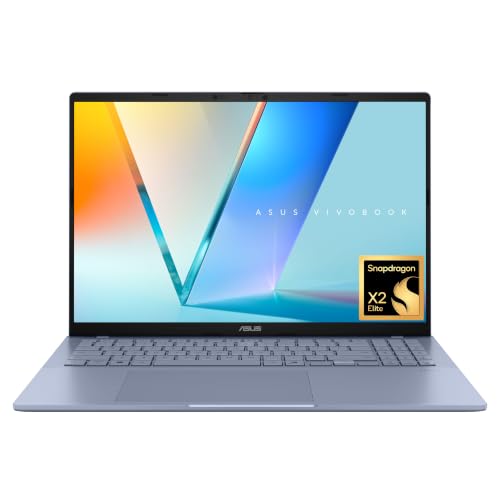 | ASUS Vivobook S16 | Largest screen, with HDMI and USB-A built in | 16-inch 16:10 WUXGA OLED clamshell, 3.70 lb | Snapdragon X2 Elite | 2x USB4 Type-C, USB 3.2 Gen 1 and Gen 2 Type-A, HDMI 2.1, audio jack | 16GB RAM, 1TB SSD | Check Price on Amazon |
 | Microsoft Surface Laptop 13.8-Inch | Surface clamshell with USB4 and USB-A | 13.8-inch 120Hz LCD touchscreen clamshell, 2.96 lb | 12-core Snapdragon X2 Elite | 2x USB-C / USB4, USB-A 3.2, audio jack, Surface Connect | 16GB RAM, 512GB SSD in Amazon title and size field | Check Price on Amazon |
 | Microsoft Surface Pro | Tablet-first work; keyboard and pen sold separately | 13-inch 120Hz OLED detachable, 1.97 lb without keyboard | 12-core Snapdragon X2 Elite | 2x USB-C / USB4, keyboard port, Surface Connect | 16GB RAM, 1TB SSD, a configuration Microsoft lists | Check Price on Amazon |
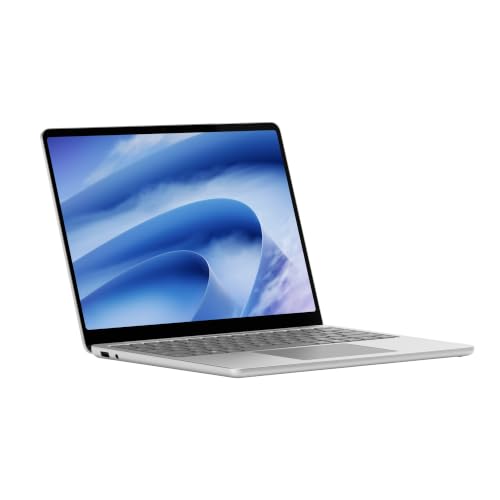 | Microsoft Surface Laptop 13-Inch | Lowest weight among the attached-keyboard laptops | 13-inch 1920 x 1280 LCD touchscreen clamshell, 2.7 lb | 6-core Snapdragon X2 Plus | 2x USB-C at USB 3.2, USB-A 3.2, headphone jack | 16GB RAM, 512GB storage in Amazon title and size field | Check Price on Amazon |
 | Acer Swift Spin 14 AI | Convertible with stylus included and HDMI | 14-inch WUXGA 120Hz IPS touchscreen, 360-degree hinge, 2.95 lb | 12-core Snapdragon X2 Elite X2E-78-100 | 2x USB4 Type-C, 2x USB-A, HDMI 2.1, audio jack | 16GB LPDDR5X, 512GB PCIe Gen 4 SSD | Check Price on Amazon |
1. ASUS Vivobook S16 — Best 16-Inch OLED Clamshell
Amazon’s listing for the Vivobook S16 names a 16-inch 16:10 WUXGA OLED display, a Snapdragon X2 Elite chip with up to 80 NPU TOPS, 16GB of memory and a 1TB SSD, all stated in its bullets. The listing says the 70Wh battery lasts up to 31 hours in a 1080p video playback test and adds that actual results may vary. It gives the body as 0.7 inches thin and 3.70 pounds, and it names no touch input and no brightness figure for the OLED panel.
The port bullet lists two USB4 Type-C ports, one USB 3.2 Gen 1 Type-A port, one USB 3.2 Gen 2 Type-A port, HDMI 2.1 and a 3.5mm audio jack. An HDMI cable and USB-A accessories plug in directly. The Acer Swift Spin lists the same count of USB4, USB-A and HDMI ports, so the Vivobook’s edge over it is the 16-inch OLED screen.
Our Take Pick the Vivobook S16 for the largest screen here, with HDMI and USB-A built in. Choose one of the Surface Laptops if you want less weight in the bag.
- The Vivobook S16 listing states a 16-inch 16:10 WUXGA OLED display, the largest screen among these five laptops.
- Amazon’s Vivobook S16 listing names two USB4 Type-C ports, two USB-A ports, HDMI 2.1 and a 3.5mm audio jack, so an HDMI cable and USB-A accessories plug in directly.
- The same listing says the 70Wh battery lasts up to 31 hours in a 1080p video playback test.
- The Vivobook S16 listing gives 3.70 pounds, more than any clamshell or convertible here, so it is the heaviest to carry.
- The Vivobook S16 listing does not mention touch input and gives no brightness figure for the OLED panel.
2. Microsoft Surface Laptop 13.8-Inch — Best Surface Clamshell With USB4 and USB-A
Amazon’s listing names a 13.8-inch PixelSense touchscreen, a 12-core Snapdragon X2 Elite chip and the Jade color, and says the battery lasts up to 20 hours. Microsoft’s Surface Laptop page gives the same 20-hour local video playback figure for this size, and adds a 120Hz HDR LCD at 2304 x 1536 and a weight of 2.96 pounds. Amazon’s title and size field give 16GB of RAM and a 512GB SSD, but the bullets repeat neither figure, so confirm both on the product page before ordering.
Amazon’s bullets name two USB-C / USB4 ports. Microsoft’s page adds a USB-A 3.2 port, a 3.5mm audio jack and Surface Connect for the 13.8-inch size, and it does not name an HDMI port. Microsoft also states that the 13.8-inch Surface Laptop uses an LCD, not OLED, so buyers who want OLED should look at the Vivobook S16 or the Surface Pro.
Ports to know: Microsoft lists two USB-C / USB4 ports, USB-A 3.2, a 3.5mm audio jack and Surface Connect for the 13.8-inch Surface Laptop.Our Take Choose this Surface Laptop for a 13.8-inch touchscreen with USB4 and a USB-A port in a 2.96-pound clamshell. Look at the Vivobook S16 if you want OLED or built-in HDMI.
- Microsoft lists two USB-C / USB4 ports and a USB-A 3.2 port for the 13.8-inch Surface Laptop, so USB4 and USB-A are both built in.
- Microsoft gives up to 20 hours of local video playback for the 13.8-inch Surface Laptop, the same figure Amazon’s listing states.
- Amazon’s listing names a 12-core Snapdragon X2 Elite chip for this Surface Laptop.
- Microsoft states that the 13.8-inch Surface Laptop has an LCD, not OLED, so a buyer who wants OLED should look at the Vivobook S16 or the Surface Pro.
- Microsoft’s port list for the 13.8-inch Surface Laptop does not name an HDMI port.
3. Microsoft Surface Pro — Best 13-Inch OLED Detachable
Amazon’s listing describes the Surface Pro as a 2-in-1 with a 13-inch OLED PixelSense touchscreen that scrolls at 120Hz, a Snapdragon X2 Elite chip and the Dune finish. Microsoft’s Surface Pro page lists a Dune, 12-core X2 Elite, OLED, 16GB RAM, 1TB SSD configuration, which backs the memory and storage in Amazon’s title. Microsoft rates the battery at up to 15.5 hours of local video playback and gives 1.97 pounds, not counting the keyboard.
Amazon’s bullets say the two USB-C / USB4 ports can connect up to three 4K monitors. Microsoft’s port list adds a keyboard port and Surface Connect, and it does not name an HDMI or USB-A port. The listing describes a 165-degree kickstand for drawing or movies, and both Amazon and Microsoft say the keyboard and pen are sold separately.
Our Take Choose the Surface Pro for touch, pen and tablet use, with the kickstand for drawing or video. Choose a Surface Laptop if you want the keyboard attached.
- Amazon’s Surface Pro listing states a 13-inch OLED touchscreen with 120Hz scrolling and a 165-degree kickstand for drawing or movies.
- Microsoft lists up to 15.5 hours of local video playback and 1.97 pounds without the keyboard for the Surface Pro.
- Amazon’s Surface Pro listing says the two USB-C / USB4 ports can connect up to three 4K monitors.
- Amazon and Microsoft both say the Surface Pro keyboard and Slim Pen are sold separately, so the accessories add to the cost.
- Microsoft’s Surface Pro port list names two USB-C / USB4 ports, a keyboard port and Surface Connect, and does not name an HDMI or USB-A port.
4. Microsoft Surface Laptop 13-Inch — Best 2.7-Pound X2 Plus Clamshell
Amazon’s listing names a 13-inch PixelSense touchscreen at 1920 x 1280 and up to 500 nits, a Snapdragon X2 Plus chip and the Platinum color, and says it is Microsoft’s lightest touchscreen laptop at 2.7 pounds. Microsoft’s Surface Laptop page lists the 13-inch model with a 6-core X2 Plus, an 80 TOPS NPU and up to 22.5 hours of local video playback, which it calls the longest-lasting Surface Laptop. Amazon’s title and size field give 16GB of memory and 512GB of storage typed as UFS, and the bullets repeat neither figure.
Microsoft’s page lists two USB-C ports at USB 3.2 speed, one USB-A 3.2 port and a headphone jack. It names USB4 only for the 13.8-inch and 15-inch sizes, so a buyer who wants USB4 ports should look at the 13.8-inch Surface Laptop. Microsoft’s launch post says the 13-inch Surface Laptop with X2 Plus offers up to 17% faster Office productivity and up to 18% more efficient battery performance than the first 13-inch Surface Laptop, which used Snapdragon X Plus.
Ports to check: Microsoft lists two USB-C ports at USB 3.2 speed, one USB-A 3.2 port and a headphone jack for the 13-inch Surface Laptop.Our Take Choose the 13-inch Surface Laptop for the lowest listed weight among the laptops with attached keyboards, and the longest battery rating Microsoft gives any Surface Laptop. Pick the 13.8-inch model instead if you want USB4 ports.
- Microsoft lists 2.7 pounds for the 13-inch Surface Laptop, lighter than the 2.96 pounds it lists for the 13.8-inch model.
- Microsoft lists up to 22.5 hours of local video playback for the 13-inch Surface Laptop, which it calls the longest-lasting Surface Laptop.
- Amazon’s listing for the 13-inch Surface Laptop states a 1920 x 1280 touchscreen with up to 500 nits of brightness.
- Microsoft lists the 13-inch Surface Laptop’s USB-C ports at USB 3.2 speed, with USB4 named only for the larger sizes, so a buyer who wants USB4 should look at the larger Surface Laptop sizes.
- Microsoft lists a 60Hz LCD for the 13-inch Surface Laptop, while the 13.8-inch model is listed at 120Hz.
5. Acer Swift Spin 14 AI — Best Convertible With Included Stylus
Amazon’s listing for the Swift Spin 14 AI names a 12-core Snapdragon X2 Elite X2E-78-100 chip, 16GB of LPDDR5X memory and a 512GB PCIe Gen 4 SSD, and its model field matches the SFSP14-Q51T-X2D1 code in the title. The screen is a 14-inch WUXGA IPS touchscreen at up to 120Hz and 300 nits, and the 360-degree hinge folds into tent and tablet positions.
The listing includes an Acer Active Stylus (Wacom AES 2.0) that docks in a built-in garage. Its port bullet names two USB4 Type-C ports rated up to 40 Gbps with power delivery up to 100W, two USB 3.2 Gen 1 Type-A ports, HDMI 2.1 and a headphone jack. The listing gives 2.95 pounds, up to 23 hours of video playback and up to 16.5 hours of web browsing.
Our Take Choose the Swift Spin for inking and tablet or tent positions, with HDMI and USB-A built in. Look at the Surface Pro if you want an OLED detachable.
- The Swift Spin 14 AI listing states a 360-degree hinge and an included Acer Active Stylus with a built-in garage, so inking and tablet use need no extra purchase.
- The Swift Spin 14 AI listing names two USB4 Type-C ports rated up to 40 Gbps, two USB-A ports and HDMI 2.1, so HDMI and USB-A are built in.
- The Swift Spin 14 AI listing states up to 23 hours of video playback and 2.95 pounds.
- The Swift Spin 14 AI listing names an IPS panel rather than OLED, at 300 nits of brightness, so a buyer who wants OLED should look at the Vivobook S16 or the Surface Pro.
- The Swift Spin 14 AI listing states 512GB, half the 1TB listed for the Vivobook S16 and the Surface Pro.
Buying Guide
Choose the form before the chip
Five different shapes share one chip name. The Vivobook S16, the 13.8-inch Surface Laptop and the 13-inch Surface Laptop are clamshells, the Surface Pro is a 13-inch detachable with a 165-degree kickstand, and the Swift Spin has a 360-degree hinge.
Screen sizes run from 13 inches on the Surface Pro and the 13-inch Surface Laptop up to 16 inches on the Vivobook S16. Listed weight runs from 1.97 pounds for the Surface Pro without its keyboard to 3.70 pounds for the Vivobook S16.
Read X2 Elite and X2 Plus literally
Four of the five name Snapdragon X2 Elite: the Vivobook S16, the 13.8-inch Surface Laptop, the Surface Pro and the Swift Spin 14 AI. The 13-inch Surface Laptop names Snapdragon X2 Plus, which Microsoft lists as a 6-core chip.
Microsoft’s Surface Laptop page sells the 13.8-inch size with either X2 Plus or X2 Elite, so confirm the chip name in the Amazon title before ordering that size. App and driver support on Windows on Arm is outside what this page covers, so check the software and peripherals you rely on with their makers.
Compare ports by what each source names
The Vivobook S16 and the Swift Spin 14 AI each list two USB4 Type-C ports, two USB-A ports and HDMI 2.1. The 13.8-inch Surface Laptop lists two USB4 ports and one USB-A 3.2 port, and the Surface Pro lists two USB4 ports with a keyboard port and Surface Connect.
None of the three Surface models names an HDMI port, and Microsoft lists the 13-inch Surface Laptop’s USB-C ports at USB 3.2 speed, not USB4. Our Thunderbolt laptop list and USB-C hubs guide give broader connection context once you have picked a laptop.
Check memory and storage before ordering
The Vivobook S16 and the Swift Spin 14 AI state their memory and storage in their bullets, at 16GB with 1TB and 16GB with 512GB. Microsoft’s Surface Pro page lists the Dune 16GB, 1TB X2 Elite configuration, which matches Amazon’s Surface Pro title.
The two Surface Laptop listings give 16GB and 512GB only in the title and size field. Microsoft’s Surface Laptop page does not list that configuration, so confirm both figures on the Amazon product page before ordering.
Decide whether touch means tablet work
The Surface Pro is the tablet-first choice. Amazon and Microsoft both say its keyboard and Slim Pen are sold separately, and Amazon lists a 165-degree kickstand for drawing or movies.
The Swift Spin keeps the keyboard attached. Its 360-degree hinge folds into tent and tablet positions, and the Acer Active Stylus is included. Both Surface Laptops list touchscreens, while the Vivobook S16 listing does not mention touch input.
FAQ
Which laptop has the largest screen?
The ASUS Vivobook S16 has the largest screen at 16 inches, a 16:10 WUXGA OLED panel in Amazon’s listing. The Swift Spin is 14 inches, the 13.8-inch Surface Laptop is 13.8 inches, and the Surface Pro and the 13-inch Surface Laptop are 13 inches.
Microsoft lists the 13.8-inch Surface Laptop at 2304 x 1536 and the 13-inch model at 1920 x 1280. Acer lists WUXGA 1920 x 1200 for the Swift Spin.
Which laptops list USB4 ports?
The Vivobook S16, the Swift Spin 14 AI, the 13.8-inch Surface Laptop and the Surface Pro each list two USB4 ports. Microsoft lists the 13-inch Surface Laptop’s USB-C ports at USB 3.2.
Acer’s listing adds a 40 Gbps rating and power delivery up to 100W for the Swift Spin’s two USB4 Type-C ports.
Does the Surface Pro come with a keyboard and pen?
No. Amazon and Microsoft both say the keyboard and Surface Slim Pen are sold separately, and Microsoft lists three compatible Surface Pro keyboards. The Surface Pro weighs 1.97 pounds without the keyboard.
The Swift Spin’s listing says it includes an Acer Active Stylus with a built-in garage, which suits buyers who want to write on screen from the start.
How long do the batteries last?
Amazon’s Vivobook S16 listing says up to 31 hours of 1080p video playback from its 70Wh battery, and the Swift Spin listing says up to 23 hours of video playback. Microsoft lists up to 22.5 hours for the 13-inch Surface Laptop, 20 hours for the 13.8-inch model and 15.5 hours for the Surface Pro, all in local video playback.
Each maker runs its own test and says results vary, so compare the figures loosely and expect less in everyday use.
Which one suits a convertible workflow?
The Acer Swift Spin 14 AI is the convertible here, with a 360-degree hinge, a touchscreen and an included Active Stylus. It moves between notebook, tent and tablet positions without detaching a keyboard.
The Surface Pro is the tablet-first alternative, with a 165-degree kickstand and a separately sold keyboard. Both Surface Laptops have attached keyboards, and Microsoft says their screens do not detach.
Bottom Line
Choose ASUS Vivobook S16 for a 16-inch OLED screen with HDMI and two USB-A ports, Surface Laptop 13.8-inch for a Surface clamshell with USB4 and USB-A, or Acer Swift Spin 14 AI for a convertible with a stylus included. The Surface Pro suits an OLED detachable, and the 13-inch Surface Laptop suits the lowest weight.