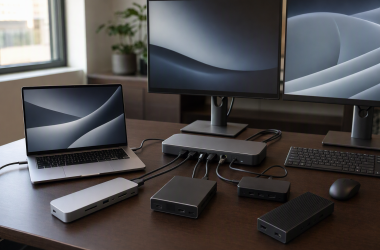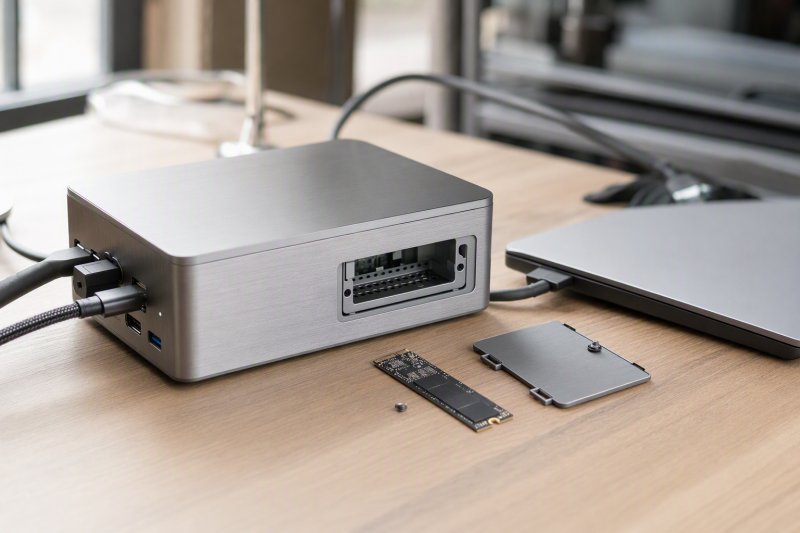
Want a premium dock and a user-installed M.2 SSD living in the same enclosure? Our first choice is the Razer Thunderbolt 5 Dock Chroma. Razer documents an empty M.2 2280 PCIe Gen4x4 slot alongside Thunderbolt 5 expansion, a UHS-II SD reader, USB, audio, and up to 140W host charging. On a Thunderbolt 4 desk the Sonnet Echo 20 is the stronger choice, and the Sabrent HB-6PNV makes more sense when a compact 10Gbps USB-C hub class covers the job. If internal storage is merely optional for you, our broader USB-C docking station guide is the better starting point.
Read one thing into every pick below: none of these recommendations assumes an SSD is included. The frozen evidence explicitly says the buyer supplies the Razer and Sonnet drives, and it does not establish drive inclusion for Sabrent, Satechi, or j5create. Interface labels are not measured storage performance either. What you actually get depends on the host connection, the dock storage path, the installed SSD, enclosure cooling, other active devices, and the laptop itself.
Quick picks
- Razer Thunderbolt 5 Dock Chroma: Best premium TB5 dock with an empty M.2 2280 slot.
- Sonnet Echo 20: Best full desktop Thunderbolt 4 dock with internal NVMe expansion.
- Sabrent HB-6PNV: Best compact 10Gbps USB-C M.2 hub/dock.
- Satechi Dual Dock Stand: Best when the dock should also act as a compatible laptop stand.
- j5create JCD552: Best retained choice for an M.2 slot that accepts NVMe or SATA drives.
Compare USB-C docks with built-in M.2 SSD slots
| Image | Product | Details | Check Price |
|---|---|---|---|
 | Razer Thunderbolt 5 Dock Chroma | Required host path: Qualifying Thunderbolt 5 host Retained M.2 support: Empty M.2 2280 PCIe Gen4x4 slot; up to 8TB Dock role: TB5 expansion, UHS-II SD, USB and audio Power wording: Up to 140W host charging Buyer check: SSD supplied by buyer; active cooling | Check Price on Amazon |
 | Sonnet Echo 20 Thunderbolt 4 SuperDock | Required host path: Thunderbolt 4 Retained M.2 support: User-accessible NVMe slot on PCIe x1 path Dock role: 20-interface desktop topology Power wording: Unknown in frozen evidence Buyer check: SSD supplied by buyer; path is not unconstrained | Check Price on Amazon |
 | Sabrent HB-6PNV | Required host path: 10Gbps USB-C Retained M.2 support: Integrated M.2 SSD slot Dock role: Compact six-port hub/dock with networking Power wording: Power delivery documented; exact output unknown Buyer check: SSD and charger inclusion not established | Check Price on Amazon |
 | Satechi Dual Dock Stand | Required host path: Compatible dual-USB-C laptop Retained M.2 support: Integrated NVMe SSD enclosure Dock role: Laptop stand with dual-display positioning Power wording: Unknown in frozen evidence Buyer check: Confirm connector spacing and exact display support | Check Price on Amazon |
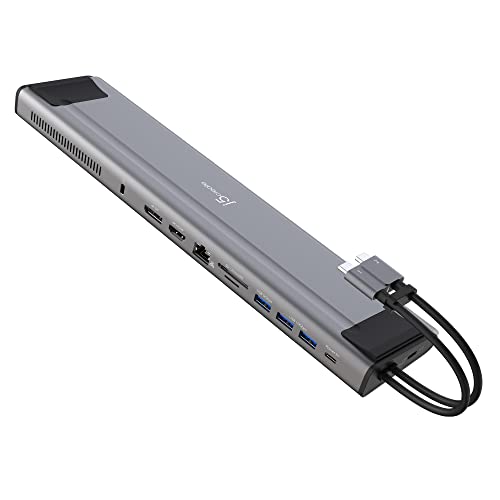 | j5create JCD552 | Required host path: USB-C Gen 2 Retained M.2 support: M.2 NVMe/SATA slot; supported forms documented Dock role: Dual-display docking with integrated storage bay Power wording: 100W power-delivery pass-through Buyer check: Delivered laptop power and SSD inclusion unknown | Check Price on Amazon |
1. Razer Thunderbolt 5 Dock Chroma — best premium TB5 M.2 dock

Of everything in the frozen set, Razer states the clearest high-end internal-storage specification. The manufacturer documents an empty M.2 2280 PCIe Gen4x4 slot with a stated capacity ceiling up to 8TB, and lists three downstream Thunderbolt 5 paths, UHS-II SD, 10Gbps USB, audio, and up to 140W host charging. One user-selected drive lives inside the dock while the external Thunderbolt branches stay free for everything else.
The conditions matter as much as the port list. The internal SSD is not included in the retained package. The design uses active cooling, and the specification does not establish measured read, write, thermal, or sustained-load performance. Full Thunderbolt 5 capability requires a qualifying host. Razer also warns that a demanding laptop may still need its ordinary power adapter, so the 140W ceiling should not be treated as universal replacement power.
Our Take
When Thunderbolt 5 and an internal M.2 2280 bay are both mandatory, buy the Razer. Its gaming styling does not prove storage performance, but the documented topology is the strongest fit here.
- Empty M.2 2280 PCIe Gen4x4 slot
- Three downstream Thunderbolt 5 paths
- UHS-II SD and up to 140W charging
- SSD is supplied by the buyer
- Active cooling and TB5 host requirements apply
2. Sonnet Echo 20 Thunderbolt 4 SuperDock — best full desktop TB4 M.2 dock
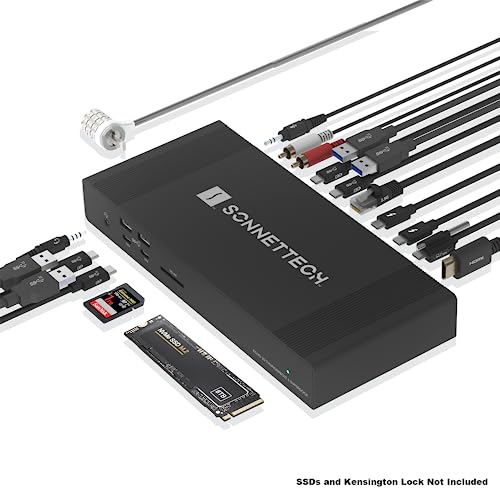
The Echo 20’s user-accessible internal M.2 NVMe slot sits inside a far broader desktop dock. Sonnet documents HDMI, two downstream Thunderbolt 4 paths, a full-size UHS-II SD reader, 2.5GbE, four USB-A and four USB-C 10Gbps ports, and several analog-audio routes. That makes it the practical pick when the internal drive is one part of a full workstation rather than the only special feature.
Look closely at how that slot is wired. Sonnet’s retained evidence identifies a PCIe x1 NVMe path for the internal slot, and that is a real qualification: do not describe it as an unconstrained Thunderbolt storage link. The buyer supplies the SSD, and all dock traffic shares the upstream connection. Frozen evidence does not give a laptop-charging number, so buyers must close that field against the exact computer before using the dock as a one-cable power solution.
Our Take
Choose the Echo 20 for Thunderbolt 4 and the deepest overall desktop I/O in this list. Go with Razer instead if the newer host path and its documented M.2 interface carry more weight.
- User-accessible internal NVMe slot
- Extensive USB, Thunderbolt, network, and audio I/O
- UHS-II SD and HDMI
- Internal drive follows a PCIe x1 path
- SSD and charging figure are not supplied by this package
3. Sabrent HB-6PNV — best compact 10Gbps M.2 dock
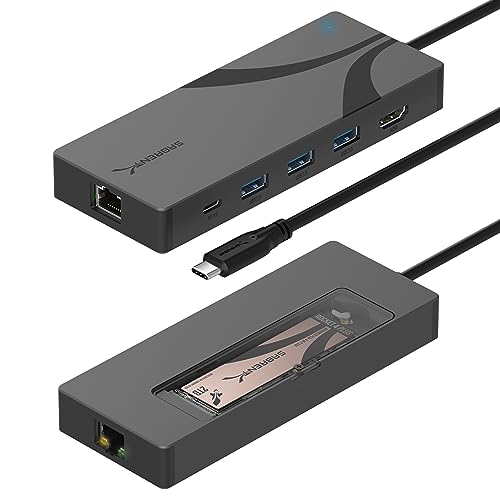
Not every desk has room for a full Thunderbolt station, and the HB-6PNV is the compact answer. Sabrent identifies a six-port USB-C dock with an integrated M.2 SSD slot, a 10Gbps USB-C host path, USB expansion, networking, and power delivery. For a portable or space-limited setup that wants storage and ordinary dock functions in one small box, that is the right shape.
Temper the headline number: the 10Gbps host label is a connection ceiling, not a measured SSD result, and it is shared with other dock traffic. Several fields also stay open. The frozen evidence does not establish the exact installed-drive interface in article-ready detail, a bundled SSD, a bundled charger, a delivered laptop-power figure, or a complete display route. If any one of those decides the purchase, treat it as unknown rather than assuming the behavior of a similar Sabrent product.
Our Take
Pick the HB-6PNV when compact USB-C docking plus an M.2 bay is the whole job. Do not expect it to stand in for the broader expansion or higher host ceilings of the Thunderbolt picks.
- Compact six-port design
- Integrated M.2 slot
- 10Gbps USB-C host and networking role
- SSD and charger inclusion are unknown
- Exact power and display details are not retained
4. Satechi Dual Dock Stand — best laptop-stand dock with NVMe enclosure
Satechi rolls a laptop stand, docking connections, and an integrated NVMe SSD enclosure into one object. The frozen manufacturer record also retains dual-USB-C laptop attachment and dual-display positioning. Buying it is a physical decision as much as a spec decision: it can retire both a separate stand and an external NVMe enclosure, provided the exact laptop fits its connection arrangement.
Compatibility is the decisive limitation. A dual-connector design must match the laptop’s port locations and supported host functions, and visible display connectors do not prove that every laptop can drive two extended displays. The frozen package leaves several fields open as well: the precise laptop-power figure, SSD inclusion, supported drive details beyond NVMe, and measured storage behavior. Confirm each of those on the model page before ordering rather than transferring specifications from another Satechi dock.
Our Take
Choose the Satechi only when its stand geometry and dual-USB-C attachment fit the laptop you own. Where portability or cross-device compatibility matters more, a conventional single-cable dock is the safer buy.
- Integrated NVMe enclosure
- Combines a dock and laptop stand
- Retained dual-display positioning
- Dual-connector fit is laptop specific
- Power and SSD inclusion are unknown here
5. j5create JCD552 — best NVMe and SATA slot flexibility

j5create documents model JCD552 as an M.2 NVMe and SATA USB-C Gen 2 docking station, and its official page identifies support for documented M.2 form factors, dual-display paths, and 100W power-delivery pass-through. Accepting either NVMe or SATA is why it earns a place here. If a compatible M.2 drive is already sitting in a drawer, matching its interface stops being a gamble.
Three things still need checking on your side. The retained record does not enumerate the supported form factors in this production package, so verify the exact drive size before buying. A 100W pass-through label is not proof that the laptop receives 100W after dock overhead, and the frozen evidence does not establish charger or SSD inclusion. Dual-display output remains conditional on the laptop’s USB-C display capability, GPU, operating system, and monitor route.
Our Take
Buy the JCD552 for retained NVMe and SATA slot flexibility, once you have checked the exact drive form factor and host display path. Do not choose it on the 100W label alone.
- M.2 NVMe and SATA support
- USB-C Gen 2 dock design
- Dual-display paths and PD pass-through
- Delivered laptop power is not established
- SSD, charger, and exact form factor need confirmation
Choose the storage path before the port count
Match the M.2 drive interface and form factor
M.2 names a physical family, not one universal drive, and the differences decide whether your SSD works at all. Razer specifies an M.2 2280 PCIe Gen4x4 slot. Sonnet retains an NVMe route. Satechi retains an NVMe enclosure, while j5create explicitly accepts NVMe or SATA and documents supported form factors on its official page. Confirm both interface and size for the drive you plan to install.
Do not confuse a bus ceiling with a transfer result
Thunderbolt 5, Thunderbolt 4, USB-C Gen 2, and 10Gbps are names for host or device links. Between that label and a finished file copy sit the dock’s internal bridge, the SSD, heat, file size, the operating system, and whatever display or network traffic is running at the same time. None of the retained evidence contains a measured benchmark, so this guide does not rank products by claimed real-world speed.
Check cooling, access, and serviceability
Razer documents active cooling, while the frozen package does not establish comparable thermal details for the other docks. A user-accessible bay only helps if installing or replacing the drive is something you are willing to do. And keep important files backed up independently, because putting storage inside a dock removes a cable, not the need for a backup.
Verify display and power separately
A storage bay settles nothing about the laptop’s display or charging requirements. Satechi’s dual-connector fit is host specific. j5create’s 100W label is pass-through wording, not a delivered-power guarantee. Sonnet and Sabrent power details are unknown here. Where monitors dominate the purchase, work through our dual-monitor dock guide first and then come back to the storage qualification.
Treat wired networking as its own line item too. Sonnet documents 2.5GbE, while the Sabrent record retains networking without a faster class. For a network-first desk, compare the dedicated 2.5GbE dock choices before paying for an internal bay.
Final recommendation
For the strongest retained combination of TB5 and an internal M.2 2280 slot, choose the Razer Thunderbolt 5 Dock Chroma. The Sonnet Echo 20 is the more complete Thunderbolt 4 desktop dock. After those two it comes down to the shape of your desk: Sabrent for the compact USB-C build, Satechi for a compatible laptop-stand setup, j5create for the retained NVMe-or-SATA option. Whichever one fits, verify the exact drive, host, display path, delivered power, and package contents. Do not assume an SSD is included.