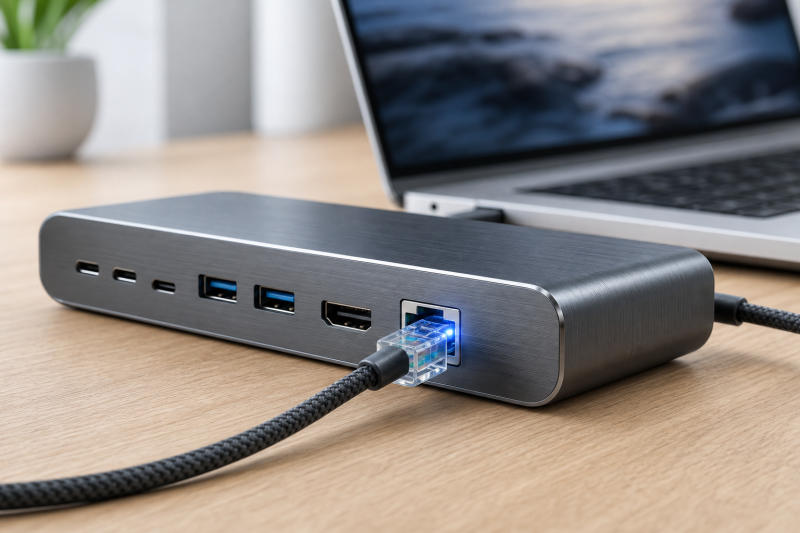
Our best overall Thunderbolt 4 dock with 2.5Gb Ethernet is the CalDigit TS4. CalDigit lists DisplayPort 1.4, rates host charging at 98W, and documents dual-display ceilings on qualified Windows and Mac paths. Go with the Sonnet Echo 20 instead if an internal M.2 NVMe slot would clear a separate storage enclosure off your desk.
A 2.5GbE port does not guarantee 2.5Gbps transfers. Your router or switch, Cat5e-or-better cabling, NAS or server, laptop path, driver, and source and destination storage must all support speeds beyond 1Gbps before the faster dock port changes anything. The slowest link sets the pace. If networking is only one part of your decision, start with our broader Thunderbolt 4 docking station guide.
Quick picks
- CalDigit TS4: Best overall mix of 2.5GbE, charging, and desk ports.
- Sonnet Echo 20: Best choice with internal NVMe expansion.
- Plugable TBT4-UDZ: Best for a display-heavy conventional desk.
- Dell SD25TB4: Best managed choice for supported Dell systems.
- OWC Thunderbolt Go Dock: Best choice with a built-in power supply.
- HP Thunderbolt Dock 120W G4: Best fit for an HP or Windows fleet.
- Lenovo Smart Dock Gen 2 7500: Best Lenovo-managed path.
| Image | Product | Details | Check Price |
|---|---|---|---|
 | CalDigit TS4 | Ethernet: 2.5GbE Display path: DisplayPort 1.4; dual 4K60 ceiling on supported Windows and separate dual 6K60 ceiling on qualified Macs; no native HDMI Charging: 98W host charging Distinctive ports: Broad desk expansion with DisplayPort 1.4 Best for: The best-balanced 2.5GbE Thunderbolt 4 desk | Check Price on Amazon |
 | Sonnet Echo 20 Thunderbolt 4 SuperDock | Ethernet: 2.5GbE Display path: HDMI 2.1 plus two downstream Thunderbolt 4 ports; dual-display ceiling is host-controlled Charging: Up to 100W host charging Distinctive ports: Internal M.2 NVMe slot Best for: Creative desks that need docked NVMe storage | Check Price on Amazon |
 | Plugable TBT4-UDZ | Ethernet: 2.5GbE Display path: Two HDMI plus two DisplayPort groups; up to four 4K60 on qualified Windows; separate Mac dual-display branches Charging: Plugable-rated 98W host charging Distinctive ports: Four conventional video-output groups Best for: A display-heavy HDMI or DisplayPort desk | Check Price on Amazon |
 | Dell Pro Thunderbolt 4 Smart Dock SD25TB4 | Ethernet: 2.5GbE Display path: Two DisplayPort 1.4, HDMI 2.1, and two downstream Thunderbolt 4; up to four external displays on supported paths Charging: 130W on supported Dell systems; 96W on non-Dell systems Distinctive ports: Dell-managed expansion and several display routes Best for: A managed supported Dell desk | Check Price on Amazon |
 | OWC Thunderbolt Go Dock | Ethernet: 2.5GbE Display path: HDMI 2.1 with a dual 4K60 manufacturer ceiling; complete host path must qualify Charging: 90W host charging Distinctive ports: Built-in power supply Best for: A travel or shared desk without a separate power brick | Check Price on Amazon |
 | HP Thunderbolt Dock 120W G4 | Ethernet: 2.5GbE Display path: HDMI 2.0 plus two DisplayPort 1.4; triple 4K60 requires a qualifying DP 1.4 DSC Windows host Charging: Up to 100W USB-C Power Delivery Distinctive ports: Conventional fleet display layout Best for: A qualified HP or Windows fleet | Check Price on Amazon |
 | Lenovo ThinkPad Thunderbolt 4 Smart Dock Gen 2 7500 | Ethernet: 2.5GbE Display path: Two DisplayPort 1.4, HDMI 2.1, and one downstream Thunderbolt 4; multiple-display path is Windows-specific Charging: 100W PD 3.1 Distinctive ports: Current Lenovo management path; exact host controls fleet features Best for: A managed Lenovo environment | Check Price on Amazon |
1. CalDigit TS4 – Best overall
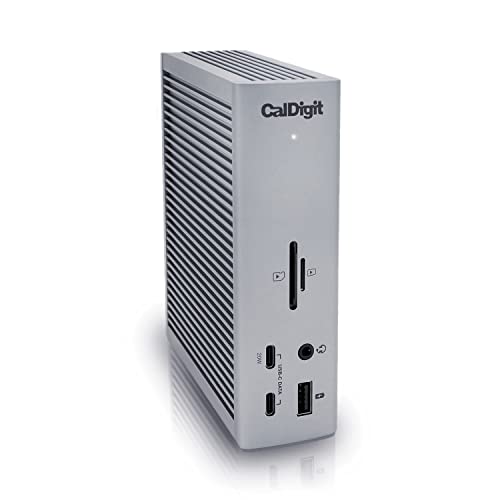
The TS4 is for buyers who need 2.5GbE but do not want networking to dictate every other part of the dock decision. CalDigit provides DisplayPort 1.4, rates host charging at 98W, and documents a dual 4K60 ceiling on supported Windows hosts. Qualified Macs follow a separate dual 6K60 ceiling. Both figures depend on the exact host and display path.
There is no native HDMI, so an HDMI-only monitor may require a suitable supported route and adapter. Networking is the simpler half of this dock: the required 2.5GbE port is there, but the rest of your wired path must be faster than Gigabit Ethernet before the extra headroom does anything.
Our Take
When you need faster wired networking, strong charging, and a broad desk connection set, the TS4 is the best balanced pick. Skip it if native HDMI is mandatory.
- Native 2.5GbE
- DisplayPort 1.4 and documented qualified dual-display paths
- 98W host charging
- No native HDMI
- 98W falls below a rigid 100W requirement
- Display ceilings remain host-dependent
2. Sonnet Echo 20 Thunderbolt 4 SuperDock – Best with internal NVMe expansion
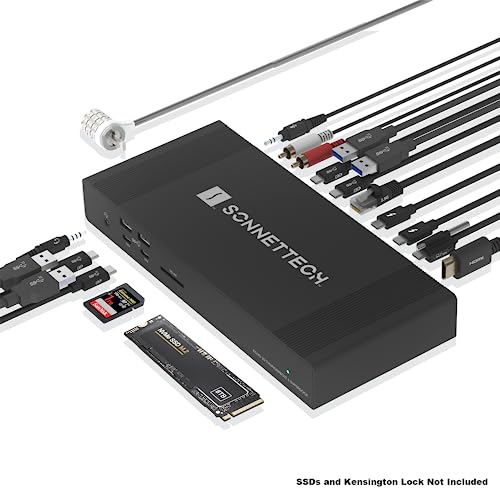
The Echo 20 solves two desk problems at once, because the dock carries an internal M.2 NVMe slot. Sonnet pairs 2.5GbE with HDMI 2.1 and two downstream Thunderbolt 4 ports. That connection mix can serve storage, networking, and display expansion without adding a separate NVMe enclosure.
Sonnet rates host charging up to 100W. Its dual-display ceiling is controlled by the host, so do not read HDMI plus two downstream Thunderbolt ports as proof that every laptop can extend to the same number of screens. The M.2 slot is what justifies this dock over a simpler 2.5GbE model.
Our Take
For a creative desk that needs 2.5GbE and internal NVMe expansion, nothing here is stronger than the Echo 20. It is unnecessary if you already have a storage setup you like.
- Native 2.5GbE
- Internal M.2 NVMe slot
- HDMI 2.1, two downstream Thunderbolt 4 ports, and up to 100W charging
- Host controls the dual-display ceiling
- Exact display pairing still needs checking
- Internal storage adds little if you only need networking
3. Plugable TBT4-UDZ – Best display-heavy choice
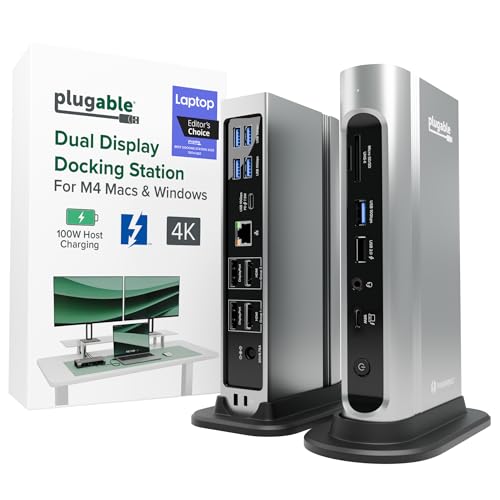
The TBT4-UDZ earns its place when your 2.5GbE dock also has to serve several conventional monitor connections. Plugable provides two HDMI and two DisplayPort output groups and lists up to four 4K60 displays on qualified Windows hosts. Mac support follows separate dual-display branches, so the Windows ceiling must not be transferred to macOS.
Four physical video connections do not guarantee four extended displays from every laptop. Confirm the host GPU or chip, operating system, supported output grouping, cables, and monitors before you commit. Plugable documents 98W host charging.
Our Take
For a display-heavy desk with HDMI or DisplayPort monitors, the TBT4-UDZ is the practical 2.5GbE pick. Buy it for the connection layout, not for an assumed universal four-screen result.
- Native 2.5GbE
- Two HDMI plus two DisplayPort output groups
- Plugable’s Windows matrix lists up to four 4K60 displays on qualified hosts
- Windows and Mac display branches differ
- Socket count does not prove extended-display count
- 98W is below a strict 100W requirement
4. Dell Pro Thunderbolt 4 Smart Dock SD25TB4 – Best managed Dell choice
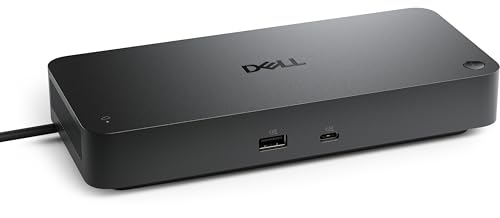
A supported Dell environment that needs 2.5GbE, several display routes, and Dell-specific power delivery is the SD25TB4’s home ground. Dell lists two DisplayPort 1.4 outputs, HDMI 2.1, and two downstream Thunderbolt 4 ports, with a ceiling of up to four external displays. The exact laptop and selected topology still control the result.
Dell documents 130W charging on supported Dell systems and 96W on non-Dell systems, and that 130W result is a vendor-specific branch rather than universal USB Power Delivery. The distinction cuts both ways: it makes the SD25TB4 especially useful in a matched Dell fleet and less compelling as a generic high-power dock.
Our Take
On a managed, supported Dell desk, the SD25TB4 is the right 2.5GbE dock. Buyers using other brands should judge it by the 96W non-Dell branch.
- Native 2.5GbE
- Two DisplayPort 1.4, HDMI 2.1, and two downstream Thunderbolt 4 paths
- 130W charging on supported Dell systems
- Non-Dell charging ceiling is 96W
- 130W is not a universal USB PD result
- Display ceiling depends on the exact host and route
5. OWC Thunderbolt Go Dock – Best built-in-power choice
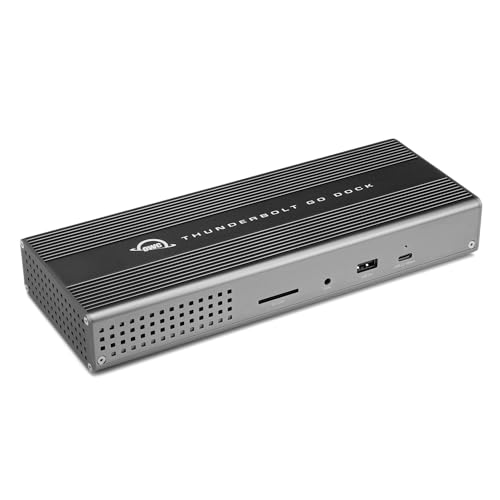
The Thunderbolt Go Dock gives you 2.5GbE without a separate power brick to carry or place. OWC builds the power supply into the dock, which makes it a distinct fit for a travel desk, shared workspace, or compact setup. OWC also includes HDMI 2.1 and documents a dual 4K60 ceiling.
OWC rates host charging at 90W, which can suit many laptops but may not replace a higher-output adapter under sustained load. Whether the documented dual-display ceiling is available still comes down to the exact laptop, connection topology, cables or adapters, and monitors.
Our Take
When integrated power matters as much as 2.5GbE, the Go Dock is the cleanest choice. Its 90W charging ceiling is the main reason to look elsewhere for a power-hungry laptop.
- Native 2.5GbE
- Built-in power supply
- HDMI 2.1 and an OWC-documented dual 4K60 ceiling
- 90W may not replace every laptop charger
- Dual-display result depends on the complete host path
- Integrated power is less valuable for a fixed desk with hidden cabling
6. HP Thunderbolt Dock 120W G4 – Best HP and fleet choice

The HP G4 is aimed at a Windows fleet that needs 2.5GbE, conventional display outputs, and up to 100W USB-C Power Delivery. HP provides HDMI 2.0 and two DisplayPort 1.4 outputs, and documents up to four external displays plus a triple 4K60 path on qualifying DP 1.4 DSC Windows hosts.
Both display figures are ceilings tied to named host conditions. Neither establishes the same result on a Mac, or on a Windows laptop without the required DP 1.4 DSC path. For a one- or two-monitor fleet, the dock’s native 2.5GbE and familiar output layout are the more durable reasons to shortlist it.
Our Take
For a qualified HP or Windows deployment, the HP G4 is a sensible 2.5GbE choice. Treat its headline display count as a host-specific ceiling.
- Native 2.5GbE
- HDMI 2.0 plus two DisplayPort 1.4 outputs
- Up to 100W USB-C Power Delivery
- Triple 4K60 requires a qualifying DP 1.4 DSC Windows host
- Manufacturer display ceiling is not universal
- Mac paths are not established by the Windows figure
7. Lenovo ThinkPad Thunderbolt 4 Smart Dock Gen 2 7500 – Best Lenovo management choice
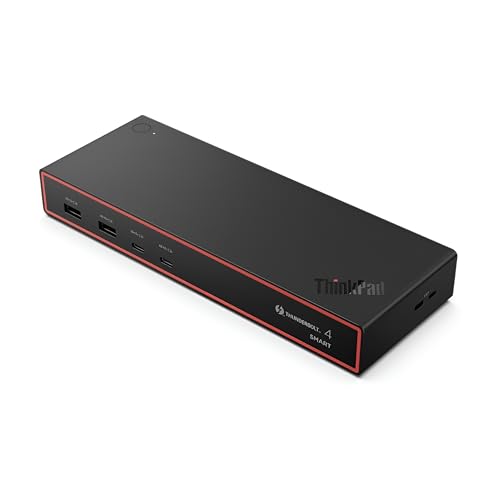
If a Lenovo management path matters alongside 2.5GbE, look for the exact 40BE0135US Smart Dock Gen 2 7500. Lenovo documents two DisplayPort 1.4 outputs, HDMI 2.1, and one downstream Thunderbolt 4 port. It also provides 100W PD 3.1 for the host.
The multiple-display path is a Windows route, and the exact host controls which fleet features are available. That makes this a targeted Lenovo choice rather than a promise that every Thunderbolt 4 laptop receives identical management or display behavior. Confirm the laptop model and operating system before relying on either branch.
Our Take
Within this 2.5GbE group, the 40BE0135US is the best Lenovo-managed choice. It is less persuasive when fleet integration is irrelevant.
- Native 2.5GbE
- Two DisplayPort 1.4, HDMI 2.1, and one downstream Thunderbolt 4 port
- 100W PD 3.1
- Exact host controls fleet features
- Multiple-display path is Windows-specific
- Management value is limited outside a matched Lenovo environment
How to choose a Thunderbolt 4 dock with 2.5GbE
Start by finding the slowest part of your network. A 2.5GbE dock can negotiate a faster wired link only when the switch or router port supports it. Cat5e-or-better cabling is part of the required chain, and the NAS, server, internet service, host driver, and storage all have to move enough data to expose a difference. For USB-C expansion without the Thunderbolt 4 requirement, compare the separate USB-C hubs and docks with 2.5GbE.
Next, match the display topology to what your monitors actually use. Plugable is the clearest conventional-output choice, CalDigit favors DisplayPort and supported downstream routing, and Sonnet mixes HDMI 2.1 with downstream Thunderbolt 4. Dell, HP, and Lenovo document broader display ceilings, but those counts stay tied to exact host and operating-system conditions.
Then compare charging by host branch. Dell’s 130W applies only to supported Dell systems, while its non-Dell ceiling is 96W. Lenovo lists 100W PD 3.1 for the Smart Dock Gen 2, HP and Sonnet reach 100W, CalDigit lists 98W, and OWC lists 90W. A wattage ceiling does not mean every laptop will accept it, or that it will replace the original charger under full load.
Finally, settle whether you need 2.5GbE or a separate 10GbE buying path. A faster NAS, workstation, and switch may justify 10GbE, though that usually changes the adapter, heat, cabling, and budget decision. Our Thunderbolt and USB4 10GbE adapter guide covers that higher-speed job.
FAQ for 2.5GbE docks
Will a 2.5GbE dock make internet downloads 2.5 times faster?
Not by itself. Your internet plan, router or switch port, cable, remote server, laptop path, driver, and storage all affect the transfer. All the dock does is remove a 1GbE port as one possible bottleneck.
Do I need special Ethernet cable for 2.5GbE?
Use a Cat5e-or-better link and confirm every segment between the dock and your network equipment. Cable category alone does not prove that the switch port or destination can exceed 1Gbps.
Is 2.5GbE the same buying decision as 10GbE?
No. Both exceed Gigabit Ethernet, but a 10GbE setup brings different adapter, network-equipment, heat, cabling, and workload considerations. Choose it only when the rest of the path and your actual transfers justify the step.