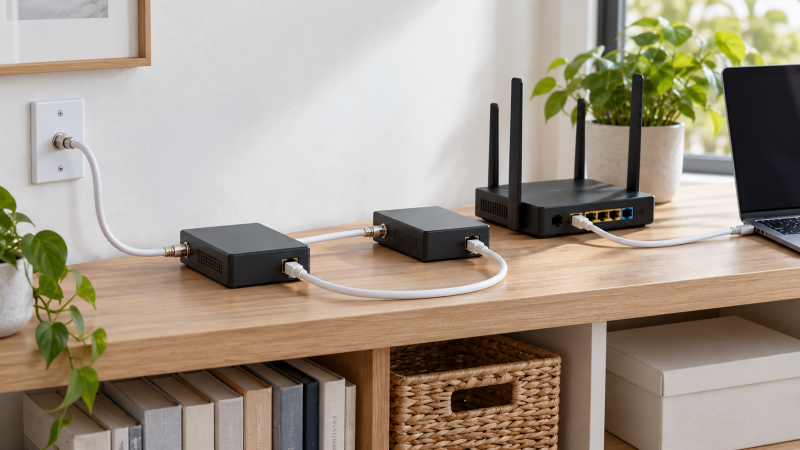
MoCA 2.5 adapters turn suitable in-home coax into an Ethernet path for a remote access point, desktop, camera, or media device. The buying decision starts with wiring compatibility, then compares supplied adapter count, Ethernet speed, PoE capability, and whether the product is a starter kit or an add-on.
These adapters do not replace an internet modem or router. Confirm that the needed coax outlets connect through a central splitter, then choose a kit whose stated speed and compatibility rules fit the service and devices already installed.
Verify the coax topology and service compatibility before paying for higher Ethernet speeds or an extra adapter.Best MoCA 2.5 Adapters for Wired Backhaul Extensions Compared
| Image | Product | Details | Check Price |
|---|---|---|---|
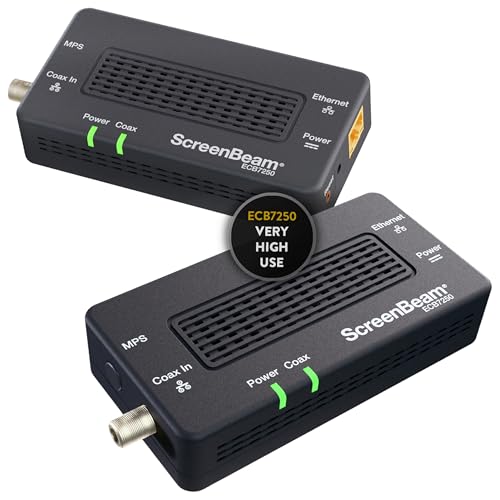 | ScreenBeam ECB7250K02 | Best fit: Complete 2.5GbE starter kit Ethernet: 2.5Gbps port; up to 16 nodes Compatibility: Existing coax; DOCSIS 3.1 conflict warning | Check Price on Amazon |
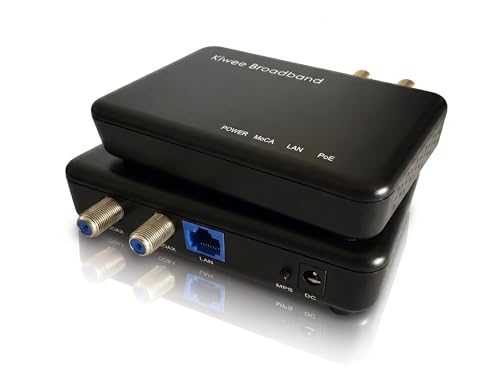 | PowerBridge KB-M3-03 | Best fit: PoE+ access-point or camera link Ethernet: 2.5G port with up to 30W PoE+ Kit: Two adapters; IEEE 802.3at | Check Price on Amazon |
 | Hitron MoCA 2.5 2-Pack | Best fit: Compatibility-conscious cable or fiber home Speed: Up to 1Gbps stated Limits: Not AT&T U-verse or satellite wiring | Check Price on Amazon |
 | Hitron HTEM5 | Best fit: 2.5Gbps cable or most-fiber extension Speed: Up to 2.5Gbps Limits: Not satellite wiring or AT&T Fiber | Check Price on Amazon |
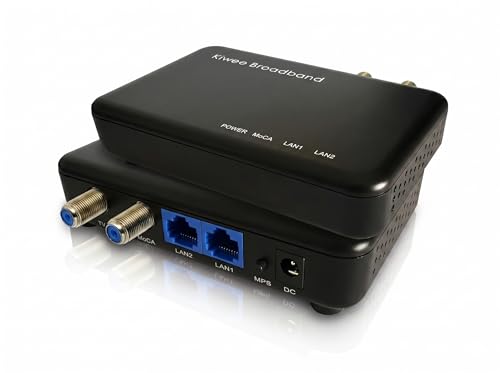 | Kiwee Broadband KB-M3-02E | Best fit: Satellite-compatible dual-port setup Ethernet: Two 2.5GbE ports Band: Extended E Band 400 to 900MHz | Check Price on Amazon |
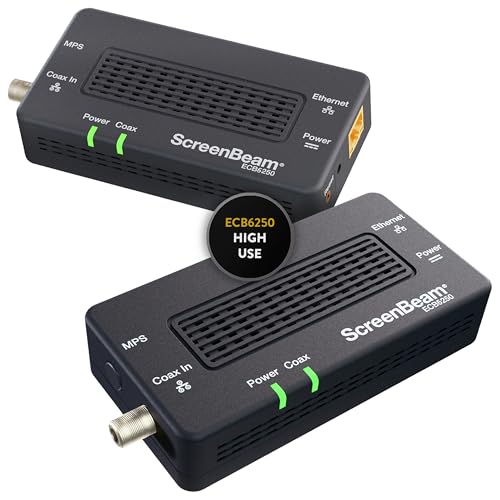 | ScreenBeam ECB6250K02 | Best fit: Gigabit starter kit with MoCA expansion Ethernet: 1Gbps port; up to 16 nodes Expansion: Native MoCA router or additional adapters | Check Price on Amazon |
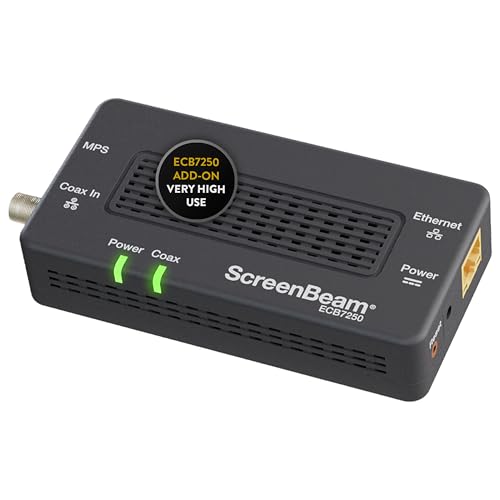 | ScreenBeam ECB7250S02 | Best fit: Single 2.5GbE network add-on Ethernet: 2.5Gbps port; up to 16 nodes Requirement: Existing MoCA network or compatible router | Check Price on Amazon |
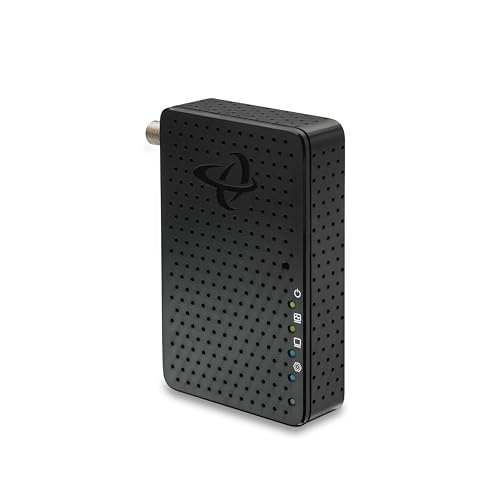 | Hitron MoCA 2.5 Add-On | Best fit: Single-room cable-home extension Ethernet: Up to 2.5Gbps Requirement: Two total adapters; connected central splitter | Check Price on Amazon |
1. ScreenBeam ECB7250K02 — Best Complete 2.5GbE Starter Kit
ScreenBeam ECB7250K02 is the straightforward starting point for a home that needs two adapters and a 2.5Gbps Ethernet port at each selected endpoint. Its listing states up to 2.5Gbps over existing coax, backward compatibility with 10, 100, and 1000Mbps Ethernet, and support for up to sixteen MoCA nodes.
Read the compatibility wording as closely as the speed figure. The listing says a MoCA-compatible router needs one ECB, while a non-MoCA router needs two or more ECB units, and it warns that some DOCSIS 3.1 modems can create frequency-overlap disconnects.
Decision point: Two adapters, 2.5Gbps Ethernet ports, and up to sixteen stated nodes suit a complete wired-backhaul start.For related wired-network decisions, see our multi-gig switch guide and our USB-C 2.5GbE adapter guide.
Our TakeBuy the ScreenBeam ECB7250K02 if you need a two-unit 2.5GbE MoCA starting kit for connected coax outlets. Choose a PowerBridge kit instead when the remote endpoint also needs stated PoE+ power.
- Two included adapters give a buyer the stated hardware needed to bridge a router-side and remote coax location.
- A 2.5Gbps Ethernet port preserves multi-gig potential when the router, switch, and endpoint also support that speed.
- Support for up to sixteen nodes helps a larger home plan several wired rooms from one coax network.
- Backward compatibility with 10, 100, and 1000Mbps Ethernet keeps older wired devices usable on the same adapter.
- The listing explicitly explains one-adapter versus two-adapter needs around a MoCA-compatible router, reducing starter-kit confusion.
- Some DOCSIS 3.1 modem frequency overlaps can cause random disconnects, so cable customers need a compatibility check.
- Two 2.5Gbps ports cannot deliver full multi-gig results when the connected router or endpoint is Gigabit-only.
2. PowerBridge KB-M3-03 — Best PoE+ Access-Point or Camera Link
Use PowerBridge KB-M3-03 when a Wi-Fi 6E or Wi-Fi 7 access point, an IP camera, or a VoIP phone should get both data and stated power from one Ethernet cable. The kit combines a two-adapter MoCA 2.5 setup with an Ethernet port that can provide up to 30W PoE+.
The listing frames the kit as IEEE 802.3at PoE+ and states 2.5Gbps data over coax. Its value depends on having a compatible powered device, not simply on wanting an Ethernet connection in another room.
Decision point: Up to 30W PoE+ through a 2.5G Ethernet port can remove a separate endpoint power run.For access-point placement, see our Wi-Fi 6E mesh guide and our cable-management guide.
Our TakeBuy PowerBridge KB-M3-03 when a remote access point, camera, or phone needs stated PoE+ and 2.5G data from the coax backhaul. Skip its power-focused premium for an ordinary unpowered desktop endpoint.
- Two included PowerBridge adapters create the two-endpoint MoCA link without buying a separate matching unit.
- Up to 30W PoE+ can power a stated Wi-Fi 6E or 7 access point through one Ethernet cable.
- IEEE 802.3at support gives a buyer a named PoE+ standard to compare against endpoint power requirements.
- A 2.5G Ethernet port keeps the wired handoff aligned with multi-gig access points and high-bandwidth cameras.
- The listing names 4K and 8K IP cameras, VoIP phones, streaming, and gaming as specific endpoint workloads.
- The stated 30W power feature adds little value for a desktop device that already has its own power supply.
- 2.5Gbps coax data still depends on compatible wiring and devices, not only the included two-adapter kit.
3. Hitron MoCA 2.5 2-Pack — Best Compatibility-Conscious Cable or Fiber Home
Hitron’s two-pack spells out the home wiring it needs before an adapter will work. It says the units extend an existing modem-and-router network through interconnected coax, work with cable, fiber, DSL, and other non-U-verse services, and deliver up to 1Gbps.
Its strength is the detailed warning language. The listing excludes AT&T U-verse and satellite wiring, requires outlets connected at a main splitter, and asks cable customers using DOCSIS 3.1 or 4.0 high-split modems to install a point-of-entry filter.
For adjacent cable-home planning, see our powerline adapter guide and our USB-C Ethernet adapter guide.
Our TakeBuy the Hitron two-pack if confirming cable or fiber coax compatibility is the main concern and Gigabit speed is adequate. Choose a stated 2.5Gbps kit when the rest of the wired path is already multi-gig.
- Two adapters establish the required router-side and remote-room link without separately sourcing a matching second unit.
- Up to 1Gbps suits a Gigabit endpoint while avoiding a higher-speed purchase that its network cannot use.
- Compatibility guidance names cable, fiber, DSL, satellite, and AT&T U-verse, helping buyers screen unsuitable wiring first.
- A central-splitter requirement explains the physical condition that joins remote coax outlets into one usable network.
- The DOCSIS 3.1 and 4.0 filter warning gives cable users a concrete pre-installation check before troubleshooting.
- The stated 1Gbps ceiling is below the 2.5Gbps Ethernet ports offered by several other adapters in this comparison.
- AT&T U-verse and satellite wiring are excluded, so the detailed guidance may still end in an incompatible installation.
4. Hitron HTEM5 — Best 2.5Gbps Cable or Most-Fiber Extension
Hitron HTEM5 is a two-pack for a household that has confirmed interconnected cable TV coax and wants a stated 2.5Gbps network extension. The listing repeatedly distinguishes the HTEM5 as a network adapter, not a modem, router, or Wi-Fi product, so a buyer is less likely to order it as a replacement for one.
It also sets tight compatibility boundaries. Satellite wiring, isolated coax runs, phone lines, Ethernet cables, and AT&T Fiber are excluded in the description, while cable services and most other fiber services are described as workable when the coax network is properly connected.
For another wired-network alternative, see our powerline Ethernet guide and our multi-gig switch guide.
Our TakeBuy the Hitron HTEM5 when you want a two-unit 2.5Gbps extension and can verify the home’s coax topology. Do not buy it as a modem, Wi-Fi upgrade, or solution for AT&T Fiber.
- The two-pack supplies both ends of a basic MoCA connection for a router room and remote wired room.
- Up to 2.5Gbps makes this a better match for multi-gig switches, adapters, and access points than Gigabit-only alternatives.
- The listing clearly says it is not a modem, router, or Wi-Fi product, avoiding a common category mistake.
- Its central-splitter requirement gives a buyer a specific physical topology to verify before opening the kit.
- Cable and most fiber services are named as workable categories when the home coax network is connected.
- Satellite wiring and AT&T Fiber are expressly excluded, which rules out homes with either stated service condition.
- The 2.5Gbps figure does not bypass isolated outlets, so topology verification is necessary before installation.
5. Kiwee Broadband KB-M3-02E — Best Satellite-Compatible Dual-Port Setup
Kiwee Broadband KB-M3-02E differs from the cable-focused adapters because its listing specifies satellite-TV compatibility and the Extended E Band from 400 to 900MHz. It includes two adapters, states two 2.5GbE ports per adapter, and frames the kit as a wired LAN option for streaming, gaming, mesh Wi-Fi, and work-from-home use.
The tradeoff is equally explicit, because it does not support DOCSIS, CATV cable services, or D Band MoCA 2.5 devices. It is the niche choice when the home has compatible satellite infrastructure, and it is not a flexible default for every coax system.
Decision point: Two 2.5GbE ports and a 400 to 900MHz E Band fit the listed satellite-compatible network path. Our TakeBuy Kiwee Broadband KB-M3-02E when the household needs its stated satellite compatibility and two 2.5GbE ports. Skip it for DOCSIS or CATV cable service, which its listing expressly excludes.
- Two included adapters provide a complete two-location kit for the product’s stated satellite-compatible MoCA network design.
- Two 2.5GbE ports per adapter can connect multiple nearby devices without adding a separate local switch.
- The stated 400 to 900MHz Extended E Band gives buyers a specific frequency plan to compare.
- Up to 2.5Gbps wired LAN speed fits high-bandwidth streaming, gaming, mesh Wi-Fi, and work-from-home endpoint roles.
- Satellite compatibility directly addresses a setup that several cable-focused adapters list as unsuitable.
- DOCSIS, CATV cable service, and D Band MoCA 2.5 devices are explicitly incompatible with this E Band adapter.
- Two 2.5GbE ports only help when the satellite coax setup matches the product’s stated frequency constraints.
6. ScreenBeam ECB6250K02 — Best Gigabit Starter Kit with MoCA Expansion
ScreenBeam ECB6250K02 is the slower Ethernet option for a home whose existing devices are Gigabit. It includes a 1Gbps Ethernet port, describes speeds up to 1Gbps with the kit, and says a native MoCA router plus multiple adapters can reach a 2.5Gbps MoCA network.
Like the faster ScreenBeam products, it supports up to sixteen nodes and asks buyers to determine whether their router has built-in MoCA capability. It is sensible when the endpoint does not justify 2.5GbE hardware today, but the household still wants a structured coax expansion path.
Decision point: A 1Gbps Ethernet port fits a Gigabit endpoint while sixteen stated nodes leave room to extend the coax network. Our TakeBuy ScreenBeam ECB6250K02 for a two-adapter Gigabit backhaul where endpoint speed is the limiting factor. Upgrade to ECB7250K02 when 2.5GbE is already available at both ends.
- A 1Gbps Ethernet port matches common routers, switches, and devices without requiring a multi-gig upgrade first.
- Two adapters give the buyer a complete router-to-room connection rather than a single add-on unit.
- Up to sixteen nodes support a broader wired-home plan beyond one remote desktop or television.
- The listing explains how a native MoCA router changes the adapter count needed for an installation.
- Backward compatibility with 10 and 100Mbps devices keeps older Ethernet hardware useful on the backhaul.
- The 1Gbps Ethernet port limits one endpoint below the 2.5Gbps ports available on newer starter kits.
- DOCSIS 3.1 frequency conflicts can affect reliability, so cable-modem compatibility requires the same careful check.
7. ScreenBeam ECB7250S02 — Best Single 2.5GbE Network Add-On
ScreenBeam ECB7250S02 is a single add-on for an existing MoCA network rather than a complete new link. The listing states a 2.5Gbps Ethernet port, compatibility with 10, 100, and 1000Mbps devices, and support for up to sixteen nodes when a buyer adds it to a compatible router or adapter network.
That single-unit status is the central buying constraint. It makes sense for expanding a working installation into one more coax room, but a first-time buyer still needs two total adapters unless the router already supplies MoCA capability.
Buy ScreenBeam ECB7250S02 to add one 2.5GbE coax room to a compatible MoCA network. Choose a two-pack for the first router-to-endpoint connection.
- A single adapter avoids paying for an unnecessary pair when an existing MoCA network already has its router-side link.
- The 2.5Gbps Ethernet port keeps a new room aligned with multi-gig wired endpoints and remote access points.
- Support for up to sixteen nodes gives an expanding household a stated ceiling for additional room adapters.
- Compatibility with 10, 100, and 1000Mbps Ethernet preserves use with older devices at the remote room.
- The listing directly explains that each network device needs an adapter, clarifying a multi-room expansion plan.
- One adapter is insufficient for a non-MoCA router, so a first installation needs another compatible endpoint unit.
- Full 2.5Gbps throughput requires compatible Ethernet devices and coax conditions, not merely this add-on’s advertised port.
8. Hitron MoCA 2.5 Add-On — Best Single-Room Cable-Home Extension
Hitron’s single-unit add-on is aimed at a cable-internet home that already has, or will buy, the second required adapter. It states up to 2.5Gbps over existing coax and gives direct pre-purchase steps: locate the main splitter, verify that outlets connect to it, and confirm the home uses cable internet rather than satellite.
The product is narrow about setup. It says one unit is not a complete system, two total adapters are required, and disconnected or satellite-used coax outlets will not function. Those limits make it a clear add-on choice for a verified cable-home topology.
Buy the Hitron single add-on for one more room in a verified cable-home MoCA network. Do not treat its one-unit package as a complete first installation.
- Up to 2.5Gbps gives a verified cable-home room a multi-gig wired endpoint over its existing coax outlet.
- The single-unit package fits an expansion where the router-side adapter and other rooms already have compatible hardware.
- Four stated pre-purchase checks give buyers a practical way to verify central-splitter connectivity before ordering.
- The listing identifies cable internet providers, including Comcast, Spectrum, and Cox, as the intended home category.
- Its two-adapter explanation helps a buyer avoid expecting one unit to form a complete router-to-room backhaul.
- One included adapter requires a second unit, adding another purchase when the home has no existing MoCA equipment.
- Satellite, AT&T Fiber, and isolated coax outlets are excluded, limiting the product to the stated cable-home setup.
Buying Guide
Verify the coax topology before choosing an adapter
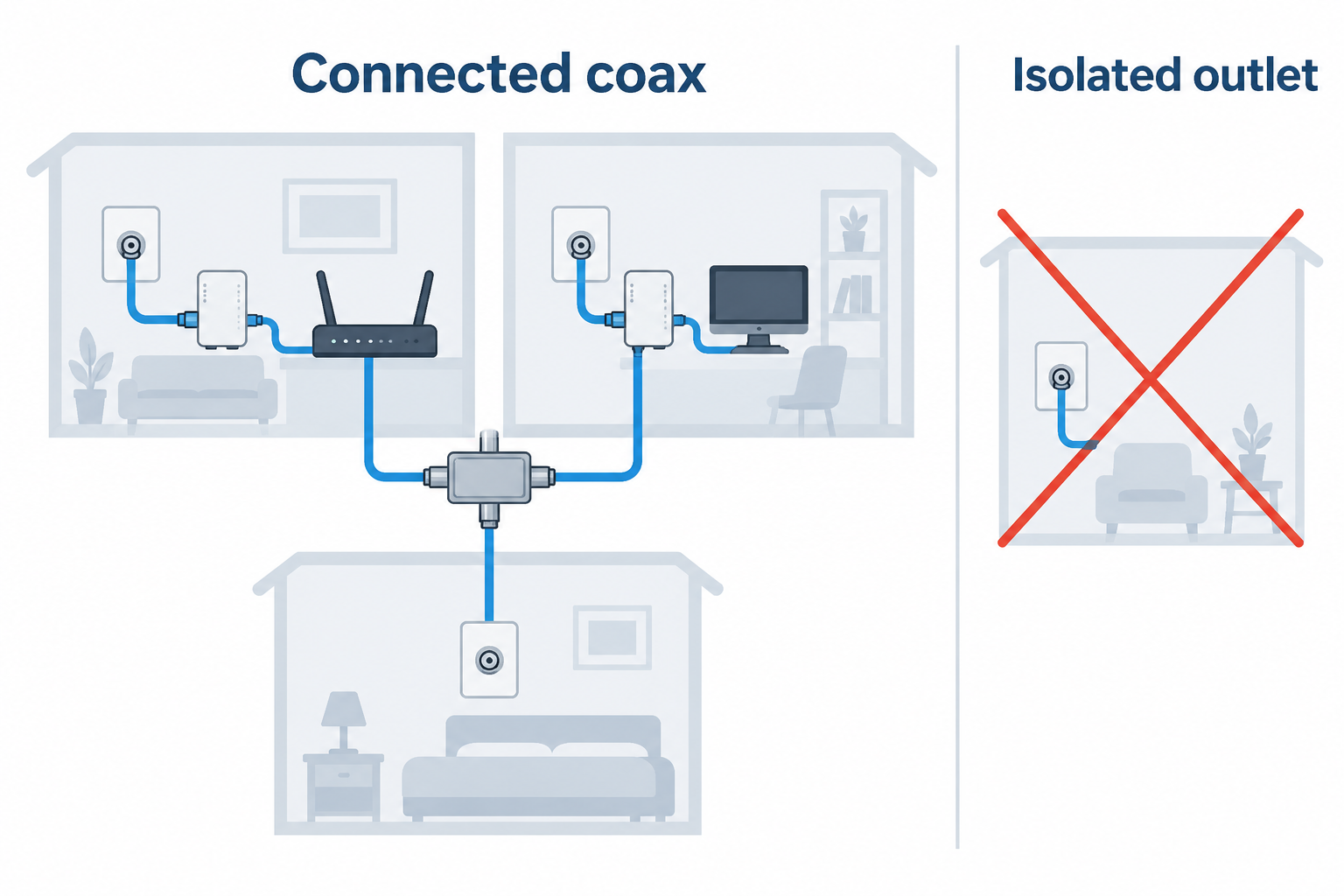
Start by checking whether every needed coax outlet joins the same central splitter. Hitron’s two-pack and single add-on both say disconnected or isolated outlets prevent a usable MoCA link, while ScreenBeam describes using existing coax between rooms. A room can have a coax jack and still fail the essential connectivity test.
Then identify the previous service that changed the wiring. Hitron excludes satellite and AT&T U-verse wiring, HTEM5 excludes satellite and AT&T Fiber, while Kiwee Broadband KB-M3-02E is built for the different satellite-compatible E Band. The right adapter follows the cable topology and service, not the room where a buyer wants Ethernet.
Buy a pair for the first link and a single unit for expansion
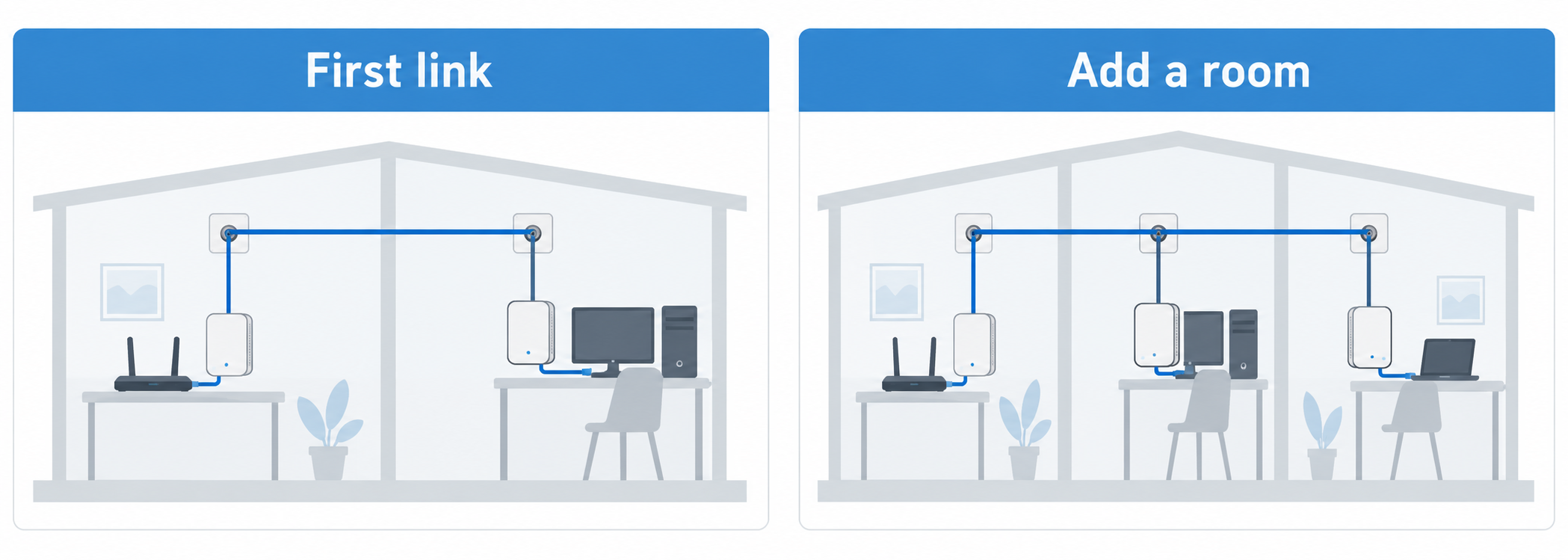
For a new network, budget for two endpoints between the router area and the first remote room. ECB7250K02, KB-M3-03, HTEM5, and the other two-packs include the basic pair. ScreenBeam says one ECB can work with a MoCA-compatible router, but a non-MoCA router needs two or more units.
For an established network, choose a single add-on only when a compatible first endpoint already exists. ECB7250S02 and Hitron’s single unit are expansion products. Their 2.5Gbps ports are useful for an added room, yet neither one alone replaces the second endpoint required to create the original coax bridge.
Match Ethernet speed to the entire wired path
Choose a 2.5Gbps adapter when the router, switch, and remote device also expose multi-gig Ethernet. ECB7250K02, KB-M3-03, HTEM5, KB-M3-02E, ECB7250S02, and Hitron’s single add-on all state 2.5Gbps capability. A single Gigabit link in that path can still become the practical ceiling.
Choose a Gigabit kit when the endpoint is intentionally Gigabit today. ScreenBeam ECB6250K02 has a 1Gbps Ethernet port and may be the simpler match for an older television, console, or desktop. It still supports a stated sixteen-node network, so Gigabit does not prevent broader coax coverage.
Decide whether the remote endpoint needs power as well as data
Select PowerBridge KB-M3-03 when the endpoint can use up to 30W of IEEE 802.3at PoE+. Its stated PoE+ feature suits a Wi-Fi 6E or 7 access point, an IP camera, or a VoIP phone because the Ethernet cable can carry data and power after the coax adapter.
For an already powered desktop, television, or console, a plain 2.5GbE Ethernet handoff is usually the relevant comparison. The ScreenBeam and Hitron kits focus on the network extension rather than endpoint power. Paying for PoE+ makes sense only when the receiving device and its placement benefit from the stated 30W power budget.
Treat frequency and provider warnings as hard purchase filters
Cable customers should check DOCSIS and high-split compatibility before installation. ScreenBeam warns some DOCSIS 3.1 modems can conflict, and Hitron’s two-pack calls for a point-of-entry filter with DOCSIS 3.1 or 4.0 high-split cable modems. These warnings are pre-purchase filters, not optional performance tweaks.
Satellite households need to compare the named frequency band and service exclusions. Kiwee Broadband KB-M3-02E states its 400 to 900MHz Extended E Band and satellite compatibility, but excludes DOCSIS, CATV, and D Band devices. The cable-oriented Hitron choices make the opposite tradeoff by excluding satellite-oriented wiring.
FAQ
Do MoCA adapters replace my modem or router?
No. A MoCA adapter extends an existing modem-and-router network through coax. Hitron describes both its two-pack and HTEM5 as network adapters rather than modem, router, or Wi-Fi replacements. The router still provides the existing network connection that reaches the first adapter.
ScreenBeam gives the practical limit on adapter count. A MoCA-compatible router can reduce the number of adapters needed, but a non-MoCA router needs two or more ECB units. Buy the adapter count for the equipment already installed, not as a substitute for it.
Can I use a single adapter to create a first MoCA connection?
Usually no. A first point-to-point link needs two endpoints unless the router already has MoCA capability. Hitron’s single-unit listing expressly says two total adapters are required, and ECB7250S02 is labeled as an add-on for an existing network.
A two-pack removes that uncertainty. ScreenBeam ECB7250K02, PowerBridge KB-M3-03, and Hitron HTEM5 include two adapters, giving a router-side location and one remote room the needed paired hardware. Add single units later when expanding to additional rooms.
Will MoCA work with satellite or AT&T service?
It depends on the adapter and the wiring. Hitron two-pack products exclude AT&T U-verse and satellite wiring, while HTEM5 also excludes AT&T Fiber. Their guidance says satellite installations can leave outlets isolated from the central splitter.
Kiwee Broadband KB-M3-02E is the important exception. Its listing states satellite-TV compatibility and a 400 to 900MHz E Band, but it excludes DOCSIS, CATV, and D Band devices. Match the product to the actual service and frequency constraints rather than assuming all MoCA hardware shares one compatibility rule.
Is a 2.5Gbps MoCA adapter useful with Gigabit equipment?
Yes, but the slowest Ethernet link determines the useful endpoint speed. ECB7250K02 and ECB7250S02 state backward compatibility with 10, 100, and 1000Mbps Ethernet, so they can connect a Gigabit device while leaving a higher-speed expansion option.
If every endpoint is Gigabit, ScreenBeam ECB6250K02’s 1Gbps port can be the better-matched purchase. Its two-adapter kit and its claim of up to sixteen nodes still give a wired path to the remote room. Save 2.5Gbps hardware for a router, switch, access point, or workstation that can take advantage of it.
Why does the central splitter matter?
The splitter is needed because the remote outlets need one shared coax path for the adapters to communicate. Hitron tells buyers to locate the main splitter and verify every intended outlet connects there. Isolated runs, phone wiring, and ordinary Ethernet cables do not become MoCA simply by adding an adapter.
This check should happen before choosing a performance tier. A verified connected coax network is more important than a 2.5Gbps port specification. Once the topology is sound, compare adapter count, Ethernet speed, PoE+, service limits, and the endpoint each remote room needs.
Bottom Line
ScreenBeam ECB7250K02 is the sensible complete 2.5GbE starting kit, PowerBridge KB-M3-03 adds stated PoE+ for an access point or camera, and Kiwee Broadband KB-M3-02E serves the distinct satellite-compatible E Band setup. Hitron’s products are strong when their detailed cable, splitter, and service warnings match the home before purchase.