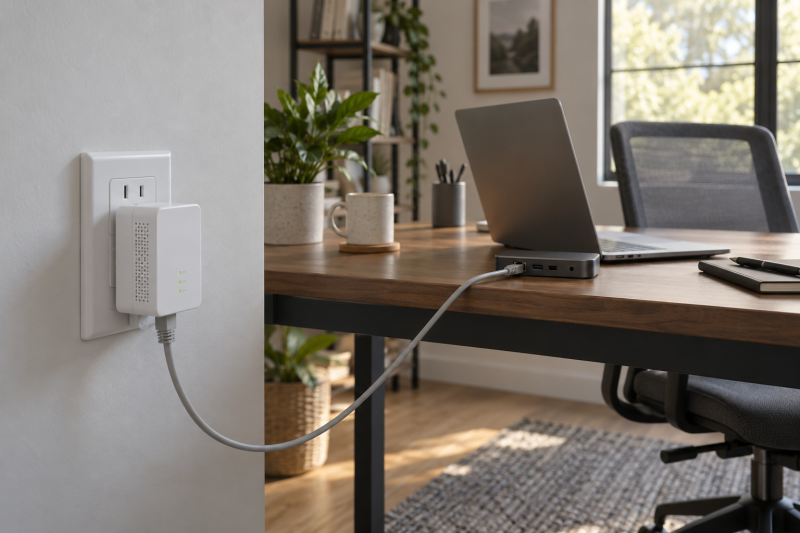
When Wi-Fi reaches a remote office poorly, powerline networking can use the home’s electrical wiring to carry a wired connection from the router room. It is not a substitute for a tested Ethernet run: the adapter pair, wall outlets, circuit layout, and electrical noise all affect whether it is useful.
These six Amazon US powerline kits are for a laptop office that needs a wired path where routing new cable is impractical. Start with a direct wall outlet on the same electrical circuit, then choose between a plain Ethernet pair, passthrough outlet, extra Ethernet port, or built-in Wi-Fi.
Powerline is worth trying when direct wall outlets and your electrical layout give it a fair chance, not because the box’s speed label promises a result.Powerline Ethernet Adapters Compared
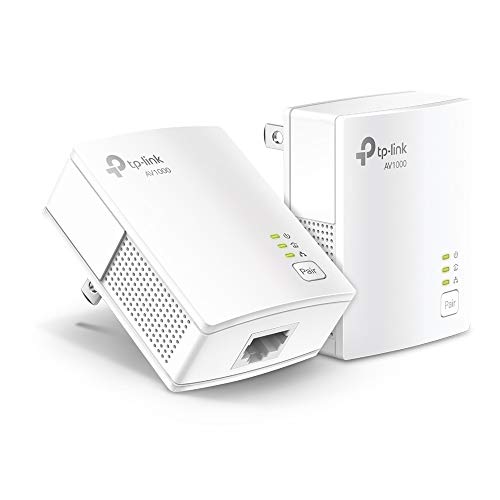

1. TP-Link AV1000 Powerline Ethernet Adapter KIT — Simple Wired Office Pair
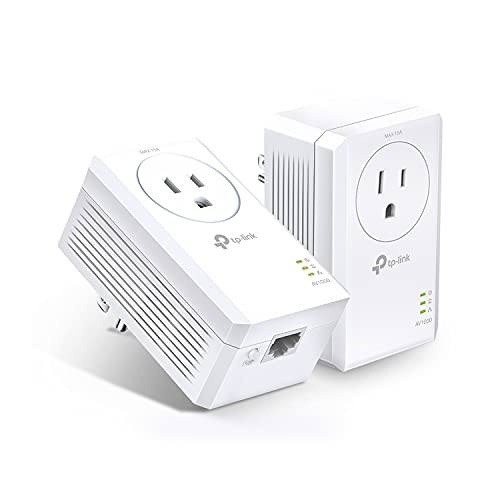
The TL-PA7017 KIT is a two-unit AV1000 HomePlug AV2 kit with one Gigabit Ethernet port on each adapter. TP-Link says it needs direct wall outlets on the same electrical circuit and specifically says not to use power strips, surge protectors, or extension cords.
The simple layout suits a router-to-desk connection when you only need one wired device at the far end. The nano form is compact, but the occupied outlet is unavailable for another plug.
Our Take Buy the TL-PA7017 if you want to test whether powerline works between two rooms. It has the fewest extras of the six, so it fits when one Ethernet port is enough and outlet access is not a problem.
- Two-adapter kit with Gigabit ports.
- Listing states direct-wall-outlet requirements clearly.
- No passthrough outlet.
- No built-in Wi-Fi.
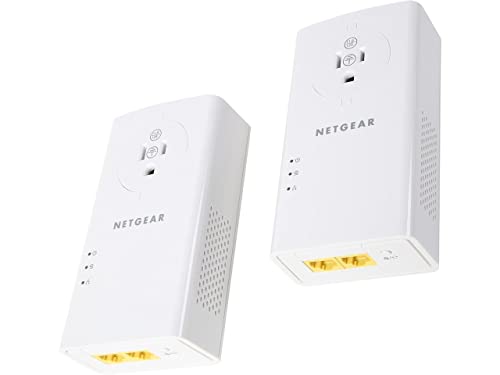
2. NETGEAR PLP2000 Powerline Adapter Kit — Two Wired Devices at the Far End
NETGEAR lists the PLP2000 as a two-pack with two RJ45 Ethernet ports and HomePlug AV2 technology. The product title uses a 2000 Mbps class label, but the label is a powerline specification rather than a promise that a remote office will receive that throughput.
The second wired port is useful when a desk has a laptop dock and another fixed Ethernet device. It also has a built-in filtered outlet, which can count when the wall receptacle is needed for normal desk equipment.
Our Take Buy the NETGEAR if the far-end desk needs two wired connections rather than one. Treat its speed class as a comparison point, then validate the connection after installation.
- Two RJ45 ports are listed.
- Built-in filtered outlet preserves wall-outlet use.
- Not a Wi-Fi device.
- Actual link performance depends on the home wiring.
3. TP-Link AV1000 Passthrough Kit — Keep the Wall Outlet
TP-Link’s TL-PA7017P KIT combines an AV1000 powerline pair with a Gigabit port and an integrated passthrough socket. The listing again requires direct wall outlets on the same electrical circuit and warns against power strips and surge protectors.
The passthrough design is the deciding feature here. A remote desk often has limited receptacles, so keeping the wall outlet available can be more useful than a smaller adapter that forces another power-strip arrangement.
Our Take Buy the TL-PA7017P if every outlet near the desk is needed. It makes sense only if the powerline adapters themselves still plug directly into the wall.
- Integrated passthrough socket.
- Gigabit Ethernet port is listed.
- Still requires a direct wall connection.
- Does not add Wi-Fi.
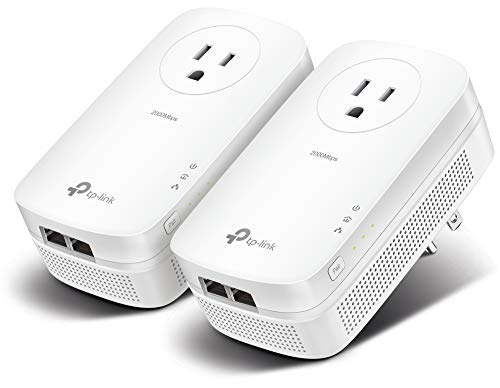
4. TP-Link AV2000 Passthrough Kit — Two Ethernet Ports
The TL-PA9020P KIT is TP-Link’s AV2000-class passthrough option with two Gigabit Ethernet ports. Its listing says the pair uses existing electrical wiring and again calls for direct outlets rather than extension cords, surge protectors, or power strips.
Two far-end ports reduce the need for a separate small switch when a remote office has a dock, desktop, printer, or another wired device. The class label does not remove the need to test the actual circuit, especially around large appliances or AFCI breakers.
Our Take Buy the TL-PA9020P if the remote office needs two physical Ethernet ports and an outlet pass-through. It has more features than a basic pair, but whether it is useful still depends on the wiring quality.
- Two listed Gigabit Ethernet ports.
- Integrated passthrough outlet.
- Higher class label is not measured office speed.
- No built-in Wi-Fi.
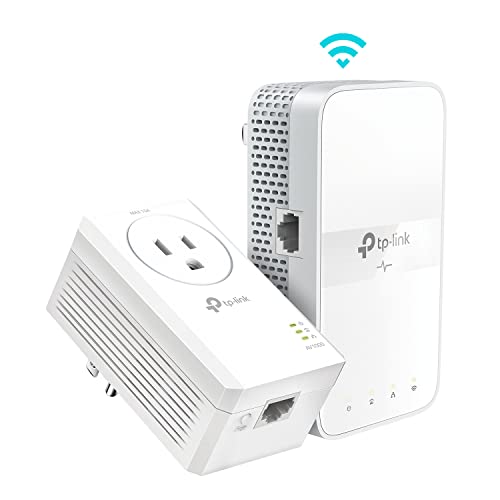
5. TP-Link AV1000 Wi-Fi 6 Kit — Remote Office with Wi-Fi
The TL-WPA7817 KIT pairs AV1000 powerline networking with a remote Wi-Fi 6 extender. TP-Link lists one Gigabit Ethernet port and dual-band Wi-Fi, so it fits better when the office needs both a wired laptop dock and coverage for a phone or secondary device.
Its listing says the adapters must be on the same electrical circuit and plugged directly into outlets. It also names a management app and EasyMesh support, but those extras do not change the first test. Establish that the powerline pair forms a stable connection in your home.
Our Take Buy the TL-WPA7817 if the remote office needs a wired port plus local Wi-Fi as well as a cable replacement. Choose the extra wireless function only if that far room genuinely needs it.
- Combines a wired port with Wi-Fi 6.
- Lists EasyMesh compatibility.
- More than needed for one wired desk device.
- Powerline path still depends on the circuit.
6. TP-Link AV1000 Wi-Fi Extender Kit — Passthrough Office Wi-Fi
The TL-WPA7617 KIT combines AV1000 powerline with dual-band Wi-Fi and a passthrough outlet. The listing names an Ethernet port, Wi-Fi configuration cloning, and compatibility with TP-Link OneMesh equipment.
The passthrough and Wi-Fi combination suits a remote room where the outlet cannot be given up and the laptop office also needs a nearby wireless signal. It is not the right choice when the only requirement is one wired desk connection.
Our Take Buy the TL-WPA7617 if the office needs passthrough power and a remote Wi-Fi signal together. If the office only needs Ethernet, the plain wired kits are easier to evaluate and use.
- Passthrough outlet plus listed Ethernet port.
- Dual-band Wi-Fi is included.
- Wi-Fi adds complexity for a wired-only office.
- Requires direct outlet placement.
Buying Guide
Test the electrical path before buying around a speed class
Powerline labels describe the adapter class, not a guaranteed desk result. Wiring quality, distance, electrical noise, and the circuit between rooms can limit the connection. Treat the first pairing as a practical test before relying on it for calls, uploads, or remote work.
Use direct wall outlets for both adapters. The TP-Link listings here say not to use power strips, surge protectors, or extension cords, and they call for the same electrical circuit. That restriction is more useful to check than comparing one headline speed number with another.
Choose ports and passthrough for the far-end desk
One Ethernet port is enough for a laptop dock or single desktop. If the office also has another wired device, the two-port NETGEAR or TP-Link AV2000 option can avoid adding a small Ethernet switch immediately.
Passthrough counts for more when the desk has few outlets. A passthrough adapter preserves the wall receptacle for normal equipment while keeping the powerline unit in its required direct connection. Do not defeat that design by placing the adapter itself behind a strip.
Decide whether the remote room actually needs Wi-Fi
A Wi-Fi powerline kit is for a room with multiple connection needs. The TP-Link Wi-Fi kits can give a remote office a wired port and local wireless coverage. Local wireless coverage is useful for a phone or second device, but it is unnecessary if the job is only one Ethernet link.
Keep a separate access-point plan for broader coverage. If several rooms need better wireless service, a purpose-built access point can be a clearer route than extending one room at a time. See the home creator studio access point guide before building a larger wireless plan.
Frequently Asked Questions
Do powerline adapters need to be on the same electrical circuit?
The TP-Link listings in this guide say the adapters must be plugged directly into wall outlets on the same electrical circuit. Treat it as a buying requirement, not an installation detail to leave until after the box arrives.
If the router and office are on different circuits, powerline may be a poor choice. Check your home’s electrical layout first, then choose another wired or wireless approach if the outlets do not meet the listed requirement.
Can I use a power strip with a powerline adapter?
Do not use a power strip with the TP-Link kits here. Their listings say not to use power strips, surge protectors, or extension cords with the adapters. Plugging directly into the wall is part of giving the connection a fair chance.
A passthrough model can preserve the wall outlet for another device. Placing the adapter itself behind another power accessory is different.
Is AV2000 twice as fast as AV1000 in my office?
No conclusion follows from the label alone. Actual powerline performance depends on the electrical path, including wiring quality, distance, interference, and connected equipment. The product class is useful for comparing features, not predicting a measured result.
Test the link where you will work before treating it as the connection for a time-sensitive remote office. If stable speed is essential, a direct Ethernet run may be the better planning target.
Bottom Line
For a simple remote-office test, the TP-Link TL-PA7017 KIT is the plain starting pair. Move to a passthrough model when outlet access is limited, choose two ports when the far desk has two wired devices, and choose Wi-Fi only when the remote room needs it as well. In every case, whether powerline is a useful answer depends on direct wall outlets and the electrical circuit.
Source boundary
Product identity, listed ports, powerline classes, direct-outlet requirements, passthrough sockets, and listed Wi-Fi features come from the Amazon US product listings in data/topic-bank-2026-10-01.json. This guide does not claim independently measured speed, electrical compatibility, or coverage.