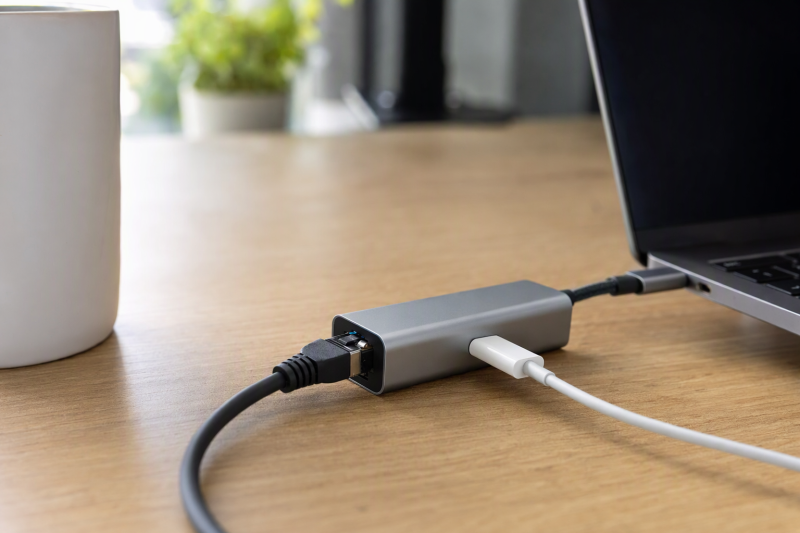
A laptop with one free USB-C port should not have to choose between a wired network and power. An Ethernet adapter with USB-C Power Delivery input can provide both, but the numbers on the box describe two separate systems, Ethernet link speed and maximum charging support. Neither number guarantees your laptop will negotiate full power or your network will run at the advertised ceiling.
This six-adapter selection covers 1, 2.5 and 5 Gigabit Ethernet, with 100 or 140 W stated PD support. Throughput, charging wattage, and driver behavior were not independently tested for this guide. Start with the network switch speed and the laptop’s charging requirements, then match the adapter and a suitable charger and cable to that setup.
A 5GbE adapter on a 1GbE router still links at the slower network speed. A 140W passthrough label needs the right PD charger, cable and laptop, and some power is used by the adapter itself.Ethernet and Charging Adapters Compared
Network and PD ceilings below are manufacturer or seller specifications, not independently measured throughput or charging results.
| Image | Product | Details | Check Price |
|---|---|---|---|
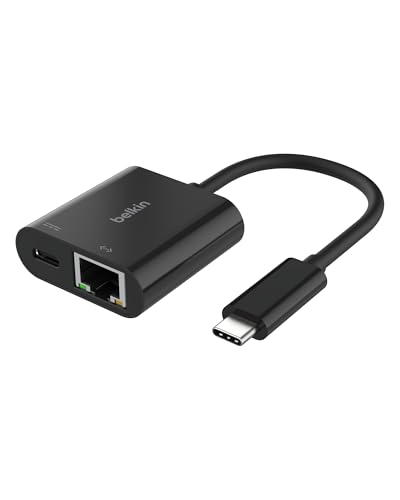 | Belkin Connect 100W | Ethernet: 1GbE PD ceiling: 100 W Host note: USB-C Best fit: Documented Gigabit | Check Price on Amazon |
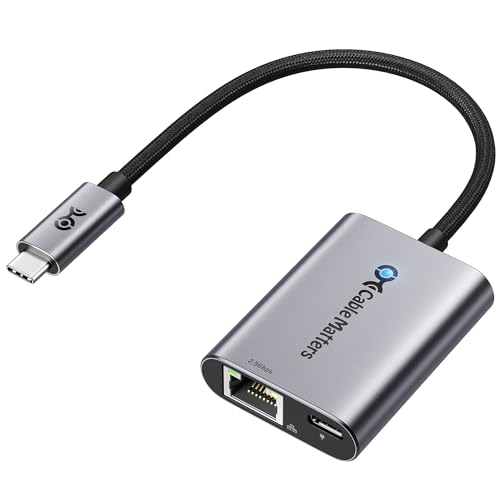 | Cable Matters 2.5GbE 140W | Ethernet: 2.5GbE PD ceiling: 140 W Host note: Driver caveat Best fit: 2.5GbE desk | Check Price on Amazon |
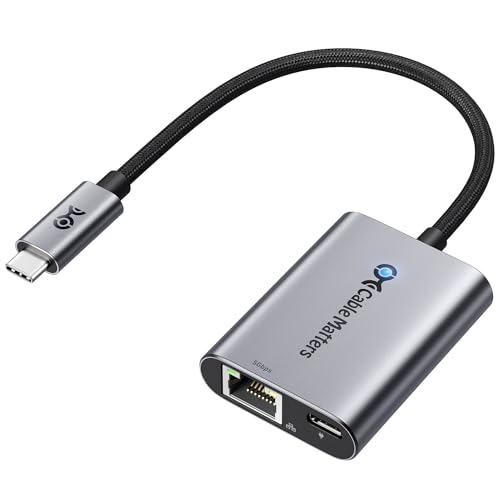 | Cable Matters 5GbE 140W | Ethernet: 5GbE PD ceiling: 140 W Host note: 10Gbps USB host Best fit: 5GbE network | Check Price on Amazon |
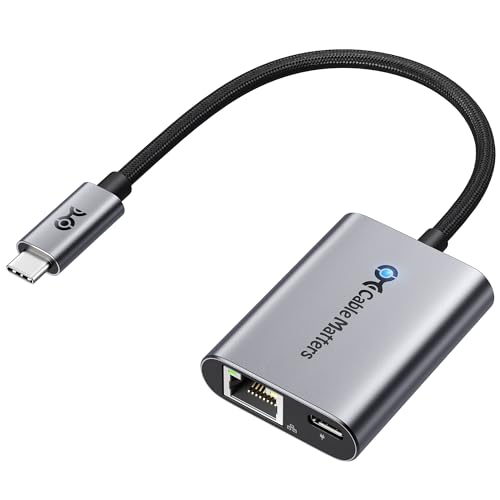 | Cable Matters Gigabit 140W | Ethernet: 1GbE PD ceiling: 140 W Host note: USB-C Best fit: High-power Gigabit | Check Price on Amazon |
 | uni 1GbE 100W | Ethernet: 1GbE PD ceiling: 100 W Host note: Laptop focused Best fit: Simple pigtail | Check Price on Amazon |
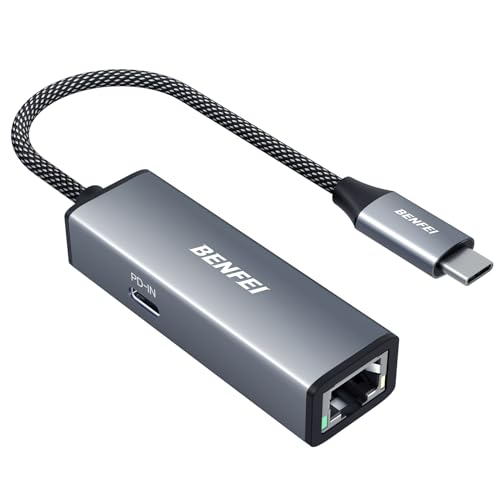 | BENFEI Gigabit 100W | Ethernet: 1GbE PD ceiling: 100 W Host note: USB-C Best fit: Basic spare | Check Price on Amazon |
1. Belkin Connect 100W — Best Documented Gigabit Choice
Belkin’s Connect adapter combines Gigabit Ethernet with up to 100 W USB-C PD passthrough. The relevant official Belkin support page identifies the INC019 family, a two-year limited warranty and USB-C charging plus RJ45 connectivity. For an ordinary Gigabit switch, paying for 2.5 or 5GbE hardware that will negotiate back to 1GbE gains no network speed.
The 100 W figure is a ceiling, not laptop power delivered in every setup. Belkin says a 65 W charger can provide up to 53 W passthrough while the adapter works. That concrete example makes its power budget clearer than most listing headlines. Check the exact charger and the laptop’s power need, especially on a larger notebook that may ask for more power under load. Belkin lists broad device compatibility, but individual hosts were not independently tested for this guide.
Our Take Buy Belkin for a Gigabit desk, because its maker documents a charger and laptop power example. It will not upgrade a multi-gig network.
- Gigabit plus 100 W PD ceiling stated.
- Maker documents 65 W in, 53 W out example.
- Two-year limited warranty listed.
- No 2.5GbE or 5GbE network option.
- Full 100 W to host is not automatic.
2. Cable Matters 2.5GbE 140W — Best Balanced Faster Network
This Cable Matters model lists 2.5GbE RJ45 and up to 140 W USB PD 3.1 passthrough. It fits a laptop linked to a 2.5GbE switch or NAS network when the same USB-C port must accept charging. A 2.5GbE port is not a 2.5Gbps internet promise. The router, switch, cabling, server and service can all be slower. If the desk’s network is still Gigabit, this adapter can be used there, but the faster capability goes unused.
The listing recommends the latest Realtek USB 2.5G Ethernet Controller driver on some older systems or Linux kernels. The driver note is a practical difference from an unqualified “driver-free” assumption. The 140 W rating also requires a compatible PD 3.1 source, cable and host negotiation. Check what reaches a high-power laptop under load. The maker’s heat and stability claims were not independently verified for this guide.
Our Take Buy this Cable Matters adapter for an existing 2.5GbE desk. Confirm both driver support and the PD power chain before counting on one cable for both jobs.
- 2.5GbE fills a common multi-gig gap.
- 140 W PD ceiling listed.
- Needs 2.5GbE network for speed gain.
- Older OS/Linux driver may need attention.
- Host power depends on complete PD chain.
3. Cable Matters 5GbE 140W — Best for a Real 5GbE Network
The 5GbE Cable Matters adapter targets a more specific setup: USB 3.2 Gen 2 or faster host, 5GbE switch or router, and appropriate cabling. Cable Matters’ own product page says full 5 Gbps networking requires those pieces. Without them, it negotiates down to the network’s supported rate. The same page names an RTL8157 controller and a 140 W USB-C PD ceiling with a compatible charger and cable.
The adapter is not listed for Android phones. The maker says current macOS/ChromeOS can work without an extra driver while some Windows or Linux setups may benefit from a newer Realtek driver. Sustained 5Gbps throughput and power output were not independently measured for this guide. For a Gigabit-only hotel or office, this model adds expense and setup conditions without a practical speed gain over Belkin or uni.
Our Take Buy this adapter only when 5GbE infrastructure and a fast USB host are already part of the desk. Read its explicit Android exclusion and driver notes before ordering.
- 5GbE with 140 W PD ceiling listed.
- Maker states network and host requirements.
- RTL8157 driver guidance available.
- 5GbE gear and 10Gbps-class USB host needed for full speed.
- Not intended for Android phones.
4. Cable Matters Gigabit 140W — Best High-Power Gigabit Pairing
This separate Cable Matters model keeps Gigabit Ethernet but lists up to 140 W PD 3.1 charging. That combination may suit a larger USB-C-powered laptop on an ordinary 1GbE office network. It avoids paying for unused multi-gig Ethernet while still offering a higher listed PD ceiling than the 100 W options. Whether the laptop receives the desired wattage still depends on its PD implementation and the source and cable.
The listing broadly names USB-C and Thunderbolt hosts and describes a braided pigtail cable. Its statement that a streaming stick can use Ethernet at a lower rate illustrates why platform-specific behavior is not the same as the RJ45 port’s Gigabit headline. Do not assume every console, tablet or TV receives the same power or network rate. For a normal laptop, verify Ethernet appears in the operating system and that charging continues during a workload.
Our Take Buy the Gigabit Cable Matters model when charging a larger laptop comes before upgrading the switch.
- 140 W PD ceiling with Gigabit RJ45.
- No multi-gig switch needed for rated network class.
- Gigabit cap for faster local networks.
- High-power charging needs compatible source and host.
5. uni 1GbE 100W — Best Simple Laptop Pigtail
uni lists Gigabit RJ45 and a USB-C PD input rated up to 100 W. Its braided lead gives the RJ45 and charging connection some distance from a crowded laptop port. The listing says it can fall back to 100/10 Mbps networks and names Windows, macOS, iPadOS, ChromeOS and Android as supported systems. That breadth is seller copy, not a live compatibility test across every device.
The seller expressly warns that charging behavior depends on the host’s protocol support and says the product is not recommended for phone charging. A laptop is therefore the better buyer fit. Do not repeat its “Cat6 required for Gigabit” note as a universal Ethernet rule. Use an appropriate intact cable and confirm the negotiated link speed on your actual network. The 100 W rating does not mean a 100 W charger sends 100 W into the laptop.
Our Take Buy uni for a simple laptop connection with Gigabit and power. Read its warning about host protocol support before buying it for a phone or tablet.
- Gigabit and 100 W PD stated.
- Braided pigtail reduces port crowding.
- Host-protocol caveat is explicit.
- Not recommended by seller for phone charging.
- Power to laptop may be below headline rating.
6. BENFEI Gigabit 100W — Best Basic Spare Adapter
BENFEI’s adapter also combines 1GbE RJ45 with a 100 W USB-C charging input. The listing mentions a braided lead, aluminum housing and an 18-month warranty. For a second office desk or a travel bag, the adapter offers the same basic network class as uni and Belkin without extra video or USB-A ports. It is still an adapter that uses one USB-C host port. The remaining USB-C socket is for charging input, not a general data port.
Its broad laptop, tablet, phone and handheld-console compatibility list is not evidence that every device will support USB Ethernet and PD simultaneously. Confirm host support, especially for a non-laptop. If a laptop’s own charger is higher power than the available PD input, it may charge slowly or discharge under load. No network reliability or temperature measurements were performed here.
Our Take Buy BENFEI as a basic spare for a known Gigabit laptop setup. Test charging and Ethernet together before packing it as the only connection option.
- Gigabit plus 100 W PD ceiling.
- Compact pigtail layout.
- No faster-than-Gigabit option.
- Broad device list needs a host-side check.
Buying Guide: Separate Power and Network Requirements
Match the RJ45 link to the switch you actually own
The slowest network link determines the negotiated Ethernet speed. A 5GbE adapter needs a compatible switch/router port, cable, host path and endpoint to deliver a 5GbE connection. If your building and NAS ports are Gigabit, Belkin, uni, BENFEI and the Gigabit Cable Matters model already match that network class. If the desk has 2.5GbE, the separate Cable Matters 2.5GbE model is the relevant step up.
Internet speed and local file-copy speed are different measurements. A 2.5GbE link to a NAS may help local editing transfers even when internet service is slower. Conversely, a 5GbE router port alone cannot accelerate a slow storage drive. The 5GbE Cable Matters listing also requires a USB 3.2 Gen 2-class host for its full rate. Check the negotiated link in the OS after connecting, not just the adapter’s printed figure.
Budget charging from source to laptop
A 100 or 140 W PD label is a supported maximum, not a promise of the exact wattage delivered to the laptop. The USB-IF PD overview explains the broader power-delivery standard, while Belkin’s INC019 support page gives a useful example for one adapter: 65 W input can mean up to 53 W passthrough. Inspect charger, cable, adapter and laptop requirements as one chain.
High-power USB-C requires compatible PD negotiation and cabling. A charger or cable below the laptop’s needs can slow charging even if the adapter accepts 140 W. On a desk with a large workstation laptop, test while the CPU and display are working, not only at idle. Our USB-C desktop charging station guide covers source planning. It does not certify any one pairing of adapter and laptop.
Check the host operating system and port role
USB-C is a connector, not a guarantee of Ethernet or power behavior. Cable Matters’ 5GbE model explicitly excludes Android. Its 2.5GbE and 5GbE models have driver guidance for some systems. uni advises against using its model to charge phones. A laptop is the cleanest common buyer job, but even there an old OS or managed corporate image can alter driver installation.
The PD socket is normally an input for a charger, not another USB-C data port. If you need HDMI, extra USB-A, card slots and Ethernet together, a dock may be a better fit. Our USB-C docking station guide covers that bigger port decision. For wired networking and power alone, a small adapter that does two jobs gives you a simpler desk. Verify the host’s Ethernet connection and charging indicator together after setup.
Frequently Asked Questions
Will a 140W adapter deliver 140W to my laptop?
Not automatically. 140 W is the adapter’s stated PD ceiling. The charger, cable, laptop and negotiated PD profile must all support the required mode, and the adapter uses some power itself. A laptop can show “charging” while still receiving less power than it consumes during a demanding workload.
Check the laptop’s required USB-C charging profile and use a suitable source and cable. Belkin’s 100 W adapter is a concrete reminder that input and output may differ. Its support page cites up to 53 W delivered from a 65 W charger. Test under a normal workload before relying on the adapter as the desk’s only power path.
Does a 5GbE adapter help on a Gigabit router?
It can connect, but it will not create a 5GbE link to a 1GbE port. Cable Matters says its 5GbE model automatically adjusts to slower supported network rates. Full 5GbE also requires a capable host USB interface and other 5GbE equipment in the path.
If all current ports are 1GbE, choose based on charging and host compatibility first. A faster adapter may be sensible for a planned network upgrade, but do not buy it expecting immediate faster internet or NAS transfers without the corresponding infrastructure.
Can the charging USB-C port also carry a second data device?
Do not assume so. The extra USB-C socket on these adapters is listed as a PD power input, not as a general-purpose data expansion port. The Ethernet connection uses the adapter’s attached host USB-C plug, and the charger feeds power through the separate socket.
For extra storage or display connections, look at a dock with explicitly named data and video ports. Keep the adapters here for the narrower wired-network-plus-charge problem. After setup, verify both a negotiated Ethernet link and the laptop’s charging status.
Bottom Line
Belkin Connect 100W is the clearest choice for a standard Gigabit desk. Cable Matters 2.5GbE suits an existing 2.5GbE desk. Cable Matters 5GbE needs a 5GbE path and a fast host. Match the switch first, then the laptop’s power and driver requirements.