The Dell laptops on this page differ in more than screen size. The Inspiron 14 5441 is the thin Snapdragon laptop, the Inspiron 15 and Inspiron 16 are larger touch-screen laptops, the Dell 14 Plus 2-in-1 is a convertible with a Thunderbolt 4 port, and the Dell 16 Plus DB16250 is the 16-inch laptop with Thunderbolt 4.
Each offer is sold by an Amazon seller, not by Dell. Memory, storage, Windows edition and bundled extras can differ from one seller to the next, so each section says which source states each figure.
Pick the Dell line first, then check the screen, processor, ports, memory and seller on the offer you are buying.Dell Inspiron and Dell Plus Laptops Compared
| Image | Product | Details | Check Price |
|---|---|---|---|
 | Dell Inspiron 14 i5441 | Best fit: 14-inch Snapdragon configuration with a port list Display: 14-inch 1920x1200 WUXGA IPS, 300 nits, 45% NTSC, 60Hz Processor: Snapdragon X X1-26-100, 8-core Memory and storage: 16GB DDR5-8448 and 1TB PCIe NVMe SSD Ports: 2x USB-C with Power Delivery and DisplayPort 1.4, USB-A, HDMI 1.4, card reader | Check Price on Amazon |
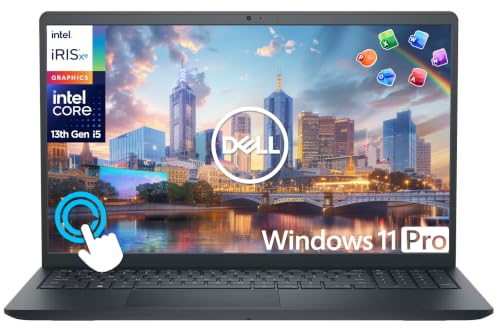 | Dell Inspiron 15 touchscreen configuration | Best fit: 15.6-inch touch screen with a bundled hub Display: 15.6-inch FHD IPS touch Processor: Core i5-1334U Memory and storage: 16GB DDR4, 512GB SSD and a 500GB external drive Ports: Laptop ports not listed; USB-C hub included | Check Price on Amazon |
 | Dell Inspiron 16 touchscreen configuration | Best fit: 16-inch touch screen with a number pad Display: 16-inch 1920x1200 IPS touch Processor: 10-core Core 7 Memory and storage: 32GB DDR5 and 1TB SSD, named in the title only Ports: 2x USB-A, 10Gbps USB-C with DisplayPort and Power Delivery, HDMI | Check Price on Amazon |
 | Dell 14 Plus 2-in-1 | Best fit: Convertible with a Thunderbolt 4 port Display: 14-inch 1920x1200 touch Processor: Core Ultra 7 256V Memory and storage: 16GB DDR5 and 1TB SSD Ports: 1x Thunderbolt 4 | Check Price on Amazon |
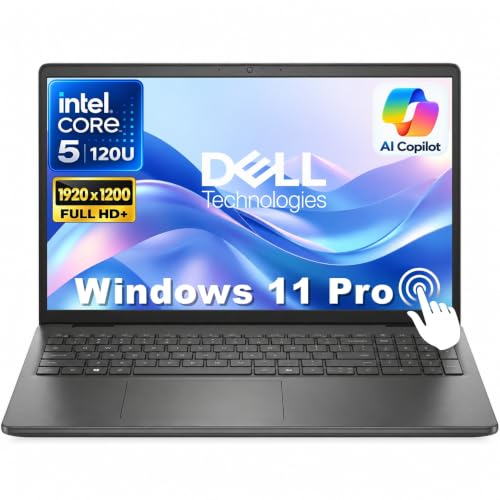 | Dell 16 Plus DB16250 | Best fit: 16-inch touch screen with Thunderbolt 4 Display: 16-inch 1920x1200 touch Processor: Core Ultra 9 288V Memory and storage: 32GB LPDDR5X and 1TB SSD Ports: Thunderbolt 4, USB-C, HDMI 2.1 and USB-A | Check Price on Amazon |
1. Dell Inspiron 14 i5441 — Best for a Compact Copilot+ PC
The Inspiron 14 i5441 is the compact Snapdragon option. Its Amazon title and processor bullet both identify a Qualcomm Snapdragon X X1-26-100 eight-core processor, with a 1.4GHz base frequency and speeds up to 3.0GHz. The memory bullet states 16GB of DDR5-8448 memory and a 1TB PCIe NVMe SSD, so those capacities are not title-only claims for this offer. Amazon’s model and part fields list i5441-SX8 and i5441-SX86.
Amazon’s display bullet lists a 14-inch 1920×1200 WUXGA IPS panel at 300 nits, 45% NTSC, and 60Hz, with a 1080p IR camera and privacy shutter. Its connectivity bullet names two USB-C ports with Power Delivery and DisplayPort 1.4, USB-A 3.2 Gen 1 at 5Gbps, HDMI 1.4, a headset jack, and a memory-card slot. It also lists Wi-Fi 7, Bluetooth 5.4, a 54Wh battery, and a 3.37-pound weight. The listing does not call either USB-C port Thunderbolt.
Our Take Buy this Inspiron 14 when you want the stated Snapdragon X X1-26-100 configuration, 14-inch WUXGA screen, and its detailed USB-C, USB-A, HDMI, and card-reader layout. Skip it if Thunderbolt is required because the listing does not use that port label.
- Amazon’s title and processor bullet agree on the Snapdragon X X1-26-100 eight-core processor.
- Amazon’s memory bullet states 16GB of DDR5-8448 memory and a 1TB PCIe NVMe SSD, so those capacities are not title-only claims.
- Amazon’s connectivity bullet lists two USB-C ports with Power Delivery and DisplayPort 1.4, USB-A 3.2, HDMI 1.4, and a memory-card slot.
- Amazon’s display bullet specifies a 14-inch 1920×1200 IPS panel at 300 nits, 45% NTSC, and 60Hz.
- Amazon’s display bullet gives 45% NTSC color coverage and a 60Hz refresh rate, limits for color-sensitive or high-refresh work.
- Amazon’s connectivity bullet names USB-C display and power support but does not call either port Thunderbolt.
2. Dell Inspiron 15 Touchscreen Configuration — Best for a 15.6-Inch Touch Screen
The Inspiron 15 offer is the 15.6-inch touch-screen choice. Its bullets list a 15.6-inch FHD IPS touchscreen with 178-degree viewing angles and a 10-core Core i5-1334U that boosts up to 4.6GHz. They also list 16GB of DDR4 memory, a 512GB NVMe SSD, Windows 11 Pro, an HD camera and dual-array microphones. The listing gives no Dell model number, and Amazon’s product details list 3.66 pounds.
The title’s 1TB is 512GB inside the laptop plus a separate 500GB external drive. The bundle also adds a 6-in-1 USB-C hub with USB 3.0, 4K HDMI, USB-C and SD/TF readers, a wireless mouse, a mouse pad, an HDMI cable, a USB cable and an Office suite. The hub supplies those connections, and the bullets do not list the ports on the laptop itself.
What to check: The 1TB total is a 512GB internal SSD plus a 500GB external drive.Our Take Buy this Inspiron 15 for a 15.6-inch touch screen with a hub, mouse and external drive in the box. Skip it if you want all 1TB inside the laptop or need the laptop’s own ports listed.
- The seller lists a 15.6-inch FHD IPS touchscreen with 178-degree viewing angles.
- The seller adds a 6-in-1 USB-C hub with USB 3.0, 4K HDMI, USB-C and SD/TF readers, and a wireless mouse, to the bundle.
- Amazon’s bullets state 16GB of DDR4 memory and a 512GB NVMe SSD inside the laptop.
- The seller’s 1TB title total adds a separate 500GB external drive to the laptop’s own SSD.
- The seller lists the hub’s connections, and the bullets do not list the ports on the laptop itself.
3. Dell Inspiron 16 Touchscreen Configuration — Best for a Number Pad and 16-Inch Screen
The Inspiron 16 offer is the larger laptop with a number pad. Its bullets list a 16-inch 1920×1200 IPS touch screen at 300 nits, a 10-core Core 7 processor, and a 10-key number pad on a backlit keyboard. They also list a fingerprint reader, a 1080p webcam with a privacy shutter, a Copilot key, Windows 11 Pro, Wi-Fi 6E and Bluetooth 5.3. Amazon’s product details list 4.4 pounds.
The bullets name two USB-A ports, one USB-C port with 10Gbps, Power Delivery and DisplayPort, and an HDMI port that supports dual external displays. No bullet names a Thunderbolt port. The title adds 32GB of DDR5 and a 1TB SSD, while the bullets give only DDR5 and a PCIe SSD, so those two figures may be the seller’s configuration. The listing gives no model number, so no Dell page can be matched to it.
The distinction: It is the only Inspiron offer here whose bullets list the laptop’s own ports, and none of them is Thunderbolt.Our Take Buy this Inspiron 16 for a large touch screen and number pad with USB-C display output and HDMI. Skip it if you need Thunderbolt or want the 32GB and 1TB confirmed beyond the title.
- Amazon’s bullets list a 16-inch 1920×1200 IPS touch screen at 300 nits.
- Amazon’s bullets describe a backlit keyboard with a 10-key number pad.
- Amazon’s bullets name two USB-A ports, one 10Gbps USB-C port with Power Delivery and DisplayPort, and an HDMI port that supports dual external displays.
- The seller’s title gives 32GB of DDR5 and a 1TB SSD, but Amazon’s bullets do not, so those figures may be the seller’s configuration.
- Amazon’s bullets do not name a Thunderbolt port, and the listing gives no model number to check against a Dell page.
4. Dell 14 Plus 2-in-1 — Best for a Convertible With Thunderbolt 4
The Dell 14 Plus 2-in-1 is the convertible. Its bullets describe a 360-degree hinge with laptop, tent, stand and tablet modes, and one Thunderbolt 4 port. The display is a 14-inch 1920×1200 touch screen, which the bullets call 2K and rate at 300 nits and 45% NTSC. The processor is a Core Ultra 7 256V with 8 cores, up to 4.8GHz, Intel Arc graphics and a 47 TOPS NPU.
The bullets also list 16GB of 8533 MHz DDR5, a 1TB SSD, Wi-Fi 7, a backlit keyboard, a Copilot key and a 1080p webcam, and the title names Windows 11 Home. Amazon’s product details list 3.55 pounds. The model field says only Plus, so no Dell page can be matched to this offer and every figure here comes from Amazon.
Our Take Buy the Dell 14 Plus 2-in-1 for a convertible 14-inch laptop with a Thunderbolt 4 port. Skip it for color-sensitive work, since the bullets give 45% NTSC, or if you want a model number to check against Dell.
- The bullets describe a 360-degree hinge with laptop, tent, stand and tablet modes.
- Amazon states one Thunderbolt 4 port and Wi-Fi 7 in its bullets.
- Amazon lists 16GB of 8533 MHz DDR5 and a 1TB SSD for this Dell.
- Amazon’s bullets rate the 14-inch panel at 45% NTSC and 300 nits, figures to compare against color-sensitive work.
- Amazon’s model field says only Plus, so no Dell page can be matched to this offer.
5. Dell 16 Plus DB16250 — Best for a 16-Inch Touch Screen With Thunderbolt 4
The Dell 16 Plus DB16250 is the 16-inch laptop with Thunderbolt 4. Amazon’s bullets list a Core Ultra 9 288V with speeds up to 5.1GHz, Intel Arc 140V graphics, 32GB of LPDDR5X memory and a 1TB PCIe SSD behind a 16-inch 1920×1200 touch screen at 300 nits. They also list Wi-Fi 7, Bluetooth 5.3, a fingerprint reader, a backlit keyboard and Windows 11 Pro, and the model field reads Dell 16 plus db16250.
Dell’s 16 Plus page lists one USB 3.2 Gen 1 port, one 10Gbps USB-C port with DisplayPort 1.4 and Power Delivery, one Thunderbolt 4 port with DisplayPort 2.1 and Power Delivery, one HDMI 2.1 port and a universal audio jack. The same page lists 16GB and 32GB of LPDDR5x memory, 512GB, 1TB and 2TB of storage, and a starting weight of 4.12 pounds, while Amazon’s product details list 6.61 pounds for this offer.
Our Take Buy the Dell 16 Plus DB16250 for a 16-inch touch screen with Thunderbolt 4, 32GB of memory and Wi-Fi 7. Skip it if you want a 14-inch laptop, where the Dell 14 Plus 2-in-1 is the Thunderbolt 4 option.
- Dell’s 16 Plus page lists a Thunderbolt 4 port with DisplayPort 2.1 and Power Delivery.
- Amazon’s bullets list 32GB of LPDDR5X and a 1TB PCIe SSD, and Dell’s page lists both as options.
- Amazon’s bullets list Wi-Fi 7, a fingerprint reader and a 16-inch 1920×1200 touch screen.
- Dell’s page lists one Thunderbolt 4 port, and its other USB-C port is a 10Gbps port with DisplayPort 1.4.
- Amazon’s product details list 6.61 pounds, while Dell’s page lists a starting weight of 4.12 pounds.
Buying Guide
1. Choose the line before the memory number
Start with the size and the job. The Inspiron 14 i5441 and the Dell 14 Plus 2-in-1 are 14-inch laptops, and Amazon lists them at 3.37 and 3.55 pounds. The Inspiron 15 has a 15.6-inch screen, the Inspiron 16 and Dell 16 Plus have 16-inch screens, and only the Dell 14 Plus lists a 360-degree hinge.
Then check which source covers the offer. The Inspiron 14 listing gives model i5441-SX8 and part i5441-SX86, while Dell publishes a product page for the 16 Plus. The Inspiron 15 and Inspiron 16 listings give no model number, and the 14 Plus lists only Plus, so their figures come from Amazon alone.
2. Read screen labels as workspace clues, not quality verdicts
Screen size and resolution are the first difference. The Inspiron 14 5441 and Dell 14 Plus have 14-inch 1920×1200 displays, the Inspiron 15 has a 15.6-inch FHD IPS touch screen, and the Inspiron 16 and Dell 16 Plus have 16-inch 1920×1200 touch screens. Four of the five listings give 300 nits, and the Inspiron 15 gives no brightness.
Only the Dell 14 Plus lists color coverage. Its bullets say 45% NTSC, and the other four listings do not state a color-coverage figure. If color accuracy decides the purchase, check the figure on the order page against the work you do.
3. Separate laptop ports from bundles and adapters
Use only the ports a listing or Dell names for the laptop. The Inspiron 14 lists two USB-C ports with Power Delivery and DisplayPort 1.4, USB-A 3.2, HDMI 1.4, and a memory-card slot. The Inspiron 16 bullets name two USB-A ports, one 10Gbps USB-C port with Power Delivery and DisplayPort, and HDMI. The Dell 14 Plus bullets name one Thunderbolt 4 port, and Dell’s page lists ports for the 16 Plus.
A bundle is not a laptop port list. The Inspiron 15 includes a USB-C hub with USB 3.0, 4K HDMI, USB-C and SD/TF readers, but the bullets do not list the laptop’s own ports. After choosing the laptop, read the Thunderbolt 4 dock guide or the dual-monitor dock guide and compare the laptop, dock, cable and monitor documentation together.
4. Keep seller configurations visible at checkout
Read the title and the bullets together. The Inspiron 14 repeats 16GB and 1TB in its memory bullet. The Inspiron 16 title gives 32GB and 1TB but its bullets do not, so those figures may be the seller’s configuration. The Inspiron 15 bullets state 16GB and a 512GB SSD plus a 500GB external drive, and the 14 Plus and 16 Plus bullets state their memory and storage.
Check the condition wording before ordering. A bullet that says a computer was opened or resealed to upgrade its memory or storage describes a seller-modified computer, not a standard Dell configuration. Recheck the seller, the New or used condition and the capacity on the order page.
5. Match the processor to your software, not the product suffix
A processor name is a starting point for a shortlist. The five offers use a Snapdragon X X1-26-100, a Core i5-1334U, a 10-core Core 7, a Core Ultra 7 256V and a Core Ultra 9 288V. Check that the software you depend on supports the processor in the offer you choose.
Use the wider Dell page to choose between Dell lines. The Dell Thunderbolt laptop comparison covers Latitude, XPS and Inspiron, while this page covers the named Inspiron and Dell Plus offers. The 15.6-inch laptop guide is the next read if screen size is the open question.
FAQ
Which Dell option here has a stated Thunderbolt 4 port?
The Dell 14 Plus 2-in-1 and the Dell 16 Plus DB16250 each name Thunderbolt 4. Amazon’s 14 Plus bullets state one Thunderbolt 4 port, and Dell’s 16 Plus page lists one Thunderbolt 4 port with DisplayPort 2.1 and Power Delivery.
The Inspiron 16 bullets list a 10Gbps USB-C port with DisplayPort and Power Delivery, which is a different port. The Inspiron 14 5441 and Inspiron 15 listings name no Thunderbolt port, so read the laptop’s own port list before you choose a dock.
Is the Inspiron 15 offer a 1TB internal laptop?
No. The bullets describe a 512GB NVMe SSD inside the laptop plus a separate 500GB external drive, and the title adds them into a 1TB total.
The external drive plugs in, so the laptop has 512GB of its own when the drive is not attached. Compare the internal 512GB first when you set it beside a laptop with a 1TB SSD.
Does the Dell 16 Plus always come with 32GB of memory?
No. Dell’s 16 Plus page lists both 16GB and 32GB of LPDDR5x memory, along with 512GB, 1TB and 2TB storage options. Amazon’s bullets for this offer state 32GB of LPDDR5X and a 1TB PCIe SSD.
Dell’s page also lists Core Ultra 5, Core Ultra 7 and Core Ultra 9 processors. Another 16 Plus listing can pair a different processor with different memory, so read the order page for the offer you buy.
Are the Inspiron 14 and Dell 14 Plus the same kind of laptop?
No. The Inspiron 14 i5441 has Snapdragon X X1-26-100, and the Dell 14 Plus 2-in-1 has a Core Ultra 7 256V and a 360-degree hinge. Both have 14-inch 1920×1200 displays, and Amazon lists 3.37 pounds for the first and 3.55 pounds for the second.
Choose the Inspiron 14 for the lighter laptop with two stated USB-C display-and-power ports, and choose the 14 Plus for the hinge and the Thunderbolt 4 port. Compare the 45% NTSC panel figure each listing states against your work.
What should I confirm before buying an Amazon laptop offer from a seller?
Confirm the seller, condition, model name, screen, processor, internal storage, memory and the laptop’s own ports on the order page. Check whether an advertised total includes an external drive or a hub, and do not assume a seller’s configuration is a standard Dell one.
Also pass over any listing that says it was opened or resealed for an upgrade. For a desk setup, read the USB4 hubs and docks guide and the guide to identifying a Thunderbolt port after you confirm the laptop’s own connections.
Bottom Line
Choose the Dell Inspiron 14 5441 for a thin Snapdragon laptop, the Dell Inspiron 15 touchscreen configuration for a 15.6-inch touch screen with a hub and external drive, or the Dell Inspiron 16 touchscreen configuration for a number pad and USB-C display output. The Dell 14 Plus 2-in-1 is the convertible with one Thunderbolt 4 port, and the Dell 16 Plus DB16250 is the 16-inch touch screen with Thunderbolt 4.