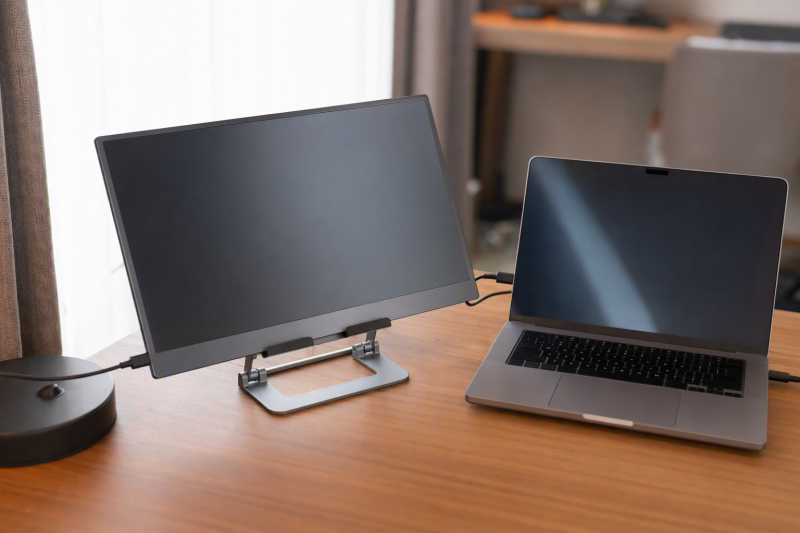
A portable monitor needs a stable place to sit when its origami cover is too low or flimsy. The first check is how the stand actually holds your display. These picks cradle or clamp a thin screen, and none is a VESA mount. Match the monitor’s width, thickness and weight before comparing lift height or how small the stand folds.
Five exact Amazon US stands provide enough stated fit detail to evaluate. Their fit with a particular display has not been independently tested. A seller’s range of device sizes is not proof that a particular monitor, especially one with a thick case or edge-mounted ports, will fit. For the displays themselves, see our portable monitor guide.
Measure the monitor body and check its weight. The stand’s inch range alone does not tell you whether the holder opens wide enough or blocks a power/video connector.Portable Monitor Stands Compared
| Image | Product | Details | Check Price |
|---|---|---|---|
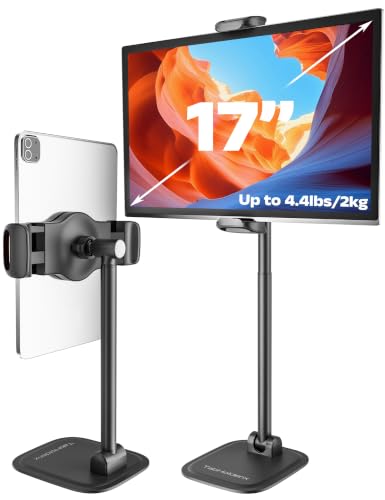 | Foldable 17-inch holder | Claimed device size: Up to 17 inches; 125-250 mm width Claimed load: Up to 4.4 lb / 2 kg Carry: Folds; listed 560 g Best fit: Tall stand for narrow portable screens | Check Price on Amazon |
 | Anozer folding stand | Claimed device size: Up to 15.6 inches Claimed load: Not stated in checked bullets Carry: Folds to pocket size Best fit: Compact lower-height travel kit | Check Price on Amazon |
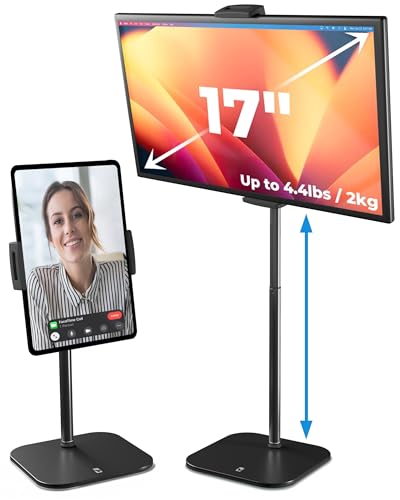 | COOPER TabStand | Claimed device size: Up to 17-inch portable monitors Claimed load: Up to 4.4 lb / 2 kg Carry: Weighted base; quick assembly claimed Best fit: Tall adjustable screen lift | Check Price on Amazon |
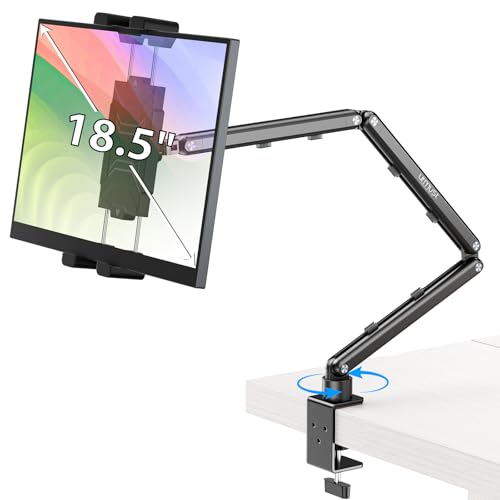 | Urmust stand | Claimed device size: 4.9-18.5 inches Claimed load: Up to 2.76 lb / 1.25 kg Carry: Tabletop; wrench for joints Best fit: Stand with tightenable pivots | Check Price on Amazon |
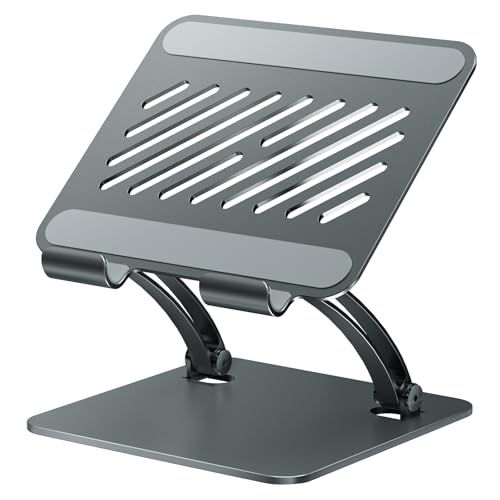 | tounee dual-rod stand | Claimed device size: 4.7-16.9 inches Claimed load: Not stated in checked bullets Carry: Folds flat Best fit: Locking support for a travel screen | Check Price on Amazon |
Table dimensions, weights and capacities are seller-stated, not independently measured.
1. Foldable 17-inch Holder — Best Defined Clamp Opening
The seller describes a foldable metal stand with 125-250 mm holder width and up to 17 mm device thickness. Those dimensions are more useful than its broad “up to 17-inch” line because they let you compare the actual monitor body to the jaws. It claims a 2 kg maximum load and a height range of about 275-440 mm. The listed 560 g carry weight is substantial for a tiny bag but may be acceptable for a travel desk kit.
Rotation and tilt are also described, yet a tall screen increases tipping force on a small base. Tip resistance and hinge tension have not been independently tested. Put the stand on a flat, solid table and check whether your monitor’s USB-C or HDMI sockets remain accessible in horizontal and portrait orientation. A USB-C portable-monitor guide can help check the display connection, but the physical grip still needs measuring.
Our Take Start here when you need a taller travel screen and can verify the 125-250 mm jaw span, 17 mm thickness and 2 kg seller limit. A precise specification is helpful, but still test stability at the chosen height.
- Holder opening and thickness limits are stated.
- Listed height adjustment reaches beyond low tabletop stands.
- Folding and rotation are described.
- At 560 g claimed carry weight, it is not the lightest bag item.
- High screen position makes untested base stability important.
2. Anozer Folding Stand — Best Compact Carry
Anozer describes a pocket-size fold and a weighted 322 g base about 5.55 by 3.94 inches. Its listed device range reaches 15.6 inches, making it a candidate for a thinner travel display on a small desk. The height adjustment is modest compared with the taller stands. The seller’s numbers describe a low support, not a full-size monitor arm. The low lift can be useful when the whole kit needs to fit in a carry-on.
The listing shows silicone padding and a hook to keep the device from sliding. It does not give a clear monitor weight limit in the checked bullets, so ask for that figure if your display is heavier than a tablet. Test portrait orientation carefully, because a wide or heavy portable panel can shift its center of gravity off a small base. Our portable USB-C monitor roundup covers the screen selection, not the stand’s untested load.
A folding stand can pack small while offering less lift and less base area than a larger weighted support.Our Take Anozer is for a smaller travel kit and a relatively light screen that fits the holder. Do not infer a safe load from its 15.6-inch size claim alone.
- Compact folded form is a clear travel advantage.
- Weighted base and rubber contact points are listed.
- Low stand may fit a cramped hotel desk.
- Checked bullets lack a clear monitor weight limit.
- Lower lift may not place the panel near eye level.
3. COOPER TabStand — Best Tall Adjustable Lift
COOPER markets the TabStand as a tall tabletop holder with up to a 20-inch height and 360-degree rotation. Its listing says it supports portable displays up to 17 inches and 4.4 pounds. A tall holder sounds attractive if the monitor must sit closer to laptop-screen height instead of leaning back on its cover. The weighted base and padded clamp are meant to provide support, but the claimed 2 kg limit at full extension has not been independently load-tested.
Check the clamping surface and cable exits on your monitor before choosing a portrait rotation. A stand that holds the display body can still press a USB-C plug at the edge, and a tall arm may wobble when the desk is bumped. The listing says setup takes about 30 seconds. Do not build a daily workflow around that estimate without trying it. For a laptop plus external screen, our USB-C docking guide helps plan signal and power separately from physical support.
Higher lift helps viewing only if the stand and desk stay stable with the monitor at that height.Our Take TabStand is the candidate for tall lift with a compatible light portable monitor. Compare its 2 kg seller limit and clamp opening to your actual panel, then test full-height stability before relying on it in a shared workspace.
- High adjustment and rotation are stated.
- Listing claims support up to 17 inches and 4.4 lb.
- Weighted base and padded clamp are described.
- Full-height wobble and load have not been tested here.
- Taller base may be less convenient to pack than a low folding stand.
4. Urmust Stand — Best Tightenable Joints
Urmust’s listing distinguishes this model with joints you can tighten using the included wrench. Tightening the joints is useful when a holder begins to sag under a compatible tablet or portable monitor. It describes a tabletop-only base, cable clips and a size range from 4.9 to 18.5 inches. The seller’s load ceiling is only 2.76 lb, or about 1.25 kg, despite the large advertised screen size. Use the weight limit, not the diagonal headline, to screen your display.
The seller expressly warns against unstable surfaces such as headboards. A travel desk can be similarly small or uneven, so confirm that the base sits entirely on solid furniture and the monitor does not tip when a cable is tugged. The included wrench is another small item to keep with the kit. For a screen powered over one cable, our USB-C portable-monitor guide covers the electrical path. Secure that cable so it does not pull the stand.
Our Take Choose Urmust if a light screen fits and adjustable hinge tension is important to you. It is not a route to holding an 18.5-inch display that exceeds the listed weight ceiling.
- Joint tension can be adjusted with the supplied wrench.
- Tabletop-use warning and weight limit are explicit.
- Cable clips are listed for a tidier travel desk.
- 1.25 kg load limit rules out heavier screens.
- Needs a flat, stable tabletop and a retained wrench.
5. tounee Dual-Rod Stand — Best Locking Support
The tounee model uses a dual-rod design and locking mechanism to set its height and angle. Its seller lists support for portable monitors and tablets from 4.7 to 16.9 inches, a weighted metal base, silicone contact points and a fold-flat body. It explicitly says the stand is not designed for laptops. Use it only to hold the separate display beside your laptop.
No clear maximum monitor weight appears in the checked bullets. The missing weight limit is a concern with a tall dual-rod support because a larger screen can create more tipping force. Ask the seller for its load rating and holder opening before buying for a heavier panel. Test the lock at the desired height with the monitor’s cable attached. Our best portable monitors guide helps shortlist the screen, while this stand’s physical fit remains a separate decision.
The listed 16.9-inch device range is not a weight rating. Confirm both before putting a travel monitor on the stand.Our Take Consider tounee if you want a locking height mechanism and fold-flat packing for a light portable screen. Hold off on heavier displays until the maker confirms the load and holder dimensions.
- Locking dual-rod support is a distinct adjustment method.
- Weighted base and non-slip pads are described.
- Folds flat for transport.
- Checked bullets lack a precise monitor load limit.
- Not intended to support the laptop itself.
Buying Guide
1. Identify the Monitor’s Mounting Method
These five picks support a display with a holder, hook or clamp, not a VESA screw plate. Check the monitor’s body width, edge thickness and port positions. A screen with a rigid kickstand or thick case may not seat inside a tablet-style holder, even if its diagonal falls within the seller’s range. A monitor with VESA mounting holes needs a stand that supports VESA if you intend to use its screw pattern.
Measure before ordering and test the screen in horizontal and portrait positions if you plan to rotate it. Do not clamp across a connector, power button or fragile panel edge. A stand can meet the listed width but still press the wrong part of the housing. If the fit is ambiguous, get a dimensioned holder opening from the maker rather than estimating from a tablet example.
2. Compare Weight, Height and Desk Stability
Check the monitor’s weight, including any attached case, against the stand’s stated load ceiling. The foldable holder’s seller and COOPER each specify 2 kg; Urmust specifies 1.25 kg. Anozer and tounee do not state a clear maximum in the checked bullets, so ask before using a heavy screen. A tall lift moves the center of gravity upward and may expose wobble on a small hotel desk.
Put the base on a flat surface, raise the stand to the intended height and lightly move the desk before trusting it with an expensive display. A soft bed tray or narrow ledge is not a stable tabletop. Manage the USB-C or HDMI cable so it does not pull the panel sideways. The best height is one that remains secure for actual typing and calls, not the highest possible setting.
3. Budget for the Whole Travel Kit
Folded size, carry weight and loose parts affect how easily a stand travels. The first holder’s seller specifies 560 g, and Anozer describes a pocket-size fold. COOPER’s weighted base may be less pleasant in a light bag. Urmust brings a wrench for joint adjustment. Keep the stand with its pouch, screws or tool so it can be set up in the next hotel room.
The stand also does not deliver video or power. Check the laptop-to-monitor connection separately and allow enough cable slack for the display’s raised position. Our USB-C docking guide covers larger desk connections. A travel setup may need a simpler single-cable path if both laptop and monitor support it.
FAQ
Can these stands support a normal full-size desktop monitor?
Not by default. These models are marketed for thin portable monitors and tablets held at an edge. A desktop monitor may be heavier, thicker or designed for a VESA plate rather than a cradle. The listed screen-size range does not override the stand’s weight or holder-opening limit.
Check the normal monitor’s weight and mounting specification first. If it requires VESA, use a stand explicitly rated for that VESA pattern and load. Do not improvise an adapter on a small travel base without the maker’s approval.
Is a taller portable monitor stand always better for posture?
No. Viewing height helps only when the base remains stable and the keyboard stays comfortable. A tall screen on a cramped hotel desk may wobble as you type, and a lightweight portable monitor can still be awkward if its cable pulls from one side.
Start with a moderate height, then adjust while seated at the travel desk. If you need more lift, confirm the stand’s full-extension behavior with your actual screen rather than trusting a seller photo or ergonomic promise.
What if my portable monitor has a built-in kickstand?
The built-in stand may already be sufficient for a short session. A separate holder makes sense if you need more lift, rotation or a different angle. Check that its jaws do not press the kickstand hinge or block ports. Some portable displays are too thick with their case attached.
Try your cover or kickstand first, then measure the gap you need to solve. Adding a folding support to a travel bag is useful only if it noticeably improves the actual desk setup without creating a new fit or stability problem.
Bottom Line
Start with the physical fit and weight, then choose lift versus packed size. The foldable 17-inch holder gives the clearest grip dimensions, Anozer packs small, COOPER offers tall adjustment, and Urmust lets you tighten its joints within a lower load limit. No listed screen-size range substitutes for a fit test with your own monitor.