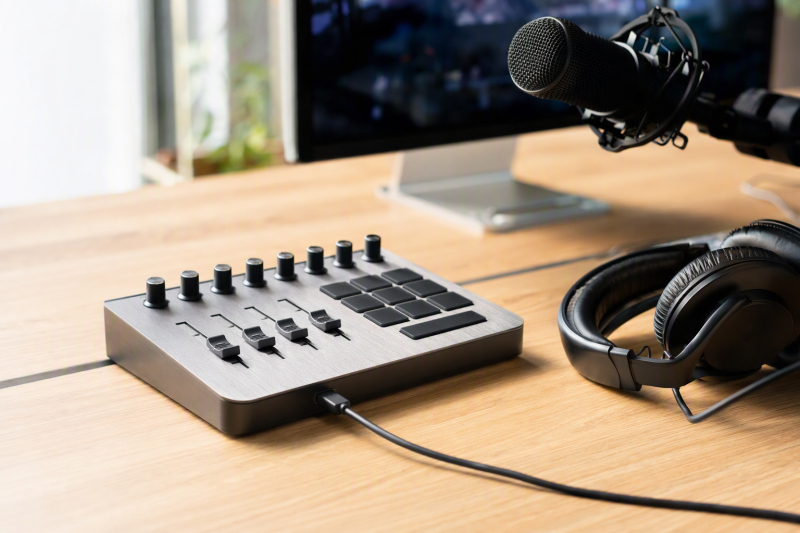
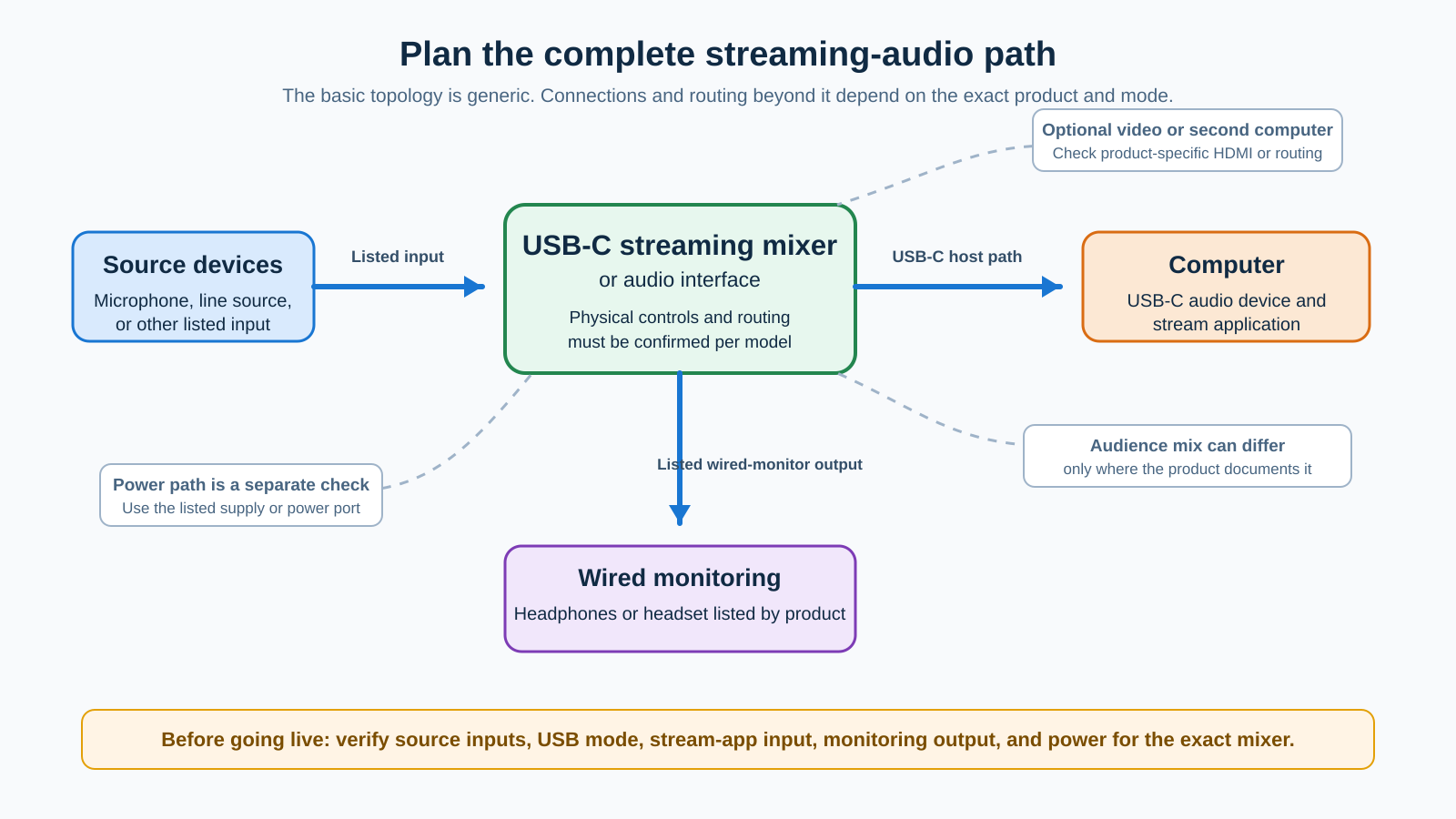
A USB-C streaming mixer makes sense when you need to control a live mix with your hands, not only select an input in software. Map the microphone, game or camera source, computer, stream application, and headphones before choosing the documented routing and controls that fit that path.
We would choose the RØDECaster Duo for a configurable multi-source desk and more than one computer route. Streamer X fits HDMI capture beside microphone controls. Roland’s BRIDGE CAST separates a personal mix from a stream mix. Yamaha’s AG06MK2 suits a hands-on input mixer with defined streaming modes, while MAONO’s G1 Neo is a simpler entry when its connection and monitoring limits fit the plan. For the broader category, see our Thunderbolt audio interface guide.
Quick picks
- RØDE RØDECaster Duo: Best for configurable multi-source streaming with physical faders, programmable pads, and documented dual-USB routing.
- RØDE Streamer X: Best when a documented HDMI video-capture path and a single microphone input belong in the same control surface.
- Roland BRIDGE CAST: Best for a gaming or chat stream that needs distinct personal and audience mix buses.
- Yamaha AG06MK2: Best for creators who want hands-on mic, instrument, and line-input control with product-listed streaming modes.
- MAONO G1 Neo: Best for a simpler XLR-streaming setup when its separate USB-C data and DC-5 V ports, plus its support limits, are acceptable.
| Image | Product | Details | Check Price |
|---|---|---|---|
 | RØDE RØDECaster Duo | Hands-on control: Four physical and three virtual faders; six programmable SMART pads Computer routing: Dual USB-C interfaces; RØDE documents configurable USB and mix-minus routing Monitoring: Two headphone outputs and balanced line outputs | Check Price on Amazon |
 | RØDE Streamer X | Streaming focus: Audio interface, video capture card, and control surface in one product Video path: HDMI 2.0 input and passthrough; up to 4K60 HDR input and 4K30 capture Audio connections: XLR/TRS combo input, headset jack, and 1/4-inch headphone output | Check Price on Amazon |
 | Roland BRIDGE CAST | Mix decision: Two documented audio buses for personal and stream mixes Computer path: USB-C; PC mode requires the listed driver/application configuration Connections: XLR mic input with 48 V, phones/headset, AUX, and line out | Check Price on Amazon |
 | Yamaha AG06MK2 | Input plan: Two mono mic/line channels plus stereo line inputs Streaming modes: Dry CH 1-2G, Input Mix, and Loopback listed for Streaming Out USB path: 24-bit/192 kHz USB Audio Class 2.0 over Type-C | Check Price on Amazon |
 | MAONO G1 Neo | Connection check: Separate computer/mobile USB-C and DC-5 V ports Monitoring and stream control: Official FAQ documents direct-monitor and loopback control Important limits: USB microphones and Bluetooth headphones are not supported | Check Price on Amazon |
1. RØDE RØDECaster Duo
RØDE’s RØDECaster Duo is the lead pick where the mixer must hold several sources together without making the computer the only place to change levels. RØDE lists two combo inputs, seven assignable channels, four physical faders, three virtual faders, six programmable SMART pads, two USB-C interfaces, two headphone outputs, and balanced line outputs. The layout suits a solo creator, remote guest plan, or second computer with a defined job.
The important word is configurable. RØDE documents mix-minus, sub-mixes, and USB routing, but those are setup choices, not a promise that two connected computers automatically receive the right audio. The unit runs at a stated 48 kHz and requires USB-C PD at 9 V/3 A. Buy the Duo for a mapped multi-channel desk, then set up and verify each USB destination before a live broadcast.
Our Take
Choose the RØDECaster Duo when physical faders and documented multi-computer routing solve a live-production job. It makes less sense for a one-microphone stream that does not need its channels, pads, or routing choices.
- RØDE lists seven assignable channels with four physical and three virtual faders, giving a stream host dedicated level controls instead of one generic computer slider.
- The two USB-C interfaces and documented mix-minus and sub-mix options make a defined two-computer or chat-routing plan possible after configuration.
- Two listed headphone outputs and balanced line outputs give a buyer separate documented monitoring and downstream-audio connections to map.
- The routing architecture requires deliberate channel and destination setup, so it is not the uncomplicated pick for a stream with one source and one microphone.
- RØDE lists 48 kHz operation and USB-C PD 9 V/3 A power, which makes the computer, power supply, and software path part of the purchase check.
2. RØDE Streamer X
RØDE’s Streamer X is the pick for a creator whose video source is as important as the live microphone mix. RØDE describes it as an audio interface, video capture card, and control surface. Its official specifications list one HDMI 2.0 input and one HDMI 2.0 passthrough output, up to 4K60 HDR HDMI input and passthrough, and a maximum 4K30 capture resolution. It also lists one XLR/TRS combo input, a wireless receiver, HDMI audio input, a headset jack, and a 1/4-inch headphone output.
The integrated approach is useful for a camera or console chain that needs HDMI capture, but the video values are not interchangeable. A source may pass through at a higher listed ceiling than the maximum capture format. With one listed XLR/TRS combo input, it is not the right choice when a stream needs the Duo’s broader audio-source and fader layout. Treat the Streamer X as a video-and-audio control decision, not a general replacement for every multi-mic mixer.
Our Take
Pick the Streamer X when one documented HDMI path, one microphone or instrument connection, and direct streaming controls belong together on one desk. It is a focused solution for a capture-based stream, provided its exact passthrough and capture limits match the source and display.
- RØDE combines an audio interface, video capture card, and control surface for buyers who would otherwise need separate desktop pieces for that documented job.
- The listed HDMI 2.0 input and passthrough make it possible to plan a source-to-display route alongside computer capture.
- RØDE lists an XLR/TRS combo input, headset connection, and 1/4-inch headphone output for a specific live voice and wired-monitoring path.
- RØDE lists up to 4K60 HDR for HDMI input and passthrough but a maximum 4K30 capture resolution, so a capture requirement must be checked separately from display passthrough.
- With one listed XLR/TRS combo input, the Streamer X is less appropriate than a fuller mixer when several microphones or independently managed audio sources are required.
3. Roland BRIDGE CAST
Roland’s BRIDGE CAST is for the streamer who needs a different mix in headphones from the one sent to an audience. Roland lists two audio-mixing buses, Stream Mix and Personal Mix, plus USB-C connectivity, an XLR microphone input with 48 V phantom power, a phones/headset connection, AUX input, and line out. The two buses give the product a distinct role in gaming, chat, and live-commentary work where the person at the desk needs to hear a balance that is not identical to the stream feed.
The multiple-computer-audio route has a condition. Roland documents a dedicated driver and application for PC mode, where it lists 4-in/3-out audio. Console/mobile mode uses the standard OS driver with 1-in/1-out audio. Roland also lists Windows 10/11 and macOS 11 or later, while warning that meeting the operating-system requirement alone does not guarantee a given computer configuration. Select BRIDGE CAST for the dual-bus decision, then follow the exact mode and driver setup for the intended host.
Our Take
Choose BRIDGE CAST when the audience mix and your own monitoring mix need to be separate, and the host can use its documented USB mode and driver arrangement. It is not a shortcut around stream-app configuration.
- Roland lists Stream Mix and Personal Mix as two separate buses for a buyer who needs to control audience audio separately from headphone monitoring.
- The stated XLR mic input with 48 V phantom power, phones/headset connection, AUX input, and line out cover a documented live-voice and monitoring arrangement.
- USB-C connectivity and Windows or macOS support give a computer streamer a stated starting point for checking the host path.
- Roland’s 4-in/3-out audio description applies to PC mode with its dedicated driver and application, not automatically to every USB connection mode.
- Roland explicitly does not guarantee every computer configuration from the operating-system requirement alone, so the product should not be treated as universal USB-C audio hardware.
4. Yamaha AG06MK2
Yamaha’s AG06MK2 is the hands-on choice when the stream starts with physical mic, instrument, and line-input decisions. Yamaha lists two mono mic/line channels, stereo line inputs, USB audio, headphone, monitor, and stereo outputs. It also lists three Streaming Out modes: Dry CH 1-2G, Input Mix, and Loopback, plus Mix Minus Mic. The inputs and modes make the AG06MK2 useful when a creator wants a conventional small mixer layout and needs to decide what goes to the USB stream feed.
Yamaha lists USB Audio Class 2.0 over Type-C at up to 24-bit/192 kHz and a 5 V/900 mA power requirement. It also names two physical conflicts: the CH1 input and headset microphone cannot be used simultaneously, and the phones and headset-phones connections cannot be used simultaneously. The conflicts are not details to discover during a show. Match the microphone, headset, and stream mode before choosing the AG06MK2.
Our Take
Pick the AG06MK2 when a small physical mixer with defined mono and stereo sources is more useful than an all-digital routing console. Its Streaming Out choices give the buyer useful control, provided the selected source and monitoring connections do not conflict.
- Yamaha lists two mono mic/line channels and stereo line inputs for a creator whose live sources are already known and need physical level control.
- The three listed Streaming Out modes give a buyer a documented choice between a dry-channel path, input mix, and loopback rather than one unnamed USB feed.
- Headphone, monitor, and stereo outputs create separate product-listed connections to plan for monitoring and downstream audio equipment.
- Yamaha says the CH1 input and headset microphone cannot be used simultaneously, so a headset-mic plan can rule out an otherwise useful source combination.
- The phones and headset-phones connections also cannot be used simultaneously, which makes the AG06MK2 unsuitable for an assumed two-headphone monitoring setup.
5. MAONO G1 Neo
MAONO’s G1 Neo is the smaller streaming-mixer option for a buyer who needs a documented XLR microphone route, basic monitoring controls, and a clearly understood computer connection. MAONO identifies the Maonocaster G1 NEO as an audio mixer and interface. Its official support material says to use the USB-C port marked for a computer or mobile phone, not the separate DC-5 V port. It also documents direct-monitor and loopback control through the same button, and tells users to enable the 48 V button for an XLR condenser microphone.
Check its limits before its feature checklist. MAONO says USB microphones are not supported, Bluetooth headphones are not supported, and a headset must use the stated CTIA 3.5 mm TRRS condition. For a mobile-device setup, MAONO tells users to connect external power to the DC-5 V port. The G1 Neo belongs in this list only when those connection rules match the equipment already owned.
Our Take
Choose the G1 Neo when a simple physical streaming control path fits a compatible XLR microphone, wired headset, and correctly connected computer or mobile device. It is not a universal adapter for USB microphones, Bluetooth headphones, or every phone-power arrangement.
- MAONO’s official FAQ documents the computer/mobile USB-C port separately from the DC-5 V port, giving a buyer an exact connection check before a stream setup.
- The documented direct-monitor and loopback control gives a small streaming desk a product-specific way to manage monitoring and stream-audio inclusion.
- MAONO documents the 48 V control for an XLR condenser microphone, which gives an owner a stated requirement to check against the microphone type.
- MAONO says the G1 Neo does not support USB microphones, so it cannot be used to add a USB mic to a mixer workflow.
- MAONO also says Bluetooth headphones are not supported and specifies a CTIA 3.5 mm headset condition, which narrows the monitoring hardware that fits the documented path.
How to choose a USB-C mixer for a live stream
Start with the audience mix and your own monitoring mix
First decide whether the headphones must hear exactly what the audience hears. BRIDGE CAST is the only pick here whose official specification explicitly names Personal Mix and Stream Mix as two buses. The RØDECaster Duo documents mix-minus and sub-mix configuration. Do not assume that a loopback button, headphone jack, or second USB-C port creates a separate audience mix.
Before ordering, write down these five checks:
- Source list: Count microphones, instruments, line-level sources, HDMI sources, and any second computer. Then match each one to an input the selected product lists.
- USB role: Identify whether the computer uses a documented driver or mode. BRIDGE CAST’s PC mode and RØDECaster Duo’s USB routing are configured paths, not generic connector behavior.
- Monitoring path: Pick the headphone or headset plug first. Check whether the product lists a headphone output and whether another connection conflicts with it.
- Stream destination: Choose the stream application’s input only after confirming which product mix or mode it receives.
- Power path: Check the required supply or the correct power port before connecting a phone, mixer, or computer.
Buy HDMI capture only when it is part of the actual show
Streamer X is the only product in this set that RØDE documents as a video capture card with HDMI input and passthrough. It does not turn every mixer into a capture card or make 4K60 capture a safe assumption. RØDE lists different input, passthrough, and capture ceilings. If the stream does not need HDMI capture, evaluate controls and audio connections first.
Separate an interface decision from a mixer decision
An interface can be enough for spoken podcast capture or guitar recording, but a streaming mixer is better when physical level changes, multiple source roles, and a dedicated stream feed are the decision. Our USB-C audio-interface guide for podcasting is the better route for voice recording. Our guitar-recording interface guide focuses on instrument input and amp-sim monitoring. For a listening-only USB-C path, see our portable USB-C DAC guide or desktop USB-C headphone-amp guide.
Frequently asked questions
Can any USB-C mixer send separate audio to the stream and my headphones?
No. A headphone output does not by itself establish a second mix. Roland explicitly lists Personal Mix and Stream Mix buses for BRIDGE CAST. RØDE documents mix-minus and sub-mix configuration for the RØDECaster Duo. Check the documentation for the exact mixer and mode before relying on a separate feed.
Do I need an HDMI capture device for a streaming mixer?
Only if the show needs an HDMI camera or console source to reach the computer. RØDE lists HDMI input and passthrough on Streamer X with separate capture limits. The other products should not be assumed to have an HDMI video route.
Can I connect a USB microphone to the MAONO G1 Neo?
No. MAONO’s official FAQ says the G1 Neo does not support USB microphones. Use the documented microphone connection and check whether the microphone needs the product’s 48 V control.
Is USB-C enough to prove that a mixer works with my computer?
No. Check the exact product, operating system, USB mode, driver or application requirement, power path, and the stream application’s input selection. Roland’s documented PC mode has a different stated audio configuration from its console/mobile mode.