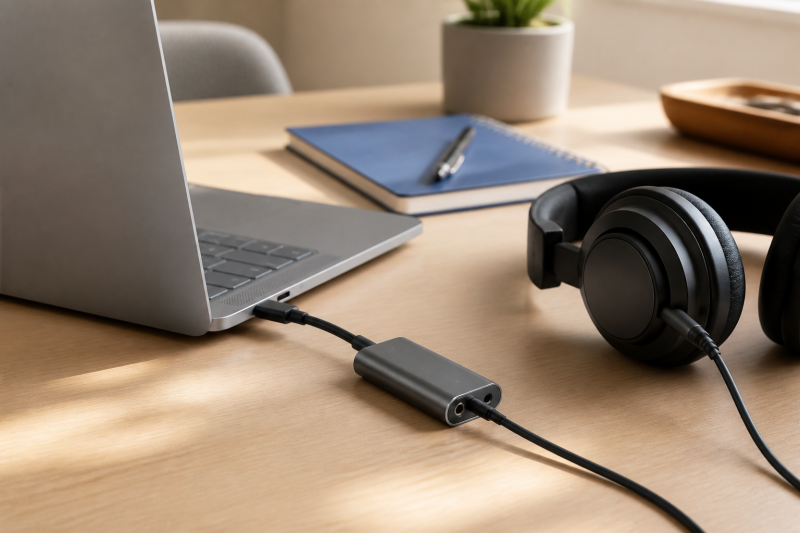
A portable USB-C DAC is for the laptop owner who wants a wired-headphone path without moving to a recording interface or a desktop amplifier. The important choice is not a longer format list. It is the headphone plug you already own, the laptop connection you can use, and whether the small device needs a charging port or physical controls.
We would start with Fosi’s DS2 when two headphone-output types and a compact USB-C unit are useful. FiiO’s SNOWSKY Tiny A is the more specific choice when a 3.5 mm headphone connection and its stated charging pass-through are the priority. Surfans’s X10 is for a buyer who wants product-listed controls in a bus-powered device. UGREEN’s adapter is the simple 3.5 mm route, while Kiwi Ears’s Allegro Mini keeps both 3.5 mm and 4.4 mm connections in a small aluminum model.
Quick picks
- Fosi Audio DS2: Best for a compact laptop DAC with 3.5 mm and 4.4 mm outputs.
- FiiO SNOWSKY Tiny A: Best when a 3.5 mm headphone connection and stated charging pass-through are the buyer’s priority.
- Surfans X10: Best for physical controls and the product’s stated 3.5 mm and 4.4 mm connections.
- UGREEN USB-C to 3.5mm Audio Adapter: Best for a straightforward compatible wired-headphone path.
- Kiwi Ears Allegro Mini: Best for a small aluminum DAC with two listed headphone-output types.
| Image | Product | Details | Check Price |
|---|---|---|---|
 | Fosi Audio DS2 | Headphone connections: 3.5 mm single-ended and 4.4 mm balanced Laptop connection: USB-C; Fosi lists Windows and Mac support Format claims: PCM up to 32-bit/384 kHz; DSD256 | Check Price on Amazon |
 | FiiO SNOWSKY Tiny A | Headphone connection: 3.5 mm Extra port: Type-C with stated 2 A/20 V charging pass-through Host support: FiiO lists Windows, macOS, Android, iOS, Linux, and HarmonyOS | Check Price on Amazon |
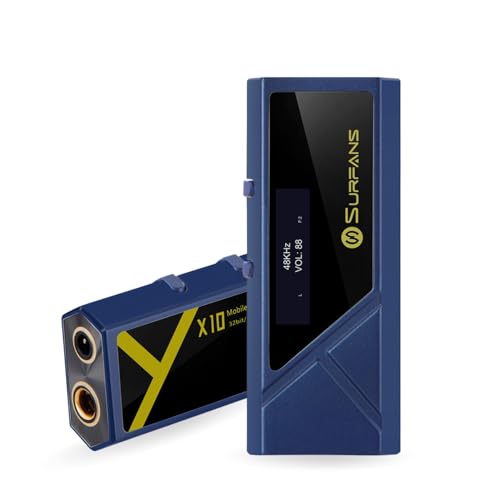 | Surfans X10 | Headphone connections: 3.5 mm single-ended and 4.4 mm balanced Controls: Display, buttons, gain, and filter controls Power design: Surfans describes bus power without a battery or external supply | Check Price on Amazon |
 | UGREEN USB-C to 3.5mm Audio Adapter | Headphone connection: 3.5 mm female DAC claim: UGREEN states up to 24-bit/96 kHz Fit: Compact USB-C adapter for compatible wired headphones | Check Price on Amazon |
 | Kiwi Ears Allegro Mini | Headphone connections: 3.5 mm single-ended and 4.4 mm balanced Laptop connection: USB-C; Kiwi Ears lists Windows and Mac support Format claims: PCM up to 32-bit/384 kHz; DSD128 | Check Price on Amazon |
1. Fosi Audio DS2
Fosi’s DS2 is the first choice for a laptop owner who needs to match either a 3.5 mm headphone plug or a 4.4 mm plug without carrying a larger desk unit. Fosi lists a USB-C input, a 3.5 mm single-ended output, and a 4.4 mm balanced output. This distinction is useful because the plug on the headphones determines which listed connection can be used. The DS2 is not a reason to buy a different headphone termination by itself.
Fosi also lists dual CS43131 DAC chips, PCM up to 32-bit/384 kHz, DSD256, and stated output figures of 128 mW for the single-ended connection and 170 mW for the balanced connection. Those manufacturer figures describe the product’s supported modes and output arrangement. They do not predict loudness with a particular headphone or establish a listening result. Fosi lists Windows, Mac, Android, and iOS support, but confirm the laptop port, operating system, and headphone connection as one path before choosing the DS2 for a daily carry setup.
Our Take
Choose the DS2 when your laptop setup genuinely needs a compact DAC with both 3.5 mm and 4.4 mm headphone-output options. It is the broadest connection choice in this list without turning the page into a desktop-amplifier recommendation.
- Fosi lists both a 3.5 mm single-ended output and a 4.4 mm balanced output for buyers who already know their headphone plug.
- Fosi specifies USB-C input and lists Windows, Mac, Android, and iOS support for the documented host path.
- The product page states PCM up to 32-bit/384 kHz and DSD256 for a buyer comparing manufacturer-listed format support.
- Fosi’s output figures do not establish the result with a particular headphone, so headphone matching still needs its own check.
- The DS2 does not replace a laptop-port or operating-system compatibility check just because the input is USB-C.
2. FiiO SNOWSKY Tiny A
FiiO’s SNOWSKY Tiny A is for a small laptop audio path that also needs the product’s Type-C charging connection. FiiO lists a 3.5 mm headphone port and a Type-C port for the Tiny A, with stated 2 A/20 V fast-charging pass-through. The second port makes the Tiny A different from a basic audio-only dongle. It is a reason to check the whole laptop, charger, cable, and power arrangement rather than assuming every USB-C power source behaves alike.
FiiO lists an ES9068AS DAC chip, PCM up to 384 kHz, DSD256, UAC 1.0 and 2.0, plus Android, iOS, HarmonyOS, Windows, macOS, and Linux support. The Tiny A is specifically the 3.5 mm plus Type-C version. FiiO also sells a Tiny B with a different output arrangement, so do not carry a Tiny B 4.4 mm claim into this Tiny A pick. Buy the Tiny A for the documented 3.5 mm and charging-port layout, not for an output it does not list.
Our Take
Pick the SNOWSKY Tiny A when one 3.5 mm wired-headphone connection and a stated Type-C charging pass-through are more useful than a second headphone-output type. It is a specific cable-and-power decision, not a general claim that pass-through will suit every laptop.
- FiiO lists the Tiny A with a 3.5 mm headphone port and a Type-C port for a compact audio-and-charging layout.
- FiiO states 2 A/20 V charging pass-through, which gives a buyer a documented reason to inspect the charger and cable path.
- FiiO lists support for Windows, macOS, Android, iOS, Linux, and HarmonyOS for its stated host coverage.
- The Tiny A’s listed headphone connection is 3.5 mm, so a 4.4 mm plug needs a different product choice rather than an assumption about its sibling model.
- Charging pass-through is a product-listed feature, but the laptop, charger, and cable still determine the complete power path.
3. Surfans X10
Surfans’s X10 is for the buyer who wants more direct control from the portable device itself. Surfans lists a display, buttons, gain controls, and filter controls, alongside USB-C input and both 3.5 mm single-ended and 4.4 mm balanced outputs. Those controls do not make it a recording interface, and they do not remove the need to set the computer’s audio output correctly. They give the portable DAC a more hands-on product layout than a simple fixed-cable adapter.
The manufacturer lists an ES9028Q2M plus ES9603Q design and a stated 522 mW figure for the balanced output. Surfans also describes the X10 as bus powered without a battery or external power supply. Being bus powered can simplify what you carry, but it also means the laptop connection is part of the device’s power arrangement. Surfans lists Windows, Mac, Android, and iOS compatibility. Use that as a product-specific host checklist, not a blanket promise for every USB-C port.
Our Take
Choose the X10 when display, button, gain, and filter controls are relevant to the portable playback setup, and the listed headphone connection matches your cable. It is the most control-focused option here, while remaining a bus-powered portable device.
- Surfans lists a display, buttons, gain controls, and filter controls for a buyer who wants product-level adjustments away from the laptop screen.
- Surfans specifies both 3.5 mm single-ended and 4.4 mm balanced outputs for matching an existing headphone plug.
- The X10 is described as bus powered without a battery or external power supply for the documented portable arrangement.
- Surfans’s stated balanced-output figure applies to that output path and does not establish a result with every headphone.
- Because Surfans describes bus power, the laptop connection needs to supply the device rather than a separate battery doing that work.
4. UGREEN USB-C to 3.5mm Audio Adapter
UGREEN’s USB-C to 3.5 mm Audio Adapter is the simple pick for a laptop and compatible wired headphones with a 3.5 mm plug. UGREEN’s official SKU 80154 page describes a USB-C-to-3.5 mm DAC headphone adapter with an internal DAC and up-to-24-bit/96 kHz resolution. It is not presented as a multi-output headphone amp, so the reason to choose it is straightforward: one compact USB-C connection and one 3.5 mm female headphone connection.
UGREEN lists CTIA and OMTP wired headphones or headsets among the stated 3.5 mm connection compatibility, while specifically excluding Bose QuietComfort 20 and 25. The page also identifies a braided cable and compact design. Those details make it a sensible lower-complexity option only after the headphone and host are checked. Do not turn a compact 3.5 mm adapter into a universal compatibility claim.
Our Take
Pick UGREEN’s adapter when a compatible 3.5 mm wired-headphone connection is the complete laptop job and you do not need a second listed headphone-output type or charging pass-through. Its value is the simple path, not an unsupported amplifier comparison.
- UGREEN’s official page identifies a USB-C-to-3.5 mm DAC headphone adapter for the basic wired-headphone path.
- UGREEN states an internal DAC with up-to-24-bit/96 kHz resolution for its listed format claim.
- The compact braided adapter design keeps the product focused on a small laptop-to-headphone connection.
- UGREEN lists one 3.5 mm female connection, so a 4.4 mm headphone plug needs another exact product path.
- UGREEN excludes Bose QuietComfort 20 and 25, and its stated compatibility list does not prove support for every headset or laptop.
5. Kiwi Ears Allegro Mini
Kiwi Ears’s Allegro Mini is for a portable setup that wants 3.5 mm and 4.4 mm output choices in an aluminum-body DAC. Kiwi Ears lists USB-C input, a 3.5 mm single-ended output, a 4.4 mm balanced output, and Windows, Mac, Android, and iOS support. The connection pair is the useful distinction: it lets the buyer preserve the headphone plug already in use instead of making a laptop DAC purchase around an assumed adapter.
Kiwi Ears also lists PCM up to 32-bit/384 kHz and DSD128. Those format figures are manufacturer-listed decoding ceilings, not evidence that a laptop application will use every format or that a particular headphone needs them. The Allegro Mini is a good final option when a small aluminum unit and the two documented headphone outputs fit the hardware already on the desk or in the bag.
Our Take
Choose the Allegro Mini when the laptop route needs the product’s 3.5 mm and 4.4 mm output choices in a small aluminum body. It is a playback DAC decision, separate from choosing an interface with microphone or instrument inputs.
- Kiwi Ears lists both 3.5 mm single-ended and 4.4 mm balanced outputs for the documented headphone-connection choice.
- Kiwi Ears specifies an aluminum body for a buyer comparing the stated physical construction of compact DACs.
- The official page lists Windows, Mac, Android, and iOS support for the product’s stated host coverage.
- Kiwi Ears’s format ceilings do not show which audio formats a particular laptop app will send through the connection.
- The Allegro Mini does not add recording inputs, so it is not a substitute for a microphone or guitar audio interface.
How to choose a portable USB-C DAC for a laptop
Start with the whole connection, not a format badge
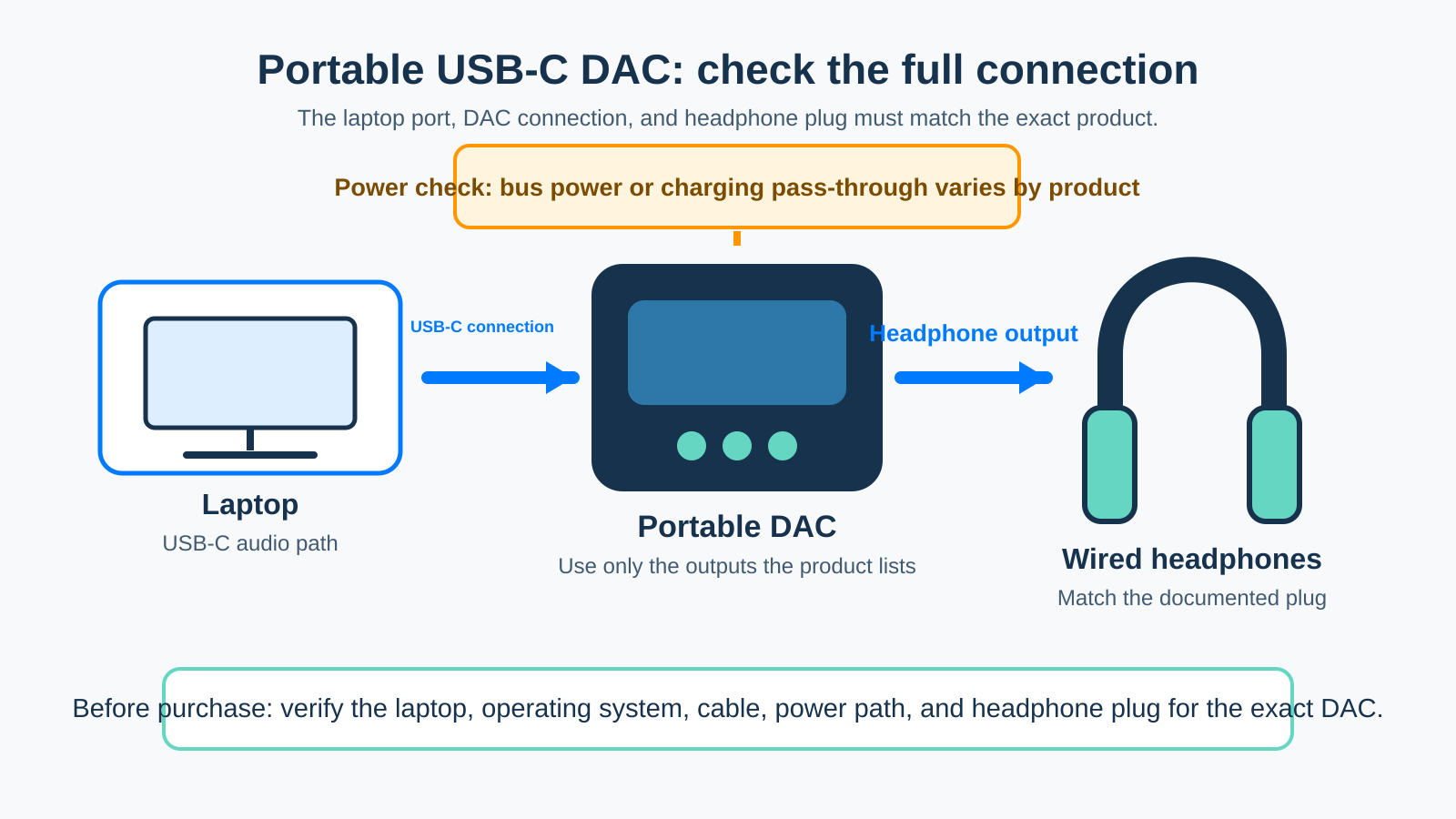
A portable DAC sits between the laptop and wired headphones. The laptop needs an audio-capable USB-C connection, the DAC needs to support the host path, and the headphones need a plug that matches one of the DAC’s listed outputs. A format ceiling is useful only after those three pieces are compatible. The Fosi DS2, Surfans X10, and Kiwi Ears Allegro Mini each list both 3.5 mm and 4.4 mm connections, while UGREEN and the FiiO Tiny A use a 3.5 mm headphone connection.
Before you order, check these labels:
- Laptop route: Confirm the exact computer and operating system appear in the product’s host-support information where it is listed.
- Headphone plug: Match the existing headphone termination to the exact 3.5 mm or 4.4 mm output the product documents.
- Cable and power: Confirm whether the product is bus powered or uses a charging pass-through arrangement, then check the complete cable and charger path.
Decide whether a second port solves a real problem
The Tiny A has a stated Type-C charging pass-through arrangement. This arrangement is helpful only if the laptop, charger, cable, and power requirement all fit that path. A separate port can change the buying decision, but it should not replace checking the laptop’s own charging behavior. In contrast, Surfans describes the X10 as bus powered without a battery or external supply. Being bus powered is a different physical arrangement, not a better or worse one in every bag.
Use the headphone-output label literally
The same connector shape does not make every output interchangeable. Pick a DAC around the headphone plug you intend to use. If the headphones end in 3.5 mm, every pick here has a listed 3.5 mm connection. If they end in 4.4 mm, narrow the list to a product that explicitly lists that connection. Matching the plug this way is more useful than treating a portable DAC as an abstract upgrade with no cable plan.
Keep playback and recording decisions separate
A portable DAC routes laptop playback to wired headphones. A USB-C recording interface adds a different set of decisions around microphone or instrument inputs, recording software, and monitoring controls. The broader Thunderbolt audio interface guide covers that wider category. For a microphone-led setup, see our USB-C audio interfaces for podcasting guide; for instruments, see our USB-C audio interfaces for guitar recording guide. A desktop USB-C headphone amp is a separate choice when the setup will stay at a desk.
Frequently asked questions
Can I use a portable USB-C DAC with any laptop?
No. Product pages list different host support, and a USB-C connector by itself does not establish the complete audio route. Check the laptop operating system, the exact DAC’s stated support, and the headphone connection. A manufacturer-listed compatibility claim is a starting point for that check, not a universal result.
Is a 4.4 mm output required for laptop headphones?
No. The required connection is the one on the headphones you plan to use. A 3.5 mm headphone plug needs a product with a stated 3.5 mm connection. A 4.4 mm plug needs a product that explicitly lists a 4.4 mm connection. Do not choose a different termination just to match a feature list.
Does a portable DAC replace a USB-C audio interface?
No. A portable DAC is selected for laptop playback to headphones. An audio interface is selected for recorded microphone or instrument inputs and its monitoring controls. They can share a USB-C connector while serving different audio jobs.
Does a charging pass-through port guarantee laptop charging?
No. FiiO’s Tiny A lists a charging pass-through specification, but the laptop, charger, cable, and full power arrangement still need to be checked together. Treat it as a product-specific connection option rather than a universal charging guarantee.