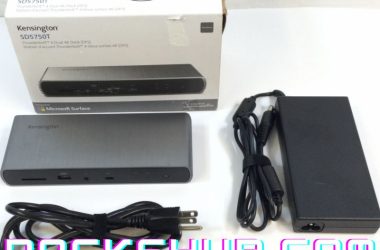
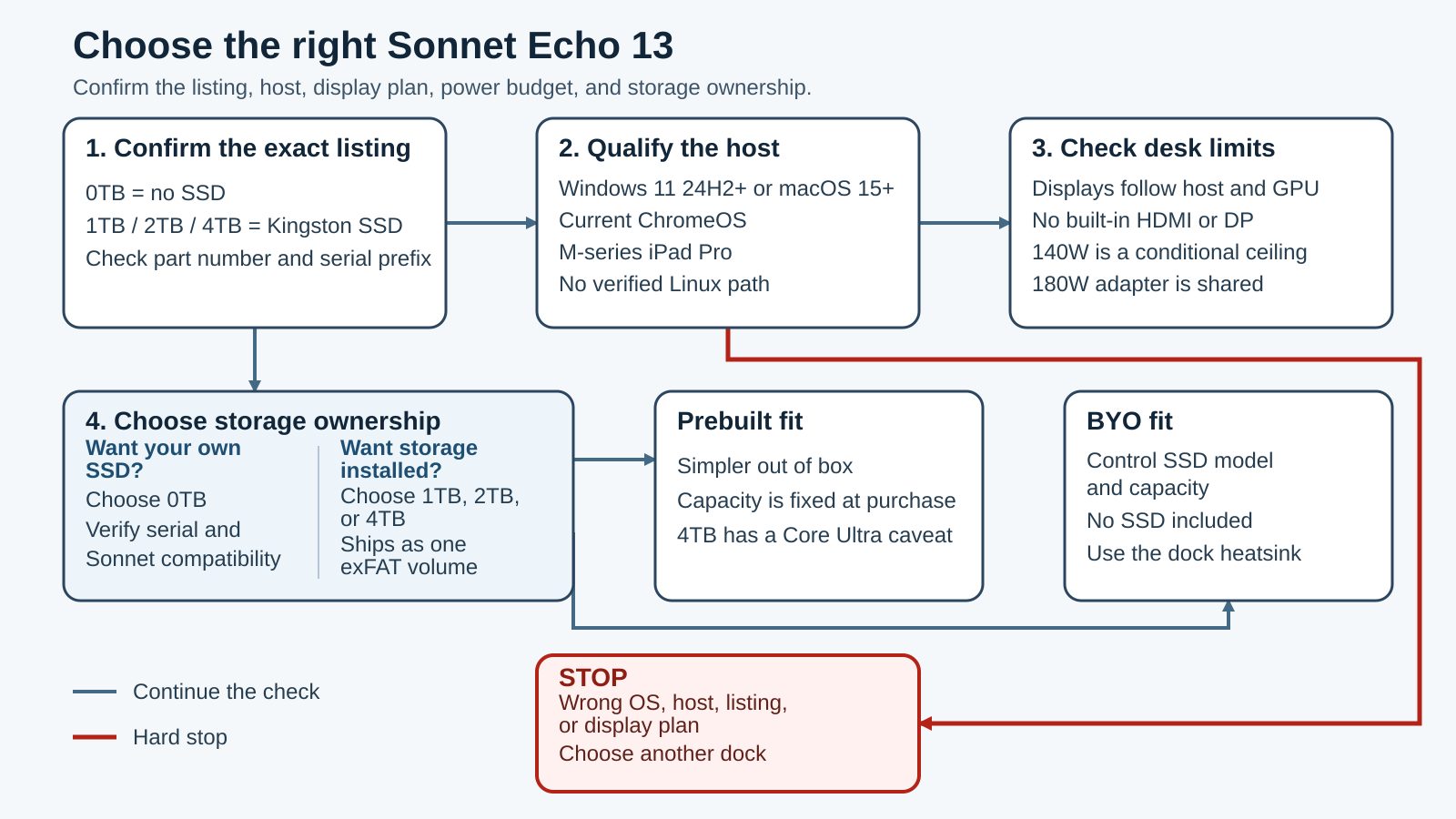
Buy the Sonnet Echo 13 if you want one permanent desk dock to handle fast internal NVMe storage, three downstream Thunderbolt connections, 2.5GbE, card readers, USB-A, and laptop charging. The key is choosing the right part before you order. ECHO-DK13-0TB5 is an empty dock for your own SSD. The other three parts include 1TB, 2TB, or 4TB Kingston storage.
Skip it if your host falls outside Sonnet’s current compatibility list, you need built-in HDMI or DisplayPort, or you want storage that leaves with your laptop. The Echo 13 is also not the natural choice for a buyer who specifically wants a fanless dock.
This verdict combines current Sonnet documentation with named observations from 9to5Mac, Macworld, and PCWorld. ThunderboltLaptop did not run its own benchmarks, so manufacturer speed and display figures below remain qualified ceilings rather than test results.
This is an exact-model decision review, not another Thunderbolt 5 dock roundup. The useful questions are whether the listing includes an SSD, whether your exact host qualifies, and whether the storage should live inside a desk dock.
Quick verdict
The Echo 13 makes the most sense when your laptop regularly returns to the same desk and you want dock expansion plus a large working drive in one enclosure. The no-SSD part gives you control over the drive and capacity. The preinstalled parts reduce setup work and currently ship as one exFAT volume.
The decision is less attractive when you switch desks often. An internal SSD stays with the dock, so files do not follow the laptop unless you copy them elsewhere. You also need to treat the dock as attached storage: eject its internal drive and any other connected storage before unplugging the host.
Host fit matters as much as storage fit. Sonnet documents Windows 11, macOS, ChromeOS, and M-series iPad Pro support, but each path has limits. Display count follows the host GPU and port implementation. Sonnet rates host charging up to 140W only when the computer and shared power budget allow it.
Our Take
The Sonnet Echo 13 is a strong fixed-desk choice for a qualified host when internal NVMe storage is part of the plan, not an accidental extra. Choose the no-SSD part for drive control, or a preinstalled part for simpler setup. Look elsewhere if you need native video sockets, portable storage, or a fanless enclosure.
- No-SSD and three preinstalled capacity choices
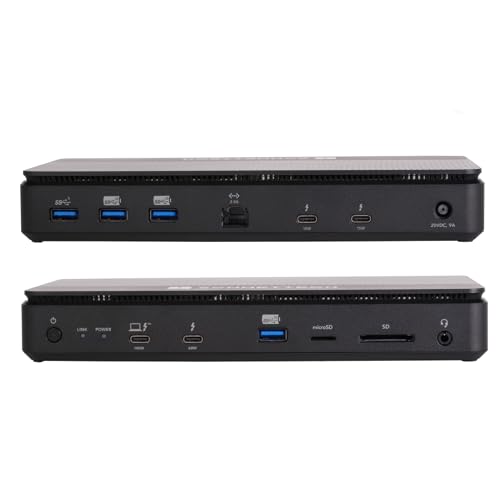
- Three downstream Thunderbolt ports plus four USB-A ports
- 2.5GbE, separate UHS-II SD and microSD readers, and combo audio
- Up to 140W host charging when the computer and shared load qualify
- No built-in HDMI or DisplayPort
- Internal storage stays on the desk when the laptop leaves
- Active fan, with no manufacturer acoustic rating
- Host, display, SSD, and serial-revision checks are essential before buying
Choose the exact Echo 13 part first
The family name does not tell you what is inside the dock. Sonnet publishes four part numbers, and the first decision is whether you want to supply the SSD.
| Part number | Storage in the box | Best fit |
|---|---|---|
ECHO-DK13-0TB5 |
No SSD | You want to choose the drive and capacity |
ECHO-DK13-1TB5 |
1TB Kingston PCIe 4.0 NVMe | You want installed storage with a smaller capacity |
ECHO-DK13-2TB5 |
2TB Kingston PCIe 4.0 NVMe | You want more installed working space |
ECHO-DK13-4TB5 |
4TB Kingston PCIe 4.0 NVMe | You want the largest preinstalled option and have checked the Core Ultra caveat |
The no-SSD listing is easy to misread because the product name still says SSD Dock. It includes the slot and dock heatsink, not a drive. The primary Amazon card in this review therefore says Add Your Own SSD.
The 1TB, 2TB, and 4TB parts remain part of the same review because their host, port, display, and dock behavior is shared. They do not need separate affiliate cards. Their main difference is the installed Kingston capacity and the related performance caveats.
Sonnet calls these values part numbers. It does not publish a separate model or SKU namespace on the current technical page. The package includes a region-specific power cable, but no separate regional hardware suffix was established. The US listing identity should not be used as proof of another region’s plug, stock, or seller terms.
The generation also matters. A Thunderbolt 3, 4, and 5 comparison can explain the link differences, but it cannot override Sonnet’s product-specific host table.
Serial A and serial B do not have the same SSD rules
Check the serial prefix on the physical dock before buying an upgrade drive. The serial prefix is not the part number.
Sonnet says currently shipping docks with serial numbers beginning with B work with nearly all standard M.2 NVMe SSDs, including single-sided and double-sided designs, subject to its stated exceptions and recommendations. The SSD should not have its own heatsink because the dock includes the heatsink intended for the slot.
Earlier docks supplied with a Kingston SSD have serial numbers beginning with A. Sonnet limits those upgrades to its exact compatibility list: Kingston NV3 units purchased from Sonnet, Western Digital or SanDisk SN850X, and SanDisk Optimus GX Pro 850X or WD_BLACK SN850X. Sonnet also warns that not every Kingston NV3 revision is compatible.
The current documents do not state a numeric M.2 length or key type. A retailer or forum may describe familiar sizes, but that is not enough to promise fit. Use Sonnet’s current list and the dock’s serial prefix.
Qualify the host and operating system
The Echo 13 can fall back from Thunderbolt 5, but fallback does not preserve every benefit. The three downstream USB-C ports operate according to the host connection. A Thunderbolt 4 or USB4 host does not turn them into Thunderbolt 5 ports.
Sonnet’s current Thunderbolt 5 specification context is useful for the headline capabilities. The exact Echo 13 requirements below are the safer purchasing gate.
| Platform | Sonnet’s current requirement | Main limit to check |
|---|---|---|
| Mac | macOS 15 or newer; all M-series Macs; Intel Macs with Thunderbolt 3 and macOS 15 support | Display count depends on the exact chip |
| Windows with Intel | Windows 11 24H2 or newer with the latest update | 11th Gen is incompatible; later generations have model-specific caveats |
| Windows with AMD | Ryzen 7040/8040 USB4 or Ryzen AI 300+ USB4 | Display behavior can vary by host |
| Chromebook | Current ChromeOS with Thunderbolt 5, Thunderbolt 4, or USB4 | Link and display behavior follow the host |
| iPad Pro | Current iPadOS and an M-series iPad Pro | One display path, with mirroring or extension depending on chip |
| Linux | Not listed | No support claim |
For Intel Windows systems, Sonnet lists 12th, 13th, and 14th Gen, plus Core Ultra 1 and Core Ultra 2, with caveats. It specifically marks 11th Gen as incompatible. A shopper comparing machines from a Thunderbolt laptop list still needs to check the CPU generation and the laptop maker’s port implementation.
For AMD, the current path is USB4 rather than a blanket Ryzen promise. Sonnet names Ryzen 7040 and 8040 systems with USB4, plus Ryzen AI 300 or newer systems with USB4. Our USB4 explainer covers why a USB-C connector alone does not prove that path.
Windows Thunderbolt 3 is not listed. Do not borrow Intel Mac Thunderbolt 3 support and apply it to Windows. Linux is also absent from Sonnet’s current requirements, so this is not a safe Linux recommendation.
Display support is a host matrix, not one number
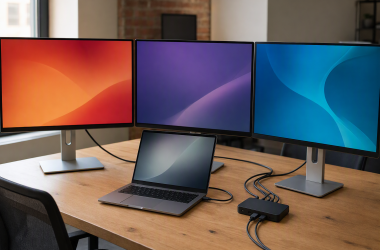
The Echo 13 has no built-in HDMI or DisplayPort. A monitor connects through a downstream Thunderbolt port using a compatible USB-C video cable or adapter. The host GPU, port topology, operating system, cable, adapter, display input, DSC support, resolution, refresh rate, and other active high-bandwidth devices all affect the result.
Sonnet’s controlling display document is the Echo Thunderbolt 5 Dock Display Support PDF dated June 19, 2026. Two links on the product overview still point to an older Thunderbolt 4 document, so the current technical page and Quick Start Guide are the safer route to the newer matrix.
Mac display paths
Base M1, M2, and M3 Macs generally receive one external display through this dock. The current PDF documents a base M3 clamshell exception. Base M4 and M5 Macs move to two.
The Pro and Max rows differ. M1, M2, M3, and M4 Pro or Max systems generally support two, while M4 Max has a three-display row. M5 Pro and Max have three-display rows. M5 Max reaches four only in the documented topology where one display is daisy chained.
That makes up to four displays a narrow M5 Max topology, not a family-wide claim. A buyer should match the exact Mac chip, display inputs, resolution, refresh target, and daisy-chain path to the PDF.
Windows and AMD display paths
Sonnet lists two displays for Intel Windows hosts using Thunderbolt 4. A Thunderbolt 5 Windows host with integrated graphics also has a two-display path. With a discrete GPU, Sonnet says the typical result is three, but it warns that the computer may limit the dock to two.
AMD USB4 is less predictable. Sonnet describes one display as typical, while noting that the result may be none or two. That uncertainty belongs in the purchase decision. The dock cannot repair a host whose USB4 display routing is missing or limited.
The matrix includes host-specific combinations from high-refresh 1080p through 8K. Six-kilopixel, 8K, and refresh rates above 60Hz generally require DSC support in both the host and display. Those are manufacturer combinations, not a promise that every cable, adapter, or monitor will reproduce them.
Ports, cable, and the shared power budget
The port mix is broad, but the roles are unequal.
| Connection | Count | First-party role or ceiling |
|---|---|---|
| Thunderbolt host | 1 | Computer connection, up to 140W Power Delivery |
| Thunderbolt peripheral | 3 | Front up to 60W; two rear up to 15W each |
| USB-A 10Gbps | 3 | Up to 7.5W each, USB Battery Charging 1.2 |
| USB-A 5Gbps | 1 | Data port, no first-party charging rating |
| Ethernet | 1 | 2.5GBASE-T, 1000BASE-T, 100BASE-TX, Realtek RTL8156B |
| Audio | 1 | 3.5mm headphone and microphone combination jack |
| Card readers | 2 | Separate UHS-II SD and UHS-II microSD |
The remaining physical controls are a 20V DC input, two security-lock slots, a front power switch, and separate link and power indicators. Displays still use downstream Thunderbolt. There is no hidden HDMI or DisplayPort connector.
Sonnet includes a 0.8-meter Thunderbolt 5 cable for the host. Cable capability can become a real limit with high power or high-bandwidth displays, so use a known cable and verify it rather than trusting the connector shape. Our guide to testing USB-C cable speed explains the basic checks. If a replacement is needed, keep the required data, video, and charging path in mind when comparing Thunderbolt 5 cables.
The supplied adapter is rated at 180W and the dock input is 20V at 9A. That does not mean the laptop receives 180W. The host ceiling is up to 140W, and attached bus-powered devices consume part of the shared budget. Sonnet says peripherals can diminish the power available to operate and charge the computer.
A Windows laptop that normally uses an adapter above 140W may show a power warning. Some computers also cap charging below the dock’s ceiling. Treat 140W as the top of a qualified path, not a simultaneous promise alongside every downstream maximum.
When the front power switch is off, power is removed from every port. The dock does not keep charging the computer or peripherals in that state.
Storage choice, format, cooling, and safe removal
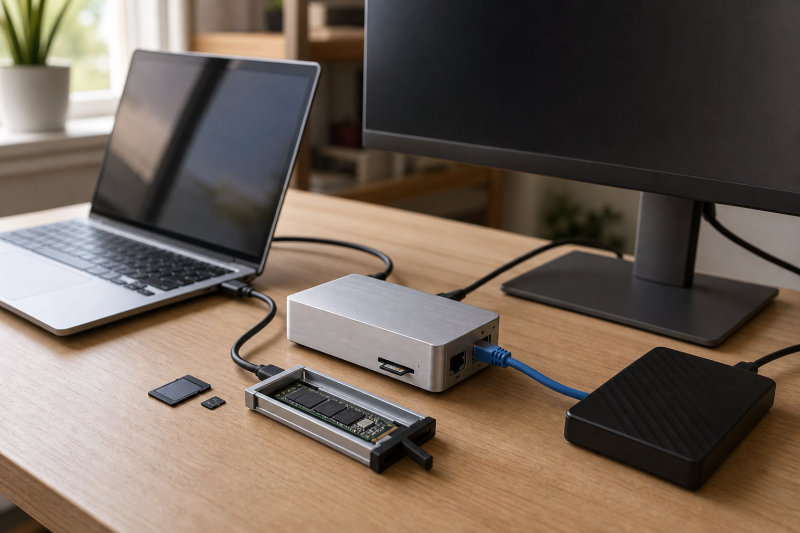
The internal slot is the feature that separates the Echo 13 from an ordinary dock. It can also be the reason to skip it.
Sonnet rates the no-SSD configuration for a buyer-supplied drive up to 8TB. It describes a Thunderbolt 5 headline ceiling up to 6,600MB/s for that path. A separate overview graphic gives up to 6,000MB/s read and 5,000MB/s write on Thunderbolt 5. These are vendor ceilings with different framing, not measurements from this review.
For the preinstalled family, Sonnet states up to 6,000MB/s peak. It gives the 1TB Kingston NV3 a write ceiling up to 4,000MB/s and the 2TB and 4TB versions up to 5,000MB/s. Its fallback graphic for Thunderbolt 4, Thunderbolt 3, or USB4 shows up to 3,400MB/s read and 2,200MB/s write.
One caveat can change the 4TB decision. Sonnet warns that some Core Ultra 1 and Core Ultra 2 computers may limit the 4TB SSD to about 800MB/s, while it expects full performance from the 1TB and 2TB models. A Core Ultra owner should not assume the largest capacity is automatically the fastest match.
Host, CPU, operating system, format, transfer size, SSD revision, and Windows removal policy can all change observed performance. For a wider look at the category, our Thunderbolt 5 external SSD guide separates portable drives and enclosures from a dock with internal desk storage.
exFAT, APFS, and Windows write policy
Sonnet says the preinstalled SSD ships as one exFAT volume named Echo 13 SSD. That is a practical cross-platform starting point. It is not necessarily the fastest Mac format.
For a Mac-only workflow, Sonnet recommends APFS for maximum Mac write performance. Reformatting erases the volume, so data needs to be moved first. A mixed Mac and Windows workflow may prefer to keep exFAT despite the tradeoff.
On Windows 11, Quick Removal disables write caching and can reduce write performance. Changing the policy to Better performance enables write caching, but it also requires using Safely Remove Hardware. This is not an optional detail when the working drive lives inside the dock.
Before disconnecting the host cable, eject the internal SSD and every other attached storage device. That includes external drives connected through the dock. Our guide to Thunderbolt external hard drives can help when the better plan is storage that can be moved separately.
Portability, security, and fan noise
Internal dock storage remains at the desk when the laptop leaves. That can be useful for a large local project library, but it also changes the security model. The Echo 13 has physical security-lock slots, yet Sonnet does not claim that the dock provides drive encryption. Sensitive data still needs an operating-system or drive-level protection plan.
The dock uses an active fan and an included SSD heatsink. Sonnet calls the fan ultra-quiet and gives an operating range of 0 to 35 degrees Celsius, but it does not publish a numeric acoustic result. 9to5Mac’s reviewer, who described high sensitivity to fan noise, reported hearing the fan on a 2TB unit. PCWorld described its 2TB unit as cool and inferred quiet active cooling. Those are different unit-specific observations, not a universal conclusion.
Do not block the ventilation. Do not install an SSD with its own heatsink underneath the dock heatsink.
Package, size, firmware, and warranty
The dock measures 8.7 x 3.8 x 1.3 inches, or 22.0 x 9.7 x 3.4 centimeters. Sonnet lists the power supply at 3.2 x 6.6 x 1.0 inches, or 8.2 x 16.8 x 2.6 centimeters.
The dock plus power supply weighs 1.75 pounds, or 0.8 kilograms. Sonnet lists the complete package at 2.65 pounds, or 1.2 kilograms. This is a desk setup with a substantial external power supply, not a pocket hub.
Amazon’s structured no-SSD record uses a different physical basis: 8.75 x 3.9 x 1.4 inches and 3.0 pounds. Those fields do not align with Sonnet’s separate dock, dock-plus-supply, and complete-package figures. We keep Sonnet’s technical page as the product source rather than averaging unlike records.
The package includes the Echo 13, either empty or with the selected installed SSD, the 180W adapter, a region-specific power cable, a 0.8-meter Thunderbolt 5 cable, and documentation. It does not list a display adapter, display, Ethernet cable, security lock, or SSD for the 0TB part.
Sonnet’s support category lists firmware updater 2.1 for macOS, posted February 2, 2026, and updater 2.1 for Windows, posted February 11, 2026. That proves the updater exists. It does not prove which firmware is installed on a retail unit or that every unit needs an update.
On Windows, Sonnet recommends the current Realtek Ethernet driver. The exact technical page states a two-year warranty. Do not combine that dock warranty with a separate SSD-maker warranty or a retailer return period.
What the independent reviews add
Independent reviews help with questions that a specification sheet cannot answer, but each result stays attached to the reviewed unit and host.
9to5Mac reviewed a 2TB Echo 13 with a 2024 M4 Pro Mac mini and discussed an ASUS ProArt 5K display. Its reviewer reported audible fan noise and described dynamic power allocation. That is useful context for noise-sensitive Mac users, but it is not evidence for every dock, host, room, or workload.
PCWorld reviewed a 2TB unit with a Maingear ML-17, a 14th-generation Intel Core HX processor, and an Nvidia GeForce RTX 4090. Its benchmark, file-copy, charging, display, sleep/wake, and thermal observations belong to that setup. PCWorld also treated host topology as a possible cause of its three-display limit.
Macworld combined its Mac-focused review with PCWorld and Macwelt evidence. Its 2025 statement that Sonnet did not sell a no-SSD model is now stale because Sonnet publishes ECHO-DK13-0TB5. Its two-display framing is also narrower than the June 2026 Sonnet matrix. Current family identity comes from Sonnet, while attributed independent observations remain historical unit evidence.
Three alternatives for a different buyer
These alternatives solve narrower mismatches. They are not a reranking of the dock market, and each existing exact review keeps ownership of the broader product verdict.
OWC Thunderbolt 5 Dock: choose fanless dock expansion
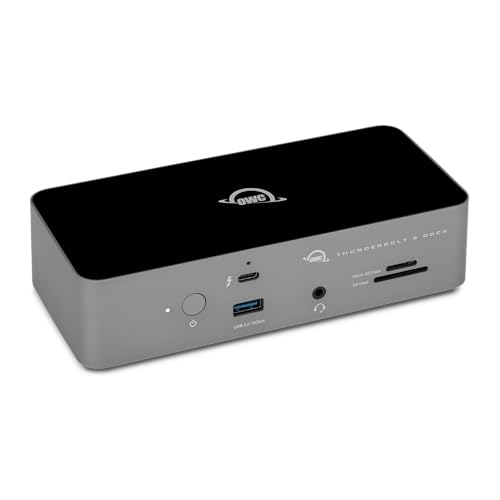
Choose the OWC Thunderbolt 5 Dock when you want a fanless Thunderbolt 5 dock with three downstream Thunderbolt ports and host power that OWC rates up to 140W, but do not want internal storage. Storage remains a separate device. Like the Echo 13, it does not give you a native HDMI or DisplayPort socket.
Anker Prime A83B5: choose one native video socket

Choose the Anker A83B5 when a built-in HDMI 2.1 or DisplayPort 2.1 route matters more than internal storage. The important limit is or: Anker says HDMI and DisplayPort cannot be used simultaneously. Anker’s compatibility matrix covers Windows and macOS, not ChromeOS or Linux.
Sonnet Echo 20 Thunderbolt 4 SuperDock: choose more ports and slower storage
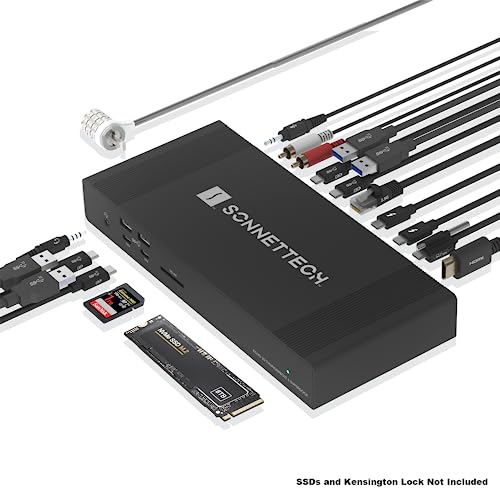
Choose the Echo 20 when a broader USB mix, HDMI, 2.5GbE, and a buyer-supplied internal NVMe slot matter more than Thunderbolt 5 storage performance. Sonnet specifies a 40Gbps Thunderbolt 4 link, up to 100W host charging, and a PCIe x1 path for its NVMe slot.
If you only need a few peripheral connections, compare simpler Thunderbolt hubs before paying for a storage dock.
Who should buy the Echo 13, and who should skip it?
Buy it if all of these are true:
- your exact host and operating system appear in Sonnet’s current matrix;
- you want storage to remain at one desk;
- you have chosen the no-SSD or preinstalled part intentionally;
- your monitor path works through downstream Thunderbolt;
- the shared charging budget fits the laptop and peripherals;
- you are comfortable ejecting storage before disconnecting.
Skip it if any of these are true:
- the host is Windows Thunderbolt 3, Intel 11th Gen, Linux, or otherwise unlisted;
- you need built-in HDMI or DisplayPort;
- you need silent operation rather than an active fan;
- you want the working drive to travel with the laptop;
- you expect every host to reproduce one headline speed, display, or charging number;
- you cannot confirm the serial prefix before an SSD upgrade.
Frequently asked questions
Does the Sonnet Echo 13 include an SSD?
It depends on the part number. ECHO-DK13-0TB5 includes the dock and SSD slot but no SSD. ECHO-DK13-1TB5, ECHO-DK13-2TB5, and ECHO-DK13-4TB5 include 1TB, 2TB, or 4TB Kingston PCIe 4.0 NVMe storage.
Which Echo 13 part number is the no-SSD version?
ECHO-DK13-0TB5 is the no-SSD part. The buyer supplies a compatible standard M.2 NVMe SSD without its own heatsink and uses the dock’s included heatsink. Check the serial prefix and Sonnet’s current compatibility guidance before choosing a drive.
Can you upgrade an Echo 13 with a serial number starting with A?
Yes, but the choice is restricted. Sonnet limits serial-A docks that originally shipped with Kingston storage to its exact compatibility list. Do not apply the broader serial-B rule to an A-prefix dock.
Does the Echo 13 work with Windows 11?
Sonnet requires Windows 11 24H2 or newer with the latest update. It marks Intel 11th Gen as incompatible and lists later Intel and specific AMD USB4 paths with caveats. Windows Thunderbolt 3 is not listed.
Does it work on Thunderbolt 4 or USB4?
Yes, on supported hosts, but the downstream ports follow the host mode and the performance or display path can narrow. A Thunderbolt 4 or USB4 connection does not provide every Thunderbolt 5 ceiling.
How many displays can it drive?
There is no one answer. Base M1, M2, and M3 Macs generally have one-display paths, base M4 and M5 have two, and Pro or Max results vary by chip. Windows results depend on Thunderbolt generation and GPU routing. AMD USB4 may produce none, one, or two according to Sonnet. Use the June 19, 2026 matrix for the exact host.
Can it deliver 140W while powering every peripheral?
Do not assume so. Sonnet supplies a 180W adapter and rates the host ceiling up to 140W, while attached bus-powered devices share the budget. The computer can also cap accepted power below 140W.
Is the fan silent?
Sonnet calls it ultra-quiet but gives no numeric acoustic rating. 9to5Mac’s noise-sensitive reviewer heard the fan on a 2TB unit. That observation does not prove how every unit will sound in every room.
Should the SSD use exFAT, APFS, or Windows write caching?
Keep exFAT when cross-platform access matters. Sonnet recommends APFS for maximum Mac write performance, with the normal erase requirement. On Windows, Quick Removal disables write caching and can reduce writes; Better performance enables caching but requires safe removal.
What should be ejected before unplugging the dock?
Eject the internal Echo 13 SSD and every other storage device attached through the dock. If Windows uses Better performance, use Safely Remove Hardware before disconnecting the host.
How we researched this review
We built the decision from Sonnet’s current overview, technical specifications, revision-F Quick Start Guide, June 19, 2026 display matrix, support records, and warranty terms. Independent context comes from named 9to5Mac, Macworld, and PCWorld reviews, with every observation kept with its disclosed unit and host.
Amazon’s structured product data was used only to confirm the exact four affiliate identities and point-in-time offer gate. ThunderboltLaptop did not test the dock or reproduce the published benchmarks. The result is a source-based buying decision, not a hands-on performance rating.