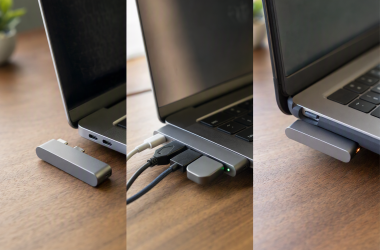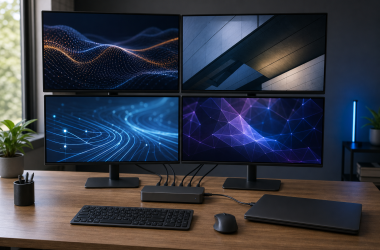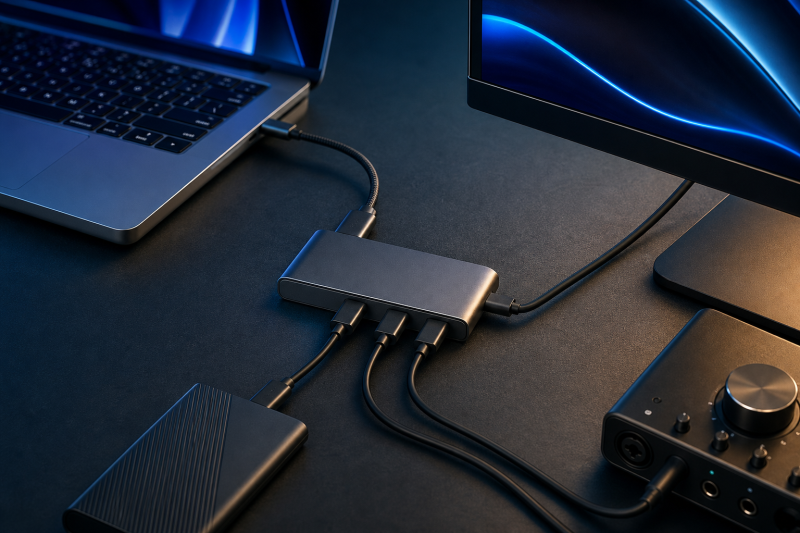
The OWC Thunderbolt 5 Hub is the best Thunderbolt hub for most buyers who already have a suitable Thunderbolt 5 computer. OWC documents three downstream Thunderbolt 5 branches, one USB-A port, host charging up to 140W, and an 80Gbps bidirectional ceiling with conditional display bandwidth up to 120Gbps. Those are product and link ceilings, not measured aggregate performance, and the exact host still decides charging and display support.
This guide ranks compact products whose defining feature is multiple downstream Thunderbolt ports. They turn one host connection into several Thunderbolt branches, usually with only a small set of extra USB ports. They are not full docking stations centered on Ethernet, audio, card readers, and dedicated video outputs, and they are not USB4-only hubs with a similar connector.
CalDigit’s Element 5 is the stronger Thunderbolt 5 choice when extra USB-A and USB-C ports matter. Sonnet, Belkin, OWC, Sabrent, and Plugable cover distinct Thunderbolt 4 roles. Every recommendation starts with the same condition: one upstream connection remains a shared path. A larger port count does not create more host bandwidth or more native GPU display streams.
This post includes affiliate links, for which we may earn a commission at no extra cost to you should you make a purchase using our links. As an Amazon Associate, we can earn from qualifying purchases. Learn more.Updated July 16, 2026
We checked exact manufacturer documentation and US Amazon listing identity and New-offer data for all seven selections on July 16, 2026. All seven ASINs had a New offer on that date. Five had an in-stock state. The CalDigit Element 5 and OWC Thunderbolt Hub had AVAILABLE_DATE offers with no availability message, so they were not confirmed in stock. Offer state, seller, and condition can change.
The update also notes four documentation conflicts that matter before purchase. Belkin’s official family string differs from Amazon’s model field. Amazon’s model field for the OWC Thunderbolt Hub differs from OWC’s part number. Sabrent’s display wording varies across its own page. Plugable’s exact product page later switches to another model in two paragraphs. These conflicts are not silently reconciled in the rankings.
Quick Picks
- Best overall Thunderbolt 5 hub: OWC Thunderbolt 5 Hub for three downstream TB5 branches and OWC-rated host charging up to 140W on a matching host.
- Best Thunderbolt 5 hub for extra USB: CalDigit Element 5 for three downstream TB5 ports plus five 10Gbps USB ports, with an availability caution.
- Best travel-documented Thunderbolt 4 hub: Sonnet Echo 5 for its compact manufacturer dimensions, three downstream TB4 ports, and host charging up to 85W.
- Best Thunderbolt 4 hub for higher host charging: Belkin Core Hub for Belkin-rated host delivery up to 96W, subject to the unresolved model-string conflict.
- Best mature three-branch TB4 topology: OWC Thunderbolt Hub for its independent branch-removal design and up to 60W host charging, with stock and model-field cautions.
- Best for explicit manufacturer display-path documentation: Sabrent HB-TBT4 for its detailed but conditional display modes, three TB4 outputs, and separate 10Gbps USB-A port.
- Best minimalist all-Thunderbolt layout: Plugable TBT4-HUB3C for a powered layout documented with a display and two Thunderbolt SSDs attached at once.
Thunderbolt Hub Comparison
| Image | Product | Details | Check Price |
|---|---|---|---|
 | OWC Thunderbolt 5 Hub, OWCTB5HUB5P | Generation: Thunderbolt 5 Upstream link: One TB5 host link; OWC rates it up to 80Gbps bidirectional with conditional display bandwidth up to 120Gbps Downstream Thunderbolt ports: 3 x Thunderbolt 5 Extra USB: 1 x USB-A Host charging: OWC states up to 140W Included supply/cable: Certified 0.8m Thunderbolt 5 cable Display conditions: Count and modes depend on the exact host, GPU, OS, cables, and displays Host scope: OWC documents TB5, TB4, TB3, USB4, and USB-C paths with exact exceptions Best for: Overall Thunderbolt 5 hub Key caveat: Current Mac display limits and the TB3 Mac versus TB3 PC exception apply | Check Price on Amazon |
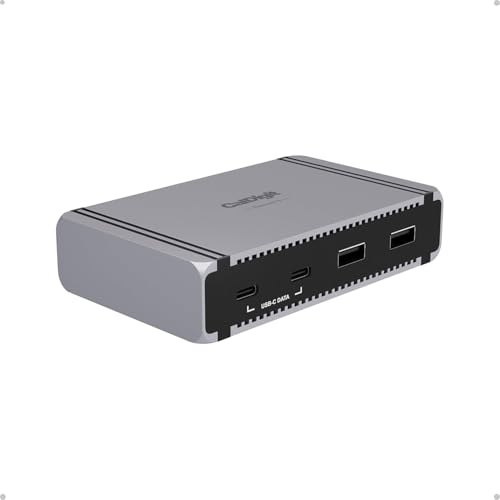 | CalDigit Element 5 Hub, E5 | Generation: Thunderbolt 5 Upstream link: One TB5 host port; 80Gbps data ceiling with conditional display-heavy 120Gbps wording Downstream Thunderbolt ports: 3 x Thunderbolt 5 up to 80Gbps and 15W each Extra USB: 3 x USB-A 10Gbps; 2 x USB-C 10Gbps Host charging: CalDigit states up to 90W Included supply/cable: Required 180W supply; 0.8m cable Display conditions: Host, OS, adapters, cables, and displays determine the available layout Host scope: macOS 15+, Windows 11+, TB5/TB4, TB3 Mac, USB4/USB4 v2, USB-C, and Chromebook paths vary Best for: Thunderbolt 5 plus extra USB peripherals Key caveat: Not supported on TB3 Windows PCs; New offer was AVAILABLE_DATE | Check Price on Amazon |
 | Sonnet Echo 5 Thunderbolt 4 Hub, ECHO-HB5-T4 | Generation: Thunderbolt 4 Upstream link: One Thunderbolt 4 computer port Downstream Thunderbolt ports: 3 x Thunderbolt 4, up to 15W each Extra USB: 1 x USB-A 10Gbps, up to 7.5W Host charging: Sonnet states up to 85W Included supply/cable: Powered hub; 0.8m cable included Display conditions: Use Sonnet's exact host table; adapters and cables apply Host scope: Exact macOS 14+, Windows 11, Chromebook, and iPadOS paths are model-specific Best for: Travel-documented Thunderbolt 4 expansion Key caveat: Thunderbolt 5 devices attach at Thunderbolt 4 speeds | Check Price on Amazon |
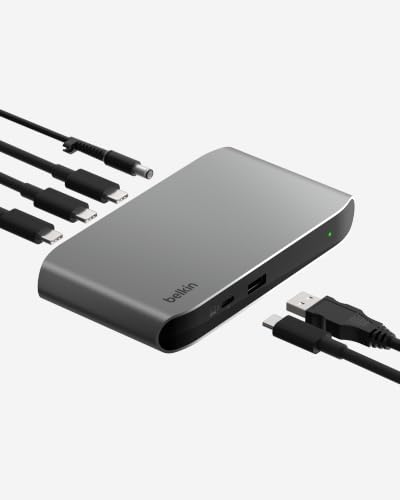 | Belkin Connect Thunderbolt 4 5-in-1 Core Hub, INC013 family | Generation: Thunderbolt 4 Upstream link: One upstream Thunderbolt 4 port Downstream Thunderbolt ports: 3 x Thunderbolt 4; Belkin states 15W accessory allocation Extra USB: 1 x USB-A 10Gbps Host charging: Belkin states up to 96W Included supply/cable: 150W adapter; cable length omitted due to conflicting official notation Display conditions: Belkin states one 8K30 or two 4K60 only with host support Host scope: Requires exact host and display-path confirmation Best for: Higher host-charging ceiling among selected TB4 hubs Key caveat: Official INC013 family conflicts with Amazon model INW017ttSGY | Check Price on Amazon |
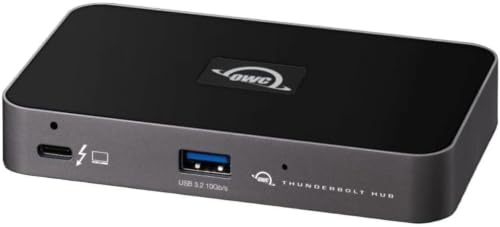 | OWC Thunderbolt Hub, OWCTB4HUB5P | Generation: Thunderbolt 4 Upstream link: One OWC-rated 40Gbps Thunderbolt host connection Downstream Thunderbolt ports: 3 x branchable Thunderbolt ports Extra USB: 1 x USB port Host charging: OWC states up to 60W Included supply/cable: Powered hub; 0.8m cable included Display conditions: One high-resolution or two 4K displays only where the host permits Host scope: OWC documents supported TB3 Macs on Big Sur+ and TB4 Windows PCs Best for: Mature three-branch Thunderbolt 4 topology Key caveat: Amazon model W125947845 differs from OWC part; New offer was AVAILABLE_DATE | Check Price on Amazon |
 | Sabrent Thunderbolt 4 Hub, HB-TBT4 | Generation: Thunderbolt 4 Upstream link: One TB4 host port; Sabrent rates the path up to 40Gbps Downstream Thunderbolt ports: 3 x Thunderbolt 4 up to 40Gbps Extra USB: 1 x USB-A 10Gbps Host charging: Sabrent states PD 3.0 up to 60W Included supply/cable: Power supply and certified Thunderbolt 4 cable; wattage and length not stated Display conditions: Sabrent's varied ceilings require DP Alt Mode, DSC where stated, plus matching host, cable, OS, and display Host scope: Backward-compatible USB-C wording; no complete OS or host matrix stated Best for: Explicit manufacturer display-path documentation Key caveat: Do not treat the page's varied display modes as one universal ceiling | Check Price on Amazon |
 | Plugable Thunderbolt 4 Hub, TBT4-HUB3C | Generation: Thunderbolt 4 Upstream link: Plugable rates the exact TBT4-HUB3C host path up to 40Gbps Downstream Thunderbolt ports: At least 3 simultaneous downstream paths in the exact Plugable example; Amazon title labels 3 ports Extra USB: No separate peripheral USB port documented in unambiguous TBT4-HUB3C copy Host charging: Plugable states up to 60W Included supply/cable: Powered operation; 0.8m TB4 cable and USB-C-to-HDMI adapter Display conditions: No universal maximum from the mixed-model page Host scope: Reduced function on USB-C-only hosts Best for: Minimalist all-Thunderbolt layout Key caveat: Later official copy switches to USB4-HUB3A; mixed-model claims are excluded | Check Price on Amazon |
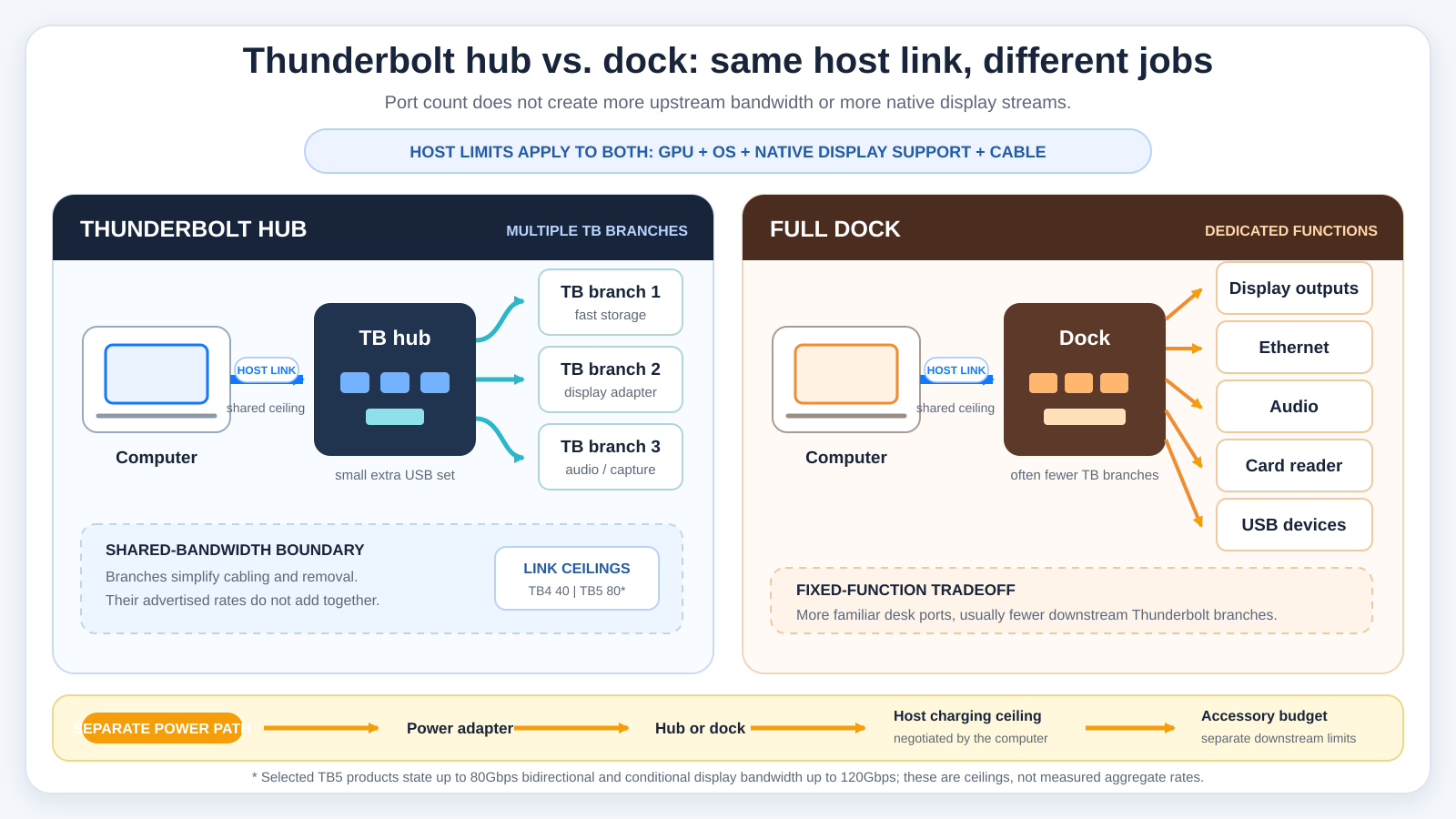
A topology diagram helps here because the product rows above show features but not the connections behind them. On the hub side, one host link enters a shared boundary and branches to multiple downstream Thunderbolt ports plus a small peripheral set. On the dock side, one host link feeds dedicated display, Ethernet, audio, card, and USB functions, often with fewer downstream Thunderbolt branches.
The diagram also keeps three limits outside the device itself: the host GPU and operating system, the cable and attached device path, and the negotiated power route. Host charging must be drawn separately from downstream accessory power. TB4 40Gbps and the selected TB5 products’ 80Gbps and conditional 120Gbps labels are ceilings, not rates that can be added across ports.
Table of Contents
- Hub versus dock topology
- Thunderbolt 4 versus Thunderbolt 5
- OWC Thunderbolt 5 Hub
- CalDigit Element 5 Hub
- Sonnet Echo 5 Thunderbolt 4 Hub
- Belkin Connect Thunderbolt 4 Core Hub
- OWC Thunderbolt Hub
- Sabrent Thunderbolt 4 Hub
- Plugable Thunderbolt 4 Hub
- Buying guide
- Host, OS, and display limits
- Frequently asked questions
- Methodology
- Exclusions
Hub Versus Dock Topology
A Thunderbolt hub is useful when the scarce resource is downstream Thunderbolt connectivity. An SSD, display adapter, audio interface, capture device, or another Thunderbolt accessory can sit on separate branches rather than in one long daisy chain. Separate branches make cable routing and device removal easier, but all branch traffic still returns through one upstream host connection and the hub’s controller resources.
A full dock solves a different problem. It commonly dedicates more of its design to Ethernet, audio, card readers, several USB tiers, and physical display connectors. A dock may expose only one downstream Thunderbolt pass-through because its main job is translating one host connection into those fixed functions. Buyers who need that wider legacy-port mix should compare full Thunderbolt docking stations or the site’s general USB-C docking stations.
Neither form is automatically better. A hub can reduce the need to unplug a chain when one middle device is removed. A dock can put many familiar desk connections in one enclosure. The deciding question is whether you need multiple downstream Thunderbolt branches or a broad set of dedicated functions.
USB4-only products remain a separate category for this ranking. USB4 and Thunderbolt can share connector shapes and some link behavior, but they are not interchangeable certifications. The site’s USB4 explainer covers that connection family without treating every USB4 device as a Thunderbolt hub.
Thunderbolt 4 Versus Thunderbolt 5
Intel’s generation pages were not available for this guide, because the Intel pages we tried returned an HTTP 403 error. This guide therefore avoids presenting a broad standards lesson as though we had read those pages. Instead, it compares the rates and conditions stated on the OWC, CalDigit, Sonnet, Belkin, Sabrent, and Plugable product pages.
The selected Thunderbolt 4 manufacturers commonly state a host-link ceiling up to 40Gbps. That number is not an SSD benchmark, a guarantee for each downstream branch, or a sum that can be multiplied by three. Attached devices, display traffic, protocol overhead, host resources, cable capability, and simultaneous activity all share and constrain the route.
OWC and CalDigit document up to 80Gbps bidirectional behavior for their selected Thunderbolt 5 hubs. They also use conditional 120Gbps wording for display-heavy operation. Conditional 120Gbps display bandwidth is not ordinary 120Gbps bidirectional data. A compatible host, cable, display route, and device set are required, and older host paths can reduce the available features.
Thunderbolt 5 is therefore not automatically the right purchase. A current TB4 computer and TB4 devices may be better served by a clearly documented TB4 hub. A TB5 hub earns its premium role when the exact host and attached hardware can use its capabilities, or when its charging and port arrangement fits the desk. Do not infer Thunderbolt Share, wake behavior, PCIe tunneling, certification, or a display mode merely from the generation label.
1. OWC Thunderbolt 5 Hub, OWCTB5HUB5P: Best Overall
The OWC Thunderbolt 5 Hub is our first choice for a suitable TB5 computer because its official topology stays focused. OWC documents one host connection, three downstream Thunderbolt 5 ports, and one USB-A port. The three Thunderbolt branches are the main feature rather than an afterthought beside a broad dock-style port set.
OWC rates the bidirectional data path up to 80Gbps and describes conditional display bandwidth up to 120Gbps. Those figures belong to the complete supported path, not each attached device at once. Three storage devices do not receive three independent 80Gbps host links, and the 120Gbps wording should not be used as a general file-transfer claim.
Host charging is another strong point. OWC states up to 140W and includes a certified 0.8m Thunderbolt 5 cable. The computer still negotiates the power it accepts, so 140W is a ceiling rather than a promise for every notebook. Downstream accessory power is a separate budget and should not be confused with the host-charging figure.
Display support requires the most care. OWC discusses up to three displays only on hosts that support the required layout and notes lower limits for current Macs. Its compatibility wording covers TB5, TB4, TB3, USB4, and USB-C paths with exact exceptions, including different treatment for TB3 Macs and TB3 PCs. A connector match does not erase those exceptions.
Our Take
Choose the OWC TB5 Hub when the computer and primary devices already support the newer path and three downstream Thunderbolt branches are more valuable than Ethernet, card readers, or audio. It leads this list through topology, charging ceiling, and a clearly documented TB5 role. CalDigit is better when the desk also needs several conventional USB connections.
- Three documented downstream Thunderbolt 5 ports
- OWC-rated 80Gbps bidirectional ceiling
- Host charging stated up to 140W
- Certified 0.8m Thunderbolt 5 cable included
- Conditional 120Gbps applies to display-heavy behavior
- Display count and modes remain host-dependent
- Exact TB3 and USB-C exceptions must be checked
2. CalDigit Element 5 Hub, E5: Best for Extra USB Peripherals
The CalDigit Element 5 is the most useful selected TB5 hub when downstream Thunderbolt and conventional USB devices must coexist. CalDigit documents one TB5 host port and three downstream TB5 ports rated up to 80Gbps, with up to 15W stated for each downstream port. It then adds three USB-A 10Gbps and two USB-C 10Gbps ports.
Those five extra USB connections make the E5 closer to a general peripheral center than OWC’s compact TB5 layout, but its core remains hub-like because three downstream Thunderbolt ports still define the topology. The USB rates are manufacturer ceilings. They share the host route with Thunderbolt devices and displays rather than providing five independent 10Gbps paths under every workload.
CalDigit states host charging up to 90W, requires the included 180W supply, and documents a 0.8m cable. The hub itself is listed at 0.44lb. These figures explain its desk and travel requirements, but they do not prove real charging efficiency or the amount a particular computer will accept.
The official support scope is unusually specific. CalDigit names macOS 15 or later, Windows 11 or later, TB5, TB4, TB3 Mac, USB4, USB4 v2, USB-C, and Chromebook paths with different capability levels. It states that TB3 Windows PCs are not supported. Older or plain USB-C hosts reduce functionality, and display support still depends on the host, OS, adapters, cables, and monitors.
The dated Amazon New offer had an AVAILABLE_DATE state without an availability message. It counted as an active New offer, but it was not confirmed in stock on July 16, 2026.
Our Take
Pick the Element 5 when three TB5 branches and five fast conventional USB ports solve the exact desk problem. It is the better peripheral-heavy choice than OWC. Its larger power supply, 90W host ceiling, strict TB3 Windows exclusion, and uncertain dated stock state prevent it from being the universal pick.
- Three downstream TB5 ports plus five 10Gbps USB ports
- CalDigit states up to 15W on each downstream TB5 port
- Host charging up to 90W
- Detailed host and operating-system scope
- New offer was AVAILABLE_DATE, not confirmed in stock
- Not supported on TB3 Windows PCs
- Required 180W supply is substantial for travel
3. Sonnet Echo 5 Thunderbolt 4 Hub, ECHO-HB5-T4: Best Travel-Documented TB4 Hub
Sonnet’s Echo 5 is the selected TB4 hub with the clearest compact physical documentation. Sonnet lists a 5.1 by 2.8 by 0.9 inch enclosure and includes a 0.8m host cable. Those manufacturer figures help with bag and desk planning.
The connection layout stays true to hub intent. Sonnet documents one Thunderbolt 4 computer port, three Thunderbolt 4 peripheral ports, and one USB-A 10Gbps port. It states up to 15W on each downstream TB4 port and up to 7.5W on the USB-A connection. Host charging is rated up to 85W.
Power allocations and host charging are separate. An attached bus-powered device can draw only what the relevant port and complete power budget support, while the host accepts its negotiated charging level. The presence of an 85W host ceiling does not turn every downstream port into an 85W source.
Sonnet provides an exact display and host matrix rather than one rule for all systems. The support page names macOS 14 or later, Windows 11, Chromebook, and iPadOS paths with model-specific conditions. Thunderbolt 5 devices can attach, but Sonnet states they operate at Thunderbolt 4 speeds on this hub. Display maximums still require the exact host, adapter, cable, and monitor route.
Our Take
Choose the Echo 5 when a compact, well-specified TB4 hub is more useful than moving to TB5. Its three downstream ports, USB-A port, charging ceiling, dimensions, and power allocations are clearly stated. Buyers should use Sonnet’s exact host table instead of applying a headline display mode to every computer.
- Three downstream TB4 ports with manufacturer-stated power
- USB-A 10Gbps port with up to 7.5W
- Host charging stated up to 85W
- Exact dimensions and included cable documented
- Display modes depend on Sonnet’s exact host matrix
- TB5 devices run at TB4 speeds
- One extra USB port may be too little for a legacy-heavy desk
4. Belkin Connect Thunderbolt 4 5-in-1 Core Hub: Best for Higher TB4 Host Charging
The Belkin Core Hub is the highest host-charging TB4 selection in this ranking. Belkin documents one upstream Thunderbolt 4 port, three downstream Thunderbolt 4 ports, one USB-A 10Gbps port, host delivery up to 96W, a 15W accessory allocation, and a 150W adapter. It also states daisy-chaining for up to six compatible devices.
That combination makes sense for a notebook desk where host charging matters but multiple downstream TB4 connections remain the main purpose. The 150W adapter rating is not the amount delivered to the computer. Belkin separates the host ceiling from accessory power, and the computer still negotiates what it accepts.
The product has an unresolved identity conflict. Belkin’s exact support page uses the INC013 family string, while Amazon reports model INW017ttSGY for ASIN B0C7V6ZSGP. The page and listing otherwise support the selected Core Hub identity, but the strings are not identical. This guide does not guess which catalog field should change.
Belkin also renders the included cable length as 0.8 m / 6 ft, which is internally inconsistent. A numeric cable length is therefore omitted. Its one 8K30 or two 4K60 display language is retained only as a manufacturer ceiling subject to host support, not as a universal result.
Our Take
Choose the Belkin when up to 96W host delivery and three downstream TB4 ports match the target laptop. The topology and power split are useful, but the model-string conflict requires a careful listing check. Sonnet is easier to specify for travel, while OWC’s TB4 product has the clearer three-branch removal story.
- Three downstream Thunderbolt 4 ports
- Belkin states host delivery up to 96W
- USB-A 10Gbps and 15W accessory allocation documented
- 150W adapter supports the powered design
- INC013 and INW017ttSGY model strings conflict
- Official cable-length notation is inconsistent
- Display claims remain host-dependent
5. OWC Thunderbolt Hub, OWCTB4HUB5P: Best Mature Three-Branch Topology
OWC’s Thunderbolt Hub is the mature TB4 branch design in this group. OWC documents one host connection rated up to 40Gbps, three downstream Thunderbolt ports, one USB port, host charging up to 60W, and an included 0.8m cable. Its defining feature is the ability to place devices on separate branches.
OWC explains that removing a device from one branch does not break the other branches. That is a topology and cable-management advantage over placing every device in one serial chain. It does not mean each branch gets an independent 40Gbps host connection. All attached traffic still shares the one upstream route and controller resources.
The current OWC compatibility wording covers supported Thunderbolt 3 Macs running Big Sur or later and Thunderbolt 4 Windows PCs. Its display language refers to one high-resolution display or two 4K displays only where the host permits. The host GPU, operating system, adapter, cable, and monitor decide the actual layout.
Two catalog cautions remain. Amazon’s model field is W125947845, while OWC’s manufacturer part is OWCTB4HUB5P. The dated New offer came from seller Go ahead! with AVAILABLE_DATE and no availability message, so it was not confirmed in stock.
Our Take
Pick the OWC TB4 Hub when three removable Thunderbolt branches are the core requirement and up to 60W host charging is sufficient. Its topology is easy to understand, but buyers must check the exact part identity and live offer. It is not a TB5 substitute and not a full dock with Ethernet, cards, or audio.
- Three branchable downstream Thunderbolt ports
- Removing one branch does not break the others
- OWC states host charging up to 60W
- Included 0.8m cable documented
- New offer was AVAILABLE_DATE, not confirmed in stock
- Amazon and OWC model fields differ
- Independent branches still share one upstream link
6. Sabrent Thunderbolt 4 Hub, HB-TBT4: Best Documented Display Path
The Sabrent HB-TBT4 earns its role through unusually explicit manufacturer display-path copy, not through a measured display result. Sabrent documents one Thunderbolt 4 host port, three downstream Thunderbolt 4 ports rated up to 40Gbps, and one USB-A 10Gbps port identified as USB 3.2 Gen 2×1.
Sabrent states PD 3.0 host charging up to 60W and includes a power supply plus a certified Thunderbolt 4 cable. Sabrent’s product page does not list the supply wattage, cable length, downstream power allocation, dimensions, or weight, so this guide leaves those values out.
The display documentation is detailed but internally varied. One product description states dual 4K60 or one 8K30, with 8K60 requiring DSC 1.2 on systems that support DisplayPort Alt Mode over USB-C. It separately states one 6K60 display on M1 Macs. Later copy adds a 4K144 path and 5K, 6K, or 8K60 wording with DSC conditions.
These lines should not be collapsed into one universal maximum. A desired mode requires the exact DP Alt Mode and DSC support, host GPU, operating system, cable, adapter where needed, and display. The page states backward compatibility with USB-C hosts but does not provide a complete macOS, Windows, or TB3 matrix.
Our Take
Choose the Sabrent when you want a TB4 hub whose manufacturer discusses several high-resolution paths and you are prepared to verify the exact host condition. It also provides a separate 10Gbps USB-A connection. Buyers wanting a simple universal display promise will not find one, because Sabrent’s own modes and conditions vary by section.
- Three downstream TB4 ports documented by Sabrent
- Separate USB-A 10Gbps port
- PD 3.0 host charging stated up to 60W
- Power supply and certified TB4 cable included
- Official display wording varies across the page
- The page does not provide a complete operating-system or host matrix
- The page does not list supply wattage, cable length, or downstream power
7. Plugable Thunderbolt 4 Hub, TBT4-HUB3C: Best Minimalist All-Thunderbolt Layout
The Plugable TBT4-HUB3C is the minimalist pick for buyers who want downstream Thunderbolt paths rather than a set of separate peripheral connectors. Plugable’s unambiguous product copy rates the exact TBT4-HUB3C host path up to 40Gbps, states host charging up to 60W, and documents powered operation.
Plugable includes a 0.8m Thunderbolt 4 cable and a USB-C-to-HDMI adapter. Its exact TBT4-HUB3C example shows one display plus two Thunderbolt SSDs attached at the same time, which supports at least three simultaneous downstream device paths. Amazon’s exact title labels three ports, but Amazon controls listing identity rather than manufacturer specifications.
Plugable’s own product page has a serious documentation problem. It begins with TBT4-HUB3C, then switches to USB4-HUB3A in two later paragraphs. This article excludes any display maximum, chipset, certification, dimensions, downstream power, or broader compatibility statement that appears only in the mixed-model copy.
Plugable states reduced function on USB-C-only hosts. That makes the hub a poor fit if the computer lacks the exact Thunderbolt path needed for the intended devices. The included HDMI adapter does not guarantee a particular resolution or turn the hub into a dedicated multi-display dock.
Our Take
Choose the TBT4-HUB3C when a clean all-Thunderbolt layout is the point and up to 60W host charging is enough. The documented display-plus-two-SSD example confirms the intended topology. Its official mixed-model page prevents broader spec claims, so buyers should keep the exact product identity in view.
- Exact example shows three simultaneous downstream device paths
- Plugable states host charging up to 60W
- Powered operation and 0.8m TB4 cable documented
- USB-C-to-HDMI adapter included
- Official page switches to USB4-HUB3A in later paragraphs
- Function is reduced on USB-C-only hosts
- No universal display maximum retained from the mixed page
How to Choose a Thunderbolt Hub
Start With Downstream Thunderbolt Topology
Count the ports that the manufacturer explicitly identifies as downstream Thunderbolt, not every USB-C-shaped socket. A host port is not available for an accessory. A USB-C data port is not automatically Thunderbolt. A dedicated power input is neither. For this guide, multiple downstream Thunderbolt branches must be central to the product.
Then map the attached devices. A display adapter, SSD, audio interface, and another hub do not necessarily need the same port behavior or power. Check each endpoint’s protocol, cable, data rate, display role, and bus-power requirement. A branch can simplify device removal, but it cannot exceed the shared upstream system.
Match the Hub Generation to the Host and Devices
A TB5 hub makes the most sense with a host and devices that can use its documented path. OWC and CalDigit state support for older or reduced host modes with exact exceptions, but backward connection is not full-feature equivalence. CalDigit excludes TB3 Windows PCs. OWC documents its own TB3 Mac versus TB3 PC boundary.
A TB4 hub can be the cleaner choice for a TB4 computer, particularly when its charging ceiling, physical size, or port set is a closer match. Sonnet explicitly states that attached TB5 devices operate at TB4 speeds. That is not a defect in the device; it is the documented negotiated path.
Treat Shared Bandwidth as a System Limit
Every selected hub feeds through one upstream connection. Storage traffic, display traffic, and other peripherals can contend for that route and controller resources. Manufacturer rates describe link ceilings under supported conditions, not the throughput of a full desk under simultaneous load.
Plan for the highest-priority device first. If fast storage and a high-resolution display must operate together, verify the host controller, display path, cable, and device requirements. If an Ethernet adapter or another hub is attached, include it in the same shared-path plan rather than treating it as free bandwidth.
Separate Host Charging From Accessory Power
Host charging is the maximum the hub says it can offer the computer. The computer negotiates what it accepts. Downstream power is the budget available to attached accessories, and the product may divide it across ports or operating states. An adapter’s total wattage is not identical to either number.
OWC states up to 140W host charging for its TB5 hub, CalDigit up to 90W, Sonnet up to 85W, Belkin up to 96W, and the selected OWC TB4, Sabrent, and Plugable products up to 60W. Use those as attributed ceilings. Verify the exact computer’s charging input and the hub’s power mode before relying on one cable at the desk.
Check the Included Cable and Power Supply
The host cable is part of the negotiated system. OWC’s TB5 hub includes a certified 0.8m TB5 cable. CalDigit, Sonnet, OWC TB4, and Plugable document 0.8m cables. Sabrent documents a certified TB4 cable without a stated length. Belkin’s cable notation is internally inconsistent, so it is omitted.
Replacing a cable can change the available data, display, and power behavior. Connector shape is not enough. The site’s Thunderbolt 4 cable guide and USB-C cable guide explain why protocol, length, power, and video support must be matched.
Decide Whether You Actually Need a Full Dock
Choose a full dock when Ethernet, audio, card readers, several USB ports, and dedicated display connectors matter more than multiple downstream Thunderbolt branches. Choose a hub when the attached Thunderbolt devices should remain individually cabled and reusable. For the full-dock path, compare our Thunderbolt 4 dock guide.
For a display-heavy desk, compare dual-monitor docking options and monitors with built-in docks versus separate docking stations. Those guides own different purchase decisions. A hub should not be sold as a full dock merely because an adapter can add one familiar port.
Host, OS, and Display Limits
The host is an active part of the system. Its Thunderbolt or USB path, GPU, native display limits, operating system, power negotiation, and controller resources can all lower a hub’s headline ceiling. The monitor, adapter, cable, resolution, refresh rate, color mode, and DSC support add more conditions.
Downstream port count is not display count. A hub does not create native GPU streams or bypass a host’s model-specific rules. OWC’s TB5 page explicitly notes lower display counts on current Macs. CalDigit, Sonnet, Belkin, OWC TB4, and Sabrent all attach conditions to display support. Plugable’s mixed-model page does not provide a safe universal maximum for the TBT4-HUB3C.
Apple’s own MacBook Air specification pages demonstrate why a model-specific check matters. Different Air generations have different native external-display rules. Those examples cannot be applied to MacBook Pro, Mac mini, Mac Studio, Windows PCs, or every computer sharing an Apple chip generation. Use the exact host vendor specification for the exact model.
Windows support also cannot be inferred from the connector. CalDigit states that the E5 is not supported on TB3 Windows PCs. OWC distinguishes TB3 Mac and PC behavior for its TB5 hub. Sonnet publishes an exact host matrix. Sabrent does not provide a complete OS matrix in the documentation we checked, and Plugable states reduced USB-C-only behavior.
For the monitor itself, resolution is only one requirement. Refresh timing, DSC, color depth, adapter support, and cable capability can change the link need. The guide to choosing a computer monitor can help define the display target before a hub is selected.
Frequently Asked Questions
What Is the Best Thunderbolt Hub?
The OWC Thunderbolt 5 Hub is the best overall choice for a compatible TB5 computer because OWC documents three downstream TB5 ports, one USB-A port, host charging up to 140W, an 80Gbps bidirectional ceiling, and conditional display bandwidth up to 120Gbps. CalDigit’s Element 5 is better when five additional 10Gbps USB ports matter more, but its dated New offer was not confirmed in stock.
What Is the Difference Between a Thunderbolt Hub and a Dock?
A Thunderbolt hub centers on splitting one host connection into multiple downstream Thunderbolt branches. A full dock usually centers on dedicated Ethernet, audio, cards, USB, and display outputs, often with fewer downstream Thunderbolt ports. The names on product boxes are not decisive; the documented topology is.
Does a Thunderbolt Hub Increase Bandwidth?
It does not increase the host’s upstream link. It makes that connection available through several branches. The branches share upstream bandwidth and controller resources, so their advertised rates cannot be added. We found no independent measured contention results for these products.
Can Three Downstream Thunderbolt Ports Run Three Monitors?
Not automatically. Port count is not display count. The host GPU, native display limit, operating system, hub, adapters, cables, monitors, resolution, refresh, and DSC path all matter. OWC’s TB5 hub discusses up to three displays only on hosts that support the layout and notes lower current-Mac limits.
Is Thunderbolt 5 Always Faster Than Thunderbolt 4?
No universal result follows from the label alone. The selected OWC and CalDigit TB5 hubs document up to 80Gbps bidirectional behavior and conditional display-heavy 120Gbps wording, while the selected TB4 pages commonly state up to 40Gbps. Real capability requires compatible hosts, cables, and endpoints. Older devices and reduced host paths negotiate lower behavior.
Is 120Gbps the Normal Thunderbolt 5 Data Speed?
Not in the product documentation we checked. OWC and CalDigit use 120Gbps in conditional display-heavy contexts. Their ordinary bidirectional ceiling is stated up to 80Gbps. Do not describe 120Gbps as standard two-way file-transfer bandwidth or multiply it across downstream ports.
Can a Thunderbolt Hub Charge Any Laptop?
No. Each hub states a maximum host-delivery ceiling, and the laptop negotiates what it accepts. OWC states up to 140W for its TB5 hub, while the other picks range from up to 60W to 96W. Cable capability, host support, and the hub’s powered state still apply. Host charging is separate from downstream accessory power.
Can I Use a Thunderbolt Hub With a USB-C-Only Computer?
Only within the exact manufacturer’s reduced-path documentation. Plugable states reduced function on USB-C-only hosts. CalDigit documents varying USB-C capability, and OWC lists exact exceptions. A USB-C connector alone does not prove Thunderbolt features, multi-display behavior, charging, or downstream-device support.
Is USB4 the Same as Thunderbolt?
No. They can share USB-C connectors and some capabilities, but USB4 and Thunderbolt are not interchangeable certifications. This guide excludes USB4-only hubs. Buyers shopping that separate intent should use a dedicated USB4 guide and verify the exact product’s claimed host and device paths.
Which Hub Has the Most Conventional USB Ports?
The CalDigit Element 5 has the broadest extra USB set in this ranking. CalDigit documents three USB-A 10Gbps and two USB-C 10Gbps ports in addition to three downstream TB5 ports. All those devices still share the upstream system, and the required 180W supply plus host-support boundaries remain part of the purchase.
Which Selection Has the Clearest TB4 Display Documentation?
Sabrent’s HB-TBT4 has the most explicit manufacturer display-path discussion among the selected TB4 hubs. That documentation also varies across the page, so it must be used cautiously. The listed modes depend on DP Alt Mode, DSC where stated, the host, cable, OS, and display. It is not a measured display-performance verdict.
How We Research and Select Thunderbolt Hubs
We applied seven checks: exact product identity, an exact US Amazon ASIN, an active New offer on July 16, 2026, a current manufacturer page, a documented Thunderbolt 4 or Thunderbolt 5 host interface, at least two documented downstream Thunderbolt ports or an equally strong exact topology, and a distinct buyer role.
Seven products passed. Amazon controls listing identity, model fields, selected configuration, seller, condition, and dated offer state. Manufacturer pages control port topology, rated links, charging ceilings, power allocations, included items, dimensions, display modes, and compatibility claims. Host vendors control native display limits.
We found no independent measured reviews for these products. We therefore do not claim real storage throughput, charging efficiency, display behavior, wake reliability, thermals, acoustics, or simultaneous-load performance. Manufacturer numbers are attributed ceilings. We also preserve documentation conflicts rather than selecting the more convenient field.
The order reflects distinct jobs: an overall TB5 hub, a TB5 hub with more conventional USB, compact TB4 travel documentation, higher TB4 host charging, mature three-branch TB4 topology, explicit conditional TB4 display documentation, and a minimalist all-Thunderbolt layout.
Our selection boundary prevents a full dock or USB4-only product from entering because its connector looks similar. A manufacturer calling a compact product a mini dock would not disqualify it if multiple downstream Thunderbolt branches defined the topology. Conversely, calling a broad docking station a hub would not make it responsive to this article.
Exclusions and Alternatives
The Satechi Thunderbolt 4 Slim Hub Pro, ST-HT4SHM-US, ASIN B0CRZXQ9D3, had a current Satechi product page, an active New offer, and listed 40Gbps, 96W, and display-ceiling figures. It failed because the official text did not prove the required downstream-Thunderbolt port count. Amazon’s four-port title cannot replace manufacturer topology documentation.
The CalDigit Thunderbolt 4 Element candidate B08F9MC8T8 failed because Amazon did not return that ASIN and a direct search did not surface the intended current listing. The Kensington SD2600T candidate B0BY25F75S also failed to resolve on Amazon. We could not verify an exact current ASIN for HyperDrive’s Thunderbolt 4 Power Hub.
Plugable USB4-HUB3A, ASIN B09NQPVZF3, is a different product. Its manufacturer documents a dual USB4 and Thunderbolt identity, and the separate USB4 guide owns that role. It is not counted as a second Plugable pick here, and its specifications must not be copied into the TBT4-HUB3C section.
Full docking stations, USB4-only hubs, generic USB-C hubs, monitor hubs, storage and eGPU enclosures, PCIe chassis, KVMs, chargers, cables, host cards, bundles, color variants, regional duplicates, dead products, and listings without exact manufacturer proof were excluded.
The result is a seven-product market rather than a padded list. Choose by the exact upstream generation, downstream Thunderbolt topology, host charging, accessory power, host and OS support, and display conditions. If dedicated networking, cards, audio, or several video sockets are the real need, a full dock is the more direct category.
About the Author
The ThunderboltLaptop editorial team covers Thunderbolt, USB4, USB-C, docks, hubs, displays, storage, and cables. Our guides separate manufacturer-rated ceilings from the host, operating system, cable, device, power, and display conditions that decide how a complete setup works.