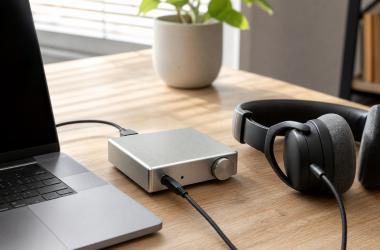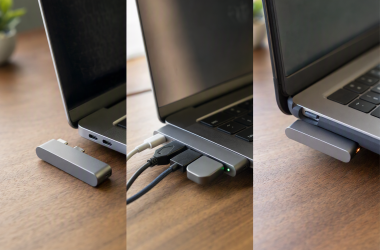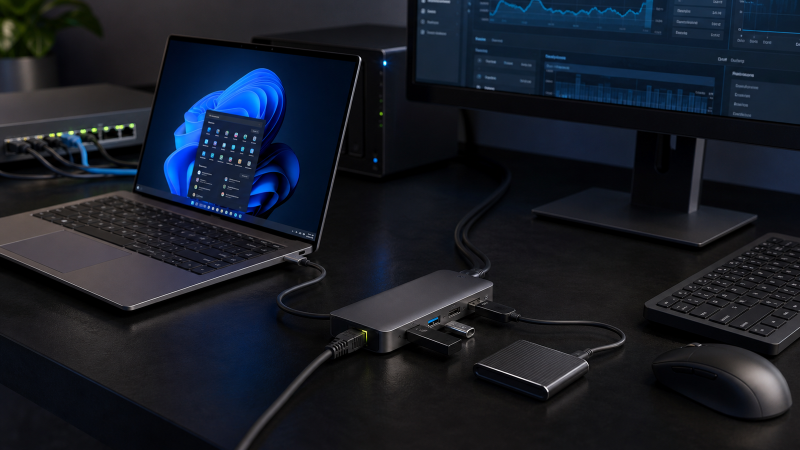
The Belkin Connect 8-Port USB-C Hub with 2.5Gb Ethernet is the best overall portable pick for most people who need multi-gig networking, one 4K display, card readers, and a practical mix of USB-A and USB-C data ports. StarTech is the sharper compact choice for managed-workplace features, while D-Link and Plugable make more sense when you want a powered desktop dock rather than another travel hub.
A hub with 2.5GbE is worth considering when your local network already includes a 2.5GbE switch or router and a fast NAS, workstation, or server. It can also make sense when your Internet service exceeds Gigabit and the gateway exposes a multi-gig LAN port. If everything beyond the hub is Gigabit, a good USB-C hub with ordinary Gigabit Ethernet is usually enough. If you only need a network jack, a standalone Ethernet adapter is smaller and avoids paying for display, charging, and peripheral ports you will not use.
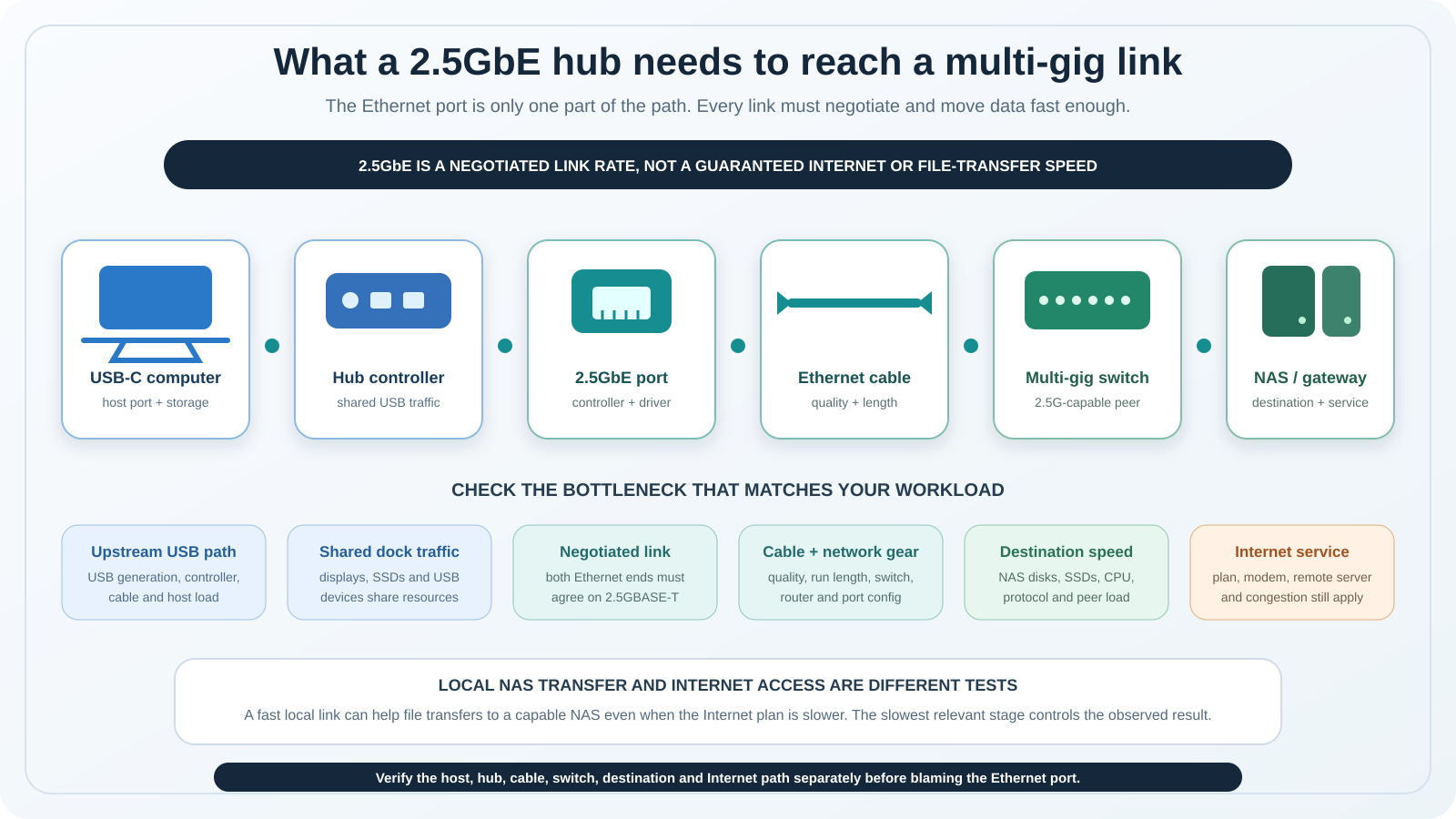
The important word is link. A 2.5GbE port can negotiate a 2.5Gbps Ethernet link when the host, cable, switch or router, and destination all support it. That does not guarantee 2.5Gb/s file copies or Internet downloads. Storage speed, protocol overhead, shared USB traffic, server load, and the Internet plan can each become the limit.
July 2026: We refreshed all seven products, verified the exact models against current manufacturer documentation, and kept Amazon identity and availability checks separate from technical evidence. Manufacturer pages were rechecked on July 22. SABRENT’s direct store showed sold out while Amazon still had a New offer for the exact HB-U4HP, so availability differed by channel.
Quick picks: portable hubs versus desktop docks
- Best overall portable hub: Belkin Connect 8-Port. The balanced choice for one HDMI display, SD and microSD, four 10Gbps USB data connections, and a tethered 20 cm host cable.
- Best compact hub for managed workplaces: StarTech 3-Port. Choose it for documented MAC-address tooling, Wake-on-LAN, VLAN tagging, 10/100/1000/2500Mbps negotiation, and up to 85W host charging.
- Best for three USB-C data devices: Satechi 4-in-1. It replaces the usual USB-A-heavy port mix with three 10Gbps USB-C data ports, but it has no display output and no Power Delivery input.
- Best compact USB4 travel dock: SABRENT USB4 Travel Hub. It combines an integrated host lead, three downstream data ports, HDMI, 2.5GbE, and up to 85W charging in an aluminum body.
- Best desktop USB4 pick: D-Link DUF-901. It includes a power adapter, a detachable 50 cm host cable, two DisplayPort outputs, a multifunction downstream USB4 port, and a detailed host-specific display matrix.
- Best 2.5GbE dock for gaming handhelds: BenQ beCreatus GR10. Its foldable stand, right-angle adapter, single HDMI 2.1 output, and documented 85W host limit suit a handheld-to-TV setup.
- Best full desktop dock: Plugable TBT4-UDZ. It is the most expansive option here, with seven USB ports, four physical display outputs, 98W certified host charging, card readers, and strict Windows/macOS display boundaries.
Portable hubs are easier to carry and often depend on a charger you already own. Desktop docks include a power supply, have longer or detachable host cables, and devote more space to display and peripheral connectivity. Pick the format first, then compare protocol and port details.
| Image | Product | Details | Check Price |
|---|---|---|---|
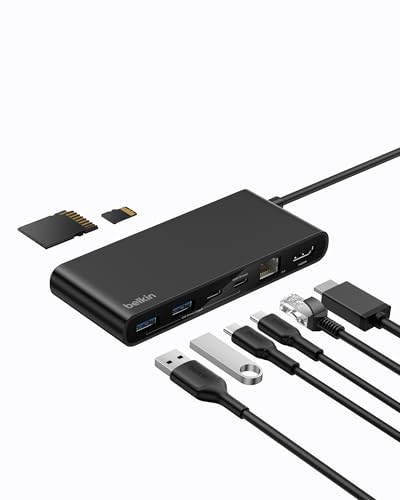 | Belkin Connect 8-Port USB-C Hub with 2.5Gb Ethernet | Format: Portable 8-port hub; 105.3 g; tethered 20 cm host cable Host interface: USB-C; Belkin lists Thunderbolt 3/4/5 host-port compatibility Ethernet rates: RJ45 up to 2.5GbE; lower rates not enumerated USB/data ports: 2x USB-A 10Gbps; 2x USB-C 10Gbps, one also PD input; SD and microSD DDR200 Display outputs: 1x HDMI 2.0 up to 4K60; host DP Alt Mode required PD input / host charging: Up to 100W input minus 15W overhead; recommended 60W charger gives up to 45W during use; charger not included OS/display boundary: Windows, macOS, Chrome OS; one extended display depending on host capability Best for: Balanced portable hub with cards, one display, and 2.5GbE | Check Price on Amazon |
 | StarTech 3-Port USB-C Hub with 2.5GbE | Format: Compact 3-port hub; 68 g; fixed 30.5 cm host cable Host interface: USB 3.2 Gen 2 10Gbps Type-C Ethernet rates: 10/100/1000/2500Mbps; 2.5GBASE-T/NBASE-T; Wake-on-LAN USB/data ports: 2x USB-A 10Gbps; 1x USB-C 10Gbps; separate USB-C PD-only input Display outputs: None PD input / host charging: 100W PD input with 15W reserved; up to 85W host charging; charger not included OS/display boundary: Formal table lists Windows, macOS, and Linux LTS; broader copy also names ChromeOS, iPadOS, and Android; no display output Best for: Managed-workplace networking and three USB data devices | Check Price on Amazon |
 | Satechi 4-in-1 USB-C Hub with 2.5 Gigabit Ethernet | Format: Portable 4-in-1 hub; 85 x 34 x 15 mm; 57 g Host interface: USB-C, USB 3.2 Gen 2; compatible data hosts include TB3/TB4/USB4 Ethernet rates: 10/100/1000Mbps and 2.5GbE USB/data ports: 3x USB-C 10Gbps data-only ports Display outputs: None; downstream USB-C ports do not carry video PD input / host charging: None; downstream USB-C ports do not support PD OS/display boundary: macOS, iPad/iOS, Windows 10/11, Chrome OS; no Linux claim and no display function Best for: Three USB-C data devices plus wired multi-gig networking | Check Price on Amazon |
 | SABRENT USB4 Travel Hub | Format: Compact aluminum travel dock; 4.8 x 2.1 x 0.6 in; integrated host cable Host interface: USB4 over integrated USB-C cable Ethernet rates: 2.5GbE up to 2500Mbps; lower rates not enumerated USB/data ports: 2x USB-C 10Gbps data; 1x USB-A 10Gbps data; separate USB-C PD input Display outputs: 1x HDMI, manufacturer maximum 4K144 or 8K60 with DSC PD input / host charging: PD 3.0 with charging up to 85W; charger not listed in box OS/display boundary: No current manufacturer OS floor or host display matrix; verify host, display, cable, and DSC support Best for: Compact USB4 travel setup with HDMI and 2.5GbE | Check Price on Amazon |
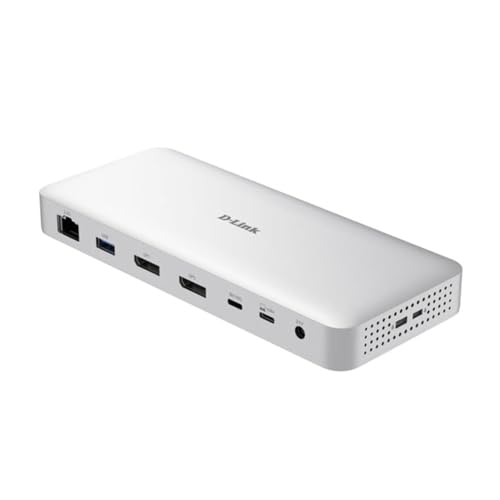 | D-Link DUF-901 9-in-1 USB4 Docking Station | Format: Powered desktop USB4 dock; 332 g; detachable 50 cm host cable Host interface: USB4 40Gbps Type-C; Thunderbolt 4 compatible Ethernet rates: RJ45 2.5Gbps; lower rates not enumerated USB/data ports: 1x downstream USB4 40Gbps/7.5W; 1x USB-C 10Gbps; 2x USB-A 10Gbps; 1x USB-A 480Mbps Display outputs: 2x DP 1.4 plus DP 1.4 Alt Mode through downstream USB4; exact modes depend on host PD input / host charging: 149.1W adapter included; 100W PD profile, with host power reduced by dock and device draw OS/display boundary: Datasheet lists macOS, Windows 10/11, Android; page also names ChromeOS; base M1/M2/M3 limited to one display Best for: Powered USB4 desktop with multiple host-dependent display paths | Check Price on Amazon |
 | BenQ beCreatus GR10 | Format: Foldable gaming-handheld dock; 130 x 54.5 x 25.5 mm; tethered 200 mm cable Host interface: USB4 Type-C 40Gbps with included 90-degree adapter Ethernet rates: 2.5 Gigabit Ethernet RJ45; lower rates not enumerated USB/data ports: 2x USB-A 10Gbps/4.5W; 1x USB-C 10Gbps/7.5W; separate PD-only input Display outputs: 1x HDMI 2.1; manufacturer maximum 4K120 or 8K60; Mac limited to 4K60 PD input / host charging: 100W PD input; 15W dock use; up to 85W host charging; charger not included OS/display boundary: Windows 10+, macOS 13+, SteamOS 3+, iOS/iPadOS 17+, Android 13+; one display and host-dependent modes Best for: Gaming handhelds connected to one HDMI display | Check Price on Amazon |
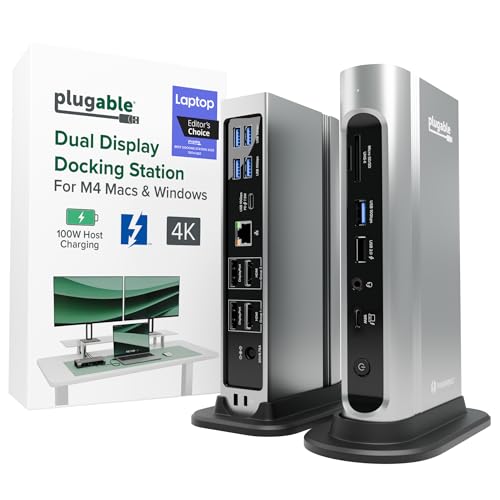 | Plugable Thunderbolt 4 and USB4 Quad Display Dock | Format: Full powered desktop dock; 646 g; vertical stand and 1 m TB4 cable included Host interface: Thunderbolt 4/3, USB4, or reduced USB-C-only mode Ethernet rates: 2.5GBASE-T; Wake-on-LAN, EEE, 9K Jumbo Frames USB/data ports: 1x USB-C 10Gbps; 3x USB-A 10Gbps; 2x USB-A 5Gbps; 1x USB-A 480Mbps; SD/microSD Display outputs: 2x HDMI 2.0 and 2x DP 1.2; up to four 4K60 only on qualifying Windows TB4/USB4 hosts PD input / host charging: 135W supply included; 98W certified USB-C PD to host OS/display boundary: Windows 10/11 and macOS 11+; Mac supports two or fewer; Linux/ChromeOS unsupported; USB-C-only mode reduced Best for: Full desktop expansion with a host-matched multi-display setup | Check Price on Amazon |
1. Belkin Connect 8-Port USB-C Hub with 2.5Gb Ethernet: Best Overall Portable Hub
Belkin gets the overall balance right. The INC024 family gives you two 10Gbps USB-A ports, one 10Gbps USB-C data port, and a second 10Gbps USB-C port that also accepts PD input. HDMI 2.0 handles one display at a manufacturer-rated maximum of 4K60, while separate SD and microSD slots support DDR200. The 2.5GbE RJ45 port completes a useful travel-office mix without turning the hub into a large desktop brick.
The host side is USB-C through a tethered 20 cm cable. Belkin also lists compatibility with Thunderbolt 3, 4, and 5 ports, but that does not make the hub a Thunderbolt device. For HDMI, the connected host must expose DisplayPort Alt Mode. Belkin’s FAQ limits the design to one extended display and says the result depends on the host’s display capability.
Power needs a careful reading. Belkin advertises 100W PD pass-through, then specifies that the hub reserves 15W. Its sales sheet recommends a 60W charger, which is not included, and says that combination can deliver up to 45W to the host while the other hub functions are in use. That is a much more useful planning figure than treating 100W as laptop output. A high-draw notebook may still need its own power adapter.
The manufacturer also documents MAC Address Pass-Through and Wake-on-LAN, giving the Belkin some office-management value. It does not publish the lower Ethernet negotiation rates in the cited current sources, so the safe description is an RJ45 port rated up to 2.5GbE. Belkin says network speed varies with the host and connection.
Our Take
Buy the Belkin when you want one compact hub to cover the common portable-workstation jobs without giving up USB-C data ports or card readers. Skip it if you need two independent displays, a detachable host cable, or more than the documented host-charging budget.
- Balanced USB-A, USB-C, card, display, and network ports
- One HDMI 2.0 output rated up to 4K60
- Documents Wake-on-LAN and MAC Address Pass-Through
- Light 105.3 g body with tethered 20 cm cable
- 100W input becomes less after 15W hub overhead
- One external display only, dependent on host capability
- Recommended charger is not included
2. StarTech 3-Port USB-C Hub with 2.5GbE: Best for Managed Workplaces
StarTech’s 10G2A1C25EPD-USB-HUB is the most focused IT-oriented portable hub in the group. It connects over USB 3.2 Gen 2 10Gbps through a fixed 30.5 cm Type-C cable and adds two USB-A 10Gbps ports, one USB-C 10Gbps data port, a separate PD-only Type-C input, and RJ45. There is no display output, card reader, or audio jack to distract from data, charging, and networking.
The Ethernet evidence is unusually specific. StarTech identifies a Realtek RTL8156B controller, IEEE 802.3bz 2.5GBASE-T/NBASE-T, and 10/100/1000/2500Mbps network compatibility. Wake-on-LAN, auto-MDIX, and VLAN tagging are documented. The formal table says PXE is not supported. Datasheet prose mentions Jumbo Frames, but a note says macOS no longer supports them, so that feature should not drive a Mac purchase.
The hub can run from bus power or accept up to 100W through its PD 3.0 input. StarTech reserves 15W for the hub and documents up to 85W laptop charging. Fast Role Swap is intended to avoid a data interruption when changing between a USB-C power adapter and bus power. No charger appears in the box list.
The formal compatibility table covers Windows, Windows 11 ARM, multiple Windows Server versions, Linux LTS kernels from 2.4.20, and a long macOS range. Broader intro copy also names ChromeOS, iPadOS, and Android without giving the same version detail. That mismatch is a reason to verify a non-Windows deployment against StarTech support before a fleet purchase.
Our Take
Choose StarTech when predictable Ethernet negotiation, a longer attached cable, and documented workplace features matter more than display output. It is a data-and-network hub, not a tiny docking station for monitors.
- Documents four Ethernet rates through 2.5Gbps
- Three 10Gbps downstream USB data ports
- Up to 85W host charging after reserved overhead
- Wake-on-LAN, VLAN tagging, and auto-MDIX documented
- No display, card reader, or audio ports
- Fixed host cable cannot be replaced separately
- PXE is explicitly unsupported
3. Satechi 4-in-1 USB-C Hub with 2.5 Gigabit Ethernet: Best for Three USB-C Data Devices
Satechi’s ST-H3C25EM is the cleanest answer for someone whose portable drives, card readers, and other peripherals already use USB-C. It turns one host connection into three USB-C 3.2 Gen 2 data ports, each manufacturer-rated up to 10Gbps, plus one RJ45 port that supports 10/100/1000Mbps and 2.5GbE negotiation. At 85 x 34 x 15 mm and 57 g, it is also the lightest clearly documented body in this group.
The key limitation is just as clear as the benefit: all three downstream USB-C ports are data-only. Satechi says they do not output video and do not support Power Delivery. The hub also has no HDMI or DisplayPort connector and no separate PD input. A USB-C socket can look multifunctional while carrying only one function, and this product is the best example of why port labels matter.
Satechi describes the hub itself as Type-C USB 3.2 Gen 2. Its host-compatibility copy includes USB 3.2 Gen 2 variants, Thunderbolt 3 and 4, and USB4. That means those hosts can provide a suitable USB data connection; it does not turn the Satechi into a Thunderbolt or USB4 hub. The connected host and competing traffic still determine the usable bandwidth available to the Ethernet controller and three data devices.
The current embedded FAQ names macOS, iPad/iOS, Windows 10/11, and Chrome OS, while the longer compatibility list also names Windows 8. Satechi does not make a Linux claim here. Its old technical-support URL and quick-guide attachment were unavailable during this update, so the current product page and embedded FAQ are the reference. The page lists the hub and manual in the box.
Our Take
Pick the Satechi when three USB-C data devices and wired multi-gig networking are the whole job. Do not buy it expecting a one-cable charging station or monitor dock, because the manufacturer rules out both functions.
- Three downstream USB-C 10Gbps data ports
- Ethernet negotiates 10/100/1000Mbps and 2.5GbE
- Compact 57 g format for a travel kit
- Clear Windows, macOS, iPad/iOS, and Chrome OS copy
- No display output from any USB-C port
- No PD input or host charging
- Manufacturer quick-guide link is currently broken
4. SABRENT USB4 Travel Hub: Best Compact USB4 Travel Dock
The HB-U4HP is the first true USB4 product in the list. SABRENT builds it around an integrated USB-C host cable and an aluminum 4.8 x 2.1 x 0.6 inch body weighing 3.7 oz. If the protocol names feel interchangeable, our explanation of what USB4 is helps separate the host transport from the connector.
Downstream, the hub provides two USB-C data ports and one USB-A data port. SABRENT rates those connections up to USB 3.2 Gen 2×1 10Gbps. A third USB-C receptacle accepts PD input but is not listed as another data connection. HDMI and 2.5GbE round out the travel-dock functions.
SABRENT advertises HDMI modes up to 4K144 or 8K60 with DSC enabled. Those are interface maxima, not a promise for every laptop and screen. The current product page does not publish an OS-by-host display table, so a buyer must confirm that the host GPU and USB4 display path, operating system, HDMI display, cable, and DSC support align with the intended mode. This is not the product to buy on the assumption that every USB-C port can produce 8K.
Power Delivery 3.0 is documented at up to 85W charging, while downstream BC1.2 power is listed at 5V/1.5A or 7.5W. The box list includes the hub, a warranty card, and a user manual, not a charger. SABRENT’s official downloads portal did not expose a downloadable HB-U4HP manual during this review, and the current product page does not publish an OS floor. SABRENT has not published those details for this model, so confirm them before buying if they matter to you.
Availability is channel-specific. SABRENT’s direct page displayed sold out during our check, while Amazon showed one active New offer for the exact HB-U4HP. That does not make either page wrong; direct and marketplace inventory can differ.
Our Take
The SABRENT is the compact choice when you want USB4 host connectivity, HDMI, three useful data ports, 2.5GbE, and charging in one travel unit. Its weak point is documentation breadth: the current page leaves OS floors and a detailed display matrix unstated.
- Compact aluminum USB4 travel-dock format
- Two USB-C and one USB-A 10Gbps data ports
- HDMI, 2.5GbE, and up to 85W charging
- Integrated host cable reduces travel-kit pieces
- No current manufacturer OS floor or display matrix
- Direct SABRENT store showed sold out in July 2026
- Charger is not listed in the box
5. D-Link DUF-901 9-in-1 USB4 Docking Station: Best Desktop USB4 Pick
D-Link’s DUF-901 is the best step up from a pocket hub to a powered USB4 desktop dock. The package includes a 149.1W power adapter and a detachable 50 cm USB-C cable. Its USB4 host port is rated at 40Gbps and described as Thunderbolt 4 compatible. Readers comparing similar transport-first designs can see our broader USB4 hubs and docks guide.
The downstream layout includes one multifunction USB4 Type-C port rated at 40Gbps and 7.5W, one USB-C 10Gbps port, two USB-A 10Gbps ports, and one USB-A 480Mbps port. The multifunction USB4 port can also carry DP 1.4 Alt Mode. Network duty goes through a 2.5GbE RJ45 port. D-Link does not enumerate lower Ethernet rates in the cited sources, so compatibility with a particular older switch should be confirmed rather than assumed from a generic multi-gig label.
Display support is powerful but highly conditional. There are two physical DisplayPort 1.4 outputs, and the downstream USB4 port can provide another DP 1.4 Alt Mode path. D-Link’s datasheet gives different maximums for Thunderbolt 4/USB4 hosts, Pro/Max Apple Silicon Macs, Thunderbolt 3 or MFDP hosts with DP 1.4, and older DP 1.2 paths. The headline configurations reach 8K30 plus 4K60 or high-refresh 4K on qualifying hosts. That is not a universal dual-8K claim.
Mac limits need their own sentence. D-Link says base M1, M2, and M3 Macs support one external display through this dock, and its live page says a Mac host does not output 8K30. Pro/Max models have a different two-display matrix. Windows, macOS, and Android appear in the formal OS table; the live overview separately names ChromeOS, creating a manufacturer-source conflict. The safer purchase decision follows the datasheet and verifies ChromeOS directly if that platform matters.
Power copy also conflicts in a useful way. The datasheet lists a 100W host PD profile, while the live page clarifies that its 100W language refers to PD input and that dock overhead and attached devices reduce power available to the host. Treat 100W as the top profile, not a guaranteed laptop receipt.
Our Take
Choose the D-Link for a desktop that needs USB4 bandwidth, multiple display paths, an included supply, and a detachable host lead. Read the exact host row in D-Link’s matrix before buying, especially for base Apple Silicon or older DP Alt Mode systems.
- Powered desktop dock with detachable 50 cm host cable
- Downstream USB4 plus four additional USB data ports
- Two DisplayPort outputs and multifunction USB-C video
- Detailed official host-specific display matrix
- Display limits vary sharply by host and DP support
- 100W profile is reduced by dock and device draw
- Official overview and datasheet differ on ChromeOS
6. BenQ beCreatus GR10: Best for Gaming Handhelds
BenQ designs the GR10 around a handheld-to-display workflow. Its foldable stand holds several popular portable gaming PCs, and the integrated 200 mm USB4 host cable can use the included 90-degree adapter. BenQ warns that ROG Ally X does not fit the stand. That is a physical-fit caveat, not proof that every compatible system can reach every display mode.
The host interface is USB4 Type-C at a stated 40Gbps. Two USB-A 10Gbps ports provide up to 4.5W each, and one downstream USB-C 10Gbps port provides up to 7.5W. A separate USB-C PD input does not support data or video. Networking uses a single 2.5 Gigabit Ethernet RJ45 jack. BenQ does not publish the lower Ethernet rates in the current manual, so no backward-compatibility list is added here.
There is one HDMI 2.1 output. BenQ rates it up to 4K120 or 8K60, but the manual sets important conditions: the input and output devices must support HDMI 2.1, the HDMI cable should be under 15 feet, and the actual resolution and refresh rate depend on the host and game. The spec page limits Mac output to 4K60, and the manual says the dock supports one monitor.
BenQ’s power accounting is refreshingly exact. The dock accepts up to 100W PD input and consumes 15W itself. With a charger rated at least 100W, it can provide up to 85W to the connected host. BenQ says ROG Ally 30W Turbo mode needs a 100W or greater adapter. The package contains the dock and printed materials but no charger.
The manual lists Windows 10+, macOS 13+, SteamOS 3+, Android 13+, and iOS/iPadOS 17+. Those OS floors do not prove that any USB-C device supplies USB4, DP Alt Mode, or the needed charging profile. BenQ also publishes Windows and macOS firmware tools plus a release note describing improved connection performance, so checking the current support page is sensible before troubleshooting.
Our Take
The GR10 is the most coherent choice for a single-screen handheld setup. Its value is the stand, USB4 host connection, HDMI 2.1 path, exact 85W host limit, and peripheral mix. Desktop users who need multiple displays should look elsewhere.
- Foldable handheld stand with right-angle USB-C adapter
- Single HDMI 2.1 path with documented conditions
- Two USB-A and one USB-C 10Gbps ports
- Exact 100W input and 85W host-power boundary
- Only one external display is supported
- ROG Ally X does not fit the stand
- Power adapter is not included
7. Plugable Thunderbolt 4 and USB4 Quad Display Dock: Best Full Desktop Dock
Plugable’s TBT4-UDZ is the full desktop choice for readers who need a large peripheral and display expansion platform. It includes a 135W power supply, vertical stand, and 1 m 40Gbps Thunderbolt 4 cable. The front host port supports Thunderbolt 4, Thunderbolt 3, USB4, and qualifying USB-C-only systems. The rear USB-C port is a 10Gbps data/charging connection, not a downstream Thunderbolt port and not an alternative host input.
The rest of the data layout is extensive: three USB-A 10Gbps ports, two USB-A 5Gbps ports, one USB-A 480Mbps charging port, SD, microSD, and audio. Plugable says the nominal 10Gbps USB ports fall to 5Gbps when the dock operates from a USB-C-only host. Ethernet is 2.5GBASE-T through a Realtek RTL8156B controller, with Wake-on-LAN, Energy-Efficient Ethernet, and 9K Jumbo Frames documented. Plugable makes its current Windows Realtek driver optional, since Windows Update can install a driver on an Internet-connected system.
Four physical display outputs give the dock its name: two HDMI 2.0 and two DisplayPort 1.2. A qualifying Windows Thunderbolt 4 or USB4 host with DP 1.4 HBR3, DSC, and MST can drive up to four extended 4K60 displays. Thunderbolt 3 Windows systems generally top out at two and may support only one if the host exposes a single DisplayPort stream.
macOS is different because this dock relies on MST for the Windows quad-display path. Plugable limits Macs to two or fewer extended displays. Base M1 and M2 models get one. Base M3 can reach two in clamshell mode only with the stated current macOS floors, while Pro/Max and newer supported models follow Plugable’s two-display matrix. The dock contains no DisplayLink graphics. It also does not support Linux or ChromeOS according to the detailed compatibility section.
The power figure is straightforward: 98W certified USB-C PD to the host, not merely a power-input number. The laptop still has to accept USB-C charging, and high-power mobile workstations can require their original adapter. For more models built around this protocol and power class, see our Thunderbolt docking station guide.
Our Take
Buy the Plugable when a fixed desk needs maximum port variety and you are willing to match the display plan to a documented host matrix. It is excessive for a travel kit and the Windows quad-display headline does not apply to Mac, Linux, ChromeOS, or every USB-C laptop.
- Seven USB ports plus dual card readers and audio
- 98W certified host charging with included power supply
- Four physical HDMI and DisplayPort outputs
- Detailed transport, OS, and display compatibility guidance
- Quad display is limited to qualifying Windows hosts
- No downstream Thunderbolt accessory port
- Linux and ChromeOS are not supported
Buying guide: how to choose a 2.5GbE hub or dock
Make the entire network path 2.5GbE-capable
A 2.5GbE link needs support at both ends of the Ethernet cable. The hub or dock provides one end. The switch, router, or gateway port must provide the other. If the far device is a NAS or server connected through another switch port, that port and the device’s network adapter also need multi-gig support. A Gigabit segment anywhere in the active path limits that segment to Gigabit negotiation.
Local storage and Internet access are separate use cases. A fast NAS can benefit a workstation even when the Internet plan is much slower. An Internet plan above Gigabit does not guarantee above-Gigabit downloads if the gateway has only Gigabit LAN ports or the remote service cannot send data that quickly. For a storage-first setup, our Thunderbolt NAS guide explains why drives, arrays, and workloads matter alongside the network link.
Match USB-C shape to the actual host protocol
USB-C is the connector. USB 3.2, USB4, Thunderbolt, DisplayPort Alt Mode, and Power Delivery are capabilities that may use it. Satechi is a USB 3.2 Gen 2 hub that can connect to a USB4 host, but its downstream USB-C ports remain data-only. SABRENT, D-Link, and BenQ explicitly use USB4 on the host side. Plugable supports Thunderbolt 4/3, USB4, and reduced USB-C-only operation.
The distinction affects bandwidth, display paths, and accessory support. Our USB4 versus Thunderbolt 4 comparison covers the certification and minimum-feature differences. On Windows, you can also identify the USB version exposed by the system before ordering a dock around a headline link rate.
Choose portable bus power or a powered desktop dock
Belkin, StarTech, Satechi, SABRENT, and BenQ are portable designs. Some can run from the host bus, while charging functions need a suitable external USB-C adapter. They are easier to pack but have short or fixed host leads and smaller power budgets.
D-Link and Plugable include substantial desktop power supplies. That lets them feed more downstream ports and provide a more predictable host-charging profile. It also adds weight and another mains cable. A broader USB-C docking station roundup is a better owner when 2.5GbE is optional rather than the defining feature.
Never add the printed port rates together
Three ports marked 10Gbps do not create a 30Gbps host link. Ethernet, storage, card readers, and sometimes display traffic share controllers and the upstream connection. USB protocol overhead also exists. A 2.5GbE controller can fit inside a 10Gbps USB data path, but a simultaneous SSD copy and other dock traffic can reduce the bandwidth each workload sees.
This is why a manufacturer phrase such as up to 40Gbps USB4 should remain a link-rate description. It is not a storage benchmark and does not prove what a specific controller topology will sustain.
Separate PD input from host charging
The largest wattage on the box may describe the charger’s input to the hub. The hub needs power for its controller and downstream devices before it can pass the rest to the laptop. Belkin reserves 15W and gives a 45W host example with its recommended 60W charger. StarTech documents 85W host charging from 100W input. BenQ also documents 85W after 15W dock consumption. Plugable specifies 98W certified to the host from its included supply.
Satechi has no PD input. SABRENT lists up to 85W charging but does not include a charger. D-Link’s live page says its 100W figure is reduced by dock overhead and attached-device draw. Always compare the host-output figure with the laptop’s own requirements. A gaming notebook may accept USB-C PD yet still need its original high-wattage supply under heavy load.
Treat DP Alt Mode, DSC, MST, and macOS as separate checks
DP Alt Mode allows a USB-C connection to carry DisplayPort video, but the host still controls available streams and bandwidth. DSC can compress a display stream to enable modes that would not otherwise fit. MST can split DisplayPort bandwidth into multiple independent streams on supported systems.
The catch is macOS. Plugable’s four-display Windows mode depends on MST, while its Mac matrix allows two or fewer displays. D-Link also lists separate Apple Silicon limits. Belkin supports one HDMI display. Satechi has no display output at all. SABRENT publishes high HDMI maxima but not a detailed OS matrix. BenQ supports one HDMI display and caps Mac at 4K60. Never transfer a Windows/MST statement to a Mac just because the connectors match.
Check every USB-C port’s function
A downstream USB-C port might be data-only, PD-only, display-capable, or multifunction. Satechi’s three ports are data-only. StarTech’s separate PD port is power-only. BenQ’s PD input carries neither data nor video. Plugable’s rear USB-C port carries USB data and device charging but not Thunderbolt, and it cannot host the dock. D-Link’s downstream USB4 port is multifunction and can carry DP Alt Mode.
Read the port map rather than assuming every oval connector has the same functions. The same rule applies to replacement cables. A cable that charges a phone is not automatically suitable for 10Gbps data, USB4, video, or high-wattage PD. Our USB-C cable guide explains the labels to look for.
Verify cable, network, driver, and firmware requirements
Check the Ethernet cable requirement published for the exact hub or dock, then confirm it against the switch or router vendor’s guidance. Cable length, termination quality, interference, and the capabilities of both Ethernet ports all matter. The cable is only one part of the path; also confirm the multi-gig switch or router port, destination NIC, and any wall cabling.
Drivers and firmware matter most when the link negotiates incorrectly, sleep/wake is unreliable, or display behavior differs from the documented matrix. Plugable publishes an optional current Windows Realtek driver, and BenQ lists separate Windows and macOS firmware tools. Start with the host maker’s BIOS, USB4/Thunderbolt, graphics, and OS updates, then use the exact accessory maker’s support page. Do not install a driver for a similar controller or model just because the name looks close.
Know when a separate adapter is the cleaner answer
Choose an integrated 2.5GbE hub when you regularly need several of its other ports at the same desk or in the same travel kit. A separate adapter is better when the laptop already has enough data, charging, and display connections, or when you want to replace the network interface independently. A full powered dock is better when the real goal is a stable one-cable desk with displays, charging, storage, audio, and Ethernet.
Pre-purchase checklist
- Host port: Confirm USB 3.2 Gen 2, USB4, Thunderbolt, DP Alt Mode, and PD input separately.
- Network: Confirm 2.5GbE on the switch/router port and the NAS, server, or gateway path.
- Cable: Check Ethernet cable condition/category and use the included or correctly rated host cable.
- Display: Match the exact host GPU, DP version, DSC/MST support, OS, resolution, and refresh rate.
- Charging: Compare documented host output after overhead with the laptop or handheld requirement.
- OS: Use the model’s detailed compatibility table, not broad connector-based marketing.
- Ports: Mark each USB-C socket as data, video, PD input, host, or multifunction.
- Format: Decide whether a short tethered travel hub or powered desktop dock fits the workspace.
- Support: Check current driver, firmware, sleep/wake, and managed-network notes before deployment.
Frequently asked questions
Is 2.5Gb Ethernet worth it on a USB-C hub?
It is worth it when you have a real multi-gig path and workloads that can use more than Gigabit. Common examples include moving large files to a 2.5GbE NAS or using an Internet plan above Gigabit through a gateway with a multi-gig LAN port. It is not automatically valuable for web browsing, video calls, or a network that remains Gigabit everywhere else.
Will 2.5GbE work with a Gigabit router or switch?
Only if the hub’s Ethernet controller supports lower negotiation rates, and then the link will operate at the mutually supported rate rather than 2.5Gbps. StarTech and Satechi explicitly list lower rates. Other products in this guide do not all enumerate them in the cited sources, so verify the exact model before assuming backward negotiation.
Do I need Cat 6 cable for 2.5GbE?
Not necessarily. Check the cable requirement your hub’s manufacturer publishes, then confirm it against your switch or router vendor’s guidance. Cable length, termination quality, interference, and the capabilities of both Ethernet ports all matter.
Can a 10Gbps USB-C port handle 2.5GbE?
The interface rate is high enough to carry a 2.5GbE link in principle, but that does not guarantee a specific application result. USB overhead, controller design, other traffic on the hub, storage speed, and software can reduce throughput. The StarTech and Satechi models deliberately pair USB 10Gbps host/data paths with 2.5GbE controllers.
Why is my 2.5GbE transfer slower than 2.5Gb/s?
Because 2.5Gbps is the negotiated Ethernet bit rate, not a guaranteed file-copy number. Protocol overhead takes part of the link, and the slowest active component can be the source drive, destination array, server CPU, file protocol, USB path, cable, switch, or another shared dock workload. Internet transfers also depend on the service plan and remote server.
Does a 100W hub deliver all 100W to the laptop?
Often it does not. Some products use 100W to describe PD input. Belkin and StarTech reserve 15W, and BenQ documents the same 15W dock consumption. Their resulting host figures differ by charger and design. Plugable explicitly certifies 98W to the host. Read the host-output line, not only the largest input number.
Will a USB4 dock work on Thunderbolt 4?
It can when the manufacturer documents that host combination, as D-Link does for the DUF-901. USB4 and Thunderbolt 4 overlap, but product implementation, video streams, charging, and OS support still vary. SABRENT calls the HB-U4HP USB4 but does not publish the same detailed Thunderbolt fallback matrix, so its exact host should be confirmed before purchase.
Can these docks drive two displays on macOS?
Some can, some cannot, and Mac model matters. Plugable supports up to two on qualifying Macs but only one on base M1/M2. D-Link has separate base and Pro/Max Apple Silicon rows. Belkin and BenQ support one. Satechi supports none. SABRENT has one HDMI output but does not publish a detailed Mac matrix. Windows MST claims do not establish Mac support.
Is a hub with 2.5GbE better than a separate adapter?
It is better when it replaces several devices you would otherwise connect every day. A separate adapter is better when Ethernet is the only missing port or when you want network hardware that can be replaced independently. Integrated designs also make Ethernet share the hub’s upstream path with storage and other USB traffic.
Does 2.5GbE automatically improve gaming latency or video calls?
No. A faster link can remove a bandwidth bottleneck, but healthy lower-speed Ethernet already has ample capacity for many games and calls. Internet routing, congestion, Wi-Fi elsewhere in the path, server location, buffer behavior, and application design can dominate latency. Do not buy a 2.5GbE dock on a blanket latency promise.
How we research and select
We selected seven exact products from seven brands, then mapped every material technical statement to current manufacturer product pages, datasheets, manuals, compatibility matrices, and support notes. Amazon data supplied identity and offer status only.
Selections favor a clear role rather than the longest spec list: portable balance, managed-workplace networking, USB-C data density, compact USB4 travel, powered USB4 desktop use, gaming-handheld fit, and full desktop expansion. Vendor maximums remain attributed, source conflicts remain visible, and missing OS, cable, warranty, or fallback details stay missing.
Exclusions and availability limits
ORICO PW11-6PC25R did not clear because the closest official source found was PW11-6P25R, leaving exact suffix and variant parity unresolved. UGREEN was not added because seven well-documented brands were enough for a useful comparison. Standalone adapters, Gigabit-only hubs, 5GbE/10GbE devices, routers, switches, NAS products, Ethernet-only Thunderbolt adapters, and generic/private-label listings are outside this roundup.
The SABRENT availability note is deliberately narrow: its direct store showed the HB-U4HP sold out during our check, while Amazon showed one active New offer for the exact model. Inventory differs by channel and changes quickly, so neither result establishes broad availability.