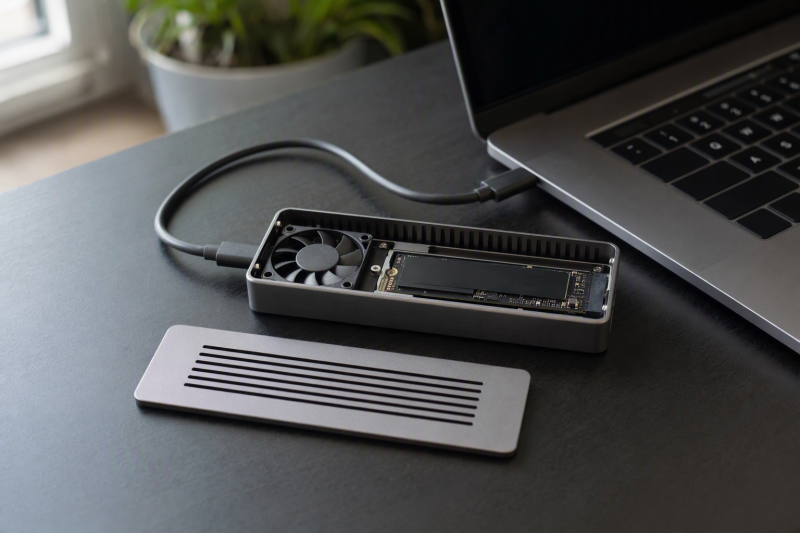
The SABRENT EC-U4TN is the best actively cooled NVMe enclosure in this frozen slate. It combines a documented integrated fan, tool-free access, four common M.2 lengths, bus power, and an included 0.3m cable. Each alternative leads with one strength: ASUS ProArt PA40SU is the compact push-open 40Gbps option, Satechi DotDisk moves to an 80Gbps link for a strict single-sided 2280 drive, ACASIS TB501 Pro adds adjustable cooling and four lengths, and TESmart TBE-X5Pro pairs PWM cooling with a 2280-only fit.
Active cooling means the manufacturer documents a fan. It does not establish a temperature, noise level, lack of throttling, or sustained-performance advantage. All five selected listings are diskless enclosures. Choose by SSD fit, host mode, fan design, cable, and operating-system conditions rather than an unverified thermal ranking. For passive alternatives, see our USB4 NVMe enclosure guide.
Quick picks
- SABRENT EC-U4TN: Best overall 40Gbps active-cooled enclosure.
- ASUS ProArt PA40SU: Best compact push-open choice.
- Satechi DotDisk: Best 80Gbps option for a qualifying 2280 drive.
- ACASIS TB501 Pro: Best adjustable-fan choice for four M.2 lengths.
- TESmart TBE-X5Pro: Best PWM-cooled 2280 JHL9480 B2 option.
Compare actively cooled NVMe enclosures
| Image | Product | Details | Check Price |
|---|---|---|---|
 | SABRENT EC-U4TN | Active cooling: Integrated fan Host link: USB4/Thunderbolt 40Gbps with USB fallback Drive fit: 2230/2242/2260/2280 M-key NVMe; SATA excluded Setup: Tool-free, bus-powered, 0.3m cable Buyer check: Linux support is unofficial | Check Price on Amazon |
 | ASUS ProArt PA40SU | Active cooling: Four-level smart fan Host link: USB4 40Gbps Drive fit: 2230/2280 M-key NVMe up to 4TB Setup: Push-open tool-free; USB-C cable Buyer check: SATA exclusion and bus-power label unknown | Check Price on Amazon |
 | Satechi DotDisk 80Gbps Enclosure | Active cooling: Integrated fan Host link: USB4 v2 80Gbps; TB5/TB4/USB4 compatible Drive fit: 2280 single-sided NVMe up to 8TB Setup: Removable 30cm Thunderbolt 5 cable Buyer check: Not labeled Thunderbolt 5 certified | Check Price on Amazon |
 | ACASIS TB501 Pro Phantom Gray | Active cooling: Adjustable fan on Pro model Host link: Intel JHL9480-family 80Gbps Drive fit: 2230/2242/2260/2280 NVMe up to 8TB Setup: Exact package detail not expanded Buyer check: Selected identity excludes Thunderbolt 3 | Check Price on Amazon |
 | TESmart TBE-X5Pro | Active cooling: PWM fan Host link: Intel JHL9480 B2 80Gbps Drive fit: 2280 PCIe Gen 3/4/5 NVMe up to 8TB Setup: 80Gbps cable, pads, screwdriver Buyer check: OS conditions apply; warranty unknown | Check Price on Amazon |
1. SABRENT EC-U4TN — best overall
SABRENT documents the EC-U4TN with an integrated cooling fan and tool-free drive installation. It accepts M-key PCIe NVMe modules in 2230, 2242, 2260, and 2280 lengths. M.2 SATA is expressly excluded, and SABRENT discourages drives that already carry their own heatsink.
The enclosure is bus-powered and includes a 0.3m USB4 Type-C cable. Its host path supports a 40Gbps USB4 or Thunderbolt connection with documented USB 10Gbps and 5Gbps fallbacks. Windows and macOS are the named platforms; SABRENT describes Linux support as unofficial and potentially requiring additional configuration.
The fan is the reason this model leads the page, but it is not a test result. Fan behavior, vent clearance, pad contact, SSD power, ambient temperature, and workload all affect heat. SABRENT’s published maximum transfer figures are also not used as measured or comparable results here.
Our Take
Choose EC-U4TN when a 40Gbps active-cooled enclosure must accept one of four NVMe lengths and tool-free access matters. Avoid it for SATA or when official Linux support is required.
- Integrated fan and tool-free access
- 2230 through 2280 M-key NVMe support
- Bus power and 0.3m cable documented
- M.2 SATA is excluded
- Linux support is not official
2. ASUS ProArt PA40SU — best compact push-open option
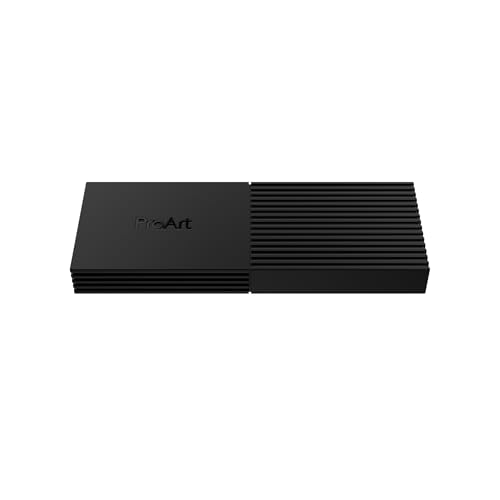
ASUS documents the ProArt PA40SU with a four-level smart fan and a push-to-open, tool-free mechanism. It accepts M-key 2230 or 2280 NVMe drives up to 4TB. No 2242 or 2260 support is listed, and the retained source does not expressly state an ASUS-specific SATA exclusion, so this page does not invent one.
The link is USB4 40Gbps over USB-C. ASUS warns that port labels alone do not prove the full path, because host PCIe bandwidth, protocol negotiation, cable, and SSD can reduce the negotiated mode. A USB-C cable is in the package, but the retained specifications give 5V input without clearly labeling the enclosure bus-powered.
ASUS publishes a fan scheme and performance-related claims, but this article does not turn those maker statements into our acoustic or sustained-transfer test. The retained platform record lists Windows 10, Windows 11, and macOS 14.4 or later.
Our Take
Choose PA40SU for a 2230 or 2280 M-key drive when compact tool-free access and a documented multi-level fan are priorities. Verify protocol and power behavior for the exact module and host.
- Four-level smart fan
- Push-to-open tool-free installation
- 2230 or 2280 M-key NVMe up to 4TB
- No 2242 or 2260 fit documented
- Explicit bus-power status is unknown
3. Satechi DotDisk 80Gbps Enclosure — best 80Gbps 2280 option
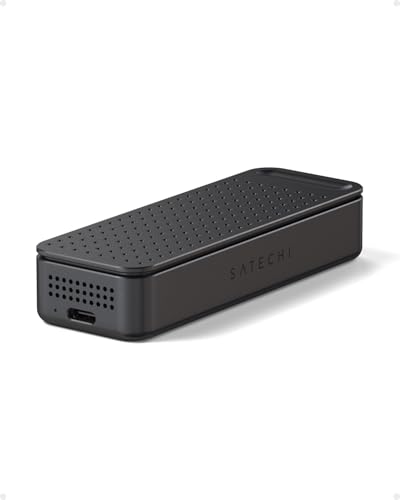
Satechi documents DotDisk as a USB4 v2 80Gbps enclosure with an active fan and compatibility for Thunderbolt 5, Thunderbolt 4, and USB4 hosts. It accepts only single-sided 2280 NVMe drives up to 8TB. SATA, other M.2 lengths, double-sided drives, and SSDs with an attached heatsink are excluded.
The included removable 30cm Thunderbolt 5 cable makes the intended high-bandwidth path explicit. DotDisk is not called Thunderbolt 5 certified because the retained manufacturer wording identifies it as USB4 v2 with host compatibility. The 80Gbps link ceiling is also not an 80Gbps storage result, and Thunderbolt 5’s display-oriented 120Gbps Bandwidth Boost is not a storage mode.
Active cooling cannot override the strict SSD fit, so confirm sidedness and attached-heatsink status before considering the faster link. The installed drive, bridge, cable, host PCIe resources, cache, and workload still constrain transfers.
Our Take
Pick DotDisk for a qualifying single-sided 2280 drive when an active-cooled 80Gbps path is useful. Reject it early if any fit exclusion applies.
- USB4 v2 80Gbps host link
- Active fan
- Removable 30cm Thunderbolt 5 cable
- Single-sided 2280 only
- Not described as Thunderbolt 5 certified
4. ACASIS TB501 Pro — best adjustable-fan multi-length choice
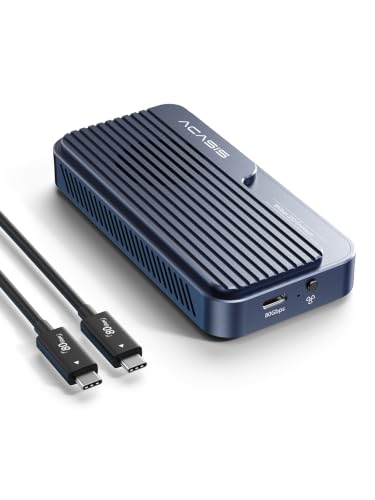
ACASIS documents the TB501 Pro family with an Intel JHL9480-family 80Gbps bridge and active adjustable cooling on the Pro configuration. It supports 2230, 2242, 2260, and 2280 NVMe drives up to 8TB. The exact Phantom Gray listing and Pro suffix must be preserved because family variants do not all have the same cooling design.
A compatibility conflict controls the verdict here. The broader manufacturer family page names Thunderbolt 5, 4, and 3 plus USB compatibility, but the exact selected marketplace identity excludes Thunderbolt 3. This guide uses the stricter boundary and recommends the enclosure only for a qualifying Thunderbolt 5, Thunderbolt 4, or USB4 host.
The Intel bridge does not by itself prove retail Thunderbolt certification. Adjustable cooling does not prove a particular fan curve, acoustic result, SSD temperature, or sustained transfer. The exact selected listing documents its supplied cable; verify the complete package list before ordering.
Our Take
Choose TB501 Pro when four M.2 lengths and adjustable active cooling matter on a TB5, TB4, or USB4 host. Do not buy this exact listing for Thunderbolt 3.
- Active adjustable fan on Pro model
- Four NVMe lengths up to 8TB
- Intel JHL9480-family 80Gbps bridge
- Exact selected identity excludes Thunderbolt 3
- Controller identity does not prove certification
5. TESmart TBE-X5Pro — best PWM-cooled 2280 choice
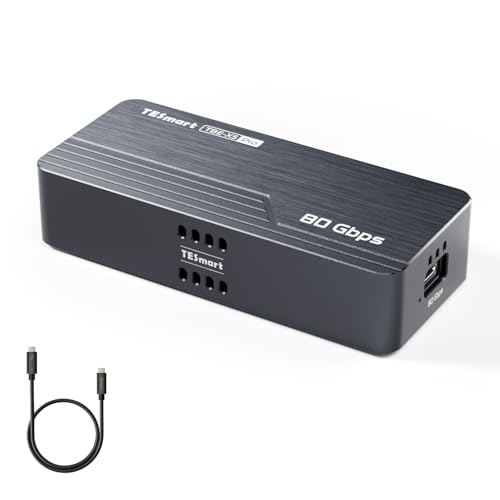
TESmart documents the TBE-X5Pro with an Intel JHL9480 B2 bridge and active PWM cooling. It accepts 2280 PCIe Gen 3, 4, or 5 NVMe drives up to 8TB. Shorter modules are not listed, which is what separates it from the multi-length ACASIS.
The package includes a removable 80Gbps USB-C cable, thermal pads, and a screwdriver. Proper pad placement and open vents remain part of the thermal path. PWM control may vary fan behavior, but no acoustic, temperature, or sustained-transfer figure is claimed here.
TESmart documents Thunderbolt 5, 4, and 3 plus USB4 scope with operating-system conditions. The exact warranty term is unknown in the retained product evidence. If you are relying on an older host or a warranty period, confirm both before ordering.
Our Take
Choose TBE-X5Pro for a 2280 NVMe drive when PWM cooling and a documented 80Gbps cable are useful. ACASIS is the better fit for shorter M.2 modules.
- Active PWM cooling
- PCIe Gen 3/4/5 2280 NVMe up to 8TB
- 80Gbps cable, pads, and screwdriver included
- 2280 length only
- Exact warranty term is unknown
How to choose an actively cooled enclosure
Match the SSD before comparing fans
SABRENT and ACASIS accept four common lengths. ASUS accepts 2230 and 2280. Satechi DotDisk and TESmart are 2280-only, with Satechi also requiring single-sided construction and no attached heatsink. All are diskless. Protocol, key, length, capacity, sidedness, and heatsink rules can rule a product out before cooling matters at all.
Choose 40Gbps or 80Gbps for the host you own
SABRENT and ASUS use 40Gbps USB4 links, while Satechi, ACASIS, and TESmart use 80Gbps-class designs intended for higher-bandwidth hosts. A faster enclosure cannot make an older host negotiate a faster path. If the computer is Thunderbolt 4, an 80Gbps enclosure works only within its documented fallback and host limits. Our Thunderbolt generation guide explains the host boundary.
Treat fan labels as controls, not results
An integrated fan, four-level fan, adjustable fan, or PWM fan describes design and control. None of those labels answers how hot a particular SSD gets, how loud the enclosure sounds, or whether a long write throttles. Comparable answers require the same SSD, capacity, firmware, host, cable, filesystem, ambient condition, workload, duration, and measurement method.
Check power, cable, and operating system
SABRENT documents bus power and a 0.3m cable. Satechi and TESmart document removable 80Gbps-class cables. ASUS includes a USB-C cable, but its retained bus-power label is unclear. ACASIS’s exact selected listing documents its supplied cable. Platform conditions differ too, especially for older Thunderbolt modes.
Keep link rate and file rate separate
The interface ceiling is only one boundary in the storage chain. Bridge, host PCIe allocation, cable, SSD controller and NAND, cache exhaustion, free space, filesystem, temperature, and workload can each reduce useful transfers. See our Thunderbolt SSD speed explainer for the full path.
Frequently asked questions
Does a fan guarantee no SSD throttling?
No. A fan can move air, but pad contact, vent clearance, ambient conditions, the installed SSD, cache, and workload are what determine thermal behavior.
Are actively cooled enclosures always noisy?
No universal acoustic conclusion is supported here. Fan design and control differ, and no comparable noise measurements were retained for this slate.
Is an 80Gbps enclosure twice as fast as a 40Gbps one?
Not necessarily. The host and the complete storage path must support the faster link, and useful application throughput rarely scales directly with the interface label.
Final recommendation
SABRENT EC-U4TN is the best overall actively cooled pick because it combines a fan, tool-free four-length fit, bus power, and an included cable in a well-bounded 40Gbps package. After that, one requirement picks each alternative: ASUS for 2230/2280 push-open installation, Satechi for a strict 2280 80Gbps path, ACASIS for adjustable cooling and four lengths, TESmart for PWM-cooled 2280 use. No fan design is presented as measured proof of temperature, noise, or sustained performance.