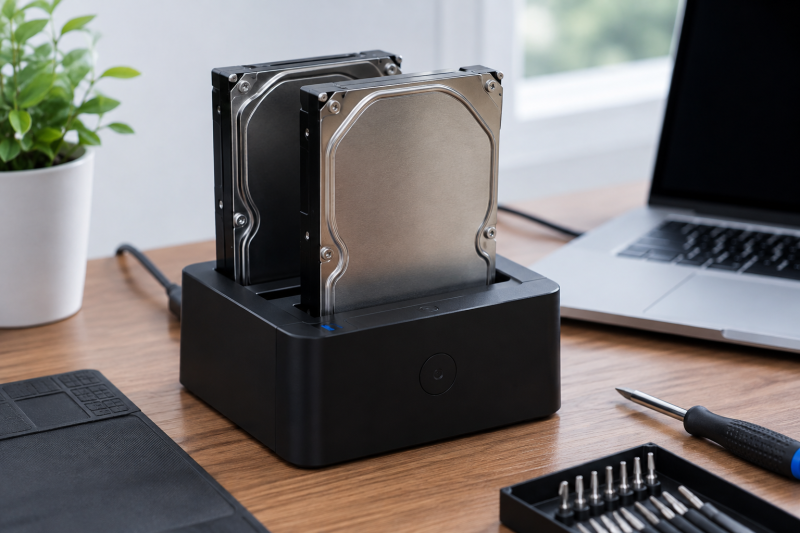
A dual-bay drive dock lets you read bare SATA drives at a desk instead of putting every removed drive in its own enclosure after a laptop repair or storage upgrade. It can also copy one drive to another without a computer on models with offline cloning. Source direction, target capacity and stable power come before the biggest interface number for safe migration.
These six docks accept bare 2.5-inch and 3.5-inch SATA HDDs or SSDs in two bays. They are not M.2 or NVMe docks. Their listed USB transfer figures describe a host connection, while an offline clone follows the dock’s own procedure and should be verified before the source drive is erased.
Label the source and target before inserting either drive. A clone copies toward the target and can overwrite what was already there.Dual-Bay Drive Docks Compared
| Image | Product | Details | Check Price |
|---|---|---|---|
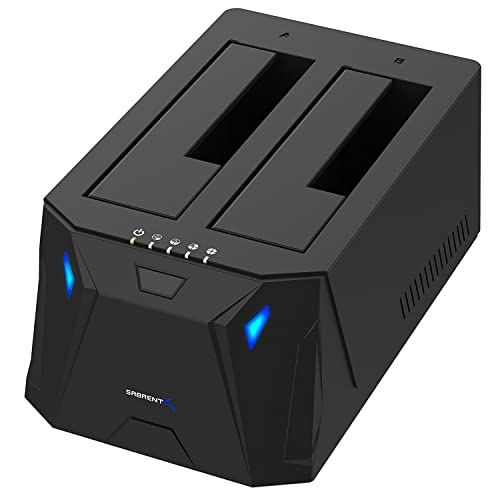 | SABRENT EC-HD2B | Bays: Two SATA Host: USB 3.0 up to 5Gbps Clone: Offline Drives: 2.5/3.5-inch SATA | Check Price on Amazon |
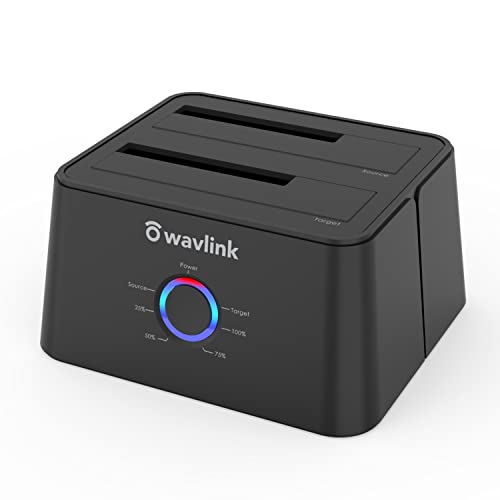 | WAVLINK WL-ST334UA | Bays: Two SATA Host: USB-C and USB-A UASP: Up to 6Gbps Clone: Offline | Check Price on Amazon |
 | RSHTECH RSH-DS01C | Bays: Two SATA Host: USB-C and USB-A Housing: Aluminum Clone: Offline | Check Price on Amazon |
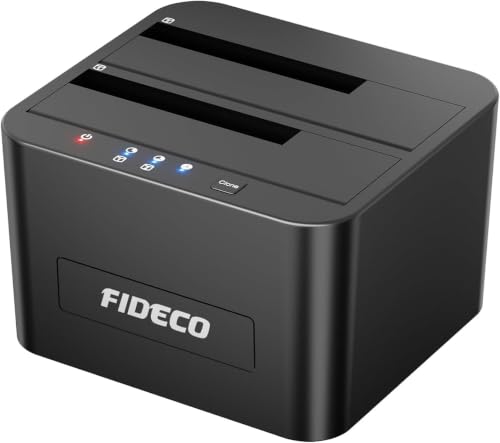 | FIDECO YPZ04-S2 | Bays: Two SATA Host: USB 3.0 Clone: Offline Drives: 2.5/3.5-inch SATA | Check Price on Amazon |
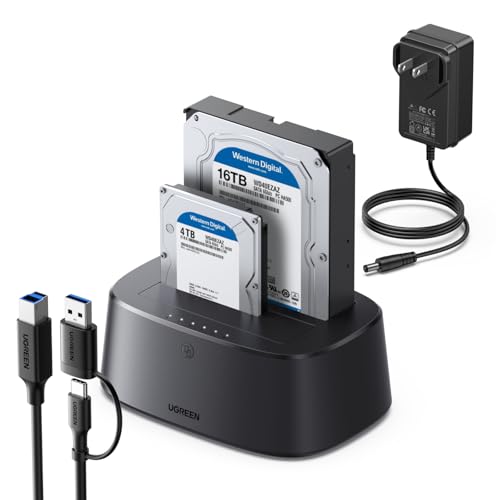 | UGREEN CM198 | Bays: Two SATA Host: USB 3.0 up to 5Gbps Clone: Offline Cable: USB-C included | Check Price on Amazon |
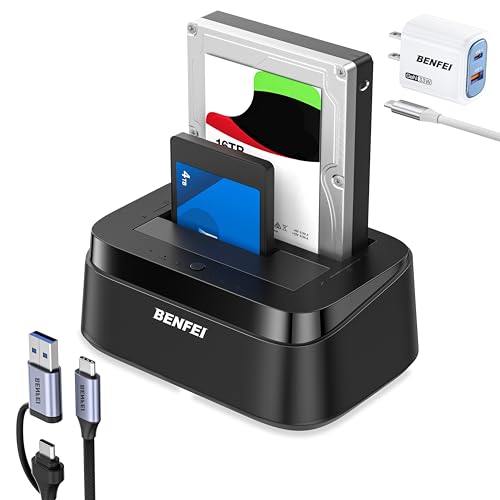 | BENFEI 000423black | Bays: Two SATA Host: USB-C up to 5Gbps Clone: Offline Loading: Tool-free | Check Price on Amazon |
1. SABRENT EC-HD2B — Best Basic Clone Workflow
SABRENT lists the EC-HD2B as a USB 3.0 dual-bay dock and cloner for standard 2.5-inch and 3.5-inch SATA drives. Its listing specifies host transfer support up to 5Gbps and offline cloning up to 60Mbps. The two figures are interface and maker numbers, not a promise for a particular pair of disks.
Use it when the job is reading two removed SATA drives or making a straightforward duplicate. The target drive must be suitable for the source layout, and the source should remain untouched until the copied drive has been mounted and checked on a computer.
Our Take Buy the EC-HD2B if you want a plain dual-bay SATA workflow. It is a good fit when USB 3.0 is enough and you care more about the clone procedure than a newer host connector.
- Two SATA drive bays.
- Offline clone function listed.
- Up to 5Gbps USB 3.0 host claim.
- Host figure is not clone speed.
- Requires external power for desktop drives.
2. WAVLINK WL-ST334UA — Best USB-C and USB-A Flexibility
WAVLINK lists USB 3.0 and USB-C host support, two 2.5-inch or 3.5-inch SATA bays, UASP support and an offline duplicator function. The listing says UASP can support up to 6Gbps while the USB 3.0 host path is up to 5Gbps, depending on the connected equipment.
Its clone instructions require the target drive to be larger than or equal to the source. The capacity rule is a buying decision, not a detail to discover after the drives are in the dock. Compare actual capacities and keep another copy of important data before starting.
Our Take Buy the WAVLINK if your laptop may use either USB-C or USB-A and you want the explicit target-capacity rule.
- USB-C and USB-A host options.
- UASP support listed.
- Clear target-capacity rule.
- Host speed depends on the full connection.
- Target contents can be overwritten.
3. RSHTECH RSH-DS01C — Best Aluminum Desk Dock
RSHTECH lists an aluminum dual-bay dock with a detachable USB-A and USB-C cable, two SATA bays and a 36W power adapter. It accepts standard 2.5-inch and 3.5-inch SATA drives and lists up to 5Gbps host transfer with UASP support.
The listing also includes offline cloning. Treat the built-in clone button as a destructive operation. Verify the source and target labels, compare capacity and wait for the procedure to finish before disconnecting power or a drive.
Our Take Buy the RSH-DS01C if your desk needs both host connector types and a more protected metal enclosure. It still needs the same care with source and target as every clone dock.
- USB-A and USB-C cable included.
- Aluminum housing listed.
- 36W power adapter listed.
- Up to 5Gbps is a host ceiling.
- Offline cloning needs careful bay direction.
4. FIDECO YPZ04-S2 — Best Simple Two-Drive Reader
FIDECO lists the YPZ04-S2 as a two-bay USB 3.0 reader for 2.5-inch and 3.5-inch SATA HDDs and SSDs. It can expose two drives to a computer at once, which is useful when comparing files or moving selected folders rather than cloning a whole disk.
It also lists offline cloning. New drives may need initialization before a computer recognizes them, so do not mistake an uninitialized target for a failed dock. Check partitions and representative files before retiring the old drive.
Our Take Buy the FIDECO if you want basic two-drive access with a clone option. It suits selective migration as well as full-disk copying.
- Two SATA drives can connect together.
- Offline clone listed.
- New targets may need initialization.
- USB 3.0 does not guarantee transfer results.
5. UGREEN CM198 — Best High-Capacity SATA Pairing
UGREEN lists the CM198 as a dual-bay dock for 2.5-inch and 3.5-inch SATA drives with offline cloning and USB 3.0 host transfer up to 5Gbps. Its capacity information is useful only after checking the exact disks you plan to use and their SATA connectors.
The dock includes a USB-B to USB-C cable. The cable can be convenient for a USB-C laptop, but it does not make the dock an NVMe device. For a removable SSD workflow, compare a USB-C external SSD separately.
Our Take Buy the UGREEN if you want a two-drive SATA desk setup with USB-C cabling. It is not a replacement for an enclosure when you need to carry a drive safely.
- Two SATA bays.
- USB-C cable included.
- Offline clone listed.
- Drives remain exposed on the desk.
- Capacity depends on compatible drives.
6. BENFEI 000423black — Best Tool-Free USB-C Dock
BENFEI lists a tool-free dual-bay dock for 2.5-inch and 3.5-inch SATA HDDs and SSDs. Its USB 3.1 Gen 1 host claim is up to 5Gbps, with UASP support, and the dock includes an offline clone button.
The listing says the target needs equal or greater capacity. Switch the dock off before inserting or removing drives, then confirm the copied drive on a computer. A clone does not provide version history or prove the source had no file-system errors.
Our Take Buy the BENFEI if you want tool-free drive changes and a USB-C host path. It is best for a controlled desk task, not long-term bare-drive storage.
- Tool-free drive loading.
- USB-C dual-bay design.
- Equal-or-larger target rule listed.
- Requires a stable powered desk setup.
- Does not support M.2 drives.
Buying Guide
Confirm that the removed drive is SATA
These docks accept 2.5-inch and 3.5-inch SATA HDDs and SSDs. They do not accept M.2 NVMe sticks, so inspect the drive’s connector before ordering. A different adapter is needed for a laptop SSD that uses M.2.
Check whether the laptop has USB-C or USB-A. A USB-C hub can add ports, but the dock still needs its own power supply for two desktop hard drives. Keep the dock on a firm surface and allow room around 3.5-inch drives so cables and spinning disks are not knocked during a copy.
Treat offline cloning as a destructive copy
The target drive must be equal to or larger than the source when the maker requires it. Label both drives, review the exact dock’s bay labels and remove the host connection if its instructions call for cloning without a computer.
After the copy completes, mount the target on a computer and open files before erasing the source. Completion lights are not a file verification test and cannot confirm a damaged source was fully readable.
Separate migration from backup
An offline clone creates a point-in-time duplicate. It is not a backup history. If the source has deleted files or corruption, the clone can carry that state forward.
Keep another independent copy for work that cannot be replaced. A dock is a useful migration tool, but bare drives need labels, anti-static storage and careful handling after they leave the desk. Write the drive’s former role and the date on its case so an old source is not mistaken for a verified replacement later.
Frequently Asked Questions
Can a dual-bay dock copy a SATA drive without a laptop?
Models here list an offline clone feature, which is designed to copy between the two inserted SATA drives without a host computer. Follow the specific button and indicator procedure in the manual.
The target may be overwritten, so do not use a drive as the target if it holds the only copy of important files. Confirm source and target capacity before beginning.
Does a 5Gbps listing mean a clone will run at 5Gbps?
No. The listed USB rate describes the host interface that connects to a computer. Offline cloning uses the dock’s own process and is limited by the dock and both drives.
Use the manufacturer procedure and verify the finished target. The speed figure should not change a cautious approach to source and target.
Bottom Line
Pick WAVLINK WL-ST334UA for flexible host connectors, RSHTECH RSH-DS01C for an aluminum desk dock, or SABRENT EC-HD2B for a basic clone workflow. Confirm SATA, label both disks and test the copy before removing the source.