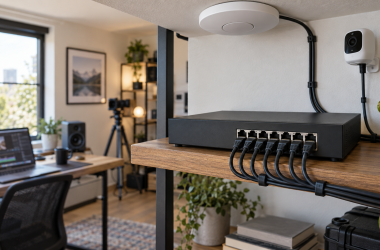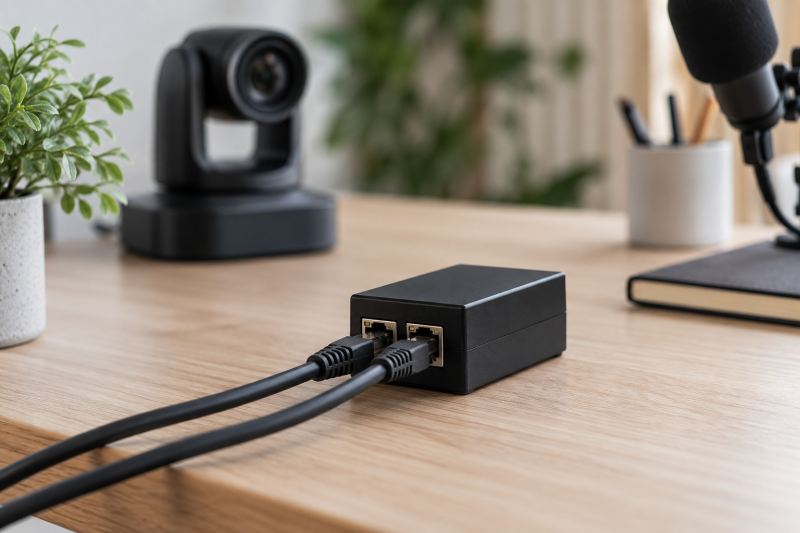
A one-port PoE injector puts power and network data on one Ethernet cable for a compatible PTZ camera. It is useful when a desk, studio wall or small camera position has a normal network switch but no PoE switch.
It also keeps the power supply near the network equipment rather than at the camera position, which can simplify a clean studio cable route.
Choose from the camera’s stated power requirement, not a larger wattage headline. 802.3af, 802.3at and 802.3bt describe different PoE standards, and a PTZ camera may need a different budget from a fixed indoor camera.
Connect the injector data input to the network and its PoE output to the camera. Check the camera manual before applying power.PoE Injectors Compared
| Image | Product | Details | Check Price |
|---|---|---|---|
 | TP-Link Omada POE160S | Best fit: Standard 30W camera Power: Up to 30W PoE: 802.3at/af Ports: Gigabit in and out | Check Price on Amazon |
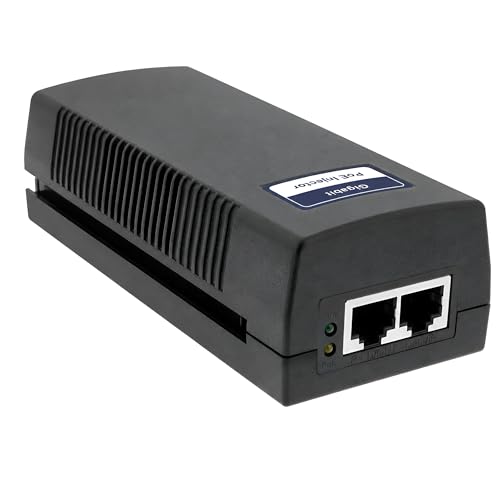 | BV-Tech 60W | Best fit: PTZ power headroom Power: Up to 60W PoE: 802.3af/at Ports: Gigabit listed | Check Price on Amazon |
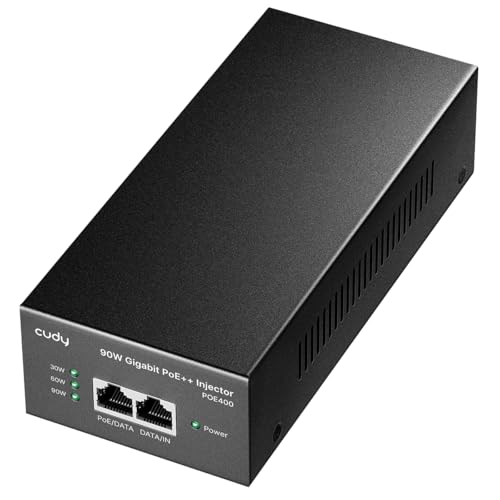 | Cudy POE400 | Best fit: 802.3bt camera Power: Up to 90W PoE: 802.3bt/at/af Ports: Gigabit passthrough | Check Price on Amazon |
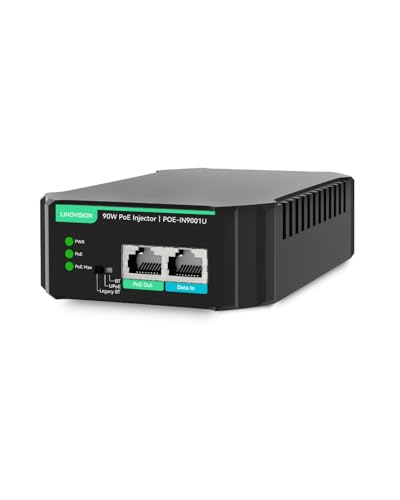 | LINOVISION 90W | Best fit: Fanless high power Power: Up to 90W PoE: 802.3bt/at/af Design: Fanless listed | Check Price on Amazon |
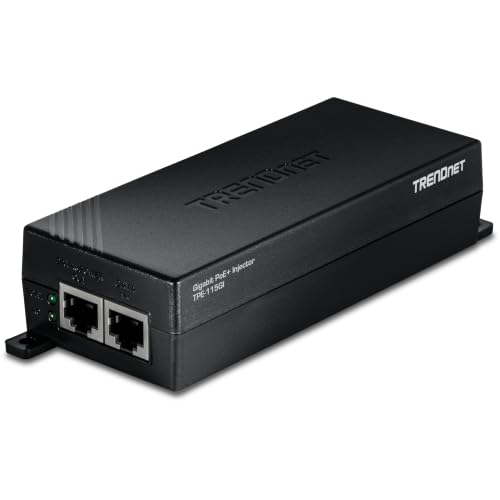 | TRENDnet TPE-115GI | Best fit: Straightforward PoE+ Power: Up to 30W PoE: 802.3at/af Ports: Gigabit in and out | Check Price on Amazon |
| BV-Tech 30W | Best fit: Basic Gigabit feed Power: Up to 30W PoE: 802.3at/af Ports: 10/100/1000Base-T | Check Price on Amazon |
1. Omada POE160S — Best Standard 30W Camera Pick
TP-Link lists the POE160S as a 30W 802.3at/af PoE+ injector with a Gigabit input and Gigabit PoE output. It fits an indoor PTZ camera whose documentation calls for ordinary PoE+ or lower-power PoE.
The listing specifies up to 100 metres. Cable quality and the camera’s power draw still affect the distance, so use the camera maker’s cable boundary rather than assuming that a listed maximum covers every installation.
Our Take Buy the POE160S if the camera documents a 30W-or-lower requirement. It keeps a one-camera setup simple without adding a PoE switch.
- 30W 802.3at/af listed.
- Gigabit ports listed.
- Not for bt-only hardware.
- Powers one endpoint.
2. BV-Tech 60W — Best 60W PTZ Headroom
BV-Tech lists this injector with up to 60W output and Gigabit data rates. Its listing names PTZ cameras and 802.3af/at support, so it is a candidate when a camera’s stated draw is above a basic 30W arrangement.
Confirm the endpoint’s power standard before choosing it. An injector budget, the negotiated standard and the camera input requirement must agree. Higher capacity alone does not prove an electrical match.
Our Take Buy this BV-Tech injector if the PTZ documentation needs more headroom than basic PoE+ but does not require 802.3bt.
- Up to 60W listed.
- Gigabit data listing.
- Check standard before buying.
- Not a multiport switch.
3. Cudy POE400 — Best 90W 802.3bt Option
Cudy lists the POE400 as a 90W 802.3bt/at/af four-pair injector with Gigabit passthrough. It is for a PTZ camera that explicitly documents 802.3bt or power needs beyond the usual PoE+ budget.
The extra capability does not improve a camera that needs only 802.3at. Confirm the camera standard and its power specification before selecting a 90W injector for a single endpoint.
Our Take Buy the Cudy if your camera documents a need for 802.3bt. A normal PoE+ camera is better matched to a smaller listed budget.
- 90W 802.3bt listed.
- Also supports at and af.
- More power than many cameras need.
- One-device design.
4. LINOVISION 90W — Best Fanless High-Power Pick
LINOVISION lists a 90W 802.3bt injector with Gigabit Ethernet, standard af/at/bt modes and a fanless design. It is a candidate when a camera with a higher power draw is installed near a quiet desk or equipment shelf.
Its listing includes legacy compatibility modes, but the correct setting belongs to the device documentation. Do not use a switchable mode as a substitute for matching the camera’s stated PoE standard.
Our Take Buy the LINOVISION if you want a quiet, high-power feed for a single camera and the camera maker documents a compatible standard.
- Fanless design listed.
- 90W bt capability listed.
- Mode selection needs care.
- High power is not universal.
5. TRENDnet TPE-115GI — Best Straightforward PoE+ Injector
TRENDnet lists the TPE-115GI with 30W 802.3at PoE+ output, one Gigabit data port and one Gigabit PoE port. It fits a camera whose manual calls for PoE+ and whose cable run stays within the listed 100-metre boundary.
Doing one small job is its strength. It adds power at one point in the cable path, but it does not replace a network switch where a studio needs several powered cameras or access points.
Our Take Buy the TRENDnet if your PTZ camera is a normal PoE+ model and one injector is all the network needs.
- 30W PoE+ listed.
- Gigabit ports listed.
- Not a multiport switch.
- Not for bt-only cameras.
6. BV-Tech 30W — Best Basic Gigabit Feed
BV-Tech lists this model as a 30W 802.3at/af injector with 10/100/1000Base-T support. It is a basic fit for a studio camera that specifies PoE+ and does not need a higher-power four-pair supply.
The listing states a 100-metre range. Plan the cable route before mounting, then test power, camera control and video transport together before relying on it for a session.
Our Take Buy the 30W BV-Tech if a documented PoE+ camera needs a simple Gigabit feed rather than 60W or 90W capacity.
- 30W 802.3at/af listed.
- Gigabit data support listed.
- One powered device.
- Confirm camera requirement.
Buying Guide
Match the IEEE standard before the wattage
802.3af, 802.3at and 802.3bt are different power-delivery standards. Start with the camera maker’s manual because it identifies the endpoint requirement. A larger number on an injector can be useful, but it does not establish a compatible connection on its own.
30W PoE+ is enough only when the camera says it is enough. Pan, tilt and zoom hardware may have a different requirement from a fixed indoor camera, especially when a model has accessories or environmental hardware. Match the standard and stated input specification first.
A 90W injector is a specific tool, not a universal upgrade. It can suit a camera documented for higher-power PoE, while an ordinary 802.3at camera can use a more proportionate injector. Keep the equipment list simple where the requirement allows it.
Map the one-cable path before mounting
The injector has a data-in port and a PoE-out port. The network switch or router connects to the input, and the camera connects to the powered output. Label both ends before a cable disappears into a wall, ceiling route or desk raceway.
100 metres is the listed distance boundary for these models. Cable condition, joins and installation environment can affect an actual run. Use a Cat6 Ethernet cable with known-good connectors, avoid improvised couplers and test power, control and video before final mounting.
One injector powers one endpoint. A suitable PoE switch can be easier to manage when several cameras, access points or powered accessories are planned. The injector is the clean option for the narrow single-camera job.
Keep power and video troubleshooting separate
A camera that powers up is not necessarily passing video. PoE confirms only part of the path. IP addressing, stream settings and the receiving computer need their own checks. Bring the camera online near the desk before extending the cable run.
Gigabit Ethernet is the listed link capability, not a promise of stream quality. The camera’s output, the network and the receiving software all affect the picture. A USB-C Ethernet adapter can connect a laptop to the same network, but verify the actual stream after the connection is established.
Change one physical variable at a time when fault-finding. Disconnect power before re-routing a cable, then test the injector, cable path and camera setting separately. Testing the parts separately stops you from mistaking a network issue for a power problem.
Frequently Asked Questions
Can a PoE injector replace a PoE switch for one PTZ camera?
Yes. A single-port injector can add power to one Ethernet cable between an existing non-PoE network port and one compatible camera. It is useful when the network has only one powered endpoint.
It does not add network ports. If the room will grow to several cameras, access points or other PoE hardware, a switch can be the better structural choice. Choose an injector for the narrow one-camera job.
The camera still needs the compatible PoE standard. Check the manual before buying, then connect the data input and powered output in the right order. Do not assume every Ethernet-powered device uses the same requirement.
Is a 90W injector safer for a 30W camera?
Not automatically. A higher-rated injector can support more demanding equipment, but the relevant question is whether it follows the standard the camera expects. Compatibility with the camera comes before the largest wattage in a product title.
Standards-based detection is part of the hardware design. Use the camera and injector documentation to confirm the intended pairing, especially before applying power to an expensive PTZ unit. Avoid legacy or manual modes unless the endpoint documentation clearly calls for them.
A 30W PoE+ model is often the simpler fit when the camera specifies 802.3at. Extra capacity does not improve a normal camera feed, while a correct cable path and stable network configuration do.
Bottom Line
Choose TP-Link Omada POE160S or TRENDnet TPE-115GI for a documented 30W PoE+ camera. Choose Cudy POE400 only when the PTZ camera specifically requires the higher 802.3bt class.