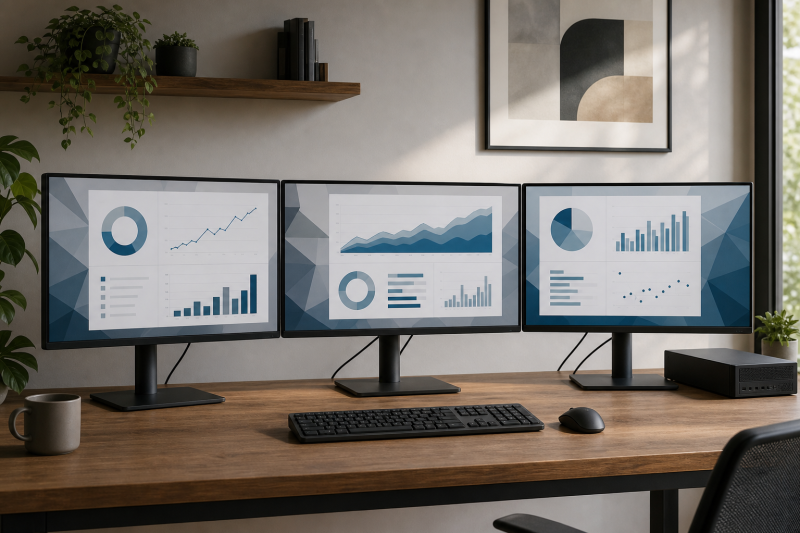
The BenQ GW2490T is our best monitor for a triple monitor setup because it combines a compact 23.8-inch Full HD panel with the most useful supplied stand in the 24-inch group. BenQ documents height, tilt, swivel, and pivot adjustment, plus two HDMI inputs, one DisplayPort input, and a 100Hz maximum refresh rate. Three units form a nominal 5760 x 1080 desktop grid and measure about 1,620mm across if you simply multiply the official per-unit width. That width is a planning baseline, not a universal desk-fit promise.
The right choice depends on more than one monitor’s headline specification. Three identical panels need to line up physically, fit the desk, stay within a mount’s per-head limit, and accept the outputs your computer or dock can actually provide. A monitor input does not create a display stream. Your computer, GPU, operating system, dock or adapter, and cables still decide whether three independent displays work at the resolution and refresh rate you want.
We researched current official manufacturer pages and exact US Amazon identities for eight monitors across eight brands. Each exact ASIN returned in one final ordered Amazon request with an active New offer on July 16, 2026. The listings are for single monitors, not guaranteed three-packs. Availability can change, so treat the three-unit path as buying three units of the same exact listing and recheck it before ordering.
This post includes affiliate links, for which we may earn a commission at no extra cost to you should you make a purchase using our links. As an Amazon Associate, we can earn from qualifying purchases. Learn more.Updated July 17, 2026
This guide was built from current exact-model manufacturer specifications and a dated Amazon identity and New-offer check. The product order was set before the final ordered Amazon ASIN check, and the article and table keep that order. We also checked physical dimensions, official weight, supplied-stand movement, VESA pattern, native resolution, native-resolution refresh ceiling, panel technology, and video inputs for every pick.
Quick Picks
- Best overall matched 24-inch array: BenQ GW2490T for its complete supplied-stand adjustment, 100Hz Full HD mode, and HDMI plus DisplayPort inputs.
- Best adjustable QHD creative array: ASUS ProArt Display PA278QV for 27-inch QHD, four video-input types, and a stand with height, tilt, swivel, and pivot.
- Best simple 27-inch QHD 100Hz array: LG 27U631A-B for a light 27-inch QHD panel with HDMI and USB-C inputs.
- Best compact array with three input types: ViewSonic VA2456A-MHD for a 23.8-inch body, 120Hz Full HD mode, and HDMI, DisplayPort, and VGA.
- Best lightweight VESA-first 24-inch array: Samsung S30GD LS24D304GANXZA for a 2.4kg with-stand weight and 100 x 100mm VESA pattern.
- Best light 27-inch QHD VESA-first array: Acer SB272U Ebiip for 100Hz QHD, an 8.64lb with-stand weight, and a 75 x 75mm mount pattern.
- Best mixed-use high-refresh array: AOC Q27G4XN for QHD at up to 180Hz through DisplayPort, with a fully adjustable stand.
- Best simple 27-inch Full HD 120Hz array: Philips 27E2N2100/27 for its light body, HDMI 120Hz route, and 100 x 100mm VESA pattern.
Triple Monitor Comparison
| Image | Product | Details | Check Price |
|---|---|---|---|
 | BenQ GW2490T | Size, panel: BenQ states 23.8-inch IPS Native mode: 1920 x 1080 at up to 100Hz Video inputs: 2 x HDMI 1.4, 1 x DisplayPort 1.2 With-stand size: 540 x 374-484 x 241mm W x H x D Weight, mount: 6.4kg with stand; VESA 100 x 100mm Array role: Adjustable matched 24-inch array | Check Price on Amazon |
 | ASUS ProArt Display PA278QV | Size, panel: ASUS states 27-inch IPS Native mode: 2560 x 1440 at up to 75Hz Video inputs: DP 1.2, mini-DP, HDMI 1.4, dual-link DVI-D With-stand size: 615 x 532 x 226mm W x H x D Weight, mount: 7.56kg with stand; VESA 100 x 100mm Array role: Fully adjustable QHD creative array | Check Price on Amazon |
 | LG 27U631A-B | Size, panel: LG states 27-inch IPS Native mode: 2560 x 1440 at up to 100Hz Video inputs: 1 x HDMI, 1 x USB-C video with 15W PD With-stand size: 613.2 x 454.8 x 215mm W x H x D Weight, mount: 4.4kg with stand; VESA 100 x 100mm Array role: Simple QHD 100Hz array; tilt-only stand | Check Price on Amazon |
 | ViewSonic VA2456A-MHD | Size, panel: ViewSonic states 23.8-inch IPS Native mode: 1920 x 1080 at up to 120Hz Video inputs: HDMI 1.4, DisplayPort, VGA With-stand size: 539.2 x 390.1 x 198.4mm W x H x D Weight, mount: 6.8lb with stand; VESA 100 x 100mm Array role: Compact input-flexible array; tilt-only stand | Check Price on Amazon |
 | Samsung S30GD LS24D304GANXZA | Size, panel: Samsung states 24-inch IPS Native mode: 1920 x 1080 at up to 100Hz Video inputs: 1 x HDMI 1.4, 1 x D-Sub With-stand size: 540.7 x 428.5 x 175.1mm W x H x D Weight, mount: 2.4kg with stand; VESA 100 x 100mm Array role: Lightweight VESA-first 24-inch array | Check Price on Amazon |
 | Acer SB272U Ebiip (UM.HS2AA.E04) | Size, panel: Acer states 27-inch IPS Native mode: 2560 x 1440 at up to 100Hz Video inputs: 2 x HDMI 2.0, 1 x DisplayPort 1.2 With-stand size: 24.17 x 17.80 x 8.82in W x H x D Weight, mount: 8.64lb with stand; VESA 75 x 75mm Array role: Light QHD VESA-first array; tilt-only stand | Check Price on Amazon |
 | AOC Q27G4XN | Size, panel: AOC states 27-inch Fast VA Native mode: 2560 x 1440 at 180Hz DP or 144Hz HDMI Video inputs: 2 x HDMI 2.0, 1 x DisplayPort 1.4 With-stand size: 613.9 x 386-516 x 207.7mm W x H x D Weight, mount: 5.11kg with stand; VESA 100 x 100mm Array role: Adjustable mixed-use high-refresh array | Check Price on Amazon |
 | Philips 27E2N2100/27 | Size, panel: Philips states 27-inch IPS Native mode: 1920 x 1080 at 120Hz over HDMI Video inputs: 1 x HDMI 1.4, 1 x VGA With-stand size: 616 x 454 x 200mm W x H x D Weight, mount: 3.22kg with stand; VESA 100 x 100mm Array role: Simple 27-inch Full HD 120Hz array | Check Price on Amazon |
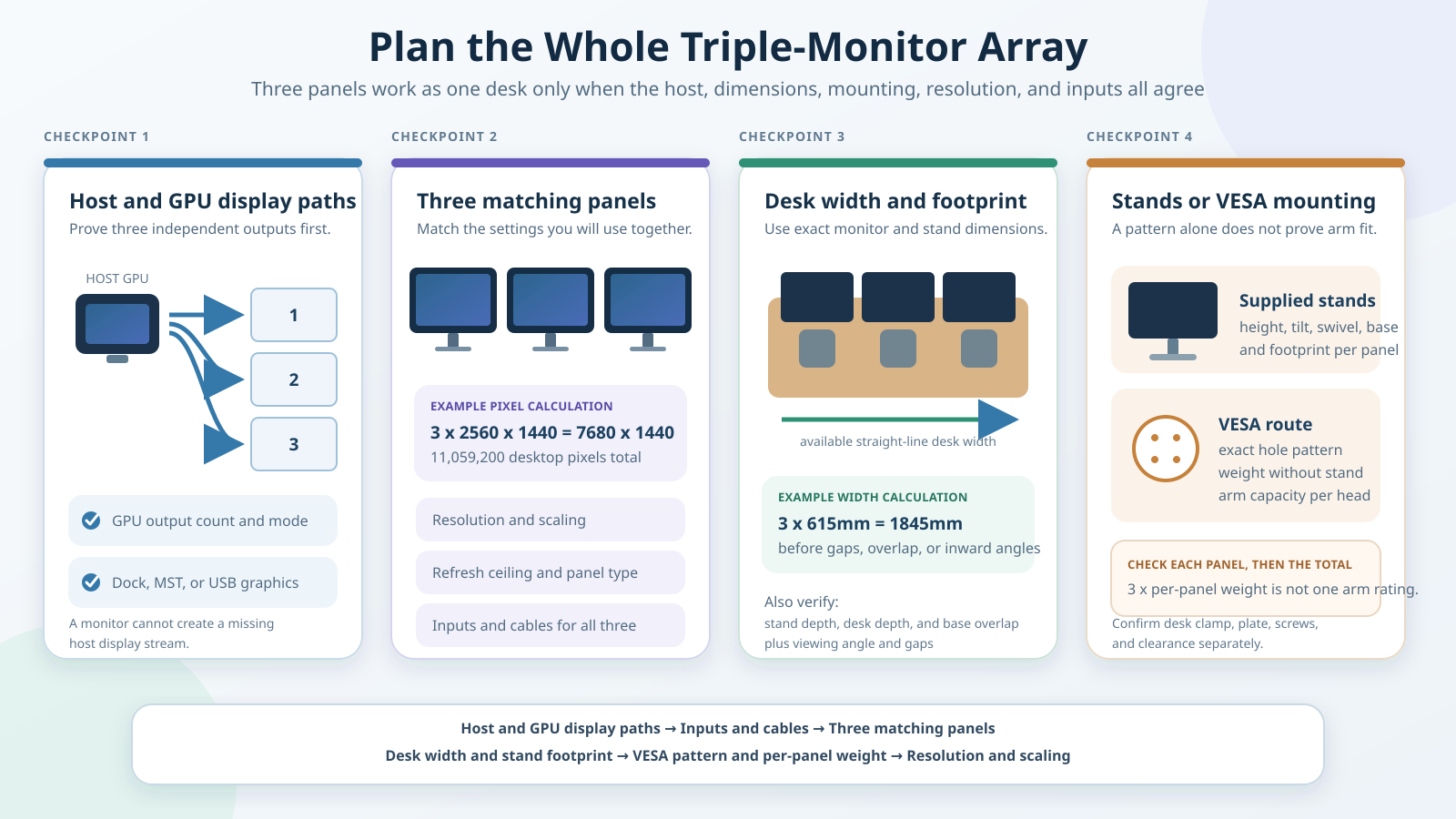
The comparison table shows the facts that matter when one monitor becomes three. The diagram above keeps four checks separate: the host’s three display paths, the panels’ combined width, the supplied-stand or VESA route, and the shared native mode and inputs. The calculations below carry the same information in text.
Table of Contents
- BenQ GW2490T
- ASUS ProArt Display PA278QV
- LG 27U631A-B
- ViewSonic VA2456A-MHD
- Samsung S30GD LS24D304GANXZA
- Acer SB272U Ebiip
- AOC Q27G4XN
- Philips 27E2N2100/27
- How to plan three matching monitors
- Frequently asked questions
- How we research and select
1. BenQ GW2490T — Best Overall Matched 24-Inch Array

The BenQ GW2490T is the easiest starting point for a matched 24-inch array because its supplied stand gives you more alignment control than the other compact picks. BenQ documents 110mm of height adjustment, tilt from -5 to +20 degrees, swivel of 20 degrees in each direction, and 90-degree pivot. Those axes matter when three separate stands sit on a desk. They let you correct small height and angle differences without assuming that a separate arm is necessary.
BenQ states that the 23.8-inch IPS panel runs at 1920 x 1080 with a maximum 100Hz refresh rate. Two HDMI 1.4 inputs and one DisplayPort 1.2 input provide choices at the monitor end. Your host still needs three suitable outputs or an independently verified transport path. Three panels create a nominal 5760 x 1080 grid with 6,220,800 pixels. That calculation says nothing about whether a given computer can render or transport the grid at 100Hz.
The physical math is straightforward. BenQ lists the monitor at 540mm wide and 241mm deep with its stand. Three widths total about 1,620mm, or 63.8 inches, before gaps, inward angles, cable clearance, or a safety margin. The official net weight is 6.4kg with the stand, so three complete units total 19.2kg. Without their bases, BenQ lists 3.5kg per panel and a 100 x 100mm VESA pattern. A mount must support the exact per-head load and pattern; the pattern alone is not approval for a particular arm.
The tradeoff is pixel space. Full HD keeps the nominal three-panel grid lighter than QHD, but it also provides only 1,080 vertical pixels per screen. Choose it when compact physical size, adjustable supplied stands, and input choice matter more than the additional workspace of QHD.
Our Take
Buy three GW2490T units when you want a matched compact array that can be aligned on its included stands. It is our best overall pick for the mechanical package; no image-quality, bezel, comfort, or cross-unit color-matching measurements were performed.
- Height, tilt, swivel, and pivot on the supplied stand
- Two HDMI inputs plus one DisplayPort input
- Compact 540mm official width per unit
- 100 x 100mm VESA route for a suitable mount
- Only 1,080 native vertical pixels per screen
- Three included stands total 19.2kg
- Host support for three 100Hz outputs is separate
2. ASUS ProArt Display PA278QV — Best Adjustable QHD Creative Array

The ASUS ProArt Display PA278QV is the strongest choice here when QHD workspace and physical adjustment matter more than a high refresh ceiling. ASUS specifies a 27-inch IPS panel at 2560 x 1440 and up to 75Hz. Three units form a nominal 7680 x 1440 desktop grid containing 11,059,200 pixels. That is about 78 percent more pixels than the three-panel Full HD grid, but it is not evidence of higher productivity or proof that your computer can drive it.
The supplied stand gives you 150mm of height movement, tilt from -5 to +35 degrees, swivel through 90 degrees in either direction, and pivot through 90 degrees in either direction. That makes it practical to align three panels on their own stands or rotate one when your workflow needs it. If you mount all three, ASUS documents a 100 x 100mm VESA pattern and a 4.83kg weight without the stand. The official with-stand weight is 7.56kg, so three complete monitors total 22.68kg.
Input choice is another reason it earns this role. ASUS lists DisplayPort 1.2, mini DisplayPort, HDMI 1.4, and dual-link DVI-D. That range can help when a desktop exposes a mix of connectors, but each route still needs to support the intended 2560 x 1440 mode. Adapters, docks, and cable behavior stay outside this product verdict.
At 615mm wide, three units span about 1,845mm, or 72.6 inches, before angle and clearance. The 226mm official stand depth is only one part of the desk equation because the rear panel, cable bend, keyboard position, and viewing distance also consume space. The separate general computer monitor guide covers broader panel and size decisions.
Our Take
Choose the PA278QV when you want three QHD screens with excellent supplied-stand control and several input types. ASUS’s calibration and color-space specifications are manufacturer facts; they do not prove that three retail units will match perfectly or deliver measured uniformity.
- QHD gives each panel 2,560 by 1,440 pixels
- Full height, tilt, swivel, and pivot adjustment
- Four documented video-input types
- 100 x 100mm VESA support
- 75Hz maximum refresh rate
- Three units span about 1,845mm before gaps
- Three with-stand units total 22.68kg
3. LG 27U631A-B — Best Simple 27-Inch QHD 100Hz Array
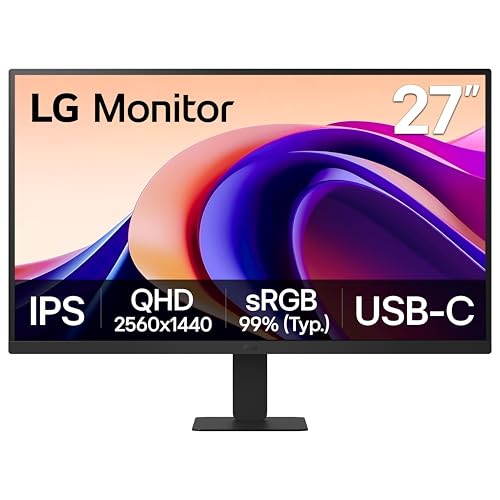
The LG 27U631A-B is the simple 27-inch QHD option for readers who want 100Hz but do not need a fully adjustable supplied stand. LG identifies the US unit as 27U631A-B, while its US support record and Amazon model and part fields use 27U631A-B.AUSQ. The exact-model LG specification page states a 27-inch IPS panel, 2560 x 1440 native resolution, and a 100Hz maximum refresh rate.
LG lists one HDMI input and one USB-C input with 15W Power Delivery. The USB-C port is a monitor input, not proof that one USB-C host can supply three displays. A computer would need a separately verified way to deliver a suitable signal to each unit. If you need to compare monitor-side USB-C features as a category, use the USB-C monitor guide without importing its broader ranking into this three-panel verdict.
The physical package is light for a 27-inch QHD pick. LG lists 4.4kg with the stand and 3.6kg without it. Three complete monitors total 13.2kg. Each unit measures 613.2mm wide, so a straight multiplication gives about 1,839.6mm across. The supplied stand tilts from -5 to +20 degrees but does not provide the height, swivel, or pivot control documented for the BenQ, ASUS, or AOC picks.
That limited stand is the central compromise. For side-by-side alignment, you may need risers or a suitable mounting route. LG documents a 100 x 100mm wall-mount pattern, but you still need to check the mount’s per-head capacity, plate fit, clearances, and total structure limit. VESA support is a hole pattern, not a three-monitor-arm guarantee.
Our Take
Choose three LG 27U631A-B units when you want a light QHD 100Hz array and can plan around a tilt-only supplied stand. The USB-C input is useful monitor-side evidence, but it does not transfer ownership of the three-display host path to the monitor.
- QHD native grid at up to 100Hz
- Light 4.4kg official with-stand weight
- HDMI and USB-C video inputs
- 100 x 100mm VESA pattern
- Supplied stand only adjusts for tilt
- No DisplayPort input documented
- USB-C does not prove a three-display host route
4. ViewSonic VA2456A-MHD — Best Compact Array With Three Input Types

The ViewSonic VA2456A-MHD gives a compact array three monitor-side input types: HDMI 1.4, DisplayPort, and VGA. ViewSonic specifies a 23.8-inch IPS panel with a 1920 x 1080 native resolution and 120Hz refresh rate. The digital inputs are the practical choices for the full native mode. VGA exists for older equipment, but it should not be treated as an equal path without checking the exact resolution and refresh combination.
Three panels produce the same nominal 5760 x 1080 grid as the BenQ and Samsung 24-inch picks. ViewSonic lists each monitor at 539.2mm wide, 390.1mm high, and 198.4mm deep with the stand. Three widths total about 1,617.6mm, the narrowest calculated straight span on this list by a small margin. The official with-stand weight is 6.8lb, or 3.1kg, so three complete units total 20.4lb, or about 9.3kg.
The supplied stand only tilts, with 4 degrees forward and 20 degrees back. ViewSonic documents a 100 x 100mm VESA pattern and a 6lb weight without the stand. A suitable mount can solve alignment and base-footprint issues, but it adds its own load, reach, clamp, and clearance checks. Do not assume that the low panel weight makes every three-head arm suitable.
ViewSonic’s page explicitly states 120Hz in the product headline and main refresh field. A separate frequency row on the same page contains unrelated mini-HDMI and USB-C text, so we do not use that stray row as evidence. This is why exact field reconciliation matters even on a first-party page.
Our Take
Choose the VA2456A-MHD when a compact Full HD array needs DisplayPort, HDMI, and a legacy VGA input at each panel. It is easier to place than the 27-inch models, but its tilt-only stand provides less alignment control than the BenQ GW2490T.
- HDMI, DisplayPort, and VGA inputs
- Compact 539.2mm official width
- 120Hz maximum refresh at Full HD
- Light 6.8lb with-stand weight
- Supplied stand only tilts
- Only 1,080 native vertical pixels
- Manufacturer page has one unused frequency-row inconsistency
5. Samsung S30GD LS24D304GANXZA — Best Lightweight VESA-First 24-Inch Array

The Samsung S30GD, exact model LS24D304GANXZA, is the lightest 24-inch choice on this list. Samsung’s US specification sheet lists the selected 24-inch IPS model at 2.4kg with its stand and 2.0kg without it. Three complete units total 7.2kg. That makes the monitor a sensible VESA-first candidate when low panel mass matters, but a mount still needs to support each head and the complete structure.
Samsung states a 1920 x 1080 native resolution and 100Hz maximum frame rate. Three units form a nominal 5760 x 1080 grid. The monitor has one HDMI 1.4 input and one D-Sub input. There is no documented DisplayPort or USB-C input. If your computer or dock does not expose three suitable HDMI paths, that is a host-side problem to solve before choosing the monitor, not after delivery.
The supplied simple stand tilts from -2 to +21 degrees. It does not provide documented height, swivel, or pivot movement. Each unit measures 540.7mm wide, 428.5mm high, and 175.1mm deep with the stand. Three widths total about 1,622.1mm before gaps and angle. The short official depth helps the initial desk calculation, but actual fit still depends on cable bends, viewing distance, keyboard space, and whether the panels are angled inward.
Samsung documents a 100 x 100mm wall-mount pattern. Use the official 2.0kg without-stand figure when checking a mount because the supplied base will be removed. Do not use the low weight to infer rigidity, durability, stability, or compatibility with a specific arm. Those claims require evidence about the mounting hardware, not just the monitor.
Our Take
Choose the S30GD when you want a light, simple Full HD array and already know how three HDMI-connected displays will reach the host. The supplied stands are basic, so this pick makes the most sense when a separately verified VESA route is part of the plan.
- Only 2.4kg per unit with the stand
- 100Hz maximum refresh at Full HD
- 100 x 100mm VESA pattern
- Short 175.1mm official stand depth
- No DisplayPort or USB-C input
- Supplied stand only tilts
- Host needs a separately verified three-HDMI path
6. Acer SB272U Ebiip (UM.HS2AA.E04) — Best Light QHD VESA-First Array

The Acer SB272U Ebiip combines a 27-inch QHD grid with a lower official weight than the ASUS and AOC QHD picks. Acer identifies the exact US part as UM.HS2AA.E04, matching Amazon’s model and item-part fields. Acer states a 27-inch IPS panel, 2560 x 1440 maximum resolution, and a standard 100Hz refresh rate.
Three units form a nominal 7680 x 1440 grid with 11,059,200 pixels. Acer lists two HDMI 2.0 inputs and one DisplayPort 1.2 input at each monitor. This input mix gives you options on the panel side, but it does not combine three signals or create three outputs. You still need a verified one-to-one route from the host topology to the three chosen inputs.
The monitor measures 24.17 inches wide, 17.80 inches high, and 8.82 inches deep with the stand. Multiplying the width gives about 72.51 inches across for three straight panels. Acer lists 8.64lb with the stand and 7.83lb without it, so three complete monitors total 25.92lb. The supplied stand tilts from -5 to +15 degrees and does not pivot.
Acer documents a 75 x 75mm VESA pattern rather than the 100 x 100mm pattern used by the other picks. That is not a disadvantage by itself, but it is an exact compatibility check for the mounting plate. Confirm 75 x 75mm support, the 7.83lb per-head load without the stand, screw requirements, and enough reach for three 27-inch panels.
Our Take
Choose the SB272U Ebiip when you want a light 27-inch QHD array and plan to use HDMI or DisplayPort. Its tilt-only stand and 75 x 75mm pattern make the physical mounting plan more important than it is with a fully adjustable stand.
- QHD at a documented 100Hz
- Two HDMI inputs and one DisplayPort input
- 8.64lb official with-stand weight
- Exact US part matches Amazon model and part
- Supplied stand only tilts
- 75 x 75mm VESA needs an exact plate check
- No supplied-stand height or swivel adjustment
7. AOC Q27G4XN — Best Mixed-Use High-Refresh Array
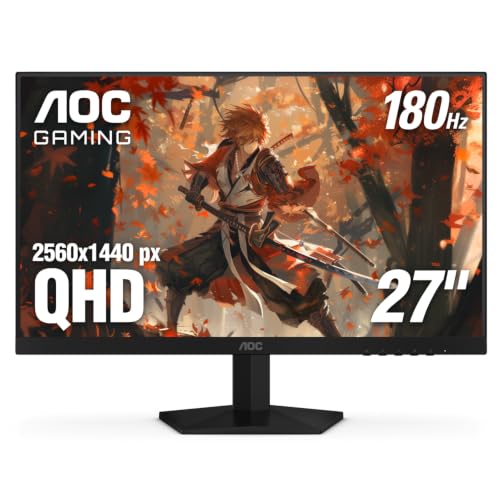
The AOC Q27G4XN is the high-refresh choice because AOC documents the exact input-specific ceiling instead of leaving the reader with one headline number. The 27-inch Fast VA panel runs at 2560 x 1440. DisplayPort 1.4 supports up to 180Hz at that native resolution, while HDMI 2.0 supports up to 144Hz. Three monitors would need three independently suitable routes if you want the same mode on every panel.
That specification is a ceiling, not a performance result. It does not prove measured response behavior, low latency, smooth gaming, or a particular frame rate from your GPU. It also does not mean a dock can carry three QHD 180Hz signals. Read the exact host, output, cable, and monitor-input requirements together. The high-refresh monitor cable guide explains why connector name alone is not enough.
AOC gives the supplied stand 130mm of height adjustment, tilt from about -3 to +21 degrees, swivel through about 28 degrees in either direction, and pivot through 90 degrees in either direction. Three stands therefore provide good alignment control. Each unit measures 613.9mm wide and 207.7mm deep, with height ranging from 386 to 516mm. Three widths total about 1,841.7mm.
The official with-stand weight is 5.11kg, not the conflicting value in Amazon’s catalog geometry. Three complete units total 15.33kg. Without the stands, AOC lists 3.24kg per panel and a 100 x 100mm VESA pattern. Manufacturer dimensions and weight control this guide because Amazon’s item geometry is identity data, not the technical source.
Our Take
Choose three Q27G4XN units when you need QHD, full stand adjustment, and an input-specific high-refresh path. The DisplayPort route owns the 180Hz ceiling. Nothing in that ceiling guarantees the host can supply three such signals or that measured gaming behavior meets a particular standard.
- QHD up to 180Hz through DisplayPort
- Height, tilt, swivel, and pivot adjustment
- Two HDMI 2.0 inputs plus DisplayPort 1.4
- 100 x 100mm VESA pattern
- HDMI ceiling is 144Hz at native resolution
- High refresh makes host-path verification stricter
- No measured performance claim is available here
8. Philips 27E2N2100/27 — Best Simple 27-Inch Full HD 120Hz Array
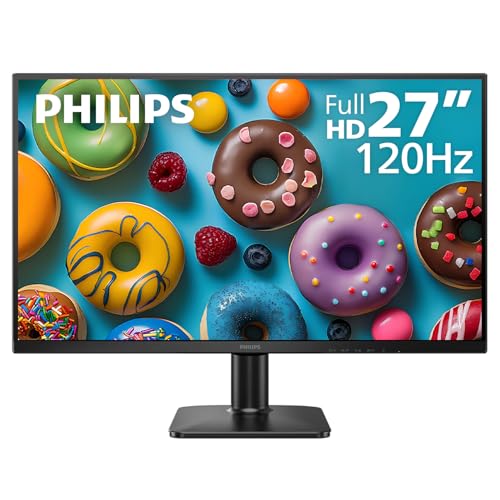
The Philips 27E2N2100/27 is the simple light 27-inch choice when Full HD and 120Hz are enough. Philips’s US page and April 2026 commercial leaflet use the exact regional identity 27E2N2100/27. Amazon omits the /27 suffix from its model and part fields, but the official and Amazon records share UPC 810112795493. That UPC provides the exact US identity bridge.
Philips specifies a 27-inch IPS panel with a maximum 1920 x 1080 resolution at 120Hz. The official scan ranges show that HDMI is the 120Hz path, while VGA reaches a lower ceiling. Each monitor has one HDMI 1.4 input and one VGA input. Plan on three suitable digital outputs if the target is Full HD at 120Hz across the array.
Three panels create a nominal 5760 x 1080 desktop grid. At 27 inches, Full HD spreads the same pixel count over a larger physical area than the 23.8-inch and 24-inch Full HD picks. That may make interface elements physically larger at native scale, but it is not a measured text-quality or viewing-comfort claim. Readers who want more pixels per panel should choose a QHD model instead.
Philips lists each monitor at 616mm wide, 454mm high, and 200mm deep with the stand. Three widths total about 1,848mm, the widest straight-line calculation on this list. The official with-stand weight is only 3.22kg, so three complete units total 9.66kg. The supplied stand tilts from -5 to +20 degrees, and Philips documents a 100 x 100mm VESA pattern.
Our Take
Choose the 27E2N2100/27 when you want a light 27-inch Full HD array with a documented 120Hz HDMI route. It trades pixel density and stand adjustment for low weight and a simple mounting path.
- 120Hz Full HD mode through HDMI
- Light 3.22kg official with-stand weight
- 100 x 100mm VESA pattern
- Exact US identity bridged by matching UPC
- Full HD spread across a 27-inch panel
- Supplied stand only tilts
- VGA is not the 120Hz digital route
How to Plan Three Matching Monitors
Start With Three Identical Models
Three identical monitors simplify the questions you must answer. The native resolution, physical dimensions, input set, VESA pattern, and stand movement are the same. That reduces avoidable mismatches in scaling and alignment. It does not guarantee that three retail panels have identical color, brightness, bezels, or uniformity. Those are unit-level characteristics that require measurements we do not have.
Mixing monitors can still work when you already own one or need a specialized center panel. Write down each screen’s native resolution, diagonal, physical height, stand range, inputs, and intended scale. A 27-inch QHD center screen between two 24-inch Full HD side screens will not share the same pixel density or physical height. The pointer can appear to jump at boundaries when logical and physical geometry differ.
The broader home-office monitor guide owns general office selection. This guide narrows the problem to buying and placing three physical panels as one array.
Calculate the Pixel Grid Before Choosing the Host Path
The nominal grid is simple arithmetic. Three Full HD monitors placed side by side produce 1920 x 3 = 5760 horizontal pixels and 1,080 vertical pixels. That is 6,220,800 total pixels. Three QHD monitors produce 2560 x 3 = 7680 horizontal pixels and 1,440 vertical pixels, or 11,059,200 pixels.
Pixel arithmetic describes the desktop, not the computer’s ability to drive it. Refresh rate multiplies the transport demand, and color depth or other link settings can change it again. Do not translate the pixel count into a promised frame rate, GPU tier, dock result, or cable recommendation without exact topology evidence.
If you are considering 4K panels, the total grid becomes 11520 x 2160, which is a separate host-planning problem. The 4K monitor guide ranks that resolution category, but a three-panel 4K deployment needs its own verified output and bandwidth path.
Measure Width, Depth, and Viewing Distance
Start with official with-stand width, then multiply by three. The result is the straight-line minimum before practical allowances. Three BenQ GW2490T units calculate to about 1,620mm. Three 27-inch picks range from about 1,839.6mm to 1,848mm on this list. Angling the side panels changes the front span and increases the depth of the array.
Add room for gaps, cable connectors, ventilation, the stand bases, and the point where side screens rotate toward you. A shallow official stand depth does not prove that the whole setup fits a shallow desk. Your keyboard, mouse, speakers, notebook, and viewing distance still occupy the same surface.
Do not invent bezel measurements. Panel width is enough for first-pass planning. If the manufacturer does not publish the exact visible-border width, inspect the product in person or obtain a reliable measurement before building furniture or trim around it.
Add Weight the Right Way
Use with-stand weight when all three monitors will sit on their supplied stands. Use without-stand weight when checking an arm or wall-mount head. Then compare the exact per-head load and total structural load with the mounting hardware’s documentation.
For example, three LG 27U631A-B units total 13.2kg with their stands, while the panels alone total 10.8kg. Three Samsung S30GD units total 7.2kg with their stands and 6.0kg without them. Neither calculation proves that a particular arm, pole, desk clamp, wall, or desktop can carry the setup.
Until a refreshed mounting guide exists, keep the monitor evidence narrow: exact weight, exact VESA pattern, and the movement provided by the included stand.
Decide Between Supplied Stands and VESA Mounting
Supplied stands are the lowest-risk place to start because they come with the monitor and their movement is documented on the product page. BenQ, ASUS, and AOC provide height, tilt, swivel, and pivot on this list. LG, ViewSonic, Samsung, Acer, and Philips provide tilt-only stands.
Three independent stands consume more desk surface and may be difficult to align if their height is fixed. A VESA route can free surface space and align the panels, but it introduces a new hardware decision. Confirm pattern, per-head weight, screw size and depth, plate clearance, reach, tilt range, clamp or grommet limits, and total supported span.
The Acer uses 75 x 75mm VESA. The other seven picks use 100 x 100mm. Do not assume that a plate supports both patterns without checking its documentation.
Map Every Monitor Input to a Real Output
Make a three-row connection plan before ordering:
- Host or dock output to left monitor input
- Host or dock output to center monitor input
- Host or dock output to right monitor input
Write the connector, native resolution, target refresh, and cable for each row. Then confirm that the computer and operating system support three extended displays in that exact arrangement. A splitter that mirrors one signal is not the same as three independent desktops.
DisplayPort and HDMI versions are only part of the route. The DisplayPort 2.1 explainer covers the standard, while the monitor’s own manual controls its supported modes. Thunderbolt and USB-C displays belong to separate category decisions in the Thunderbolt monitor guide. A monitor with an input or built-in hub still cannot override the host’s display limit.
Keep Adjacent Buying Intents Separate
A triple-monitor workspace is not a portable laptop extender. If portability is the goal, compare that product category separately rather than treating portable extenders as conventional desktop panels.
Sim racing and flight simulation also have different product and performance questions. Readers building a cockpit should use the racing and flight-sim monitor guide for that specialist intent. This article does not rank sim displays, calculate field of view, or promise GPU performance.
OLED has its own usage and panel-care tradeoffs. The OLED monitor guide owns that category. We did not add an OLED pick merely to fill a panel-type slot.
Monitors with built-in hubs or docking functions also need careful ownership language. The monitors with built-in docking stations guide covers that product class. A built-in dock can organize connections, but it still cannot create unsupported display streams at the host.
Frequently Asked Questions
What Is the Best Size for Three Monitors?
Use 23.8-inch or 24-inch panels when desk width is tight and 27-inch panels when you want a larger physical screen or QHD workspace. On this list, three compact monitors calculate to about 1,618-1,622mm across, while the 27-inch picks calculate to about 1,840-1,848mm. Add gaps, angle, cables, and clearance before deciding what fits.
Is Full HD or QHD Better for a Triple Monitor Setup?
Full HD gives a nominal 5760 x 1080 grid across three panels. QHD gives 7680 x 1440 and about 78 percent more total pixels. QHD provides more native workspace, but it also creates a larger transport and rendering requirement. Choose only after verifying the complete host path and the interface scale you prefer.
Can One USB-C Port Run Three Monitors?
Not by assumption. USB-C describes a connector and a set of possible functions. The exact computer, GPU, operating system, dock or adapter, DisplayPort mode, and cable path decide how many independent displays are supported. A USB-C input on a monitor does not answer that question.
Do I Need a Triple-Monitor Arm?
No. Three supplied stands can work when the desk is wide and deep enough and the stands provide the alignment you need. An arm can reclaim surface area or align tilt-only panels, but it must support the exact VESA pattern, without-stand weight per head, total span, and attachment method. This article does not rank mounting hardware.
Should All Three Monitors Use the Same Refresh Rate?
Matching the target mode simplifies planning, but operating systems can support mixed refresh configurations in some topologies. Do not assume the result. Verify each output, cable, input, resolution, and refresh combination. A monitor’s maximum refresh rate is not evidence that all three can run at that rate from your host.
Can I Mix Different Monitor Sizes?
Yes, but expect more alignment work. Different sizes and resolutions can produce different pixel densities, physical heights, scale settings, and pointer movement at screen boundaries. Three identical monitors reduce those variables without guaranteeing measured color or brightness matching.
How Do I Know Whether Three Monitors Fit My Desk?
Multiply the official monitor width by three, then add a margin for gaps, inward angle, cable bends, stand bases, and ventilation. Compare official depth with the available surface after accounting for your keyboard and viewing distance. Treat the result as a plan, not a universal fit claim.
Can I Buy Three From One Amazon Listing?
At the July 16, 2026 validation, every selected exact ASIN was a single-unit listing with an active New offer and an exposed maximum order quantity of at least three. That is a practical quantity path, not a three-pack or guarantee that three units remain available later. Recheck the exact listing before purchase.
How We Research and Select
We began with a hard requirement: at least seven exact monitors across six brands, no more than two from one brand, an exact current US Amazon identity, an active New offer, and complete official evidence for every array-relevant field. Eight products across eight brands passed.
Manufacturer sources control the technical facts. We recorded exact model or part bridges, screen size, native resolution, native-resolution maximum refresh, panel type, inputs, dimensions, official weight, supplied-stand adjustment, and VESA pattern. When the input controls the refresh ceiling, the article says so. AOC reaches 180Hz through DisplayPort and 144Hz through HDMI at native QHD. Philips reaches 120Hz through HDMI, not its VGA route.
Amazon listing data controls the ASIN, exact listing identity, brand, manufacturer, model, part, dated New-offer state, merchant, listing count, unit count, and primary image. We made one final ordered Amazon ASIN request. All eight items returned in exact order with one active New listing each. We did not record prices.
We use editorial arithmetic only where the inputs are explicit. Total horizontal pixels multiply native width by three. Total array pixels multiply the nominal grid. Straight panel width and total monitor weight multiply official per-unit values by three. These calculations do not prove desk fit, mount support, compatibility, performance, or productivity.
We also checked for overlap with our other monitor guides. That leaves the article focused on three-panel deployment rather than repeating another page’s verdicts.
Conclusion
The BenQ GW2490T is the best starting point for most compact triple-monitor setups because its included stand can align three panels without another hardware purchase. The ASUS PA278QV is the better QHD choice when you want more native workspace and full stand movement. The LG and Acer provide lighter QHD paths, while the Samsung and Philips keep monitor weight low for Full HD arrays. The AOC is the only pick here whose role depends on an input-specific high-refresh ceiling.
Choose the three monitors only after the physical and host plans agree. Calculate the grid, multiply the official width and weight, decide whether the supplied stands are enough, map three real outputs to three real inputs, and verify the exact resolution and refresh target. Three current listings can supply three physical panels. They cannot, by themselves, prove that the rest of the system will drive them.