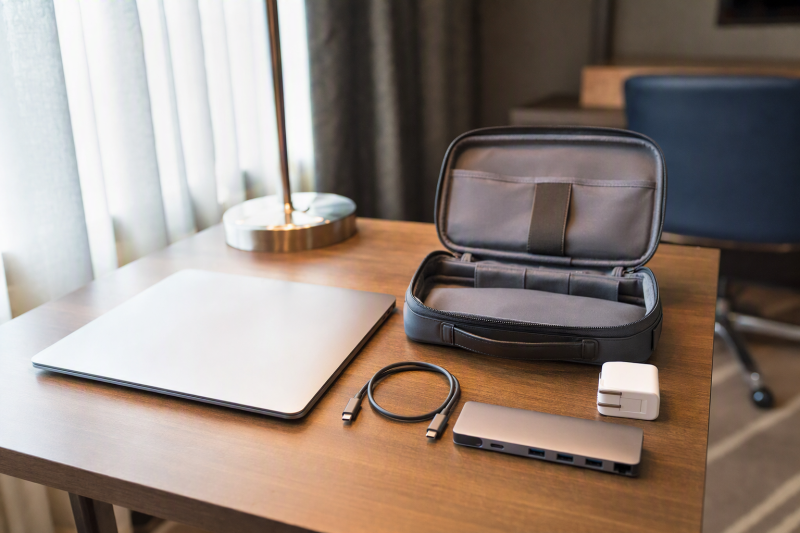
When portability means carrying an adapter instead of a full powered dock, our first choice is the Satechi USB-C Multiport Adapter V3. The more flexible travel option is the Targus DOCK425GLZ, which can run bus powered or accept a separately supplied USB-C charger for laptop pass-through power. Want a compact powered Thunderbolt branch hub? Compare Belkin and Satechi. Want a full dock without a separate external power brick? The OWC Thunderbolt Go Dock builds its supply into the enclosure. Our broader MacBook Air dock guide covers permanent desks.
Portable is a power and packing decision, not a marketing adjective. A bus-powered adapter carries less power hardware but cannot charge the Air without an external source. A powered hub adds a power component. A full dock carries more enclosure but can consolidate components. Displays answer to something else entirely: the exact MacBook Air chip, macOS version, native display count, lid-state rule, cable or adapter, DSC condition, and monitor. Base M1/M2 and any other one-native-display Air remain single-native through these native docks.
Quick picks
- Satechi USB-C Multiport Adapter V3: Best bus-powered adapter when carried simplicity comes first.
- Targus DOCK425GLZ: Best travel dock that can work bus powered or with separate pass-through power.
- Belkin Thunderbolt 4 Core Hub: Best small powered TB4 branch hub.
- Satechi Thunderbolt 4 Slim Hub Pro: Best slim powered TB4 branch hub.
- OWC Thunderbolt Go Dock: Best full travel dock with the power supply inside the enclosure.
Compare portable MacBook Air docks
| Image | Product | Details | Check Price |
|---|---|---|---|
 | Satechi USB-C Multiport Adapter V3 | Device class: Bus-powered USB-C multiport adapter Carried power: External charger needed for pass-through; inclusion unknown MacBook Air display check: Exact chip and native-display limit control Laptop power: Exact pass-through result unknown in frozen gate Travel tradeoff: Small adapter class; fewer retained power facts | Check Price on Amazon |
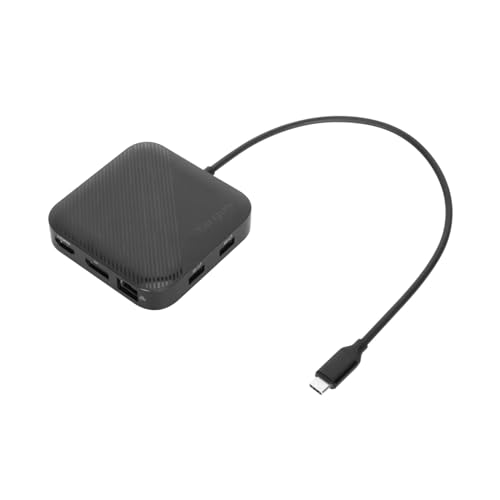 | Targus DOCK425GLZ | Device class: Bus-powered USB4 travel dock Carried power: Can run bus powered; charger not included MacBook Air display check: Host/OS limit controls up to dual 4K60 ceiling Laptop power: Up to 85W with separate USB-C charger Travel tradeoff: Flexible power choice; bring charger for laptop power | Check Price on Amazon |
 | Belkin Thunderbolt 4 Core Hub | Device class: Small powered Thunderbolt 4 branch hub Carried power: Power-supply inclusion unknown in frozen gate MacBook Air display check: Native display count comes from exact Air chip Laptop power: Exact figure unknown in frozen gate Travel tradeoff: Small hub class but powered setup required | Check Price on Amazon |
 | Satechi Thunderbolt 4 Slim Hub Pro | Device class: Slim powered Thunderbolt 4 branch hub Carried power: Power-supply inclusion unknown in frozen gate MacBook Air display check: Native display count comes from exact Air chip Laptop power: Exact figure unknown in frozen gate Travel tradeoff: Slim branch hub; power component still required | Check Price on Amazon |
 | OWC Thunderbolt Go Dock | Device class: Full Thunderbolt 4 travel dock Carried power: Power supply built into enclosure MacBook Air display check: Dual 4K60 ceiling remains host limited Laptop power: 90W Travel tradeoff: One enclosure, but more carried dock bulk | Check Price on Amazon |
1. Satechi USB-C Multiport Adapter V3 — best bus-powered travel adapter

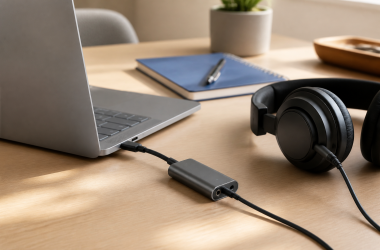
The manager gate classifies Satechi’s USB-C Multiport Adapter V3 as the lead portable adapter, with carried size and pass-through-power tradeoffs at the center of the decision. Think of it as the small bus-powered connection piece that lives in a travel bag, chosen instead of committing to a powered desktop dock. The frozen first-party record is Satechi’s V3 multiport-adapter page.
Bus powered does not mean it charges the MacBook Air by itself. An external USB-C power source is required when pass-through laptop power is wanted. Several fields also stay open: the frozen gate does not establish whether a suitable charger is included, the exact pass-through wattage, a complete port list, dimensions, weight, or a Mac chip-specific display branch, so all of those remain unknown. Match the exact Air chip, macOS, native display count, output, cable or adapter, DSC condition, and monitor before depending on video.
Our Take
Choose the Satechi when the smallest device class matters and providing power separately suits you. Where an included charger or a verified dual-display route is mandatory, it is not the safe choice.
- Bus-powered multiport-adapter class
- Pass-through-power option with an external source
- Prioritizes carried simplicity
- Charger inclusion and exact wattage are unknown
- Exact Air display branch is not retained
2. Targus DOCK425GLZ — best bus-powered or pass-through travel dock
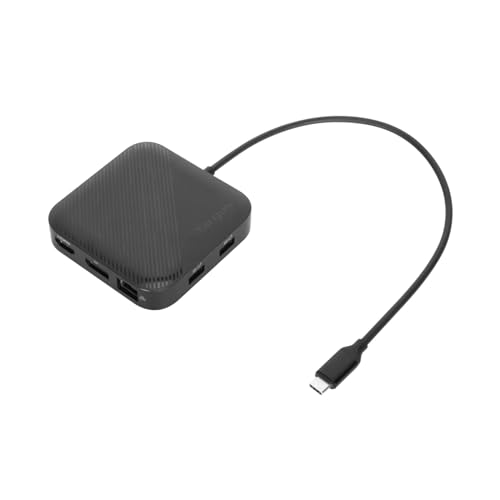
Targus documents USB4 40Gbps, DisplayPort 1.4, and HDMI 2.1 in a travel dock that can run bus powered. With a suitable separately supplied USB-C charger, it passes up to 85W to the laptop. No charger is included. The packing choice that falls out of this is refreshingly clear: carry only the dock when data and displays are enough, or add one selected charger when the Air also needs power.
Targus publishes ceilings up to one 8K30 display or two 4K60 displays, subject to host and OS. Read those as alternative ceilings rather than promises for every MacBook Air. A base M1/M2 Air still exposes one native external display, and no dock can create a second. For any other Air, match the exact chip, macOS, lid state, output pair, cable or adapter, DSC support, and monitor. The 85W figure is a pass-through ceiling that only applies after a separate charger enters the system.
Our Take
Pick Targus when selectable bus power is worth packing a charger only on the trips that need laptop power. Its documented no-charger package makes that tradeoff unusually clear.
- Can run bus powered
- HDMI 2.1 and DisplayPort 1.4
- Up to 85W pass-through with separate charger
- Charger is not included
- Display ceilings remain host and OS dependent
3. Belkin Thunderbolt 4 Core Hub — best small powered TB4 branch hub
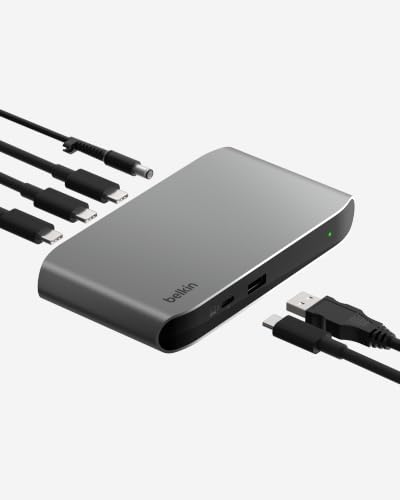
The frozen manager gate classifies Belkin’s Thunderbolt 4 Core Hub as a small powered branch hub, which is a different travel choice from the first two products. Here you carry a powered Thunderbolt component so the Air can branch to additional TB4 devices, rather than a simple bus-powered adapter.
The gate does not retain the exact power-supply inclusion, host-charging figure, port inventory, physical dimensions, weight, or Mac display matrix. All of those stay unknown and should be confirmed from Belkin’s exact support article and retail package before travel. Powered also does not mean the hub can override the Air chip’s native display count. Base M1/M2 and every other single-native Air remain at one native external display, regardless of how many downstream sockets are visible.
Our Take
Choose Belkin when a small powered TB4 branch hub is genuinely the need. Where unknown supply and charging details would change what you pack, close them before ordering.
- Small powered Thunderbolt 4 branch-hub class
- Suited to downstream TB4 expansion
- Distinct from a full dock
- Supply inclusion and charging figure are unknown
- Exact MacBook Air display matrix is not retained
4. Satechi Thunderbolt 4 Slim Hub Pro — best slim powered TB4 branch hub

Satechi’s Thunderbolt 4 Slim Hub Pro is the other small powered branch-hub choice in the frozen slate. Its role suits a bag where downstream Thunderbolt expansion matters and the broader port collection and enclosure of a full dock do not. Its accepted ASIN is B0CRZXQ9D3.
The frozen gate does not retain a supply-inclusion statement, exact laptop-power figure, complete port list, dimensions, weight, or Air chip display table, and the word slim is not evidence for any of them. A powered hub still requires a power component, and the buyer has to confirm whether it is in the exact package. Native external-display count remains a property of the MacBook Air chip and the exact macOS and lid-state branch.
Our Take
Pick the Slim Hub Pro when its confirmed power package and downstream connections suit the trip. Where carrying another power component defeats the whole purpose, take a bus-powered adapter instead.
- Slim powered Thunderbolt 4 branch-hub role
- Useful for downstream TB4 expansion
- Less dock-oriented than OWC
- Power-supply inclusion is unknown
- No exact Air display branch is frozen
5. OWC Thunderbolt Go Dock — best full travel dock with built-in power
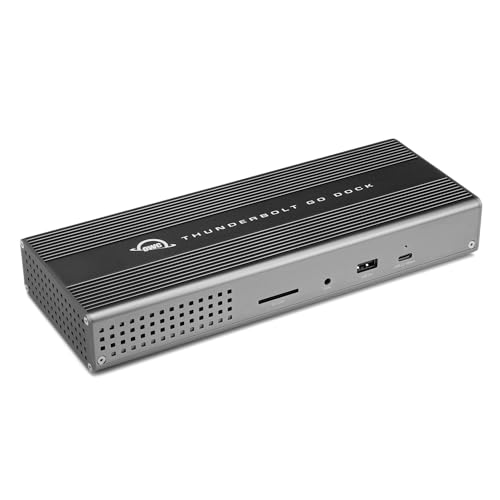
OWC builds the power supply into the Thunderbolt Go Dock, so the full power system travels inside one enclosure rather than as a dock plus external brick. OWC documents Thunderbolt 4, HDMI 2.1, downstream Thunderbolt, USB-A and USB-C, analog audio, 2.5GbE, and 90W host charging. For trips that need a permanent-desk level of connectivity at the destination, this is the full-dock answer.
Integrated power reduces component count, not total carried dock bulk. OWC’s retained dual 4K60 ceiling remains subject to the host, and a base M1/M2 Air cannot use that as two native external displays. Match any other Air chip, macOS, lid state, HDMI and downstream TB route, cables or adapters, DSC condition, and monitors. The 90W path is ample as a category comparison only after the exact Air’s negotiation is confirmed.
Our Take
Choose the Go Dock when one powered full-dock enclosure beats assembling a travel kit. On day trips that need only basic I/O, the Satechi or Targus class is the more practical carry.
- Power supply built into the enclosure
- HDMI, downstream TB4, USB, audio, and 2.5GbE
- 90W host charging
- Full dock adds more carried enclosure bulk
- Dual-display ceiling remains Air-chip dependent
Choose the travel power model first
Bus-powered adapter
A bus-powered adapter can provide data and selected outputs from the MacBook Air without its own power brick. What it cannot do is charge the Air unless an external source enters the pass-through path. Satechi V3 leads this class, while Targus clearly documents both bus-powered operation and a no-charger-included package.
Powered branch hub
Belkin Core Hub and Satechi Slim Hub Pro are small powered TB4 branch hubs. They earn their place when several downstream Thunderbolt devices travel with the Air, at the cost of adding a power component to the bag. The frozen gate does not establish whether either exact package includes that component or what host power it delivers, so confirm both before judging carried bulk.
Full dock with integrated supply
OWC places the supply inside the full dock, which reduces separate pieces without making the enclosure equivalent to a small adapter. For a recurring destination desk with Ethernet, audio, display, and several peripherals, that is the better travel model.
Keep the Air display limit visible
Base M1/M2 and every other one-native-display MacBook Air path stay at one native external display. Later or different Air configurations have to be matched to their exact Apple and dock-maker rows, macOS and any lid-state condition included. Two physical outputs prove nothing about two extended native screens. Our dual-monitor dock guide explains the native route.
Where two office displays are mandatory on a single-native Air, DisplayLink is a separate software path carrying drivers, permissions, and workload limits. See the DisplayLink dock guide rather than assuming any native dock adds a stream.
Pack cables and power deliberately
Confirm the exact host cable, display cable or adapter, charger, and power cable that the selected product requires. DSC or output-group requirements remain part of the manufacturer matrix when higher display modes are involved, and this guide does not infer cable capability. Remember too that a compact device forcing two unplanned adapters may be less travel-practical than a larger dock with the right physical route.
Final recommendation
Each pick answers one packing model: the Satechi V3 for the bus-powered adapter class, Targus for documented bus power plus optional separate pass-through power, Belkin or Satechi Slim Hub Pro for a small powered TB4 branch hub, OWC for a full dock with power built in. Whichever you carry, confirm every unknown supply or charging field and match the exact Air chip’s native display count, macOS, lid-state condition, output, cable or adapter, DSC branch, and monitor before packing the setup.