A small office application can be a bigger factor in a laptop purchase than a new display or AI feature. If the program, license key or device driver was written for an Intel-compatible Windows PC, choosing an x86 processor avoids an ARM translation layer. An x86 processor does not guarantee the application will run on today’s Windows release. Test the exact software and peripherals before a fleet order.
These five compact Intel business laptops were selected from active New Amazon US offers. They differ in carry weight, form factor and office role. None was tested here with a specific legacy application, and manufacturer starting weights are not the measured weight of the marketplace unit.
Verify the old program and its driver first, then buy the lightest x86 laptop that fits your office workflow.Lightweight x86 Business Laptops Compared
| Image | Product | Details | Check Price |
|---|---|---|---|
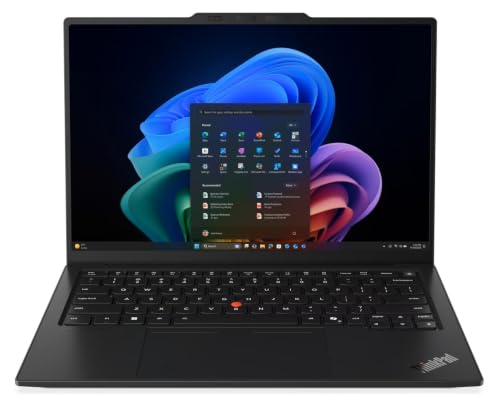 | Lenovo ThinkPad X1 Carbon Gen 14 Aura Edition | Processor: Core Ultra 7 365 System RAM: Check exact offer Size: 14 inch Buyer fit: Newest thin ThinkPad | Check Price on Amazon |
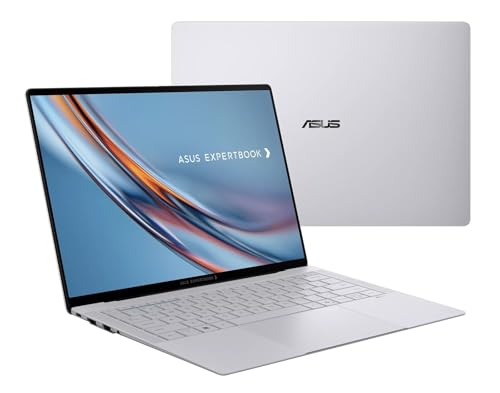 | ASUS ExpertBook Ultra B9406CAA | Processor: Core Ultra X7 358H System RAM: 32 GB listed Size: 14 inch Buyer fit: Ultralight office use | Check Price on Amazon |
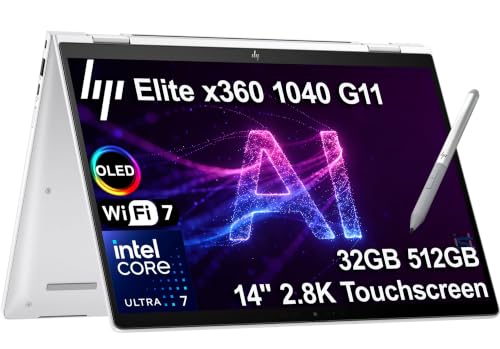 | HP EliteBook 1040 G11 2-in-1 | Processor: Core Ultra 7 155H System RAM: 32 GB listed Size: 14 inch Buyer fit: Convertible work | Check Price on Amazon |
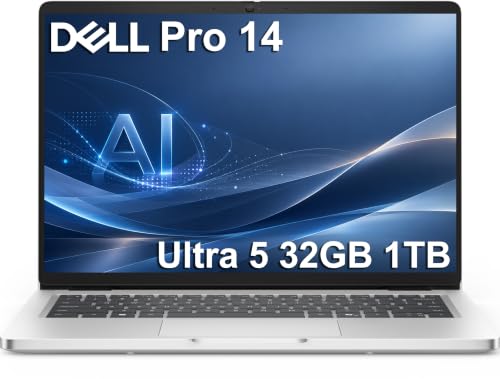 | Dell Pro 14 PC14250 | Processor: Core Ultra 5 235U System RAM: 32 GB listed Size: 14 inch Buyer fit: Mainstream deployment | Check Price on Amazon |
 | Lenovo ThinkPad X1 Carbon Gen 12 | Processor: Core Ultra 7 165U System RAM: 32 GB listed Size: 14 inch Buyer fit: Established thin ThinkPad | Check Price on Amazon |
1. Lenovo ThinkPad X1 Carbon Gen 14 Aura Edition — Best New Thin ThinkPad
For an employee who travels daily but must keep an existing Windows workflow, the new X1 Carbon is a compact starting point. The exact Amazon offer names a Core Ultra 7 365 and 14-inch touch display. Lenovo’s Gen 14 family specification starts near 2.15 pounds for a trackpad configuration, with weight varying by display and options. The figure is for the model family. It is not a claim that this touch unit weighs exactly that much.
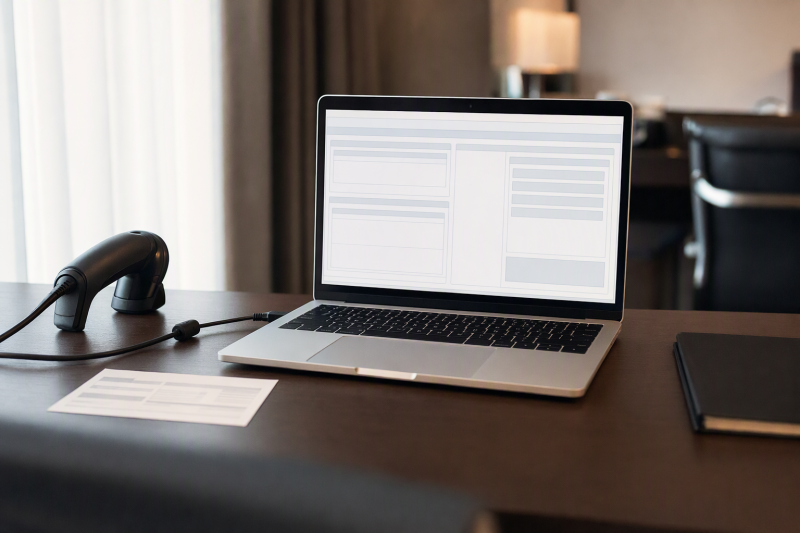
The Intel CPU runs current compatible Windows programs natively. The CPU does not supply an old kernel driver, parallel port or copy-protection dongle. Inventory those dependencies before ordering. At a fixed desk, a Thunderbolt dock can reduce cable work, but verify the required USB-A, display and network ports on the exact dock and laptop.
This model is the newer alternative to the Gen 12 below. If the current machine image, driver set or deployment process is tied to an older platform, a newer model is not automatically easier. Confirm the delivered OS edition, memory and ports against your software acceptance checklist.
Our Take The X1 Carbon Gen 14 is for a buyer who wants a compact, current ThinkPad and has already verified the Windows applications it will run. A modern CPU does not replace a peripheral and driver test.
- Thin 14-inch business form factor.
- Intel x86 processor in the exact offer.
- Lenovo documents a light model-family starting weight.
- Starting weight is not this touch configuration’s measured weight.
- New hardware still needs old driver and app validation.
2. ASUS ExpertBook Ultra B9406CAA — Best Ultralight Business Pick
If a laptop spends most of its time in a shoulder bag, the ExpertBook Ultra deserves a look. ASUS says the B9406 family starts at 0.99 kg, or about 2.18 pounds. The exact Amazon offer identifies a Core Ultra X7 358H, 32 GB RAM, 1 TB SSD and a 14-inch OLED touch screen. The shipped weight of this offer can differ from the minimum ASUS quotes, especially with a particular display and configuration.
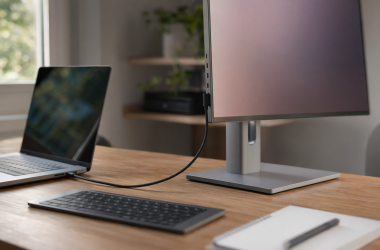
The 32 GB listing is useful when an old application runs alongside current browsers and video calls. The extra memory does not solve incompatible device drivers or a program that expects an unsupported Windows component. For a travel desk, a USB-C monitor may give the old program and documentation separate space. Confirm the laptop’s display output and power behavior rather than assuming every USB-C accessory works alike.
Compare the ExpertBook with the X1 Gen 14 on keyboard, ports and deployment policy as well as the small difference between advertised starting weights. The ExpertBook’s exact offer is a third-party configuration, so verify the delivered RAM, SSD and OS edition when received.
A low starting weight is a property of the model family. Check the shipping configuration before promising employees a specific carry weight.Our Take The ExpertBook Ultra is for a frequent traveler whose old application passes an acceptance test on this Windows and Intel configuration. The light chassis is a practical advantage but is not proof of compatibility.
- ASUS advertises a sub-1 kg family starting weight.
- 32 GB and 1 TB listed in this exact offer.
- 14-inch display fits a mobile office brief.
- OLED and touch options can affect actual weight and runtime.
- Third-party configuration needs delivered-spec verification.
3. HP EliteBook 1040 G11 2-in-1 — Best Convertible Office Pick
Some legacy business tasks involve forms, signatures or showing a document across a desk. This EliteBook 1040 G11 offer combines a 14-inch 2-in-1 design, Core Ultra 7 155H and 32 GB RAM. HP’s family specification starts at 1.18 kg, or 2.6 pounds, but a particular convertible build may differ. The convertible form factor sets it apart from the two standard clamshell laptops above.
A folding screen can help when a worker reviews a customer document away from a desk. The screen cannot make an old pen application, browser plug-in or USB badge reader compatible by itself. Check input method, scaling and any device-specific driver under the target Windows environment. A portable monitor is another option if the job needs two views rather than a folding screen.
The Dell Pro 14 below has a simpler notebook role. Choose the HP only if the job uses the convertible screen. Before purchasing, confirm the exact seller configuration and test the business program in both laptop and folded orientations if touch is essential.
Our Take The EliteBook 1040 G11 2-in-1 is for teams that handle forms or shared document review on the move. For ordinary legacy work at a keyboard, a lighter or simpler clamshell may be the cleaner choice.
- Convertible 14-inch design offers a different interaction mode.
- 32 GB RAM listed in the exact offer.
- Intel x86 processor avoids an ARM instruction translation layer.
- Convertible features may add bulk versus a clamshell.
- Touch does not establish app or pen-driver support.
- Starting family weight is not exact shipping weight.
4. Dell Pro 14 PC14250 — Best Mainstream Office Rollout
For a business replacing several aging laptops, a straightforward notebook can be more valuable than the lightest possible laptop. This exact Dell Pro 14 offer lists Core Ultra 5 235U, 32 GB DDR5 and 1 TB SSD. Dell’s manual gives a minimum of 2.97 pounds without the optional smart-card reader. The purchased configuration may weigh more. The Dell is compact enough for daily commuting and keeps a conventional office role.
The 32 GB of memory leaves room for modern collaboration apps while the old business program runs. More RAM will not make a 16-bit installer, license service or specialized hardware work if Windows no longer supports it. Build a small pilot image and test every essential workflow. A USB-C hub may provide connections for old USB-A peripherals, but physical connection is not driver compatibility.
Compared with the ExpertBook Ultra, the Dell is more conventional and less focused on weight. The Dell can be the right trade if service, a familiar keyboard and standard deployment are more important than shaving grams. Check the exact OS edition and any required corporate management features before buying multiples.
An adapter can change the connector, not the driver’s support status on the delivered Windows version.Our Take The Dell Pro 14 is the practical pick for a small office rollout once a pilot unit passes the old software and peripheral checklist. It is light enough to move but not the lightest model here.
- 32 GB RAM and 1 TB SSD listed.
- Conventional 14-inch business layout.
- Dell publishes a starting weight and service documentation.
- Heavier starting weight than the X1 and ExpertBook families.
- Optional smart-card hardware changes the chassis weight.
5. Lenovo ThinkPad X1 Carbon Gen 12 — Best Established Thin ThinkPad
An older generation can be a sensible choice when a company already knows its image, dock setup and service process. This New Gen 12 offer lists a Core Ultra 7 165U, 32 GB RAM and 1 TB SSD. Lenovo’s PSREF gives a trackpad model-family starting weight of 2.37 pounds. The family is still a very light 14-inch business laptop, though this touchscreen offer has to be weighed separately.
The Gen 12 is not a second copy of the Gen 14. It is an older platform that an IT team may have already validated. Ask whether the exact BIOS revision, Wi-Fi module, display and Windows image match what your tested fleet uses. If not, run the same acceptance test as for a new generation. A USB-C laptop stand can improve desk ergonomics, but confirm its hub ports against required peripherals.
Do not assume a New offer means full manufacturer support starts anew. Check warranty terms, battery age and replacement-part availability for the exact marketplace unit. If the team has no prior Gen 12 deployment, the Gen 14 may be the cleaner choice on a current platform.
Our Take The X1 Carbon Gen 12 is for an IT team that already supports this generation and wants another light x86 machine. Without that familiarity, the older generation has no automatic compatibility advantage.
- 32 GB and 1 TB listed in the exact offer.
- Light 14-inch model family.
- Can match an already validated Gen 12 fleet.
- Older generation needs warranty and support-life review.
- Existing fleet validation may not cover the exact seller SKU.
Buying Guide
1. Prove the legacy workload on the exact Windows setup
Write down every dependency before shopping. Include the program version, installer architecture, database connection, browser plug-in, licensing service, printer, scanner, badge reader and VPN. An Intel x86 laptop can run compatible x86 software natively, but an ancient driver or unsupported Windows feature may still stop the workflow. Test on a pilot unit with the exact OS edition and security policy.
Separate connector fit from software support. A multiport USB-C hub can expose USB-A, while a dock can serve monitors and Ethernet. Neither creates a supported driver. If a vital device depends on an unsupported driver, plan an approved replacement or a managed remote environment before choosing any of these laptops.
2. Decide how much weight and flexibility matter
Compare the shipping configuration, not just the starting weight. ASUS advertises a 0.99 kg ExpertBook family minimum, and Lenovo rates the X1 Gen 14 at roughly 2.15 pounds minimum. HP lists the 1040 starting at 2.6 pounds, while Dell specifies a 2.97-pound Pro 14 starting weight for one configuration. Touch panels, batteries and smart-card readers can change those figures. None of those minima was measured on the Amazon units.
Pay for a folding screen only if the job uses it. The EliteBook 1040 2-in-1 is for document review and field work with a lot of touch input. The X1 Carbon and ExpertBook are the better clamshell picks for travel. For an office rollout, the Dell Pro 14’s straightforward layout can be the priority. Try the keyboard and screen scaling with the old application, especially if its dialogs were designed for a much older display.
3. Pilot the full workday before ordering a fleet
Run the critical workflow from login to output. Open the program, connect to its service, print or export, use every required peripheral, and repeat after sleep and a reboot. Record which Windows build, firmware and driver versions worked. A small pilot can expose a blocker before a large purchase becomes an expensive return problem.
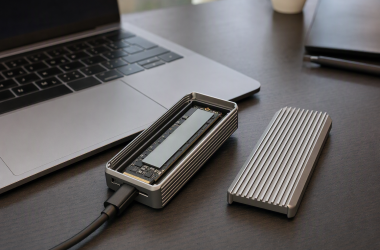
Measure the user’s own travel day. Manufacturer battery claims and weights for a model family do not establish runtime or carry comfort with your security agent, VPN, brightness and workload. Verify charging at the desk and on the road. A USB4 external SSD can move files, but keep encrypted business data and backups under company policy.
FAQ
Does an Intel x86 laptop guarantee an old Windows app will run?
No. An x86 laptop avoids ARM instruction translation for compatible x86 software, but the program may still require an unsupported Windows component, 16-bit installer, kernel driver or license service. The CPU architecture is only one part of compatibility.
Install and run the exact app under the delivered Windows version and company security policy. Include its peripherals and export path in the test. If the app fails, get vendor guidance before changing the purchase plan.
Is a USB-C to USB-A adapter enough for an old peripheral?
An adapter is enough only when the peripheral’s driver and protocol still work. An adapter changes the connector shape and may provide power, but it does not make an old scanner or licensing dongle supported by a newer operating system.
Test the device with the exact laptop, cable, adapter and application. If it depends on a special driver, check the device maker’s support matrix and your IT policy before ordering laptops for the team.
Should a company choose an older X1 Carbon because its software is old?
An older X1 Carbon is not automatically the better choice. The Gen 12 is useful when the team already maintains that generation and can verify the exact new unit fits its tested image. Its Intel CPU and age do not by themselves reproduce a prior machine’s firmware or drivers.
Compare the full acceptance test on the Gen 12 and Gen 14. Include support life and warranty terms. Pick the older generation only when it solves a measured deployment issue or another concrete need.
Bottom Line
The X1 Carbon Gen 14 and ExpertBook Ultra are the picks for the lowest starting weights. The EliteBook 1040 adds a convertible screen, the Dell Pro 14 suits a conventional rollout, and the X1 Gen 12 fits an already supported older fleet. Choose only after the exact old software and devices pass a pilot.