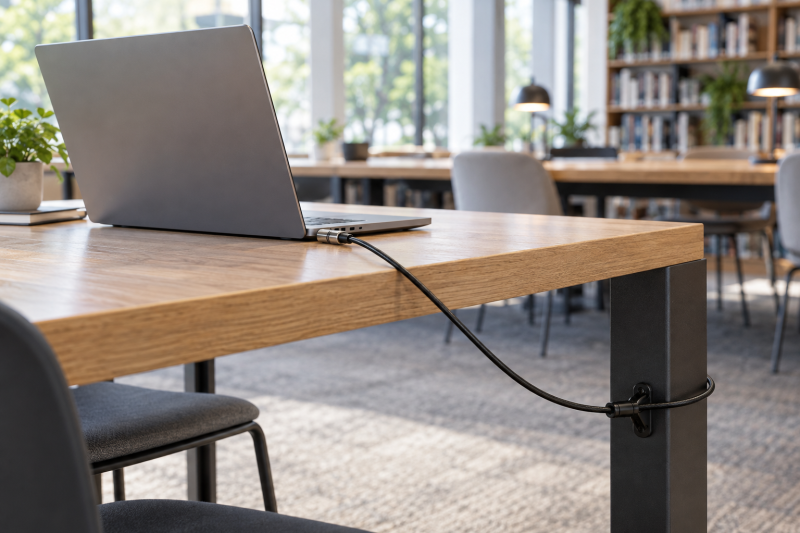
A cable lock can make sense when a laptop spends part of the day at a library table, classroom lectern, reception counter, or shared office desk. The first decision is whether the lock tip fits the exact slot in the laptop, because standard Kensington, nano, wedge, and N17 openings are not interchangeable. A physical tether complements rather than replaces an account security key or a removable privacy screen.
The eight options here separate standard-slot locks from models that list broader multi-slot compatibility. Several use resettable combinations, while the Kensington K65035AM uses a key. Start with the laptop maker’s slot description, then choose a cable length and lock style that suit the fixed object you can reach from the desk. A hot-desk dock or laptop stand can change the cable route, so map the full desk rather than the laptop alone.
Match the lock tip to the laptop’s security slot before comparing cable length, code dials, or a keyed mechanism.Laptop Security Cable Locks Compared
| Image | Product | Details | Check Price |
|---|---|---|---|
 | Kensington K60213WW | Best fit: Standard-slot laptop with a short desk reach Slot: Standard security slot Lock: 4-wheel resettable combination Cable: 5 ft carbon steel | Check Price on Amazon |
 | Kensington K60214WW | Best fit: Thin laptop with a nano slot Slot: Nano security slot Lock: 4-digit resettable combination Cable: 5 ft carbon steel | Check Price on Amazon |
 | Kensington K64673AM | Best fit: Standard Kensington-slot desk equipment Slot: Standard Kensington slot Lock: 4-wheel resettable combination Cable: 6 ft carbon steel | Check Price on Amazon |
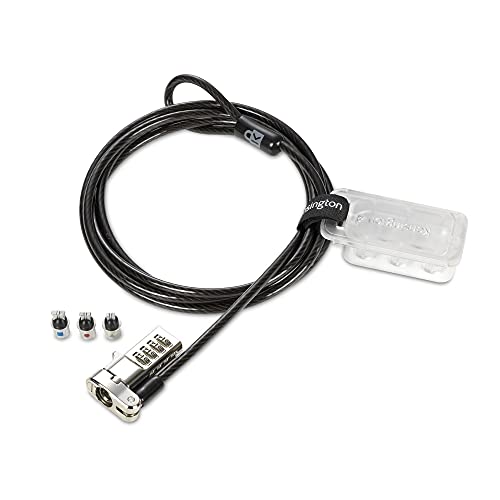 | Kensington K62316WW | Best fit: Desk with changing laptop slot types Slot: Standard, nano, or wedge Lock: 4-number resettable combination Cable: 6 ft carbon steel | Check Price on Amazon |
 | Kensington K60600WW | Best fit: Thin laptop with a standard slot Slot: Standard Kensington slot Lock: 4-wheel resettable combination Cable: 6 ft carbon steel | Check Price on Amazon |
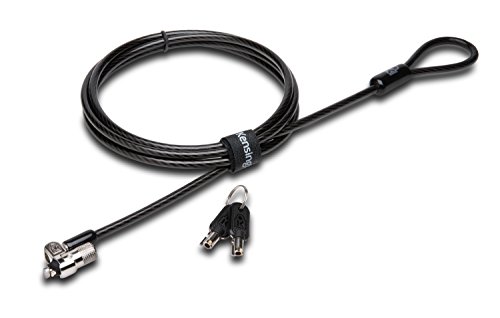 | Kensington K65035AM | Best fit: Standard-slot laptop where a keyed lock suits policy Slot: Standard Kensington slot Lock: Keyed tubular lock Cable: 6 ft carbon steel | Check Price on Amazon |
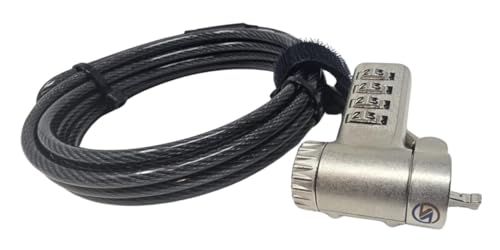 | Sendt Universal Combination Lock | Best fit: Laptop with a listed nonstandard slot Slot: Kensington, nano, Mini Saver, Noble, Samsung Lock: Combination Cable: 6 ft | Check Price on Amazon |
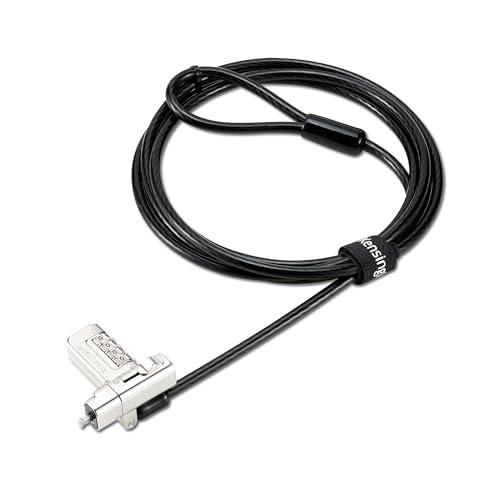 | Kensington K63394WW | Best fit: Mixed Dell, HP, and Lenovo fleet Slot: T-bar, nano, N17, or wedge Lock: 4-digit resettable combination Cable: 6 ft carbon steel | Check Price on Amazon |
1. Kensington K60213WW — Best Standard-Slot Combination Lock
Kensington lists the K60213WW for a standard security slot, with a 5-foot carbon-steel cable and a resettable four-wheel code. The slim head is described for thin laptops, and the pivoting tip and rotating anchor are intended to make nearby ports easier to reach. It is the straightforward pick when the laptop already has the ordinary rectangular Kensington-style opening.
The limit is the slot type. The K60213WW is not a universal lock, and a standard-slot tip will not become a nano or wedge lock by changing the code. Measure the anchor path from the laptop to the desk leg or fixed fixture before choosing a five-foot cable for a wide shared table.
A standard-slot lock is useful only after the laptop’s own specification confirms a standard security opening.Our Take Buy the K60213WW when your laptop has a listed standard security slot and a 5-foot cable reaches the anchor without crossing a busy aisle.
- Five-foot carbon-steel cable suits desks where the anchor sits close to the laptop.
- Slim lock head is listed for thin laptops that need to rest flat.
- Resettable four-wheel combination avoids carrying a separate key.
- Standard-slot tip does not fit laptops that use nano, wedge, or N17 openings.
- Five-foot cable can be too short when the only fixed anchor is distant.
2. Kensington K60214WW — Best Nano-Slot Combination Lock
The K60214WW is the nano-slot counterpart to the standard-slot K60213WW. Kensington lists the same 5-foot carbon-steel cable, resettable four-digit combination, slim lock head, and pivoting hardware, but specifies a nano-sized security slot. The difference shows on thin laptops where a normal T-bar lock cannot engage the smaller opening.
Order the K60214WW only after checking the laptop documentation or the markings around its slot, because a thin chassis does not automatically mean a nano slot. The short cable and combination layout suit a nearby desk anchor, but they do not solve an incompatible slot shape.
Do not use laptop thickness as a shortcut for identifying a nano security slot.Our Take Choose the K60214WW for a laptop that specifically lists a nano security slot, not merely because it is thin.
- Nano-specific tip addresses laptops whose smaller security opening rejects a standard T-bar lock.
- Resettable four-digit code gives a repeatable handoff method without a physical key.
- Pivoting head is listed to help route the lock beside ports near the slot.
- Five-foot cable keeps the setup compact at a classroom desk or reception counter.
- Nano-only fit leaves it unusable on standard, wedge, and N17 security slots.
- The cable length still requires a fixed anchor within five feet of the laptop.
- A combination lock requires the user or team to retain the chosen code.
3. Kensington K64673AM — Best Six-Foot Standard-Slot Code Lock
Kensington lists the K64673AM with a standard-size Kensington lock slot, a 6-foot carbon-steel cable, and a resettable four-wheel number code. The product description also names laptops, desktops, monitors, hard drives, docking stations, and projectors with the appropriate slot, which can help on a desk where more than one compatible device needs a tether point.
Its listing also names a compatibility limit, because it does not fit Dell or Alienware systems using a wedge slot. The wedge-slot limit makes it a better conventional standard-slot choice than a fleet-wide purchase without a device inventory. Check each laptop generation, not just the brand badge, before buying several locks.
Our Take Pick the K64673AM when a standard Kensington slot is confirmed and the desk needs a six-foot cable rather than a shorter tether.
- Six-foot cable provides more distance between the laptop and a fixed desk anchor.
- Resettable four-wheel code supports a keyless shared-desk routine when access changes regularly.
- Listing names several compatible device categories with a standard Kensington security slot.
- Push-button design is described for one-handed engagement at the connection point.
- Carbon-steel cable is listed for anchoring to a desk, table, or fixed structure.
- Listing excludes Dell and Alienware devices that use a wedge-style security slot.
- Standard-slot hardware still needs a compatible slot on the exact laptop model.
4. Kensington K62316WW — Best One Lock for Several Slot Types
The K62316WW is the first broad-compatibility choice because its listing says it fits standard, nano, or wedge-shaped slots. The manufacturer includes interchangeable lock tips on a tether, a resettable four-number dial, and a six-foot carbon-steel cable. The wider fit can reduce the need to stock a different lock for each slot type when a shared workspace changes laptops often.
The buyer still has to identify the opening first and fit the correct tip, so the lock suits mixed device fleets but does not replace the compatibility check. Keep the unused tips attached to the listed tether so the lock remains complete when it moves between desks.
A multi-tip lock simplifies a mixed fleet only when each laptop’s actual slot is identified before installation.Our Take The K62316WW is the practical choice for a changing desk fleet with standard, nano, and wedge laptops in the same room.
- Interchangeable tips list standard, nano, and wedge slots for broader laptop compatibility.
- Six-foot carbon-steel cable reaches more desk anchors than a compact five-foot design.
- Resettable four-number dial avoids distributing individual keys across a changing shared workspace.
- Correct tip selection still depends on checking each laptop’s security slot shape.
- Unused lock tips need to stay with the tether so the kit remains complete.
- It does not list N17 compatibility among its three stated slot types.
5. Kensington K60600WW — Best Slim Standard-Slot Lock
Kensington lists the K60600WW as a slim standard-slot combination lock for thin and light HP, Lenovo, Acer, Asus, and other compatible laptops. The slim lock head is described to let an ultra-thin laptop lie flat and stable, while the pivoting and rotating cable head can make a one-handed connection easier near the side of the device.
The compatibility text is more useful than the brand examples. The listing says it is not for Dell or Alienware wedge-slot models and directs nano-slot buyers elsewhere. Treat it as a physical-fit product and compare the precise opening before relying on the slim shape.
A slim lock head can help a thin laptop sit flat, but it does not change a standard slot into another format.Our Take Buy the K60600WW for a confirmed standard-slot thin laptop when you want the device to stay flat and stable on the desk.
- Slim head is listed to let an ultra-thin standard-slot laptop rest flat.
- Six-foot carbon-steel cable provides a longer anchor route around shared-desk furniture.
- Pivoting and rotating head is described for flexible access near side ports.
- Four-wheel resettable code avoids key management for a single assigned workstation.
- Listing excludes Dell and Alienware wedge-slot models despite naming several other brands.
- It is not the right choice for a laptop with a nano security slot.
- Combination access still requires the correct code to be retained by each user.
6. Kensington K65035AM — Best Keyed Standard-Slot Lock
The K65035AM changes the access method rather than the slot family. Kensington lists a keyed tubular lock, standard T-bar locking technology, a six-foot carbon-steel cable, and a pivoting 10 mm lock head. It fits the buyer who prefers a key-control routine over sharing or remembering a resettable combination.
The listing warns that it does not work with 2016 and newer Dell laptops and tablets that use the newer wedge lock slot, and it separately points nano-slot devices to another part number. Check the device specification before choosing a keyed lock for an office issue program.
A keyed lock changes the access routine, not the need to match the laptop’s physical security slot.Our Take Choose the K65035AM when your policy favors a keyed tubular lock and every assigned laptop has a confirmed standard Kensington slot.
- Keyed tubular lock suits workplaces that prefer physical key control over shared combinations.
- Six-foot carbon-steel cable gives room to reach a desk or table anchor.
- Pivoting 10 mm lock head is listed for accessibility on thinner compatible devices.
- Standard T-bar technology is specified for laptops and other devices with compatible slots.
- Listing includes a clear warning about newer Dell wedge-slot compatibility limits.
- Key management can be less convenient when several people share one workspace.
- Newer Dell wedge-slot and nano-slot devices require a different compatible lock.
- Standard T-bar fit still depends on the laptop model, not just its manufacturer.
- A six-foot cable needs a solid fixed object within reach of the assigned desk.
7. Sendt Universal Combination Lock — Best Broad Nonstandard-Slot List
The Sendt lock lists compatibility with Kensington, Nano, Mini Saver, Noble Wedge, and Samsung slots, plus a six-foot combination-lock cable. It is the broadest stated slot list in this group, which may help when a desk holds machines with different nonstandard slot labels rather than a uniform company laptop model.
Its product listing gives fewer detailed construction and fit statements than the Kensington multi-tip models. Treat the compatibility list as the starting point for a close slot comparison, especially where the laptop maker uses a proprietary name. A broad label helps only if the exact slot named on the device is also listed.
Our Take Consider the Sendt lock when your laptop has one of its explicitly named Kensington, nano, Mini Saver, Noble, or Samsung slot types.
- Listing names five security-slot families, including Mini Saver, Noble Wedge, and Samsung.
- Six-foot combination cable can suit a shared desk with a reachable fixed anchor.
- Combination operation avoids a separate physical key for users who move between rooms.
- Listing provides fewer detailed fit and construction statements than several Kensington alternatives.
- Broad compatibility wording still requires a close match to the laptop’s exact slot.
8. Kensington K63394WW — Best Multi-Slot Combination Lock for a Mixed Fleet
Kensington lists the K63394WW as a universal 3-in-1 2.0 combination lock for T-bar, nano, N17, and wedge-shaped lock types. It adds a 360-degree rotatable head, a six-foot cut-resistant carbon-steel cable with plastic sheathing, and a resettable four-digit dial. The stated N17 support distinguishes it from the earlier K62316WW, whose listing names standard, nano, and wedge slots instead.
The wider stated slot list suits a Dell, HP, and Lenovo mix, but the exact laptop still decides the compatible tip. The rotating head may make the lock easier to orient on a crowded side panel, and the buying question stays whether the listed slot family matches the device documentation.
Choose a broad-compatibility lock by its named slot list, not by assuming every laptop brand uses one opening.Our Take The K63394WW is the pick for a mixed fleet when the device list includes T-bar, nano, N17, or wedge slots.
- Listing covers T-bar, nano, N17, and wedge slots for a broader mixed-device fleet.
- 360-degree rotatable head may help position the connection beside ports on crowded laptop edges.
- Six-foot carbon-steel cable with plastic sheathing is stated for a protected anchor route.
- Resettable four-digit dial gives keyless access while retaining a listed 10,000-combination figure.
- Listing specifically names Dell, HP, and Lenovo among compatible laptop brands.
- Multiple tips still require the buyer to match the exact slot before ordering.
- A resettable dial depends on the chosen code being retained by authorized users.
- Six-foot cable routing can be awkward if the only anchor crosses a walkway.
- Brand names do not replace checking the specific laptop generation and security slot.
Buying Guide
1. Identify the security slot before choosing a lock
The slot is the first filter because standard, nano, wedge, and N17 openings are separate physical formats. Kensington’s K60213WW, K64673AM, K60600WW, and K65035AM are standard-slot choices, and the K60214WW is specifically for nano slots. The right cable length cannot make up for a tip that does not engage the opening on the laptop.
Look in the laptop’s technical documentation before relying on a product photo or the brand name, because Dell, HP, Lenovo, and other makers sell models with more than one slot type. The K64673AM and K60600WW listings both call out Dell or Alienware wedge-slot limits, so a model generation can decide fit more than the logo on its lid.
When a team supports several device types, make a multi-format inventory with the laptop model and its listed slot. The K62316WW names standard, nano, and wedge slots, while the K63394WW adds N17 to its stated list. A workplace can then choose a broad lock where it fits instead of finding out at a reception counter that the tip is wrong.
2. Decide whether a multi-slot tip reduces real friction
A multi-slot lock helps only when several listed slot formats appear in the workspace. The K62316WW’s interchangeable tips cover standard, nano, and wedge slots, which can simplify a pool of laptops that rotates between desks. Keep the unused tips on their tether, because a lock missing the needed tip becomes a single-format lock in practice.
The K63394WW adds N17 compatibility to its stated range of T-bar, nano, and wedge slots. The K63394WW can be a better fit when the inventory includes N17 rather than a conventional standard slot. The Sendt lock also lists Kensington, Nano, Mini Saver, Noble Wedge, and Samsung compatibility, but its shorter feature list calls for an especially careful comparison with the exact laptop description.
Do not buy a universal design merely to avoid checking fit. The compatibility list is the decision aid, not a guarantee for an unnamed opening. If the laptop documentation uses a proprietary slot name, confirm that the name appears in the lock listing or choose a product with an explicitly matched specification.
3. Match cable length to the actual fixed anchor
Cable length determines whether the lock can reach a desk leg, table frame, or another fixed structure without stretching across the user area. The K60213WW and K60214WW list 5-foot carbon-steel cables, which can work when the anchor is close to the laptop. The other Kensington models here and the Sendt lock list six-foot cables, which give one more foot of routing room.
More cable is not automatically better. A long loop can interfere with chair movement and a short cable can miss the anchor. Put the laptop where it will sit, identify the anchor, and estimate the path around the desk edge instead of measuring in a straight line through equipment. A cable-management box can keep power bricks separate from the tether route.
The cable cannot create an anchor. Choose a fixed structure that the listing describes as an appropriate desk, table, or fixed anchor, then route the cable so the connector and nearby laptop ports stay accessible. A pivoting or rotatable head is a useful listed convenience on the K60213WW, K60214WW, K60600WW, and K63394WW.
4. Choose a code or key routine that people can follow
The combination models use a resettable four-wheel or four-digit code. A code suits one person who moves between rooms or a small team that follows an agreed handoff process. The K60213WW, K60214WW, K64673AM, K62316WW, K60600WW, and K63394WW all list resettable combination operation, but the code still has to stay available to authorized users.
The K65035AM is different because its tubular mechanism uses a key. A keyed lock may suit a workplace that already assigns physical keys, while a resettable code can be easier when a single user carries their laptop daily. Neither access style changes the security-slot check, cable route, or need for a fixed anchor. The same desk planning applies when adding a backlit wireless keyboard or an external display.
Pick the routine that fits ordinary use, not a rare emergency. A lock that staff can attach and release consistently is more likely to be used than one with an access method nobody remembers or a key nobody has when the laptop moves to a meeting room.
5. Treat compatibility claims as listing boundaries
The product information here describes what each Amazon listing states. The K60600WW says its slim head allows a listed compatible thin laptop to lie flat, and the K63394WW says its head rotates 360 degrees. Head and fit details help selection but do not replace slot identification, especially where a laptop shares a desk with a portable monitor or USB-C dock.
Use the most specific compatibility statement as the deciding fact. Nano-specific K60214WW fit is more useful than a generic thin-laptop description, and the K63394WW’s named N17 support is more useful than guessing from a Dell model family. When in doubt, compare the laptop’s documentation and the lock listing before ordering.
For a shared space, document each laptop’s slot, choose a lock whose listing names it, confirm the cable reaches the anchor, and choose a key or code routine that the people at that desk can maintain. That sequence keeps the buyer focused on the usable parts of the listing rather than a generic compatibility label. A laptop with a hardware webcam shutter addresses a separate privacy decision.
FAQ
Will a standard Kensington lock fit every laptop?
No. A standard Kensington lock fits only a laptop with the matching standard security slot. The K60213WW, K64673AM, K60600WW, and K65035AM are standard-slot products on this page, the K60214WW is for nano slots, and the K62316WW lists several interchangeable tips.
Laptop makers use several physical formats, including nano, wedge, and N17. The exact laptop specification is the reliable starting point, because brand names do not define one universal opening across all models and generations.
If the laptop has a listed nonstandard slot, choose a product that names that format. The K63394WW lists T-bar, nano, N17, and wedge compatibility, while the Sendt listing names Kensington, Nano, Mini Saver, Noble Wedge, and Samsung slots.
What is the difference between a nano and a standard lock slot?
A nano slot is a smaller security-slot format, so it needs a compatible nano lock tip. Kensington lists the K60214WW for a nano-sized slot, while the K60213WW and K60600WW are standard-slot locks. The difference is physical fit, not simply laptop thickness or age.
Do not decide by comparing a product photo to a port from across the room. Check the laptop manual, technical specification page, or clear label near the opening. A lock that is otherwise well suited to a shared desk remains unusable if the tip does not engage.
For a mixed device pool, a multi-tip lock can reduce the number of models to store. The K62316WW names standard, nano, and wedge compatibility, but its tips still need to be matched to each laptop before use.
Are combination locks better than keyed laptop locks?
Neither is automatically better, because the choice is about the access routine. The K65035AM uses a keyed tubular lock, while most products here list resettable four-wheel or four-digit combinations. Choose the method that the assigned person or workplace can manage consistently.
A code can be convenient for a person who moves between desks without carrying a key. A key can fit an office that already controls physical access items. Either way, the lock still needs the right slot and a cable route to a fixed anchor.
Do not treat the access method as the first buying decision. The K60214WW may have a convenient code, for example, but it is only appropriate if the laptop has a nano slot. Fit and cable reach come before the key versus code preference.
Is a six-foot cable always more useful than a five-foot cable?
No. A six-foot cable gives more routing distance, but the right length depends on where the fixed anchor sits. The K64673AM, K62316WW, K60600WW, K65035AM, Sendt lock, and K63394WW list six-foot cables, while the K60213WW and K60214WW list five-foot cables.
Measure the route from the security slot to the anchor around the desk edge, monitor arm, and normal chair position. Extra cable can create a loose loop, while too little cable can prevent the lock from reaching the anchor at all.
Keep the cable away from walkways and moving chair wheels, and confirm that the lock head does not block an important port once it is attached.
Can one lock cover a laptop fleet with several slot types?
Sometimes. The K62316WW lists standard, nano, and wedge slots through interchangeable tips, while the K63394WW lists T-bar, nano, N17, and wedge types. Those stated slot lists can reduce stock complexity when they match the exact fleet inventory.
First make the inventory. A fleet may include a mix of standard and nano slots, or an N17 or proprietary opening that needs a different solution. The Sendt listing has a broad stated compatibility list, but every device still needs a confirmed match.
For a large rollout, record the laptop model, slot type, lock model, code or key owner, and desk anchor. That record makes the process easier to repeat when equipment changes hands or moves to another room.
Bottom Line
Start with the physical slot. Choose Kensington K62316WW for a stated standard, nano, or wedge mix, Kensington K63394WW when N17 is also listed in the fleet, or Kensington K65035AM for a keyed standard-slot routine. Then make sure the cable reaches a practical fixed anchor.